
Key takeaways
- WordPress has no built-in live chat. You add one with a plugin from the WordPress plugin directory or by pasting a script into your theme.
- Best free plugin: tawk.to. Unlimited agents, chats, and sites, with the "Powered by" badge removable for $29 a month.
- Best for AI on a small site or store: Tidio. The free plan includes 50 conversations a month and a 4.8-star plugin listing; Lyro, which resolves up to 75% of support conversations, comes with the With Lyro AI version of the paid plans.
- Only Chatway describes an inbox inside wp-admin. For the other ten plugins you reply in the vendor's dashboard or apps.
- Ten of the 11 have a free plan. LiveChat has a 14-day trial only.
- Check when a plugin was last updated. Crisp's listing was last updated in 2025 and is tested only up to WordPress 6.8.11.
A shopper on your WordPress store wants to know whether a jacket runs small, finds only a contact form, and leaves. WordPress has no built-in live chat, so the chat window that would have kept them comes from a plugin or a pasted script. Most of these plugins are free to install. They differ on who answers, where you reply, and what it costs once the free plan runs out. For each plugin below you'll see its WordPress.org standing, where replies land, how its AI is billed, and the price of the next tier.
Does WordPress have built-in live chat?
No. WordPress core has comments and contact forms but no real-time chat, so a chat plugin is the standard way to add one. A chat plugin, also called a website chat or webchat plugin, puts a chat button on your pages and lets visitors message you instantly. You install it from Plugins > Add New in wp-admin, or you skip the plugin and paste the vendor’s script into your theme.
Most live chat plugins are thin connectors. They load the vendor’s chat widget on your pages and link the site to a vendor account, where your team replies. The WordPress plugin directory lists each plugin’s rating, active installations, last update, and the WordPress version it was tested on, which is where the plugin facts below come from.

The best WordPress chat plugins at a glance
| Plugin | Best for | Free plan / trial | Paid from | WordPress.org rating | Active installs |
|---|---|---|---|---|---|
| Tidio | Small sites and stores that want AI | Free plan (50 conversations a month) · 7-day trial | $24/mo (Human only) billed annually | 4.8 (395) | 70,000+ |
| tawk.to | A free chat with unlimited agents | Free plan | No paid plans; add-ons from $29/mo | 4.6 (142) | 100,000+ |
| 3CX | Teams that also want phone and video | Free for up to 10 users | Not published for live chat | 4.6 (820) | 100,000+ |
| LiveChat | Sales teams on WooCommerce | 14-day trial, no free plan | $19/person/mo billed annually ($25 monthly) | 4.6 (98) | 10,000+ |
| HubSpot | Sites that already run on HubSpot CRM | Free plan (2 users) | $7/seat/mo billed annually | 4.3 (207) | 200,000+ |
| Crisp | Small teams that want flat pricing | Free plan (2 seats) · 14-day trial | $45/mo per workspace | 4.6 (73) | 20,000+ |
| Smartsupp | Small online stores on a budget | Free plan (25 conversations a month) | $17/mo billed annually | 4.7 (131) | 20,000+ |
| Chatway | Replying in wp-admin, WooCommerce orders | Free plan (1 seat) · 14-day trial | $31/mo billed yearly ($39 monthly) | 5.0 (762) | 30,000+ |
| Formilla | A cheap paid plan with one agent | Free plan (1 agent) · 15-day trial | $13.99/mo on a yearly term | 4.8 (116) | 2,000+ |
| Zoho SalesIQ | Teams already on Zoho | Free plan (3 operators) · 15-day trial | $7/operator/mo billed annually | 4.1 (7) | 10,000+ |
| WP Social Ninja | WhatsApp, Messenger and Telegram chat buttons | Free version | $89/yr for one site | 4.8 (71) | 30,000+ |
Add live chat to your WordPress site with Tidio
How we chose these plugins
We started with the plugins the top search results list. We kept a plugin only if it has a listing in the WordPress plugin directory, a published price, and a plugin that is still maintained. That removed four names. We found no Zendesk chat plugin in the directory, Intercom's listing has 3.4 stars from 11 ratings, JivoChat's was last updated in 2023, and Pure Chat's in early 2025. We added four plugins that are updated regularly: Smartsupp, Chatway, HubSpot, and Zoho SalesIQ. WP Social Ninja makes the list for a narrower job: it is a social feed and review plugin that also ships chat buttons, so we list only that chat part, and it is the one entry here without a live chat inbox or agent tools.
For each of the 11 we read the WordPress.org listing (rating, active installations, last update, requirements) and the vendor's pricing page, and recorded what the plugin does after you activate it: where you reply, whether it has WooCommerce features, and what removing the vendor's badge costs. The list is ordered by fit for small sites and online stores, not by rating, which is why Tidio is first; it gets the same template as the rest. We did not benchmark page speed or AI resolution rates. Vendor claims on those are quoted as claims.
The 10 best live chat plugins for WordPress
Tidio
Best for: small sites and online stores that want live chat and an AI agent in one app
Quick facts:
- AI billing: Lyro comes with the With Lyro AI plans, from $33/month for 50 conversations shared by AI and your team, billed annually.
- Channels: live chat, email, and social messages in one inbox; reply in the Tidio panel or the iOS and Android app.
- Handoff: Lyro hands the chat to your team in the same inbox, with the conversation kept.
- WordPress.org: 4.8 stars from 395 ratings, 70,000+ installs (listing).
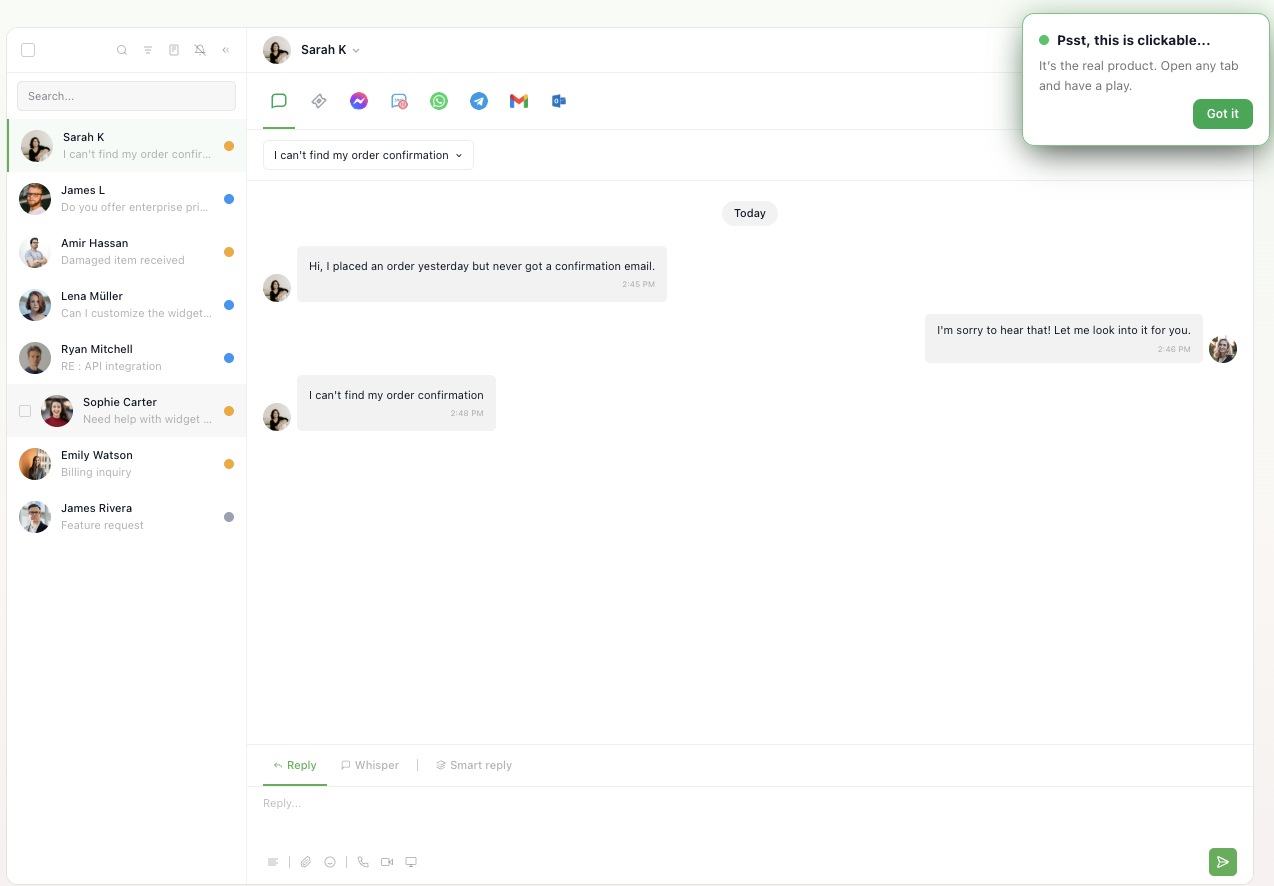
Tidio combines live chat, a shared inbox for chat, email, and social messages, no-code automations called Flows, and Lyro, the best AI agent for e-commerce stores and growing support teams, which resolves up to 75% of support conversations. The plugin is a connector: you install and activate it, then create or connect a Tidio account from the Tidio item in your WordPress menu, and you reply from the Tidio panel or its iOS and Android app.
Plugin fit: version 8.0.1, requires WordPress 4.7 and PHP 7.4, tested up to 7.1.3.
What it does on WordPress:
- Show or hide the chat on specific pages with shortcodes, and limit it by country or hide it on mobile.
- Widget languages: English, French, German, Spanish, Italian, and Portuguese.
- WooCommerce: connect your store from the plugin and send product cards from your catalog during a chat. Tidio’s WooCommerce page also describes click notifications when a shopper opens a card.
- Flows send proactive messages, and Lyro answers from your help content.
Pros
- A free plan with up to 10 seats and 50 conversations a month, enough to test on a live site.
- Chat, AI, and email share one inbox, so a handoff from Lyro keeps the conversation.
Cons
- Free quotas are small: Lyro gets 50 conversations once, not every month, and Flows are free for only the first 100 visitors a month.
- Removing the "Powered by Tidio" line is a $20-a-month add-on on Growth, included on Plus and Premium.
- Order and cart actions inside the chat are listed as native on Shopify only. On WooCommerce, Tidio documents product cards.
- You need a Tidio account, and the conversations live in Tidio's cloud, not in WordPress.
Pricing:
- Free: 50 human conversations/month, 100 Flows visitors/month + 50 one-time Lyro AI conversations.
- Starter: Human only: from $24/month for 100 conversations. With Lyro AI: from $33/month for 50 conversations shared by AI and your team.
- Growth: from $41/month for 200 human conversations or $63/month for 100 AI + human conversations; scalable to 1,000/month.
- Plus: from $300/month + usage. Premium: custom pricing.
- Optional add-ons: Flows, Inbox AI, Help Center, Voice, and branding removal.
- 7-day free trial: Growth features with Lyro AI and 100 AI + human conversations, no card required; moves to Free unless you choose a paid plan.
Starting prices shown with annual billing.
The Free plan covers up to 10 seats. Lyro and your team share the quota, and each conversation counts once, however many replies Lyro sends. After the trial, the account drops to Free. See the pricing page.
tawk.to
Best for: a free chat with unlimited agents, chats, and sites
Quick facts:
- AI billing: AI Assist is a $29-a-month add-on per property.
- Channels: reply in the tawk.to dashboard or its iOS, Android, Windows, and Mac apps.
- WordPress.org: 4.6 stars from 142 ratings, 100,000+ installs (listing).
tawk.to is the free option. The plugin’s listing says there are no limits on agents, chat volume, or sites, and the company earns from paid add-ons instead of plans. It suits a solo owner or a small team that wants a working chat today. It suits you less if you want an AI agent or a badge-free widget without paying.
Plugin fit: requires WordPress 2.7, tested up to 6.9.10.
What it does on WordPress:
- The plugin adds the widget to your pages and ties the site to your tawk.to account.
- Several websites can share one account.
- The listing names no WooCommerce-specific chat features.
Pros
- Free with no agent limit.
- Apps on every major desktop and mobile platform.
Cons
- Removing the “Powered by tawk.to” badge costs $29 a month per property.
- AI Assist is a $29-a-month add-on.
Pricing: no paid chat plans. Add-ons are billed per property: AI Assist $29 a month, Whitelabel $29 a month.
3CX
Best for: teams that also want phone and video calls

Quick facts:
- AI billing: no AI add-on price published.
- Channels: chat, calls, video, and connected WhatsApp, Facebook, and SMS in the 3CX Web Client.
- WordPress.org: 4.6 stars from 820 ratings, 100,000+ installs (listing).
3CX Free Live Chat is a phone system’s chat feature. The plugin works, but setup starts with a 3CX account, then Admin > Voice & Chat > Add Live Chat in the 3CX Web Client. The listing says the plugin is free forever, with chat free for up to 10 users. It fits a team that already runs, or wants, a business phone system.
Plugin fit: requires WordPress 5.3, tested up to 7.0.0.
What it does on WordPress:
- Video calls start from a chat, through 3CX.
- You can restyle the chat bubble to match your brand.
Pros
- Free for up to 10 users, with the most ratings of any plugin here (820).
- Calls and chat in one place.
Cons
- You sign up for a phone system, not a standalone chat tool.
- 3CX does not publish a price for live chat, an AI add-on, or how to remove its branding on the pages we checked.
Pricing: live chat is free for up to 10 users. Paid 3CX is licensed per system rather than per seat; the live chat page shows no price.
LiveChat
Best for: sales and support teams on WooCommerce that are happy to pay per person
Quick facts:
- AI billing: the Text AI Agent is a separate product, from $19 per user a month.
- Channels: chat in LiveChat's web and mobile apps, not in wp-admin.
- WordPress.org: 4.6 stars from 98 ratings, 10,000+ installs (listing).
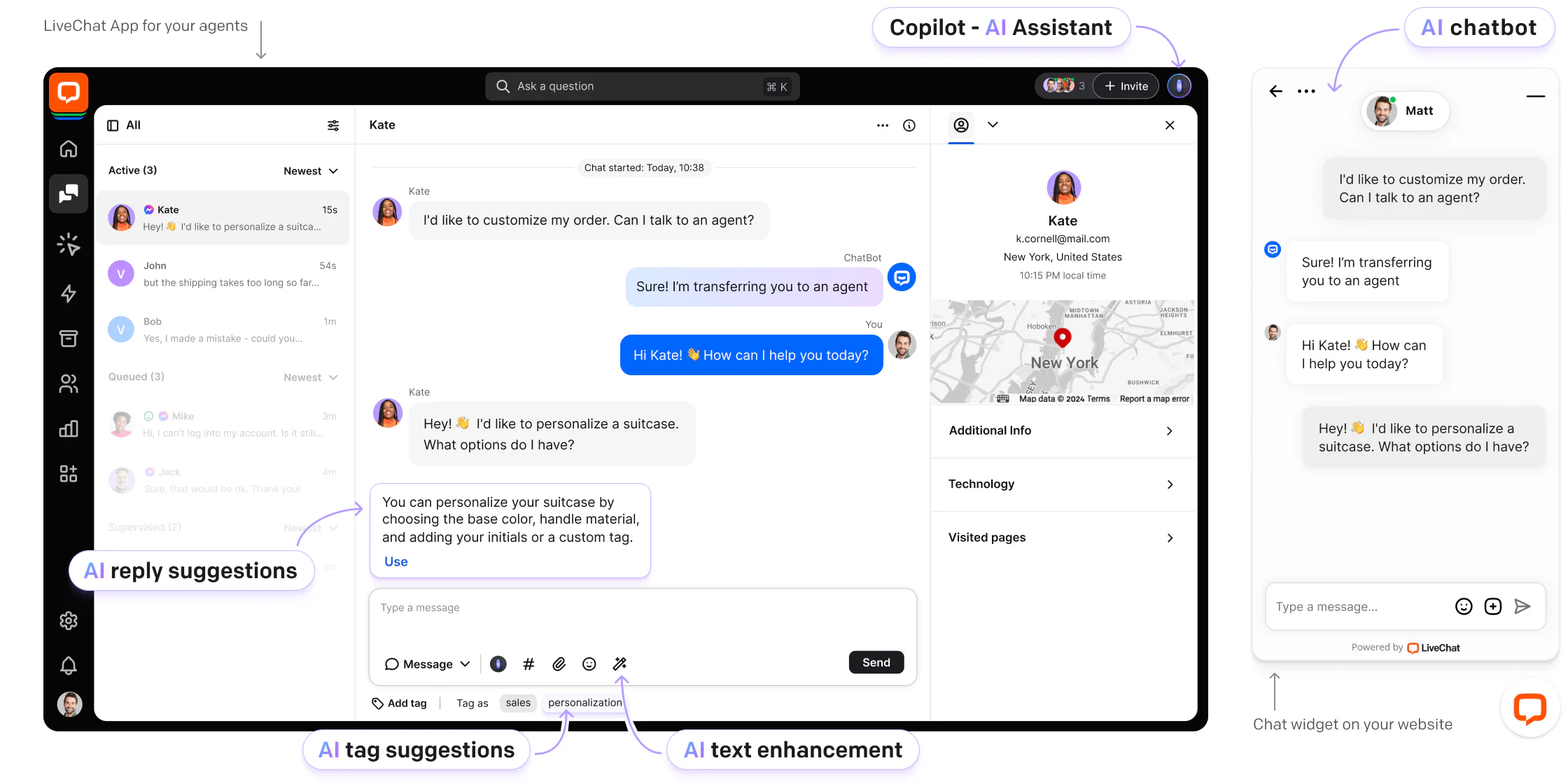
LiveChat is a dedicated chat product with no free plan. After you activate the plugin you sign in to an existing LiveChat account or create one, and your team answers in LiveChat’s web or mobile apps. The listing says it is built for e-commerce, with access to cart contents, cart recovery messages, and proactive support on WooCommerce.
Plugin fit: requires WordPress 4.4 and PHP 7.2, tested up to 6.9.10.
What it does on WordPress:
- WooCommerce cart contents and cart recovery messages, per the plugin listing. The plan each feature needs is not stated there.
Pros
- Built for sales conversations on WooCommerce.
- A 14-day trial with no card.
Cons
- No free plan, and you pay for every user account you create.
- Removing the “Powered by LiveChat” branding is an Enterprise-only option.
Pricing: Starter $19 per person a month billed annually ($25 monthly), one user only. Team $49 ($59), Business $79 ($89). Enterprise is custom.
HubSpot
Best for: sites that already use HubSpot for CRM, forms, and email
Quick facts:
- AI billing: the Customer Agent AI bills in HubSpot Credits and needs Professional or Enterprise.
- Channels: live chat and a rule-based chatbot, handled in the HubSpot inbox.
- WordPress.org: 4.3 stars from 207 ratings, 200,000+ installs (listing).
The HubSpot plugin is a whole marketing suite, with forms, CRM, email, and live chat, so you install more than a chat tool. You handle chats in the HubSpot inbox. It is the plugin with the most installations here, and the right pick if HubSpot is already where your sales team works.
Plugin fit: requires WordPress 5.8 and PHP 7.2, tested up to 6.9.10. The listing says it cannot be installed on WordPress.com sites.
What it does on WordPress:
- Adds HubSpot’s tracking script to every page; the plugin needs wp_footer in your theme.
- Chat and a rule-based chatbot are free. Starter and free users cannot add if/then branches.
- Site forms sync with HubSpot’s CRM, so leads from chat and forms end up in one place.
Pros
- Free live chat for up to 2 users.
- Chat, forms, and CRM sit in one suite.
Cons
- The free chat carries HubSpot branding. Starter, at $7 a seat a month billed annually, removes it.
- Higher tiers cost $90 and $150 a seat a month billed annually, plus a $1,500 or $3,500 onboarding fee.
Pricing: Free for up to 2 users. Service Hub Starter $7 per seat a month billed annually, Professional $90, Enterprise $150.
Crisp
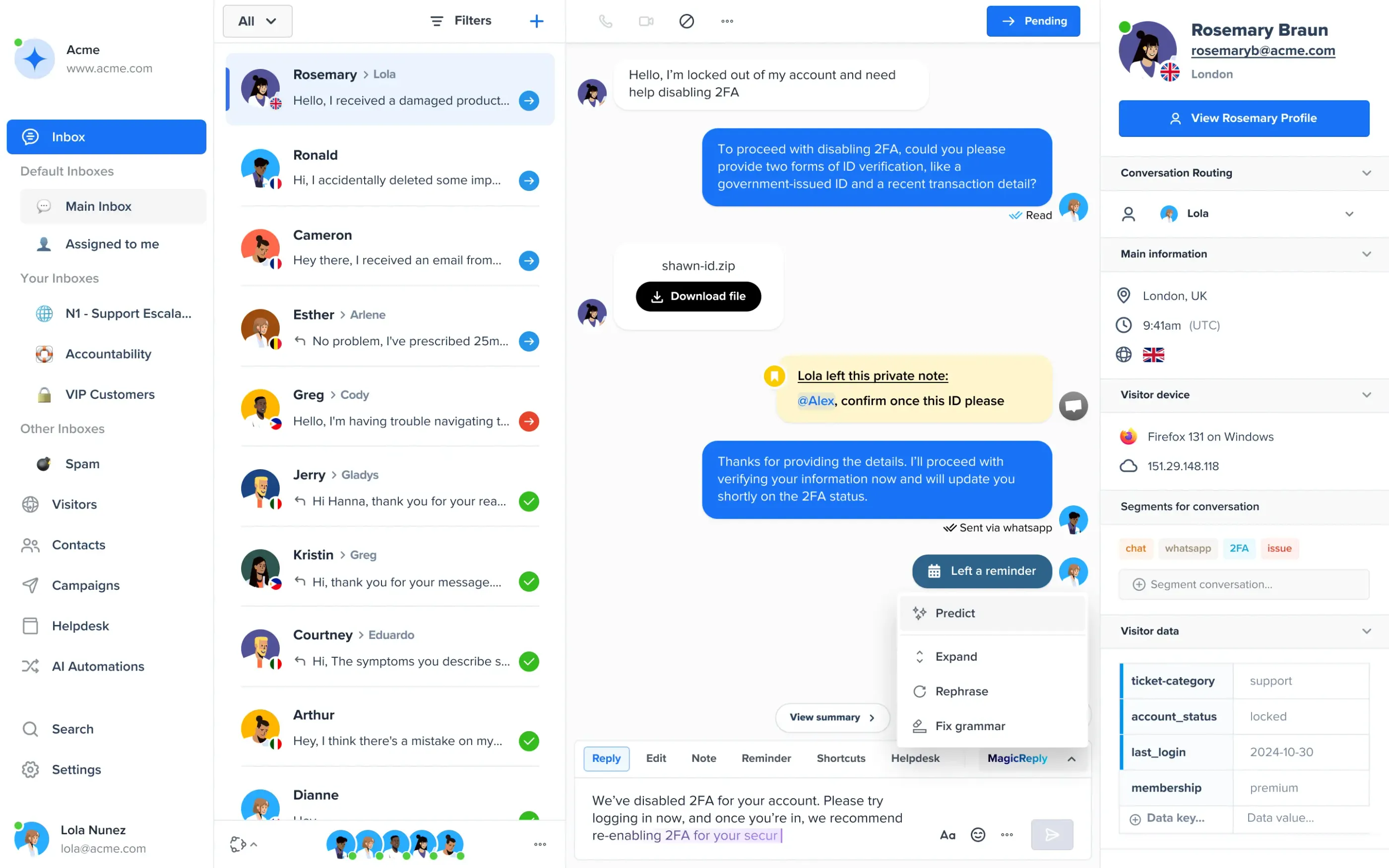
Best for: small teams that want a flat price per workspace
Quick facts:
- AI billing: monthly AI credits for the AI agent, from the Mini plan up.
- Channels: reply in the Crisp inbox or its apps.
- WordPress.org: 4.6 stars from 73 ratings, 20,000+ installs (listing).
Crisp charges per workspace, not per agent. The plugin installs the chatbox and links your Crisp workspace; you reply in the Crisp inbox or its apps. The plugin itself is the weak spot: it was last updated in 2025, and its listing says it is tested only up to WordPress 6.8.11.
Plugin fit: requires WordPress 3.0.1, tested up to 6.8.11.
What it does on WordPress:
- Links the Crisp chatbox to your workspace so you reply in the Crisp inbox.
- Crisp lists WooCommerce among its install options; the plugin listing names no WooCommerce-specific chat features.
- The free plan covers the chat widget and a contact form with 2 seats. Widget customization and proactive messages are paid.
Pros
- Flat pricing per workspace, with a free plan for 2 seats.
- AI agent included from Mini upward, through monthly AI credits.
Cons
- Removing the Crisp branding needs the $295 Plus plan.
- The plugin has not been updated for 18 months.
Pricing: Free, 2 seats. Mini $45 a month per workspace (4 seats), Essentials $95 (10 seats), Plus $295 (20 or more seats). Extra agents $10 a month each.
Smartsupp
Best for: small online stores that want a simple widget on a small budget

Quick facts:
- AI billing: the Mira AI agent add-on is $16 a month billed annually for 100 conversations.
- Channels: live chat, WhatsApp, and Messenger, even on the free plan, in the Smartsupp dashboard and apps.
- WordPress.org: 4.7 stars from 131 ratings, 20,000+ installs (listing).
Smartsupp prices per account, not per seat, and its plugin is among the most recently updated in this list. The listing says to install it and log in to your Smartsupp account within the plugin settings; chats then live in the Smartsupp dashboard and apps. It lists WooCommerce among its integrations, and its Mira AI agent is aimed at shops.
Plugin fit: requires WordPress 3.0, tested up to 7.1.3.
What it does on WordPress:
- Paid plans have unlimited conversations; the free plan caps them at 25 a month.
Pros
- A low entry price: $17 a month billed annually, per account.
- A recently updated plugin.
Cons
- The free plan allows one operator, 25 conversations a month, and 14 days of history.
- Smartsupp’s help center says the “Powered by Smartsupp” branding cannot be removed or hidden on any plan.
Pricing: Free. Solo $17 a month billed annually (1 operator), Plus $25 (3 operators), Expert $83 (5 or more operators). Mira AI agent $16 a month billed annually for 100 conversations.
Chatway
Best for: replying from inside wp-admin and seeing WooCommerce orders in the chat
Quick facts:
- AI billing: $0.50 per resolved conversation, with 10 AI conversations free.
- Channels: reply from wp-admin or the Chatway apps for iOS and Android.
- WordPress.org: 5.0 stars from 762 ratings, 30,000+ installs (listing).
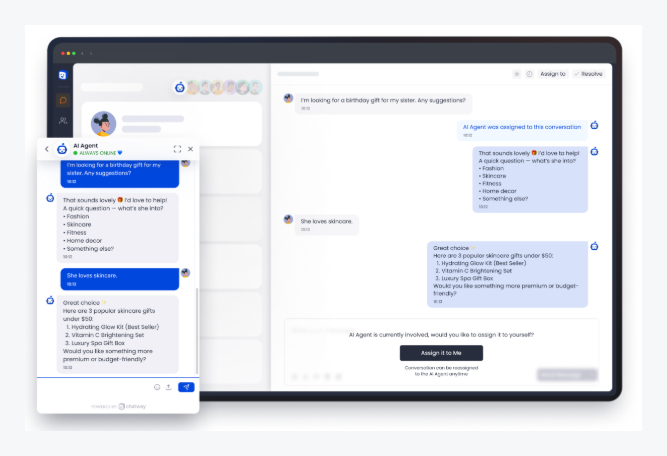
Chatway is the one plugin here whose listing describes an inbox inside WordPress. Activating it creates a free Chatway account and adds the chat popup script; the listing says you can use it from your WordPress admin panel or as a standalone app. Chatway says its WooCommerce integration shows a shopper’s orders and cart in the chat.
Plugin fit: requires WordPress 4.7, tested up to 7.1.3.
What it does on WordPress:
- WooCommerce: order and cart visibility, product and coupon sharing, and order tracking, as stated on Chatway's pricing page.
- An AI support agent that answers from your content, plus a "Bring Your Own AI" option.
Pros
- Reply without leaving WordPress.
- The AI agent is billed at $0.50 per resolved conversation, with 10 AI conversations free.
Cons
- Conversation caps apply on every plan: 50, 200, and 1,000 a month.
- The cheapest paid plan includes only 2 seats.
Pricing: Free, 1 seat, 50 conversations a month, 30 days of history. Business $31 a month billed yearly ($39 monthly), 2 seats, 200 conversations; extra seats $16 a month. Plus $159 ($199), 10 seats, 1,000 conversations. Removing the Chatway branding starts on Business.
Formilla
Best for: one agent who wants a low-cost paid plan
Quick facts:
- AI billing: ChatGPT bots with Copilot cost $29.99 a month for up to 100 chats.
- Channels: reply in Formilla's web interface or its apps.
- WordPress.org: 4.8 stars from 116 ratings, 2,000+ installs (listing).
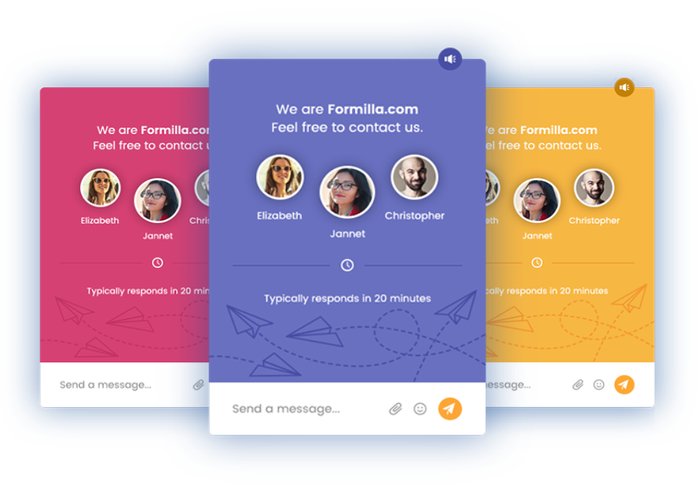
Formilla is a small player with 2,000+ installations and a well-rated, recently updated plugin. The button appears on a WordPress or WooCommerce site once you activate it, and you reply in Formilla’s web interface or its apps.
Plugin fit: requires WordPress 2.7, tested up to 7.1.3.
What it does on WordPress:
- The chat button appears on WordPress and WooCommerce sites; the listing names no WooCommerce-specific chat features.
- Free plan: 1 agent, unlimited live chats, desktop and mobile apps, and up to 5 canned replies.
Pros
- Unlimited live chats on the free plan.
- Premium starts at $13.99 a month on a yearly term.
Cons
- Real-time visitor monitoring is paid, and branding removal starts on Professional at $39.99 a month.
- The free plan keeps chat history and contacts for 60 days.
Pricing: Standard is free. Premium $13.99 a month on a yearly term paid in full (1 agent), Professional $39.99 (2 agents). ChatGPT bots with Copilot $29.99 a month for up to 100 chats a month.
Zoho SalesIQ
Best for: teams already on Zoho that want visitor tracking
Quick facts:
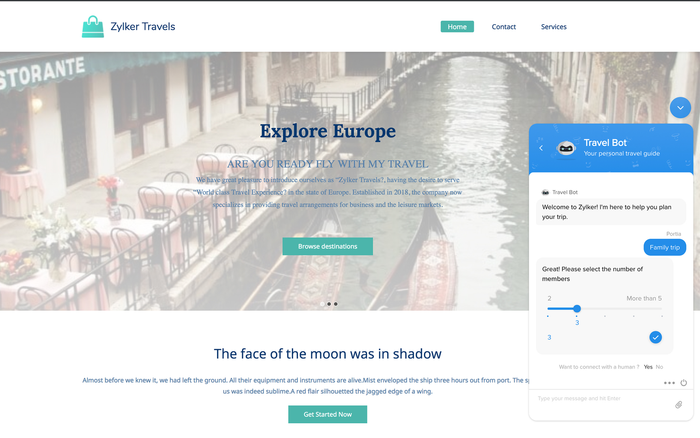
- Channels: chats in the SalesIQ dashboard and apps; bots and audio or video calls appear in the plugin screenshots.
- WordPress.org: 4.1 stars from only 7 ratings, 10,000+ installs (listing).
Zoho SalesIQ is built around visitor tracking. The plugin installs the widget; chats run in the SalesIQ dashboard and apps. The free plan covers 3 operators, so a small team can start without paying.
Plugin fit: requires WordPress 2.8, tested up to 6.8.11.
What it does on WordPress:
- Adds the SalesIQ widget to your pages.
- Visitor insights for up to 10,000 visitors a month on the free plan.
- Bots and audio or video calls are listed in the plugin screenshots.
- The listing and pricing pages do not describe WooCommerce features or branding removal.
Pros
- Free for 3 operators, with 100 operator chat sessions a month.
- Low per-operator pricing, from $7.
Cons
- Only 7 ratings, so the 4.1 is a thin signal.
- The plugin was last updated in 2025.
Pricing: Free. Basic $7 per operator a month billed annually ($10 monthly), Professional $12.75 ($17), Enterprise $20 ($25).
WP Social Ninja
Best for: adding WhatsApp, Messenger or Telegram chat buttons without running a live chat inbox
Quick facts:
- AI billing: no AI agent described.
- Channels: Messenger, WhatsApp, WhatsApp Business and Telegram in the free version; Instagram, SMS, email, Slack, Microsoft Teams and others on Pro.
- WordPress.org: 4.8 stars from 71 ratings, 30,000+ installs (listing).
WP Social Ninja is a social feed and review plugin with a chat widget module. The module puts one floating button on your pages that opens a conversation in a messaging app you already use, so replies happen in WhatsApp, Messenger or Telegram, not in a chat window or inbox of its own. The vendor's product and pricing pages and the listing describe no shared inbox, agent seats or AI agent.
Plugin fit: version 4.4.0, requires WordPress 6.2 and PHP 7.4, tested up to 7.1.3.
What it does on WordPress:
- Chat buttons for 15+ messaging platforms.
- Floating button with a custom icon, position, header, popup box and a prefilled welcome message.
- Show or hide the chat by page or post type, and hide it on desktop or mobile.
- Pro adds online and offline status, offline text and a separate widget per language.
Pros
- Free for WhatsApp, Messenger and Telegram, with no per-agent pricing.
- Customers reach you on the apps they already use.
Cons
- No inbox, so conversations are split across the messaging apps you connect.
- No live chat window, agent tools or AI agent are described. Widgets, feeds and reviews make up the rest of the plugin.
Pricing (the vendor's pricing page shows annual prices, with a seasonal 30% discount running at the time): the free version covers the three platforms above. Paid annual licenses, all with every platform included: $89 a year for one site, $249 for 25 sites, $399 for unlimited sites. Lifetime licenses start at $349 for one site.
Which plugin should you choose?
Pick by who answers and what you sell.
| Your situation | Pick | Why |
|---|---|---|
| You want chat for free, with any number of agents | tawk.to | No agent or chat limit; paid add-ons only. |
| You want an AI agent on a small site or store | Tidio | Free plan to test, Lyro for AI answers, a 4.8-star listing. |
| You want to reply inside wp-admin and see WooCommerce orders | Chatway | An inbox in WordPress, with order and cart view. |
| Your sales team already works in HubSpot | HubSpot | Chats attach to CRM contacts. |
| Your team sells on WooCommerce and chats all day | LiveChat | Cart contents and cart recovery, billed per person. |
| You want phone, video, and chat in one tool | 3CX | A phone system with free chat for 10 users. |
| You want flat pricing for a small team | Crisp | Per workspace, not per seat. Check the plugin's age first. |
| You have one agent and a low budget | Formilla or Smartsupp | Formilla from $13.99, Smartsupp from $17 a month. |
| You only want WhatsApp or Messenger buttons on your pages | WP Social Ninja | Free chat buttons that open the messaging apps you already use. |
If you only want AI answers and not live agents, read our guide to WordPress chatbot plugins. For the widget’s look and position, see chat widgets for websites, and for a broader list of free tools, free live chat software.
How to install a live chat plugin on WordPress
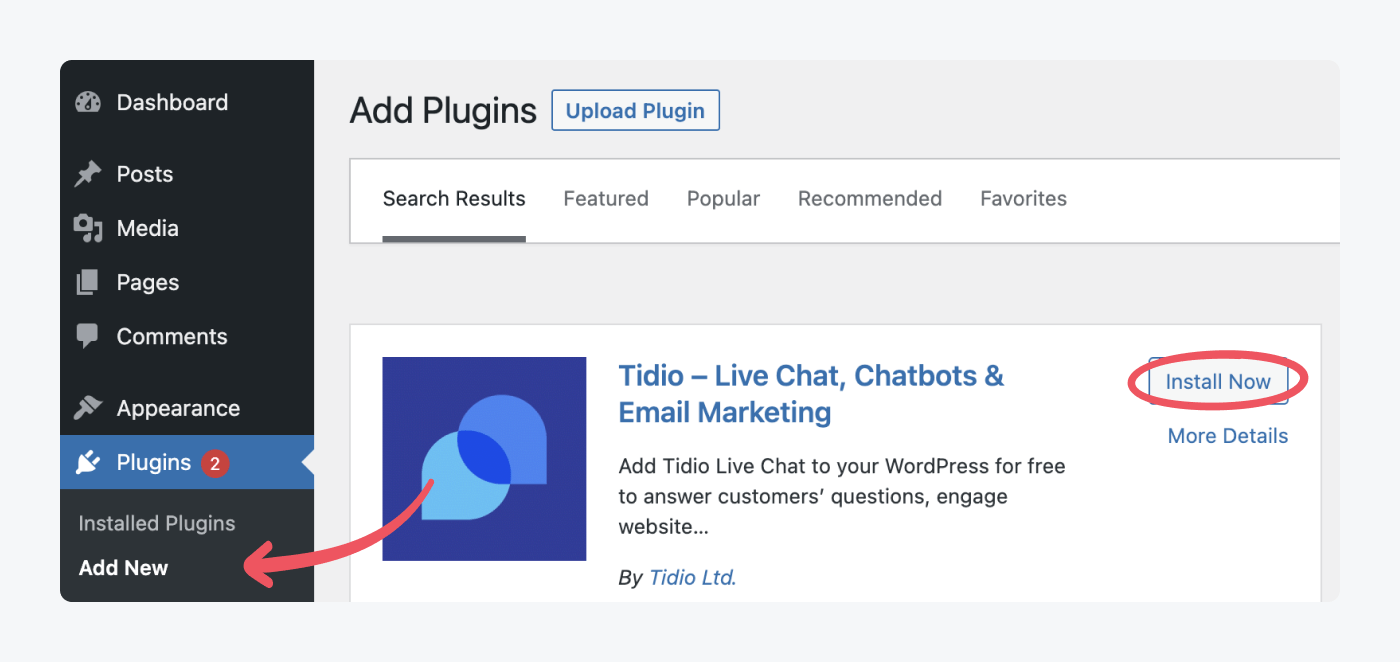
The steps are the same for most plugins: install, activate, connect an account, and test. Tidio is the worked example below; the other nine follow the same pattern, with their own account login in place of Tidio’s.
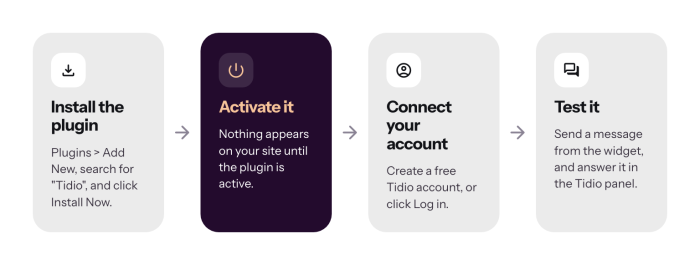
Step 1: Install the plugin
In wp-admin, open Plugins > Add New, search for “Tidio”, and click Install Now.
Step 2: Activate it
Click Activate before you do anything else. This is the step people skip: nothing appears on your site until the plugin is active.
Step 3: Connect your account
Open the Tidio item in the left wp-admin menu. Create a free Tidio account, or click Log in if you already have one. Tidio then runs a short product tour and asks a few questions about your business. After that, the widget shows in the lower right corner of your site by default, and you can change its position in Settings.
If you run WooCommerce, click Integrate Now when Tidio asks to connect your store, and approve the access request.
Step 4: Test it
Open your site in a private window, send a message from the widget, and answer it in the Tidio panel. If the widget does not show, clear your site cache and temporarily disable any caching plugin, such as W3 Total Cache or W3 Super Cache.
Manual option: paste the script
If you do not want a plugin, copy your unique JavaScript snippet from Settings > Live Chat > Installation in the Tidio panel. In WordPress, open Appearance > Theme File Editor, open footer.php, and paste the snippet above the closing </body> tag. Use one install method, not both: Tidio warns against running the plugin and the snippet together. A theme update can overwrite footer.php, so use a child theme or a header and footer plugin if you plan to keep the snippet. Our guide to adding live chat to a website covers other site builders.
Install Tidio on your WordPress site for free
Will a chat plugin slow down your site?
It can add some load, and the amount depends on the vendor’s script, not on WordPress. A chat plugin usually loads the vendor’s widget as an extra script on every page, so a lighter or asynchronous script matters more than the plugin’s size. The Tidio widget loads asynchronously, and its plugin changelog notes that version 7.0.0 changed the loading priority for compatibility with consent and caching plugins. We have not measured the speed of any plugin here, and vendor speed claims are claims.
Test your own site before and after you install. Run PageSpeed Insights on a key page, install one plugin, run it again, and compare. Three habits keep the cost down: run one chat plugin at a time, show the widget only on pages where visitors need it (Tidio and the others let you limit pages), and keep the plugin updated, which is why the update date in each listing above matters.
What to look for in a WordPress chat plugin
| Check | What to look for | Why it matters |
|---|---|---|
| Where you reply | wp-admin or the vendor's dashboard and apps | Only Chatway describes an inbox in WordPress; the rest need a second login. |
| Free plan limits | Conversations, seats, history | Smartsupp caps free chats at 25 a month; tawk.to has no cap. |
| Branding | Cost to remove the "Powered by" badge | From $7 a seat on HubSpot to $295 a month on Crisp; it cannot be removed on Smartsupp. |
| WooCommerce | Orders, carts, product cards | Chatway and LiveChat document cart and order features; Tidio documents product cards. |
| Plugin upkeep | Last update, tested-up-to version | Crisp's listing dates from April 2025. |
| AI pricing | The unit: conversation, resolution, or credit | Tidio bills per conversation, AI or human, Chatway per resolved conversation. |
| Speed | Async loading, page-level display rules | Test your own pages before and after. |
Install one and see where the replies land
Install one plugin from the list and send yourself a test message. Watch where the reply arrives: wp-admin or a vendor dashboard. If you want a free start with live chat and AI in one app, Tidio's free plan covers 50 conversations a month.
Frequently asked questions
No. WordPress core has no real-time chat. You add one with a plugin from the WordPress plugin directory, or by pasting a vendor's script into your theme's footer.
tawk.to is free with no limit on agents, chats, or sites, and Tidio, Chatway, HubSpot, Crisp, Smartsupp, Formilla, Zoho SalesIQ, 3CX, and WP Social Ninja have free plans with limits on seats, conversations, or features. Free plans usually keep the vendor's badge.
Copy the chat script from your vendor's settings and paste it above the closing </body> tag in your theme's footer.php, through Appearance > Theme File Editor. Use a child theme, because a theme update can overwrite the file.
It can add load, depending on the vendor's script. Run PageSpeed Insights before and after, use one chat plugin at a time, and limit the widget to the pages that need it.
Yes. Chatway and LiveChat document cart and order features for WooCommerce, and Tidio documents product cards. Others show the chat button on WooCommerce sites without store-specific features in their listings.
Yes. Tidio (Lyro), Chatway, Smartsupp (Mira), Formilla, and LiveChat offer AI agents, billed by conversation, resolution, or credit. For plugins built only around AI, see our list of WordPress chatbots.
Try Tidio on your WordPress site