



Key takeaways
- WordPress has no built-in live chat. You add one with a plugin from the WordPress plugin directory or by pasting a script into your theme.
- Best free plugin: tawk.to. Unlimited agents, chats, and sites, with the “Powered by” badge removable for $29 a month.
- Best for AI on a small site or store: Tidio. The free plan includes 50 billable conversations a month and a 4.8-star plugin listing; the AI agent, Lyro, is a separate paid quota.
- Only Chatway describes an inbox inside wp-admin. For the other nine plugins you reply in the vendor’s dashboard or apps.
- Nine of the 10 have a free plan. LiveChat has a 14-day trial only.
- Check when a plugin was last updated. Crisp’s listing was last updated in April 2025 and is tested only up to WordPress 6.8.11.
WordPress has no built-in live chat, so every chat window on a WordPress site comes from a plugin or a pasted script. Most of them are free to install and differ on what happens next: who answers, where, and what it costs once the free plan runs out. For a small site or a WooCommerce store, tawk.to is the free pick with no agent limit, Tidio adds an AI agent to a free plan, and Chatway is the only one here whose listing describes an inbox inside the WordPress admin. We compared 10 plugins on their WordPress.org listings and pricing pages in October 2026. Tidio is one of the ten, with the same template as the rest.
Does WordPress have built-in live chat?
No. WordPress core has comments and contact forms but no real-time chat, so a chat plugin is the standard way to add one. A chat plugin, also called a website chat or webchat plugin, puts a chat button on your pages and lets visitors message you instantly. You install it from Plugins > Add New in wp-admin, or you skip the plugin and paste the vendor’s script into your theme.
Most live chat plugins are thin connectors. They load the vendor’s chat widget on your pages and link the site to a vendor account, where your team replies. The WordPress plugin directory lists each plugin’s rating, active installations, last update, and the WordPress version it was tested on, which is where the plugin facts below come from.
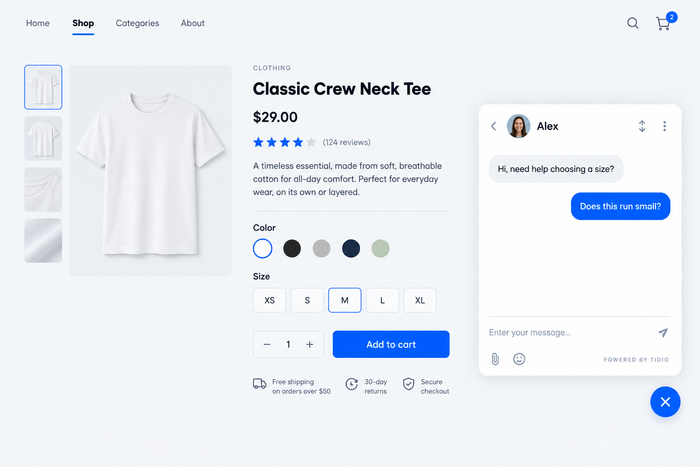
The best WordPress chat plugins at a glance
| Plugin | Best for | Free plan / trial | Paid from | WordPress.org rating | Active installs |
|---|---|---|---|---|---|
| Tidio | Small sites and stores that want AI | Free plan (50 conversations a month) · 7-day trial | $24.17/mo billed annually ($29 monthly) | 4.8 (395) | 70,000+ |
| tawk.to | A free chat with unlimited agents | Free plan | No paid plans; add-ons from $29/mo | 4.6 (142) | 100,000+ |
| 3CX | Teams that also want phone and video | Free for up to 10 users | Not published for live chat | 4.6 (820) | 100,000+ |
| LiveChat | Sales teams on WooCommerce | 14-day trial, no free plan | $19/person/mo billed annually ($25 monthly) | 4.6 (98) | 10,000+ |
| HubSpot | Sites that already run on HubSpot CRM | Free plan (2 users) | $7/seat/mo billed annually | 4.3 (207) | 200,000+ |
| Crisp | Small teams that want flat pricing | Free plan (2 seats) · 14-day trial | $45/mo per workspace | 4.6 (73) | 20,000+ |
| Smartsupp | Small online stores on a budget | Free plan (25 conversations a month) | $17/mo billed annually | 4.7 (131) | 20,000+ |
| Chatway | Replying in wp-admin, WooCommerce orders | Free plan (1 seat) · 14-day trial | $31/mo billed yearly ($39 monthly) | 5.0 (762) | 30,000+ |
| Formilla | A cheap paid plan with one agent | Free plan (1 agent) · 15-day trial | $13.99/mo on a yearly term | 4.8 (116) | 2,000+ |
| Zoho SalesIQ | Teams already on Zoho | Free plan (3 operators) · 15-day trial | $7/operator/mo billed annually | 4.1 (7) | 10,000+ |
Add live chat to your WordPress site with Tidio
How we chose these plugins
We started with the plugins in the previous edition of this article and the ones the top search results list. We kept a plugin only if it has a listing in the WordPress plugin directory, a published price, and a plugin that is still maintained. That removed five names. We found no Zendesk chat plugin in the directory, Intercom’s listing has 3.4 stars from 11 ratings, JivoChat’s was last updated in October 2023, Pure Chat’s in February 2025, and WP Social Ninja is a social feed and review plugin rather than a chat tool. We added four plugins that are updated regularly: Smartsupp, Chatway, HubSpot, and Zoho SalesIQ.
For each of the 10 we read the WordPress.org listing (rating, active installations, last update, requirements) and the vendor’s pricing page, and recorded what the plugin does after you activate it: where you reply, whether it has WooCommerce features, and what removing the vendor’s badge costs. The list is ordered by fit for small sites and online stores, not by rating, which is why Tidio is first. We did not benchmark page speed or AI resolution rates. Vendor claims on those are quoted as claims.
The 10 best live chat plugins for WordPress
Tidio
Best for: small sites and online stores that want live chat and an AI agent in one app
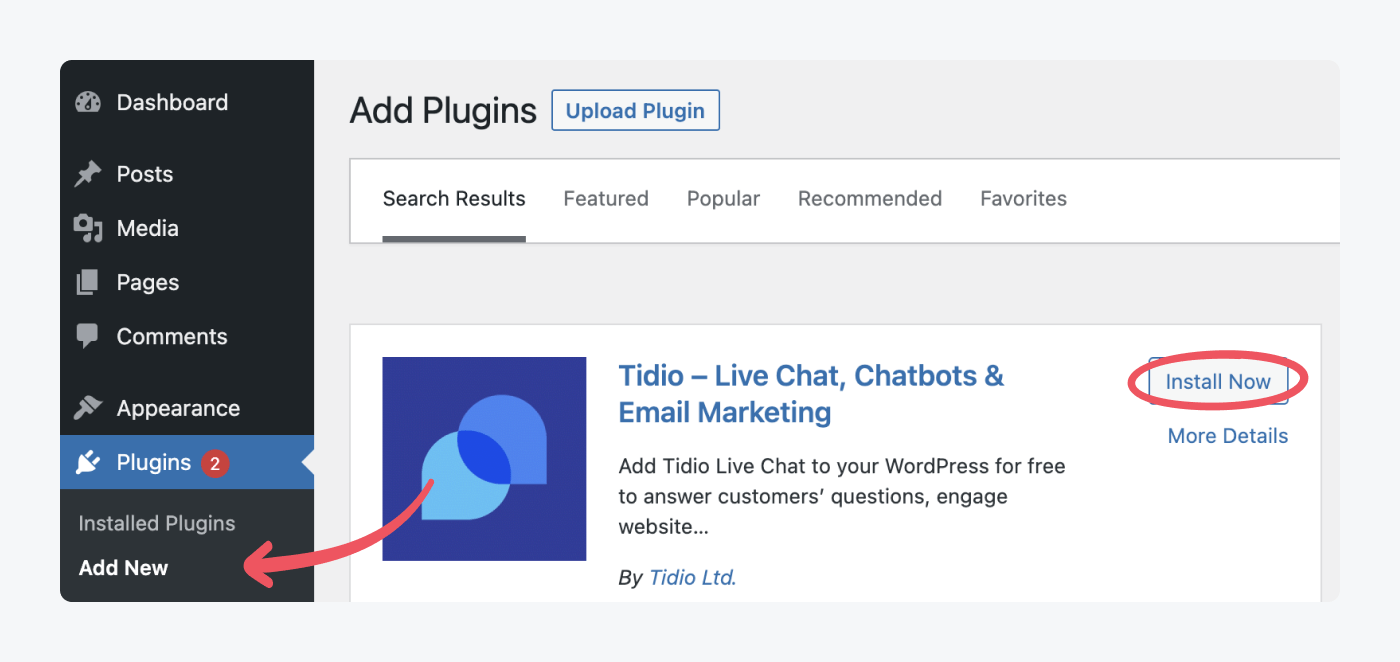
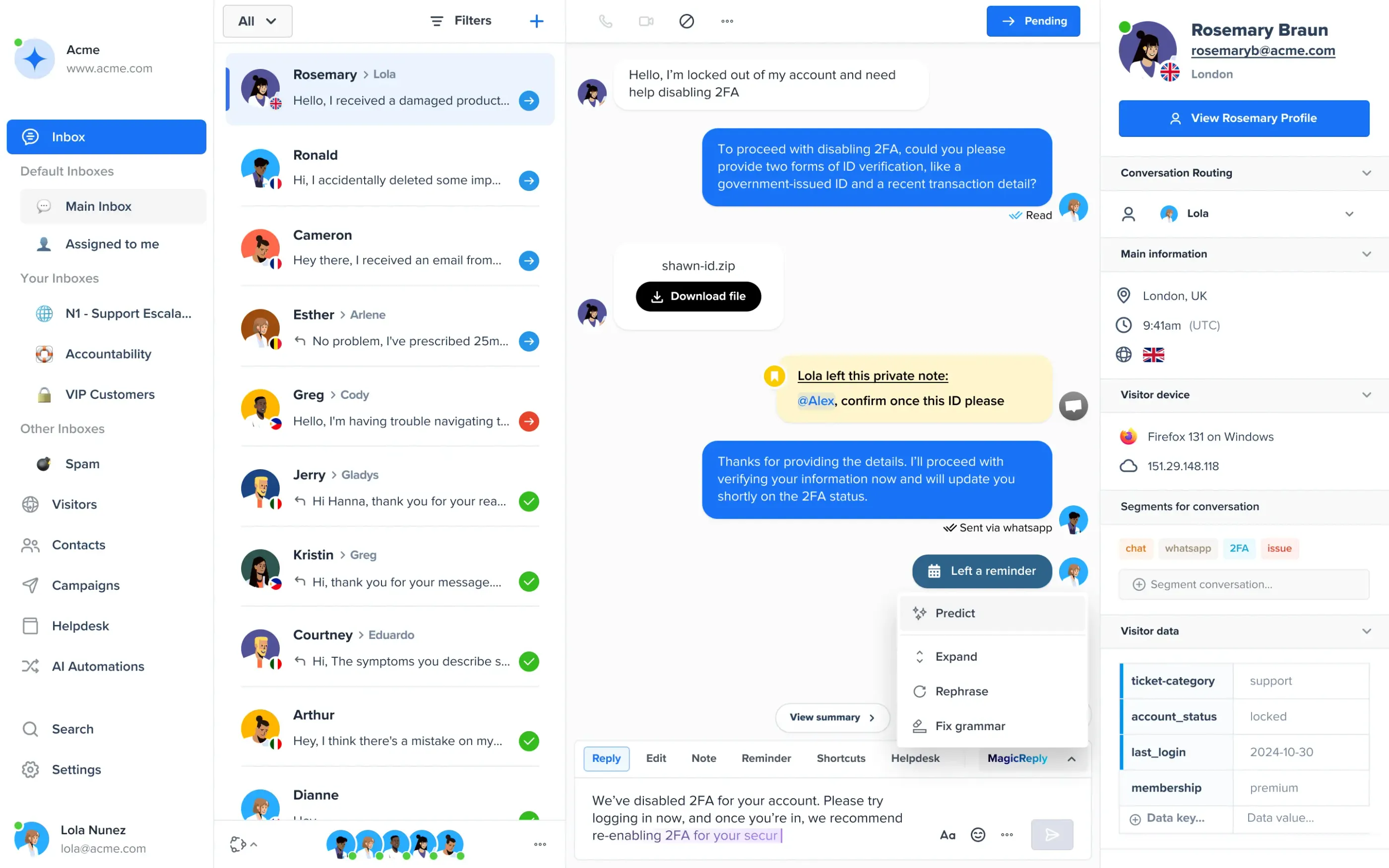
Tidio combines live chat, a shared inbox for chat, email, and social messages, an AI agent called Lyro, and no-code automations called Flows. The plugin is a connector: you install and activate it, then create or connect a Tidio account from the Tidio item in your WordPress menu, and you reply from the Tidio panel or its iOS and Android app.
Plugin fit: Tidio on WordPress.org: 4.8 stars from 395 ratings, 70,000+ active installations, version 8.0.1 updated September 2026, requires WordPress 4.7 and PHP 7.4, tested up to 7.1.3.
What it does on WordPress:
- Show or hide the chat on specific pages with shortcodes, and limit it by country or hide it on mobile.
- Widget languages: English, French, German, Spanish, Italian, and Portuguese.
- WooCommerce: connect your store from the plugin and send product cards from your catalog during a chat. Tidio’s WooCommerce page also describes click notifications when a shopper opens a card.
- Flows send proactive messages, and Lyro answers from your help content.
Pros
- A free plan with 10 seats and 50 billable conversations a month, enough to test on a live site.
- Chat, AI, and email share one inbox, so a handoff from Lyro keeps the conversation.
Cons
- Free quotas are small: Lyro gets 50 conversations once, not every month, and Flows are free for only the first 100 visitors a month.
- Removing the “Powered by Tidio” line is a paid add-on, listed at $16.67 a month.
- Order and cart actions inside the chat are listed as native on Shopify only. On WooCommerce, Tidio documents product cards.
- You need a Tidio account, and the conversations live in Tidio’s cloud, not in WordPress.
Pricing (checked October 2026; the pricing page shows annual prices, monthly in brackets):
- Free: $0, 50 billable conversations a month, 10 seats.
- Starter: $24.17 a month ($29), 100 conversations.
- Growth: from $49.17 a month ($59), up to 2,000 conversations.
- Lyro AI agent: from $32.50 a month ($39) for 50 AI conversations. Each conversation counts once, however many replies Lyro sends.
- 7-day free trial, no card; it drops to Free afterward.
tawk.to
Best for: a free chat with unlimited agents, chats, and sites
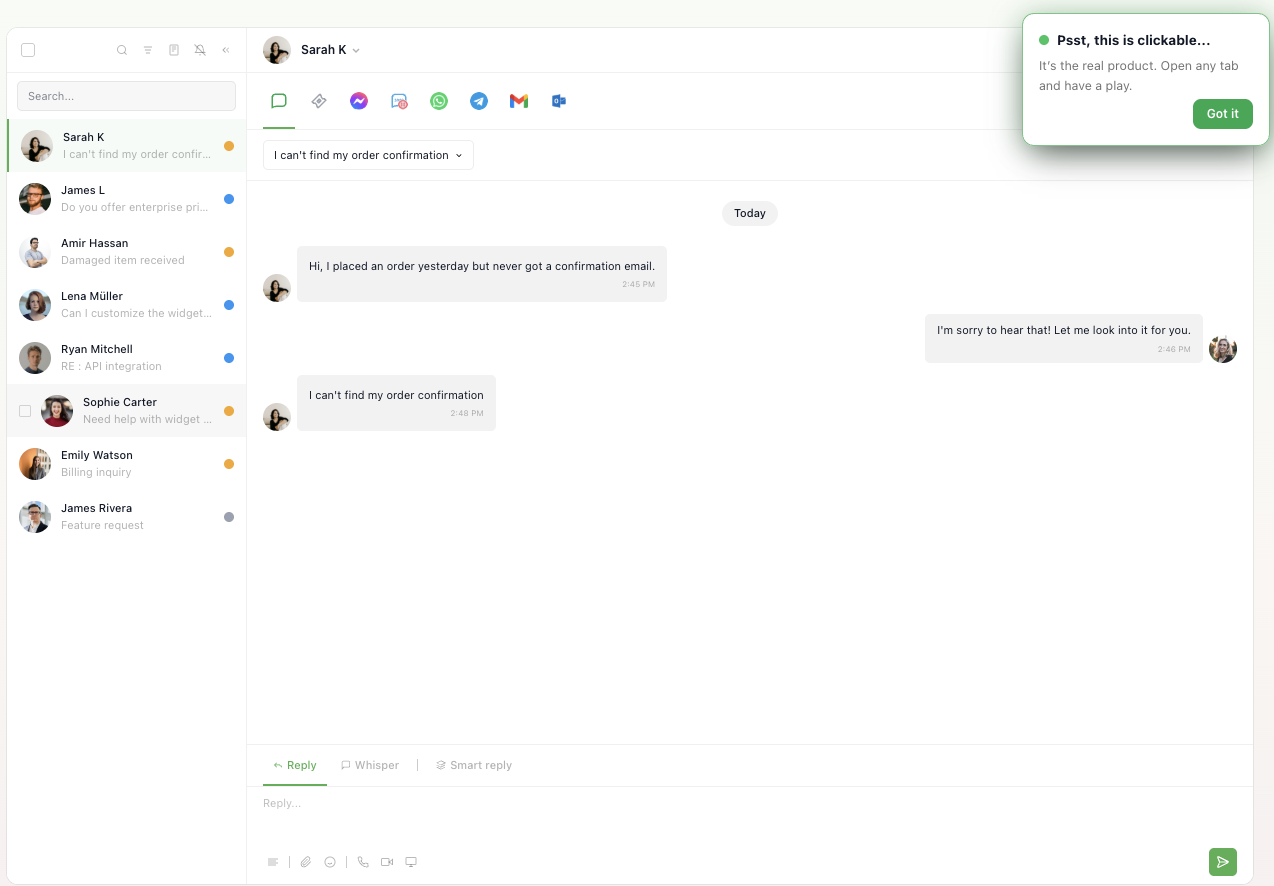
tawk.to is the free option. The plugin’s listing says there are no limits on agents, chat volume, or sites, and the company earns from paid add-ons instead of plans. It suits a solo owner or a small team that wants a working chat today. It suits you less if you want an AI agent or a badge-free widget without paying.
Plugin fit: tawk.to on WordPress.org: 4.6 stars from 142 ratings, 100,000+ active installations, updated 14 January 2026, requires WordPress 2.7, tested up to 6.9.10.
What it does on WordPress:
- The plugin adds the widget to your pages and ties the site to your tawk.to account.
- You reply in the tawk.to web dashboard or its iOS, Android, Windows, and Mac apps, not in wp-admin.
- Several websites can share one account.
- The listing names no WooCommerce-specific chat features.
Pros
- Free with no agent limit.
- Apps on every major desktop and mobile platform.
Cons
- Removing the “Powered by tawk.to” badge costs $29 a month per property.
- AI Assist is a $29-a-month add-on.
Pricing (checked September 2026): no paid chat plans. Add-ons are billed per property: AI Assist $29 a month, Whitelabel $29 a month.
3CX
Best for: teams that also want phone and video calls

3CX Free Live Chat is a phone system’s chat feature. The plugin works, but setup starts with a 3CX account, then Admin > Voice & Chat > Add Live Chat in the 3CX Web Client. The listing says the plugin is free forever, with chat free for up to 10 users. It fits a team that already runs, or wants, a business phone system.
Plugin fit: 3CX on WordPress.org: 4.6 stars from 820 ratings, 100,000+ active installations, updated 29 June 2026, requires WordPress 5.3, tested up to 7.0.0.
What it does on WordPress:
- Chats, calls, and the channels you connect, such as WhatsApp, Facebook, and SMS, are handled in the 3CX Web Client.
- Video calls start from a chat, through 3CX.
- You can restyle the chat bubble to match your brand.
Pros
- Free for up to 10 users, with the most ratings of any plugin here (820).
- Calls and chat in one place.
Cons
- You sign up for a phone system, not a standalone chat tool.
- 3CX does not publish a price for live chat, an AI add-on, or how to remove its branding on the pages we checked.
Pricing (checked October 2026): live chat is free for up to 10 users. Paid 3CX is licensed per system rather than per seat; the live chat page shows no price.
LiveChat
Best for: sales and support teams on WooCommerce that are happy to pay per person
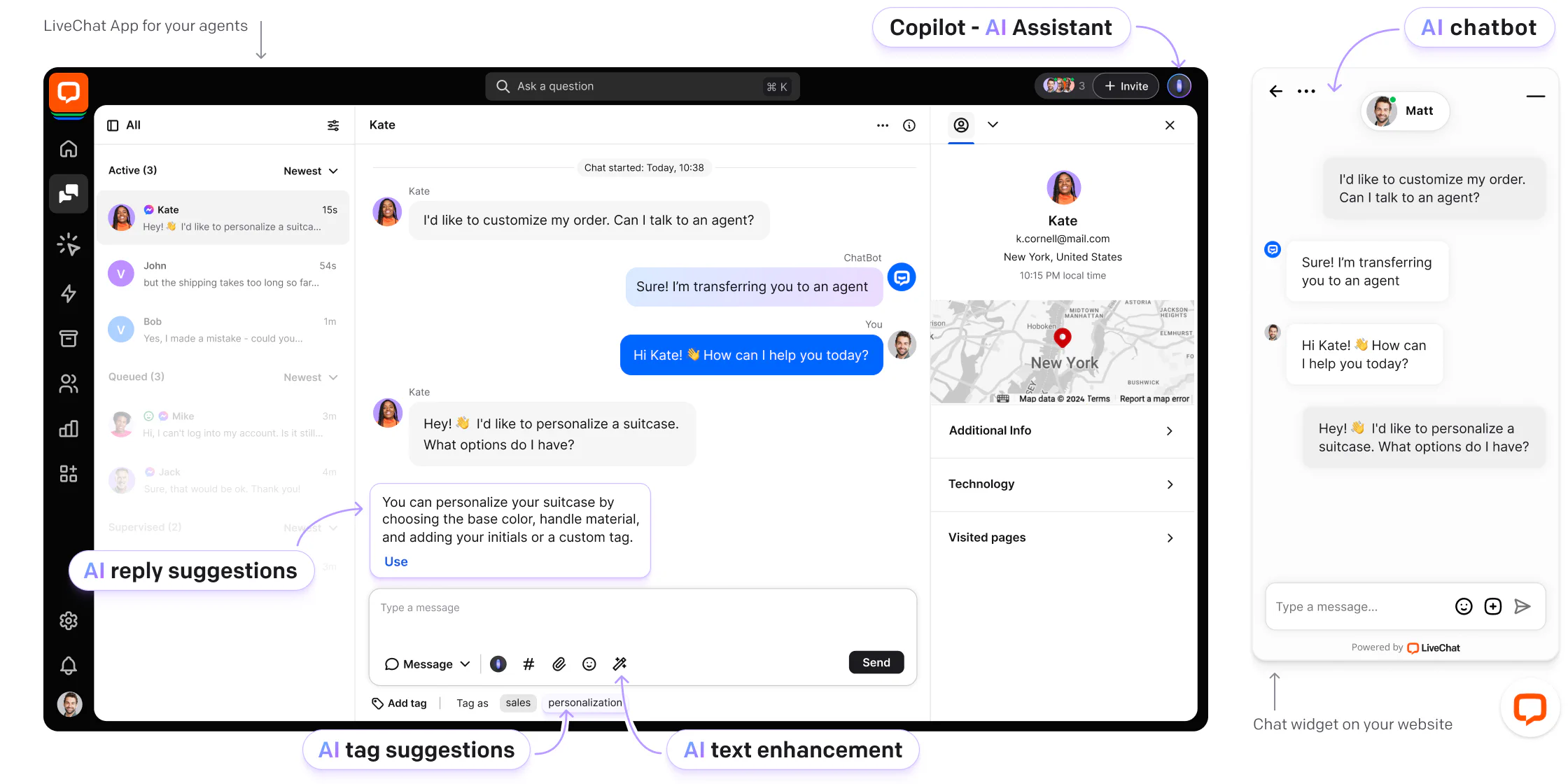
LiveChat is a dedicated chat product with no free plan. After you activate the plugin you sign in to an existing LiveChat account or create one, and your team answers in LiveChat’s web or mobile apps. The listing says it is built for e-commerce, with access to cart contents, cart recovery messages, and proactive support on WooCommerce.
Plugin fit: LiveChat on WordPress.org: 4.6 stars from 98 ratings, 10,000+ active installations, updated 25 May 2026, requires WordPress 4.4 and PHP 7.2, tested up to 6.9.10.
What it does on WordPress:
- WooCommerce cart contents and cart recovery messages, per the plugin listing. The plan each feature needs is not stated there.
- Chat in the LiveChat web app and mobile apps, not in wp-admin.
- A Text AI Agent is a separate product, from $19 per user a month.
Pros
- Built for sales conversations on WooCommerce.
- A 14-day trial with no card.
Cons
- No free plan, and you pay for every user account you create.
- Removing the “Powered by LiveChat” branding is an Enterprise-only option.
Pricing (checked October 2026): Starter $19 per person a month billed annually ($25 monthly), one user only. Team $49 ($59), Business $79 ($89). Enterprise is custom.
HubSpot
Best for: sites that already use HubSpot for CRM, forms, and email
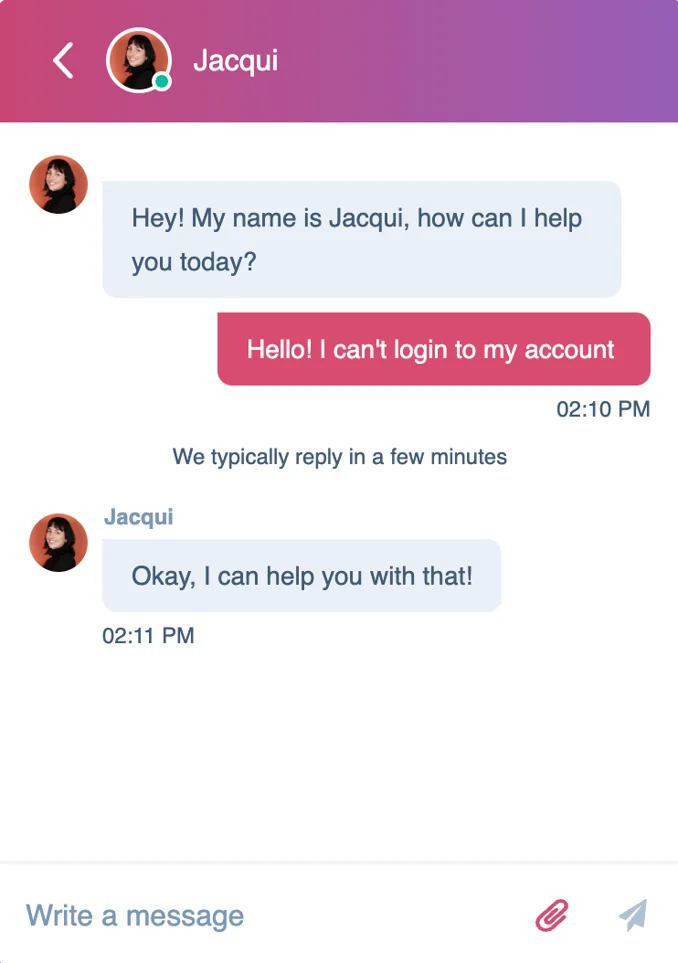
The HubSpot plugin is a whole marketing suite, with forms, CRM, email, and live chat, so you install more than a chat tool. You handle chats in the HubSpot inbox. It is the plugin with the most installations here, and the right pick if HubSpot is already where your sales team works.
Plugin fit: HubSpot on WordPress.org: 4.3 stars from 207 ratings, 200,000+ active installations, updated September 2026, requires WordPress 5.8 and PHP 7.2, tested up to 6.9.10. The listing says it cannot be installed on WordPress.com sites.
What it does on WordPress:
- Adds HubSpot’s tracking script to every page; the plugin needs wp_footer in your theme.
- Chat and a rule-based chatbot are free. Starter and free users cannot add if/then branches.
- Site forms sync with HubSpot’s CRM, so leads from chat and forms end up in one place.
Pros
- Free live chat for up to 2 users.
- Chat, forms, and CRM sit in one suite.
Cons
- The free chat carries HubSpot branding. Starter, at $7 a seat a month billed annually, removes it.
- Higher tiers cost $90 and $150 a seat a month billed annually, plus a $1,500 or $3,500 onboarding fee.
Pricing (checked September 2026): Free for up to 2 users. Service Hub Starter $7 per seat a month billed annually, Professional $90, Enterprise $150. The Customer Agent AI bills in HubSpot Credits and needs Professional or Enterprise.
Crisp
Best for: small teams that want a flat price per workspace
Crisp charges per workspace, not per agent. The plugin installs the chatbox and links your Crisp workspace; you reply in the Crisp inbox or its apps. The plugin itself is the weak spot: it was last updated in April 2025, and its listing says it is tested only up to WordPress 6.8.11.
Plugin fit: Crisp on WordPress.org: 4.6 stars from 73 ratings, 20,000+ active installations, updated 14 April 2025, requires WordPress 3.0.1, tested up to 6.8.11.
What it does on WordPress:
- Links the Crisp chatbox to your workspace so you reply in the Crisp inbox.
- Crisp lists WooCommerce among its install options; the plugin listing names no WooCommerce-specific chat features.
- The free plan covers the chat widget and a contact form with 2 seats. Widget customization and proactive messages are paid.
Pros
- Flat pricing per workspace, with a free plan for 2 seats.
- AI agent included from Mini upward, through monthly AI credits.
Cons
- Removing the Crisp branding needs the $295 Plus plan.
- The plugin has not been updated for 18 months.
Pricing (checked October 2026): Free, 2 seats. Mini $45 a month per workspace (4 seats), Essentials $95 (10 seats), Plus $295 (20 or more seats). Extra agents $10 a month each.
Smartsupp
Best for: small online stores that want a simple widget on a small budget

Smartsupp prices per account, not per seat, and its plugin is among the most recently updated in this list. The listing says to install it and log in to your Smartsupp account within the plugin settings; chats then live in the Smartsupp dashboard and apps. It lists WooCommerce among its integrations, and its Mira AI agent is aimed at shops.
Plugin fit: Smartsupp on WordPress.org: 4.7 stars from 131 ratings, 20,000+ active installations, updated October 2026, requires WordPress 3.0, tested up to 7.1.3.
What it does on WordPress:
- Live chat plus WhatsApp and Messenger on the free plan.
- Mira AI agent as an add-on, billed by AI conversations.
- Paid plans have unlimited conversations; the free plan caps them at 25 a month.
Pros
- A low entry price: $17 a month billed annually, per account.
- A plugin updated this month.
Cons
- The free plan allows one operator, 25 conversations a month, and 14 days of history.
- Smartsupp’s help center says the “Powered by Smartsupp” branding cannot be removed or hidden on any plan.
Pricing (checked September 2026): Free. Solo $17 a month billed annually (1 operator), Plus $25 (3 operators), Expert $83 (5 or more operators). Mira AI agent $16 a month billed annually for 100 conversations.
Chatway
Best for: replying from inside wp-admin and seeing WooCommerce orders in the chat
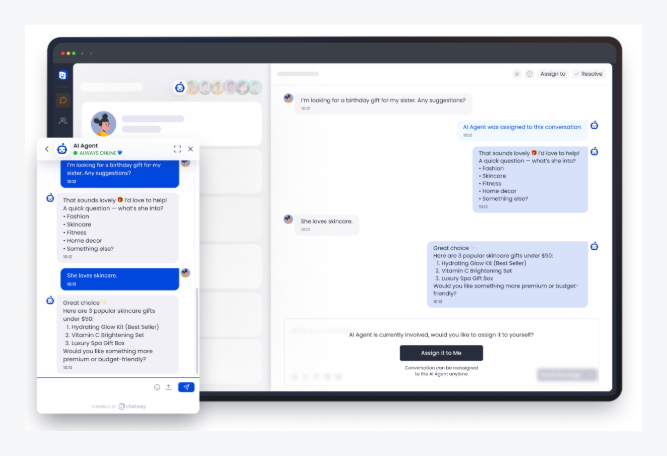
Chatway is the one plugin here whose listing describes an inbox inside WordPress. Activating it creates a free Chatway account and adds the chat popup script; the listing says you can use it from your WordPress admin panel or as a standalone app. Chatway says its WooCommerce integration shows a shopper’s orders and cart in the chat.
Plugin fit: Chatway on WordPress.org: 5.0 stars from 762 ratings, 30,000+ active installations, updated October 2026, requires WordPress 4.7, tested up to 7.1.3.
What it does on WordPress:
- Reply from wp-admin or the Chatway apps for iOS and Android.
- WooCommerce: order and cart visibility, product and coupon sharing, and order tracking, as stated on Chatway’s pricing page.
- An AI support agent that answers from your content, plus a “Bring Your Own AI” option.
Pros
- Reply without leaving WordPress.
- The AI agent is billed at $0.50 per resolved conversation, with 10 AI conversations free.
Cons
- Conversation caps apply on every plan: 50, 200, and 1,000 a month.
- The cheapest paid plan includes only 2 seats.
Pricing (checked October 2026): Free, 1 seat, 50 conversations a month, 30 days of history. Business $31 a month billed yearly ($39 monthly), 2 seats, 200 conversations; extra seats $16 a month. Plus $159 ($199), 10 seats, 1,000 conversations. Removing the Chatway branding starts on Business.
Formilla
Best for: one agent who wants a low-cost paid plan
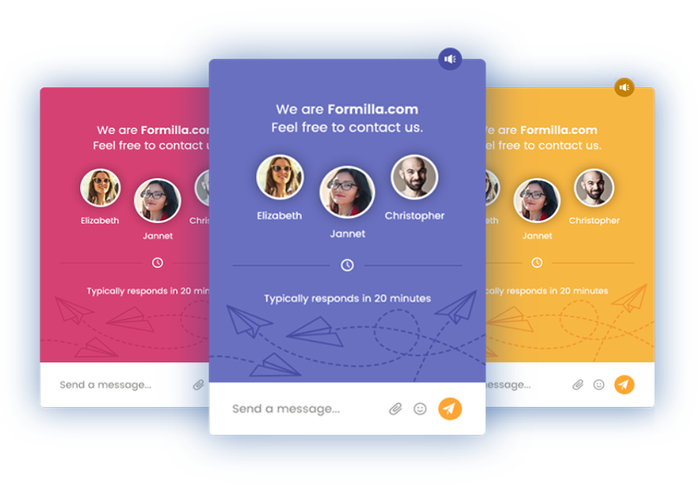
Formilla is a small player with 2,000+ installations and a well-rated, recently updated plugin. The button appears on a WordPress or WooCommerce site once you activate it, and you reply in Formilla’s web interface or its apps.
Plugin fit: Formilla on WordPress.org: 4.8 stars from 116 ratings, 2,000+ active installations, updated 17 August 2026, requires WordPress 2.7, tested up to 7.1.3.
What it does on WordPress:
- The chat button appears on WordPress and WooCommerce sites; the listing names no WooCommerce-specific chat features.
- Free plan: 1 agent, unlimited live chats, desktop and mobile apps, and up to 5 canned replies.
- ChatGPT bots with a Copilot are a paid add-on.
Pros
- Unlimited live chats on the free plan.
- Premium starts at $13.99 a month on a yearly term.
Cons
- Real-time visitor monitoring is paid, and branding removal starts on Professional at $39.99 a month.
- The free plan keeps chat history and contacts for 60 days.
Pricing (checked October 2026): Standard is free. Premium $13.99 a month on a yearly term paid in full (1 agent), Professional $39.99 (2 agents). ChatGPT bots with Copilot $29.99 a month for up to 100 chats a month.
Zoho SalesIQ
Best for: teams already on Zoho that want visitor tracking
Zoho SalesIQ is built around visitor tracking. The plugin installs the widget; chats run in the SalesIQ dashboard and apps. The free plan covers 3 operators, so a small team can start without paying.
Plugin fit: Zoho SalesIQ on WordPress.org: 4.1 stars from only 7 ratings, 10,000+ active installations, updated 5 December 2025, requires WordPress 2.8, tested up to 6.8.11.
What it does on WordPress:
- Adds the SalesIQ widget to your pages.
- Visitor insights for up to 10,000 visitors a month on the free plan.
- Bots and audio or video calls are listed in the plugin screenshots.
- The listing and pricing pages do not describe WooCommerce features or branding removal.
Pros
- Free for 3 operators, with 100 operator chat sessions a month.
- Low per-operator pricing, from $7.
Cons
- Only 7 ratings, so the 4.1 is a thin signal.
- The plugin was last updated in December 2025.
Pricing (checked September 2026): Free. Basic $7 per operator a month billed annually ($10 monthly), Professional $12.75 ($17), Enterprise $20 ($25).
Which plugin should you choose?
Pick by who answers and what you sell.
| Your situation | Pick | Why |
|---|---|---|
| You want chat for free, with any number of agents | tawk.to | No agent or chat limit; paid add-ons only. |
| You want an AI agent on a small site or store | Tidio | Free plan to test, Lyro for AI answers, a 4.8-star listing. |
| You want to reply inside wp-admin and see WooCommerce orders | Chatway | An inbox in WordPress, with order and cart view. |
| Your sales team already works in HubSpot | HubSpot | Chats attach to CRM contacts. |
| Your team sells on WooCommerce and chats all day | LiveChat | Cart contents and cart recovery, billed per person. |
| You want phone, video, and chat in one tool | 3CX | A phone system with free chat for 10 users. |
| You want flat pricing for a small team | Crisp | Per workspace, not per seat. Check the plugin’s age first. |
| You have one agent and a low budget | Formilla or Smartsupp | Formilla from $13.99, Smartsupp from $17 a month. |
If you only want AI answers and not live agents, read our guide to WordPress chatbot plugins. For the widget’s look and position, see chat widgets for websites, and for a broader list of free tools, free live chat software.
How to install a live chat plugin on WordPress
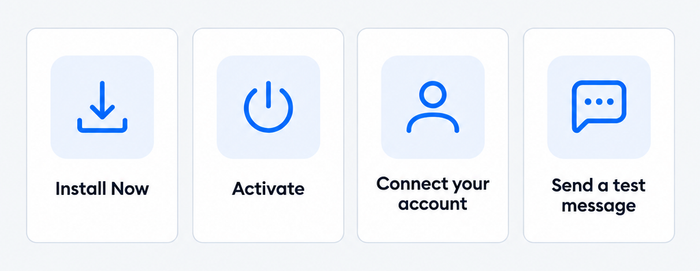
The steps are the same for most plugins: install, activate, connect an account, and test. Tidio is the worked example below; the other nine follow the same pattern, with their own account login in place of Tidio’s.
Step 1: Install the plugin
In wp-admin, open Plugins > Add New, search for “Tidio”, and click Install Now.
Step 2: Activate it
Click Activate before you do anything else. This is the step people skip: nothing appears on your site until the plugin is active.
Step 3: Connect your account
Open the Tidio item in the left wp-admin menu. Create a free Tidio account, or click Log in if you already have one. Tidio then runs a short product tour and asks a few questions about your business. After that, the widget shows in the lower right corner of your site by default, and you can change its position in Settings.
If you run WooCommerce, click Integrate Now when Tidio asks to connect your store, and approve the access request.
Step 4: Test it
Open your site in a private window, send a message from the widget, and answer it in the Tidio panel. If the widget does not show, clear your site cache and temporarily disable any caching plugin, such as W3 Total Cache or W3 Super Cache.
Manual option: paste the script
If you do not want a plugin, copy your unique JavaScript snippet from Settings > Live Chat > Installation in the Tidio panel. In WordPress, open Appearance > Theme File Editor, open footer.php, and paste the snippet above the closing </body> tag. Use one install method, not both: Tidio warns against running the plugin and the snippet together. A theme update can overwrite footer.php, so use a child theme or a header and footer plugin if you plan to keep the snippet. Our guide to adding live chat to a website covers other site builders.
Install Tidio on your WordPress site for free
Will a chat plugin slow down your site?
It can add some load, and the amount depends on the vendor’s script, not on WordPress. A chat plugin usually loads the vendor’s widget as an extra script on every page, so a lighter or asynchronous script matters more than the plugin’s size. Tidio says its widget loads asynchronously, and its plugin changelog notes that version 7.0.0 changed the loading priority for compatibility with consent and caching plugins. We have not measured the speed of any plugin here, and vendor speed claims are claims.
Test your own site before and after you install. Run PageSpeed Insights on a key page, install one plugin, run it again, and compare. Three habits keep the cost down: run one chat plugin at a time, show the widget only on pages where visitors need it (Tidio and the others let you limit pages), and keep the plugin updated, which is why the update date in each listing above matters.
What to look for in a WordPress chat plugin
| Check | What to look for | Why it matters |
|---|---|---|
| Where you reply | wp-admin or the vendor’s dashboard and apps | Only Chatway describes an inbox in WordPress; the rest need a second login. |
| Free plan limits | Conversations, seats, history | Smartsupp caps free chats at 25 a month; tawk.to has no cap. |
| Branding | Cost to remove the “Powered by” badge | From $7 a seat on HubSpot to $295 a month on Crisp; it cannot be removed on Smartsupp. |
| WooCommerce | Orders, carts, product cards | Chatway and LiveChat document cart and order features; Tidio documents product cards. |
| Plugin upkeep | Last update, tested-up-to version | Crisp’s listing dates from April 2025. |
| AI pricing | The unit: conversation, resolution, or credit | Tidio bills per AI conversation, Chatway per resolved conversation. |
| Speed | Async loading, page-level display rules | Test your own pages before and after. |
Install one and see where the replies land
Install one plugin from the list and send yourself a test message. Watch where the reply arrives: wp-admin or a vendor dashboard. If you want a free start with live chat and AI in one app, Tidio’s free plan covers 50 billable conversations a month.
Frequently asked questions
No. WordPress core has no real-time chat. You add one with a plugin from the WordPress plugin directory, or by pasting a vendor’s script into your theme’s footer.
tawk.to is free with no limit on agents, chats, or sites, and Tidio, Chatway, HubSpot, Crisp, Smartsupp, Formilla, Zoho SalesIQ, and 3CX have free plans with limits on seats or conversations. Free plans usually keep the vendor’s badge.
Copy the chat script from your vendor’s settings and paste it above the closing </body> tag in your theme’s footer.php, through Appearance > Theme File Editor. Use a child theme, because a theme update can overwrite the file.
It can add load, depending on the vendor’s script. Run PageSpeed Insights before and after, use one chat plugin at a time, and limit the widget to the pages that need it.
Yes. Chatway and LiveChat document cart and order features for WooCommerce, and Tidio documents product cards. Others show the chat button on WooCommerce sites without store-specific features in their listings.
Yes. Tidio (Lyro), Chatway, Smartsupp (Mira), Formilla, and LiveChat offer AI agents, billed by conversation, resolution, or credit. For plugins built only around AI, see our list of WordPress chatbots.
Try Tidio on your WordPress site
