



Key takeaways
- Best overall for Shopify and growing stores: Tidio. Live chat, help desk and the Lyro AI agent in one inbox, with cart preview and order actions on Shopify, from $24.17 a month billed annually.
- Best for high-volume Shopify brands: Gorgias, priced by tickets instead of agents.
- Free options: Shopify Inbox (Shopify stores only) and tawk.to (any site, unlimited agents).
- Five of the 10 tools have a free plan or a free app; the other five start with a free trial.
- List price is never total cost. Most tools now add a fee per AI conversation or resolution on top of seats or tickets, so price both before you pick.
Shoppers ask the same three things before they buy: does it fit, when will it arrive, and can I return it. If nobody answers on the product page, they leave. The wrong live chat tool can’t see the order and its AI only routes questions. Meanwhile the bill grows with every seat or resolution. We compared 20 e-commerce live chat tools on their pricing pages, help docs and G2 reviews, and kept the 10 that suit online stores. Each entry gives its best use and its limits, plus the full price.
The best e-commerce live chat software at a glance
Tidio fits most small and mid-sized stores, especially on Shopify: live chat, tickets and an AI agent share one inbox, and agents edit orders without leaving it. Gorgias suits Shopify brands with a large ticket volume and a dedicated support team. tawk.to is the pick when the budget is zero and you run on something other than Shopify.
| Tool | Best for | Starting price | Free plan / trial | G2 rating |
|---|---|---|---|---|
| Tidio | Shopify and growing online stores that want AI plus live chat | $24.17/mo (annual), $29 monthly | Free plan; 7-day trial | 4.6 (1,962) |
| Gorgias | High-volume Shopify brands with a support team | $10/mo for 50 tickets | Trial | 4.6 (582) |
| Shopify Inbox | New Shopify stores on a zero budget | Free | Free | 4.6 on the Shopify App Store (5,801) |
| LiveChat | Sales-led stores with human agents on shift | $19 per seat/mo (annual) | 14-day trial | 4.5 (813) |
| tawk.to | Stores on any platform with no software budget | Free | Free | 4.5 (203) |
| Intercom | Mid-market brands that want an AI agent priced per outcome | $19 per seat/mo (annual) + $0.99 per Fin outcome | Trial | 4.5 (3,913) |
| Zendesk | Large retailers running support across many channels | $55 per agent/mo (annual, Suite Team) | Trial | 4.3 (7,083) |
| Re:amaze | Merchants running several stores from one inbox | $29 per member/mo, or $59 flat | Trial | 4.6 (140) |
| Crisp | Teams that want a flat price per workspace | $45/mo for 4 seats | Free plan; 14-day trial | 4.5 (204) |
| Richpanel | Stores that want shoppers to self-serve order changes | $50/mo up to 500 orders | Free up to 50 orders | 4.7 (94) |
How we chose these tools
We started with 20 tools: the ones ranking on Google for e-commerce live chat, the ones AI assistants recommend when asked for a live chat app for online stores, and the ones on the previous version of this page. We kept 10 and judged them on six criteria:
- Store integration: can an agent see the cart, the order history and the shipping status inside the chat?
- AI that acts: does the AI agent only answer FAQs, or can it check an order, start a return, or recommend products?
- Human handoff: does a chat move to a person with its history intact?
- Channels: website chat plus email, Instagram, Messenger and WhatsApp in one inbox.
- Pricing clarity: what the bill looks like at 1,000 conversations a month, add-ons included.
- Fit for a small team: setup time and what the free plan or cheapest plan really includes.
Prices come from each vendor’s pricing page and ratings from G2. We didn’t run paid pilots on every tool, and AI resolution rates are the vendors’ own claims. The list is ordered by fit for small and mid-sized online stores, not by rating. We dropped general support, CRM and enterprise messaging tools with less depth on store orders, such as Freshchat, HubSpot, Zoho Desk and LivePerson.
What e-commerce live chat support should do for your store
E-commerce live chat is a chat window on your online store where shoppers get answers in real time, from a person or an AI agent. Good e-commerce live chat support does five jobs: it answers order questions, saves carts, sells with context, keeps every channel in one inbox, and shows the revenue it brings in.
It answers order questions without an agent. “Where is my order?” is a question every store answers many times a day. A chat tool connected to your store answers it from the order record, so agents keep their time for questions that need a person.
It saves carts before checkout. Proactive messages start a chat when a shopper lingers on a product page or opens the cart. See how proactive chat works for triggers that convert without annoying people.
It sells with context. An agent who sees the cart and the pages viewed can recommend instead of guess. This is where live chat for retail and e-commerce differs from live chat for software support.
It keeps every channel in one inbox. Shoppers message from your site, Instagram, Messenger, WhatsApp and email; one inbox stops them getting three different answers.
It shows the revenue it brings in. Several tools here now report sales assisted by chat, the number that shows whether the tool pays for itself.
The 10 best e-commerce live chat software in 2026
1. Tidio
Best for: Shopify and growing online stores that want AI and live chat in one inbox
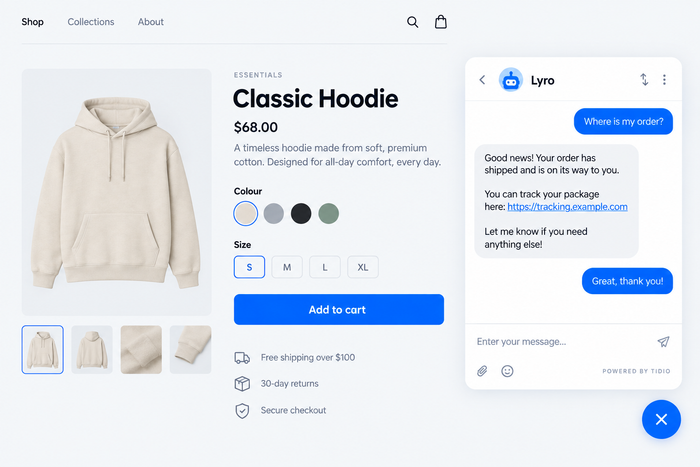
Tidio combines live chat, a help desk for email tickets, and an AI agent called Lyro in one shared inbox. Lyro learns from your FAQs, help center and website, and hands anything it can’t solve to your team with the conversation attached. Tidio says Lyro solves up to 67% of customer problems automatically.
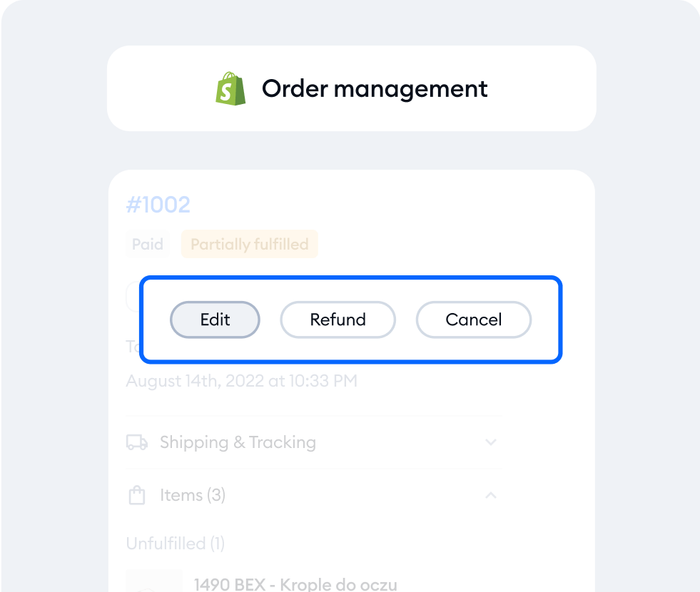
Its edge on this list is e-commerce. On Shopify, agents see what the shopper has in the cart and their order history beside the chat, and can cancel an order, issue a refund or change a shipping address from the inbox. Tidio’s Flows add no-code automations from 40+ templates, such as product recommendations, cart recovery and free-shipping nudges. Stores set it up from the Shopify App Store in three steps; our Shopify live chat guide walks through it.
Tidio fits these teams best:
- E-commerce businesses, especially Shopify stores, thanks to native features such as live cart preview and order history in the inbox.
- Small and medium-sized businesses that want to streamline support without a large team, through automation and AI.
- Businesses with high support volume that want to automate repetitive questions and reduce ticket load.
- Companies across industries (retail, SaaS, services) that talk to website visitors and want faster replies and more conversions.
- Teams that manage several channels: live chat, email, Messenger, Instagram and WhatsApp in one place.
Skip Tidio if your team mostly works by phone; Zendesk covers voice support in more depth.
Key features:
- Shopify order tools: cart preview, order history, cancellations, refunds and address changes from the inbox.
- Lyro AI agent: answers in dozens of languages, checks order status and product availability, and hands off to a person.
- Live typing preview and viewed pages history (Growth plan) so agents see the question forming and the pages behind it.
- Flows: proactive messages and cart recovery that trigger on what the visitor does.
- One inbox for live chat, email, Messenger, Instagram and WhatsApp.
Pros
- AI, live chat and tickets share one inbox, so a handoff never restarts the conversation.
- The free plan includes 10 seats for a whole small team.
- Shopify, WooCommerce and BigCommerce integrations bring order data into the chat.
Cons
- Conversations, Lyro and Flows are priced separately, so you only pay for what you use, but there are a few quotas to keep an eye on as you grow.
- Live typing preview, viewed pages and automatic assignment come with Growth, so Starter suits simpler setups.
- Larger stores that need departments, several brands or custom limits move to Plus, where Tidio’s sales team shapes the quote with you.
Pricing: from Tidio’s pricing page, billed annually (monthly in brackets):
- Free: $0, 50 billable conversations a month, 10 seats, 50 Lyro conversations once.
- Starter: $24.17 a month ($29), 100 conversations.
- Growth: from $49.17 a month ($59), 250 to 2,000 conversations.
- Plus: from $300 a month plus usage, with departments, multiple projects and custom branding.
- Premium: custom pricing, from 3,000 Lyro conversations with a guaranteed 50% Lyro resolution rate.
- Lyro AI agent: from $32.50 a month ($39) for 50 Lyro conversations. Flows: from $24.17 a month ($29) for 2,000 visitors reached.
- 7-day free trial.
Rating: G2 4.6/5 (1,962 reviews)
See Tidio's Shopify features and start your trial
2. Gorgias
Best for: Shopify brands with high ticket volume and a dedicated support team

Gorgias is a help desk built only for e-commerce. Chat, email and social messages land in one inbox, with order data and actions such as cancelling an order beside each ticket. Its AI Agent handles returns and order tracking and is billed only when it resolves a conversation.
You pay per ticket, never per agent, so a team of 20 costs the same as a team of two at the same volume. Cost is the limit at scale: busy months push you into the next ticket tier.
Key features:
- Order actions in the ticket for Shopify, Shopify Plus, WooCommerce and BigCommerce.
- AI Agent that resolves returns and tracking questions, paid per resolution.
- Revenue analytics on the Pro plan and above.
Pros
- Unlimited agents on every plan.
- Deep, commerce-only feature set.
Cons
- No free plan, and the AI Agent adds a second line to the bill.
- Built for stores only; brands with a services arm need a second tool.
Pricing: from the Gorgias pricing page, billed monthly. Help desk only: Starter $10 (50 tickets), Basic $60 (300), Pro $360 (2,000), Advanced $900 (5,000). With AI Agent: Starter $40, Basic $90, Pro $550, Advanced $1,430 a month (annual billing about 14% less). Free trial, no credit card.
Rating: G2 4.6/5 (582 reviews)
Read more: Tidio vs Gorgias
3. Shopify Inbox
Best for: new Shopify stores that need chat on a zero budget
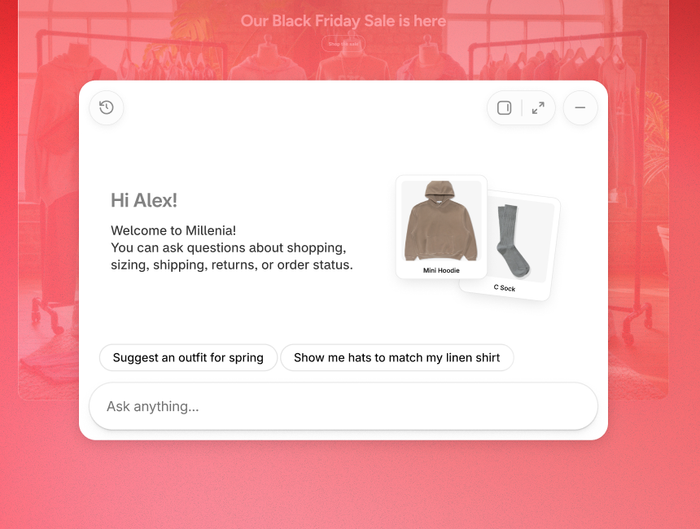
Shopify Inbox is Shopify’s own free chat app. It adds a chat to your storefront and an AI sales associate that learns from your catalog, inventory and policies, and personalizes replies for shoppers signed in with Shop.
It’s the easiest start on Shopify: install the app and pay nothing. The limits show as you grow: in recent App Store reviews, merchants ask for a way to hand an AI chat to a human and to connect their support email.
Key features:
- AI sales associate trained on your products, policies and store pages.
- Order updates and product recommendations inside the chat.
- Built-in analytics on orders assisted and buyer satisfaction.
Pros
- Free, with nothing extra to install outside Shopify.
- Uses Shopify data with no integration work.
Cons
- Shopify only, with no shared inbox for email or social channels.
- Chat only: no ticketing system for issues that need follow-up by email.
Pricing: free on every Shopify plan, per the Shopify App Store listing.
Rating: 4.6/5 on the Shopify App Store (5,801 reviews); no G2 listing.
4. LiveChat
Best for: sales-led stores with human agents on shift
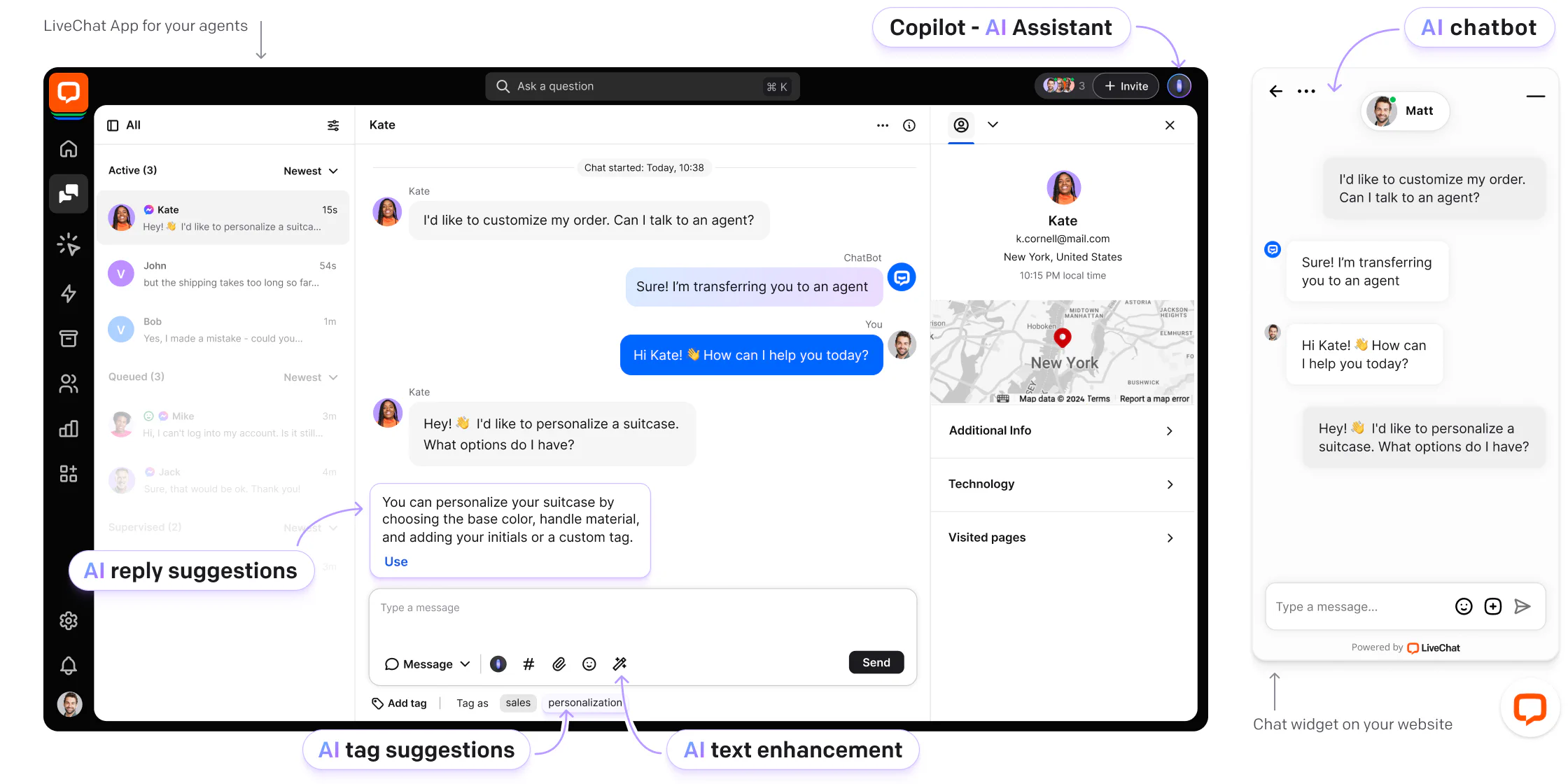
LiveChat is a veteran chat tool built around human agents and its own agent app. It connects to Shopify, WordPress, Wix, Squarespace and Webflow, and its newest inbox counts the revenue each chat brings in, for human agents and AI alike.
It suits stores that sell through conversation, such as furniture or electronics. The catch is price: every agent is a paid seat.
Key features:
- Revenue counter in the inbox for human and AI chats.
- Shopify integration to bring store data into the chat.
- Campaigns that greet visitors on chosen pages.
Pros
- Clean agent experience built for human teams, with 24/7 vendor support even on Starter.
- Unlimited chat history and full widget customization from the Team plan.
Cons
- No free plan, and per-seat pricing adds up for larger teams.
- Starter tracks up to 100 visitors and keeps chats for 60 days.
Pricing: from the LiveChat pricing page, per person per month, annual (monthly in brackets): Starter $19 ($25), Team $49 ($59), Business $79 ($89), Enterprise custom. 14-day trial, no card.
Rating: G2 4.5/5 (813 reviews)
Read more: Tidio vs LiveChat
5. tawk.to
Best for: stores on any platform with no software budget
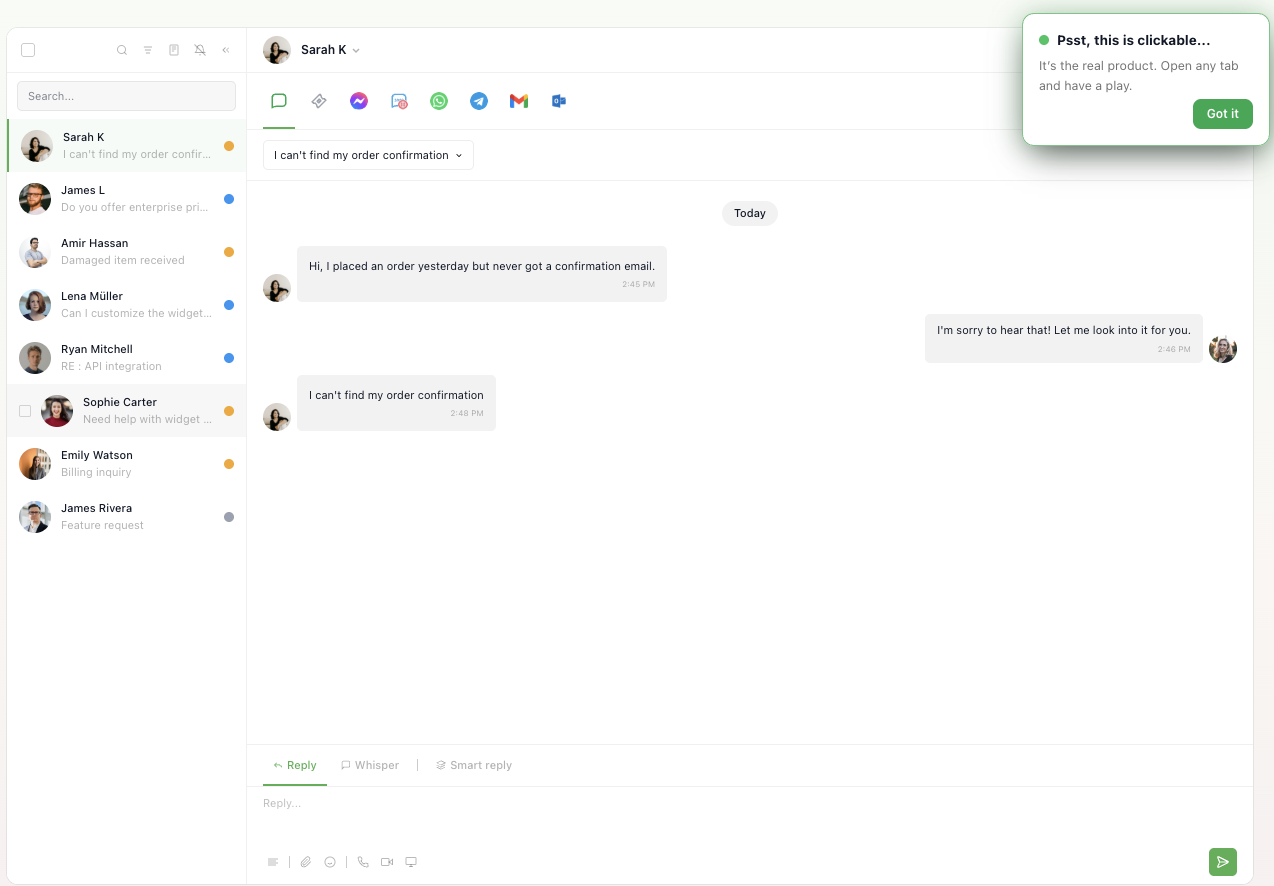
tawk.to gives away its live chat for free, with unlimited agents and chats, and earns its money from add-ons. You get a customizable widget and a live view of the visitors on your site.
For a store that needs a human-answered chat and nothing more, it’s hard to beat. The trade-offs are paid add-ons for branding removal and AI, and shallower store integrations than Tidio’s or Gorgias’s.
Key features:
- Unlimited agents and chats on the free plan.
- Live visitor monitoring to start chats with people on key pages.
- Hired agents who answer chats for you, from $1 an hour.
Pros
- Free forever, with no seat limits.
- Works on any website builder.
Cons
- Branding removal and AI cost extra.
- Little order data inside the chat compared with commerce-first tools.
Pricing: free; branding removal $29 a month; AI Assist from $29 a month; hired agents $1 an hour, per tawk.to’s pricing page.
Rating: G2 4.5/5 (203 reviews)
Read more: Tidio vs tawk.to
6. Intercom
Best for: mid-market brands that want a capable AI agent priced per outcome
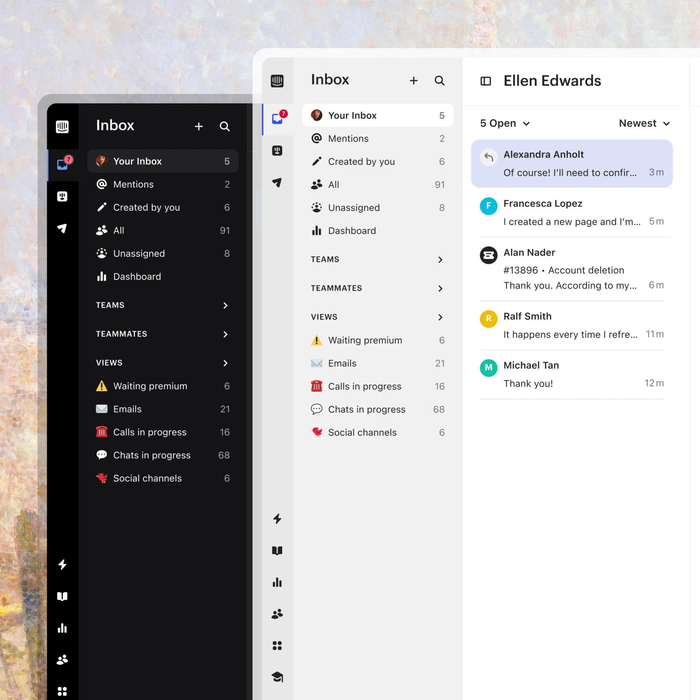
Intercom pairs its Messenger and shared inbox with Fin, an AI agent that answers questions and takes actions in connected systems. Live chat itself is unlimited on every plan.
The trade-off is total cost: seats plus outcomes add up fast for a store with heavy order traffic.
Key features:
- Fin AI Agent, billed per outcome, also usable on top of another help desk.
- Workflows automation builder and round-robin assignment (Advanced).
- Proactive messages, product tours and surveys as paid add-ons.
Pros
- Fin takes actions in external systems.
- Clean Messenger and inbox design.
Cons
- Two meters: seats and Fin outcomes.
- Store integrations need more setup than in commerce-first tools.
Pricing: from the Intercom pricing page, per seat per month billed annually: Essential $19, Advanced $85, Expert $132 (the page’s structured data lists $39, $99 and $139 per seat billed monthly). Fin from $0.99 per outcome; Copilot $29 per agent a month. Free trial.
Rating: G2 4.5/5 (3,913 reviews)
Read more: Tidio vs Intercom
7. Zendesk
Best for: large retailers running support across many channels
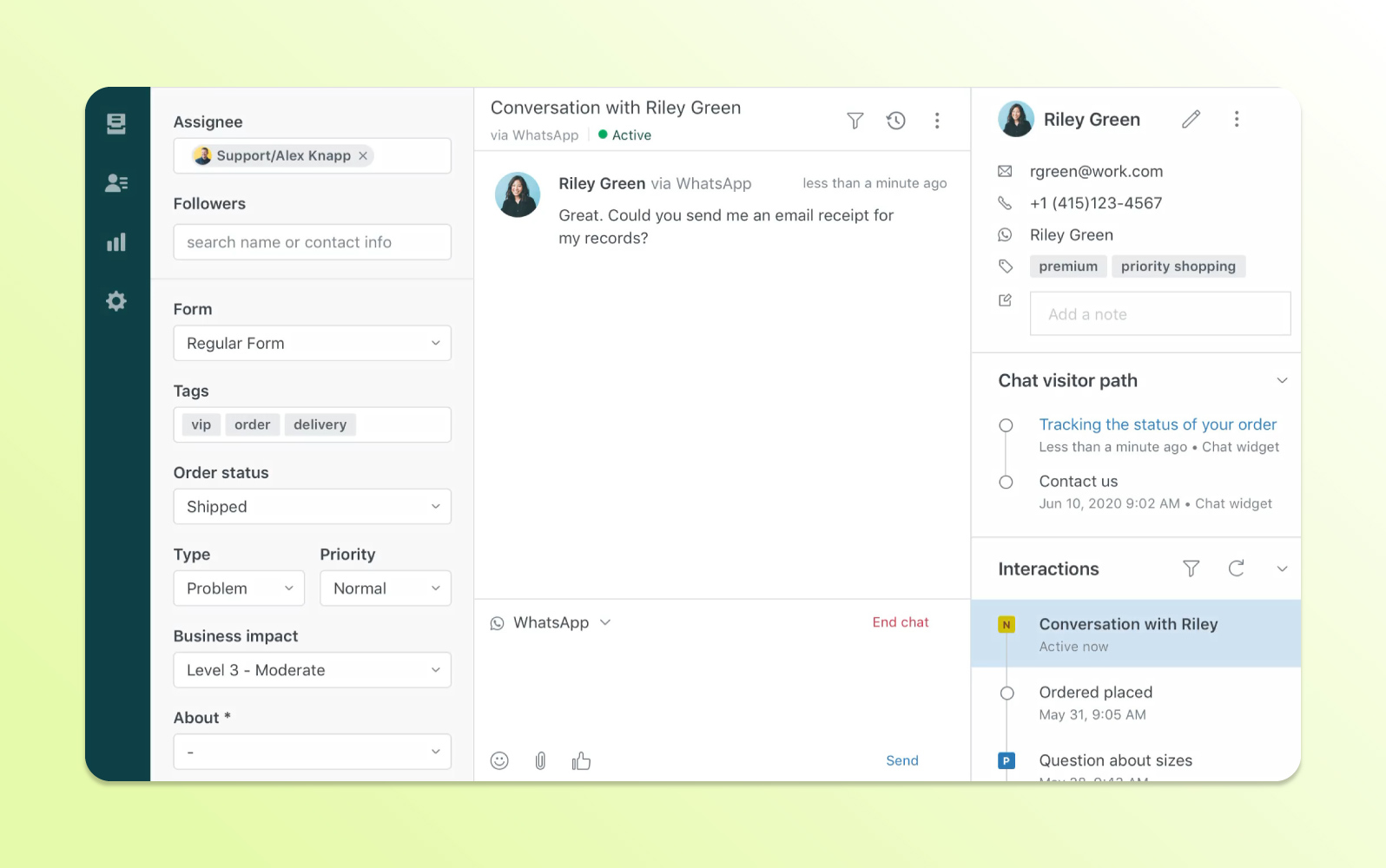
Zendesk is a full customer service suite: tickets, messaging and live chat, telephony and AI agents in one workspace. Live chat (messaging) starts on Suite Team, alongside omnichannel routing and telephony.
It scales further than anything else here. Small stores pay for that scale: per-agent pricing, AI billed per resolution, and more admin.
Key features:
- Messaging and live chat with omnichannel routing (Suite Team and up).
- AI agents billed per automated resolution, with a set number included per plan.
- Skills-based routing and IVR on Suite Professional.
Pros
- Handles very large teams and ticket volumes.
- AI agents, messaging and telephony in one workspace from Suite Team up.
Cons
- Per-agent price plus AI resolution fees.
- More setup and admin than a small store needs.
Pricing: from the Zendesk pricing page, per agent per month billed annually: Suite Team $55, Suite Professional $115, Suite Enterprise through sales. Support Team ($19) covers email tickets but not live chat. Free trial.
Rating: G2 4.3/5 (7,083 reviews)
Read more: Tidio vs Zendesk
8. Re:amaze
Best for: merchants running several stores or brands from one inbox
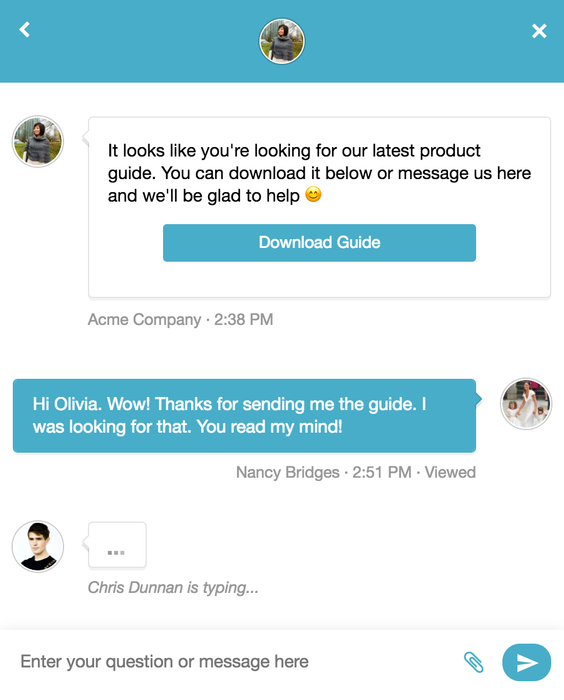
Re:amaze is a help desk with live chat, chatbots and a FAQ center. It ships with an Order Bot for “where is my order” questions and Cues, its proactive messages, and from Pro manages several brands in one account.
It’s good value for multi-brand merchants. Watch the AI allowance: 5 to 20 resolutions per user are included, then $0.85 each.
Key features:
- Order Bot and custom bots for common store questions.
- Multiple brands in one account (Pro and Plus).
- Peek live screen sharing and in-chat video calls (Plus).
Pros
- Multi-brand support at a mid-range price.
- A flat-rate Starter plan for small teams.
Cons
- Per-member pricing on the main plans.
- AI resolutions beyond the included amount cost extra.
Pricing: from the Re:amaze pricing page, per team member per month, monthly (annual in brackets): Basic $29 ($26.10), Pro $49 ($44.10), Plus $69 ($62.10). Starter: $59 a month flat for unlimited members and 500 responded conversations. Free trial, no card.
Rating: G2 4.6/5 (140 reviews)
9. Crisp
Best for: teams that want one flat price per workspace
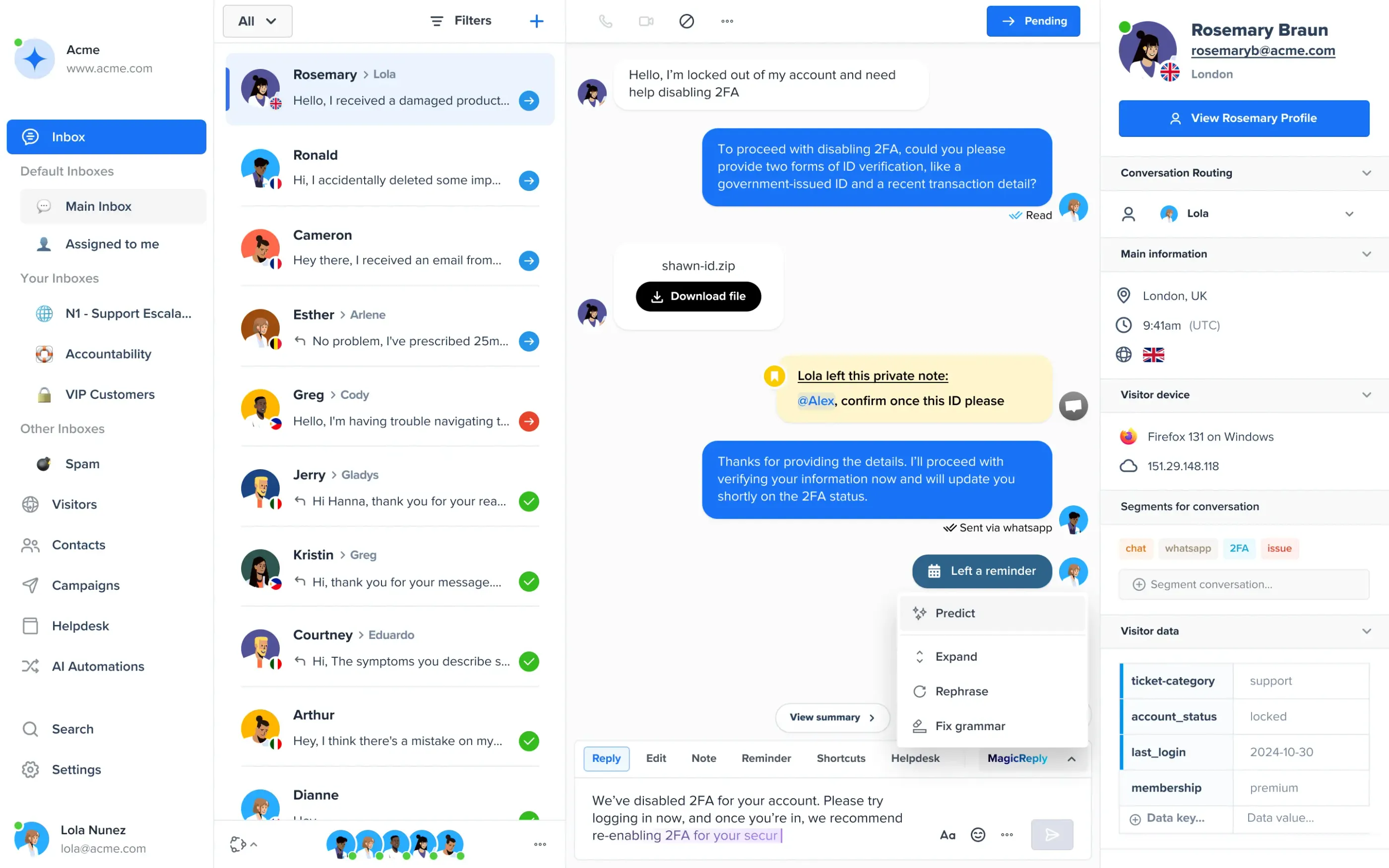
Crisp prices per workspace, not per agent: each plan includes a set number of seats, AI credits and automated conversations. It covers the website chat widget, a shared inbox, a knowledge base and, from Essentials, WhatsApp, Instagram DMs and SMS.
The flat price keeps costs predictable for a growing team, though store integrations are lighter than in commerce-first tools.
Key features:
- Seats included per plan (4, 10, then 20+).
- AI agent with credits included on paid plans.
- Omnichannel inbox with WhatsApp, Instagram and SMS (Essentials and up).
Pros
- Predictable bill as the team grows.
- Free plan for two seats.
Cons
- No AI on the free plan.
- Less order data in the chat than Tidio or Gorgias.
Pricing: from the Crisp pricing page, per workspace per month: Free (2 seats), Mini $45 (4 seats, about 90 automated conversations), Essentials $95 (10 seats, about 450), Plus $295 (20+ seats, about 1,350). 14-day trial of every plan.
Rating: G2 4.5/5 (204 reviews)
Read more: Tidio vs Crisp
10. Richpanel
Best for: stores that want shoppers to change their own orders in chat
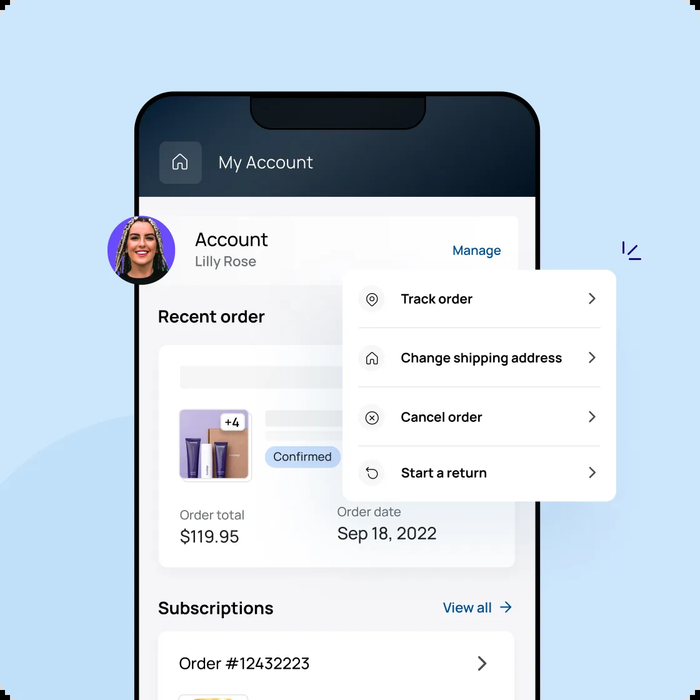
Richpanel focuses on self-service: its widget answers order questions through FAQs and order flows, with order tracking, returns and exchanges, and can sit on top of Zendesk, Gorgias, Help Scout or Salesforce if you already use one. It also sells its own help desk with email and live chat.
Self-service plans are priced by your store’s monthly orders, not by agents or chats, which suits stores with many simple order questions. The pricing page’s plan labels and limits don’t fully match, so confirm your tier.
Key features:
- Order flows for tracking, returns and exchanges without an agent.
- Works on top of Zendesk, Gorgias, Help Scout and Salesforce.
- Two stores and two languages on Starter, more on Enterprise.
Pros
- Shoppers handle tracking, returns and exchanges themselves.
- Pricing tied to order volume.
Cons
- Self-service costs climb with order volume, from $50 to $600 a month.
- Narrow focus; the help desk is a separate subscription.
Pricing: from the Richpanel pricing page, billed monthly (annual in brackets). Self-service: Free up to 50 orders a month, Starter $50 ($42) up to 500 orders, Pro $600 ($500) up to 10,000 orders. Help desk: Free for 3 seats, Starter $29 ($20) and Pro $99 per user a month. Free trial.
Rating: G2 4.7/5 (94 reviews)
How to choose live chat software for your online store
Pick the tool that answers your most common store question end to end at a price you can predict. Start from your platform, the share of chats about orders and your team size, then run the checks below during each trial.
Check the store integration first
Ask whether an agent can see the cart, order history and shipping status inside the chat, and act on them (cancel, refund, change an address). On WooCommerce or BigCommerce, check the integration covers your platform too.
Choose AI that resolves, not one that routes
An AI agent that only answers FAQs and forwards the rest saves little. Run it on your 20 most common questions during the trial and count how many it closes without a person. For bots in general, see our guide to e-commerce chatbots.
Test the handoff to a human
The agent should get the full conversation and order context, and the shopper shouldn’t repeat anything. Ask a tricky question during the trial and watch what happens.
Price it at your real volume
E-commerce live chat is priced four ways: per seat (LiveChat, Zendesk, Intercom), per conversation or ticket (Tidio, Gorgias), per workspace (Crisp) and per store order (Richpanel). Most add a separate charge per AI conversation or resolution. Work out the bill at your volume in your busiest month, such as Black Friday, not at the entry price.
Check what the trial and free plan include
Most trials run 7 to 14 days, so use them on live traffic. On a free plan, check the limits on seats, conversations and branding, and what the first paid plan costs.
Which e-commerce live chat fits your store?
- You run a Shopify store and want AI with live chat: Tidio Growth with Lyro. Agents get cart preview and order actions in the inbox, and Lyro answers order and product questions around the clock.
- You’re a growing store that needs more than one brand, departments or higher limits: Tidio Plus.
- You’re a high-volume Shopify brand with a dedicated support team: Gorgias, priced by tickets with unlimited agents.
- You’ve just launched on Shopify and have no budget: Shopify Inbox, then move up when you need a shared inbox.
- You’re on another platform with no budget: tawk.to.
- Your agents sell through chat: LiveChat.
- You’re a large retailer on many channels: Zendesk, or Intercom if you’d rather pay for AI per outcome.
- You want a predictable flat price: Crisp.
Compare Tidio plans and add Lyro to your store
Frequently asked questions
E-commerce live chat is a chat window on an online store where shoppers get answers in real time, from an agent or an AI agent. Good e-commerce live chat software also shows the shopper’s cart and order history.
For most small and mid-sized online stores, especially on Shopify, Tidio is the best fit: live chat, help desk and the Lyro AI agent in one inbox with Shopify order actions. Gorgias suits high-volume Shopify brands, and tawk.to is the best free option on other platforms.
Yes. Shopify Inbox is free for Shopify stores, and tawk.to is free with unlimited agents on any site. Tidio and Crisp have free plans with limits on conversations or seats. See our list of free live chat software for more.
Yes, in most tools on this list. The AI agent answers first and passes the chat to a person when it can’t solve the problem or the shopper asks for one, ideally with the full conversation and order details.
Install the tool’s app from your platform’s app store (Shopify, WooCommerce, BigCommerce) or paste a code snippet into your site. See our step-by-step guide to adding live chat to a website.
Use live chat to support your customers in real-time
