


Key takeaways
- Best for small teams and online stores: Tidio. Chat, email, and the Lyro AI agent share one inbox, with Shopify cart and order tools, from $24.17 a month plus Lyro from $32.50 (both billed annually).
- Best for Shopify brands with heavy ticket volume: Gorgias, which prices by ticket volume instead of per agent.
- Already on Zendesk, Freshdesk, HubSpot, or Zoho? Price that vendor’s own AI first; it reads your tickets without a migration.
- AI is billed three ways: per resolution ($0.50 to $2.00), per session, or per agent. Model your volume before you pick.
- Zoho Desk, HubSpot, and Help Scout have a free tier for small teams, but the AI agent costs extra on all three.
Every support platform now says “AI” on its pricing page, and the bill rarely matches the headline price. Seats, AI resolutions, add-ons, and ticket overage all count. We compared nine support platforms that ship a built-in AI agent, and for each one we looked at what the AI handles, how it hands a chat to your team, what the plan costs, and what the AI costs on top. Prices are as of October 2026. Tidio is listed first because the list is ordered for small teams and online stores; every tool, Tidio included, gets the same criteria and its real drawbacks.
The best AI customer support software at a glance
Our top picks: Tidio for small teams and Shopify stores, Zendesk for larger teams that need ticketing depth, and Intercom Fin for SaaS teams that want the AI agent to lead. The table shows the price to start and how each tool bills its AI.
| Tool | Best for | Starting price | How the AI is billed | Free plan / trial | G2 rating |
|---|---|---|---|---|---|
| Tidio | Small teams and e-commerce, especially Shopify | $24.17/mo, billed annually ($29 monthly) | Lyro from $32.50/mo for 50 AI conversations | Free plan · 7-day trial | 4.6 |
| Gorgias | Shopify brands with high ticket volume | $10/mo for 50 tickets | $0.90 to $1.00 per AI interaction | 7-day trial | 4.6 |
| Zendesk | Larger teams that need ticketing depth | $19/agent/mo, billed annually | $1.50 to $2.00 per automated resolution | 14-day trial | 4.3 |
| Intercom Fin | SaaS and digital-first teams | $29/seat/mo, billed annually | $0.99 per outcome | 14-day trial | 4.5 |
| Freshdesk | Growing teams that budget per agent | $19/agent/mo, billed annually | First 500 sessions included, then $49 per 100 | 14-day trial | 4.4 |
| HubSpot Service Hub | Teams that keep customer data in HubSpot | Free for 2 users; from $7/seat/mo | $0.50 per resolution (Professional and up) | Free plan | 4.4 |
| Help Scout | Email-first teams that value a simple inbox | $25/user/mo | $0.75 per resolution (AI Answers add-on) | Free plan · 15-day trial | 4.4 |
| Zoho Desk | Budget-minded teams already in Zoho | Free for 3 users; $7/agent/mo | No per-resolution price published | Free plan · 15-day trial | 4.4 |
| HappyFox | Teams that want configurable queues and workflows | $24/agent/mo, billed annually | Separate AI plans from $14/agent/mo | 14-day trial | 4.5 |
What is AI customer support software?
AI customer support software is a help desk or chat platform with a built-in AI agent that answers customer questions from your help content, takes simple actions such as order lookups, and hands the chat to a person when it can’t finish the job. It sits in the same inbox your team uses, so a handoff keeps the full conversation. Gartner predicts agentic AI will resolve 80% of common customer service issues without human intervention by 2029[1].
How we chose these tools
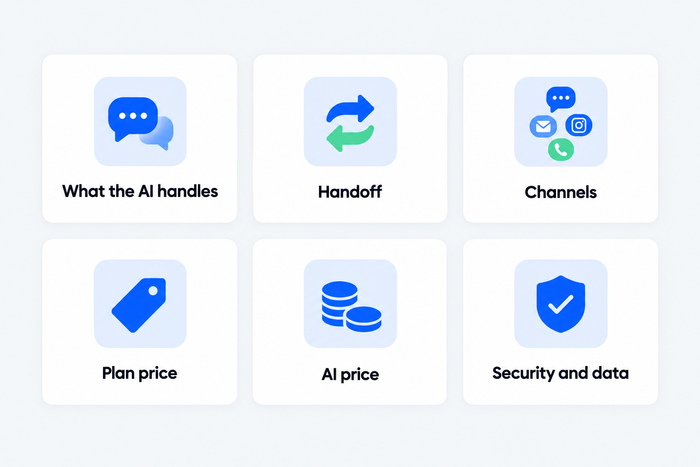
We started from the tools that search results, AI assistants’ answers, and G2 category pages name for this topic and kept nine that sell a support platform with an AI agent a business can buy today. We left out bot builders such as Dialogflow and Tiledesk, which need developers, and Kustomer, which publishes neither plan prices nor an AI rate. We judged each tool on six criteria:
- What the AI handles: answers from your content, and actions such as order changes.
- Handoff: how the chat reaches a person, with its history.
- Channels: chat, email, social, WhatsApp, and phone.
- Plan price: the public entry price and its billing basis.
- AI price: the unit you pay for, and what triggers a charge.
- Reviews: G2 rating.
The list is ordered by fit for small teams and online stores, then by company size, not by rating, which is why Tidio comes first. We read each vendor’s public pricing and product pages and its G2 listing. We didn’t run trials, and we didn’t measure resolution rates. Where a vendor publishes one, it appears as the vendor’s claim.
The 9 best AI customer support software tools in 2026
1. Tidio
Best for: small teams and online stores that want one inbox for chat, email, and AI
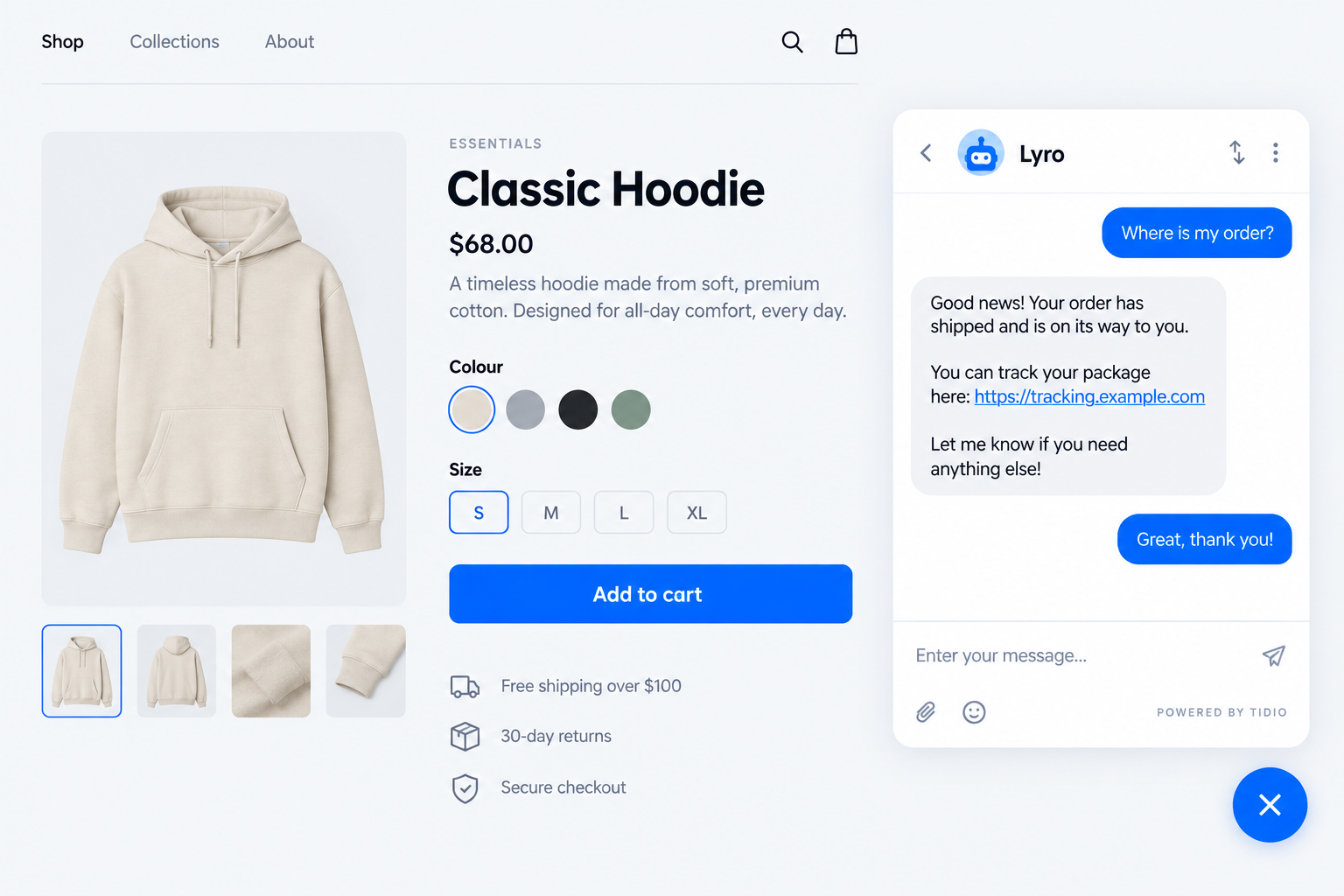
Tidio puts live chat, an email help desk, and the Lyro AI agent in a single inbox, so a chat that Lyro starts can pass to your team with the whole thread attached. Lyro can resolve up to 75% of support requests, and it runs on Claude from Anthropic alongside Tidio’s own models. On Shopify, the agent in the inbox sees the shopper’s cart and order history. Lyro Actions handle order updates and lead qualification and connect to other systems over MCP.
Tidio fits teams like these:
- Shopify and other online stores that want cart preview and order history beside every chat.
- Small and medium-sized businesses that need more conversations closed without hiring.
- High-volume inboxes where repeat questions can move to an agent.
- Multichannel teams that handle live chat, email, Messenger, Instagram, and WhatsApp together.
Skip Tidio if your support runs on phone calls; a voice platform covers that in more depth.
Key features:
- Lyro AI agent: answers in the customer’s language and follows the tone and handoff rules you set in Lyro Guidance.
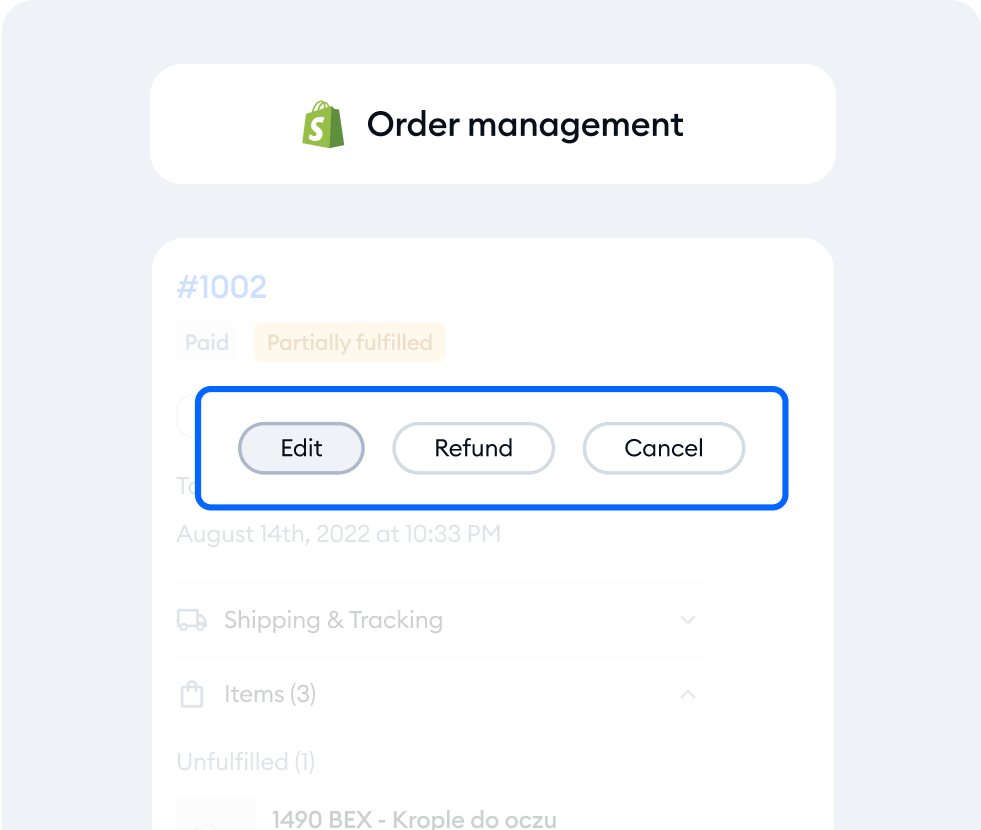
- Shopify order tools: view the cart and order history, then cancel, refund, or change an address.
- Flows: automations that engage visitors proactively and recover carts.
- Runs on top of other help desks: Lyro can sit on Zendesk, Intercom, or Salesforce.
Pros
- Lyro works only from the content and guidance you provide, which keeps answers on script.
- Chat, email, and Lyro share one inbox, so a handoff never restarts the conversation.
- It has a free plan and a 7-day trial with all features.
Cons
- Conversations, Lyro, and Flows are billed as separate line items, which keeps you paying only for what you use, with a few quotas to watch as volume grows.
- Highly custom back-office workflows that touch several systems take some scoping with Lyro Actions and MCP, so plan that setup before you commit.
- Teams that need departments, custom limits, or a guaranteed resolution rate move to Plus or Premium, where the quote is built with Tidio’s sales team.
Pricing: from Tidio’s pricing page, billed annually (monthly in brackets):
- Free: $0, 50 billable conversations a month, up to 10 seats.
- Starter: $24.17 a month ($29), 100 conversations.
- Growth: from $49.17 a month ($59) for 250 to 2,000 conversations, with advanced analytics and automatic assignment.
- Plus: from $300 a month plus usage, adding departments and custom limits.
- Premium: custom, from 3,000 Lyro conversations with a guaranteed 50% Lyro resolution rate.
- Lyro AI agent: sold separately from $32.50 a month ($39) for 50 Lyro conversations. A Lyro conversation is any chat where Lyro sent at least one reply. Every account gets 50 Lyro conversations once.
Rating: G2 4.6/5
Compare Tidio plans and add Lyro to your inbox
2. Gorgias
Best for: Shopify brands with high ticket volume and a support team that lives in orders
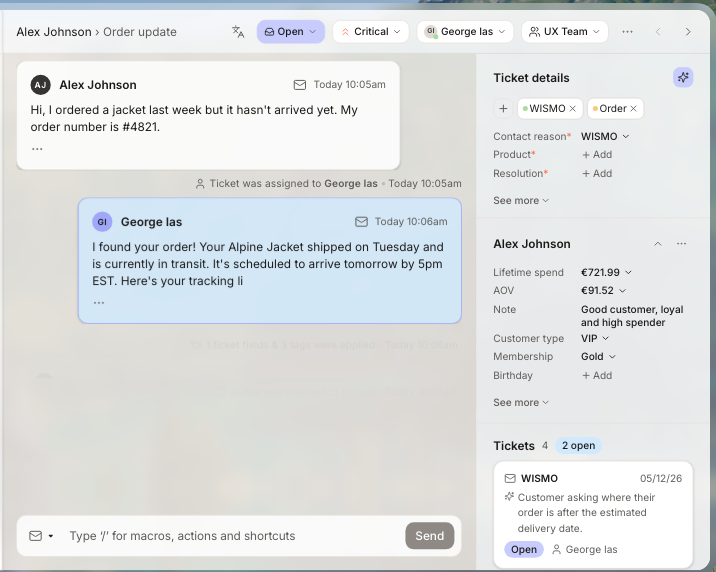
Gorgias is a help desk built for e-commerce. It pulls customer and order data from Shopify into every ticket, and its AI Agent resolves tickets and sells. Pricing follows monthly ticket volume, so a team that grows agents but not tickets doesn’t pay more. When volume climbs, the bill climbs with it, because each AI interaction also counts as a ticket.
Key features:
- AI Agent on every plan: resolves conversations and sells, and you pay only when it resolves one.
- Shopify actions in the inbox: create, edit, and refund orders without leaving the ticket.
- AI ticket triage: reads tone and content to sort incoming messages.
Pros
- Order and customer data sit next to each ticket.
- Plans are priced by ticket volume, never per agent.
Cons
- Each AI interaction also counts as a ticket, so heavy AI use raises both lines of the bill.
- Some G2 reviewers say pricing gets expensive as ticket volume grows.
Pricing: no free plan, 7-day trial. Starter is $10 a month (monthly billing only) for 50 tickets; Basic is $50 a month billed annually for 300 tickets. AI interactions cost $0.90 each on annual plans or $1.00 monthly, and the page’s structured data lists $1.50 per interaction above a plan’s included allowance.
Rating: G2 4.6/5
Read more: Gorgias review · Tidio vs Gorgias
3. Zendesk
Best for: larger teams that need deep ticketing, routing, and several channels
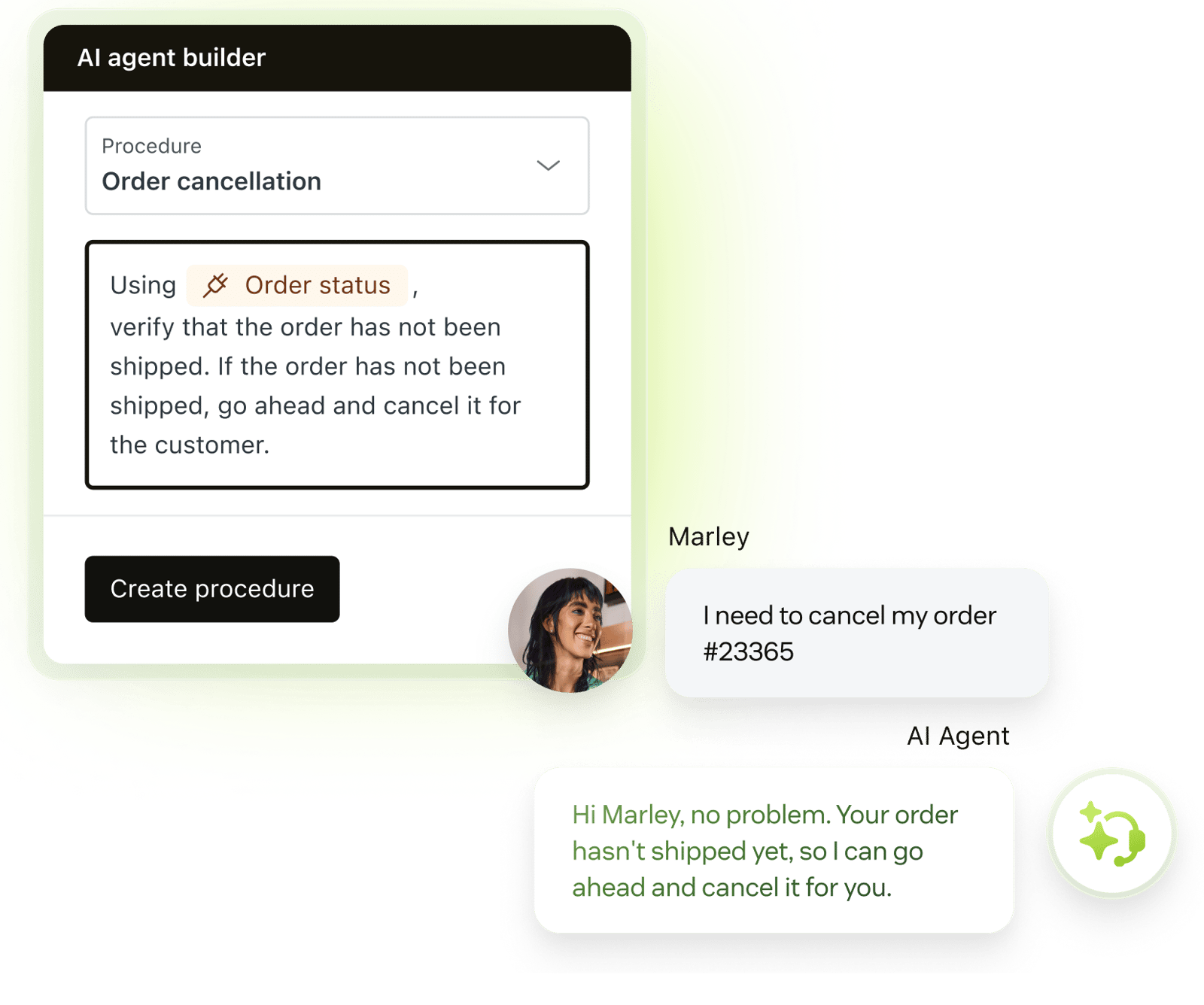
Zendesk is the long-standing choice for ticketing at scale, with skills-based routing, messaging, a help center, and AI agents that resolve requests on their own. Its Copilot drafts replies and runs approved actions for your agents. G2 reviewers say that depth comes with a learning curve and a bill that grows with add-ons. Small teams that want a chat-first setup in an afternoon can find it heavier than they need.
Key features:
- AI agents: resolve requests end to end and bill only for successful outcomes.
- Copilot: suggests next steps, drafts replies, and executes approved actions.
- Skills-based routing: sends tickets by agent skill, capacity, and priority on Suite Professional.
Pros
- Ticketing, routing, and reporting go deeper than most tools on this list.
- G2 reviewers praise its ease of use and integrations.
Cons
- G2 reviewers tag a learning curve and missing features among the top complaints.
- Live chat and messaging start on Suite Team at $55, not on the $19 Support Team plan.
Pricing: 14-day trial, no free plan. Support Team is $19 per agent a month billed annually ($25 monthly); Suite Team is $55 ($69 monthly). Each automated resolution costs $1.50 committed or $2.00 pay-as-you-go, with five to 10 included per agent a month depending on plan. A conversation that an AI agent started and a person finished isn’t billed as a resolution. Copilot is a $50 per agent add-on.
Rating: G2 4.3/5
Read more: Zendesk review · Tidio vs Zendesk
4. Intercom Fin
Best for: SaaS and digital-first teams that want the AI agent to lead support
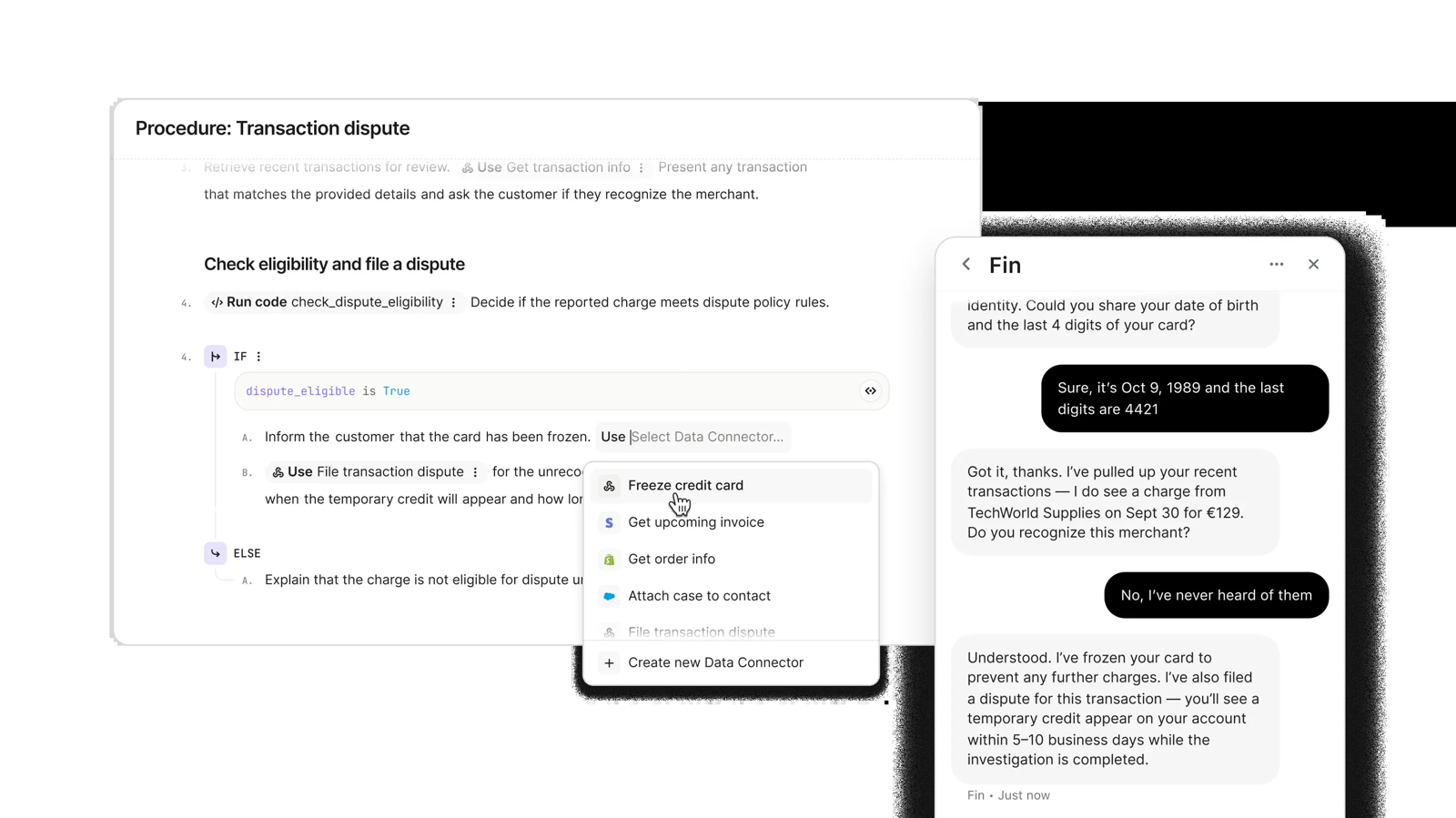
Intercom built its inbox around Fin, an AI agent that answers on email, chat, and phone, takes actions in outside systems, and hands off to your agents. Fin can also run on a different help desk with no seats. G2 now lists the product as Fin. $0.99 per outcome adds up at volume, so test it on real tickets first.
Key features:
- Fin AI Agent: answers across channels in a tone and length you set.
- Procedures: workflows Fin follows to finish tasks, including handoffs.
- Copilot: an inbox assistant for your team, $29 per agent a month.
Pros
- Fin sets up in under an hour on a current help desk, per the vendor.
- It doesn’t need seats when it runs on another help desk.
Cons
- G2 reviewers tag missing features and AI limitations as the main complaints.
- Outcome pricing is hard to forecast when volume swings.
Pricing: 14-day trial, no free plan. Essential is $29 per seat a month billed annually ($39 monthly), Advanced $85 ($99), and Expert $132 ($139). Fin costs $0.99 per outcome on top: a confirmed resolution, no further request after Fin replies, or a finished workflow, charged once per conversation. A minimum monthly commitment applies.
Rating: G2 4.5/5
Read more: Intercom review · Tidio vs Intercom
5. Freshdesk
Best for: growing teams that want per-agent pricing and a Freddy AI agent in the box
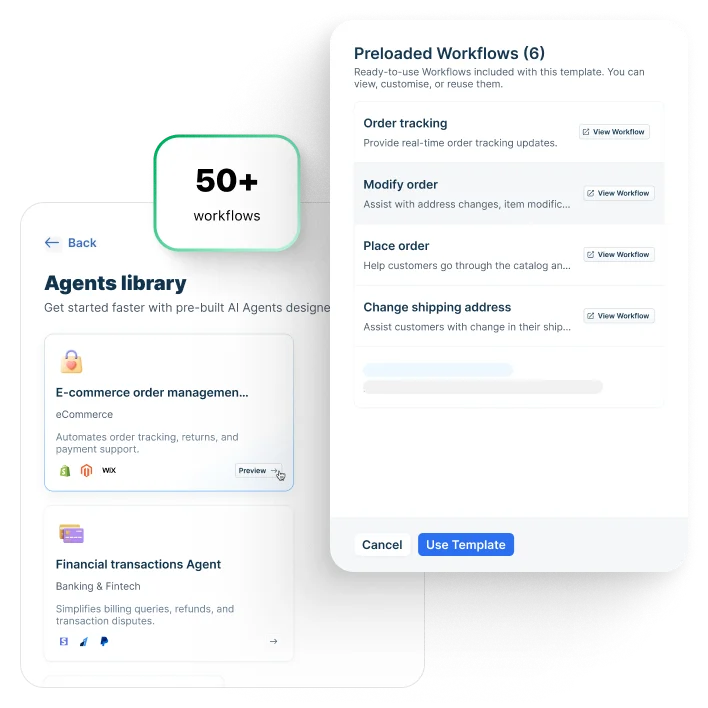
Freshdesk is a mainstream help desk with a Freddy AI Agent on every plan, a Copilot for your team, and Freddy AI Insights for reports. Its entry price is low, and G2 reviewers praise how easy it is to use. Copilot isn’t on the Growth plan, and reviewers say some advanced features cost more or feel dated next to newer AI tools.
Key features:
- Freddy AI Agent: conversational self-service for customers, with the first 500 sessions included.
- Freddy AI Copilot: prioritizes tickets and suggests knowledge base articles for agents.
- Intelligent routing: on Pro, with skill-based routing on Enterprise.
Pros
- Low entry price and a quick setup for a standard help desk.
- Freddy AI Insights builds reports and dashboards on request.
Cons
- Copilot is a $29 per agent add-on and isn’t available on Growth.
- Reviewers say some features feel outdated and that advanced features cost more.
Pricing: 14-day trial on the Enterprise plan, no free plan. Growth is $19 per agent a month billed annually, Pro $55, and Enterprise $89. Freddy AI Agent sessions beyond the first 500 cost $49 per 100; a session is one customer’s interaction window, which is 72 hours for email.
Rating: G2 4.4/5
Read more: Freshdesk review · Tidio vs Freshdesk
6. HubSpot Service Hub
Best for: teams that already keep customer records in HubSpot
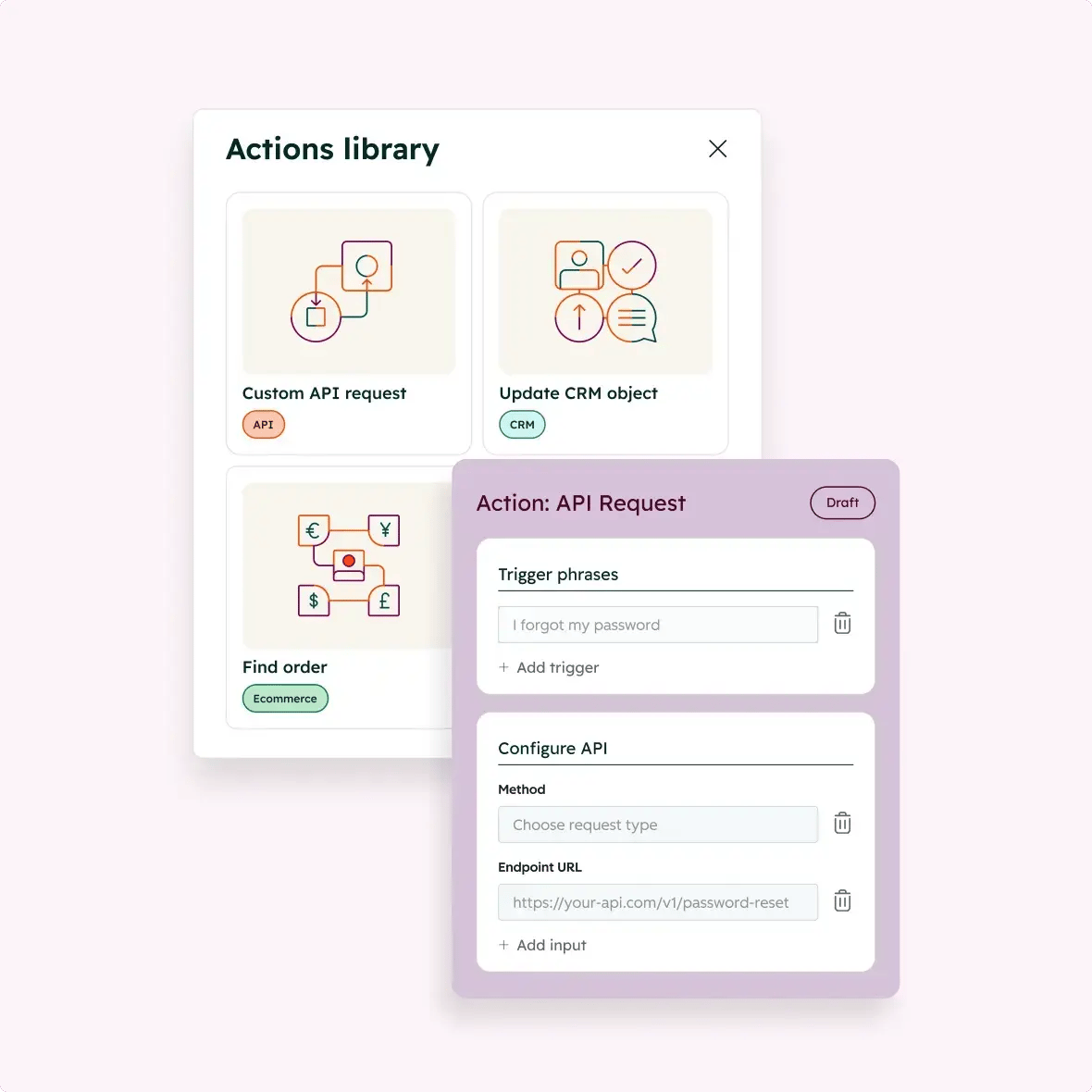
Service Hub links tickets to the customer record in HubSpot’s CRM, so the customer agent answers with each person’s full history. It handles chat, email, WhatsApp, Messenger, and phone calls. The customer agent needs a Professional or Enterprise seat, and G2 reviewers say advanced automation and reporting sit in higher tiers.
Key features:
- Customer agent: replies on email and chat using the customer’s CRM history.
- Voice: answers inbound calls in real time.
- Learning from conversations: the agent improves from the chats it handles, per the vendor.
Pros
- Ticket, contact, and deal data live in one system.
- The free plan covers up to two users.
Cons
- The customer agent requires a Professional or Enterprise seat.
- G2 reviewers tag missing features and limited customization.
Pricing: free plan for up to 2 users. The plan cards show Starter from $7 and Professional from $90 per seat a month, each next to a second, higher price for the other billing option, and Enterprise from $150. The customer agent costs $0.50 per resolution (a chat not handed to a person for 72 hours) or $0.50 per voice minute, paid in HubSpot Credits. It includes 14 days of free access with a Professional or Enterprise seat. HubSpot claims 65% or more of conversations resolve automatically.
Rating: G2 4.4/5
Read more: Zendesk vs HubSpot · HubSpot alternatives
7. Help Scout
Best for: email-first teams that want a simple shared inbox with AI help
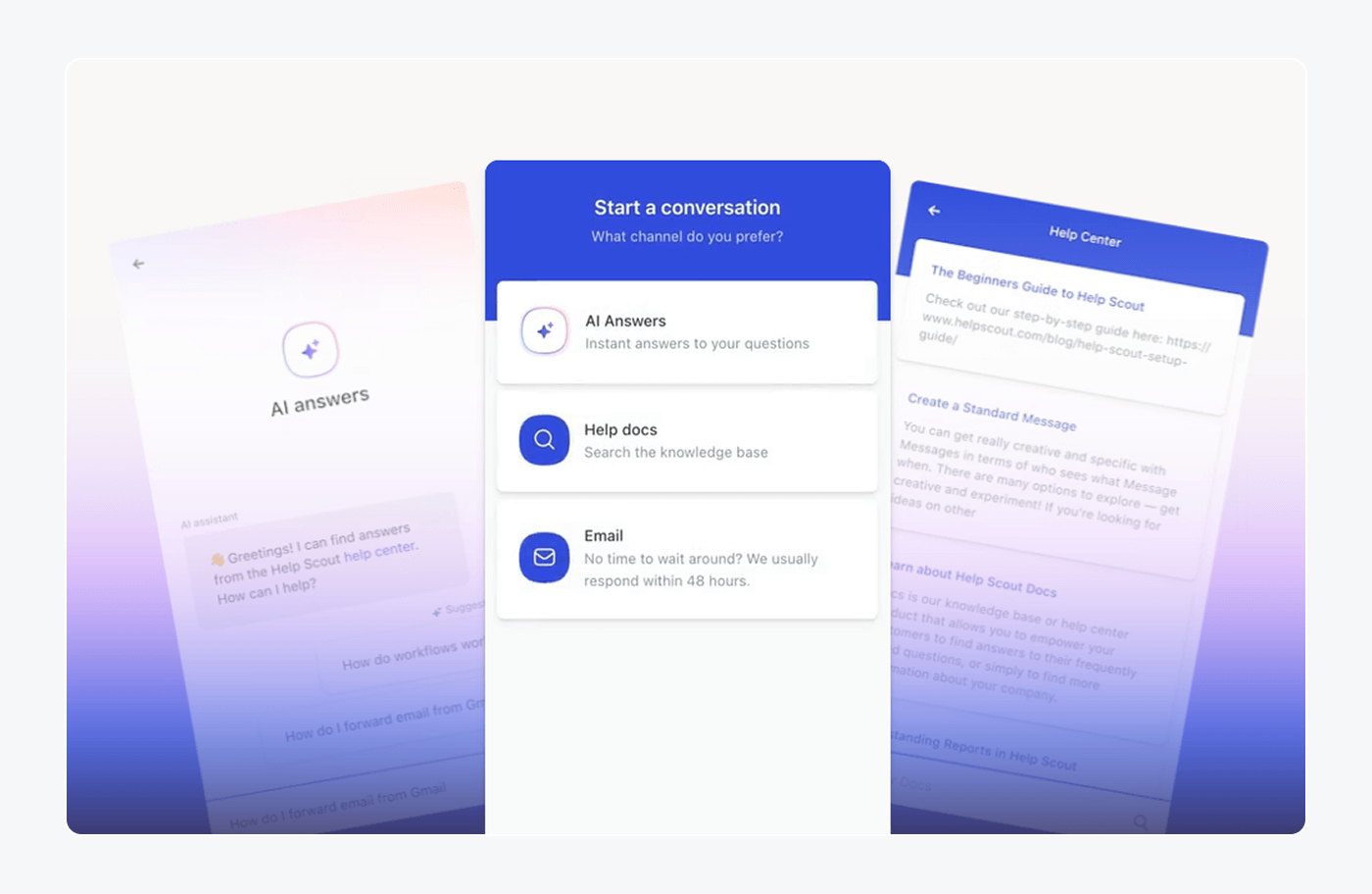
Help Scout keeps the feel of a shared email inbox and adds AI where it saves a reply: AI Answers for customers, plus Drafts and Summarize for your team. G2 reviewers praise the interface and collaboration. Feature complaints are few, and advanced reporting is thin for larger teams.
Key features:
- AI Answers: a chatbot that replies from your knowledge base and custom sources.
- AI Drafts: writes replies from past conversations and help content.
- AI Summarize: turns a long thread into a few bullet points.
Pros
- G2 reviewers praise the user-friendly interface and collaboration features.
- Drafts and Summarize are unlimited on Plus and Pro.
Cons
- AI Answers is a paid add-on billed per resolution.
- G2 reviewers say advanced reporting is limited for bigger teams.
Pricing: free plan for 5 users and a 15-day trial. Standard is $25 per user a month, Plus $45, and Pro $75, with the annual toggle on. AI Answers adds $0.75 per resolution, billed monthly, with a 3-month free trial of the add-on.
Rating: G2 4.4/5
Read more: Help Scout review · Help Scout alternatives
8. Zoho Desk
Best for: budget-minded teams already running other Zoho apps
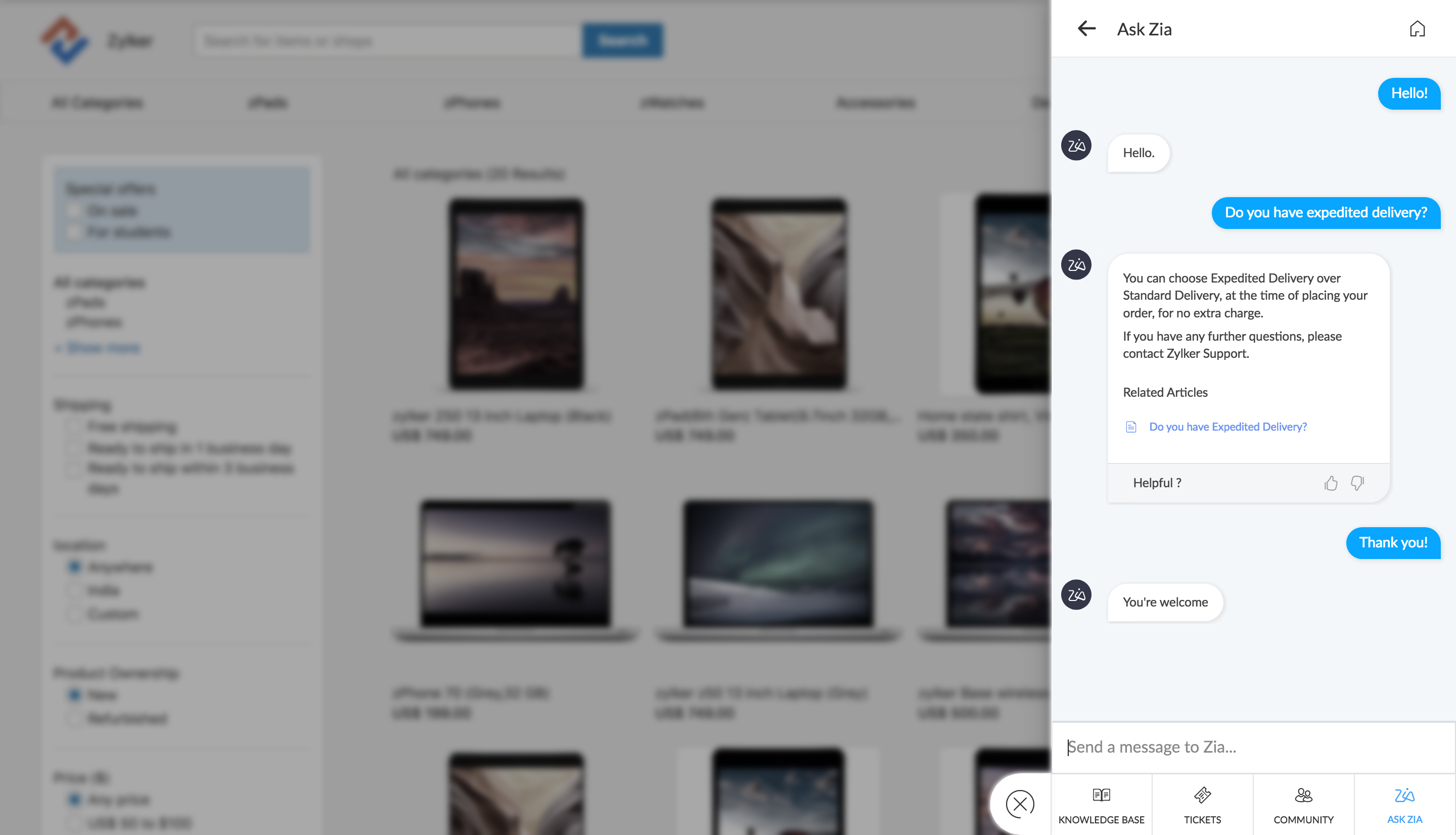
Zoho Desk is the lowest-cost full help desk on this list, with a free plan for three users and paid plans from $7. Its AI comes through Zia, which summarizes threads, tags tickets, and analyzes tone, plus an Answer Bot and AI agents you can build. Reviewers like how quickly it sets up. They also report a steep learning curve in the admin area.
Key features:
- Zia: summarizes ticket threads, tags topics, and checks tone.
- Answer Bot: answers customers from your knowledge base on your site and messaging channels.
- AI agents: build your own or start from pre-built ones, with a token allowance.
Pros
- A free plan and the lowest paid entry price here.
- Every plan has a 15-day trial, and the free plan covers three users.
Cons
- No per-resolution price for the AI is published, so you can’t forecast its cost from the page.
- G2 reviewers tag a learning curve and limited customization.
Pricing: free plan for 3 users, 15-day trial of any plan. Express is $7 per agent a month billed annually ($9 monthly), Standard $14, Professional $23, and Enterprise $40. AI agents come with up to 30M free tokens a month; the pricing page lists them under Express, while the comparison table ticks pre-built agents for Enterprise only, so confirm before you buy.
Rating: G2 4.4/5
Read more: Zoho Desk review · Zoho Desk alternatives
9. HappyFox
Best for: teams that want configurable ticket queues and workflow rules
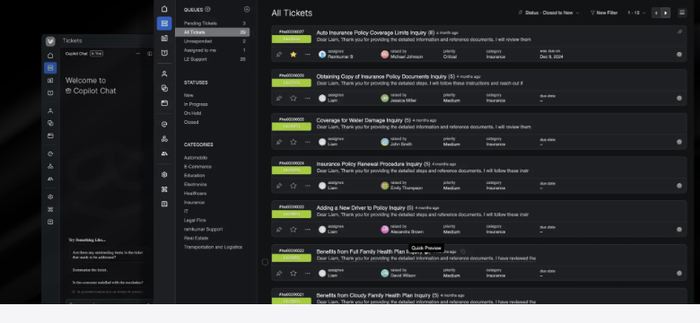
HappyFox is a configurable help desk. Its AI is sold as separate products: an agent copilot, a knowledge assistant, a chatbot, and an autopilot for actions. That makes it flexible and harder to price, since each one has its own unit and the vendor’s own pages price the chatbot two ways. G2 reviewers praise the ease of use.
Key features:
- AI Copilot: instant ticket summaries and suggested responses for agents.
- AI Resolve and Knowledge: answers from your content, sold in plans with monthly interaction allowances.
- Chatbot with escalation: handles routine questions and passes the rest to a person.
Pros
- G2 reviewers praise its ease of use and customization.
- The UI is described as clean and easy to navigate.
Cons
- AI is sold separately from Help Desk plans, so the total takes a few line items.
- G2 reviewers say reports can be confusing and some features need a higher tier.
Pricing: 14-day trial, no free plan. Basic is $24 per agent a month billed annually and Team $49. HappyFox AI is $14 per agent a month (Standard) or $29 (Premium); chatbot resolutions are listed at $0.33 each on the Contact Center page, while the chatbot page says flat per-agent pricing from $9, so ask for a quote in writing.
Rating: G2 4.5/5
Read more: HappyFox review
How to choose AI customer support software
Buyers sort this decision by stack, volume, and channels. Run these checks before you book a demo.
Check what the AI can do
Ask for a refund, an address change, and a cancellation in a trial account. An agent that only answers questions deflects tickets; one that acts closes them.
Check how it hands off
List the cases the AI must never handle alone, such as legal threats and large refunds. Test that the chat reaches your team with the full history attached.
Check channels and your current stack
Write down where customers reach you today. If you already run Zendesk, Freshdesk, or HubSpot, price that vendor’s own AI against a tool that runs on top of it.
Compare the AI pricing model
Seat, per-resolution, per-session, and per-agent pricing grow differently. For 500 AI resolutions a month, $0.50 each is $250, $0.99 is $495, and $1.50 is $750, before seats and included allowances. Read what counts as one resolution before you sign. Our chatbot pricing guide shows how the models compare.
Check the plan gates
Many vendors put the AI agent, Copilot, or routing on a higher tier. Check which plan holds each AI feature you need before you compare entry prices.
Check security, then run a pilot
Ask where customer data is stored and whether it trains the model. Then run the tool on your 50 most common tickets for two weeks and count what it resolved without a person.
Which AI customer support software should you pick?
- Small team or Shopify store: Tidio on a paid plan with Lyro. Lyro answers from your help content, and cart preview and order history show beside each chat.
- Shopify brand with thousands of tickets: Gorgias, if you want a help desk built around orders and accept per-ticket pricing.
- Larger team with complex routing: Zendesk, once you’ve priced the add-ons.
- SaaS company that wants the AI to lead: Intercom Fin, which runs on your current help desk.
- Already in a CRM or a suite: HubSpot Service Hub, Zoho Desk, or Freshdesk, so tickets stay next to your customer data.
- Email-first team that wants a calm inbox: Help Scout.
Put Lyro on your store and see what it resolves
For more options, see our guides to the best AI agents for customer service, the best agentic customer service software, and AI customer service.
Frequently asked questions
It depends on your size and stack. Tidio suits small teams and Shopify stores, Gorgias suits high-volume Shopify brands, Zendesk suits larger teams, and Intercom Fin suits SaaS teams that want the AI agent to lead.
Pick one that works inside the inbox you already use and publishes its AI price. Tidio’s Lyro starts at $32.50 a month billed annually for 50 AI conversations. Zoho Desk and HubSpot have free plans for small teams, with the AI agent paid.
Plans start at $0 to $29 per agent or seat a month. The AI adds $0.50 to $2.00 per resolution at the vendors that publish a rate, or a per-session or per-agent fee at others. Add both lines before you compare tools.
A chatbot follows scripted flows and keyword rules. AI customer support software reads your help content, understands free-form requests, and takes actions, inside a help desk that also tracks tickets. Read our comparison of chatbots and conversational AI.
No. It resolves repeat questions and routine actions, and people handle complex, emotional, and high-value cases. Plan the handoff before the launch.
Free plans exist, but the AI agent is rarely free. Tidio gives every account 50 Lyro conversations once, and Zoho Desk, HubSpot, and Help Scout have free help desk plans where AI agents are paid.
Use live chat to support your customers in real-time
