Key takeaways
- The core difference: Zendesk is a support-first platform that sells channels, voice and AI in tiers; HubSpot Service Hub is a help desk that sits on HubSpot’s CRM and has a free plan.
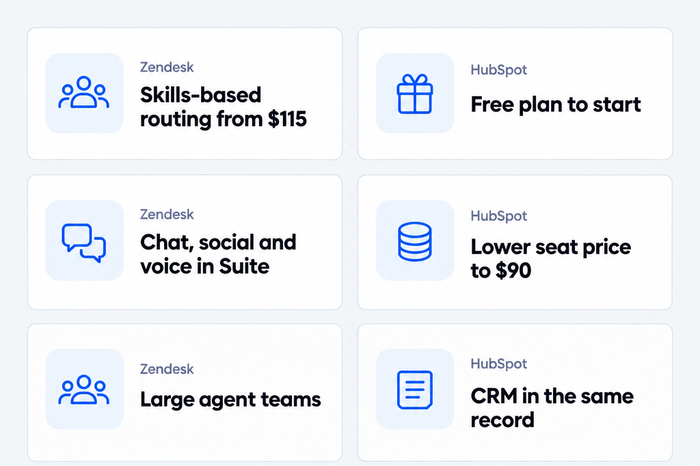
- Choose Zendesk if you run a larger support team, need skills-based routing at the lowest price, or want chat, social, voice and AI under one plan.
- Choose HubSpot if you already use HubSpot for sales or marketing, want a free start, or want the lower seat price at the SLA tier ($90 against $115).
- Price flips by tier: HubSpot is cheaper per seat until skills-based routing, which costs $150 on HubSpot Enterprise and $115 on Zendesk Suite Professional. HubSpot Professional also needs a one-time $1,500 onboarding fee.
- Consider a third option if you run a small online store and don’t want to pay per agent: see Tidio.
HubSpot Service Hub starts at $0 and Zendesk at $19 per agent a month, but the gap closes once you need more than a basic inbox. HubSpot charges a required one-time onboarding fee on its Professional plan, and Zendesk sells chat, voice and AI agents in Suite tiers that cost $55 to $115 per agent. The comparison covers price, ticketing, channels, AI billing and scale, and draws on each vendor’s public pricing page and its G2 reviews, checked in October 2026. HubSpot is the better fit for a team that already runs on its CRM; Zendesk is the deeper support platform. Tidio gets its own section near the end, for small online stores, and it isn’t built for enterprise queues with strict SLAs.
Zendesk vs. HubSpot at a glance
| Zendesk | HubSpot Service Hub | |
|---|---|---|
| Maker | Zendesk | HubSpot |
| Best for | Mid-market and large support teams that want chat, voice and scale | Small and mid-sized teams, especially those already on HubSpot CRM |
| Entry price per seat | $19 annual, $25 monthly (Support Team) | Free for up to 2 users; $7 annual, $20 monthly (Starter) |
| Live chat | Suite Team, $55 annual | Free plan with HubSpot branding; branding removed from Starter, $7 annual |
| SLAs | Suite Professional, $115 annual | Professional, $90 annual |
| Skills-based routing | Suite Professional, $115 annual | Enterprise, $150 |
| AI agent billing | $1.50 to $2.00 per automated resolution | $0.50 per resolution, Professional and up |
| One-time fee | None found | $1,500 (Professional), $3,500 (Enterprise) |
| Free plan | None found; 14-day trial | Yes, up to 2 users |
| G2 rating | 4.3/5 | 4.4/5 |
How we compared them
In October 2026 we read both vendors’ US pricing pages and plan grids, in dollars, and lined up plans by what they include, not by name. We ran no trials of either tool, so the page rests on public documentation and G2 reviews, and anything we couldn’t find is marked as such. Every price carries its billing basis. Enterprise plans are quoted by sales on both sides, and we don’t estimate them. HubSpot’s page doesn’t show monthly and annual prices side by side for every plan, so we only state the ones it labels.
HubSpot vs Zendesk pricing
Zendesk prices by agent and tier. HubSpot also prices by seat, but the fee that matters most for a growing team sits outside the seat price: Professional and Enterprise each carry a required one-time onboarding fee.
| Plan | Annual price | Monthly price | What changes at this tier |
|---|---|---|---|
| HubSpot Free | $0 | $0 | Up to 2 users, ticketing included |
| HubSpot Starter | $7 | $20 | Live chat without HubSpot branding, limited bots |
| HubSpot Professional | $90 | $100 | Help Desk Workspace, customer agent, SLAs, knowledge base, macros |
| HubSpot Enterprise | $150 | Talk to sales | Skills-based routing, conditional SLAs, capacity limits, sandbox |
| Zendesk Support Team | $19 | $25 | Email and ticketing, macros, automations |
| Zendesk Suite Team | $55 | $69 | Messaging and live chat, AI agents, social channels, voice |
| Zendesk Suite Professional | $115 | $149 | SLAs, skills-based routing, up to 100 light agents, IVR |
| Zendesk Suite Enterprise | Talk to sales | Talk to sales | Custom agent roles, approval workflows, deeper controls |
Match plans by what you need, not by name:
| What you need | 5 agents: Zendesk | 5 agents: HubSpot | 20 agents: Zendesk | 20 agents: HubSpot |
|---|---|---|---|---|
| Email tickets | $95 | $35 | $380 | $140 |
| Chat and an AI agent | $275 | $450 | $1,100 | $1,800 |
| SLAs | $575 | $450 | $2,300 | $1,800 |
| Skills-based routing | $575 | $750 | $2,300 | $3,000 |
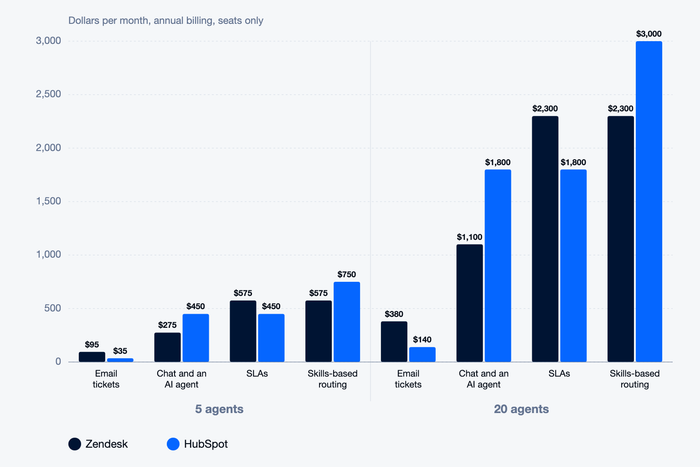
The onboarding fee is why the SLA row is closer than it looks. HubSpot Professional costs $1,500 once. For five agents on SLAs that makes year one $6,900 on both tools ($5,400 in seats plus $1,500 on HubSpot, against $6,900 in seats on Zendesk). At 20 agents HubSpot is $23,100 against $27,600. The fee is flat, so it weighs most on small teams. HubSpot lists a $3,500 fee on Enterprise. Zendesk lists no onboarding fee on its pricing page.
Two more details change the bill. HubSpot Starter costs $20 monthly against $7 annual, so paying month by month is nearly three times the price per seat. And HubSpot’s AI and several other features run on HubSpot Credits, which each plan includes in a set amount (500 on Starter, 3,000 on Professional, 5,000 on Enterprise) and which you buy more of when you use them up.
Winner: HubSpot for most small and mid-sized teams, because the seat price is lower up to the SLA tier and the first tier is free. Zendesk is the better spend if you need skills-based routing, where it costs $35 less per seat.
Zendesk has the edge in ticketing and routing
Both tools run a full ticketing system. HubSpot includes ticketing on every plan, free included, and its Professional plan adds a Help Desk Workspace, SLAs and 500 macros. Zendesk’s Support Team plan covers email and ticketing, routing, macros and automations. Its Suite Professional plan adds SLAs, skills-based routing and up to 100 light agents, who can read tickets and add private comments without paying for a full seat.
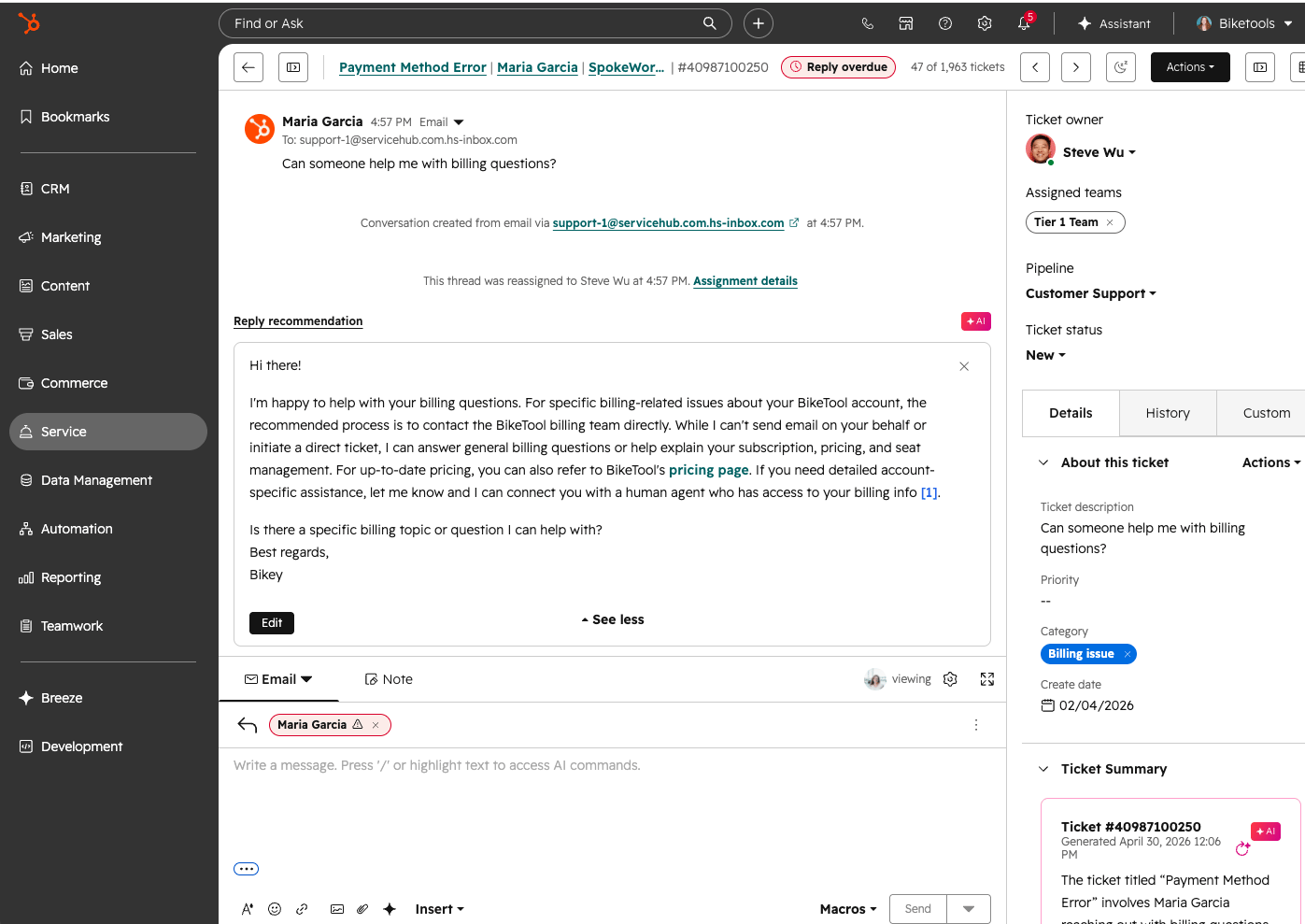
The practical split comes at routing. HubSpot puts skills-based routing, capacity limits, conditional SLAs and a sandbox on Enterprise, at $150 plus a $3,500 onboarding fee. Zendesk puts skills-based routing and SLAs on Suite Professional at $115, with a sandbox as an add-on. Teams that route by language or product line reach that feature sooner on Zendesk.
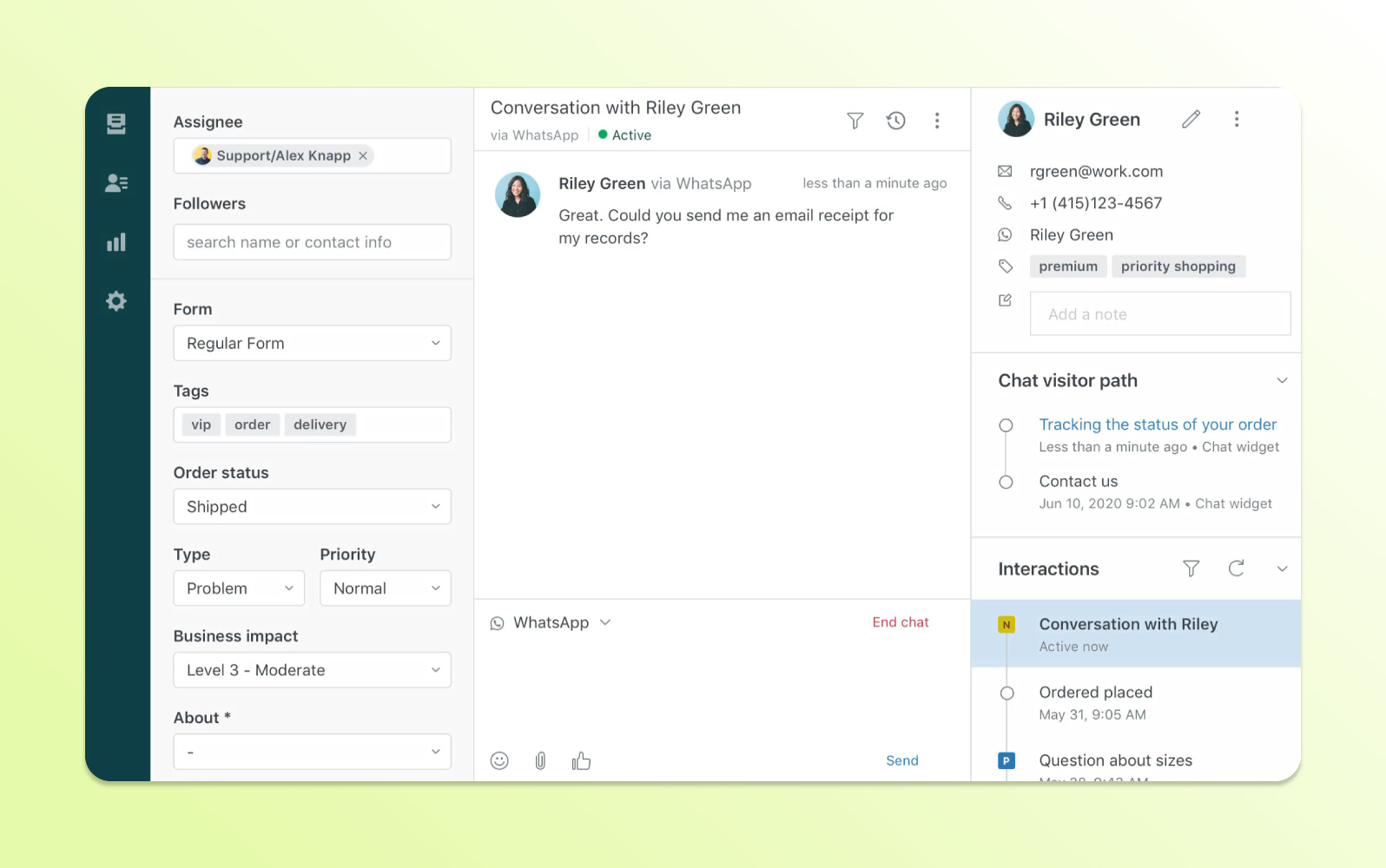
At the entry level the order flips. HubSpot gives two users ticketing for free, and Zendesk’s cheapest plan is $19 per agent.
Winner: Zendesk for teams that need routing and SLA controls at mid-market scale. HubSpot is the better starting point for a team of one or two.
HubSpot wins on CRM and customer context
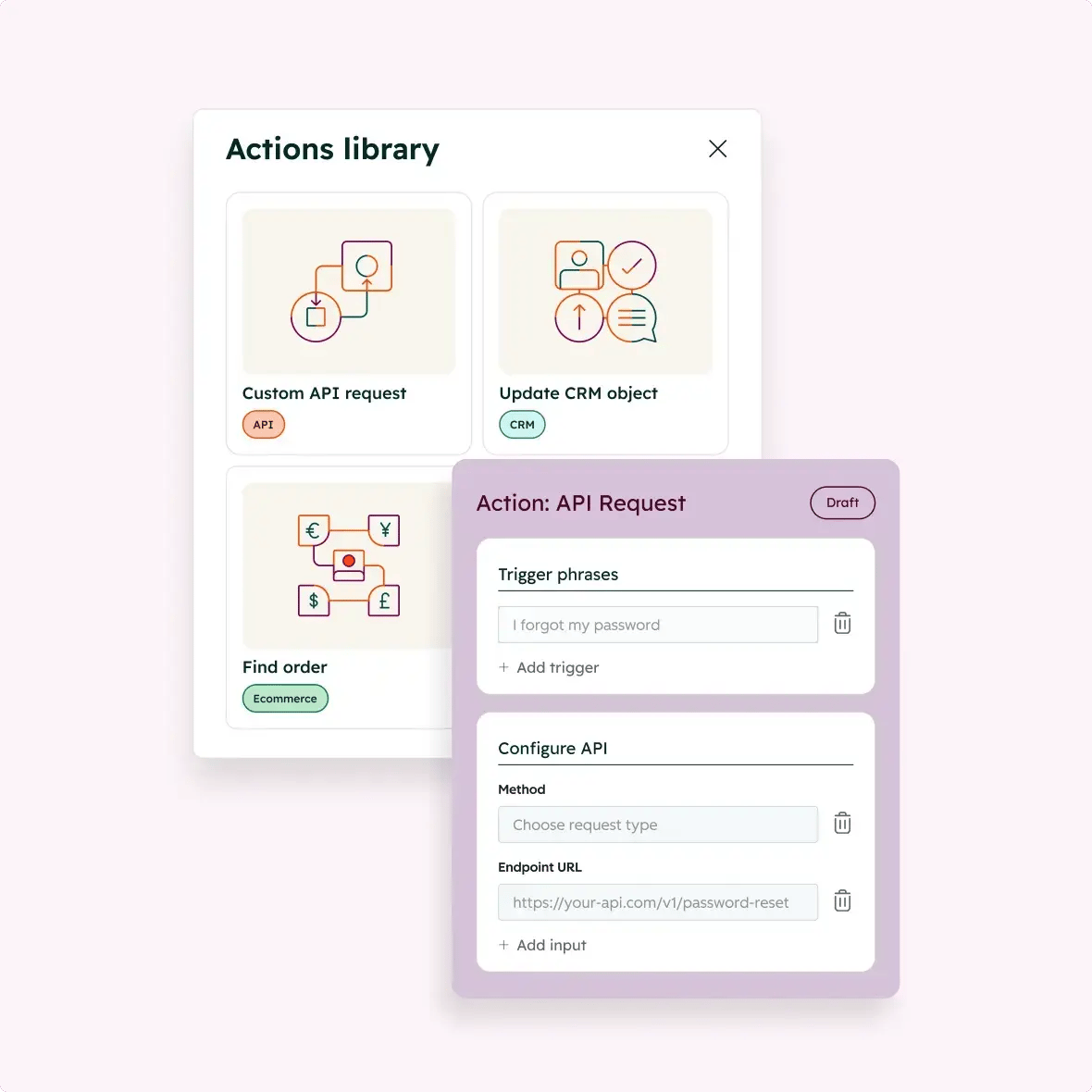
HubSpot Service Hub is one product in HubSpot’s customer platform, next to the CRM, marketing and sales tools, and its free plan bundles tools from each. A ticket lives on a contact record that your sales and marketing team can already see. HubSpot’s own customer agent library lists an “Update CRM object” action, which is how the AI agent writes back to that record.
Zendesk keeps customer profiles, interaction history and custom objects inside its own platform, and connects to CRMs through its marketplace of 1,800+ apps, partners and integrations. That works, but a Zendesk ticket doesn’t automatically sit beside a deal, a campaign or a lifecycle stage the way it does in HubSpot. G2 lists integrations among the strengths HubSpot Service Hub reviewers mention most.[1]
Winner: HubSpot if sales, marketing and support share customers. If support is a separate function with its own tools, this round matters less.
Zendesk covers more channels in one plan
Zendesk Suite Team ($55) adds messaging and live chat, and its Suite plans cover social and business channels such as Facebook, Instagram, X and WhatsApp, with voice from the same tier. Text messages are an add-on and voice carries usage charges, so price your busiest month.
HubSpot covers the basics on a lower budget. Live chat comes on the free plan (with HubSpot branding, removed from Starter), Facebook Messenger integration is on every plan, and Professional adds WhatsApp (up to 1,000 messages a month) and calling (3,000 minutes). Those caps are the trade-off: WhatsApp and calling are metered by plan, where Zendesk bills by usage.
Winner: Zendesk for breadth in one plan. HubSpot is enough for teams whose customers use chat, email and the odd call.
HubSpot’s AI agent costs less per resolution, Zendesk’s starts earlier
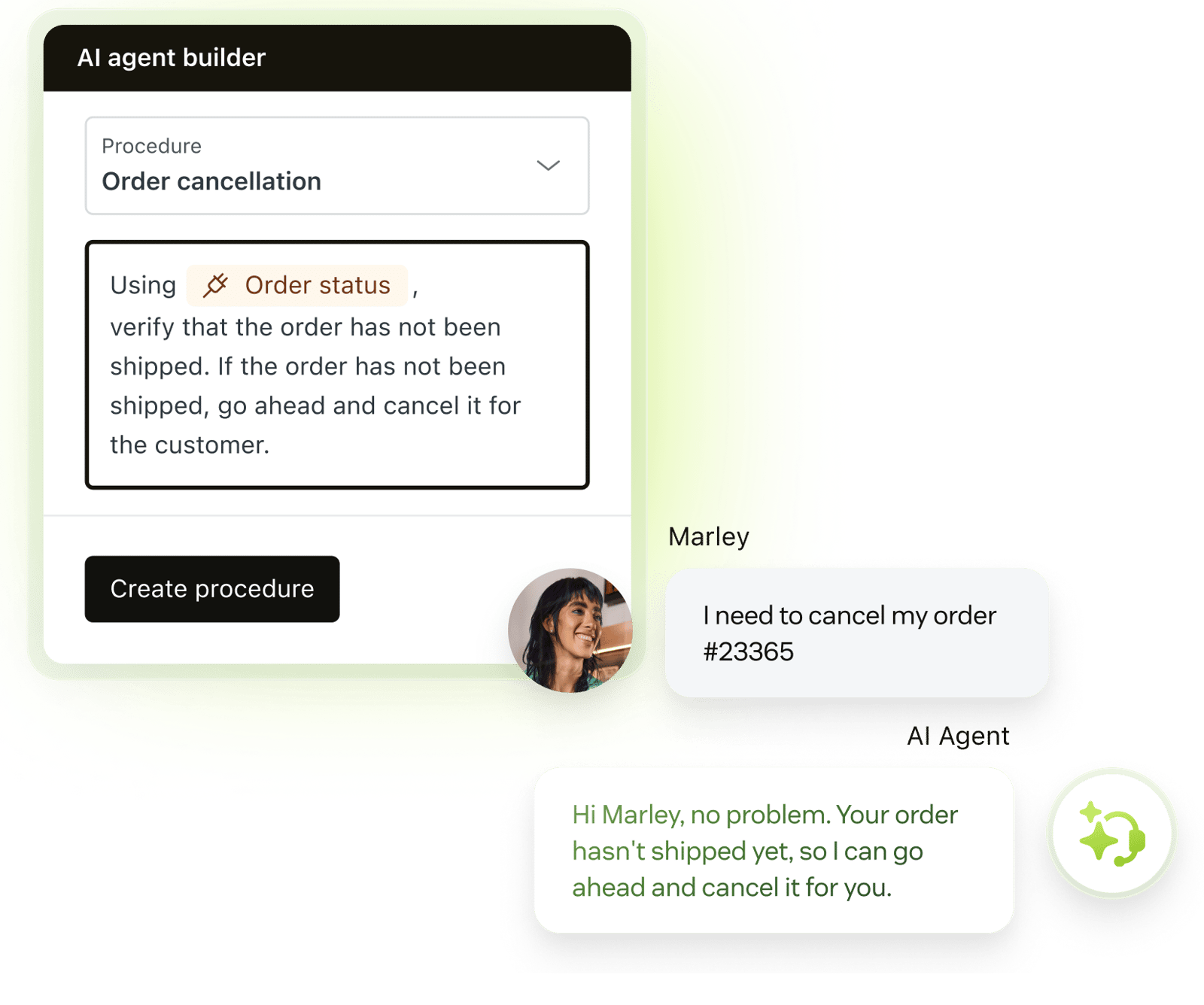
Both vendors bill their AI agent per outcome, with a different outcome definition. HubSpot’s customer agent costs $0.50 per resolution, where a resolution means the conversation wasn’t handed to a human for 72 hours. It is available on Professional and Enterprise, and HubSpot says 65% or more of conversations resolve automatically on it. A Professional seat also unlocks a 14-day free trial of the agent.
Zendesk’s AI agents arrive earlier, with Suite Team at $55. Every plan includes 5 automated resolutions per agent each month (10 on Suite Professional). After that, a resolution costs $1.50 on a committed volume or $2.00 pay-as-you-go. Zendesk bills only for requests its AI agent resolved without escalation. Copilot, the agent assistant, is a $50 per agent add-on.
Take a five-agent team whose AI agent resolves 500 conversations a month, and count every one as a resolution, which is the highest each bill can go:
| Monthly cost, 5 agents, 500 resolutions | Seats | AI resolutions | Total |
|---|---|---|---|
| Zendesk Suite Team | $275 | $712.50 to $950 | $987.50 to $1,225 |
| HubSpot Professional | $450 | $250 | $700 |
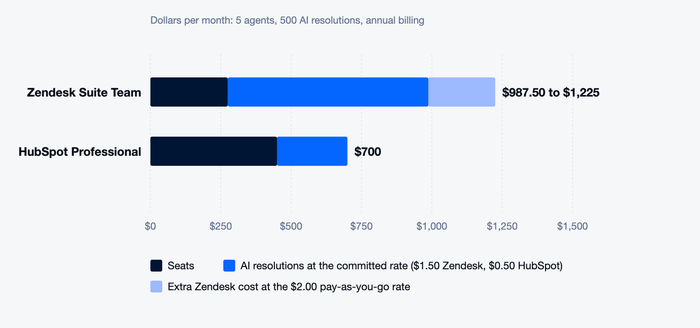
The result is cheaper on HubSpot at this volume, but it needs the $90 plan to start. A team with a handful of AI conversations a month pays less on Zendesk, because five agents get 25 resolutions included and the plan starts at $55.
Winner: HubSpot on price per resolution at volume. Zendesk wins on how cheaply you can start.
Scale and integrations are close to a tie
Zendesk’s pricing page lists 1,800+ marketplace apps, partners and integrations; HubSpot’s lists over 2,000 apps and web services. Both offer a sandbox, on different plans: HubSpot on Enterprise, Zendesk as an add-on on Suite Professional and included on Enterprise.
The limits differ more than the counts. HubSpot’s Professional plan caps the knowledge base at one, with up to 2,000 articles, and 50 help desk spaces. Enterprise raises these to 100 knowledge bases with up to 10,000 articles, and 100 spaces. Zendesk’s Suite Professional plan includes up to five help centers, and Enterprise adds custom agent roles and approval workflows through sales.
Winner: Tie. Pick on which ecosystem your current tools live in, not on the count.
What reviewers say
On G2, Zendesk for Customer Service scores 4.3/5 and HubSpot Service Hub 4.4/5. The ratings are close, so the sub-scores on G2’s side-by-side page do the separating:
| G2 score (out of 10) | Zendesk | HubSpot Service Hub |
|---|---|---|
| Ease of use | 8.5 | 8.6 |
| Ease of setup | 8.0 | 8.3 |
| Ease of admin | 8.2 | 8.5 |
| Quality of support | 8.4 | 8.8 |
| Meets requirements | 8.6 | 8.5 |
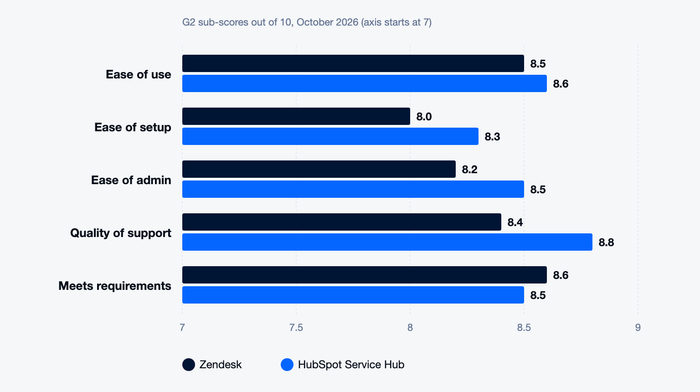
HubSpot’s reviewers skew toward small businesses, and Zendesk’s toward mid-market and enterprise. G2 summarizes Zendesk reviews as noting that pricing can be expensive for small teams, with advanced features behind higher tiers or add-ons. For HubSpot it reports strong value for small businesses, with advanced automation and reporting gated by higher tiers.[1]
Winner: HubSpot on setup, admin and support, with Zendesk ahead only on meeting requirements.
Tidio: a third option for small teams
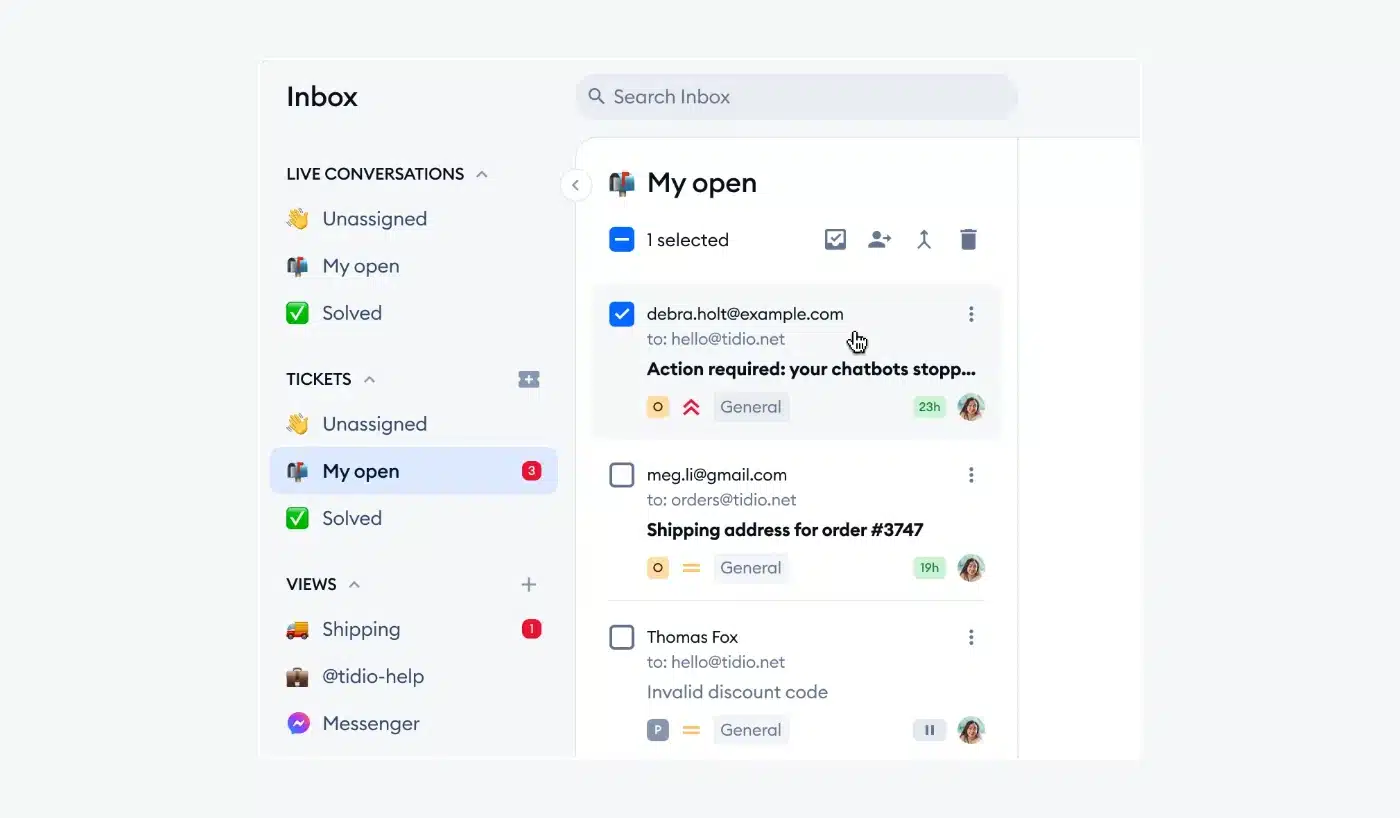
Tidio isn’t a rival for a 100-agent desk. It’s a chat-first help desk with email tickets and an AI agent, aimed at small and mid-sized teams, and priced by conversation volume rather than per agent. That suits a small online store: on Shopify, tidio.com lists live cart preview and order history inside the chat window. Lyro, its AI agent, is said by Tidio to resolve up to 75% of support requests. If your contacts already live in HubSpot, Tidio has a HubSpot integration that syncs contacts and chat history.
| Tidio | Zendesk | HubSpot Service Hub | |
|---|---|---|---|
| Best for | Small e-commerce and SMB teams | Mid-market and large teams | Teams on HubSpot CRM |
| Pricing model | Plan price by billable conversations, up to 10 seats | Per agent | Per seat |
| Entry plan | Free (50 billable conversations); Starter $24.17 annual, $29 monthly | $19 annual, $25 monthly | Free for 2 users; $7 annual |
| Live chat | Included | Suite Team | Starter |
| AI agent | Lyro, from $32.50 annual ($39 monthly) for 50 conversations | $1.50 to $2.00 per resolution | $0.50 per resolution |
| Large agent teams | Up to 10 seats on self-serve plans; custom on Plus and Premium | Enterprise through sales | Enterprise, plus onboarding fee |
| SLAs and skills-based routing | Not its focus | Suite Professional and above | SLAs from Professional; routing on Enterprise |
| G2 rating | 4.6/5 | 4.3/5 | 4.4/5 |
Tidio is the weakest of the three if you need SLA controls or skills-based routing, and in that case you should stay with Zendesk or HubSpot. Compare Tidio with Zendesk for the product-level view.
Try Tidio free
Which should you choose?
Match the tool to your bottleneck:
- You already run sales and marketing on HubSpot. Choose HubSpot Service Hub, and keep the tickets on the same contact record.
- You need skills-based routing and SLAs for a mid-sized desk. Choose Zendesk Suite Professional, which reaches routing at $115 against $150.
- You’re a team of one or two that wants a free start. Choose HubSpot Free.
- You need chat, social and voice in one plan. Choose Zendesk Suite.
- You expect hundreds of AI resolutions a month. Choose HubSpot, and price the $90 plan and the $1,500 fee first.
- You run a Shopify store with a small team and want one inbox for chat, email and AI. Choose Tidio.
Moving from one to the other? Export tickets, contacts and help articles first, write down every macro and automation, and keep both tools running side by side for a week before you cancel.
Bottom line
HubSpot wins on seat price up to the SLA tier, on a free start, on CRM context, on AI price per resolution at volume and on G2 setup and support scores. Zendesk wins on routing at a lower tier, on channels in one plan and on how cheaply it starts with AI. For small teams already on HubSpot, Service Hub is the cheaper and simpler way in; for larger teams that run chat, social and voice together, Zendesk’s breadth can justify the higher bill. A small online store that wants chat, tickets and AI without paying per agent should look at Tidio too.
See how Tidio compares
Related guides
- Zendesk alternatives
- HubSpot alternatives
- Zendesk review
- Freshdesk vs Zendesk
- Help Scout vs Zendesk
- Zendesk vs Intercom
Frequently asked questions
Mostly, yes. HubSpot Service Hub has a free plan, and its SLA tier costs $90 per seat against $115 on Zendesk Suite Professional. The picture flips at skills-based routing, which is $150 on HubSpot Enterprise and $115 on Zendesk. HubSpot also charges a one-time onboarding fee of $1,500 on Professional (October 2026).
HubSpot suits most small teams: a free plan, lower seat prices and higher G2 scores for setup (8.3 against 8.0). Zendesk fits a small team that expects to grow into voice, social channels and routing rules.
Zendesk bills $1.50 to $2.00 per automated resolution after a small included allowance, starting on the $55 Suite Team plan. HubSpot bills $0.50 per resolution on Professional ($90) and Enterprise. HubSpot is cheaper per unit, and Zendesk is cheaper to start.
Yes. HubSpot’s free plan covers up to 2 users and includes ticketing. Zendesk has no free plan on its pricing page, only a 14-day trial.
No. Service Hub is HubSpot’s customer service product. It runs inside HubSpot’s customer platform next to the CRM, marketing and sales tools, and the free plan includes tools from each. Zendesk is a stand-alone support platform that connects to your CRM through integrations.
Yes. Export tickets, contacts and knowledge base articles from the old tool, check which import options the new one offers, and rebuild automations and macros by hand. Plan a week of parallel running before you cancel.
Tidio fits small e-commerce teams, and Help Scout fits email-first teams. See Zendesk alternatives and HubSpot alternatives.
Use live chat to support your customers in real-time