Key takeaways
- Best all-round free CRM: HubSpot gives two users 1,000 contacts and a deal pipeline at no cost.
- Most users for free: FreeCRM has no user cap, EngageBay covers up to 15 users and Vtiger 10.
- Solo owners: Zoho Bigin is built for one person and one pipeline.
- Big-name free plans cap at two users. HubSpot and Salesforce's Free Suite both stop at 2.
- Check the cap first. Contacts, users and email sends are where free plans stop.
Most CRMs advertise a free plan and hide the catch. It might be two users, 250 contacts, a branded email footer or a self-hosted install that needs a developer. Pick the wrong one and you migrate your customer data the day you outgrow it. We compared 12 free CRM tools on their pricing pages and G2 listings, noting what each free plan includes, where it stops and what the first upgrade costs.
Tidio is listed first because the list is ordered for small and e-commerce teams that talk to customers in chat. Every tool, Tidio included, gets the same criteria and its real limits.
What is CRM software?
Customer relationship management (CRM) software stores your contacts and every interaction with them in one place. A CRM system tracks leads through a sales pipeline, logs emails and calls, and reminds your team what to do next. Free CRM platforms give small teams the core of that at no cost, with limits on seats, records and automation.
The best free CRM software at a glance
Our top picks: HubSpot for the strongest free pipeline, FreeCRM and EngageBay for the most free users, and Tidio for teams whose customer conversations happen in chat.
| Tool | Best for | Free plan includes | Cheapest upgrade |
|---|---|---|---|
| Tidio | Online stores that talk to customers in chat | 50 billable conversations a month, up to 10 seats | $24.17/mo billed annually ($29 monthly) |
| HubSpot CRM | Two-person sales teams | 2 users, 1,000 contacts | $7/seat/mo billed annually (new-customer offer) |
| Salesforce Free Suite | Two-person teams that want sales, service and AI | 2 users, 100 emails a month | $25/user/mo |
| Zoho CRM | Small teams in the Zoho suite | 3 users, leads, deals, reports | $14/user/mo billed annually ($20 monthly) |
| Zoho Bigin | Solo owners | 1 user, 500 records, 1 pipeline | $7/user/mo billed annually ($9 monthly) |
| EngageBay | Small teams that want CRM and marketing | 15 users, 250 contacts | $13.79/user/mo billed annually ($14.99 monthly) |
| FreeCRM | Teams that want no user or contact caps | Unlimited users and contacts, no support | $10/user/mo |
| Capsule | Small teams with one simple pipeline | 2 users, 250 contacts | $18/user/mo billed annually ($22 monthly) |
| Bitrix24 | Teams that also need tasks and chat | 1 to 2 users, 5 GB | $49/mo billed annually for 5 users |
| Vtiger | Teams that want one system for sales, marketing and support | 10 users, 3,000 records | $12/user/mo billed annually |
| SuiteCRM | Teams with a developer who can host it | Software, no per-user fees | Hosting from £50/mo |
| Odoo CRM | Businesses that may add Odoo apps later | One app, unlimited users | €14.90/user/mo (discounted for the first 12 months) |
Prices change often. Confirm each one with the vendor before you commit.
How we chose these free CRM tools
We started from the 18 tools in the previous edition of this guide and the free CRMs that the top Google roundups and the first-page product pages name most. We kept the 12 that still have a free plan or free software today. Freshsales and Insightly came out because they now offer a trial, not a free plan, and Streak's free tier has no CRM pipeline. Salesforce's Free Suite and FreeCRM came in because both now sit on page one for the head term. We judged each tool on the same criteria:
- Fit. The order follows fit for small and e-commerce teams, not G2 score.
- Free plan. Users, contacts or records, and which features are paid-only.
- Upgrade cost. The cheapest paid plan and its billing basis.
- Setup effort. Whether you sign up or host it yourself.
- Ratings. G2 score and review count.
We read pricing pages and G2 listings. We didn't run hands-on tests of every tool, so pilot your shortlist with your own contacts before you commit.
The 12 best free CRM software tools
1. Tidio
Best for: Online stores that talk to customers in chat and need a free inbox with customer records.
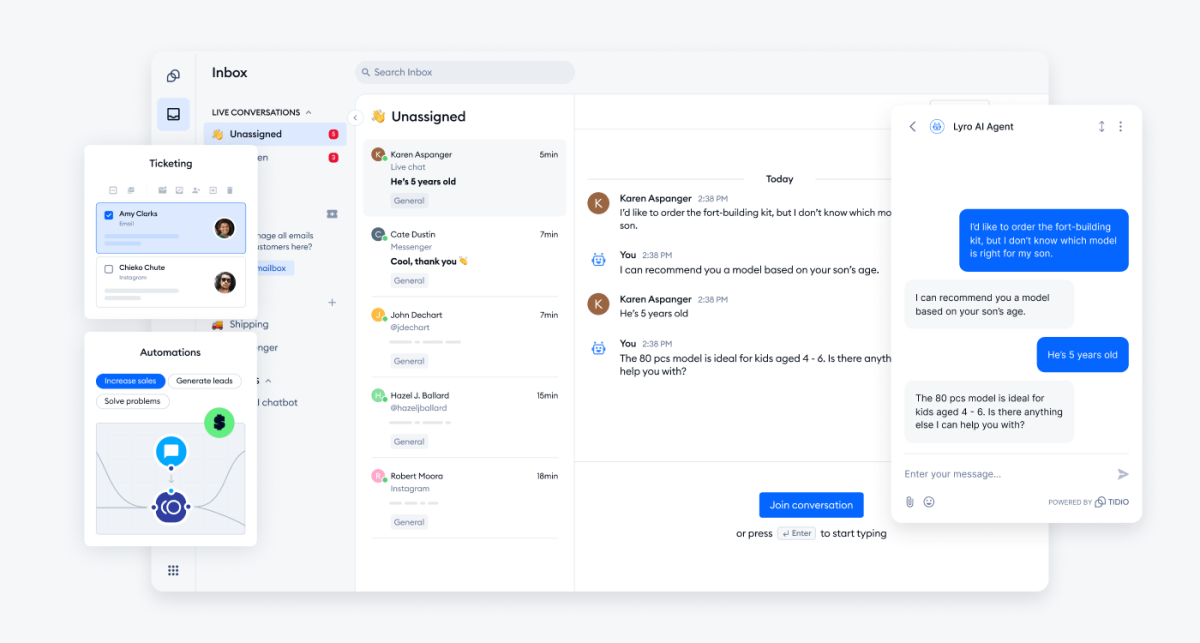
Tidio is a customer service platform with live chat, a help desk and the Lyro AI agent. As a CRM it covers the customer-record side. The inbox shows who the customer is, which pages they visited and their past conversations. Flows collect names, emails and quote requests from visitors and qualify them with questions.
The HubSpot and Zoho CRM integrations are available on every plan, including Free. They create contacts from chats and save transcripts as notes, so a pipeline can live in a tool built for deals. For Shopify stores, Tidio adds cart preview and order history inside the conversation.
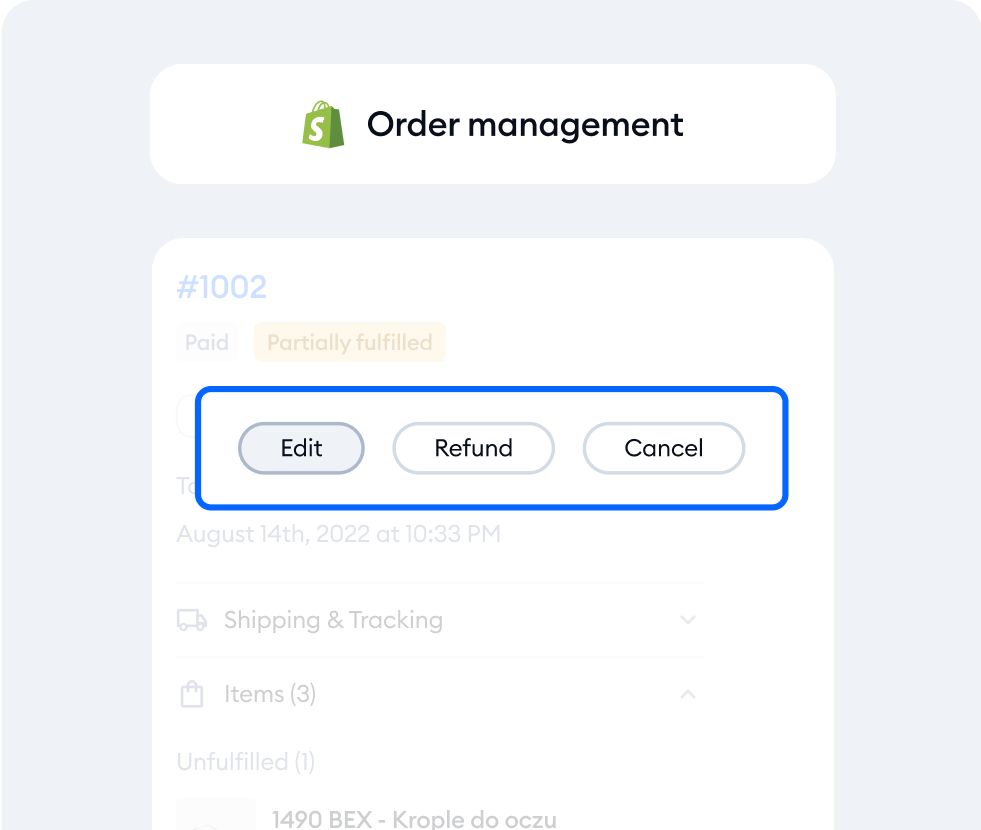
Tidio fits e-commerce stores, small teams that want fewer tools and teams that run live chat, email, Messenger, Instagram and WhatsApp in one inbox. It also fits high-volume support teams: Lyro can resolve up to 75% of support requests.
Key features:
- Customer details in the inbox. See visitor location, current page and earlier conversations while you reply.
- Lead capture with Flows. Collect contact details and qualify leads with templates such as quote request and appointment booking.
- CRM connectors. Send contacts and chat transcripts to HubSpot, Zoho CRM or Salesforce.
- Shopify data. Cart preview and order history sit next to the chat.
- Lyro AI agent. Answers repetitive questions and hands over to a human when it can't.
Pros
- Customer chats and records live in one inbox with live chat, email and social channels.
- The free plan allows up to 10 seats, which is more than most CRMs on this list.
- Connected CRMs receive contacts and transcripts without copy-pasting.
Cons
- Tidio keeps customer conversations and details, so deal pipelines live in the CRM you connect, such as HubSpot or Zoho.
- The free plan includes 50 billable conversations a month, so higher volumes move to a paid plan.
- Lyro is priced separately, so you only pay for what you use, but there are a few quotas to keep an eye on.
Skip Tidio if you need deals, quotes and sales forecasts in one tool. Pair it with a pipeline CRM instead.
Pricing: The Free plan allows up to 10 seats and 50 billable conversations a month. Starter is $24.17 a month billed annually ($29 monthly) for 100 conversations. Growth starts at $49.17 a month billed annually and adds advanced analytics, permissions, auto assignment and macros. Lyro is sold separately from $32.50 a month billed annually ($39 monthly). A 7-day trial includes all features. See Tidio pricing.
Rating: G2 4.6/5 (2,076 reviews)
See which Tidio plan fits your store
2. HubSpot CRM
Best for: Two-person sales teams that need a free pipeline and shared contact records.
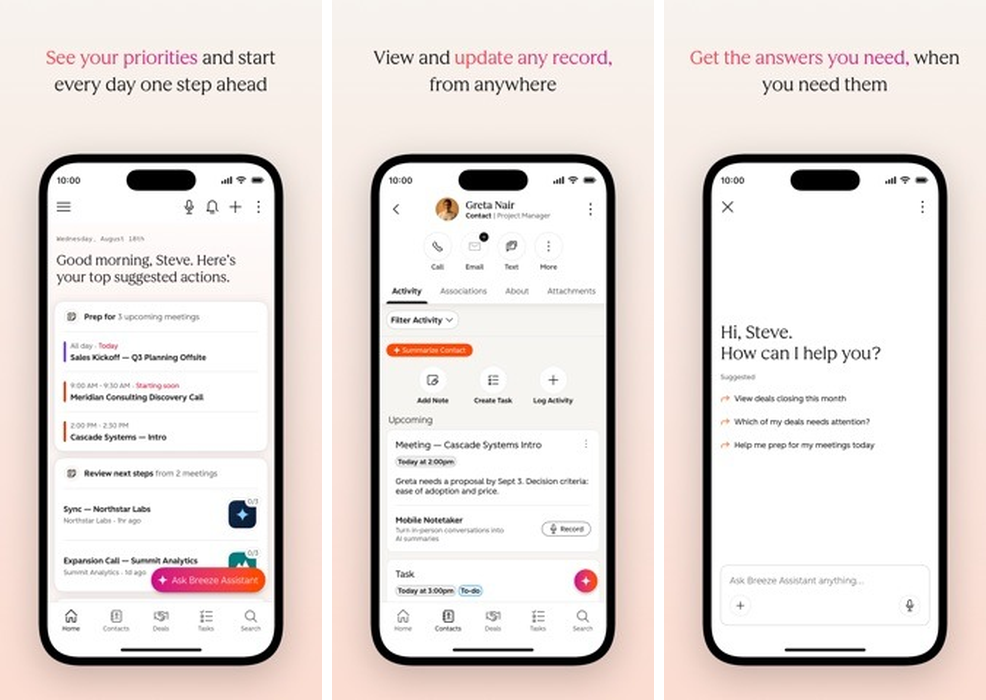
HubSpot is the free CRM most roundups put first, and the reason is the free plan's depth. You get contact records, a deal pipeline, tasks, a meetings link, email tracking and dashboards without a time limit. The ceiling is the seat count. Two free users covers a founder and a first hire, then the next seat costs money.
Key features:
- Deal pipeline. Track deals through stages with tasks and notes.
- Email tracking. Log emails from Gmail and Outlook on each contact.
- Dashboards. Up to 10 dashboards with 50 reports each.
Pros
- One of the highest free contact limits on this list, at 1,000.
- Free access has no time limit.
- A large app and integration library.
Cons
- Only 2 free users.
- One automated email action, and HubSpot branding on emails and meeting links.
- Upgrade pricing rises sharply after the new-customer offer.
Pricing: Free for up to 2 users and 1,000 contacts, with 2,000 emails a month. Starter is $7 per seat a month billed annually for new customers, and $20 per seat at the standard price. Official pricing is on HubSpot's website.
Rating: G2 4.4/5 (14,387 reviews)
Read more: HubSpot alternatives
3. Salesforce Free Suite
Best for: Two-person teams that want sales, service and AI help in one free CRM.
Salesforce's Free Suite is a no-cost CRM for up to two users, with no expiration date as long as someone logs in at least once every 60 days. It covers accounts, leads, opportunities and support cases, plus reports, dashboards and a knowledge base. Built-in AI summarizes a record or drafts an email. The ceiling is the two-user cap and the 100 emails a month.
Key features:
- Sales and service in one. Manage leads, opportunities and support cases together.
- Reports and dashboards. Customizable, included on the free plan.
- Landing pages. Capture leads and send up to 100 emails a month from templates.
- Embedded AI. Summarize customer details and draft emails.
Pros
- Sales, service and marketing basics in one free plan.
- AI features work without technical setup.
- Free users get 24/7 chat support through Salesforce's help bot.
Cons
- Only 2 users.
- 100 emails a month.
- Advanced automation, lead routing and e-commerce tools start on the paid Starter plan.
Pricing: Free for up to 2 users. Starter is $25 per user a month and Pro is $100 per user a month, which adds sales forecasting. Official pricing is on Salesforce's website.
Rating: G2 4.4/5 (27,587 reviews, Sales Cloud listing)
4. Zoho CRM
Best for: Teams of up to three that already use Zoho apps or plan to.
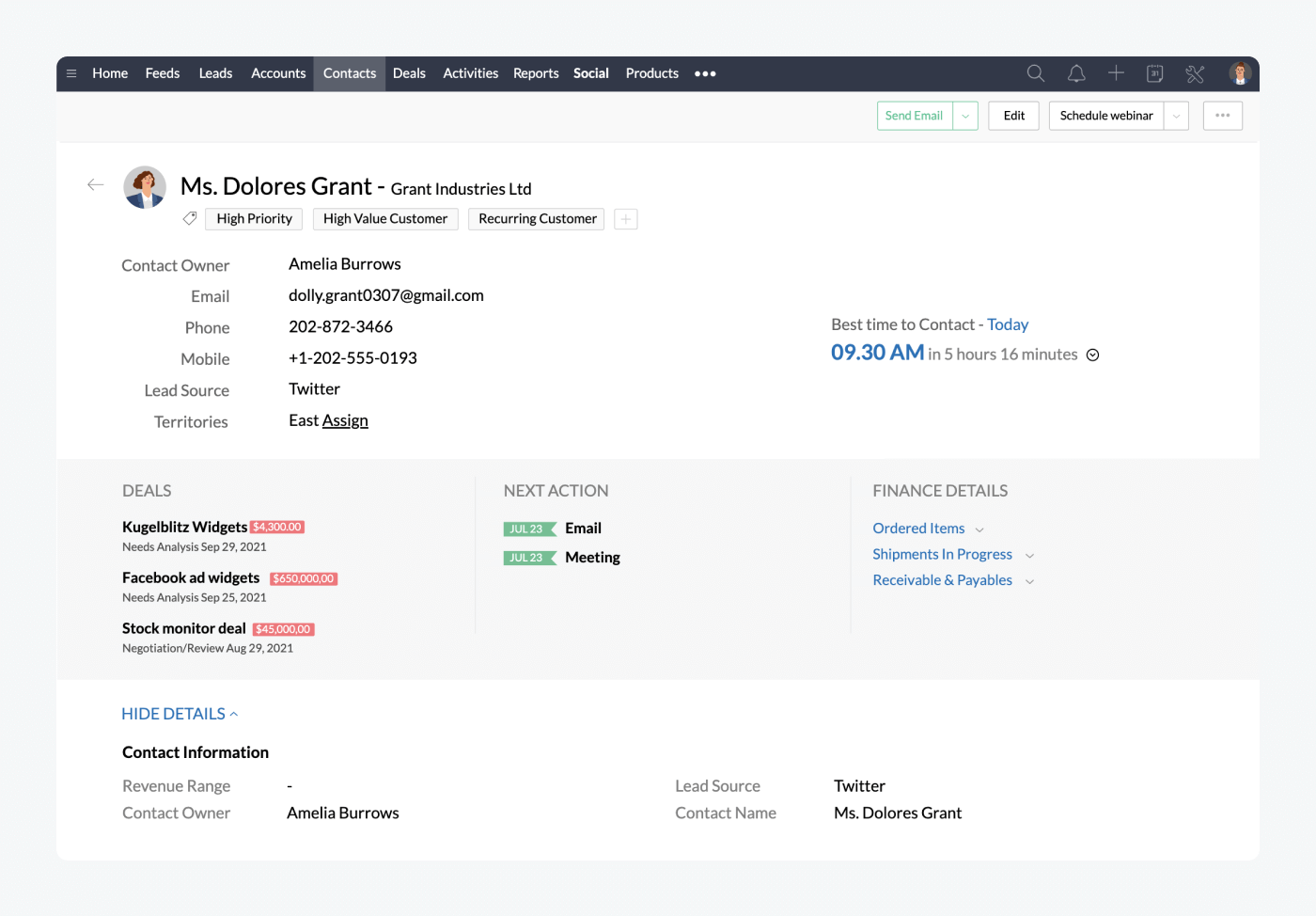
Zoho CRM's free edition is free for three users and still includes leads, deals, workflows, reports and a mobile app. That is more than many free plans offer. The ceiling arrives with AI and integrations. Zia AI and the Google and Microsoft integrations are paid, and the free edition limits exports to 10 and email templates to 10.
Key features:
- Leads and deals. Move prospects through a customizable pipeline.
- Workflows and reports. Automate follow-ups and review sales numbers.
- Mobile app. Update deals from your phone.
Pros
- Three free users with workflows and reports.
- Fits well with the wider Zoho suite.
- Four paid tiers to grow into.
Cons
- Zia AI and agents are paid.
- Only 10 data exports and 10 email templates on the free edition.
- Per-user pricing climbs across the tiers.
Pricing: Free for 3 users. The cheapest paid tier is Standard at $14 per user a month billed annually ($20 monthly). Official pricing is on Zoho's website.
Rating: G2 4.1/5 (2,959 reviews)
Read more: Tidio's Zoho CRM integration
5. Zoho Bigin
Best for: Solo owners replacing spreadsheets for client follow-up.
Bigin is Zoho's lighter CRM for micro-businesses, and its free edition is for a single user. You get contacts, companies, one pipeline, a built-in phone, a booking page and three automations. The limit is obvious: one user and 500 records. The first upgrade is cheap, which makes it a safe place to start.
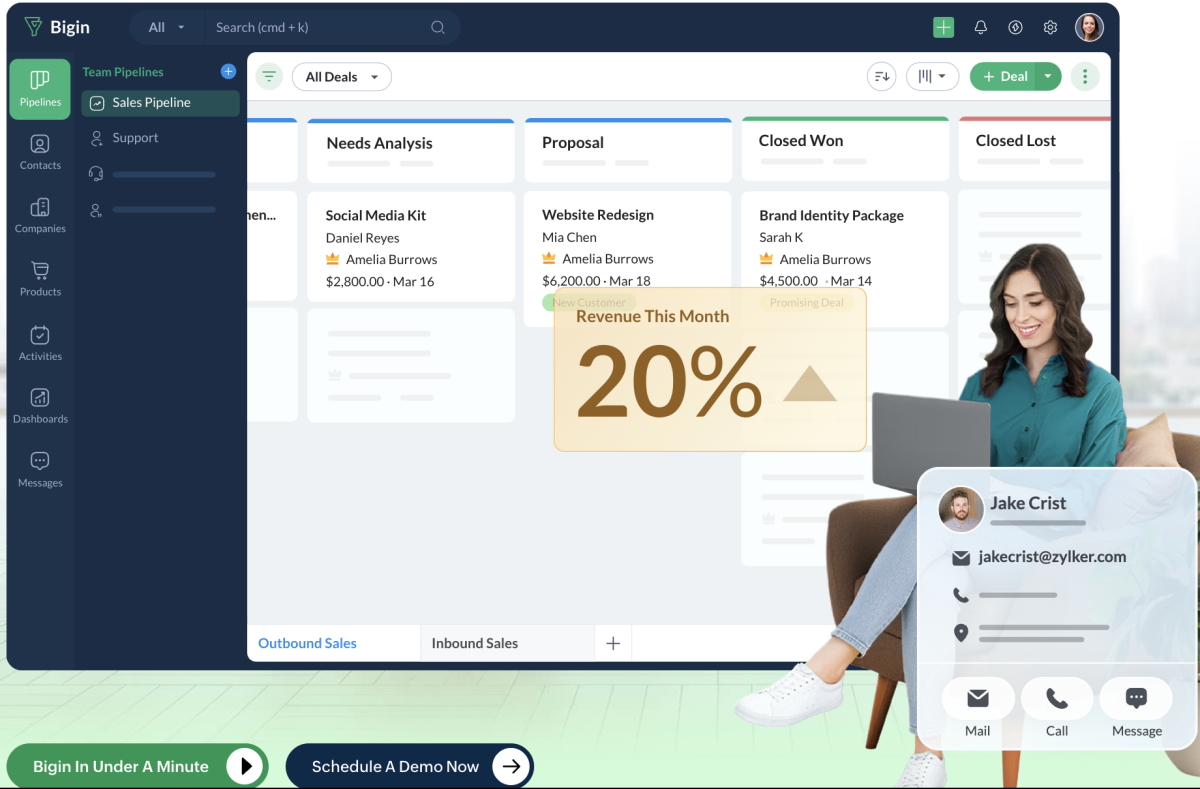
Key features:
- One pipeline. Track every client in a single board.
- Built-in phone. Call contacts from the CRM.
- Booking page. Let clients schedule time with you.
Pros
- Simple to set up and learn.
- Cheap first upgrade.
- Mobile apps and web forms included.
Cons
- One user only.
- 500 records and 3 automations.
- Mass email and custom dashboards are paid.
Pricing: Free for 1 user. Express is $7 per user a month billed annually ($9 monthly) with 3 pipelines and 50,000 records. A 15-day trial is available. See Bigin pricing.
Rating: G2 4.6/5 (878 reviews)
6. EngageBay
Best for: Small teams that want CRM, email sequences and a help desk in one free tool.
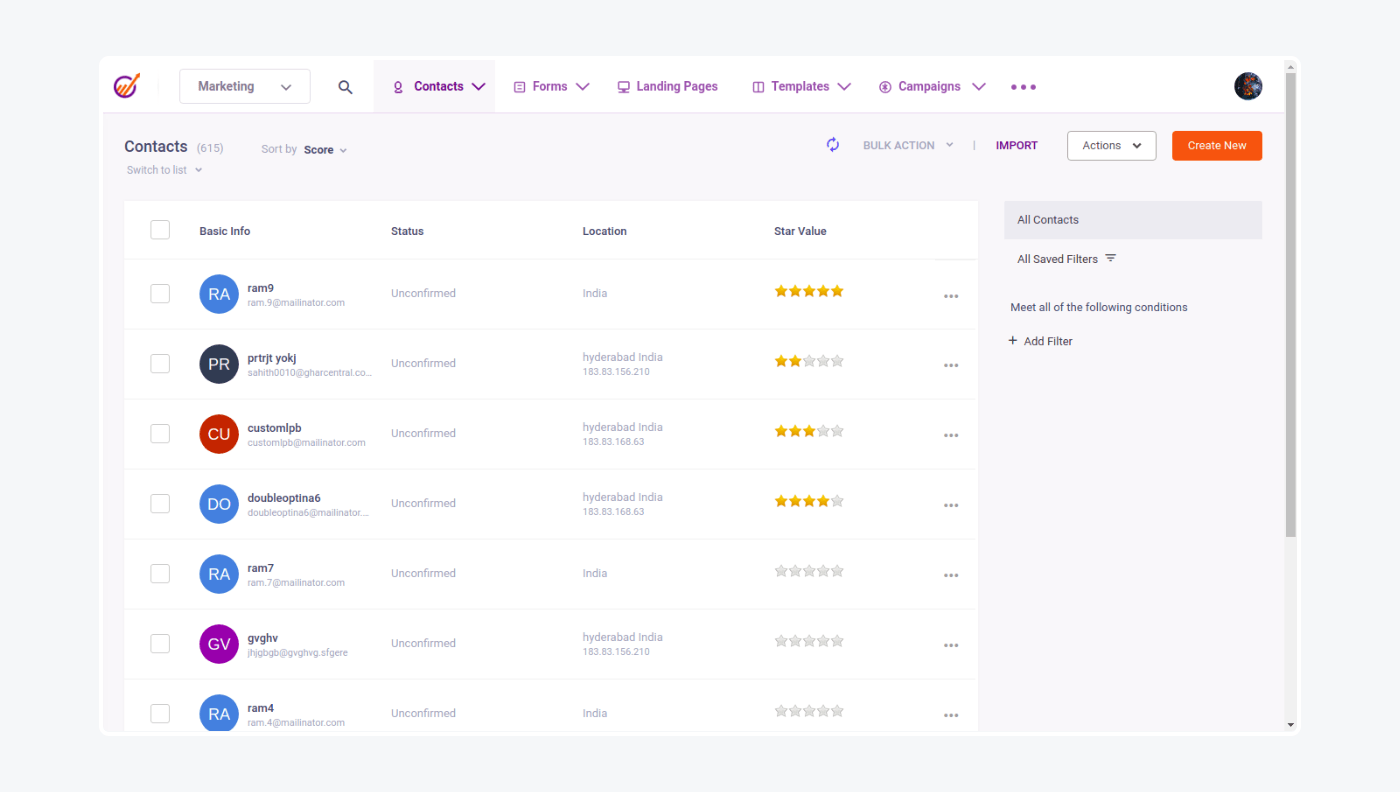
EngageBay is free for teams of up to 15 users, the highest seat count on this list. The free plan covers CRM, email sequences, landing pages, forms and a small help desk. The ceiling is volume: 250 contacts, 1,000 branded emails, two sequences and one landing page.
Key features:
- CRM and deals. Contacts, deals and tasks.
- Email sequences. Two on the free plan.
- Forms, pop-ups and a landing page. Capture leads without extra tools.
Pros
- Free for up to 15 users.
- Sales, marketing and help desk in one tool.
- Basic plan costs less than most paid CRMs.
Cons
- 250 contacts on the free plan.
- Two sequences and one landing page.
- Growth costs $64.99 per user a month, a steep step from Basic.
Pricing: Free for up to 15 users. Basic is $13.79 per user a month billed yearly ($14.99 monthly) for 500 contacts. See EngageBay pricing.
Rating: G2 4.6/5 (801 reviews)
7. FreeCRM
Best for: Teams of any size that want an uncapped pipeline and can work without support.
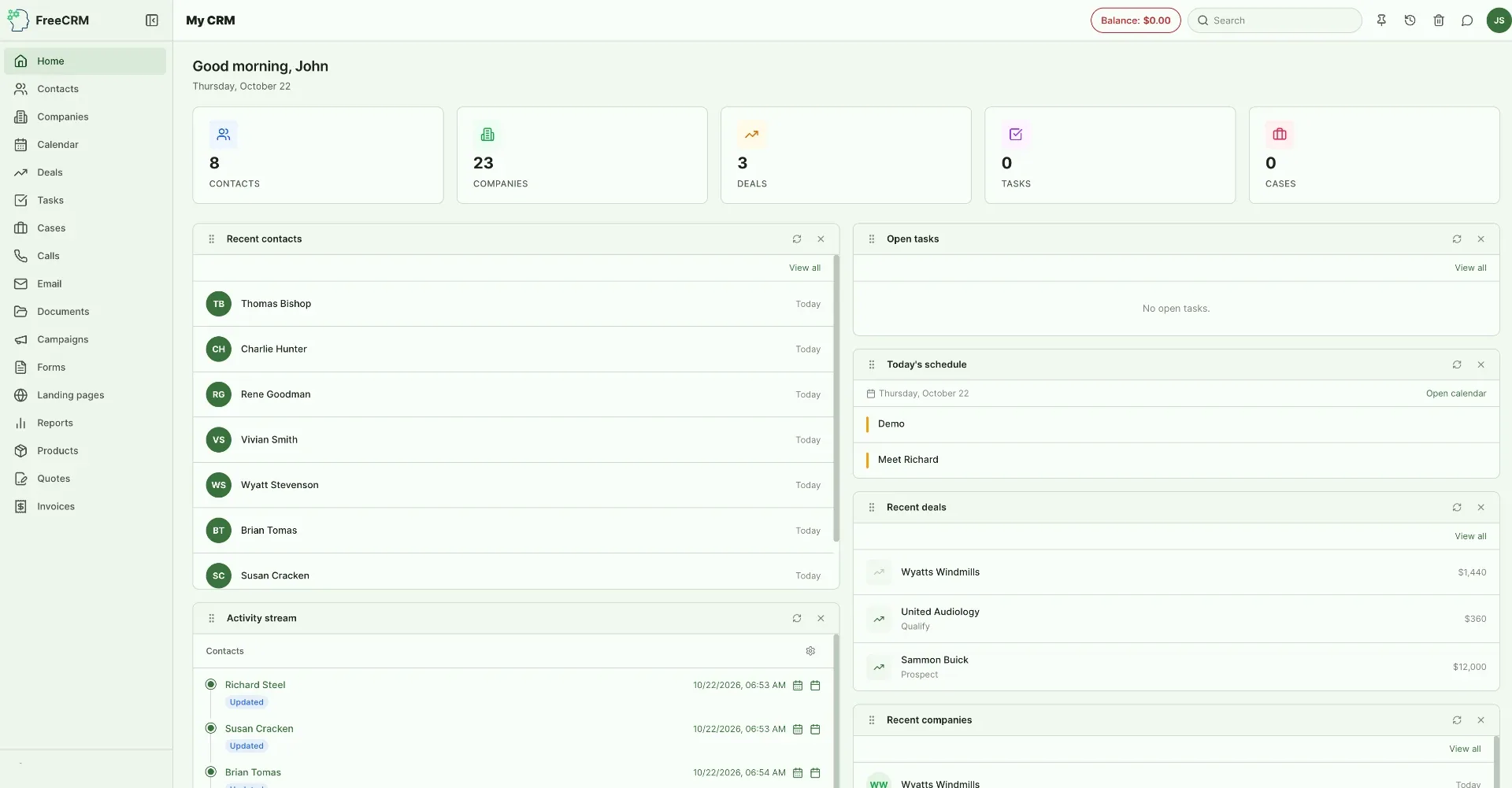
FreeCRM does what its name says. The free plan has unlimited users, contacts and storage, with contacts, companies, deals, tasks, cases, calls, a calendar, reports and mobile apps. The catch is stated on its pricing page: the free plan has no customer support and no campaigns. Email campaigns, SMS, voice calling and Google sync start on Pro.
Key features:
- Unlimited users and contacts. No seat or record caps on the free plan.
- Deals, tasks and cases. Track sales and customer issues together.
- Reports and mobile apps. iOS and Android apps are included.
Pros
- No user, contact or storage limits.
- Free forever, with the essentials for deals and tasks.
- Pro costs less than most paid CRMs.
Cons
- No support and no campaigns on the free plan.
- Email, SMS, voice and Google sync need Pro.
- Phone numbers, calls and texts are billed by use.
Pricing: Free forever for unlimited users. Pro is $10 per user a month and Enterprise is $25 per user a month. US phone numbers cost $1.15 a month, plus $0.01 per minute and $0.01 per text. See FreeCRM pricing.
Rating: G2 4.2/5 (11 reviews)
8. Capsule
Best for: Two-person teams that want one clean sales pipeline.
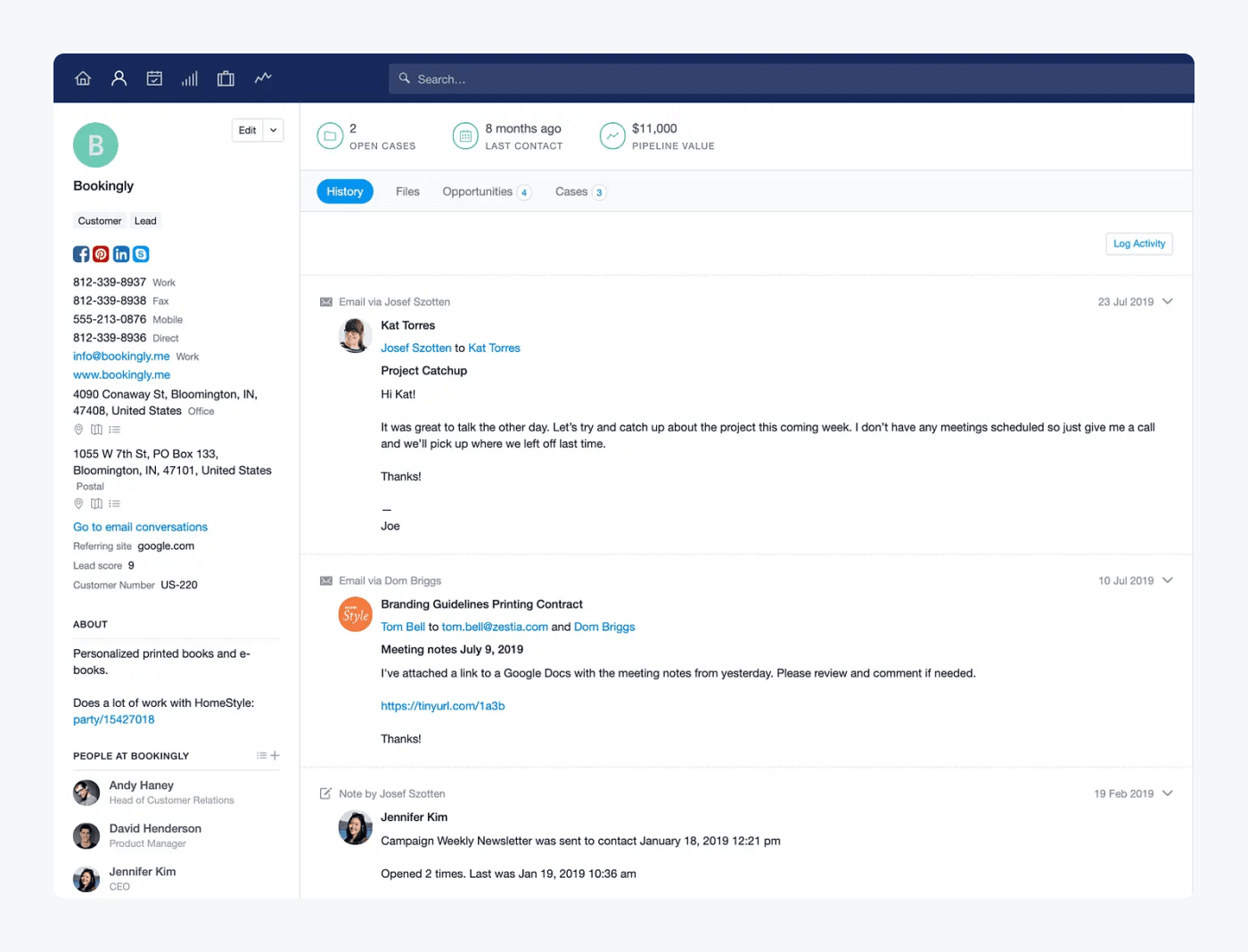
Capsule is a simple CRM with a free plan for up to 2 users and 250 contacts. You get one pipeline with custom milestones, five custom fields and Gmail or Outlook email. It stays simple on purpose. Workflow automation, email templates and advanced reporting need a paid plan.
Key features:
- Sales pipeline. Custom milestones for each deal stage.
- Custom fields. Five on the free plan.
- Gmail and Outlook email. Log email on contacts.
Pros
- Clean, quick to learn.
- One pipeline with custom milestones.
- Paid plans scale to 120,000 contacts.
Cons
- Only 2 users and 250 contacts.
- No automation or professional mail servers on free.
- Five custom fields.
Pricing: Free for 2 users. Starter is $18 per user a month billed annually ($22 monthly). See Capsule pricing.
Rating: G2 4.7/5 (529 reviews)
9. Bitrix24
Best for: Teams that want CRM, tasks and chat in one free workspace.
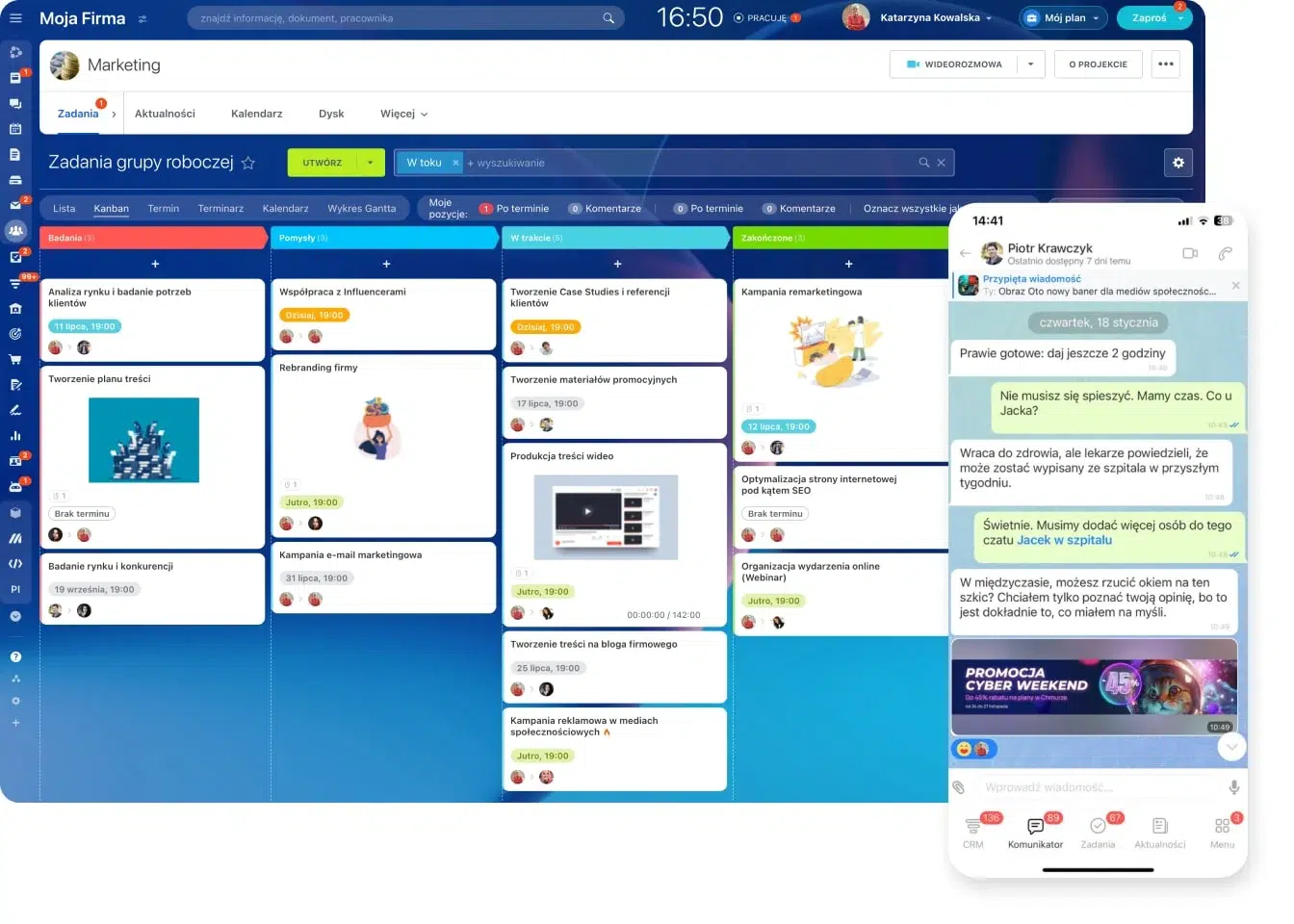
Bitrix24 is a workspace first and a CRM second. The free plan is for 1 to 2 users and adds basic CRM, one pipeline, task boards, calendars, chat and video calls on 5 GB. It suits teams that want one tool for sales and projects. The ceiling is the jump to paid, which is priced per organization, starting at five users.
Key features:
- Basic CRM. Deals, contacts and one pipeline.
- Tasks. Kanban and Gantt views.
- Chat and video calls. Team communication in the same app.
Pros
- CRM plus project tools without a second subscription.
- 5 GB of storage on the free plan.
- Calendars and video calls included.
Cons
- Free for 1 to 2 users only.
- The first paid plan is $49 a month for 5 users.
- Broader and busier than a CRM-only tool.
Pricing: Free for 1 to 2 users. Basic is $49 a month billed annually ($69 monthly) for 5 users, priced per organization. See the Bitrix pricing page.
Rating: G2 4.1/5 (614 reviews)
10. Vtiger
Best for: Teams that want sales, marketing and support in one customizable system.
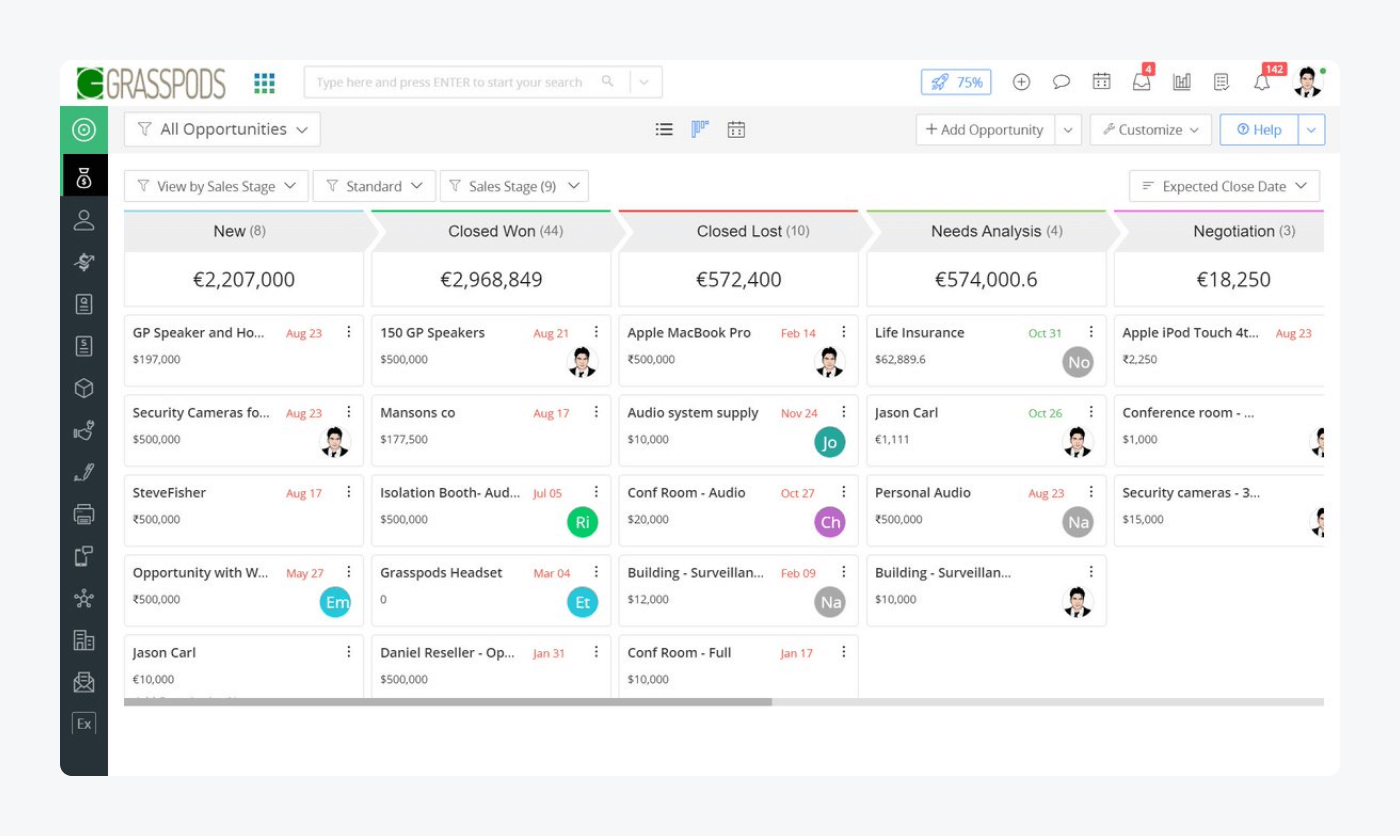
Vtiger's One Pilot plan is free for up to 10 users with 3,000 records and 1,000 emails a month. That makes it the strongest free option for a team of five to ten that wants one system. Reviewers praise its price and customization. The common complaints are missing features and difficult data migration.
Key features:
- Sales, marketing and support. One suite for all three.
- Customization. Adjust fields and modules to your process.
- Affordable seats. Paid plans start at $12 per user.
Pros
- 10 free users and 3,000 records.
- Customizable modules.
- Low per-user paid pricing.
Cons
- Reviewers cite missing features.
- Reviewers report weak support.
- Data migration is complex.
Pricing: One Pilot is free for 10 users. One Growth is $12 per user a month billed annually, with 15 users and 100,000 records. A 15-day trial is available. See Vtiger pricing.
Rating: G2 4.3/5 (416 reviews)
11. SuiteCRM
Best for: Teams with a developer or admin that want a customizable CRM they host themselves.
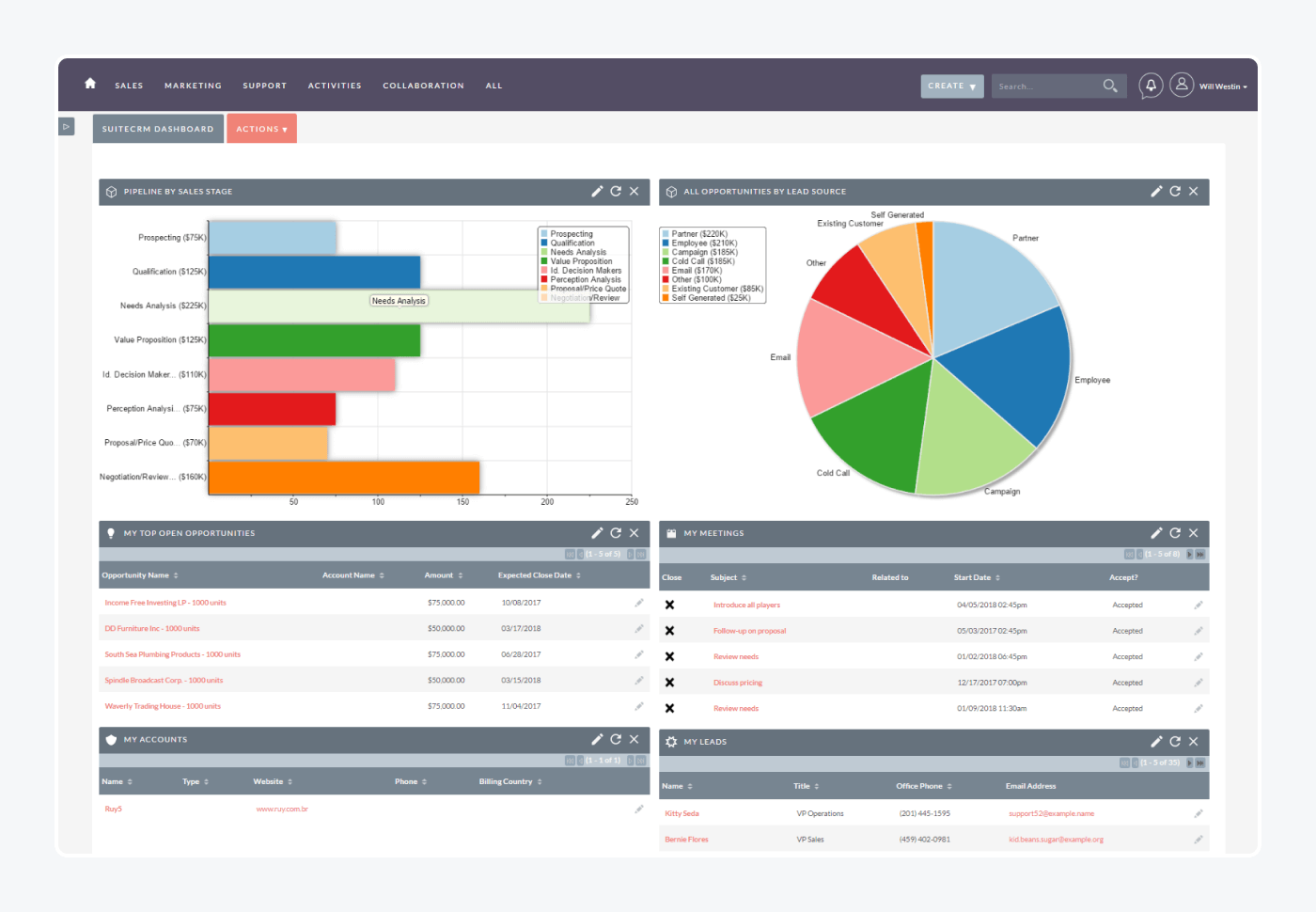
SuiteCRM is open source software with no per-user fees. "Free" means the software, not the running of it. You pay for a server or hosting, and for help if you need it. Hosted plans start at £50 a month, and support and setup are sold separately.
Key features:
- Open source. Change the code and fields to fit your process.
- No per-user fees. Add as many users as your server handles.
- Community support. Free forums and a knowledge base.
Pros
- No license cost, however many users you add.
- Highly customizable.
- Free community support.
Cons
- You host, update and secure it.
- Paid support and setup add up.
- Reviewers flag weak email marketing and integration issues.
Pricing: Software free. Hosted from £50 a month. Standard Support is £1,200 for 10 hours. See SuiteCRM pricing.
Rating: G2 4.2/5 (102 reviews)
12. Odoo CRM
Best for: Small businesses that want CRM now and may add Odoo's invoicing or inventory later.
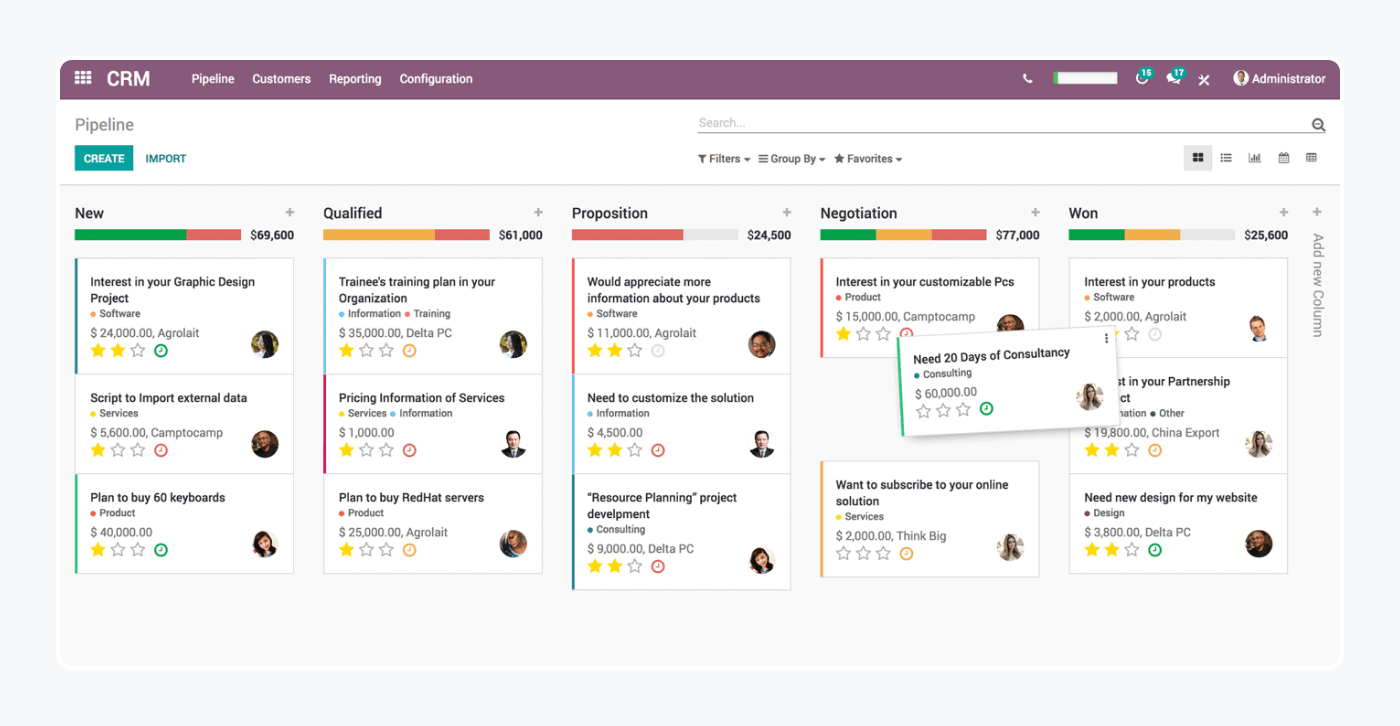
Odoo's One App Free plan gives you one app with unlimited users, hosted on Odoo Online. Pick CRM and you get a pipeline-first tool that costs nothing. The catch is the word "one." Add a second app, such as invoicing, and you move to per-user pricing.
Key features:
- Pipeline view. Drag opportunities across stages.
- Lead management. Capture and assign leads.
- Unlimited users. On the free plan, for one app.
Pros
- Unlimited users on the free plan.
- Friendly pipeline interface.
- Grows into a full business suite.
Cons
- Free covers one app only.
- Reviewers report a learning curve.
- Customization is limited on Odoo Online.
Pricing: One App Free is €0. Standard is €14.90 per user a month, discounted for the first 12 months. See Odoo pricing.
Rating: G2 4.1/5 (206 reviews)
Use live chat to support your customers in real-time
What free CRM plans usually limit
Free CRMs cap the things that grow with your business. These are the caps to check before you load your contacts.
| Tool | Users | Records | Other cap |
|---|---|---|---|
| Tidio | Up to 10 seats | 50 billable conversations a month | Lyro sold separately |
| HubSpot CRM | 2 | 1,000 contacts | 2,000 branded emails a month |
| Zoho CRM | 3 | Not stated | 10 exports, 10 email templates |
| Zoho Bigin | 1 | 500 | 1 pipeline, 3 automations |
| EngageBay | 15 | 250 contacts | 2 sequences, 1 landing page |
| Capsule | 2 | 250 contacts | 1 pipeline, 5 custom fields |
| Bitrix24 | 1 to 2 | Not stated | 5 GB, 1 pipeline |
| Vtiger | 10 | 3,000 | 1,000 emails a month |
| Salesforce Free Suite | 2 | Not stated | 100 emails a month |
| FreeCRM | Unlimited | Unlimited | No support, no campaigns |
| SuiteCRM | No cap | No cap | You host it |
| Odoo CRM | Unlimited | Not stated | One app only |
Seats and contacts are the obvious caps. The quieter ones are email branding, automation limits and data exports, because they decide how much work you do by hand.
How to choose free CRM software
Count users and records first
Write down how many people need access today and in a year. A two-seat plan is fine for a founder and a first hire. It is a migration project for a team of five. Do the same with contacts.
Pick the pipeline you actually use
Tools like HubSpot, Salesforce, Capsule and Zoho CRM are built around deals. Tidio is built around conversations. Choose by where your customer data starts. For the difference between a CRM and a support tool, see CRM vs ticketing system.
Check what arrives in your inbox
Most free CRMs log Gmail or Outlook email. Few connect live chat or social messages. If your customers write through a website chat, check how those contacts reach the CRM before you commit.
Read the free plan's exclusions
Email branding, automation and exports are the usual paywalls. Run your real follow-up routine through the free plan and note where it stops.
Decide who hosts it
SuiteCRM has no per-user fee, but someone patches and backs up the server. If nobody on the team can do that, choose a hosted plan.
Plan the upgrade before you need it
Compare the first paid plan, not only the free one. Per-user pricing grows with the team, and Bitrix24 prices per organization. Check the plan that gives you the next ten seats.
Which free CRM should you pick?
- If you are a solo owner replacing spreadsheets → Zoho Bigin, because it is built for one user and the first upgrade is cheap.
- If you are two people selling → HubSpot, Salesforce Free Suite or Capsule, because all three give you a pipeline without a paid seat.
- If you have a team of five or more → FreeCRM, Vtiger or EngageBay, because they offer unlimited, 10 and 15 free users.
- If you run a Shopify store → Tidio on the Growth plan with Lyro, because customer chats, cart preview and order history sit in one inbox. Connect HubSpot or Zoho CRM if you also need a deal pipeline.
- If you have a developer → SuiteCRM, because there is no per-user fee.
For teams whose customers mostly write in, Tidio's Growth plan adds analytics and macros, and Lyro answers repeat questions.
Compare Tidio plans
Frequently asked questions
HubSpot is the best free CRM for most small teams, with 2 users, 1,000 contacts and a deal pipeline. FreeCRM, EngageBay and Vtiger win if you need more free users, and Zoho Bigin wins for a solo owner.
Yes. FreeCRM, HubSpot, Salesforce's Free Suite, Zoho CRM, Zoho Bigin and Vtiger have free plans without a time limit. SuiteCRM is free software, but you pay for hosting.
Yes, for up to 2 users and 1,000 contacts, with no time limit. Extra seats, higher automation limits and removing HubSpot branding need a paid plan.
Partly. Tidio is AI customer service software with live chat, a help desk and the Lyro AI agent. It keeps customer details and conversations and sends contacts to HubSpot, Zoho CRM and Salesforce. It doesn't include a sales pipeline.
Yes. Salesforce's Free Suite is free for up to 2 users with no expiration date, as long as you log in at least every 60 days. It includes 100 emails a month.
A free plan has no time limit but caps users, records or features. A trial gives full features for a few days, then asks for payment. Freshsales and Insightly offer a trial, not a free plan.
Yes, if someone on your team can host and update them. SuiteCRM has no per-user fees, but hosting and support cost money or time.
Boost customer satisfaction with a professional AI agent