


Key takeaways
- Best all-rounder for small teams and online stores: Tidio, with live chat, Lyro AI and a shared inbox on one plan, from $24.17 a month on annual billing.
- Best free starting point: HubSpot for a CRM-first team (free tools for up to 2 users) and Freshchat for a bigger free team (up to 10 agents).
- Best for social DMs: ManyChat and Chatfuel, built around Instagram, WhatsApp and Messenger rather than a website widget.
- Best for large support teams: Intercom Fin and Zendesk, which charge per agent plus a fee for each AI resolution.
- Check the billing unit first. Conversations, contacts, sessions, outcomes and resolutions are all different meters, so the headline price tells you little.
Most chatbot platforms look the same on the pricing page and behave very differently on a busy Monday. Some bill per agent, some per conversation, some per resolution, and the AI part is often a separate meter. We compared 9 chatbot platforms on their live pricing pages and G2 pages in October 2026, and we note below what each one costs once the AI is switched on and who it suits.
Tidio is listed first because the list is ordered for small and mid-sized teams, especially online stores, that want website chat, AI and a shared inbox in one place. Every platform gets the same criteria and its real drawbacks, Tidio included.
What is a chatbot platform?
A chatbot platform is software that builds, runs and monitors chatbots across channels such as your website, WhatsApp or Instagram, and hands a chat to a person when the bot can’t help. Rule-based platforms follow flows you draw. AI platforms answer from your help content. Most platforms on this list do both.
Rule-based, AI and hybrid platforms
| Type | How it answers | Good for | Limit |
|---|---|---|---|
| Rule-based | Follows buttons and flows you draw | Lead capture, booking, fixed menus | Can’t handle a question you didn’t plan for |
| AI | Answers from your site and help articles | Support questions that vary | Needs good content and a tested handoff |
| Hybrid | Flows for structured tasks, AI for open questions | Most small and mid-sized teams | More to set up and monitor |
Tidio, HubSpot, Intercom and Botpress cover more than one type. Chatbase is AI-first, and ManyChat and Chatfuel lean on flows with AI added.
The best chatbot platforms at a glance
Our top three picks: Tidio for small teams and online stores, HubSpot for teams that already run on a CRM, and Intercom Fin for support teams that want to pay only for results.
| Platform | Best for | Starting price | Free plan or trial | G2 rating |
|---|---|---|---|---|
| Tidio | Small teams and online stores | $24.17/mo billed annually ($29 monthly) | Free plan, 7-day trial | 4.6 |
| HubSpot | CRM-first teams | $7/seat/mo (billing basis not labeled) | Free tools for 2 users | 4.4 |
| Chatbase | AI agent from your content | $40/mo ($32 billed yearly) | 7-day trial | Not available |
| Botpress | Developer-built agents | $150/mo billed annually | Free plan (100 conversations) | 4.5 |
| Intercom Fin | Support teams paying per result | From $19/seat/mo for new customers, plus $0.99 per outcome | 14-day trial | 4.5 |
| Zendesk | Large support teams | $19/agent/mo billed annually ($25 monthly) | 14-day trial | 4.3 |
| Freshchat | Teams that need a free inbox | $19/agent/mo billed annually | Free plan (10 agents) | 4.4 |
| ManyChat | Instagram and DM automation | $14/mo billed annually ($17 monthly) | Free plan (25 contacts) | 4.5 |
| Chatfuel | WhatsApp, Instagram, Facebook | $18/mo billed yearly ($20 monthly) | Free trial | 4.4 |
How we chose these chatbot platforms
We started from the platforms that AI answer engines and Google roundups name most often for business chatbots and kept 9 that are still sold and still do what we describe. We left out consumer assistants such as ChatGPT and platforms that no longer appear in current roundups.
We judged each one on the same six criteria:
- Fit for the audience. The order follows fit for small and mid-sized teams, not G2 score.
- AI answers from your content. Whether the bot learns from your site and help articles.
- Channels. Website, WhatsApp, Instagram, Messenger and email.
- Human handoff. How a chat moves to a person, and where that person works.
- Billing unit. What you pay for: seats, conversations, contacts, sessions or resolutions.
- Free entry. A forever-free plan, a trial, or neither.
Our sources were each vendor’s pricing page and G2 page in October 2026. We didn’t test every platform hands-on, and vendor claims are labeled as claims.
The 9 best chatbot platforms in 2026
1. Tidio
Best for: small teams and online stores that want chat, AI and a shared inbox together
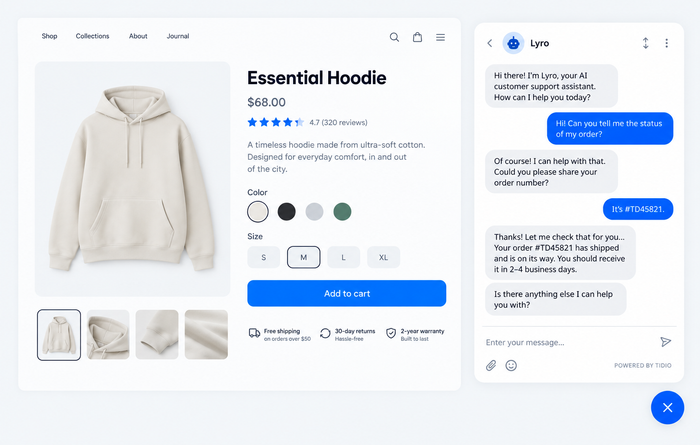
Tidio puts live chat, the Lyro AI agent, Flows automation and a shared inbox in one product, so a visitor can start with the bot and end with a person without changing tools. Lyro can resolve up to 75% of support requests, and it answers from your help articles and store data. It suits teams that want to go live in an afternoon and grow into more automation later.
Lyro answers from your help content, and a conversation it can’t settle moves to the shared inbox so a person can pick it up. On a Shopify store, Lyro can pull order status into the answer. Because Lyro and Flows are priced separately from seats, you can start on the free plan and add AI when volume justifies it.
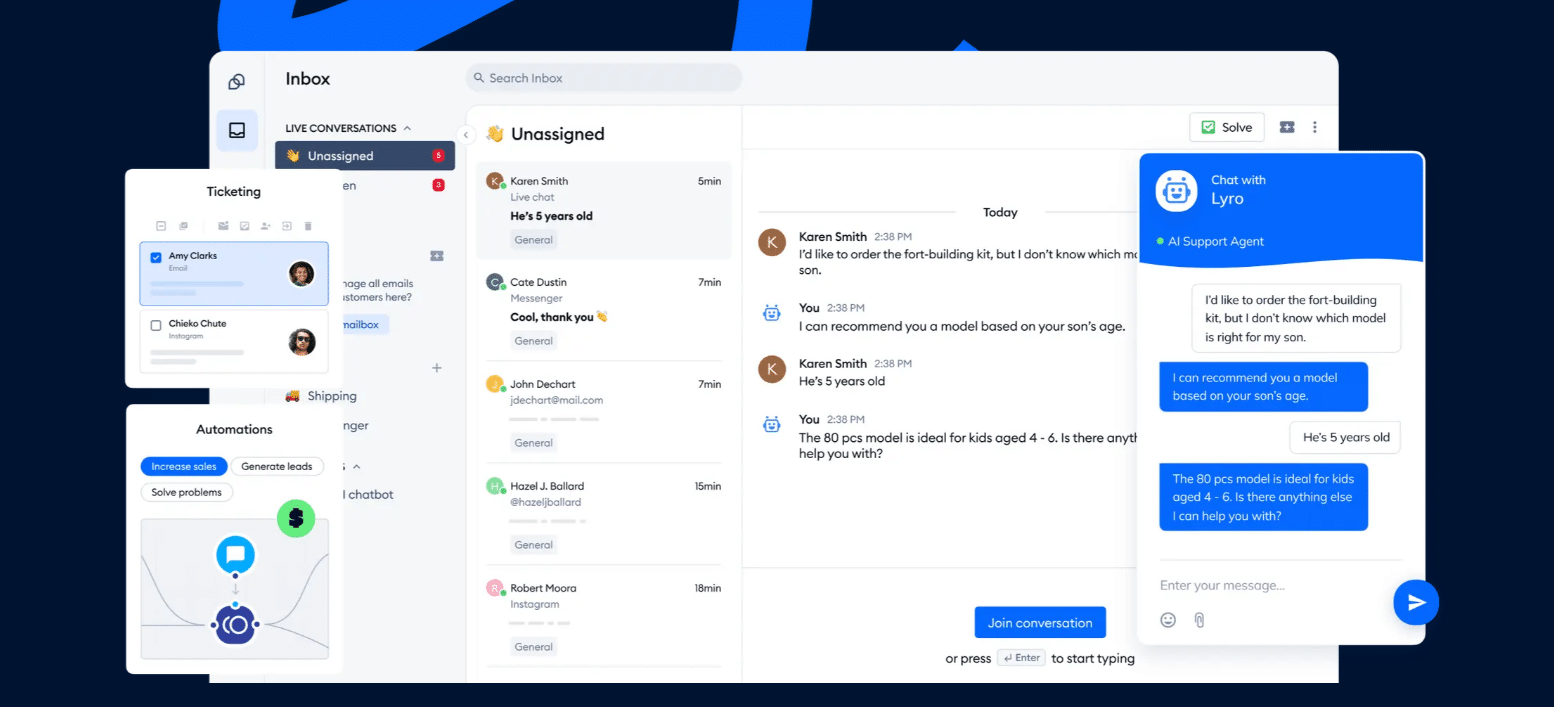
Tidio fits these teams best:
- Shopify and other online stores. Live cart preview and order history sit inside the conversation.
- Small and mid-sized teams that want fewer repetitive tickets without hiring more agents.
- High-volume inboxes where Lyro takes the repeat questions first.
- Teams on several channels: live chat, email, Messenger, Instagram and WhatsApp in one inbox.
Key features:
- Lyro AI agent that answers from your help content and hands off to a person when needed.
- Flows for greeting visitors, collecting leads and routing chats.
- Shared inbox for chat and email, with the Shopify integration showing carts and order history.
Pros
- Free plan with up to 10 seats, plus a 7-day trial of every feature.
- Chat, AI and inbox on one platform, so there is no second bill for the bot.
- G2 reviewers rate it 4.6 across nearly 2,000 reviews.
Cons
- Lyro is priced separately from the plan, so you only pay for what you use, but there are a few quotas to keep an eye on.
- Native Shopify actions start on the Growth plan.
- Larger deployments get a quote from Tidio’s sales team.
Skip Tidio if most of your volume is Instagram comment and DM automation for a creator brand. ManyChat is built for that.
Pricing: Free $0 (50 billable conversations a month, up to 10 seats). Starter $24.17/mo billed annually ($29 monthly, 100 billable conversations). Growth from $49.17/mo billed annually ($59 monthly, 250 conversations). Plus from $300/mo plus usage. Lyro is sold separately from $32.50/mo billed annually ($39 monthly) for 50 Lyro conversations, and a Lyro conversation is any conversation where Lyro replied at least once. Flows start at $24.17/mo billed annually. 7-day free trial. See Tidio pricing.
Rating: G2 4.6/5 (1,995 reviews)
Add chat and AI to your site with Tidio, with Lyro answering questions around the clock
2. HubSpot
Best for: teams that already keep customers in HubSpot’s CRM
HubSpot gives you two bots. The chatbot builder is rule-based and available on every tier, and the Customer Agent is an AI agent for Service Hub Professional and Enterprise. Every conversation carries the contact’s CRM context. Getting to the AI agent costs more than the free tier suggests.
Key features:
- Free tools with a chatbot builder and live chat for up to 2 users.
- Customer Agent at $0.50 per resolution on Professional and Enterprise.
- CRM context on every conversation.
Pros
- Free plan to start, with no card.
- Customer Agent costs $0.50 per resolution, half of Intercom’s $0.99.
Cons
- The AI agent needs a Professional or Enterprise seat, and onboarding is a required one-time fee of $1,500 on Professional.
- The pricing page shows two numbers per plan without saying which is annual.
Pricing: Free $0 for up to 2 users. Starter shows $7 and $20 per seat per month, Professional $90 and $100, Enterprise $150. The Customer Agent has a 14-day free trial with a Professional or Enterprise seat. Checked on the HubSpot pricing page.
Rating: G2 4.4/5 (3,018 reviews)
3. Chatbase
Best for: turning your help content into an AI agent quickly
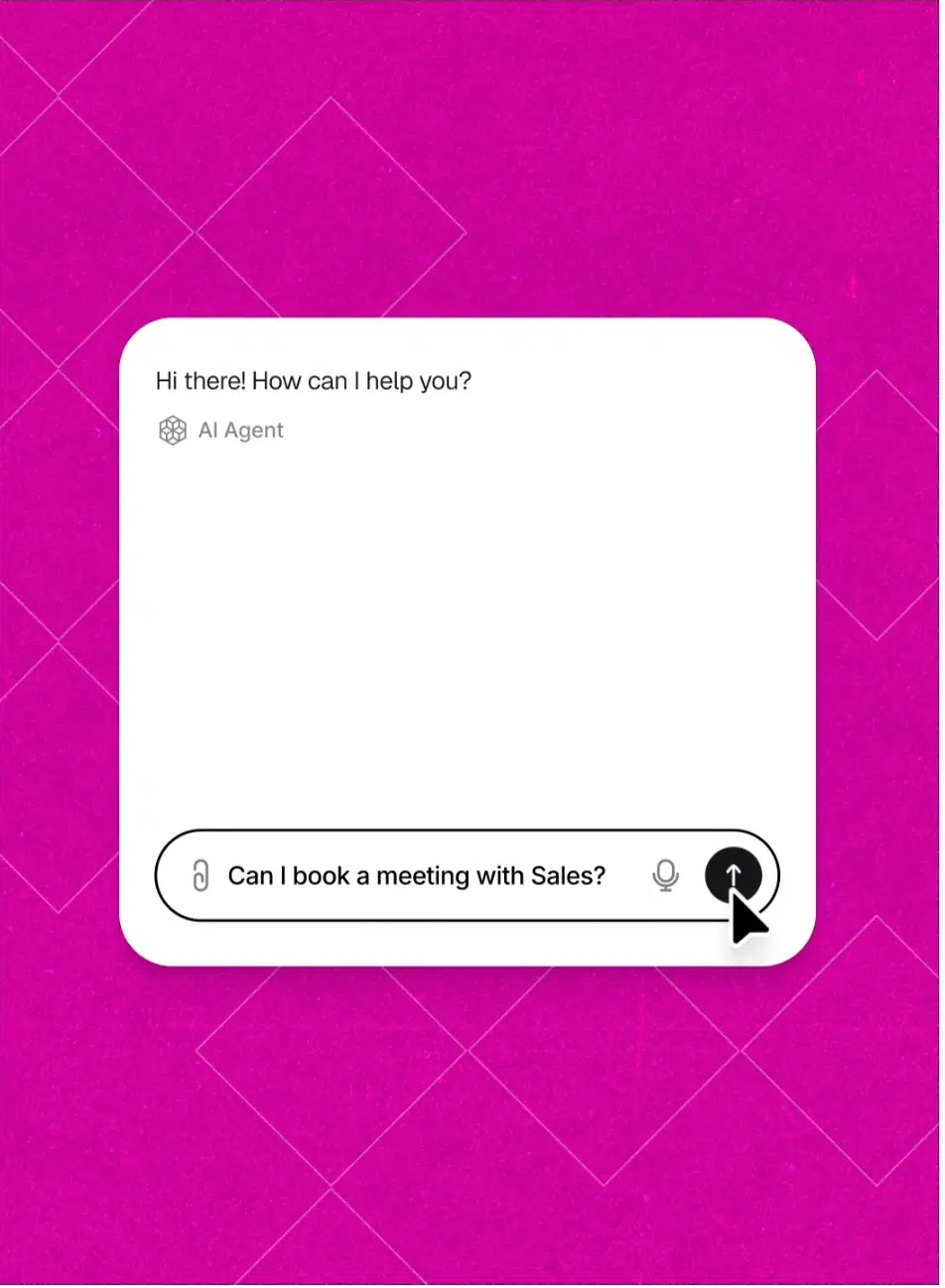
Chatbase does one job: you point it at your website, files or text, and it builds an agent that answers from them. It deploys to your site and to Shopify, Slack, WhatsApp, Messenger, Instagram, Calendly and WordPress. It is AI-first, so teams with a lot of human chat usually pair it with a help desk.
Key features:
- Training from a URL, files or text, with models from OpenAI, Anthropic, Gemini and others.
- Help desk inbox and voice API from the Basic plan.
- AI actions and procedures so the agent can do more than answer.
Pros
- A very short path from existing content to a working agent.
- Wide channel and integration list.
Cons
- Message credits run out in busy months. Extra credits cost $40 per 1,000.
- Removing “Powered by Chatbase” costs $1,188 a year.
Pricing: Hobby $40/mo ($32 billed yearly, 700 message credits, 2 members). Basic $150/mo ($120 yearly, 4,000 credits). Business $500/mo ($400 yearly, 15,000 credits). Enterprise is custom. 7-day trial, and no free plan on the page in October 2026. Checked on the Chatbase pricing page.
Rating: G2 page did not load on the day we checked.
4. Botpress
Best for: technical teams building a custom AI agent
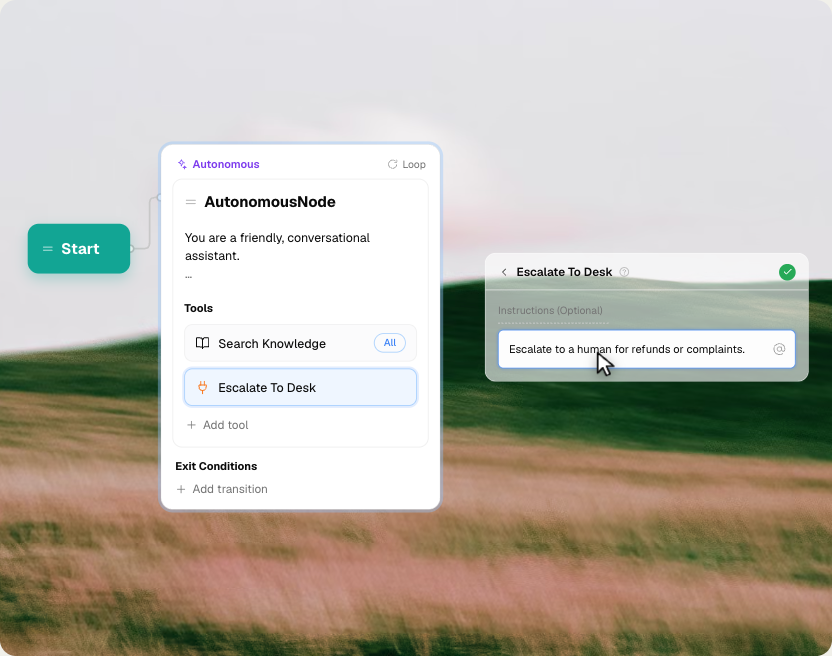
Botpress offers a visual studio with knowledge bases, tables and code where you need it, which makes it the most flexible platform here for teams with a developer. You design more of the agent yourself, and a non-technical owner usually needs help to keep it running.
Key features:
- Botpress Studio, a visual agent builder, plus a natural-language builder.
- Knowledge bases, tables and escalation to a human, with Intercom, Zendesk, HubSpot and Salesforce integrations.
- Webchat, WhatsApp and Slack channels.
Pros
- Deep control over logic and data for complex use cases.
- A free plan with 3 seats and 3 AI agents.
Cons
- The first paid plan is $150/mo, a large step from free.
- A steeper learning curve than the no-code tools here.
Pricing: Free $0 (100 conversations, no top-ups or overages). Plus $150/mo billed annually (250 conversations, extra packs of 100 for $65). Team is $750/mo billed annually with 1,500 conversations and extra packs of 100 at $50. Enterprise is custom. Checked on the Botpress pricing page.
Rating: G2 4.5/5 (513 reviews)
5. Intercom Fin
Best for: support teams that want to pay only when the AI resolves something
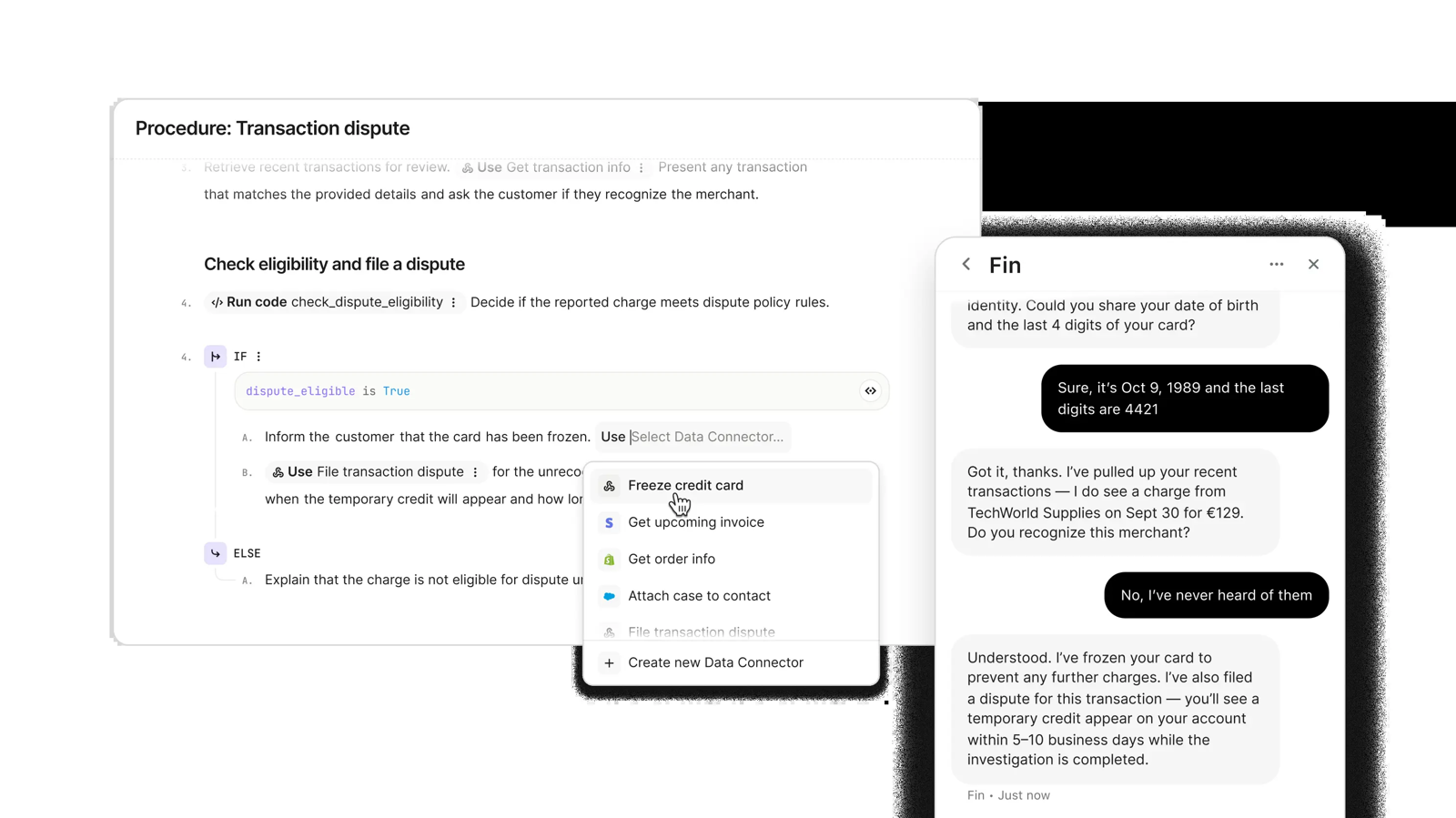
Fin is Intercom’s AI agent. It runs inside the Intercom helpdesk or on top of another helpdesk, and you pay $0.99 per outcome. If Fin can’t answer, or the customer asks for a person, there’s no charge. The bill grows with volume: a bot that resolves many chats gets expensive.
Key features:
- Fin on your current helpdesk with no Intercom seats.
- Procedures, where Fin completes a workflow, and handoffs count as outcomes.
- Copilot, an add-on that helps human agents at $29 per agent per month billed annually.
Pros
- No charge when Fin fails or hands off at the customer’s request, and a refund if the conversation reopens.
- Fin can sit on top of a helpdesk you already pay for.
Cons
- Outcome billing scales with volume, and G2 reviewers flag cost.
- The pricing page and its structured data show different seat prices, so confirm the quote.
Pricing: No free plan. Essential shows $19 per seat per month billed annually for new customers ($29 list), Advanced $85, Expert $132. Fin costs $0.99 per outcome, with a 1 Full seat minimum. 14-day trial. Checked on the Intercom pricing page.
Rating: G2 4.5/5 (3,930 reviews), a listing that now shows as Fin
6. Zendesk
Best for: large support teams that need tickets, messaging and AI in one suite
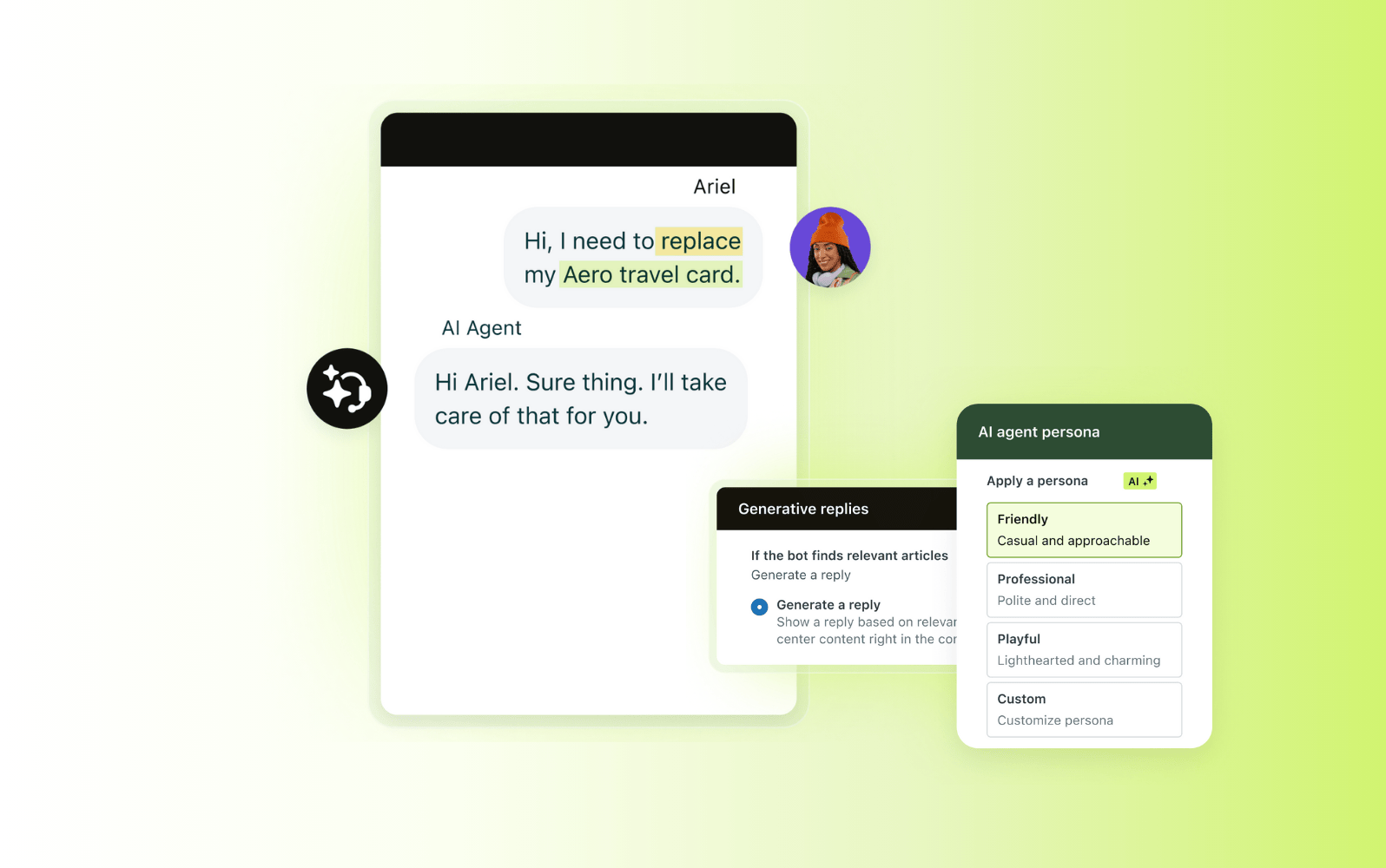
Zendesk bundles tickets, messaging, voice and AI agents, and bills the AI per automated resolution. It has the largest ecosystem on this list. The cost shows up when you add seats, AI resolutions and add-ons together, so budget for the total and not the card price.
Key features:
- AI agents included in Suite plans, billed per automated resolution.
- Messaging, voice and email in one agent workspace.
- Copilot for agents at $50 per agent per month billed annually.
Pros
- You pay for AI only when it resolves a request without escalation.
- Broad ecosystem and a strong ticketing core.
Cons
- Only 5 to 10 automated resolutions per agent per month are included. Extra ones cost $1.50 committed or $2.00 pay-as-you-go.
- Add-ons are priced separately from the base plan.
Pricing: No free plan. Support Team $19/agent/mo billed annually ($25 monthly). Suite Team $55 ($69). Suite Professional $115 ($149). Suite Enterprise is by quote. 14-day trial. Checked on the Zendesk pricing page.
Rating: G2 4.3/5 (7,091 reviews)
7. Freshchat
Best for: teams that want a free shared inbox with an AI option
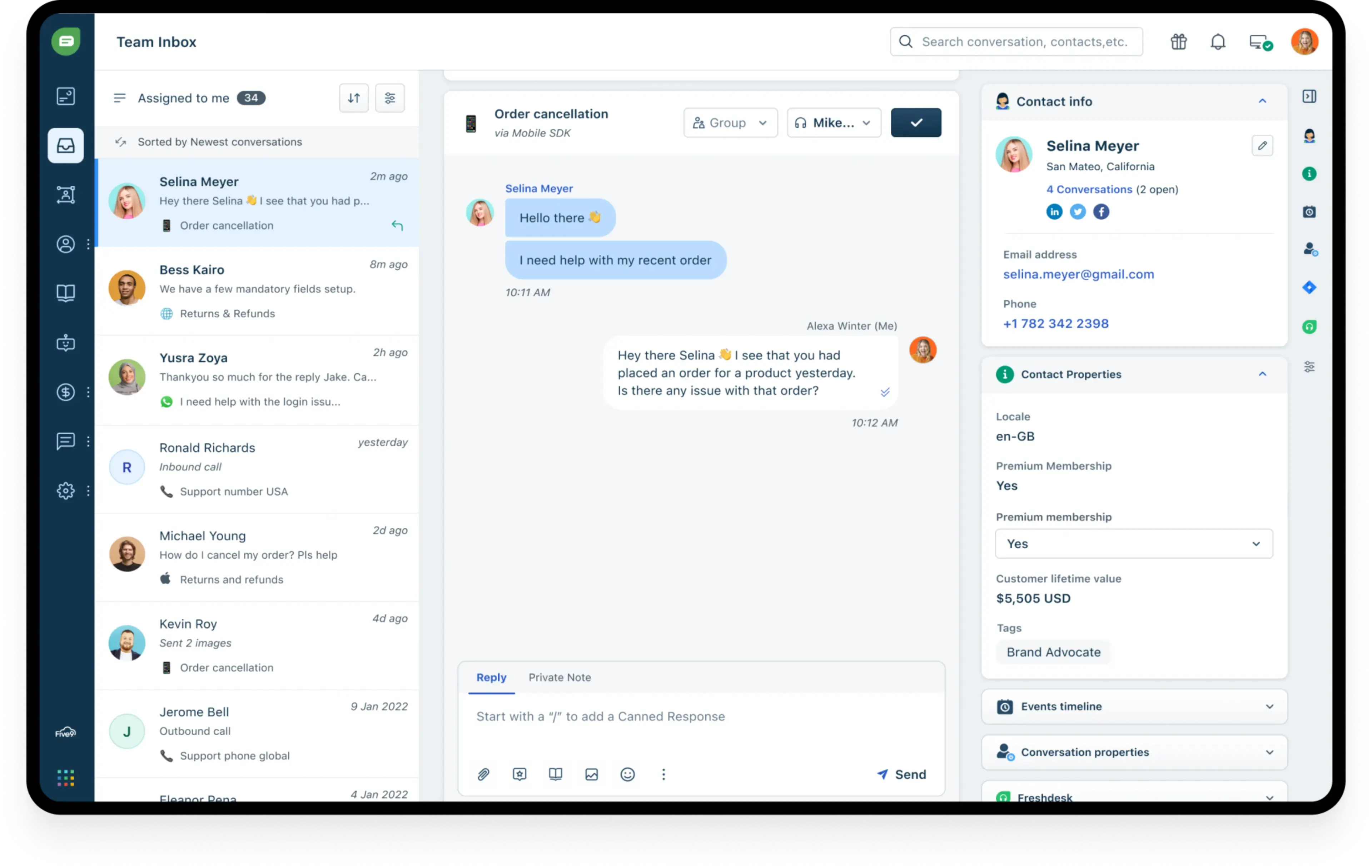
Freshchat, from Freshworks, is a messaging inbox with Freddy as its AI. It fits when you want to start free and add AI later. The catch is that Freddy bills per session, and a session is any interaction, not only a resolved one.
Key features:
- Free plan with a chat widget on web and mobile for up to 10 agents.
- Freddy AI Agent, with 500 free sessions once per account on paid plans.
- Social messengers and text messaging from the Growth plan.
Pros
- Free plan for up to 10 agents.
- Free Freddy sessions to test the AI before you pay.
Cons
- AI costs $49 per 100 sessions after the free 500, and it scales with traffic.
- The iPhone app is rated 3.6 from 51 ratings.
Pricing: Free $0 for up to 10 agents. Growth $19/agent/mo billed annually. Pro $49. Enterprise $79. Freddy AI Agent $49 per 100 sessions. Checked on the Freshworks pricing page.
Rating: G2 4.4/5 (504 reviews)
8. ManyChat
Best for: Instagram, TikTok and Messenger automation
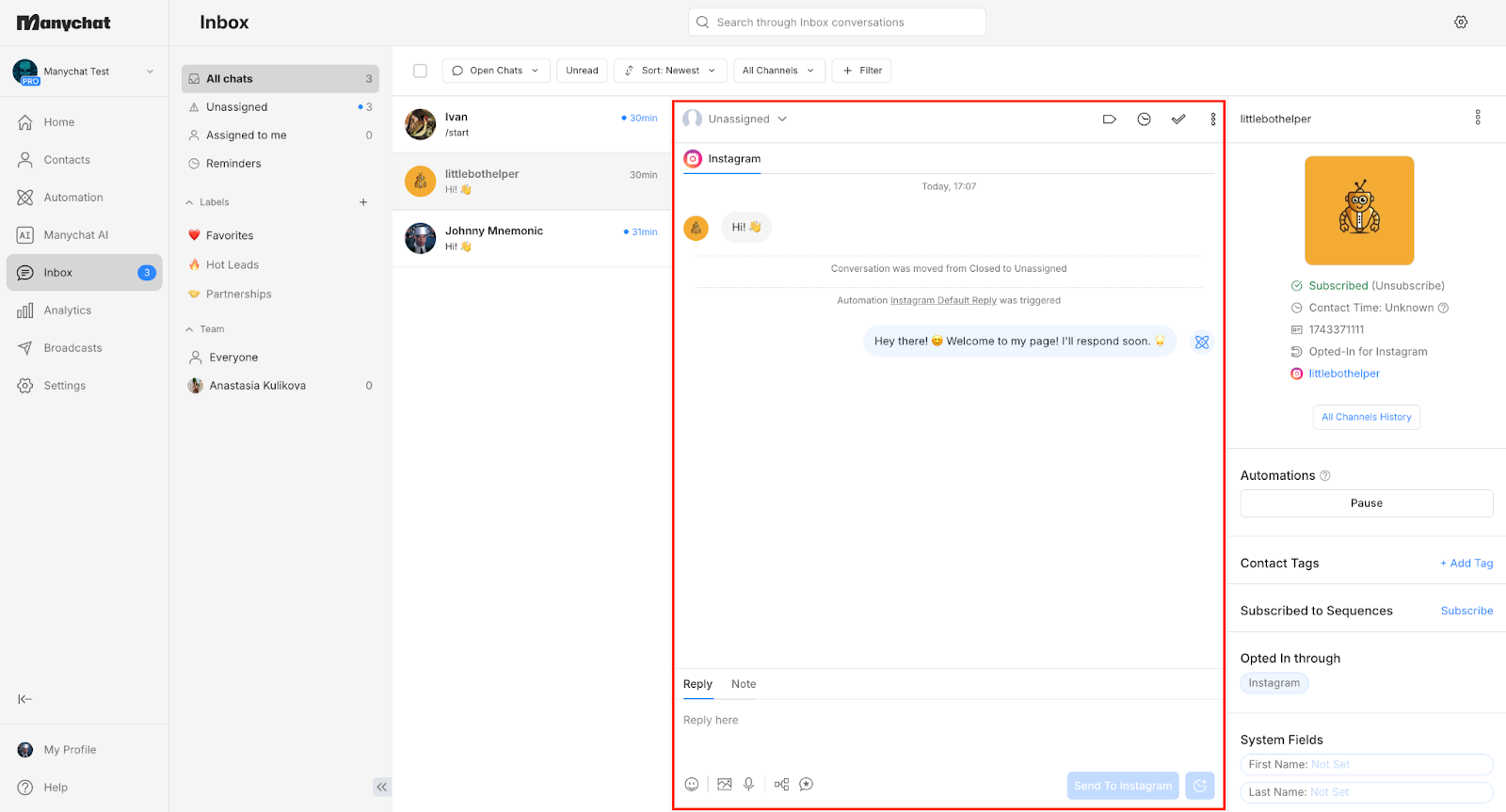
ManyChat automates conversations in direct messages on Instagram, WhatsApp, Messenger, TikTok, Telegram, SMS and email. It’s built for creators and social-first brands. It isn’t a website live chat widget with a team inbox from day one.
Key features:
- 60+ ready-made templates for comment replies, greetings and link sharing.
- Manychat AI for AI-powered conversations on Pro and up.
- A mobile inbox for DMs across channels.
Pros
- Real free plan with 25 active contacts.
- Deep Instagram automation.
Cons
- WhatsApp is not on Free or Essential. It starts on Pro.
- The bill scales with active contacts, and a shared team inbox starts on Business.
Pricing: Free $0 (25 active contacts). Essential $14/mo billed annually ($17 monthly, 250 contacts). Pro $29 ($39, 2,500 contacts). Business $69 ($99, 7,500). Advanced $139 ($199, 25,000). 14-day test of Essential or Pro. WhatsApp message fees from Meta are billed on top. Checked on the ManyChat pricing page.
Rating: G2 4.5/5 (165 reviews)
Read more: Tidio vs ManyChat
9. Chatfuel
Best for: AI agents on WhatsApp, Instagram and Facebook
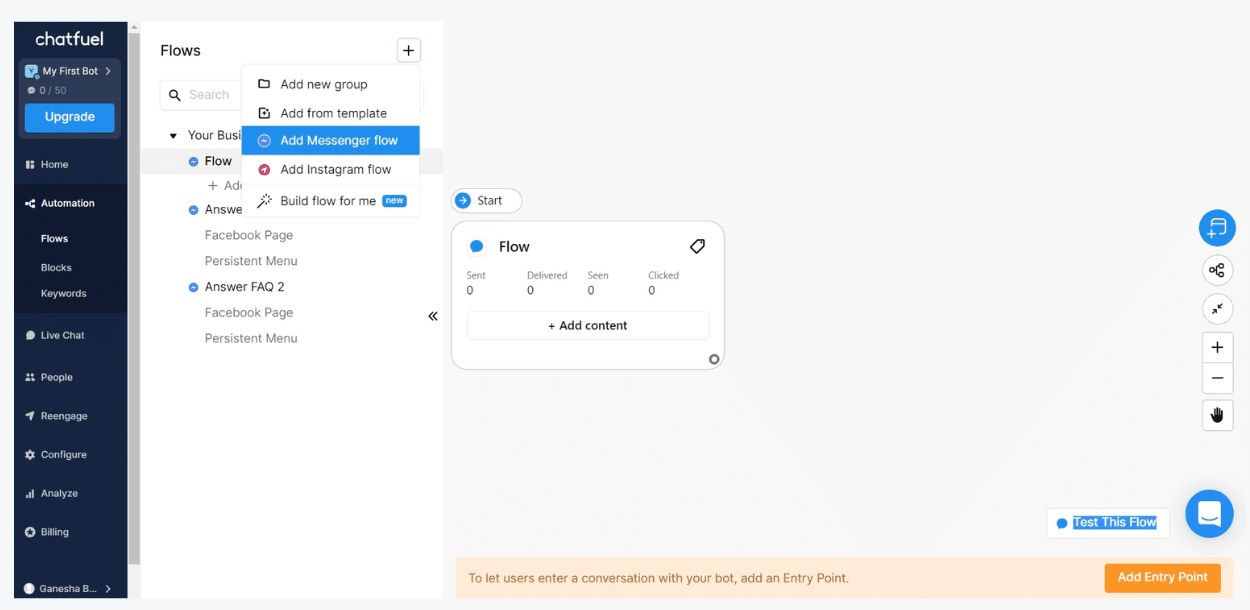
Chatfuel describes itself as an AI chatbot platform for WhatsApp, Instagram and Facebook. It has a low paid entry, with a mobile app that lets you take over from the AI agent. The cost of each AI reply is not published, so test it before you scale.
Key features:
- AI agent for WhatsApp, Instagram and Facebook.
- A mobile inbox with push alerts for new chats and bookings.
- One bill that includes Meta’s WhatsApp fees.
Pros
- Low entry price, with $20 of AI credits included.
- Take over from the AI agent in the app.
Cons
- No free plan, and the trial length isn’t published.
- Credits are a prepaid wallet, and processing stops when it hits zero.
Pricing: Business $18/mo billed yearly ($20 monthly, $20 AI credits a month). Agency S $90/mo billed yearly. Free trial, no card. Checked on the Chatfuel pricing page.
Rating: G2 4.4/5 (45 reviews)
Read more: Tidio vs Chatfuel
How to choose a chatbot platform
Start with the job the bot has to do
Answering repeat support questions, qualifying leads and replying to social DMs need different tools. Write the one job down first. A website support bot points to Tidio, Intercom Fin or Zendesk. A DM bot points to ManyChat or Chatfuel.
Check the channels you actually use
List where customers write to you today: website, WhatsApp, Instagram, Messenger, email. Then check that the plan you can afford includes those channels. ManyChat, for example, adds WhatsApp only from its Pro plan, and Freshchat adds social messengers from Growth. Add the messaging fees too: Meta charges for WhatsApp messages on top of the plan on most platforms.
Price the billing unit, not the headline
| Billing unit | Example | What to watch |
|---|---|---|
| Seats | Zendesk, Intercom, Freshchat | Cost grows with team size |
| Conversations | Tidio, Botpress | Check the monthly quota |
| Contacts | ManyChat | Cost grows with your audience |
| Resolutions or outcomes | Zendesk, Intercom Fin, HubSpot | Cost grows when the AI works well |
| Sessions or credits | Freshchat, Chatbase, Chatfuel | Cost grows with traffic |
Train it on your own content and test the handoff
Feed the bot your top 20 questions before you commit and see which it answers correctly. Then open a chat as a customer and ask for a person. The handoff should reach a teammate with the context attached. For more on building the bot itself, see our guides to chatbot builders and chatbot pricing.
Free chatbot platforms: what you get before you pay
| Platform | What the free plan includes | What is paid-only |
|---|---|---|
| Tidio | 50 billable conversations a month, up to 10 seats | Lyro AI conversations beyond the one-off 50, native Shopify actions (Growth) |
| HubSpot | Chatbot builder and live chat for 2 users | Customer Agent (Professional and up) |
| Botpress | 100 conversations, 3 seats, 3 AI agents | More conversations (Plus from $150/mo) |
| Freshchat | Inbox for up to 10 agents | Freddy AI sessions beyond the free 500, social messengers |
| ManyChat | 25 active contacts, 2 channels, no WhatsApp | WhatsApp, more contacts, shared inbox |
Chatbase, Intercom, Zendesk and Chatfuel have no free plan, only a trial.
Which chatbot platform should you pick?
- Online store on Shopify: Tidio on the Growth plan with Lyro, because cart preview and order history appear in the chat. Zendesk fits if you already run a ticket-heavy support desk.
- Small team that wants chat, AI and a shared inbox: Tidio on Growth with Lyro.
- Already live in HubSpot’s CRM: HubSpot, with Customer Agent if you are on Professional.
- Developer on the team and a complex flow: Botpress.
- Content-based answers on your site, no inbox needed: Chatbase.
- Large support team or an enterprise rollout that wants per-result AI: Intercom Fin or Zendesk. Both bill per agent plus per AI result, so model your monthly volume before you sign.
- Instagram or WhatsApp DMs are the main channel: ManyChat or Chatfuel.
See Tidio plans and add Lyro to your store
Frequently asked questions
Tidio is the best fit for most small businesses because it combines website chat, the Lyro AI agent and a shared inbox, with a free plan to start. HubSpot suits teams whose customer data already lives in its CRM.
Tidio, because its Shopify integration shows live carts and order history inside the conversation and Lyro can answer order questions. Check that native Shopify actions are on the Growth plan.
Yes. Tidio, HubSpot, Botpress, Freshchat and ManyChat have free plans, with limits on seats, conversations or contacts. Chatbase and Chatfuel offer a trial instead.
Entry prices run from about $7 to $40 a month, but AI usage changes the bill. Intercom Fin charges $0.99 per outcome, HubSpot $0.50 per resolution and Zendesk $1.50 to $2.00 per extra automated resolution.
Zendesk and Intercom Fin are the two on this list built for larger support organizations, with enterprise tiers priced by quote. Botpress also offers a custom Enterprise plan for teams with developers. Ask each vendor for a quote based on your real monthly conversation volume, because the AI meter drives the bill.
Yes. Tidio, ManyChat, Chatfuel and Freshchat cover several channels, but each puts channels on different plans, so check the tier before you buy.
Use live chat to support your customers in real-time
