


Key takeaways
- Keep chat greetings under 25 words. The visitor should be able to read the whole thing without opening the widget.
- End with one question or one button, not a menu of five choices.
- Match the greeting to the page. A pricing page and a blog post need different first lines.
- Returning customers should never get the same “Welcome to [Company]” they saw on day one.
- Every text-message welcome needs opt-out wording. Every email welcome needs a subject line that says what’s inside.
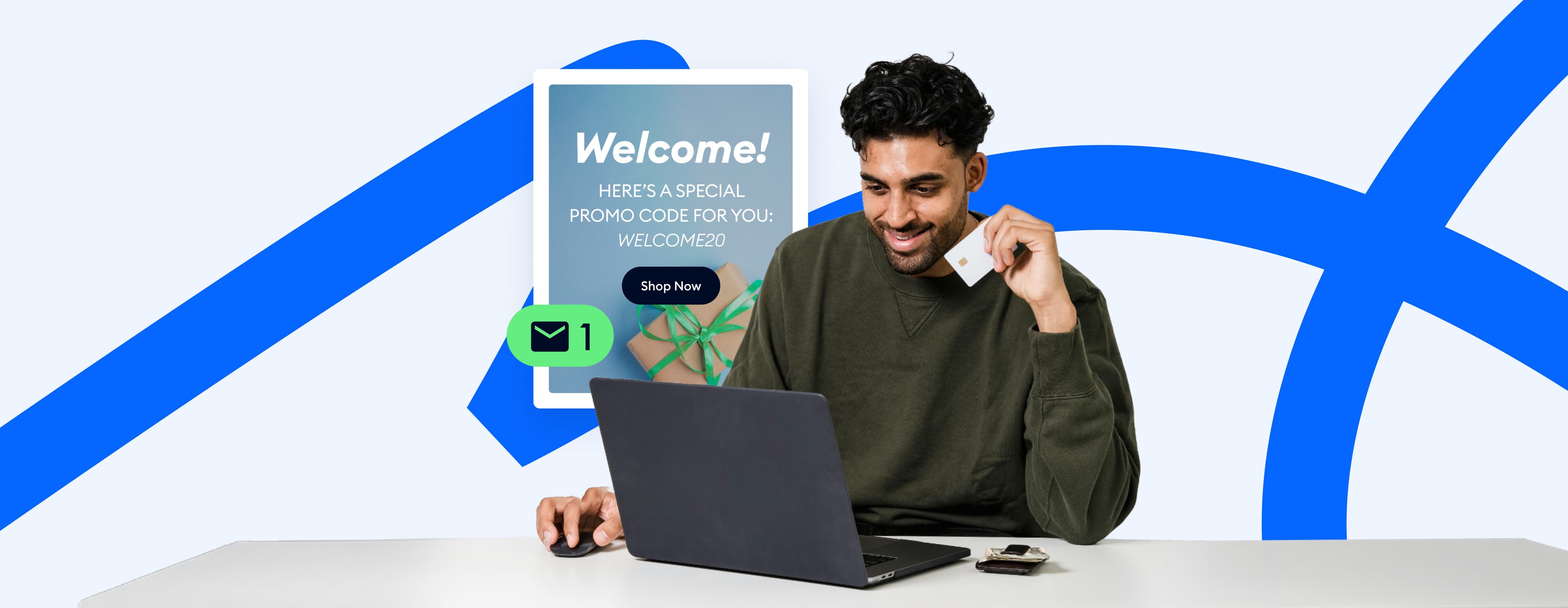
The first message a visitor sees is often the only thing on the page talking to them. A good welcome message for customers says hello, says what you can help with, and offers one easy next step.
Below are 100 welcome message templates in 15 groups. They cover website chat, chatbots and industry greetings, plus emails, text messages, WhatsApp and client visits. Copy one and swap the words in brackets before you paste it.
Add a welcome message to your website with Tidio, free to start
Jump to a group:
- Short welcome messages for customers
- Website greeting messages for live chat
- Chatbot welcome messages with buttons
- Online store welcome messages
- Welcome messages by industry
- Welcome offers for first-time visitors
- Page-specific greetings
- Welcome back messages for returning customers
- After-hours welcome messages
- Funny and creative welcome messages
- Welcome messages after the first purchase
- Welcome emails for new customers and clients
- Welcome text messages (SMS) for new customers
- Social media welcome messages: Messenger, Instagram and WhatsApp
- Welcome messages for client visits and appointments
What is a welcome message?
A welcome message is the first message a business sends to someone who arrives on its website, opens its chat, signs up or buys for the first time. It greets the person and shows what the business can help with. Then it invites one next step, such as asking a question or claiming an offer.
It differs from an auto-reply, which answers a message the customer already sent (“Thanks, we got your email”). A welcome message comes first, before the customer has said anything.
How to write a welcome message for customers
Most welcome messages follow the same four-part format. Chat greetings squeeze them into one or two sentences; emails give each its own line.
| Part | What it does | Example |
|---|---|---|
| Greeting | Says hello, by name if you know it | “Hi [Customer name],” |
| Who you are | One line on who is talking | “I’m [Agent name] from the [Company] team.” |
| Value or next step | What you can do for them right now | “I can check stock, sizes or delivery dates.” |
| Open door | A question or button that starts the conversation | “What are you looking for today?” |
Placeholder key. Every template uses the same brackets:
| Placeholder | Replace with |
|---|---|
| [Customer name] | The person’s first name, or delete it if you don’t know it |
| [Agent name] / [Bot name] | The human or bot sending the message |
| [Company] | Your brand name |
| [product] / [category] | What the visitor is looking at |
| [discount] / [code] | The offer and its code, e.g. “10%” and “WELCOME10” |
| [timeframe] | A real time, e.g. “within 2 hours” |
| [link] | The page you want them to open |
Before pasting, rewrite the value line around what your customers ask most. Skip the welcome entirely when someone has an open complaint: a cheerful “Welcome back” on top of a late order reads as not listening.
Use live chat to support your customers in real-time
100 welcome message examples by channel and moment
Short welcome messages for customers
Use these short, attractive welcome messages as a chat greeting or a button label. They’re generic enough for any website, and all are under 15 words.
Plain and friendly
Hi there, welcome to [Company]. How can I help today?
Offer help with one task
Welcome. Looking for something specific? I can help you find it.
Name the team
Hi, the [Company] team is online. Ask us anything.
For a first-time visitor
First time here? Tell me what you need and I’ll point you to it.
Human and warm
Hello and welcome. Glad you stopped by. Any questions I can answer?
Fast-reply promise
Hi. Questions about [product]? We usually reply within [timeframe].
Direct question
Welcome to [Company]. What brings you here today?
Personal
Hi [Customer name], nice to see you. How can I help?
Website greeting messages for live chat
This message pops up in your chat widget when someone lands on your website. Name something the visitor can get from a chat, like a quick answer or a real person. For what to say next, see these live chat scripts for every stage of a chat.
Introduce a real person
Hi, I’m [Agent name] from [Company]. I’m here if you have any questions about [product].
List what the chat is good for
Welcome to [Company]. I can help with product questions, orders, shipping and returns. What do you need?
For a service business
Hi there. Want a quote, a booking or just a quick answer? Type your question and I’ll reply here.
Low-pressure
Welcome. Browse as long as you like. If anything’s unclear, send me a message.
For a B2B or SaaS site
Hi, thanks for visiting [Company]. Are you exploring [product] for your team, or already a customer?
Set expectations about who replies
Hello. You’re chatting with the [Company] team. We’re online now and reply in a few minutes.
Invite a question with an example
Hi. Not sure where to start? Try asking “Which plan fits a team of five?” or anything else.
Bilingual greeting
Hi, welcome to [Company]. We can help in English or [language]. How can we help?
Tip: Don’t want a pop-up at all? In Tidio, write your greeting in the widget’s home screen Header and Message fields, and add a short button label next to the closed chat icon, so the hello is visible without interrupting anyone.
Chatbot welcome messages with buttons
A chatbot welcome message should say it’s a bot and offer two to four buttons for what most people ask. Nobody has to think of a question. Need a name for your assistant? Try these chatbot name ideas.
Customer support bot
Hi, I’m [Bot name], the [Company] assistant. What can I help you with? [Track an order] [Returns and exchanges] [Product advice] [Talk to a person]
Shopping assistant
Welcome to [Company]. Want help finding the right [category]? I’ll ask two quick questions. [Yes, help me choose] [I’m just browsing]
Lead capture bot
Hi there. Want a copy of our [price list/catalog/guide]? I can send it to your inbox. [Send it to me] [Not now]
Booking bot
Hi, I’m [Bot name]. I can book an appointment for you in under a minute. What would you like to do? [Book a visit] [Change a booking] [Ask a question]
AI agent, honest about handoff
Hi, I’m [Bot name], an AI assistant for [Company]. Ask me anything. If I can’t solve it, I’ll hand you to our team.
Short and playful bot
Beep boop, hello. I’m [Bot name]. I answer questions faster than a search bar. Try me. [Shipping info] [Sizes] [Something else]
For full conversation flows after the welcome, borrow from these chatbot scripts.
Online store welcome messages
On an e-commerce website, a shop introduction and welcome message should sound like a good store assistant who offers help without hovering. Mention what your shoppers worry about most, whether that’s sizing or returns.
Store assistant
Hi, welcome to [Company]. Looking for anything in particular? I’m happy to help you find it.
Sizing help
Welcome. Between sizes? Tell me what you usually wear and I’ll suggest the best fit.
Delivery question up front
Hi there. We ship to [country/region] in [timeframe]. Want me to check delivery to your area?
Returns reassurance
Welcome to [Company]. Free returns within [number] days, so you can order with confidence. Questions?
Small or handmade shop
Hi, I’m [Agent name], I run [Company]. Everything here is made by [us/hand]. Ask me anything about it.
Gift shoppers
Welcome. Shopping for a gift? Tell me who it’s for and your budget, and I’ll suggest a few ideas.
New collection
Hi, welcome to [Company]. Our new [collection] just landed. Want to see what’s popular so far?
Stock question
Welcome. Can’t find your size or color? Tell me which one and I’ll check if it’s coming back.
Welcome messages by industry
Most businesses hear the same first question again and again: a restaurant gets asked about tables, a travel agency about dates. Put the answer to that question in the greeting.
Restaurant
Welcome to [Company]. Want to book a table, see today’s menu or order for pickup? I can help with all three.
Cafe or bakery
Hi, welcome to [Company]. Today’s fresh bakes are [items]. Want to pre-order for pickup?
Boutique
Welcome to [Company]. Every piece here is picked by hand. Tell me your style and I’ll suggest a few favorites.
Jewelry shop
Hi, welcome to [Company]. Shopping for a gift or for yourself? I can help with sizing, engraving and delivery dates.
Travel agency
Welcome to [Company]. Where would you like to go, and when? Share your dates and I’ll send a few options.
Showroom
Welcome to our showroom. Browse online or book a visit to see [products] in person. Want a time slot?
Service business
Welcome to our services. Tell me what you need done and your ZIP code, and I’ll check availability and a price range.
Bank or credit union
Welcome to [Company]. I can help with accounts, cards and branch hours. For your security, never share your PIN or password in chat.
App or platform, after login
Welcome to [product], [Customer name]. Your first step: [first action]. It takes about [time]. Need help? Open this chat anytime.
Real estate
Hi, welcome to [Company]. Buying, selling or renting? Tell me the area and your budget and I’ll share listings that fit.
Welcome offers for first-time visitors
A first-visit discount turns a greeting into a reason to act. Show it to new visitors only and put the code in the message. If it expires, say when. More offers: discount code ideas.
Percentage off
Welcome to [Company]. First time here? Use code [code] for [discount] off your first order.
Free shipping
Hi there. New customers get free shipping on their first order. Want the code?
Email for a discount
Welcome. Get [discount] off your first order when you join our list. What’s your email?
Free sample
Hi, want a free sample of [product] with your first order? Just say yes and I’ll add a code.
Limited time, honest
Welcome to [Company]. Your [discount] first-order code, [code], is valid until [date].
Offer plus help
Hi, welcome. Here’s [discount] off your first order: [code]. Need help choosing before you use it?
Tip: In Tidio Flows, pair the First visit on site trigger with the Coupon code action so only new visitors get the code. The code arrives inside the chat, and you can limit how many times the Flow fires per person.
Page-specific greetings
A greeting that mentions the page someone is on reads as help. Start with your two or three busiest pages.
Pricing page
Hi, comparing plans? Tell me your team size and what you need, and I’ll point you to the right one.
Product page
Hi there. Questions about [product]? I can help with sizing, materials or delivery.
Checkout page
Almost done. Any question before you place your order? I’m here if anything’s unclear.
Shipping and returns page
Hi. Looking for delivery times or how returns work? Ask me and I’ll give you the short version.
Help center page
Hi, didn’t find your answer in the article? Describe the problem and I’ll help directly.
Blog post
Hi, thanks for reading. Want our next [topic] guide in your inbox? Leave your email and we’ll send it.
Contact page
Hi, you can reach us right here. We usually reply within [timeframe]. What’s your question?
Tip: Tidio’s Visitor opens a specific page trigger starts a Flow on the page you choose, so each of these can run as its own greeting. Lyro, Tidio’s AI agent, can also start conversations proactively on specific pages.
Welcome back messages for returning customers
Someone who comes back already knows you. Skip the introduction and give them a reason to act on this visit. Proactive live chat covers when to start the conversation and when to wait.
Simple welcome back
Welcome back. Good to see you again. Anything I can help with today?
By name
Hi [Customer name], welcome back. Need help picking up where you left off?
Returning customer discount
Welcome back. As a returning customer, you get [discount] off today with code [code].
Back in stock
Welcome back, [Customer name]. The [product] you looked at last time is back in stock.
Reorder nudge
Hi again. Running low on [product]? I can help you reorder in a couple of clicks.
After a long break
Hi [Customer name], it’s been a while. We’ve added [new thing] since your last visit. Want a quick look?
Tip: Use the Visitor returns to the site trigger in Tidio Flows so returning visitors see this group instead of your first-visit greeting.
After-hours welcome messages
When nobody’s online, say when a person will reply and collect what you need to answer. Give a real time, not “soon.”
Standard offline greeting
Hi, thanks for stopping by. We’re offline right now and back at [time and time zone]. Leave a message and your email, and we’ll reply first thing.
Weekend
Welcome to [Company]. Our team is off for the weekend and back on Monday at [time]. Send your question and we’ll answer it then.
Point to self-service
Hi. We’re closed for the day, but most answers are in our help center: [link]. Still stuck? Leave your email and we’ll get back to you by [timeframe].
Urgent orders
Hi, we’re offline until [time]. If this is about an order you placed today, include your order number and we’ll handle it first.
Holiday hours
Happy holidays from [Company]. We’re closed until [date]. Leave a message and we’ll reply as soon as we’re back.
Funny and creative welcome messages
Keep the joke to one line and follow it with a real offer of help. If your audience is formal (legal, finance, health), skip this group.
Pet brand
Woof, hello. I’m [Bot name], chief treat tester at [Company]. How can I help you and your dog today?
Coffee brand
Welcome. We can’t pour you a cup through the screen, but we can help you pick your next bag. What do you usually drink?
Honest bot
Hi, I’m a bot. I don’t sleep, I don’t judge, and I know where your order is. Want me to check?
Self-aware pop-up
Yes, another chat pop-up. But this one has a real person behind it. Need anything?
Plant shop
Welcome to [Company]. No plant judgment here, even if the last one didn’t make it. Want a low-maintenance pick?
Fashion brand
Hi. Our fitting room is online and the mirror is very honest. Need help with sizing?
Welcome messages after the first purchase
The first order turns a visitor into a customer. Confirm what happens next and give them one way to reach you. Pair it with a thank you for your order message.
Chat, right after checkout
Thanks for your first order, [Customer name], and welcome to [Company]. You’ll get a tracking link by email within [timeframe].
Set expectations
Welcome to the [Company] family. Your order [order number] ships in [timeframe]. Questions before then? Reply here.
Care tips
Welcome, [Customer name]. While your [product] is on its way, here’s a 2-minute guide to getting the most out of it: [link].
Loyalty program invite
Thanks for your first order. You’re now earning points: [number] points so far. See what they unlock at [link].
Ask for preferences
Welcome to [Company]. Want tips and offers for [category] only, or everything? Reply “[category]” or “all”.
Welcome emails for new customers and clients
A welcome email needs a subject that says what’s inside and one clear next step. Sign it with a real person’s name. For the very first line of the email, see how to start an email; for longer sequences, see these customer onboarding emails.
New online store customer
Subject: Welcome to [Company], here’s your [discount] off
Hi [Customer name],
Thanks for joining [Company]. We make [product category] for people who [short value statement].
As a welcome, here’s [discount] off your first order: [code]. It’s valid until [date].
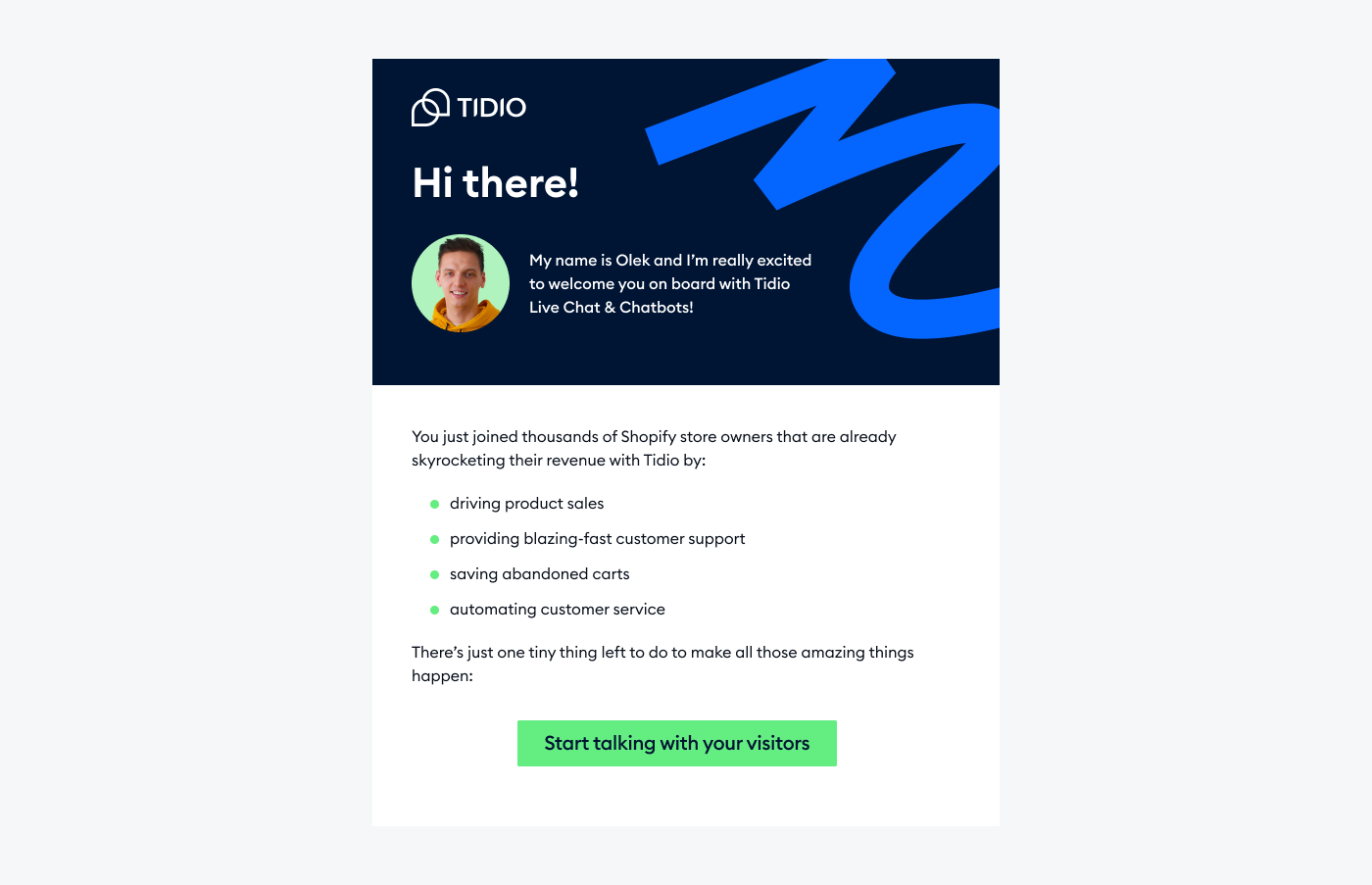
Not sure where to start? Our best sellers are here: [link]. And if you have a question about sizing or delivery, just reply to this email. A real person reads every reply.
[Agent name] [Company]
New software or app user
Subject: You’re in. Here’s your first step in [product]
Hi [Customer name],
Welcome to [product]. You’re now set up to [main outcome].
The fastest way to see it working is to [first action], which takes about [time]. Start here: [link].
If you get stuck, reply to this email or open the chat in your dashboard. We usually answer within [timeframe].
[Agent name] [Company]
New B2B client
Subject: Welcome to [Company], [client company]
Hi [Customer name],
Welcome aboard. We’re glad to be working with [client company].
Here’s what happens next:
- [Agent name] will send a calendar invite for a kickoff call within [timeframe].
- Before the call, please share [documents or access needed].
- After the call, you’ll get a written plan with dates and owners.
Your main contact is [Agent name], at [email] or [phone]. If anything comes up before the kickoff, reach out anytime.
Best regards, [Your name] [Title], [Company]
Blog or newsletter subscriber welcome
Subject: Welcome to [newsletter name]
Hi [Customer name],
Thanks for subscribing to [newsletter or blog name]. Every [frequency], you’ll get [what they get, e.g. “one practical guide on growing an online store”].
While you wait for the next one, here are three posts readers like most: [link to post 1] [link to post 2] [link to post 3]
Hit reply and tell me what you’d like us to write about. I read every answer.
[Your name] [Company]
Loyalty or membership program
Subject: Welcome to [program name], [Customer name]
Hi [Customer name],
You’re now a [program name] member. Here’s what that gets you: [Benefit 1, e.g. “free shipping on every order”] [Benefit 2, e.g. “early access to sales”] [Benefit 3, e.g. “a birthday gift”]
You already have [number] points. See your account and rewards here: [link].
Questions about the program? Reply to this email and we’ll help.
[Company] team
Welcome text messages (SMS) for new customers
A welcome text confirms someone has opted in, so it carries rules chat doesn’t. In the US, the wireless industry’s CTIA Messaging Principles and Best Practices (May 2023) say the opt-in confirmation should name your program, say how often you’ll text, disclose any fees, and give HELP and STOP instructions. Keep each text under 160 characters where you can.
Opt-in confirmation
[Company]: Welcome. You’ll get up to [number] texts a month with offers and order updates. Msg & data rates may apply. Reply HELP for help, STOP to opt out.
Welcome discount by text
[Company]: Thanks for joining. Here’s [discount] off your first order: [code]. Shop: [link]. Reply STOP to opt out.
New customer order updates
Hi [Customer name], welcome to [Company] texts. We’ll send shipping updates for order [order number] here. Reply STOP to opt out.
Service business
Hi [Customer name], welcome to [Company]. We’ll text you appointment reminders here. Reply C to confirm, R to reschedule, STOP to opt out.
Two-way support
[Company]: Welcome. You can text this number with any question and our team will reply within [timeframe]. Reply STOP to opt out.
VIP list
[Company]: You’re on the VIP list. Expect early access to new drops before anyone else. Reply STOP to opt out.
Social media welcome messages: Messenger, Instagram and WhatsApp
People who message you on social apps expect a fast, casual reply. Set the welcome message as an automatic reply in each app and offer the two or three things people ask most. If you want these to run from one inbox, see WhatsApp Business and Instagram chatbots.
Facebook Messenger: general
Hi [Customer name], thanks for messaging [Company]. How can we help? You can also pick one below. [Order status] [Store hours] [Something else]
Facebook Messenger: from an ad
Hi, thanks for your interest in [product]. Want the price, delivery time or a quick recommendation?
Facebook Messenger: local business
Hi, welcome to [Company]. We’re open [days and hours] at [address]. Want to book, or ask a question?
Instagram: story reply
Hey, thanks for the reply. Want the link to [product] from our story?
Instagram: first DM
Hi [Customer name], welcome to our DMs. Ask us about sizing, shipping or anything else and we’ll reply here.
WhatsApp Business: greeting message
Hello, thanks for contacting [Company]. How can we help you today? Our team replies [days and hours].
WhatsApp Business: store
Hi, welcome to [Company] on WhatsApp. Send your order number for an update, or tell us what you’re looking for.
WhatsApp Business: service booking
Hi, thanks for messaging [Company]. To book, send the service you need and a day that works for you.
In the WhatsApp Business app, the greeting message goes out automatically when a customer messages you for the first time or after 14 days without messages.
Welcome messages for client visits and appointments
When a client visits your office or clinic, send a message a day ahead with the practical details, and another when they arrive or right after.
Day before the visit
Hi [Customer name], we’re looking forward to welcoming you to [Company] tomorrow at [time]. We’re at [address]; parking is [parking details]. Ask for [Agent name] at reception.
On arrival
Welcome to [Company], [Customer name]. [Agent name] will be with you in a few minutes. Wi-Fi: [network], password [password].
Office visit from a B2B client
Hi [Customer name], welcome to our office. We’ve set up [meeting room] for today’s session, and coffee is on us. See you at [time].
Salon, clinic or studio
Hi [Customer name], welcome. Please take a seat; [Agent name] will call you shortly. Let us know if you’d like water or tea while you wait.
Welcome sign or screen text
Welcome, [client company]. We’re glad you’re here.
After the visit
Thanks for visiting [Company] today, [Customer name]. Here’s a summary of what we discussed: [link]. Reply here if anything else comes up.
Welcome message best practices
- Wait a few seconds before popping up. A greeting that fires the instant the page loads interrupts reading. Try a short delay or a scroll trigger.
- Give one next step. A question or two to four buttons. Every extra option is one more thing to read before replying.
- Say who’s talking. A name and photo for a person, a clear “I’m a bot” for automation.
- Change the message for returning customers. Use what you know, such as their name or the item they looked at last time.
- Don’t greet on every page. Pick the pages where a question is likely (pricing, product, checkout, help) and limit how often one person sees the greeting.
- Match the channel. Chat lines under 25 words, texts under 160 characters, emails with a subject line that states the benefit.
- Keep the promise the message makes. “We reply in 2 minutes” only works if you do. Use offline greetings with a real return time.
- Review it every quarter. Offers expire and opening hours change. The live chat etiquette guide covers what comes after the hello.
How to set up a welcome message in Tidio
In Tidio, a greeting can sit on the widget’s home screen, in a button label next to the closed chat icon, or in an automated Flow that sends a message in the chat.
- Write your widget home screen. Go to Settings > Live Chat > Appearance > Content. In the Home tab, write a Header (the large welcome line) and a Message (the smaller line under it). Add conversation starters so visitors can start a chat with one click; you can enable up to five at a time.
- Add a button label. In the same Content section, open the Minimalized tab and turn on the button label: a short greeting shown next to the chat icon while the widget is closed. It has no effect if your desktop button type is Sidebar.
- Edit your first Flow. New Tidio projects come with a first Flow that greets new visitors using the First visit on site trigger. Open Flows, find it under My Flows, click the three dots and choose Edit. Paste your greeting into the message node and activate the Flow to save it. If you only want the message to appear when someone opens the chat, swap the trigger for Visitor clicks on chat icon.
- Add greetings for specific pages and visitors. Create more Flows (from scratch or from one of the 40+ templates) with the Visitor opens a specific page, Visitor returns to the site or On certain days and times trigger. Set a limit on how many times each Flow fires per person so nobody sees the same greeting twice in one visit.
Test every greeting in a private browser window. The chat keeps history, so a normal window may still show the old message after you edit it.
FAQ
The best welcome message is short and names what you can help with. End it with a question, for example: “Hi, welcome to [Company]. Looking for anything in particular? I can help with sizes, shipping and returns.” Then write versions for key pages and for returning visitors.
“Hi there, welcome to [Company]. How can I help today?” works almost anywhere. For a store, try “Welcome. Looking for something specific? I can help you find it.” Keep short welcome messages under 15 words so visitors can read them without opening the chat.
Greet online customers the way a good store assistant would: offer specific help, then give them room. In a chat widget, use one line such as “Hi, questions about [product]? I’m here.” In email, use their name and a clear next step. Wait a few seconds before a chat pop-up so it doesn’t interrupt.
It should say it’s a bot and offer buttons for the most common requests. For example: “Hi, I’m [Bot name], the [Company] assistant. What can I help you with?” followed by “Track an order”, “Returns” and “Talk to a person.” Always include a way to reach a human.
Thank them by name and confirm what they signed up for. Then list the next two or three steps with dates, and give them one named contact. For example: “Welcome aboard, [Customer name]. [Agent name] will send a kickoff invite within two days. Until then, reach us at [email].” Keep it under 150 words.
Set up your website welcome message in Tidio
