



Key Takeaways
- Best for e-commerce and website support: Tidio. Live chat, the Lyro AI agent, and Instagram, Messenger, and WhatsApp messages share one inbox, and there is a free plan.
- Best for Instagram creators on a budget: CreatorFlow and InstantDM. Both charge a flat monthly price instead of pricing by contacts, and CreatorFlow has a free plan with comment-to-DM.
- Best for WhatsApp: Wati and Chatfuel. Wati is built around the WhatsApp Business API; Chatfuel adds Instagram and AI replies.
- Best for team inboxes across channels: respond.io. It is the strongest fit when several agents share many channels, and it is priced from $79 a month.
- Check the pricing unit before you switch. Contacts, conversations, subscribers, seats, and AI outcomes all bill differently, and the cheapest entry price is rarely the cheapest bill.
ManyChat earned its place. It is easy to learn, and it turns Instagram comments into DMs in minutes. Teams leave when the bill follows their audience: ManyChat prices by active contacts, so a campaign that goes well makes next month more expensive. Others need a support inbox, WhatsApp at scale, or a chatbot on their website, and ManyChat was built around social DMs. We compared 10 alternatives on channels, AI, free plans, and what the bill looks like as you grow, using each vendor’s pricing page and G2 profile in September and October 2026. Tidio is on the list for the teams it fits, with the same template and cons as every other tool. If comment-to-DM giveaways are your main goal, it is not the right pick.
ManyChat Alternatives at a Glance
| Tool | Best for | Starting paid price | Free plan | Main channels |
|---|---|---|---|---|
| Tidio | E-commerce and website support | $24.17/mo, billed annually | Yes, 50 billable conversations | Website chat, Instagram, Messenger, WhatsApp, email |
| Chatfuel | Instagram and WhatsApp AI chatbots | $18/mo, billed yearly | Free trial | WhatsApp, Instagram, Facebook, website |
| respond.io | Multi-channel team inboxes | $79/mo, billed yearly | Free trial | WhatsApp, Instagram, Messenger, email, and more |
| Wati | WhatsApp-first businesses | €59/mo, billed annually | 7-day free trial | WhatsApp, Instagram, Messenger |
| SendPulse | A free multi-channel start | $9.60/mo, billed yearly | Yes, up to 500 subscribers | WhatsApp, Telegram, Instagram, Facebook, TikTok, Viber |
| CreatorFlow | Flat-rate Instagram automation | $12/mo, billed annually | Yes, 500 automated DMs a month | |
| InstantDM | Tight Instagram budgets | $9.99/mo, billed yearly | Free trial | Instagram, Facebook |
| Botpress | Custom AI agents | $150/mo, billed annually | Yes, 100 conversations | Website, WhatsApp, and more via integrations |
| Landbot | Website and WhatsApp flows | $36/mo, billed annually | Yes, 100 chats a month | Website, WhatsApp |
| Intercom | AI-first support teams | $29/seat/mo, plus $0.99 per Fin outcome | Free trial | Messenger, email, WhatsApp, and more |
How We Evaluated These Alternatives
We picked tools that replace a part of ManyChat’s job: automating conversations on Instagram, WhatsApp, Messenger, or your website. We then scored each on four things that make people leave ManyChat: how the bill scales, which channels are covered, how much the AI can do without a human, and whether you can start free. We did not run a hands-on trial of every plan. The page rests on public pricing pages, vendor documentation, and G2 ratings, and each fact has a date. If a tool is missing a feature below, we say we could not find it as of the date above rather than claiming it does not exist.
Why Teams Look for a ManyChat Alternative
ManyChat is a good fit if you are a creator or social media manager who wants comment-to-DM flows live today. Teams that stay with it tend to run Instagram-first campaigns and want a large library of templates. The reasons people leave are narrower, and most come down to pricing.
- Contact-based pricing. Every plan includes an allowance of active contacts, then bills per contact. On the Pro plan that is 2,500 contacts included at $29 a month billed annually (ManyChat pricing page, checked October 2026). A viral post can move you up a tier without any new revenue.
- Social channels first. ManyChat connects Instagram, TikTok, Messenger, WhatsApp, Telegram, SMS, and email. The free plan connects two channels and the Pro plan three, and it does not center on a website chat widget or a support help desk.
- Team and support features sit higher up. The shared team inbox with assignments appears on the Business plan at $69 a month billed annually, with 3 inbox seats.
- Fit for the job. Some businesses need website chat with order lookup, some need WhatsApp at volume, and a few want a developer-grade bot. Each has a better-matched tool below.
The 10 Best ManyChat Alternatives in 2026
1. Tidio: Best for E-Commerce and Website Support
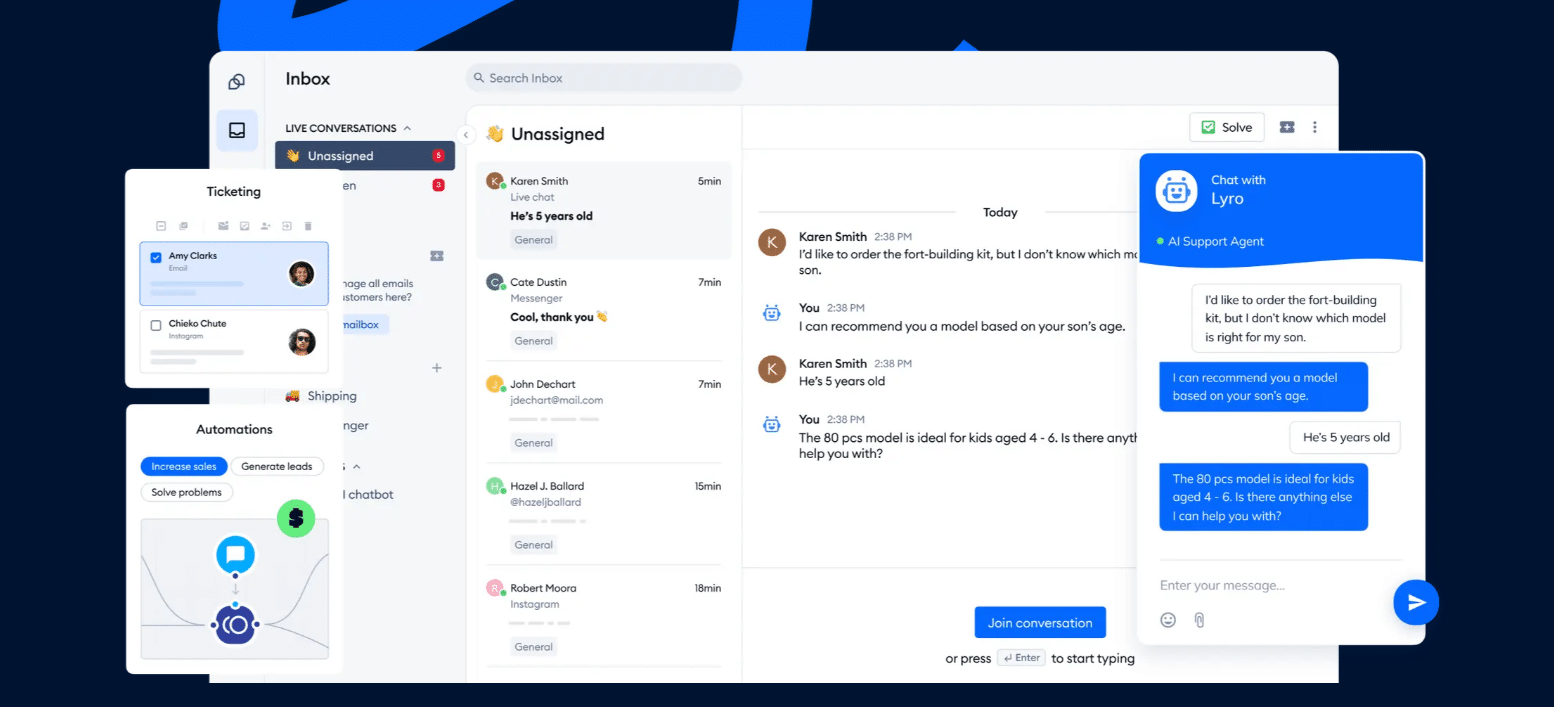
Tidio puts website live chat, the Lyro AI agent, and Instagram, Messenger, and WhatsApp conversations into one inbox. It is built for support and sales conversations, so it suits online stores, small and mid-sized teams, and businesses that answer the same questions every day. It is not a comment-to-DM growth tool. If that is your main use for ManyChat, the Instagram-focused tools further down are a closer match.
Key features
- Live chat, email, Instagram, Messenger, and WhatsApp in one shared inbox.
- Lyro AI agent that answers from your help content; Tidio says it can resolve up to 75% of customer questions automatically.
- Flows, a visual builder for automations such as order-status replies and lead capture.
- Native Shopify integration with live cart preview and order history inside the inbox.
Pros
- A free plan with 50 billable conversations a month.
- Support and sales tools sit in the same product, so you do not stitch a bot to a help desk.
- Pricing is by conversations, not by contacts, so a larger audience alone does not raise the bill.
Cons
- Conversations, Lyro, and Flows have separate quotas, which gives you control over spend but means a few limits to watch.
- Larger deployments on Plus and Premium are quoted by the sales team.
- Built for support and sales on your site, so it covers fewer social growth tricks than a creator-first tool.
Pricing: Free at $0 with 50 billable conversations a month. Starter is $24.17 a month and Growth starts at $49.17 a month, both billed annually, and Lyro is available from $32.50 a month. Plus starts at $300 a month plus usage (Tidio pricing, checked October 2026).
Rating: 4.6/5 from 1,962 reviews on G2, observed October 2026.
Versus ManyChat: you gain a website chat widget, a ticketing inbox, and an AI agent trained on your own help content. You give up the deep comment-to-DM and giveaway tooling that ManyChat is known for. See our full Tidio vs ManyChat comparison.
See Tidio plans and pricing
2. Chatfuel: Best for Instagram and WhatsApp AI Chatbots
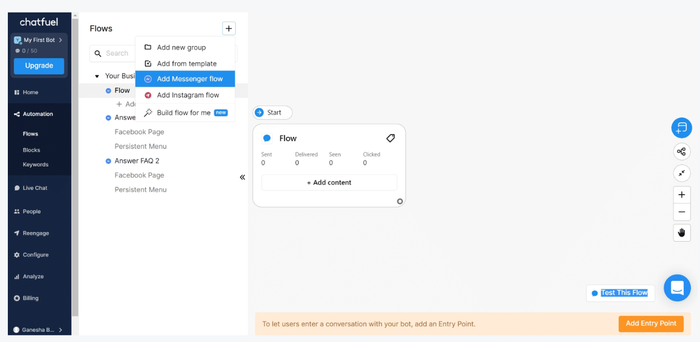
Chatfuel is the closest like-for-like swap if you want automations on Instagram and WhatsApp with AI replies. Its single Business plan covers replies to post and Reels comments, WhatsApp bulk campaigns, lead scoring, and meeting booking in WhatsApp. Chatfuel calls itself an official Meta partner and a WhatsApp Business Solution Provider.
Key features
- Automatic replies to post and Reels comments on Instagram.
- WhatsApp bulk campaigns, CRM sync, and conversions sent back to Meta Pixel.
- Lead qualification and scoring in the chat.
- $20 of AI credits a month included in the Business plan.
Pros
- One plan for the whole feature set, so there is no tier puzzle.
- Strong coverage of Instagram comments and WhatsApp in one tool.
- Annual price is lower than ManyChat’s comparable AI tier.
Cons
- The pricing page shows a free trial, not a free plan.
- Usage limits apply and the page points to a separate limits document.
- Small G2 footprint, so there are fewer public reviews to lean on.
Pricing: Business is $18 a month billed yearly ($216 a year), with a free trial on every plan. Agency S is $90 a month billed yearly (Chatfuel pricing, checked October 2026).
Rating: 4.4/5 from 45 reviews on G2, observed October 2026.
Versus ManyChat: you gain AI credits and WhatsApp bulk tools in the base plan. You give up ManyChat’s larger template library and free plan.
3. Respond.io: Best for Multi-Channel Team Inboxes
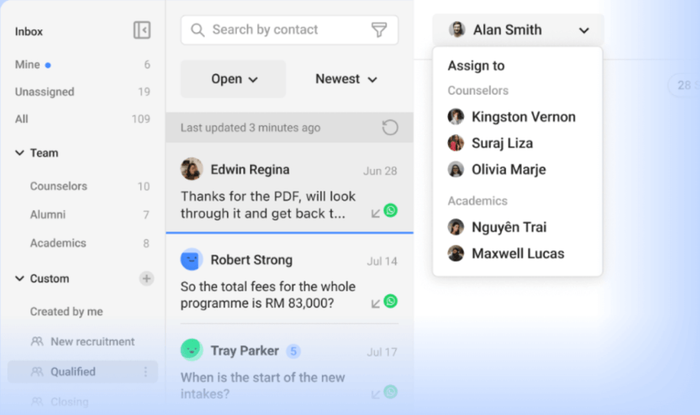
respond.io is a conversation management platform for teams that talk to customers on many messaging channels at once. It is the better choice than ManyChat when several agents need to share, assign, and report on conversations rather than run campaigns.
Key features
- Shared inbox across messaging channels with assignment and team workflows.
- Broadcasts, workflow automation, and AI Agents from the Growth plan.
- Advanced reports and a developer API from Growth, and webhooks and SSO on Advanced.
- Pricing by monthly active contacts.
Pros
- Built for team collaboration, with reports.
- Highest-rated tool on this list on G2, at 4.8/5.
- Clear tiers from Starter to Advanced.
Cons
- Starts at $79 a month, higher than most tools here.
- A free trial, but no free plan on the pricing page.
- AI Agents and broadcasts start on Growth at $159 a month billed yearly.
Pricing: Starter is $79 a month billed yearly ($948 a year), or $99 monthly. Growth is $159 a month billed yearly and Advanced is $279 a month billed yearly (about $199 and $349 billed monthly) (respond.io pricing, checked October 2026).
Rating: 4.8/5 from 544 reviews on G2, observed October 2026.
Versus ManyChat: you gain a real team inbox and reporting. You give up ManyChat’s low entry price and its creator-friendly templates.
4. Wati: Best for WhatsApp-First Businesses
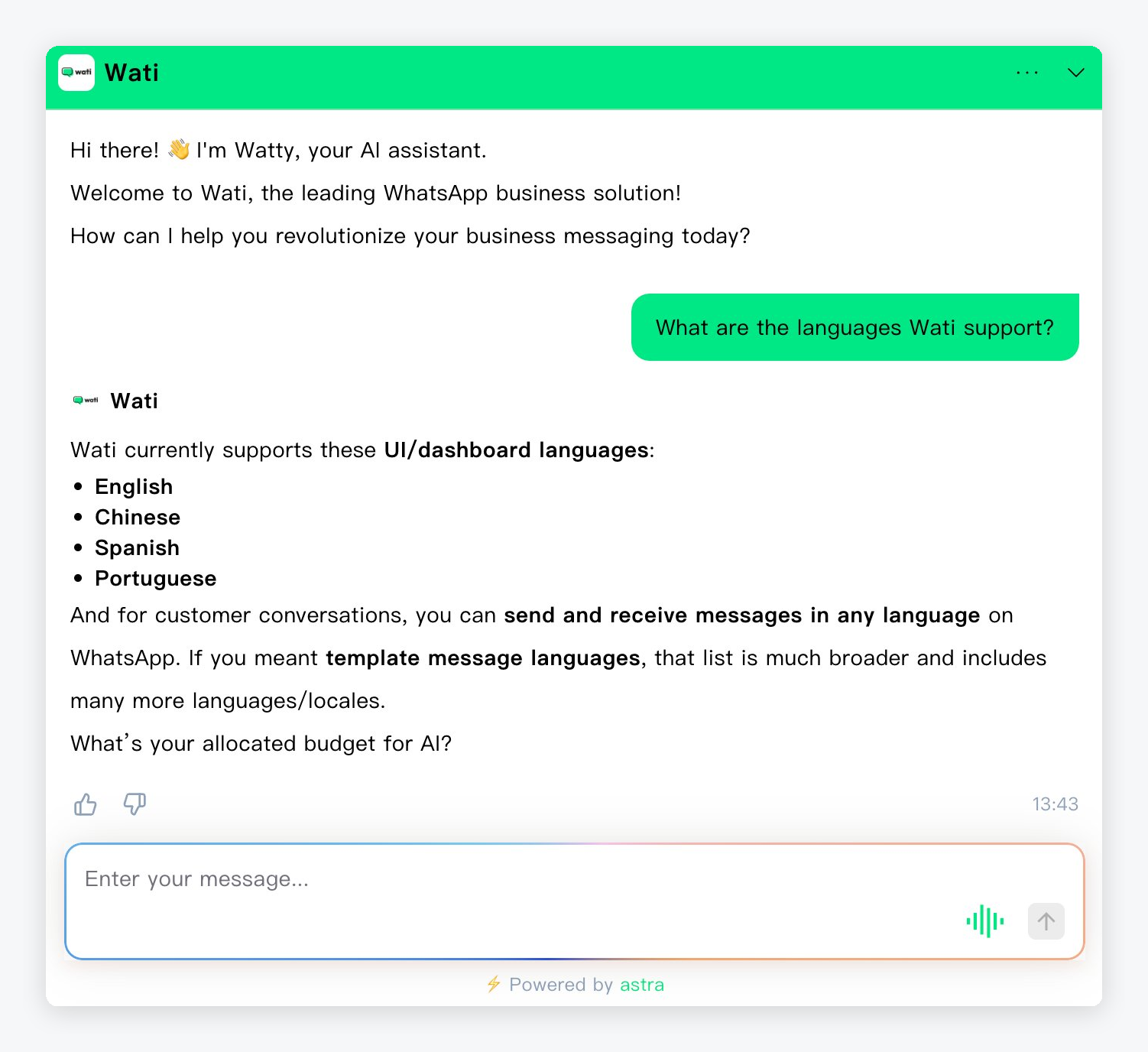
Wati is built around the WhatsApp Business API. If most of your customers reach you on WhatsApp, it gives you a shared inbox, broadcasts, and automations for that one channel, with Instagram DM automation available as well.
Key features
- WhatsApp Business API with a shared team inbox and broadcast campaigns.
- Automations for WhatsApp conversations, with AI lead qualification on the higher plans.
- Instagram automation for DMs, comments, and leads.
- A 7-day free trial.
Pros
- Focused WhatsApp tooling rather than a general social tool.
- Three users included on the entry plan.
- Click-to-WhatsApp ads support.
Cons
- Growth connects one channel only.
- Extra users cost €39 or €89 a month on the higher plans, and per-message charges apply on top.
- Prices appear in euros on the page we captured, so check the currency for your region.
Pricing: Growth is €59 a month billed annually with 3 users; Pro is €119 and Business is €279, both billed annually and with 5 users included. WhatsApp message charges are separate (Wati pricing, checked October 2026).
Versus ManyChat: you gain WhatsApp-first depth and a team inbox. You give up ManyChat’s Instagram and TikTok focus and its monthly-contact model for a per-message one.
5. SendPulse: Best for a Free Multi-Channel Start
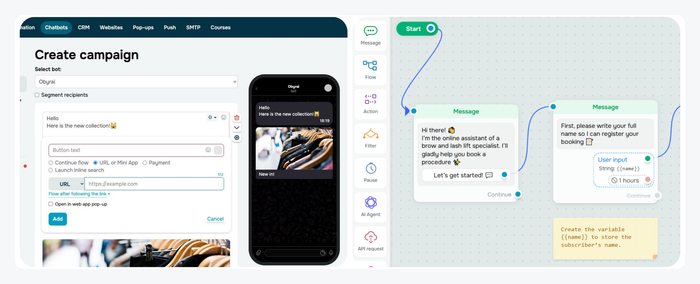
SendPulse is a marketing platform where chatbots are one product next to email, SMS, and web push. Its chatbot builder works on WhatsApp, Telegram, Instagram, Facebook, TikTok, and Viber. It is a sensible way to run the same bot across several channels without paying upfront.
Key features
- Visual chatbot builder with unlimited flows and premade templates.
- Messaging on WhatsApp, Telegram, Instagram, Facebook, TikTok, and Viber.
- Official WhatsApp Business Solution Provider.
- Live chat and CRM from the same account.
Pros
- A free plan with 3 chatbots and 10,000 messages a month.
- Pro starts at $9.60 a month, the cheapest paid plan on this list.
- One account for chatbots, email, and SMS.
Cons
- The free plan caps you at 500 subscribers.
- Pro pricing scales with subscribers, for example $507 a month at 120,000.
- WhatsApp message fees are billed on top.
Pricing: Free for up to 500 subscribers. Pro starts at $9.60 a month billed yearly ($12 monthly) at 500 subscribers and rises with list size (SendPulse chatbot pricing, checked October 2026).
Versus ManyChat: you gain more channels and a free tier that includes messaging volume. You give up ManyChat’s comment-to-DM template depth.
6. CreatorFlow: Best for Flat-Rate Instagram Automation
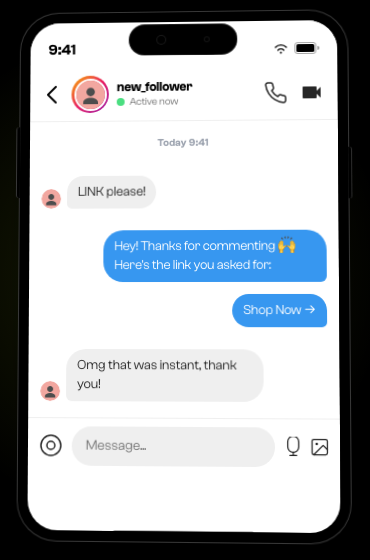
CreatorFlow does one job: Instagram comment-to-DM and story-reply automation, billed at a flat rate. It is a direct answer to ManyChat’s contact-based pricing for creators who only use Instagram.
Key features
- Comment-to-DM and story-reply automation.
- Unlimited keyword triggers and automations on every plan.
- Done-for-you automation templates.
- Link click tracking and email collection on paid plans.
Pros
- A free plan with comment-to-DM and 500 automated DMs a month.
- Flat pricing with no contact tiers.
- Low entry price for paid plans.
Cons
- Built around Instagram accounts, so it will not cover WhatsApp or a website widget.
- Pro caps DMs at 5,000 a month per workspace.
- We cite no G2 rating for it, so there is less third-party review data to lean on.
Pricing: Free at $0. Pro is $12 a month billed annually ($15 monthly) and Growth is $24 a month billed annually ($30 monthly) (CreatorFlow pricing, checked October 2026).
Versus ManyChat: you gain predictable pricing and a usable free plan. You give up other channels and ManyChat’s larger community and template library.
7. InstantDM: Best for Tight Instagram Budgets
InstantDM is another Instagram-first automation tool with story, live, and next-post triggers. Its Legend Pro plan allows unlimited DMs at up to 800 an hour, and it adds Facebook automation too.

Key features
- Comment, story, and live triggers with auto DM.
- Instagram and Facebook automation.
- Post scheduling with AutoDM.
- Flow Editor with an AI agent on the Trendsetter plan.
Pros
- Lowest paid price of the Instagram tools here at $9.99 a month.
- No contact tiers, according to its own pricing page.
- Unlimited DMs on the entry paid plan.
Cons
- Instagram and Facebook only.
- The AI agent builder needs the $24.99 plan and your own model key.
- A free trial rather than a free plan on the pricing page.
Pricing: Legend Pro is $9.99 a month billed yearly; Trendsetter is $24.99 a month billed yearly. A free trial is offered (InstantDM pricing, checked October 2026).
Versus ManyChat: you gain a lower price and unlimited DMs. You give up WhatsApp, TikTok, and ManyChat’s broader product.
8. Botpress: Best for Custom AI Agents
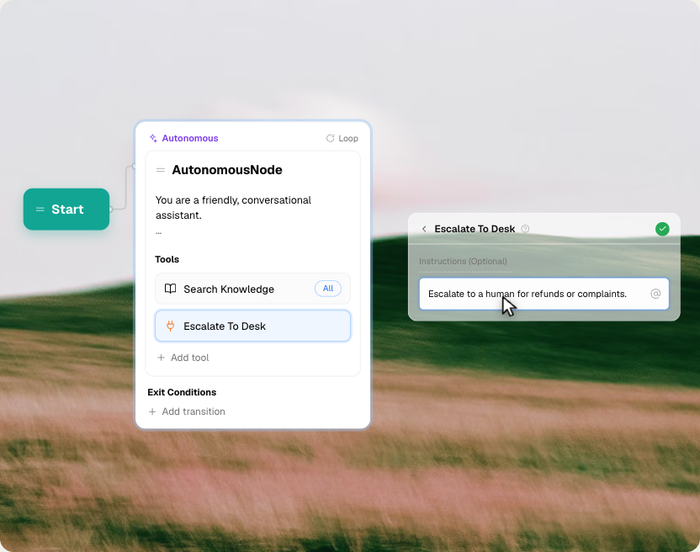
Botpress is an agent builder for teams that want to design how an AI assistant thinks, rather than fill in templates. It suits a company with a developer or an agency that wants control over models, logic, and integrations.
Key features
- Visual studio for building AI agents with custom logic.
- Conversation-based pricing with included AI usage.
- Included AI usage in each plan, with top-ups when you need more.
- Free plan for testing.
Pros
- High control over how the agent behaves.
- A free plan with 100 conversations a month.
- Rated 4.5 on G2 from 513 reviews.
Cons
- Plus starts at $150 a month for 250 conversations, so it is pricier for small volumes.
- Extra conversations are sold in packs of 100 for $65.
- Not aimed at Instagram comment automation.
Pricing: Free at $0 with 100 conversations. Plus is $150 a month billed annually with 250 conversations and $25 of AI usage included. Team is $750 a month billed annually (Botpress pricing, checked October 2026).
Rating: 4.5/5 from 513 reviews on G2, observed October 2026.
Versus ManyChat: you gain flexibility over models and logic. You give up ready-made social templates and a low-cost entry.
9. Landbot: Best for Website and WhatsApp Flows
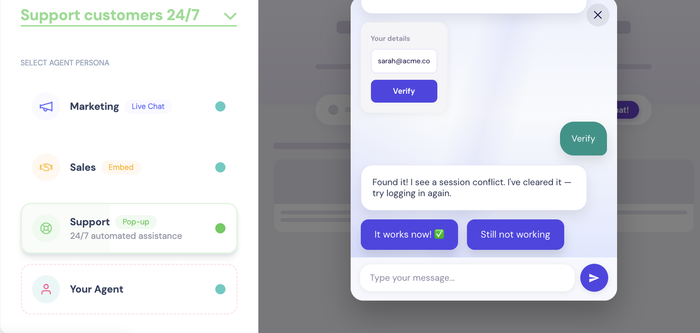
Landbot builds conversational experiences for websites and WhatsApp, such as lead forms, product finders, and booking flows. It is a good fit if your use case is a guided conversation on a page, not Instagram DMs.
Key features
- No-code builder for web and WhatsApp conversations.
- AI agent and chatbot options with AI chats included on paid plans.
- Chats-per-month pricing.
- WhatsApp with your own number on the higher plans.
Pros
- A free plan with 100 chats a month.
- Rated 4.7 on G2 from 334 reviews.
- Good for lead capture and qualification.
Cons
- The free plan has no AI chats, and extra chats cost $0.05 each.
- WhatsApp on your own number starts at Professional, at $88 a month.
- Limited social inbox features.
Pricing: Free at $0 for 100 chats. Starter is $36 a month billed annually ($45 monthly) and Professional is $88 billed annually ($110 monthly) (Landbot pricing, checked October 2026).
Rating: 4.7/5 from 334 reviews on G2, observed October 2026.
Versus ManyChat: you gain stronger web conversation design. You give up Instagram comment automation.
10. Intercom: Best for AI-First Support Teams
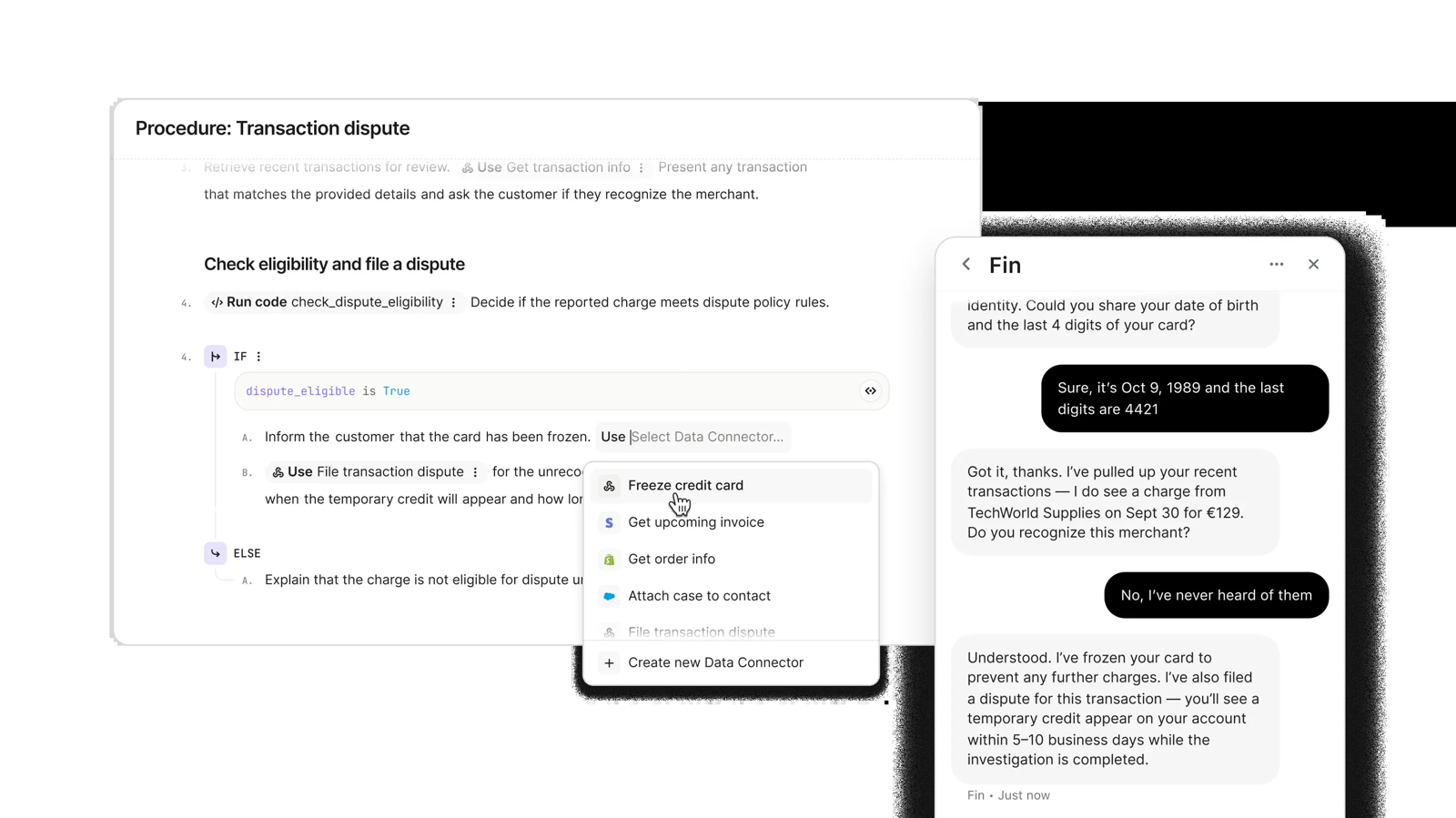
Intercom is a customer service platform with the Fin AI agent. It is the heaviest tool here and the furthest from ManyChat’s job, but it fits a support team that wants an AI agent to resolve a large share of tickets.
Key features
- Messenger, shared inbox, and ticketing.
- Fin AI agent priced per outcome.
- Workflows and reports on higher plans.
- Works with other help desks if you only want Fin.
Pros
- Mature support tooling and a large G2 base.
- Fin can run on top of your existing help desk.
- Clear seat pricing for the platform.
Cons
- Seats plus per-outcome AI fees make the bill harder to predict.
- Priced for support teams, not for social growth.
- No free plan listed.
Pricing: Essential is $29 per seat a month, Advanced $85, and Expert $132. Fin is from $0.99 per outcome (Intercom pricing, checked October 2026).
Rating: 4.5/5 from 3,913 reviews on G2, observed October 2026.
Versus ManyChat: you gain deep support tooling and an AI agent. You give up marketing automation on social channels and a low entry price.
Tidio vs ManyChat: Side by Side
| Tidio | ManyChat | |
|---|---|---|
| Best for | E-commerce and website support | Instagram and social DM marketing |
| Free plan | 50 billable conversations a month | 25 active contacts, 2 channels |
| Paid entry | $24.17/mo, billed annually | $14/mo, billed annually (250 contacts) |
| Pricing unit | Billable conversations | Active contacts |
| Channels | Website chat, Instagram, Messenger, WhatsApp, email | Instagram, TikTok, Messenger, WhatsApp, Telegram, SMS, email |
| Comment-to-DM triggers | Not the focus | Core feature |
| AI agent | Lyro | AI replies on Pro and above |
| Shared team inbox | Yes | Shared inbox with assignments from Business ($69/mo, billed annually) |
| G2 rating | 4.6/5 (1,962 reviews) | 4.5/5 (165 reviews) |
ManyChat is stronger on comment-to-DM triggers and a low entry price, and Tidio is stronger when customers write to you on your site or ask about orders. Some teams run both: ManyChat for social campaigns and Tidio for support.
Try Tidio on your store
How to Switch From ManyChat
- List your live automations. Export or screenshot each flow, keyword trigger, and tag you rely on, and note which channel each one runs on.
- Export your contacts. Download subscribers and tags where the platform allows it, and check what the new tool can import. Message history does not usually move.
- Check channel permissions. Reconnect Instagram, WhatsApp, and Messenger to the new tool, and confirm you keep your Meta Business setup.
- Rebuild the top three flows first. Start with the ones that drive most conversations, and test them with a personal account.
- Run both in parallel. Keep ManyChat live on lower-traffic posts for a week, and compare delivery and replies.
- Time the cut-over to your billing date. Annual plans lock you in, so check the renewal before you cancel.
How to Choose a ManyChat Alternative
Match the tool to your bottleneck.
- You run an online store. Choose Tidio for chat, order questions, and an AI agent that sits next to your Shopify data.
- Instagram is your whole business. Choose CreatorFlow or InstantDM for flat pricing, or Chatfuel if you also want WhatsApp.
- Most of your customers are on WhatsApp. Choose Wati, or Chatfuel if you also automate Instagram comments.
- Several agents share many channels. Choose respond.io.
- You want to test for free across channels. Choose SendPulse.
- You need full control over the AI. Choose Botpress.
- You build guided website conversations. Choose Landbot.
- You run a large support team. Choose Intercom.
Before you commit, run your last month of contacts and conversations through each tool’s pricing calculator. The right tool is often the one whose pricing unit matches how you grow.
Bottom Line
Stay with ManyChat if you run Instagram-first campaigns and the contact-based bill is fine. Move if the bill grows faster than your revenue, or if your real work is answering customers on your website, on WhatsApp, or across a team. For small and mid-sized e-commerce teams, Tidio covers chat, AI, and social inboxes in one place. For pure Instagram automation, CreatorFlow and InstantDM are the cheaper fit.
See Tidio pricing
Related Guides
- ManyChat review: pros, cons, and pricing
- Tidio vs ManyChat
- Instagram chatbots: how they work and which to use
- WhatsApp chatbot tools compared
- Chatbot alternatives
Frequently Asked Questions
It depends on the job. Tidio is the best fit for e-commerce and website support, Chatfuel for Instagram and WhatsApp AI chatbots, respond.io for team inboxes, and CreatorFlow for flat-rate Instagram comment-to-DM. Prices checked October 2026.
CreatorFlow has a free plan with comment-to-DM and 500 automated DMs a month. SendPulse has a free plan with up to 500 subscribers and 10,000 messages. Tidio has a free plan with 50 billable conversations, and Botpress and Landbot each offer a free plan with 100 conversations or chats.
For comment-to-DM and story replies, CreatorFlow and InstantDM are built around Instagram and use flat pricing. Chatfuel also replies to post and Reels comments and adds WhatsApp. If you also need an inbox for customer questions, Tidio handles Instagram messages next to website chat.
ManyChat has a free plan at $0 with 25 active contacts, two connected channels, and up to 4 active automations. Paid plans start at $14 a month billed annually, with 250 active contacts included (ManyChat pricing, checked October 2026).
ManyChat bills by active contacts. Each plan includes an allowance, and you pay per contact above it, so cost rises with your audience. Tools with flat pricing, such as CreatorFlow and InstantDM, avoid that model.
Wati is built around the WhatsApp Business API, and Chatfuel supports WhatsApp bulk campaigns and CRM sync. SendPulse is an official WhatsApp Business Solution Provider with a free plan.
Flows are usually rebuilt, not imported. Export your contacts and tags, rebuild your top flows, then run both tools in parallel before you cancel.
Only for part of it. Tidio covers website chat, an AI agent, and Instagram, Messenger, and WhatsApp conversations in one inbox. It does not focus on comment-to-DM growth automation, so pairing the two is common.
Use live chat to support your customers in real-time
