Key takeaways
- Top pick for small and mid-sized online stores: Tidio. Chat, email tickets, and the Lyro AI agent sit in one inbox, and the price follows billable conversations instead of seats.
- Best free options: tawk.to, Freshchat, and Zoho SalesIQ. tawk.to's live chat is free, Freshchat's free plan covers up to 10 agents, and SalesIQ's free plan covers 3 operators.
- Best flat team price: Crisp and Chatwoot. Crisp charges per workspace, not per agent, and Chatwoot's cloud plans start at $19 per agent.
- Top pick for larger teams that need ticketing depth: Zendesk, Intercom, and HubSpot. They cost more and suit teams with several channels and workflows.
- Price the AI as well as the seats. LiveChat bills $0.99 per extra AI resolution, Intercom $0.99 per Fin outcome, and Zendesk $1.50 to $2.00 per automated resolution.
LiveChat is a popular website chat tool: easy to set up, with canned responses, ticketing, and an AI agent in one subscription, and a G2 score of 4.5. The same model is why teams start comparing. Every person who answers a chat needs a paid seat, there is no free plan, and the AI agent includes only a small number of resolutions before extra packs are billed. We compared 12 tools that replace LiveChat's core job, live chat for a website team, and checked each pricing page and G2 profile for this edition. Tidio sits first because it fits small and mid-sized online stores best, and we say where it is lighter than LiveChat. Each entry also says where that tool falls short of LiveChat.
Why teams look for a LiveChat alternative
LiveChat does several things well. It keeps the chat experience simple, adds a shared inbox, ticketing, and an AI agent on one subscription, and has a Shopify catalog and cart recovery campaigns on its plans. If your team is small, your volume is steady, and you already pay for it, you should probably stay.
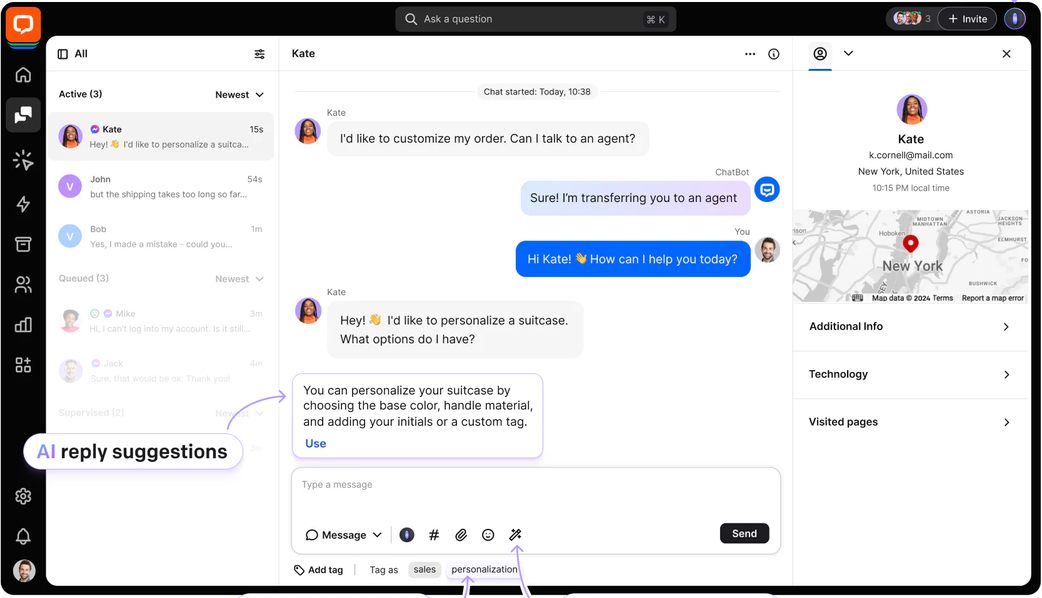
Teams usually leave for one of four reasons, all visible on LiveChat's own pricing pages:
- Every seat is paid. LiveChat's pricing is per user per month, and every user who answers chats or tickets needs a seat, with no minimum team size. The two current plans are Essential at $19 per user billed annually ($25 monthly) and Growth at $79 ($99 monthly), so costs climb with each person you add.
- There is no free plan. LiveChat offers a 14-day trial with no card, then you pay. Free options such as tawk.to or Freshchat's free plan cover a lot of small teams that never needed a paid tool.
- The AI is metered. Essential includes 1 AI agent and 10 AI resolutions a month, and Growth includes 10 AI agents and 200 resolutions. Extra resolutions are sold in packs of 50 for $49.50, which is about $0.99 each.
- The product line is shifting. LiveChat's pricing page now shows "Text" plans to new trials, while existing customers keep their current plan and price, and its older plans (Starter, Team, and Business at $19, $49, and $79 per person billed annually) sit on a separate legacy page. HelpDesk.com and KnowledgeBase are separate products, and a few listed features are marked "Coming soon". Check which plan version you get.
Your reason decides where to look: a lower price points to tawk.to, Crisp, or Tidio, an AI-first desk to Intercom, a CRM setup to HubSpot. For the product itself, see our LiveChat review.
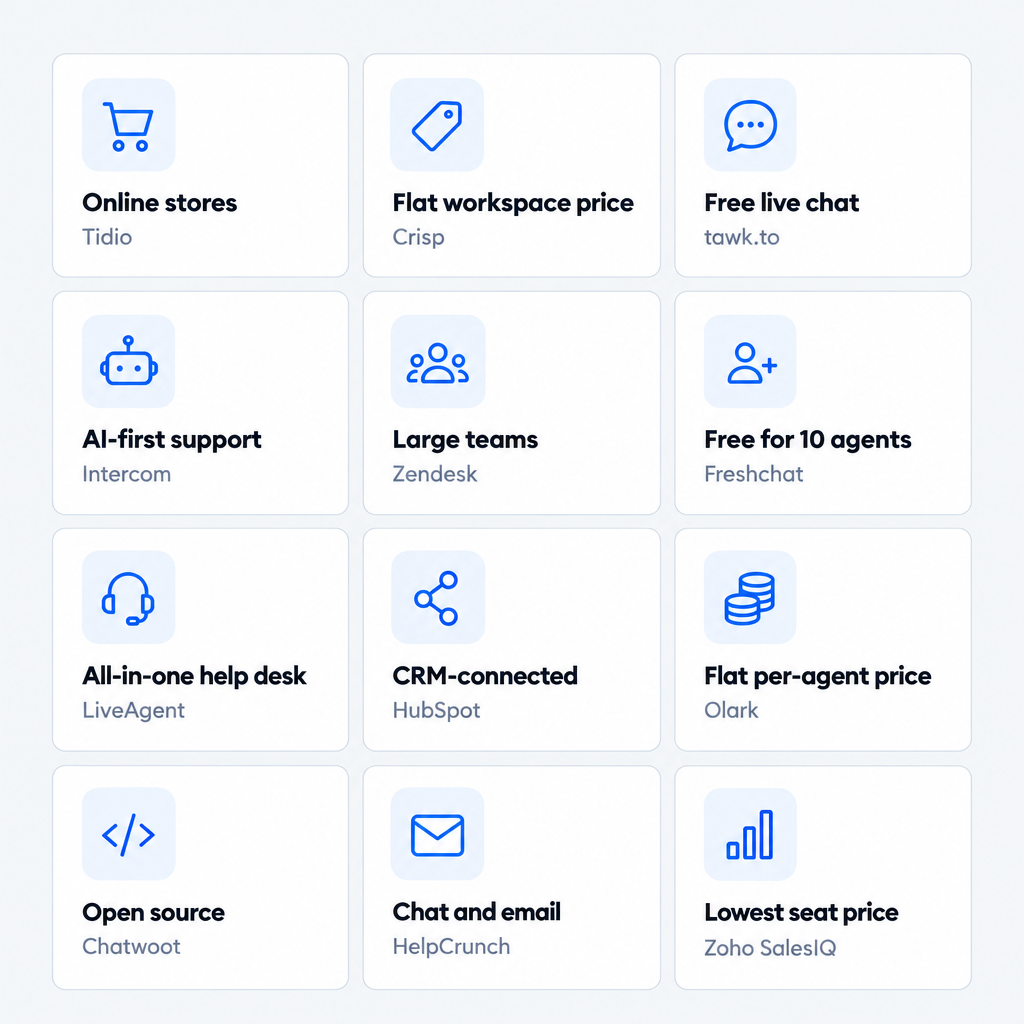
LiveChat alternatives at a glance
Short answer: Tidio for small and mid-sized online stores, tawk.to or Freshchat for a free start, Crisp for a flat workspace price, Intercom for an AI-first desk, HubSpot for CRM-led teams, and Zendesk for large teams with many channels.
| Tool | Best for | Starting price (billing basis) | Free plan / trial | G2 rating |
|---|---|---|---|---|
| Tidio | Small and mid-sized online stores that want chat, tickets, and AI | $24.17/mo billed annually ($29 monthly), flat for up to 10 seats | Free plan · 7-day trial | 4.6 |
| Crisp | Teams that want a flat price per workspace | $45/mo per workspace, 4 seats (monthly price shown) | Free plan, 2 seats · 14-day trial | 4.5 |
| tawk.to | Teams that want free live chat | Free; AI Assist from $29/mo | Free forever | 4.5 |
| Intercom | AI-first support and sales chat | From $29/seat/mo plus $0.99 per Fin outcome | 14-day trial | 4.5 |
| Zendesk | Large teams with SLAs and many channels | Suite Team $55/agent/mo billed annually ($69 monthly) | Free trial, no free plan | 4.3 |
| Freshchat | Free start, with a Freshworks suite option | Free for 10 agents; Growth $19/agent/mo billed annually | Free plan | 4.4 |
| LiveAgent | An all-in-one help desk with chat | From $15/agent/mo billed annually (a promo shows $11) | 30-day trial | 4.5 |
| HubSpot | Teams that run on HubSpot CRM | Free for 2 users; Service Hub Professional from $90/seat/mo | Free plan | 4.4 |
| Olark | Chat plus an AI agent, flat per-agent pricing | $29/agent/mo for live chat; AI agent from $400/mo billed annually | 14-day trial | 4.3 |
| Chatwoot | Open-source, self-hostable chat | Free self-hosted; cloud from $19/agent/mo | Free Hacker plan · 15-day trial | 4.5 |
| HelpCrunch | Chat and email with unlimited contacts | $12/team member/mo billed annually ($15 monthly) | Free trial | 4.7 |
| Zoho SalesIQ | The lowest cost per operator | Free for 3 operators; Basic $7/operator/mo billed annually | Free plan · 15-day trial | 4.4 |
| LiveChat (for comparison) | Chat, tickets, and AI on one per-user plan | Essential $19/user/mo billed annually ($25 monthly) | 14-day trial, no free plan | 4.5 |
How we evaluated these alternatives
We started from the tools AI answers name for LiveChat, the ones that rank for this search, and the previous edition of this article, then kept 12 that replace live chat on a website. Chatbot-only tools are out. Five criteria map to why teams leave LiveChat:
- Price model. Per seat, per workspace, or flat, and what an extra agent costs.
- Free option. A free plan, or only a trial.
- AI billing. What the AI agent costs and which event triggers a charge.
- Channels and ticketing. Chat, email, social, WhatsApp, and whether chats turn into tickets.
- Fit. Team size, store platform, and how much setup you do yourself.
We worked from pricing pages, plan tables, and G2 listings, and a vendor's own numbers are labeled as its claims. We did not open trial accounts, so every screenshot comes from a public product page or Tidio's own media library. Tidio goes first as the pick for small and mid-sized online stores; the rest run roughly from closest to LiveChat to furthest.
The 12 best LiveChat alternatives in 2026
1. Tidio
Best for: small and mid-sized online stores that want live chat, email tickets, and an AI agent in one inbox.
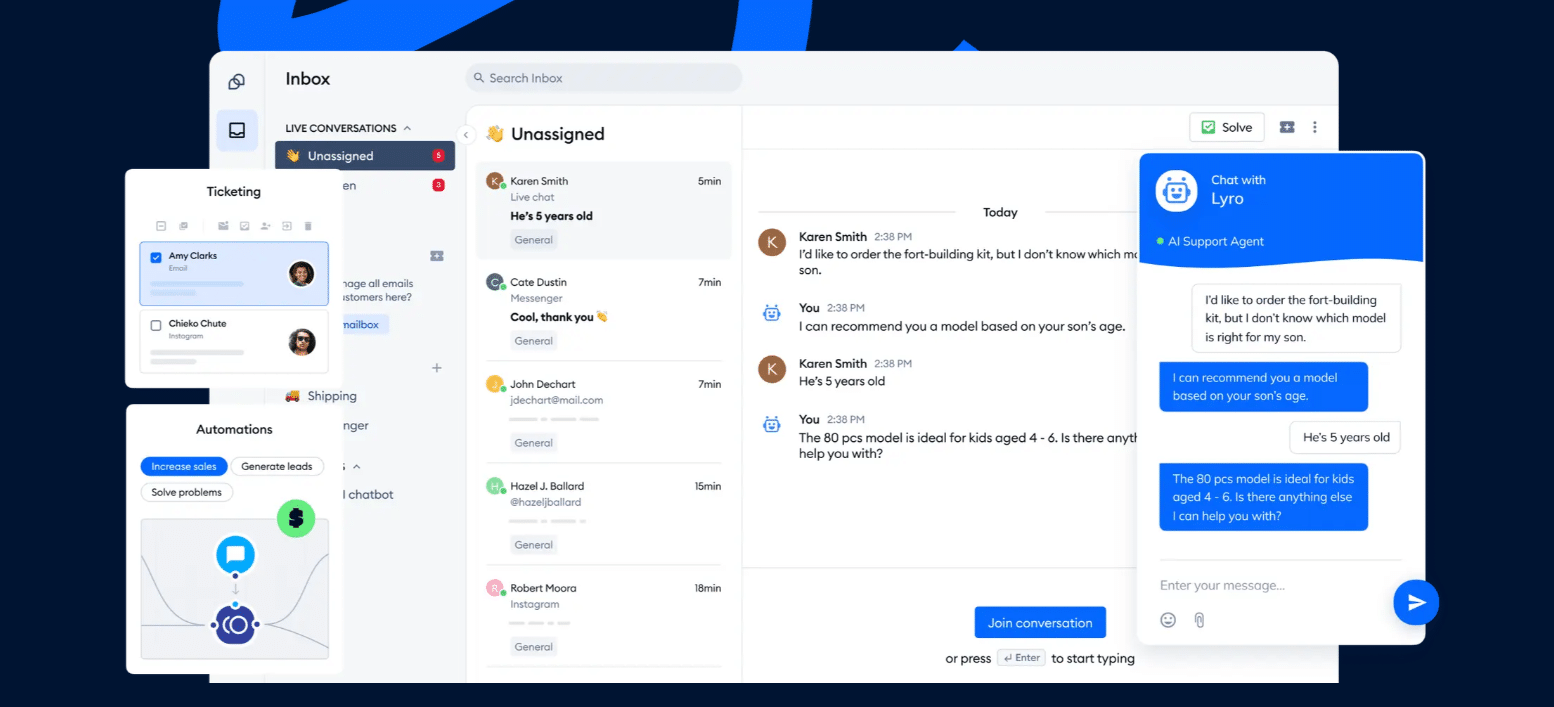
Tidio starts from the chat widget on your site, then brings email tickets, Messenger, Instagram, and WhatsApp into the same inbox. Email turns into a ticket with a status, priority, and owner, and one click opens the chat behind it. Shopify stores see the shopper's cart and past orders next to the chat, and native Shopify actions are part of Growth and above.
The Lyro AI agent takes repeat questions such as order status and shipping times, and it can resolve up to 75% of support requests. Plans follow billable conversations, so a new teammate adds no seat fee, and the price stays low as the team grows.
Pros
- Chat, email, social messages, and AI in one inbox, so shoppers never repeat themselves.
- Flat plan prices for up to 10 seats, plus a free plan to test.
- Flows, a visual builder for proactive messages and cart recovery.
Cons
- Conversations, Lyro, and Flows each have their own quota, which lets you pay only for what you use but means a few limits to track.
- Aimed at small and mid-sized teams, so a very large queue with complex routing suits an enterprise desk better.
Pricing: from Tidio's pricing page, billed annually (monthly in brackets): Free $0 (50 billable conversations a month, 10 seats); Starter $24.17 ($29), 100 conversations; Growth from $49.17 ($59), 250 to 2,000; Plus from $300 plus usage; Premium by quote. Lyro on its own starts at $32.50 ($39) for 50 conversations, and the first 50 are free.
Rating: G2 4.6/5
Versus LiveChat: you gain a free plan, flat prices that don't grow with each seat, and an AI agent and flows in the same inbox. You give up LiveChat's longer list of third-party integrations. See the full Tidio vs LiveChat comparison.
Try Tidio free
2. Crisp
Best for: small teams that want one flat workspace price and a free plan.
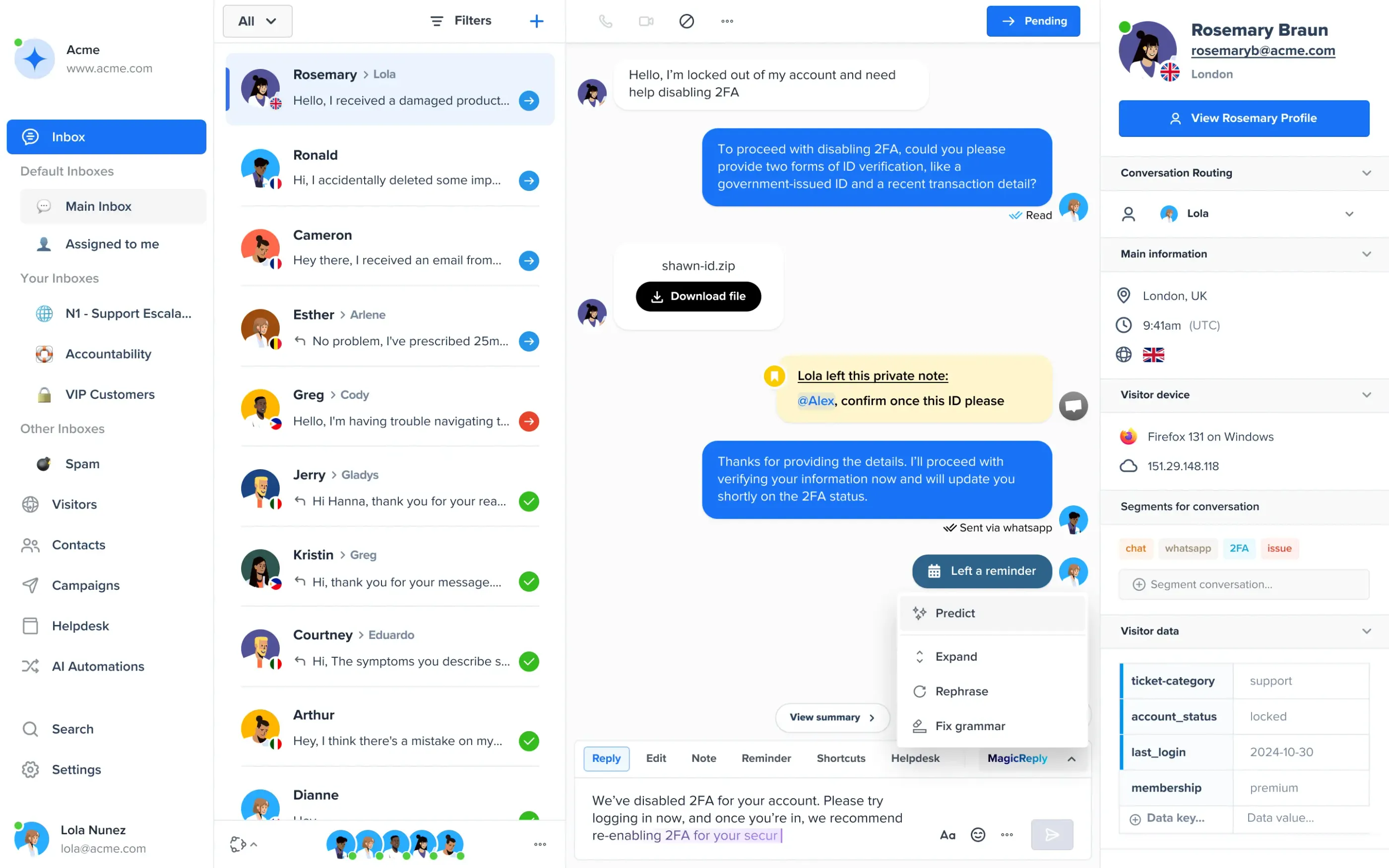
Crisp prices by workspace, not by agent: a single, consistent price regardless of how many conversations you have. Mini is $45 a month with 4 seats, Essentials is $95 with 10 seats, and Plus is $295 with 20 or more. WhatsApp Business, Instagram DMs, and SMS arrive on Essentials, and a customer ticket portal arrives on Plus. Its AI agent, Hugo, is metered by included AI credits rather than per resolution.
Pros
- A free plan with 2 seats, and a Shopify sync on it.
- Flat workspace price, so adding an agent inside the seat count costs nothing.
Cons
- Omnichannel inbox, workflow builder, and AI chatbot start at the $95 tier, and ticketing at $295.
- The AI credit allowance is approximate ("around 450 automated conversations" on Essentials), and the overage rate is not on the pricing page.
Pricing: the page shows monthly prices only: Free $0 (2 seats, no AI credits); Mini $45; Essentials $95; Plus $295, each per workspace.
Rating: G2 4.5/5
Versus LiveChat: you gain a free plan and a flat price for a team of up to 10. You give up per-user plans that stay cheap for one or two agents. Read our Crisp review or the Tidio vs Crisp page.
3. tawk.to
Best for: teams that want free live chat and are fine with a lighter feature set.
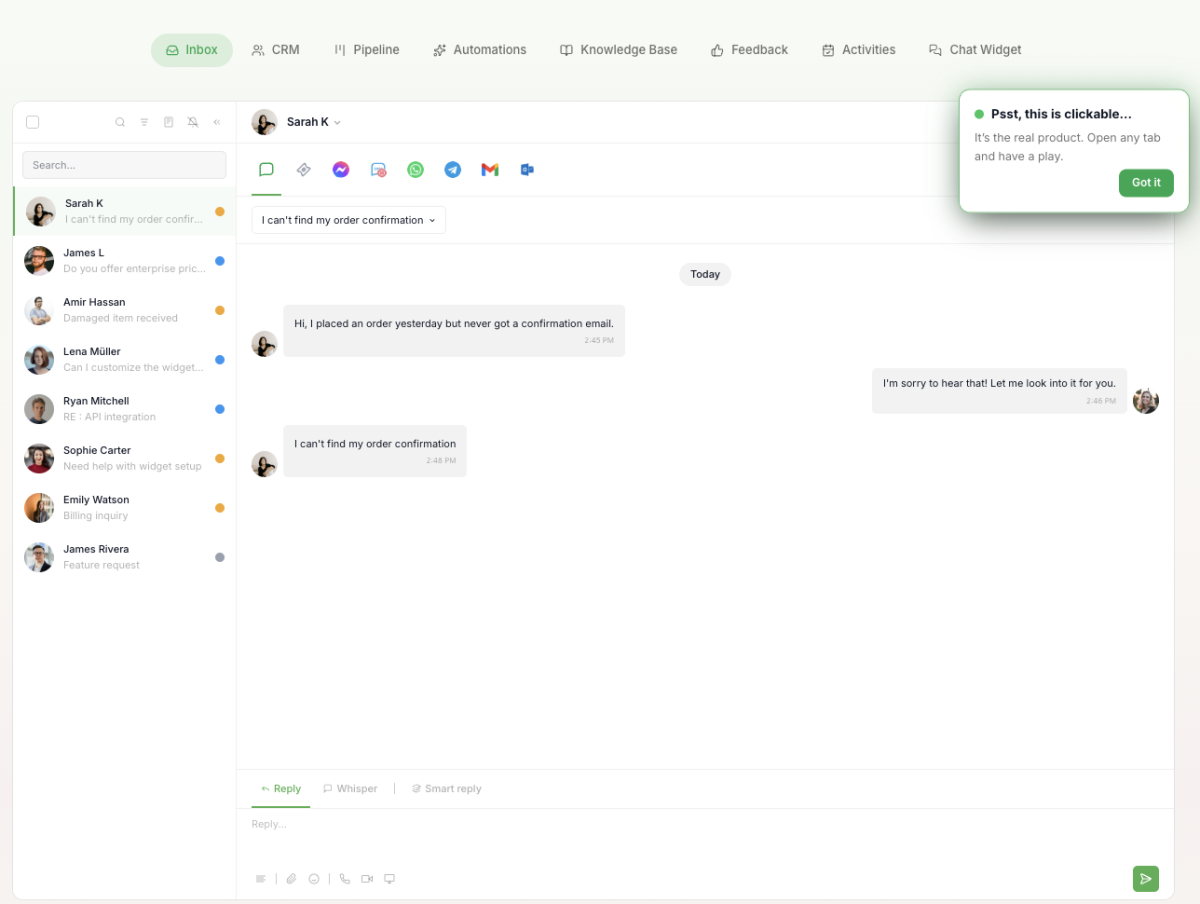
tawk.to's core live chat is free, with 24/7 human support from its own team. The inbox also handles tickets, a knowledge base, and a CRM view. AI Assist is a paid add-on billed in message credits: a plan starts at $29 a month, and each AI reply on the default model costs 3 credits.
Pros
- Free live chat for any number of agents.
Cons
- The widget carries tawk.to branding unless you buy the Remove Branding add-on.
- AI is credit-metered, and its own site labels Workflows as "Coming soon".
Pricing: the core product is free. AI Assist plans: Hobby free, Growth $29 a month ($290 a year), Business $99, Enterprise $399. Remove Branding is a separate add-on.
Rating: G2 4.5/5
Versus LiveChat: you gain a free tool. You give up a per-seat product with a long integration list. See our tawk.to review and the tawk.to alternatives guide.
4. Intercom
Best for: teams that want an AI-first support and sales chat and can budget for usage.
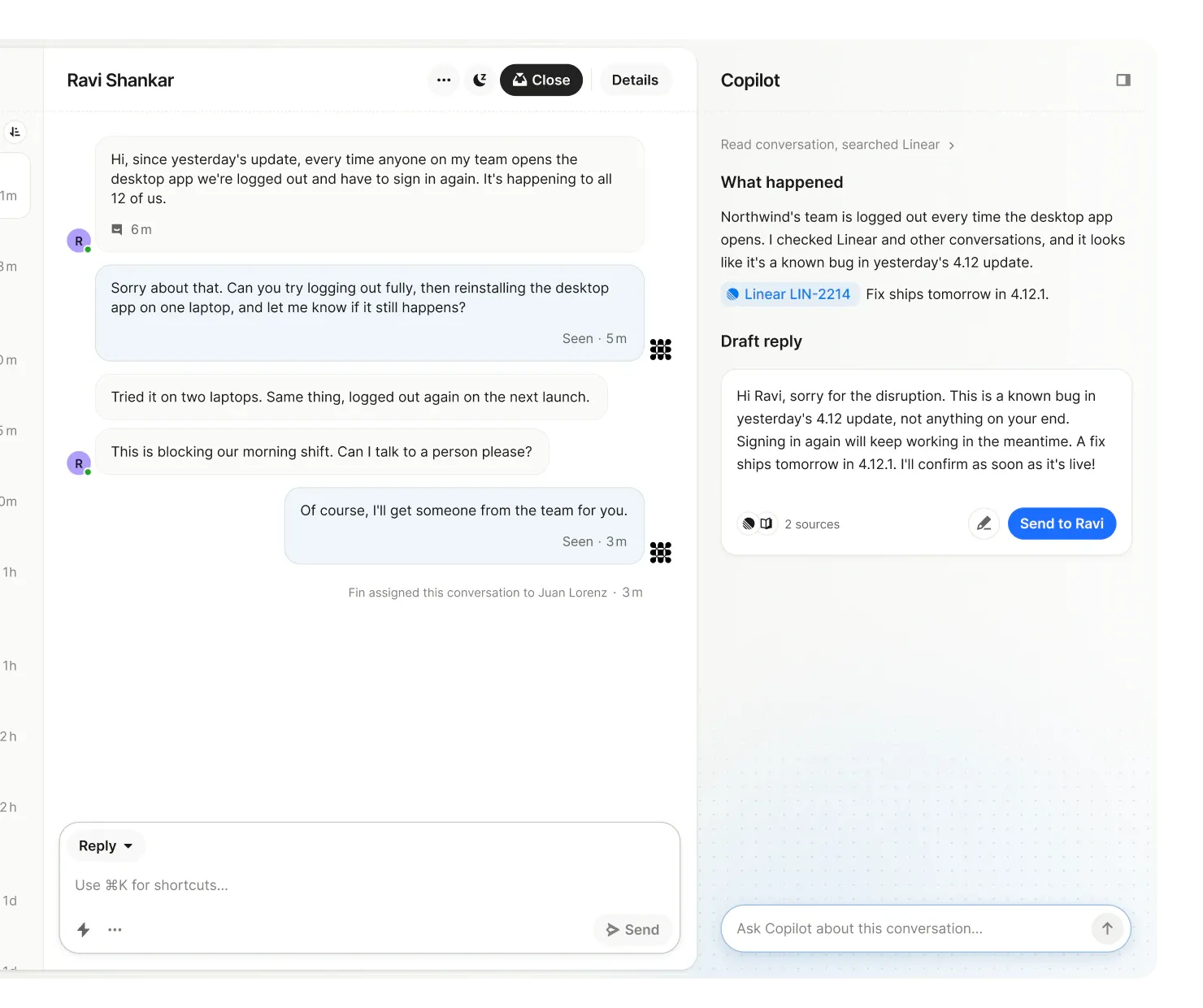
Intercom pairs a shared inbox and ticketing system on every plan with Fin, its AI agent. Fin is priced at $0.99 per outcome, where an outcome is a customer confirming the issue is resolved, not asking for more help, or Fin finishing a workflow. Fin can also run on top of other help desks, with no Intercom seats needed. Intercom's own pricing page describes two meters: seats, and usage such as Fin outcomes and messaging channels.
Pros
- Fin works on voice, email, Messenger, WhatsApp, SMS, Instagram, and more.
Cons
- The bill has two parts, seats and usage, so it is harder to forecast than a flat plan.
- The Pro add-on is $100 a month.
Pricing: Essential from $29 per seat a month; Fin $0.99 per outcome; 14-day trial, no card, no free plan. The pricing page also shows a promotional $19 Essential price, so confirm what you see.
Rating: G2 4.5/5
Versus LiveChat: you gain a stronger AI agent and more channels. You give up a simpler bill. See our Intercom alternatives and the Tidio vs Intercom page.
5. Zendesk
Best for: larger teams that need ticketing depth, SLAs, and many channels in one suite.
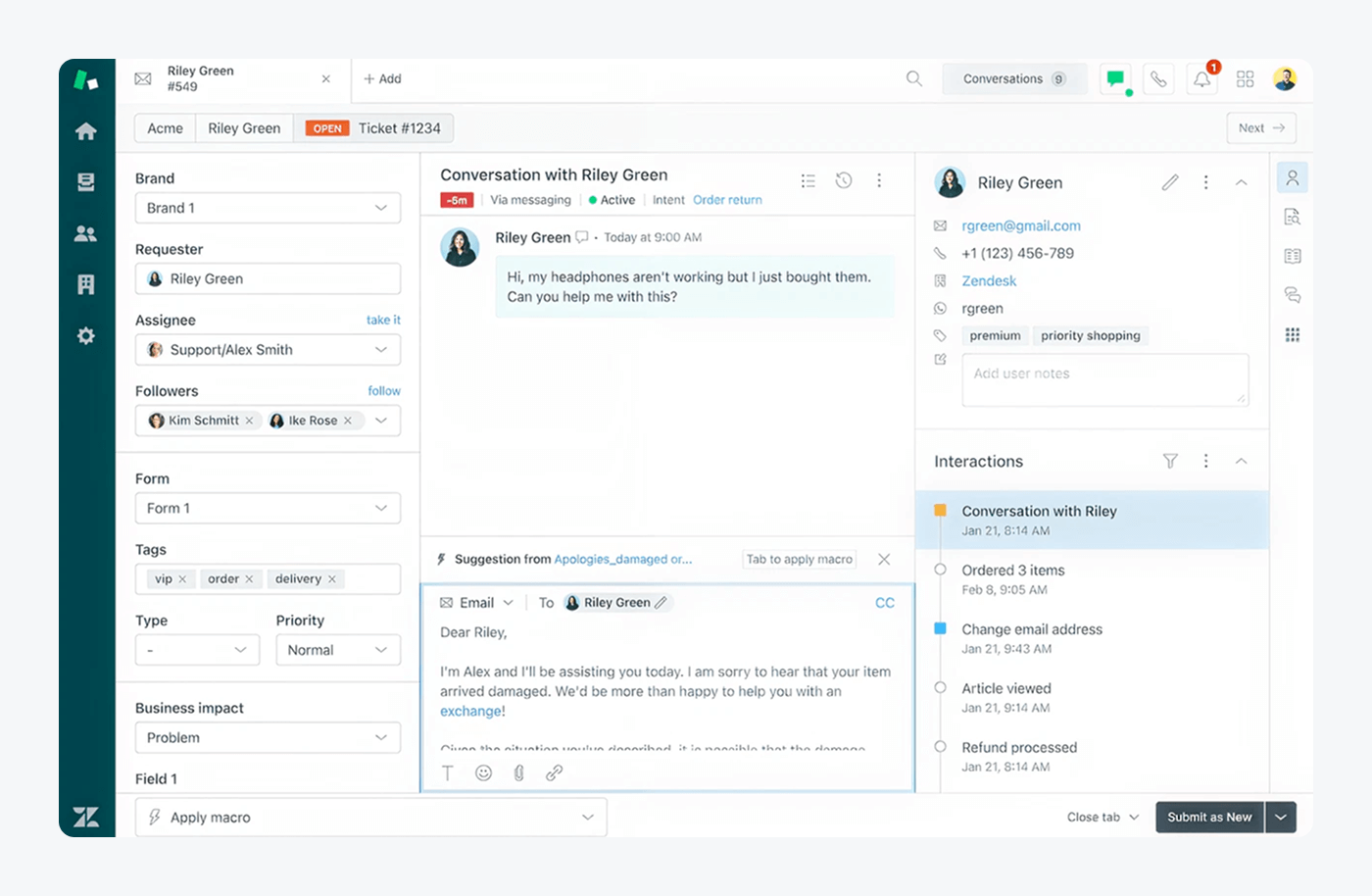
Zendesk is a full support suite. Support Team is $19 per agent a month billed annually, but it covers email and tickets only; messaging and live chat start on Suite Team at $55 per agent a month billed annually ($69 monthly). AI agents are billed per automated resolution, $1.50 on a committed plan or $2.00 pay-as-you-go, with 5 resolutions per agent a month included on Team.
Pros
- Deep ticketing, routing, and reporting for large queues.
Cons
- Chat costs more than on most tools here, since it starts at the Suite tier.
- Copilot ($50 per agent a month) and quality assurance are paid add-ons.
Pricing: Suite Team $55, Professional $115 per agent a month billed annually; monthly prices $69 and $149; Enterprise by quote. There is a "Try for free" trial and no free plan.
Rating: G2 4.3/5
Versus LiveChat: you gain ticketing depth and many channels. You give up a lower price and a quick setup. Compare them in LiveChat vs Zendesk, or read our Zendesk review.
6. Freshchat
Best for: small teams that want a free start and a path to the wider Freshworks suite.

Freshchat has a free plan for up to 10 agents with a chat widget on web and mobile, a shared inbox, and email. Paid plans add messaging channels such as SMS and WhatsApp (from Growth), multilingual chat (from Pro), and skill-based routing (Enterprise only). Its AI agent, Freddy, is billed per 100 sessions.
Pros
- Free for up to 10 agents.
- Social and WhatsApp channels from the first paid plan.
Cons
- The AI agent is a separate per-session charge ($49 per 100 sessions on Growth).
- Voice is a separate product (Freshcaller).
Pricing: Free $0 (up to 10 agents); Growth $19, Pro $49, Enterprise $79 per agent a month billed annually. Freddy AI Copilot is $29 per agent a month.
Rating: G2 4.4/5
Versus LiveChat: you gain a free plan and a bigger suite behind it. You give up a single-purpose chat product. Read our Freshchat review.
7. LiveAgent
Best for: teams that want a help desk with live chat, tickets, and a call center in one tool.
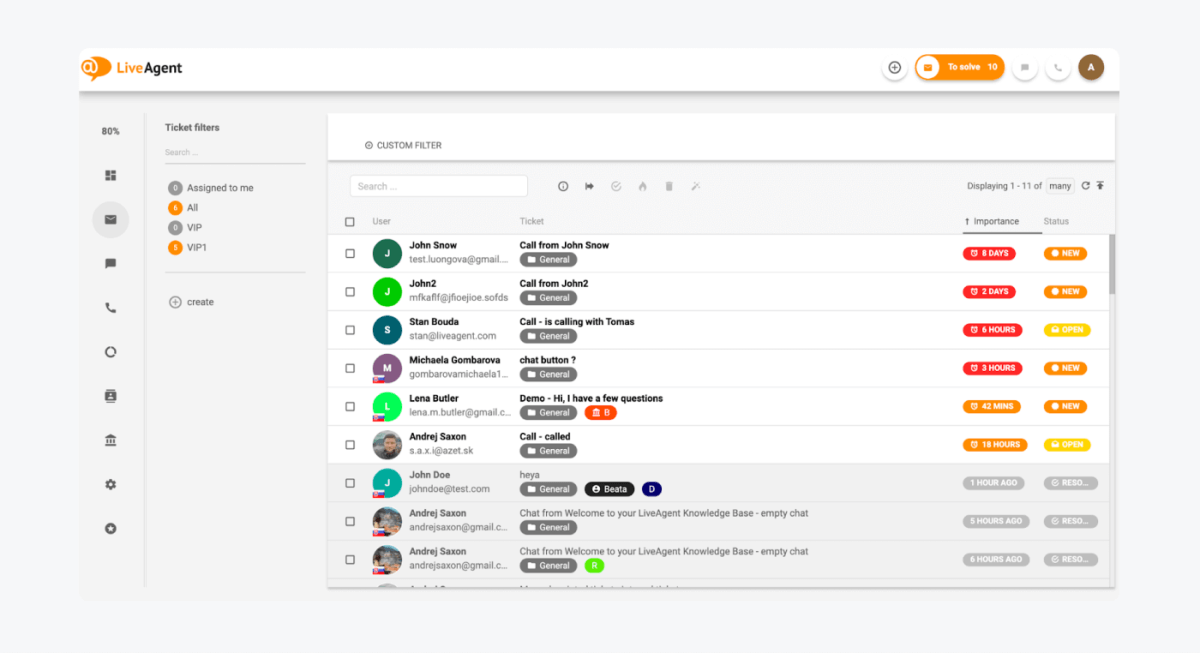
LiveAgent is a help desk first: live chat, email tickets, social channels, and a call center (from the Team plan) in one tool. It does not charge for AI. The chatbot runs on your own AI provider account, which LiveAgent quotes at a few cents a chat, a figure that is its own claim.
Pros
- Chat, tickets, social, and phone in one tool.
- A 30-day trial with no card, and free migration.
Cons
- Starter has no social channels or reporting and is capped at 5 agents.
- Support runs on weekdays only.
Pricing: per agent a month billed annually, Starter $15 (a promo shows $11), Team $29, Business $49; the billed-monthly prices are $19, $35, and $59. Enterprise is a flat fee for 80 agents. No free plan.
Rating: G2 4.5/5
Versus LiveChat: you gain a full help desk and phone. You give up a simpler chat-first interface. Read our LiveAgent review.
8. HubSpot
Best for: teams that already run HubSpot CRM and want chat tied to contact records.
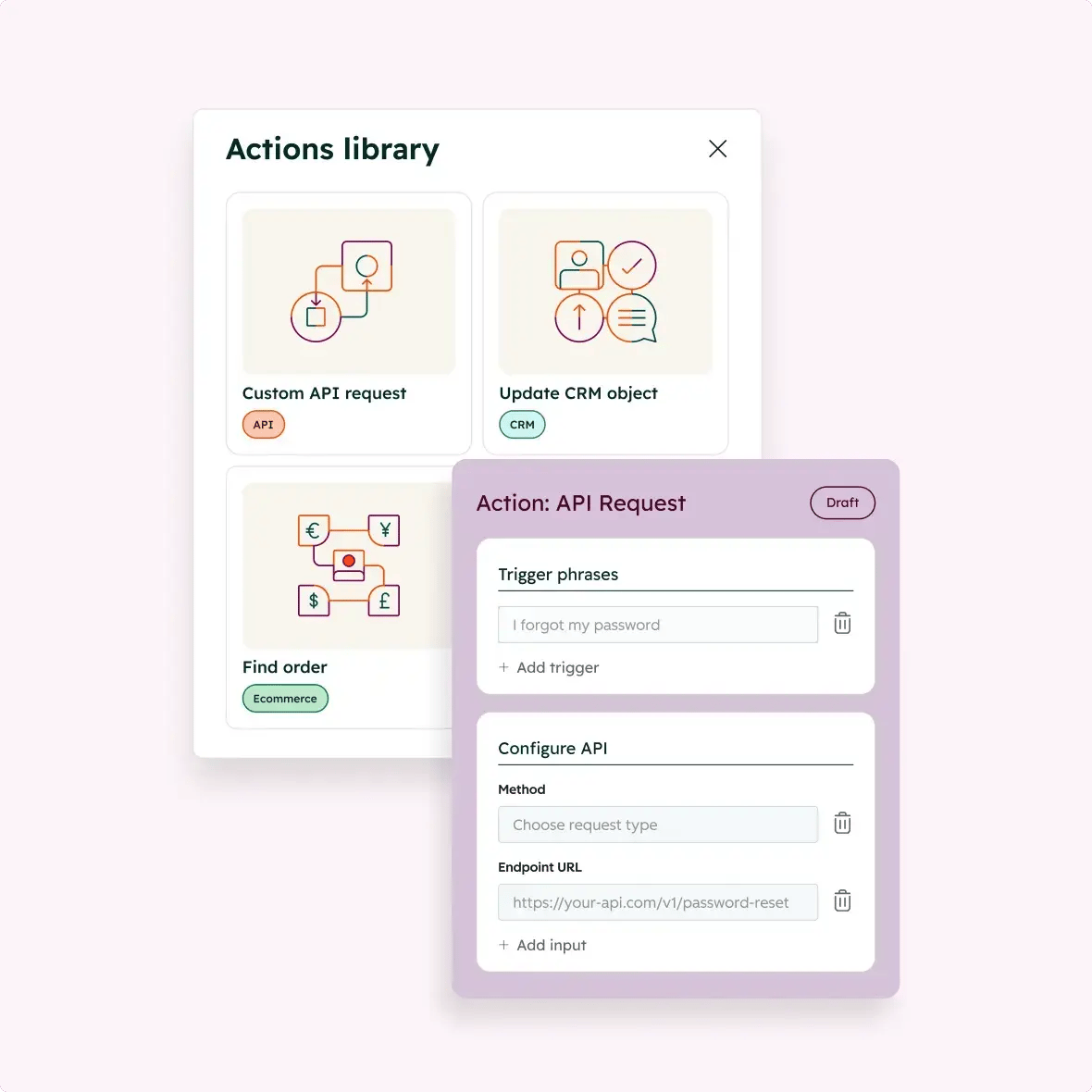
HubSpot offers live chat and a chatbot builder for free, with conversations stored in its free CRM, so your team sees the contact's history beside the chat. A real help desk and the Customer Agent AI need Service Hub Professional, which is billed in HubSpot credits for AI work.
Pros
- Free live chat, a chatbot builder, and a CRM, with no card.
Cons
- Service Hub Professional costs far more than the other tools here, and adds a one-time $1,500 onboarding fee.
- The free plan shows HubSpot branding on chat.
Pricing: Free $0 for up to 2 users; Starter from $7 per seat a month; Professional from $90 per seat a month; Enterprise from $150. The page shows two figures for Starter and Professional with no billing label, so check which applies. 14-day trial of Customer Agent on paid seats.
Rating: G2 4.4/5
Versus LiveChat: you gain a CRM and a free start. You give up a chat-first tool.
9. Olark
Best for: teams that want chat from a long-standing vendor with a flat per-agent price.

Olark is a chat-first product with a plug-in for Shopify, WordPress, and BigCommerce. Its AI agent, Aiden, trains on your site and hands over to a person in the same thread. It has no native help desk and pushes conversations to your existing support stack. Olark's page says "Pay for agents, not usage".
Pros
- Flat per-agent pricing with no usage meter.
Cons
- The AI agent plan starts at $400 a month billed annually.
- Email, WhatsApp, and SMS breadth is limited to Olark Classic.
Pricing: Live Chat $29 per agent a month; the AI agent plan $400 a month billed annually, including one human seat, with extra seats at $29. The $29 price has no billing label. 14-day trial, no free plan.
Rating: G2 4.3/5
Versus LiveChat: you gain a simple per-agent price. You give up ticketing inside the tool. See our Olark alternatives.
10. Chatwoot
Best for: teams with a developer who want open-source chat they can host themselves.
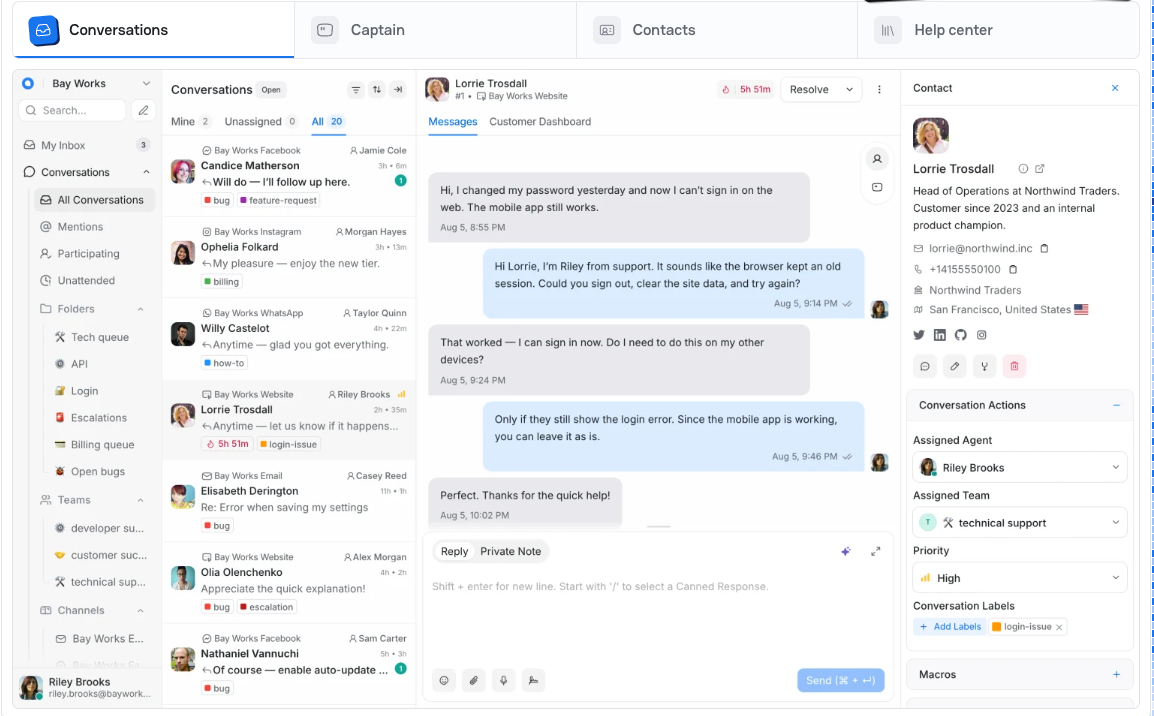
Chatwoot is an open-source customer support tool. The self-hosted Community edition is free, and you run it on your own Linux server with PostgreSQL and Redis. The cloud plans start with a free Hacker plan for 2 agents, and Captain, its AI agent, runs on monthly credits per plan.
Pros
- Free self-hosted edition, plus a $19 cloud plan.
Cons
- Self-hosting means you run the server yourself.
- The free Hacker plan has live chat only, with no AI, help center, or automation.
Pricing: cloud, per agent a month: Hacker $0 (2 agents, 500 conversations a month), Startups $19, Business $39, Enterprise $99; the page does not say whether these are annual or monthly. Extra Captain credits are $20 per 1,000.
Rating: G2 4.5/5
Versus LiveChat: you gain control of your data and a low entry price. You give up a managed product. We found no native Shopify integration on its pages.
11. HelpCrunch
Best for: SaaS and small teams that want chat, email, and unlimited contacts on every plan.
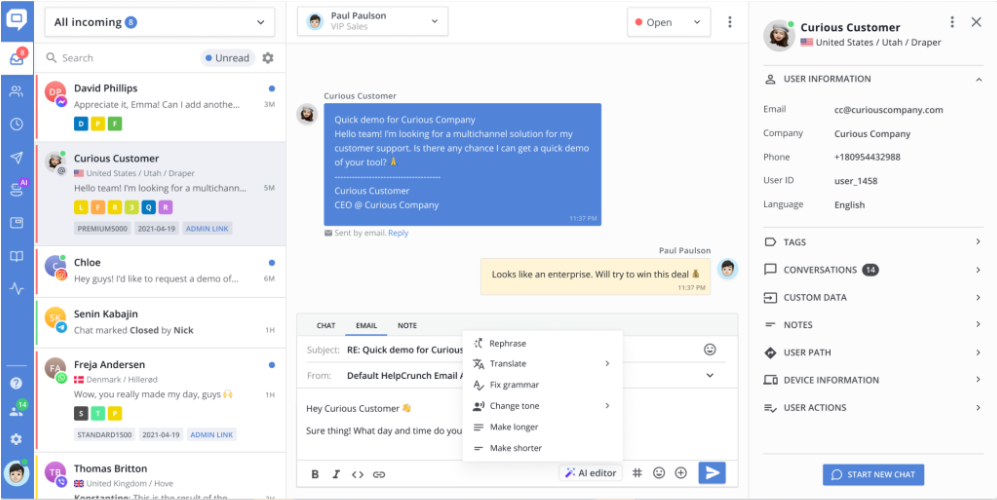
HelpCrunch combines live chat, a shared inbox, email, and push messages. Contacts are unlimited on every plan. AI agents and WhatsApp start on Pro, which includes 50 AI conversations, with paid extensions beyond that.
Pros
- Unlimited contacts on all plans.
Cons
- Basic has no AI agent or chatbot, and Pro caps AI at 50 conversations before an extension.
- No free plan.
Pricing: per team member a month, billed annually (monthly in brackets): Basic $12 ($15), Pro $20 ($25), Unlimited $495 ($620). AI extensions: 100 conversations for $29 a month billed monthly. Free trial, no card.
Rating: G2 4.7/5
Versus LiveChat: you gain email and push in the same tool and a lower seat price. You give up LiveChat's longer integration list. Read our HelpCrunch review.
12. Zoho SalesIQ
Best for: small teams that want the lowest cost per operator, especially if they use Zoho apps.
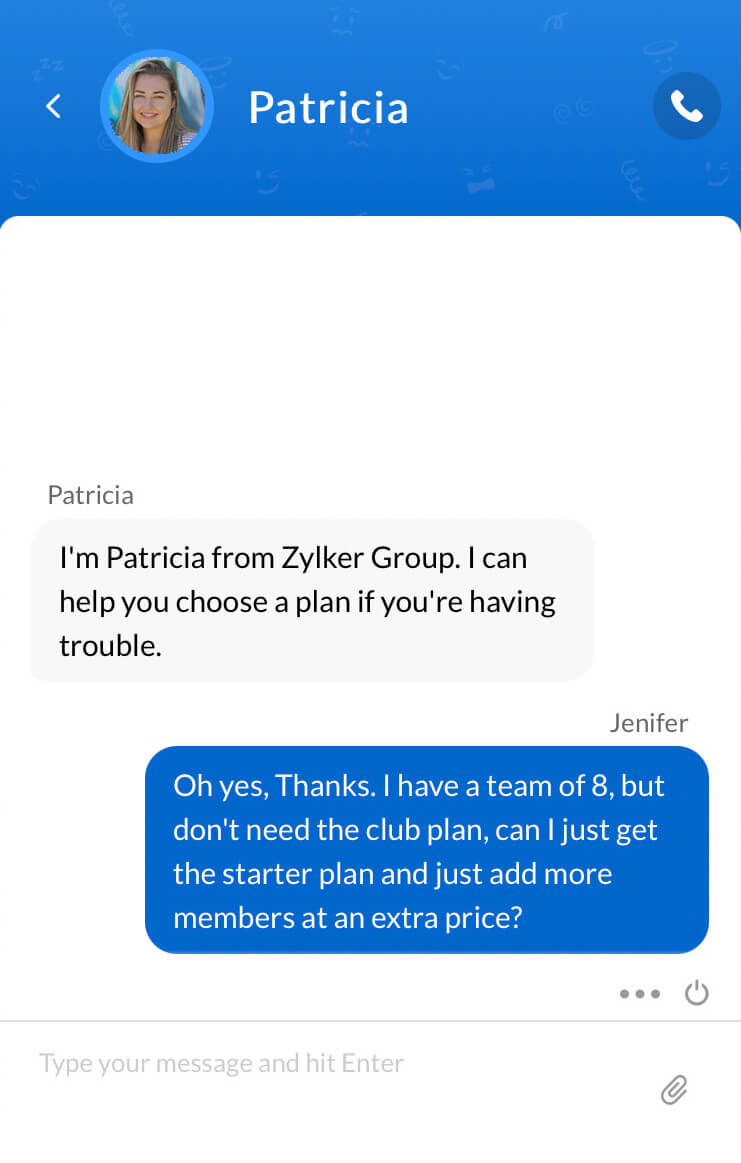
Zoho SalesIQ adds live chat and visitor tracking to Zoho's CRM and help desk apps. It has a free plan for 3 operators with 100 operator chat sessions a month. It has no native ticketing, so it hands off to Zoho Desk or Zendesk. Zia Agents, its agentic AI, start on the Professional tier, and AI is metered in bot chat sessions.
Pros
- Free plan for 3 operators, and the lowest paid price on this list.
- Shopify is listed among its integrations.
Cons
- Messaging channels, routing, and translation start on Professional.
- No native ticketing.
Pricing: per operator a month, billed annually: Free $0, Basic $7, Professional $12.75, Enterprise $20. 15-day trial, no card. The monthly prices were not readable from the page.
Rating: G2 4.4/5
Versus LiveChat: you gain a low price and tight Zoho links. You give up a standalone product with ticketing built in.
What 5 agents cost
Seat and flat prices don't compare directly, so here is one team on every tool: 5 agents on live chat, the cheapest plan that includes it, billed annually, before AI usage.
| Tool | Plan | Math | Per month |
|---|---|---|---|
| tawk.to | Free live chat | no seat fee | $0 |
| Freshchat | Free (up to 10 agents) | no seat fee | $0 |
| Zoho SalesIQ | Basic | 5 × $7 | $35 |
| Tidio | Starter (100 billable conversations) | flat, up to 10 seats | $24.17 |
| HelpCrunch | Basic | 5 × $12 | $60 |
| LiveAgent | Starter (regular price) | 5 × $15 | $75 |
| LiveChat | Essential | 5 × $19 | $95 |
| Crisp | Essentials (10 seats) | flat per workspace, monthly price | $95 |
| Chatwoot | Startups | 5 × $19 | $95 |
| Intercom | Essential | 5 × $29 | $145 |
| Olark | Live Chat | 5 × $29 | $145 |
| Zendesk | Suite Team | 5 × $55 | $275 |
Seats set the bill in most rows. At 5 agents LiveChat Essential costs $95 a month, while Tidio's Starter is flat for up to 10 seats, and the gap widens as the team grows. AI adds more: 1,000 resolutions a month at $0.99 is about $990. Price your busiest month, not your average one.
Tidio vs LiveChat
| Tidio | LiveChat | |
|---|---|---|
| Best for | Small and mid-sized online stores that want chat, tickets, and AI | Teams that want a simple chat product with ticketing and an AI agent on one plan |
| Pricing unit | Billable conversations, flat per plan | Per user per month |
| Entry price | Free plan; Starter $24.17/mo billed annually | Essential $19/user/mo billed annually ($25 monthly) |
| Free plan | Yes: 50 billable conversations, 10 seats | No, 14-day trial |
| Live chat | Included, with Lyro in the same inbox | Core product |
| AI agent | Lyro, from $32.50/mo billed annually for 50 conversations; it can resolve up to 75% of requests | AI Agent, with 10 resolutions on Essential and 200 on Growth, then $0.99 each |
| Shopify | Cart preview and order history in the inbox | Live Shopify catalog and cart recovery campaigns |
| Ticketing | Email tickets in the inbox | Inbox and ticketing system on Essential |
| Integrations | Fewer than LiveChat's | A longer list of third-party apps |
LiveChat is stronger on its integration list and its simple per-seat structure for one or two agents. If your team is small, your budget is tight, and you want chat, tickets, and AI in one inbox, see Tidio's live chat page.
How to switch from LiveChat
Plan for a week of parallel running:
- Export what you need. Pull transcripts, canned responses, and tags first.
- List your automations. Check which plan of the new tool holds each trigger, rule, and canned response you rely on.
- Check your integrations. Note which apps (CRM, store platform, email) feed data into your chats.
- Check your contract dates. Line the cancellation up with your renewal, and note whether you pay monthly or annually and which version of the plan you are on.
- Run both for a week. Install the new widget, rebuild your daily automations, route part of your traffic to it, then remove the old widget.
Expect to rebuild canned responses by hand.
How to choose
Match the tool to your bottleneck:
- You run a small or mid-sized online store and want chat, tickets, and AI in one inbox. Choose Tidio.
- You want a flat price for a small team. Choose Crisp, or HelpCrunch if email matters.
- You want free live chat. Choose tawk.to, or Freshchat for up to 10 agents.
- You want an AI agent to take volume. Choose Intercom, and set a budget for Fin outcomes.
- You need a full help desk with phone. Choose LiveAgent, or Zendesk for a larger team with SLAs.
- Your team already uses a CRM. Choose HubSpot, or Zoho SalesIQ if you use Zoho.
- You want open source and control of your data. Choose Chatwoot.
- You want a plain per-agent price with no usage meter. Choose Olark.
Bottom line
LiveChat stays a fair choice when your team is small, you want chat, tickets, and an AI agent on one per-user plan, and the seat price fits. Move when the seat count or the AI resolutions outgrow the plan, when you want a free plan to test, or when the shift to Text plans makes the product unclear. Small and mid-sized online stores that want chat, tickets, and AI without paying per seat should start with Tidio. For a flat team price, look at Crisp; for free chat, tawk.to or Freshchat; for an AI-first desk, Intercom.
Try Tidio free
Related guides
Frequently asked questions
It depends on why you're leaving. Tidio fits small and mid-sized online stores, Crisp a flat workspace price, tawk.to and Freshchat a free start, and Intercom an AI-first desk. Compare plans on the same billing basis.
Yes. tawk.to's live chat is free, Freshchat's free plan covers up to 10 agents, Zoho SalesIQ's 3 operators, HubSpot's 2 users, and Chatwoot has a free self-hosted edition. Tidio's free plan has 50 billable conversations. LiveChat has only a 14-day trial.
Tidio's Lyro, Intercom's Fin, and Zendesk's AI agents. Lyro can resolve up to 75% of support requests and is sold by conversation from $32.50 a month billed annually. Fin costs $0.99 per outcome, and Zendesk charges $1.50 to $2.00 per automated resolution. Test each with your own questions.
The usual reasons are per-user pricing, no free plan, AI resolutions that are metered after a small allowance, and a product line that is moving to new Text plans for new trials. Some teams also want a help desk or a CRM behind the chat.
Tidio, Crisp, Intercom, Zendesk, Freshchat, and tawk.to are the names that come up most. They differ mostly in price model: per seat, per workspace, per conversation, or free.
Tidio shows cart preview and order history in its inbox and adds an AI agent on flat plans. Crisp syncs Shopify data, and Zoho SalesIQ lists a Shopify integration.
Yes. Zoho SalesIQ starts at $7 per operator a month billed annually, HelpCrunch at $12, and LiveAgent at $15, against $19 for LiveChat Essential. Tidio and Crisp avoid per-seat pricing altogether.
Export transcripts, canned responses, and tags before you cancel. We could not confirm a one-click LiveChat import in any of these tools, so plan to rebuild automations by hand.
Use live chat to support your customers in real-time