


Key takeaways
- Best for chat-first small and mid-sized teams: Tidio. Live chat, email tickets and the Lyro AI agent in one inbox, priced flat for up to 10 seats.
- Best inbox-first alternatives: Missive and Hiver. Missive starts at $14 per user a month and Hiver at $25, both built around shared email.
- Best full help desks: Freshdesk, Zendesk, HubSpot Service Hub and Zoho Desk. Entry prices run from $7 to $19 per user; chat and AI often need a higher plan.
- Best for stores and SaaS teams: Gorgias and Featurebase. Gorgias prices by ticket for online stores. Featurebase joins support with product feedback, from a free plan.
- Price the AI and the tier you will need, not the banner. Front’s omnichannel starts at $65 per seat, and Intercom charges $0.99 per Fin outcome.
Front is a shared inbox and customer operations platform that treats every email, SMS, social message and WhatsApp chat as a thread your team can assign, comment on and draft together. G2 rates it 4.7. The tension is the price per seat. Front’s plans run $25, $65 and $105 per seat a month on annual billing, the cheapest plan covers one channel type, and AI is an add-on. We compared 11 tools that replace Front’s core job, a team inbox with assignment, notes and AI, and checked every pricing page and G2 profile in October 2026. Tidio sits first because it fits chat-first small and mid-sized teams, and Front is the better pick if your team works mostly in email threads together. Each entry also says where that tool falls short of Front.
Why teams look for a Front alternative
Front gets the basics of teamwork right. Its pricing page lists assignments, internal comments and shared drafts, so a team can work a message together without forwarding it around, and a 14-day trial with every Professional feature and no card. If your support runs on email and your team is small enough to stay on one plan, you should probably stay.
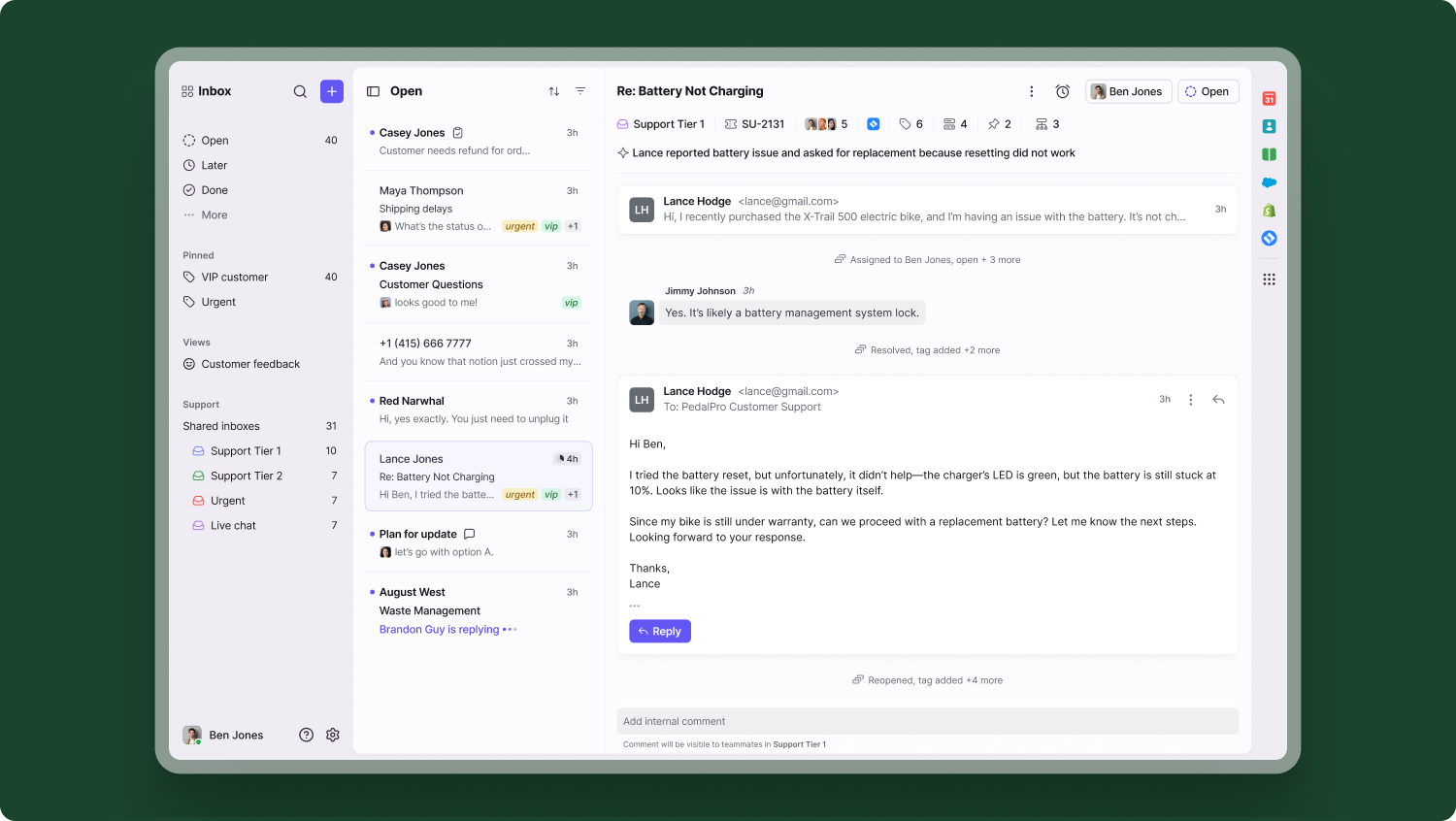
Most teams that leave do so for one of four reasons, all visible on Front’s pricing page (checked October 2026):
- The price steps up by tier. Starter is $25 per seat a month billed annually, Professional is $65 and Enterprise is $105, which is sold annually only. Starter is capped at 10 seats and Professional at 50.
- Starter covers one channel type. Email, SMS, social and WhatsApp together start on Professional, and Starter allows up to 10 automation rules where Professional allows 20.
- AI is billed on top. Copilot is $20 per seat a month on Starter and Professional, and the Autopilot AI agent starts at $0.05 per conversation.
- There is no free plan. The page offers a 14-day trial, so a small team pays from the first seat. Native WhatsApp adds Meta’s costs plus a 20% admin fee.
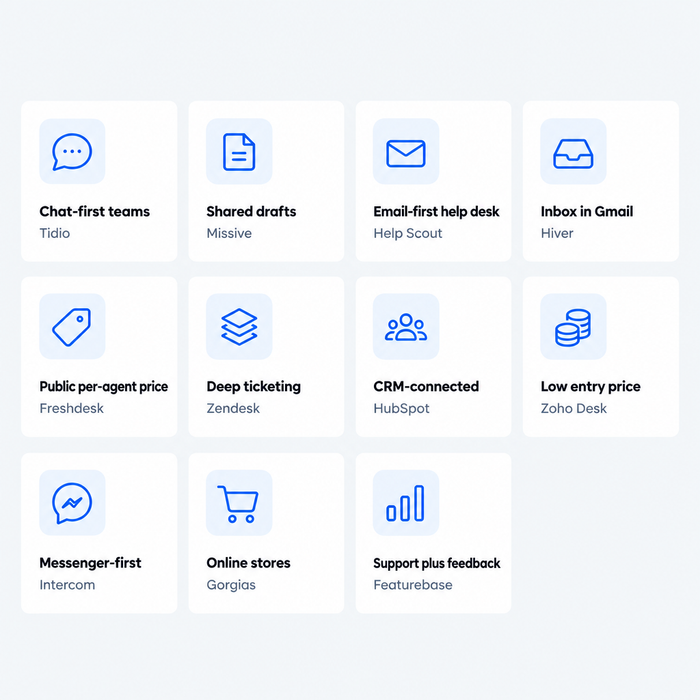
Your reason decides where to look. A lower price for the same inbox style points to Missive or Hiver, a chat-first desk to Tidio, ticketing depth to Freshdesk, Zendesk, HubSpot or Zoho Desk, an online store to Gorgias, and a product team that wants support and feedback together to Featurebase.
Front alternatives at a glance
Short answer: Tidio for chat-first small and mid-sized teams, Missive or Hiver for a collaboration-first inbox at a lower price, Help Scout for a simple email-first help desk, Freshdesk, Zendesk, HubSpot Service Hub or Zoho Desk for ticketing depth, Gorgias for online stores, and Featurebase for SaaS teams that tie support to product feedback.
| Tool | Best for | Starting price (billing basis) | Free plan / trial | G2 rating |
|---|---|---|---|---|
| Tidio | Chat-first small and mid-sized teams, including online stores | $24.17/mo billed annually ($29 monthly), flat for up to 10 seats | Free plan · 7-day trial | 4.6 |
| Missive | Shared inbox plus team chat and tasks on a budget | Starter $14/user/mo billed yearly ($18 monthly), up to 5 users | 30-day trial | 4.7 |
| Help Scout | Small, email-first teams that want a simple help desk | $25/user/mo billed annually, plus $0.75 per AI resolution | Free for 5 users · 15-day trial | 4.4 |
| Hiver | Teams that work from email inside Gmail | Growth $25/user/mo billed annually ($35 monthly) | 7-day trial | 4.6 |
| Freshdesk | A help desk with public per-agent prices | Growth $19/agent/mo billed annually | Free trial | 4.4 |
| Zendesk | Larger teams with SLAs, routing and many channels | Support Team $19/agent/mo billed annually (email and tickets) | Free trial | 4.3 |
| HubSpot Service Hub | Support tied to CRM records | Starter $7/seat/mo billed annually ($20 monthly) | Free for 2 users | 4.4 |
| Zoho Desk | Low per-agent prices and a free email plan | Express $7/user/mo billed annually | Free plan, 3 users · free trial | 4.4 |
| Intercom | Messenger-first teams with an AI agent | Essential $29/seat/mo billed annually, plus $0.99 per Fin outcome | Free trial | 4.5 |
| Gorgias | Online stores, especially Shopify | Basic $50/mo billed annually for 300 tickets | Free trial | 4.6 |
| Featurebase | SaaS teams that join support and product feedback | Growth $29/seat/mo billed yearly ($37 monthly) | Free plan, 1 seat · 10-day trial | 4.7 |
How we evaluated these alternatives
We started from the tools that rank for this search, the ones AI answers name when people ask about Front, and the previous edition of this article. We kept 11 that replace a team inbox with assignment, notes and AI, and left out chatbot builders, sunset products and anything we couldn’t price from the vendor’s own page. Four criteria map to why teams leave Front:
- Price per seat. What the entry plan buys, and which plan adds channels, rules and reports.
- AI billing. What triggers a charge for the AI agent, and what is included.
- Channels. Email, chat, social and phone, and whether they sit on the entry plan.
- Fit. Team size, e-commerce or SaaS, and how much setup you do yourself.
Sources are pricing pages and G2 listings, and we label vendor claims as claims. We didn’t open trial accounts, so the screenshots come from public product pages and Tidio’s media library. Tidio goes first as the pick for chat-first teams; the rest run roughly from closest to Front to furthest.
The 11 best Front alternatives in 2026
1. Tidio
Best for: chat-first small and mid-sized teams, including e-commerce stores, where customers reach you through the site and social apps as often as through email.
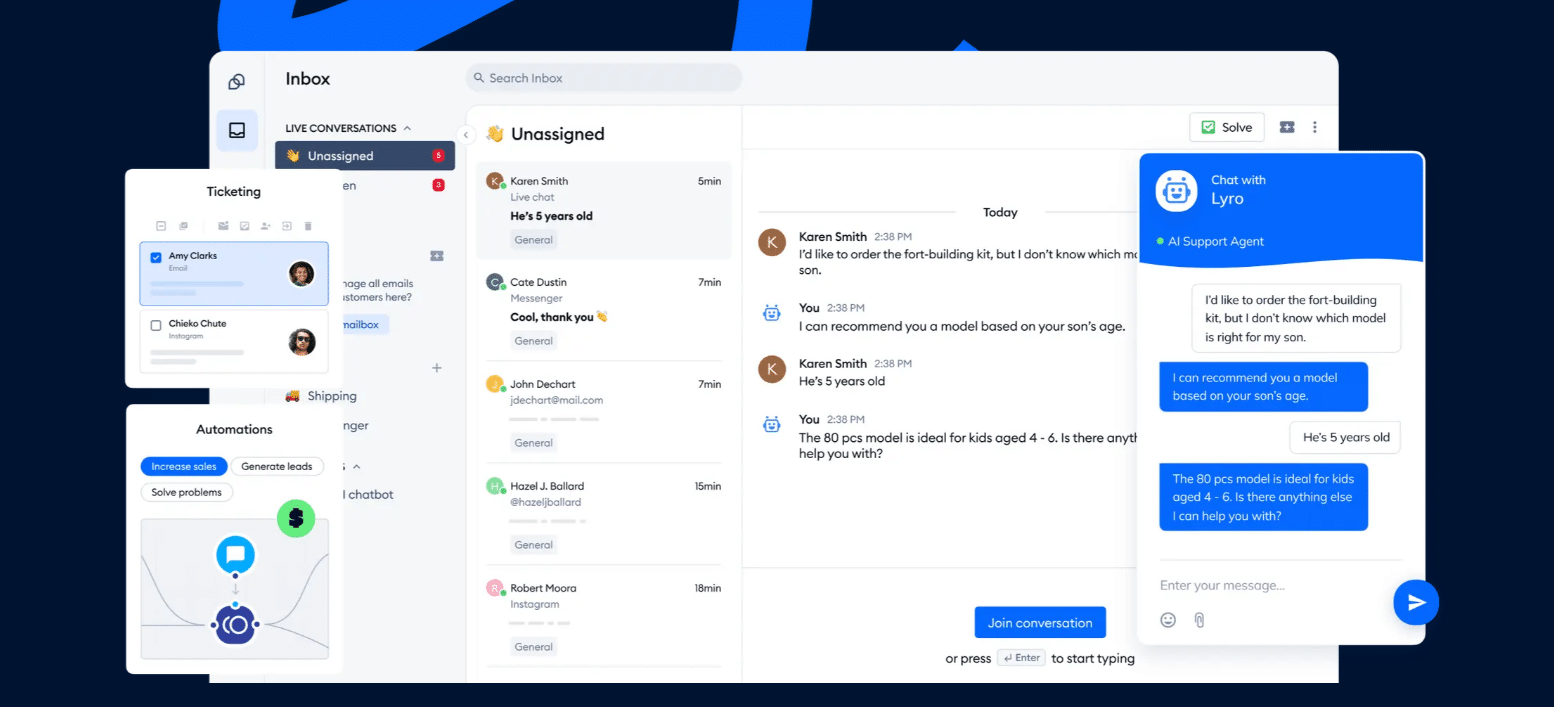
Tidio is a customer service platform built around live chat: it puts website chat, email, Messenger, Instagram and WhatsApp in one inbox, and tickets cover anything that needs follow-up. The Lyro AI agent answers repeat questions such as order status and shipping times and can resolve up to 75% of support requests. Plans follow billable conversations, so a new teammate adds no seat fee, and self-serve plans include up to 10 agents. Shopify stores see cart preview and order history beside the chat.
Pros
- Chat, email, social messages and AI share one inbox, so context follows the customer.
- A free plan to test, and flat plan prices up to 10 seats.
- Native Shopify integration with cart and order data.
Cons
- Tidio is its own inbox with chat at the center, so threads aren’t built around shared drafts the way Front’s are.
- Conversations, Lyro and Flows have their own quotas and prices, which means paying only for what you use and watching a few limits.
Pricing: on Tidio’s pricing page, billed annually (monthly in brackets): Free $0 (50 billable conversations a month); Starter $24.17 ($29) for 100; Growth from $49.17 ($59) for 250 up to 2,000; Plus from $300 plus usage; Premium by quote. Lyro alone starts at $32.50 ($39) for 50 conversations; the first 50 are free.
Rating: G2 4.6/5
Versus Front: you gain live chat on your site, Lyro and flat plan prices up to 10 seats. You give up Front’s comment-and-draft workflow on email threads. See the full Tidio alternatives guide.
Explore Tidio's live chat and AI agent
2. Missive
Best for: small teams that want a shared inbox plus team chat and tasks on a budget.
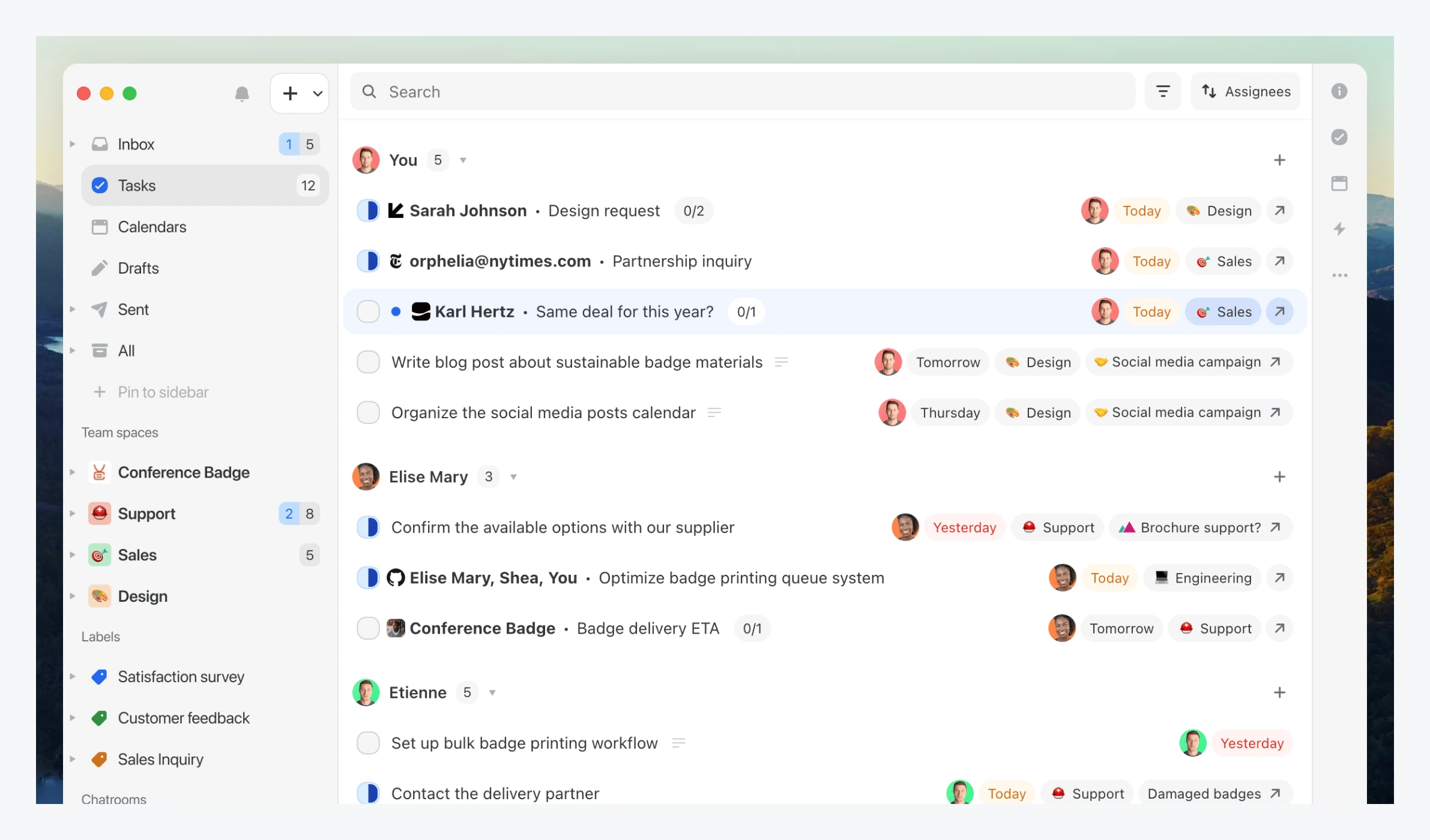
Missive is the closest like-for-like swap for Front’s collaboration style: shared email with internal chat, collaborative drafting and tasks, so a team can discuss a message without leaving the thread. It connects Microsoft 365, Google Workspace and IMAP mailboxes and adds WhatsApp, Messenger, Instagram and SMS. Entry is $14, little more than half of Front Starter.
Pros
- A $14 entry price and a 30-day trial.
- Internal threads, shared drafts and tasks in one app.
Cons
- Starter is capped at 5 users, and rules and the AI assistant start at Productive.
- AI runs on credits or your own API key, and the extra cost isn’t listed.
Pricing: per user a month billed yearly (monthly in brackets): Starter $14 ($18); Productive $24 ($30), up to 50 users; Business $36 ($45), with SAML SSO. 30-day trial, no free plan. Per Missive’s pricing page.
Rating: G2 4.7/5
Versus Front: you gain a lower price and built-in team chat. You give up Front’s seat ceiling on the entry plan, since Starter stops at 5 users. We found no collision alerts on Missive’s pricing page.
3. Help Scout
Best for: small, email-first teams that want a simple help desk in its own app.
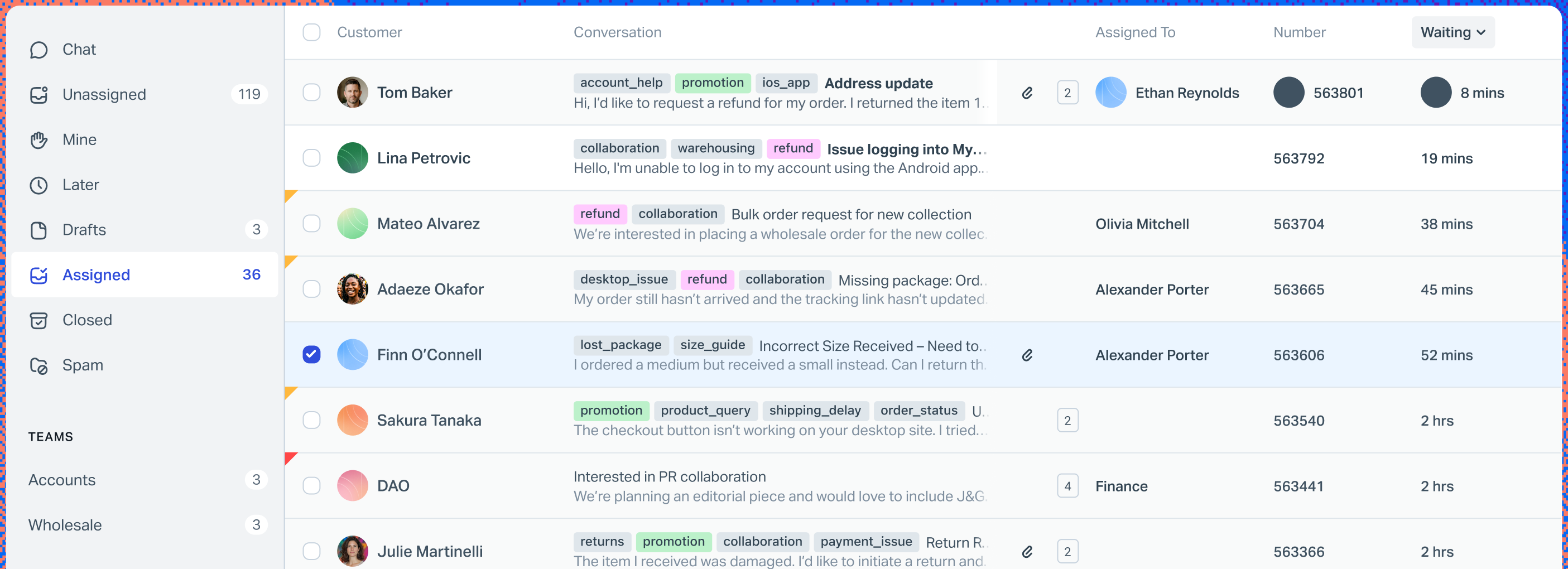
Help Scout pairs a shared inbox with notes, mentions and workflows, plus a Docs knowledge base. Standard adds live chat, SMS, WhatsApp, Instagram and Messenger.
Pros
- A free plan for 5 users with 1 inbox and 1 Docs site.
- Notes, mentions and workflows in a quick-to-learn inbox.
Cons
- AI Answers costs $0.75 per resolution on top of seats, with a 3-month free trial.
- Extra inboxes cost $10 a month billed annually, and round robin starts at Plus.
Pricing: per user a month, annual rate shown on the page: Free for 5 users; Standard $25; Plus $45; Pro $75, sold with a demo. 15-day trial. Per Help Scout’s pricing page.
Rating: G2 4.4/5
Versus Front: you gain a free tier and a built-in knowledge base. You give up Front’s shared drafts and its larger seat ceiling. More in our Help Scout alternatives guide.
4. Hiver
Best for: teams that work from email inside Gmail.
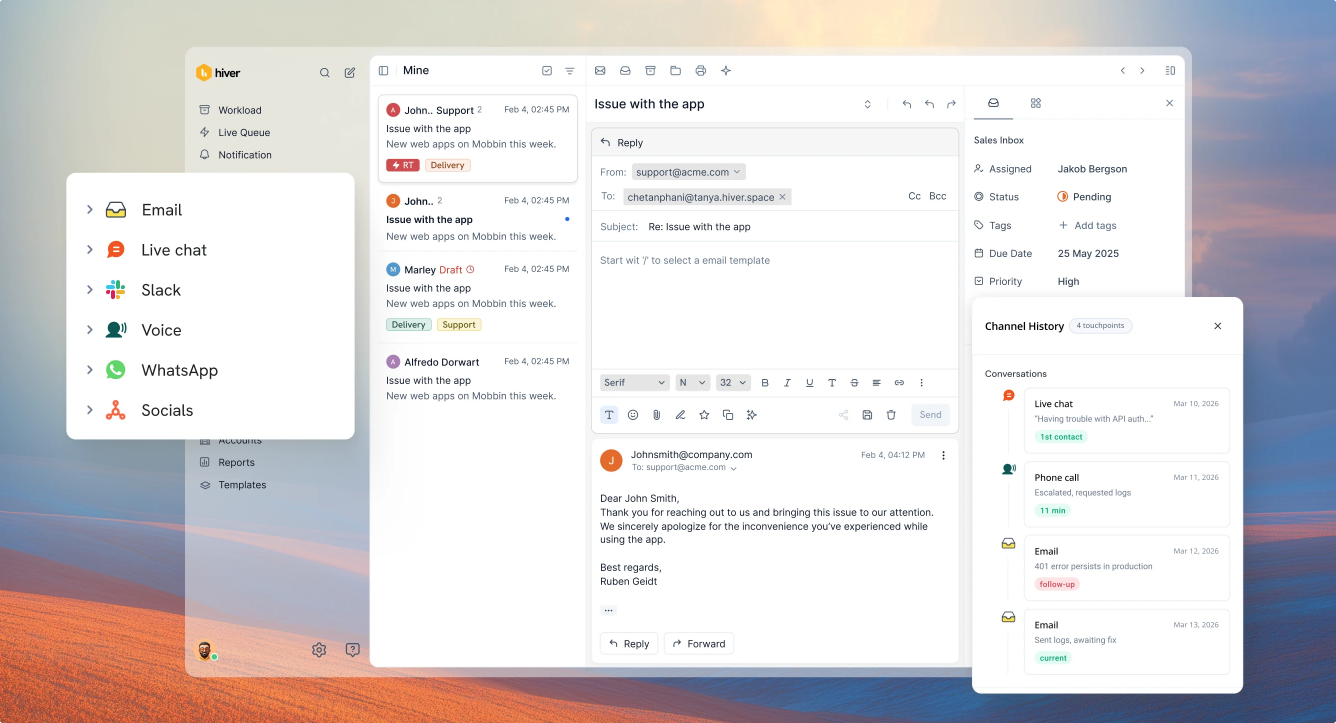
Hiver sells two products: Hiver in Gmail, which lives inside your mailbox, and Hiver Omni, a standalone platform that works with Gmail, Outlook and other providers and adds live chat, Slack, voice, WhatsApp and social channels. Its pricing page lists AI Agents and AI Copilot on every plan.
Pros
- Works inside Gmail, so there is little to learn.
- Free migration help, SOC 2 Type II, ISO 27001 and HIPAA compliance listed on the pricing page.
Cons
- SLAs, CSAT surveys, the customer portal and API access start at Pro, $55 per user.
- Seats move in steps of 2, 5 and then 5, and we found no free plan on the visible page.
Pricing: per user a month billed annually (monthly in brackets): Growth $25 ($35); Pro $55 ($65); Elite $85 ($95). Voice is an add-on at $30 per voice seat. 7-day trial. Per Hiver’s pricing page. See our Hiver alternatives guide.
Rating: G2 4.6/5
Versus Front: at $25 it matches Front Starter, and Hiver Omni adds chat, voice and social channels. You give up Front’s comment-and-draft workflow and its higher seat ceiling.
5. Freshdesk
Best for: teams that want a help desk with prices on the page.
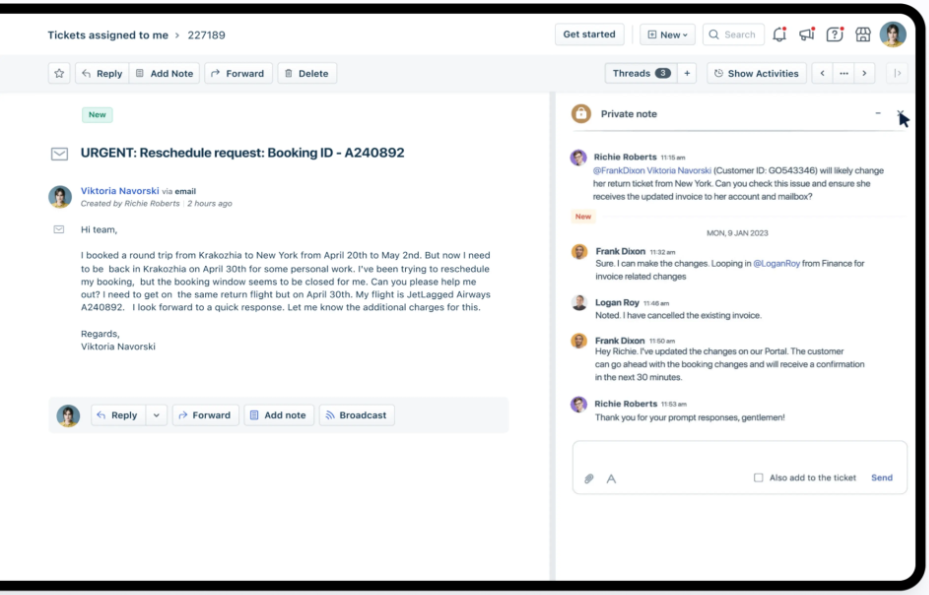
Freshdesk moves you from a shared inbox to ticketing. Growth includes a shared inbox, a customer portal and knowledge base, analytics and tasks; Pro adds intelligent routing, multiple SLA policies and external collaborators.
Pros
- Public per-agent prices and a portal and knowledge base on Growth.
- 500 AI Agent sessions included before any AI fee.
Cons
- Extra AI sessions cost $49 per 100; Copilot is $29 per agent.
- Routing and SLA policies start at Pro, $55 per agent.
Pricing: per agent a month billed annually: Growth $19; Pro $55; Enterprise $89. Free trial. Per Freshdesk’s pricing page.
Rating: G2 4.4/5
Versus Front: you gain a lower entry price and a portal and knowledge base on the first plan. You give up Front’s inbox-first collaboration. See our Freshdesk alternatives guide.
6. Zendesk
Best for: larger teams that need deep ticketing, routing and SLAs across many channels.
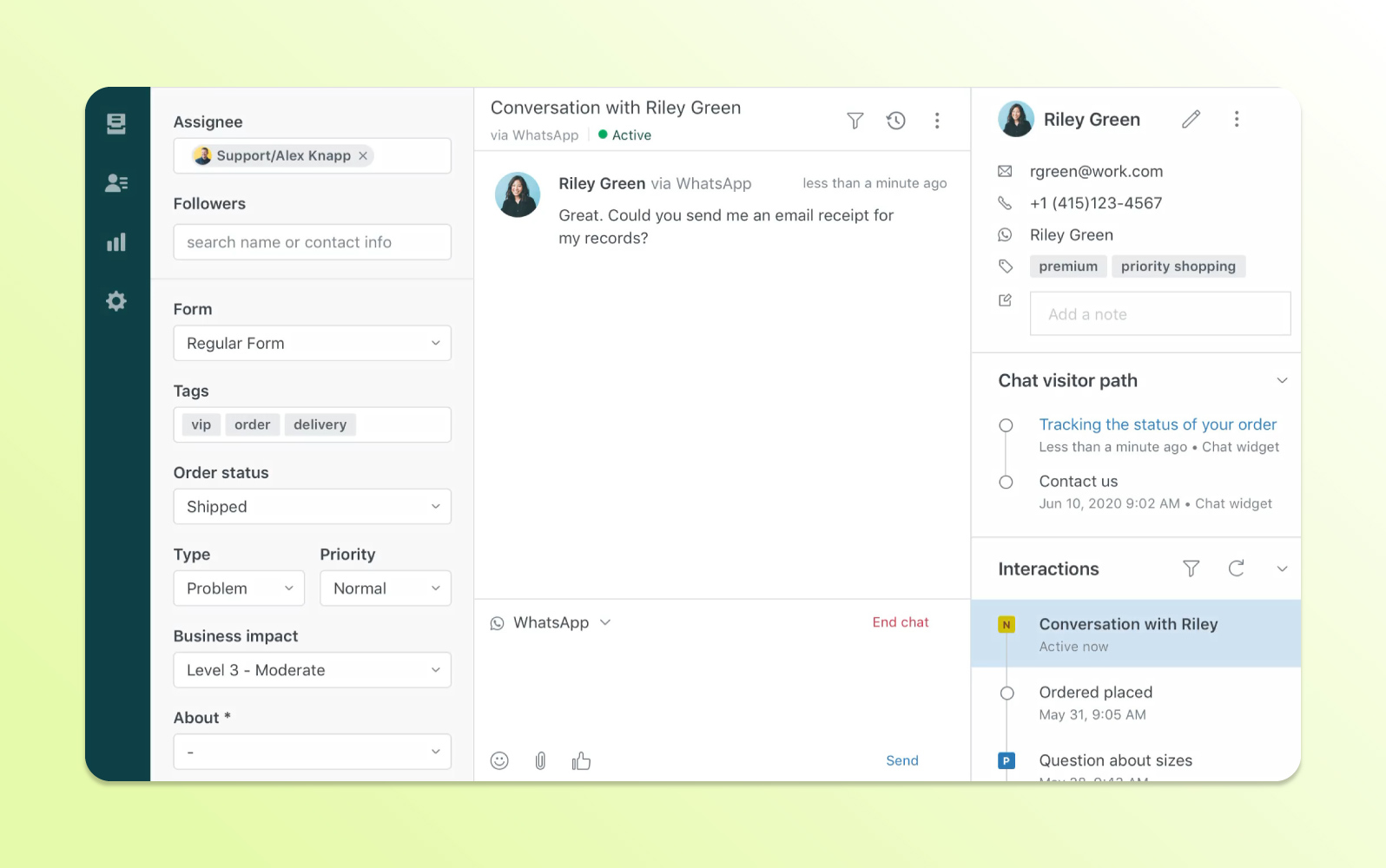
Zendesk is the step up when a shared inbox no longer scales. Support Team covers email and ticketing with routing, automations and triggers. Chat and AI come with Suite Team: AI agents, messaging and live chat, telephony and omnichannel routing.
Pros
- Deep ticketing, routing, triggers and automations.
- Chat, email, phone and social in one suite on Suite Team.
Cons
- Chat and AI need Suite Team, almost three times the Support Team price.
- Skills-based routing starts at Suite Professional, $115 per agent.
Pricing: per agent a month billed annually (monthly in brackets): Support Team $19 ($25); Suite Team $55 ($69); Suite Professional $115; Enterprise by quote. Free trial. Per Zendesk’s pricing page.
Rating: G2 4.3/5
Versus Front: you gain mature ticketing and routing at scale. You give up the lighter, inbox-first feel. More in our Zendesk alternatives guide.
7. HubSpot Service Hub
Best for: teams whose customer records already live in HubSpot CRM.
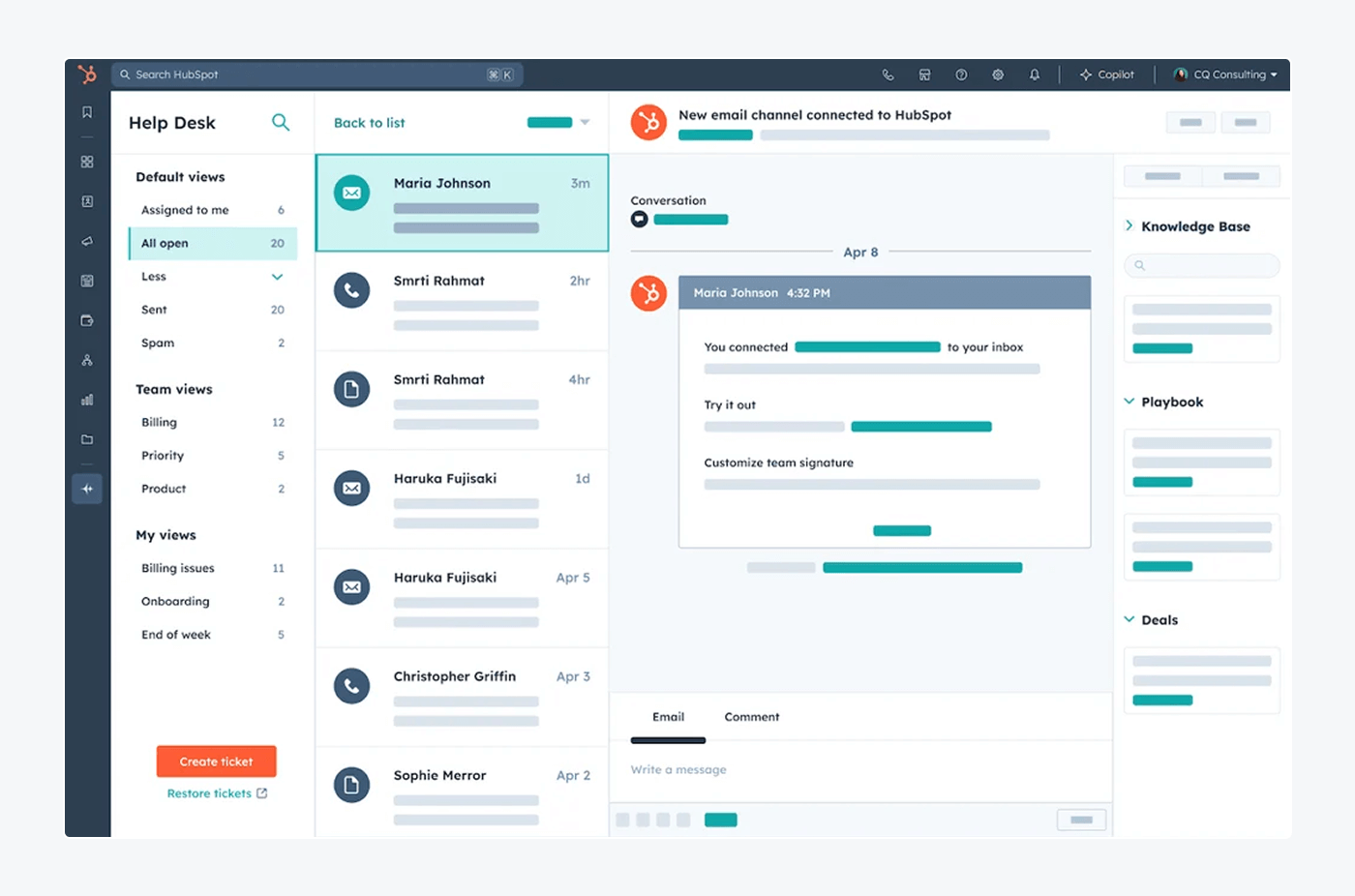
Service Hub ties tickets to the contact and company records your sales team already uses. The free plan covers 2 users, and Starter is $7 per seat billed annually.
Pros
- Tickets sit on CRM records, so support sees the full customer history.
- A free plan for 2 users.
Cons
- Professional is $90 per seat plus $1,500 onboarding.
- Value drops quickly if your CRM is not HubSpot.
Pricing: per seat a month billed annually (monthly in brackets): Free for 2 users; Starter $7 ($20); Professional $90 ($100), plus $1,500 one-time onboarding; Enterprise $150, plus $3,500. Per HubSpot’s pricing page.
Rating: G2 4.4/5
Versus Front: you gain CRM-linked tickets and a free plan. You give up the simple inbox and a flat tier price once onboarding is added.
8. Zoho Desk
Best for: budget-conscious teams that want a full help desk with low per-agent prices.
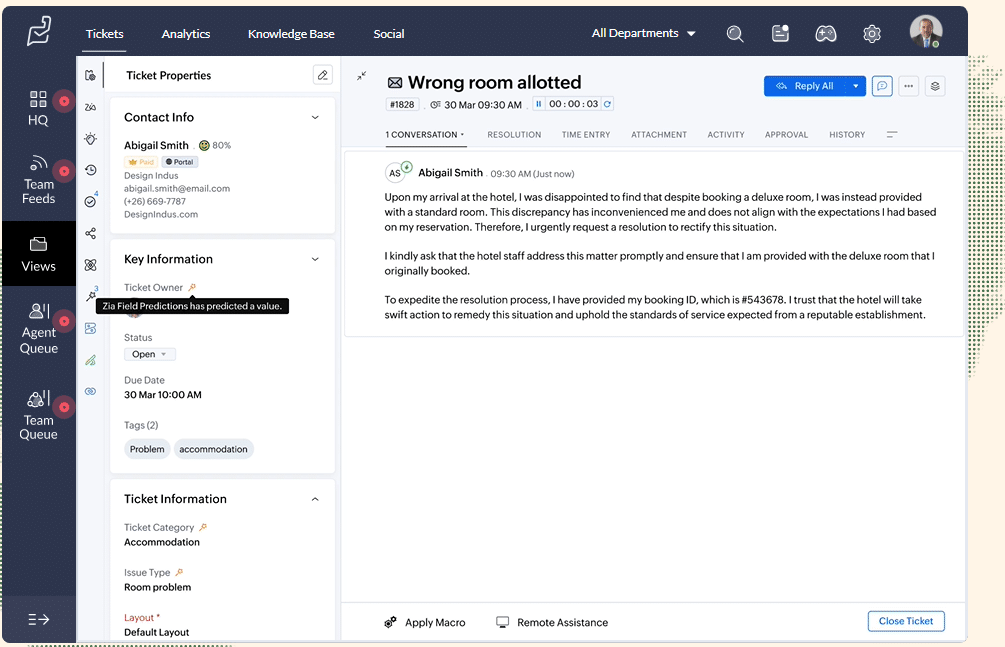
Zoho Desk starts with a free plan for 3 users that handles email ticketing. Express adds social channels and AI Agents; Standard adds a live chat widget, messaging on WhatsApp, Instagram and Messenger, an answer bot and a knowledge base.
Pros
- A free plan for 3 users and the lowest paid entry here at $7.
- Standard includes messaging channels and a knowledge base.
Cons
- Setup is heavier than an inbox tool, and each tier adds different channels.
- Telephony starts at Professional, and the SalesIQ live chat at Enterprise.
Pricing: per user a month billed annually: Free for 3 users; Express $7; Standard $14 ($20 monthly); Professional $23 ($35); Enterprise $40. Free trial. Per Zoho’s pricing page.
Rating: G2 4.4/5
Versus Front: you gain a free plan and channel depth at a lower price. You give up Front’s inbox-first feel and its simple three-tier ladder.
9. Intercom
Best for: teams that want a messenger-first support tool with an AI agent built in.
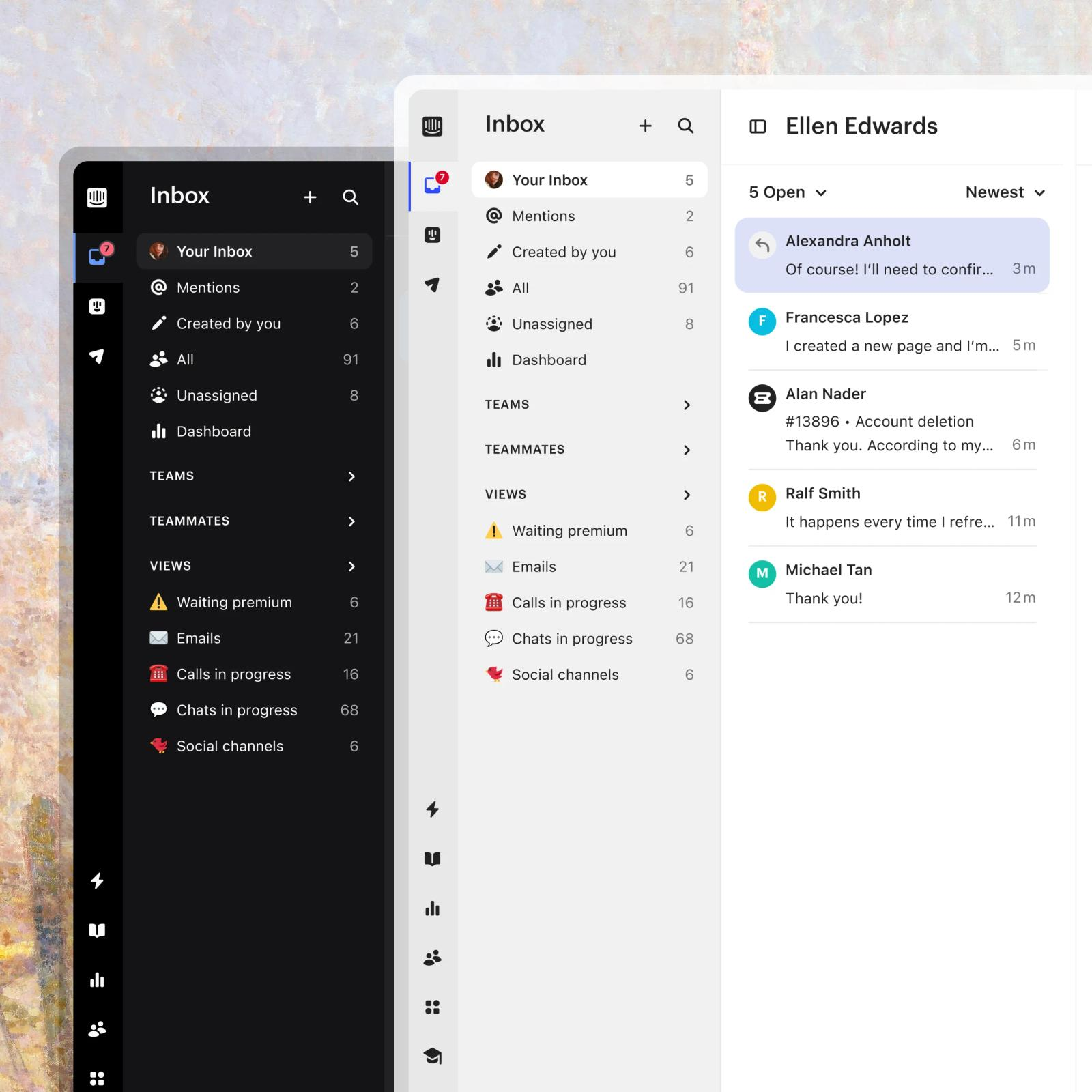
Intercom combines a shared inbox and ticketing system with a website messenger and Fin, its AI agent. Fin is included on every plan and billed per outcome, so the bill grows with both team size and AI success.
Pros
- A messenger and a shared inbox with ticketing on Essential.
- Fin comes with every plan, with a public per-outcome price.
Cons
- Fin adds $0.99 per outcome on top of seats.
- Multiple team inboxes, the workflow builder and round robin assignment start at Advanced, $85 per seat.
Pricing: per seat a month billed annually (monthly in brackets): Essential $29 ($39); Advanced $85; Expert $132. Fin from $0.99 per outcome. Free trial. Per Intercom’s pricing page.
Rating: G2 4.5/5
Versus Front: you gain a website messenger and an AI agent included in the plan. You give up predictable AI costs. See our Intercom alternatives guide.
10. Gorgias
Best for: online stores, especially Shopify brands, that want order data beside every ticket.
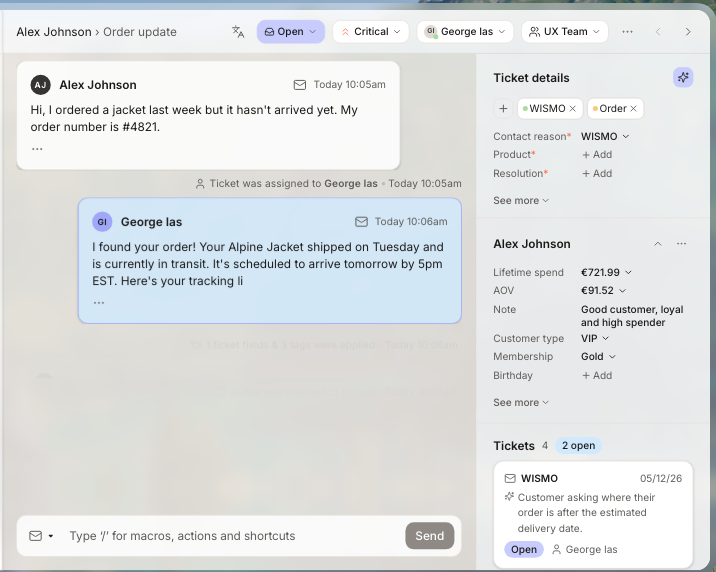
Gorgias is built for e-commerce and says it powers customer conversations for 40% of Shopify brands, which is its own claim. It connects Shopify, BigCommerce, Magento and WooCommerce, and its helpdesk is never priced per agent: plans cover 50 to 5,000 tickets a month. Basic is $50 a month billed annually ($60 monthly) for 300 tickets, and the AI Agent is billed per resolution on top, at $0.85 to $1.00 per automated interaction depending on the plan.
Pros
- Order data and store actions next to each ticket.
- Ticket-based pricing that ignores team size.
Cons
- Overage is charged per ticket past the plan limit.
- Built for online stores, so a SaaS team uses fewer of its features.
Pricing: per month, billed annually (monthly in brackets): Starter $10 (monthly only); Basic $50 ($60); Pro $300 ($360); Advanced $750 ($900). AI Agent per resolution.
Rating: G2 4.6/5
Versus Front: you gain store-native order data and pricing by ticket. You give up a general-purpose inbox. See our Gorgias alternatives guide.
11. Featurebase
Best for: SaaS and product-led teams that want support, feedback and product updates in one place.
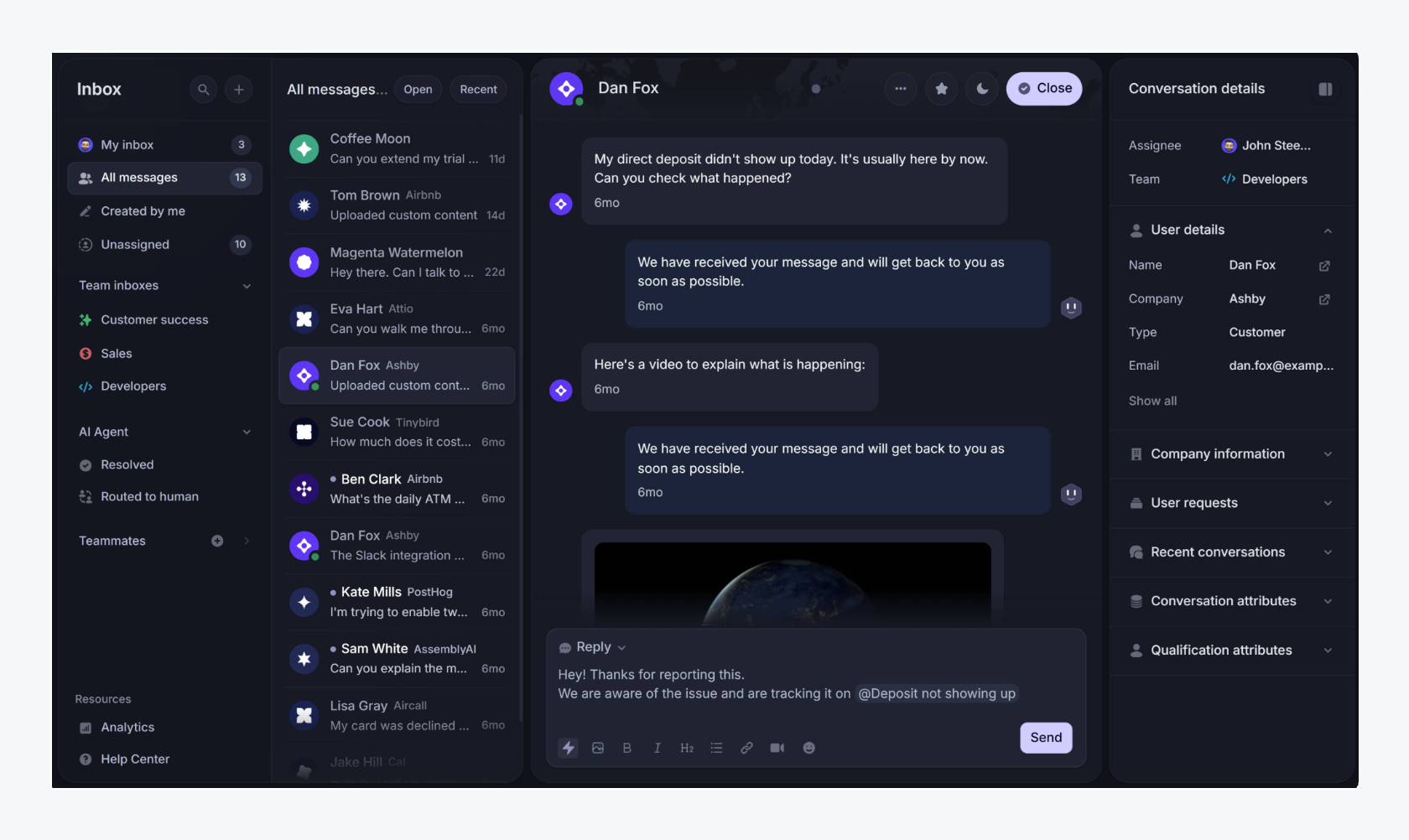
Featurebase calls itself an AI support platform that improves your product: live chat, email and Slack support, tickets, a help center, and a feedback product that connects conversations to the requests behind them. Fibi, its AI agent, comes on every paid plan.
Pros
- A free plan with one seat, unlimited conversations, live chat and a help center.
- Support and product feedback share one account, so a ticket can point to a feature request.
Cons
- It centers on SaaS and product teams, so it suits general business inboxes less than Front does.
- Workflows, SLAs, round robin and Slack support start at Professional, $59 per seat.
Pricing: per seat a month billed yearly (monthly in brackets): Free $0 for 1 seat; Growth $29 ($37); Professional $59 ($75); Enterprise $99 ($129). Fibi is $0.49 per resolution, charged only when it fully resolves a conversation. 10-day trial. Per Featurebase’s pricing page.
Rating: G2 4.7/5
Versus Front: you gain a free plan and a link between support and product feedback. You give up Front’s focus on email collaboration.
What 5 agents cost on each tool
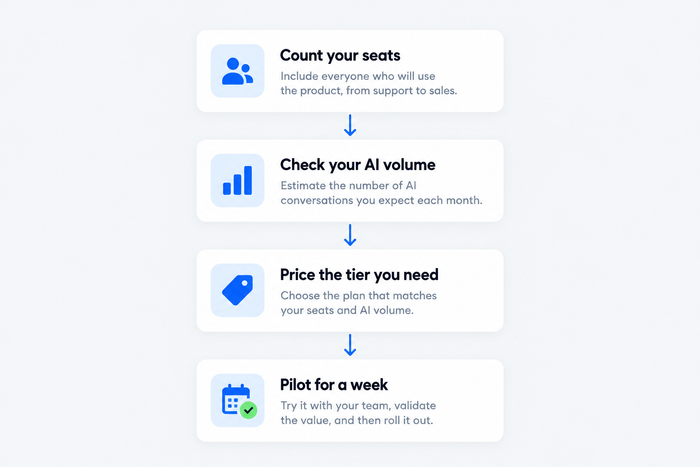
Seat prices and AI prices don’t compare directly, so here is one team on every tool: 5 agents, the cheapest paid plan that covers a shared inbox with tickets, billed annually, before AI usage. Prices come from the pages above.
| Tool | Plan | Math | Per month |
|---|---|---|---|
| Tidio | Starter | flat, up to 10 seats | $24.17 |
| Gorgias | Basic | flat, 300 tickets | $50 |
| HubSpot Service Hub | Starter | 5 × $7 | $35 |
| Zoho Desk | Standard (chat widget and messaging) | 5 × $14 | $70 |
| Missive | Starter | 5 × $14 | $70 |
| Freshdesk | Growth | 5 × $19 | $95 |
| Zendesk | Support Team (email and tickets only) | 5 × $19 | $95 |
| Hiver | Growth | 5 × $25 | $125 |
| Help Scout | Standard | 5 × $25 | $125 |
| Front | Starter (single channel type) | 5 × $25 | $125 |
| Featurebase | Growth | 5 × $29 | $145 |
| Intercom | Essential | 5 × $29 | $145 |
Then the AI line. Intercom charges $0.99 per Fin outcome, so 1,000 outcomes a month add about $990. Help Scout charges $0.75 per AI resolution, and Featurebase $0.49 per resolution. Freshdesk includes 500 AI Agent sessions and sells more at $49 per 100, and Front’s Autopilot starts at $0.05 per conversation. Missive and Zoho Desk run AI on credits or an API key. Tidio sells Lyro by conversation tier, from $32.50 a month billed annually for 50 conversations, so check your volume on its pricing page. Price your busiest month, not your average one.
Tidio vs Front
| Tidio | Front | |
|---|---|---|
| Best for | Chat-first small and mid-sized teams, including Shopify stores | Support and ops teams that work shared email threads together |
| Pricing unit | Billable conversations, flat per plan | Per seat, in tiers |
| Entry price | Free plan; Starter $24.17/mo billed annually | Starter $25/seat/mo billed annually |
| Live chat | Included, with Lyro in the same inbox | Live chat on Starter as the single channel type; chat with other channels starts at Professional, $65/seat |
| AI agent | Lyro, from $32.50/mo billed annually for 50 conversations; can resolve up to 75% of requests | Autopilot from $0.05 per conversation; Copilot $20/seat/mo |
| E-commerce | Cart preview and order history for Shopify in the inbox | No Shopify integration listed on the pricing page |
| Channels | Live chat, email, Messenger, Instagram and WhatsApp in one inbox | Email, SMS, social and WhatsApp on Professional and up |
| Team collaboration | Assignment and auto assignment on Growth | Assignments, internal comments and shared drafts listed on the pricing page |
| Seats | Up to 10 agents on self-serve plans | Up to 10 on Starter, 50 on Professional |
Front is stronger if your team works shared email threads together, wants comments and drafts inside the conversation, or needs a seat ceiling above 10. If your customers write to you in website chat and social apps, and you’d rather not pay per seat, look at Tidio’s help desk.
How to switch from Front
Plan for a week of parallel running, not a weekend:
- Export what you need. Pull conversations, tags, templates and knowledge base articles before you cancel.
- List your automations. Check which plan of the new tool holds each rule, macro and routing setup you rely on. Front’s rules are capped at 10 on Starter and 20 on Professional.
- Check your integrations. Note which apps feed Slack alerts, store orders and CRM data into your inbox.
- Check your contract dates. Front’s Enterprise plan is sold annually only, so line the cancellation up with your renewal.
- Run both for a week. Forward the support address to both, rebuild your daily rules, then switch over.
Ask each vendor about migration help. Hiver lists free migration help on its pricing page.
How to choose
Match the tool to your bottleneck:
- Your customers start in chat, on your site or in social apps. Choose Tidio.
- You want Front’s shared-draft style for less. Choose Missive, or Hiver if your team lives in Gmail.
- You want a simple email-first help desk. Choose Help Scout.
- You want a help desk with prices on the page. Choose Freshdesk, or Zendesk if you need chat and AI agents in one suite.
- Your team already uses HubSpot CRM. Choose HubSpot Service Hub, and budget for onboarding.
- You want the lowest paid per-agent price. Choose Zoho Desk.
- You want a messenger and an AI agent included. Choose Intercom, and price Fin before you commit.
- You run an online store. Choose Gorgias, or Tidio if you want chat and flat plans.
- You build a SaaS product and want feedback beside tickets. Choose Featurebase.
Bottom line
Front stays a fair choice if your support runs on shared email threads and you can budget for the Professional tier. Move when per-seat prices outgrow the team, when you want website chat and social channels on the first plan, or when AI costs need a cap. Chat-first small and mid-sized teams should start with Tidio. For a similar inbox at a lower price, look at Missive or Hiver; for ticketing depth, Freshdesk or Zendesk; for a SaaS product team, Featurebase.
Try Tidio free
Related guides
Frequently asked questions
It depends on why you’re leaving. Tidio fits chat-first small and mid-sized teams, Missive and Hiver fit collaboration-first inboxes, Freshdesk and Zendesk fit teams that need ticketing depth, Gorgias fits online stores and Featurebase fits SaaS product teams.
Free options: Zoho Desk covers 3 users, Help Scout 5, HubSpot Service Hub 2 and Featurebase 1 seat. Among paid plans, Zoho Desk Express is $7 per user, Missive $14 and Freshdesk $19, and Tidio Starter is $24.17 a month for up to 10 seats. Front Starter is $25 per seat, billed annually.
Front competes with shared inbox tools such as Missive and Hiver, and with help desks such as Help Scout, Freshdesk, Zendesk and HubSpot Service Hub. Intercom, Tidio and Gorgias compete from the chat side.
Yes. Tidio includes live chat on every plan, including the free one, next to email and social channels. On Front, Starter covers a single channel type, so chat together with other channels starts on Professional.
Tidio puts Shopify cart preview and order history in the inbox and adds the Lyro AI agent. Plans are flat up to 10 seats. Gorgias is built for online stores and prices by ticket.
Export conversations, tags, templates and knowledge base articles before you cancel, and ask the new vendor what migration help it offers.
Use live chat to support your customers in real-time
