Key takeaways
- Stay with Tidio if you are a small or mid-sized team or an online store. Chat, email, Messenger, Instagram, WhatsApp and Lyro share one inbox, and a free plan lets you test it.
- Best for stores with a big ticket queue: Gorgias. It prices by ticket volume, not by seat, and shows order data beside every ticket.
- Best for AI-first teams that can budget for usage: Intercom. Fin is billed at $0.99 per outcome on top of seats.
- Best flat team price: Crisp. One workspace price covers 4 seats on Mini.
- Best free option: tawk.to. The platform is free, and AI Assist and badge removal are $29 a month each.
- Best for deep ticketing: Freshdesk and Zendesk. Both cost more per agent once chat and AI are included.
Tidio is an AI customer service platform that puts live chat, email, social messages and the Lyro AI agent in one inbox, and it holds a 4.6 rating on G2. It fits small and mid-sized teams and online stores well. It is a Tidio blog, so you should know the bias: we think Tidio is a strong pick for that group, and this page says when it is not. Plans are metered by separate conversation, Lyro and Flows quotas, and a very large queue with strict SLAs may suit an enterprise desk better. We compared 10 tools that replace Tidio's core job, a chat widget with a shared inbox and AI, and checked every pricing page and G2 profile in October 2026. Each entry says where that tool falls short of Tidio.
Tidio alternatives at a glance
Short answer: Gorgias for order-heavy stores, Intercom for AI-first chat, Crisp for a flat price, tawk.to for free chat, Freshdesk or Zendesk for deep ticketing.
| Tool | Best for | Starting price (billing basis) | Free plan / trial | G2 rating |
|---|---|---|---|---|
| Intercom | AI-first chat teams that can budget for usage | Essential $29/seat/mo billed annually ($39 monthly), plus $0.99 per Fin outcome | Free trial | 4.5 |
| Gorgias | Online stores with a large ticket queue | Basic $50/mo billed annually for 300 tickets, not per agent | Free trial | 4.6 |
| Crisp | Small teams that want a flat price per workspace | Mini $45/workspace/mo for 4 seats | Free plan, 2 seats · 14-day trial | 4.5 |
| LiveChat | Teams that want chat with AI resolutions included | Essential $19/user/mo billed annually ($25 monthly) | 14-day trial | 4.5 |
| tawk.to | Teams that want free live chat | Free; AI Assist and Whitelabel $29/mo each | Free | 4.5 |
| Help Scout | Email-first teams that want a simple shared inbox | Standard $25/user/mo billed annually ($30 monthly) | Free for 5 users · 15-day trial | 4.4 |
| Freshdesk | Teams that want a help desk with a public per-agent price | Growth $19/agent/mo billed annually ($23 monthly) | 14-day trial | 4.4 |
| Zendesk | Larger teams with SLAs, routing and many channels | Suite Team $55/agent/mo billed annually ($69 monthly) | Free trial | 4.3 |
| HubSpot Service Hub | Support tied to CRM records | Starter $7/seat/mo billed annually ($20 monthly) | Free for 2 users | 4.4 |
| Chatwoot | Teams that want open source and self-hosting | Startups $19/agent/mo | Hacker plan, 2 agents · 15-day trial | 4.5 |
How we evaluated these alternatives
We started from the tools that rank for this search, the ones AI answers name when people ask about Tidio, and the previous edition of this article, then kept 10 that replace a chat widget with a shared inbox. We left out chatbot builders, reputation tools, sunset products and tools we couldn't price from the vendor's own page. Five criteria map to why teams leave Tidio:
- Price model. Free, flat, per user or per ticket, and what five agents pay.
- AI billing. What the AI agent costs and what triggers a charge.
- Ticketing depth. How far the inbox goes beyond chat: routing, SLAs, automations.
- Store fit. Whether order data sits beside the conversation.
- Fit. Team size, SaaS or store, and how much setup is on you.
Our sources are vendor pricing pages and G2 profiles; vendor claims stay labeled as claims. We didn't run trials for this edition: screenshots are public product images from Tidio's media library. Tidio is not ranked here. We start with the closest chat-first tools, then move toward the heaviest suites.
The 10 best Tidio alternatives in 2026
1. Intercom
Best for: chat-first teams that want an AI-first desk and can budget for usage.
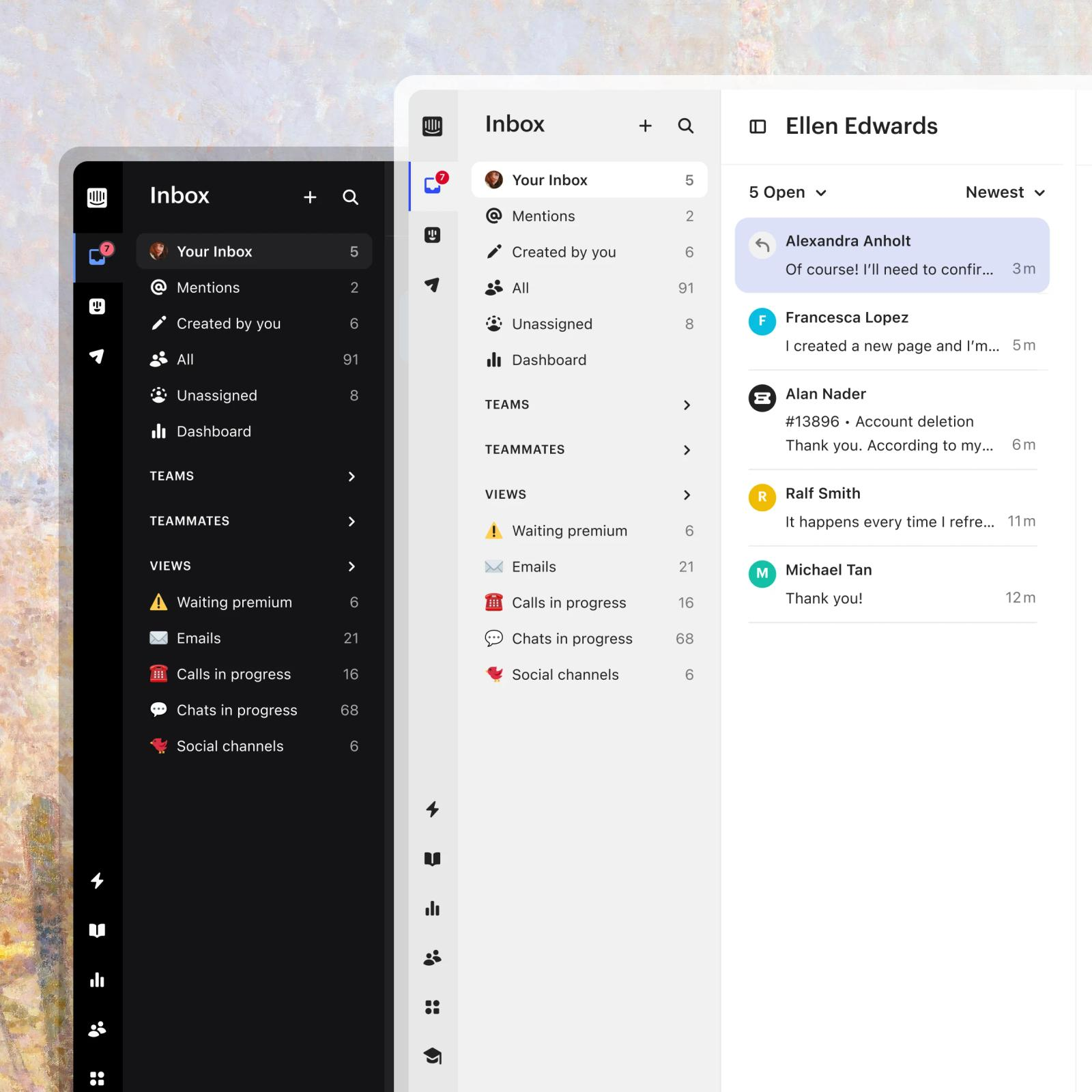
Intercom is the chat-first platform: live chat, a shared inbox, tickets, a help center and the Fin AI agent. Essential is $29 per seat a month billed annually ($39 monthly), Advanced $85 and Expert $132. Fin adds $0.99 for every outcome, which Intercom defines as a resolved conversation or a completed workflow, charged once per conversation. There is a free trial but no free plan.
Pros
- A chat-first inbox with an AI agent built in.
Cons
- Two meters run at once: seats and $0.99 per Fin outcome.
- Multiple inboxes and the workflow builder start at Advanced, $85 per seat.
Pricing: per seat per month, billed annually: Essential $29 ($39 monthly); Advanced $85; Expert $132. Fin $0.99 per outcome.
Rating: G2 4.5/5
See Tidio vs Intercom and our Intercom alternatives guide.
2. Gorgias
Best for: online stores with high ticket volume across email, chat and social.
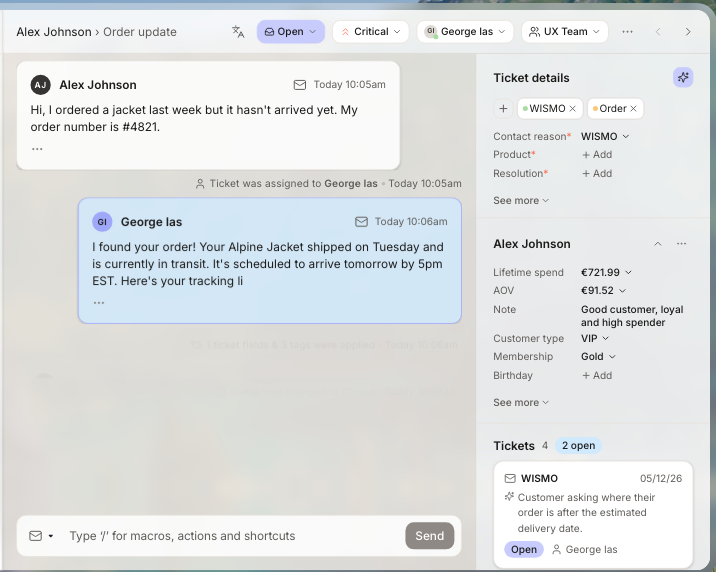
Gorgias was built for online stores, and its channels reflect that: email, live chat, social media, SMS and voice, all with the order panel next to the conversation. Pricing follows ticket volume instead of seats, which suits a store with a small team and a large queue.
Pros
- Shopify order data sits next to the conversation.
- Pricing follows ticket count, not seat count.
Cons
- The bill grows with ticket volume, and AI adds a separate fee.
- Built around online stores, so other businesses use fewer of its strengths.
Pricing (helpdesk only, billed annually): Starter $10 a month for 50 tickets (monthly billing only) · Basic $50 for 300 · Pro $300 for 2,000 · Advanced $750 for 5,000. The AI Agent adds $0.85 to $1.00 per automated interaction. Free trial; no free plan.
Rating: G2 4.6/5
See Tidio vs Gorgias and our Gorgias alternatives guide.
3. Crisp
Best for: small teams that would rather pay one price per workspace than per seat.
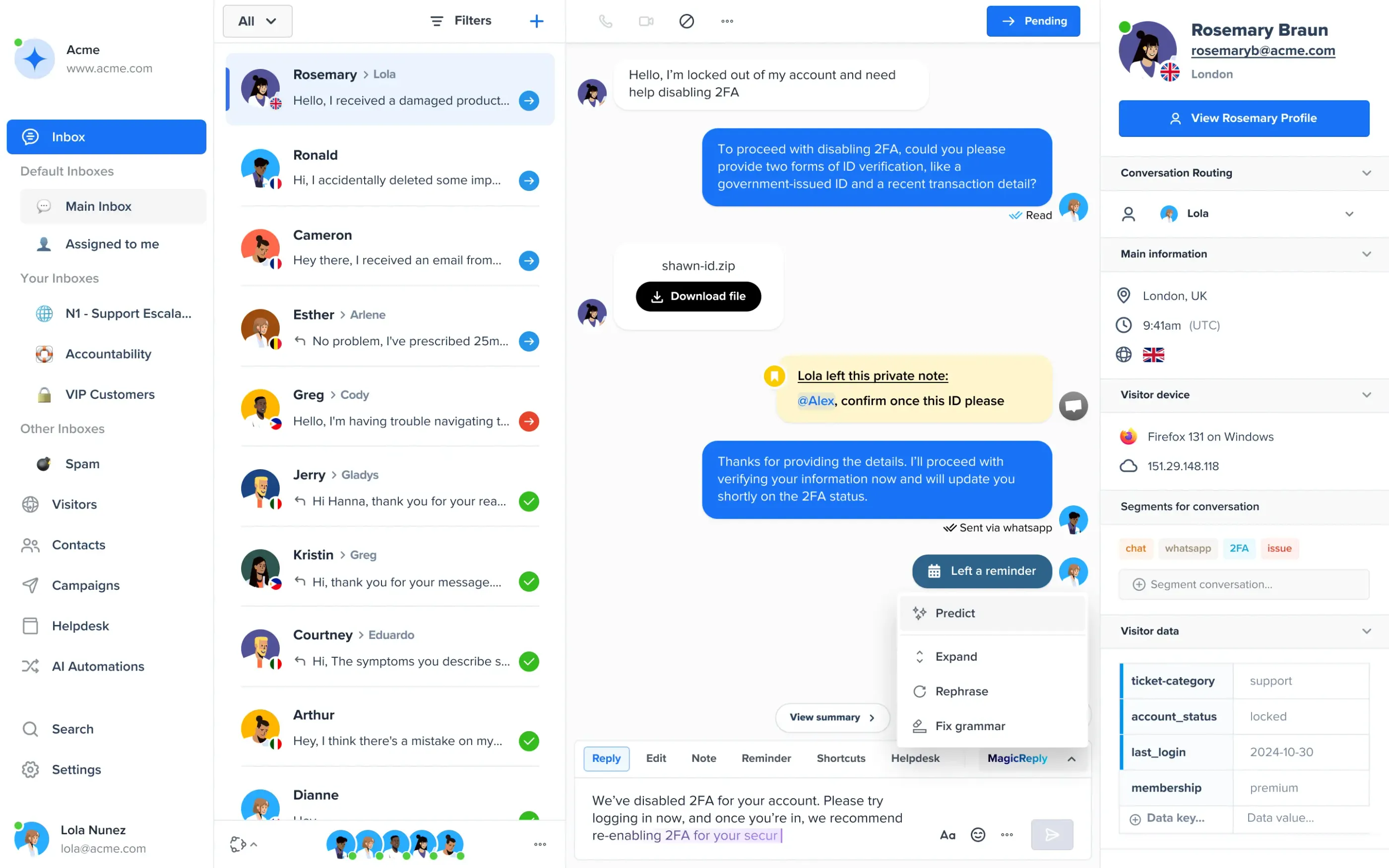
Crisp prices the workspace, not the seat. The Free plan includes 2 seats, Mini is $45 a month for 4 seats, Essentials is $95 for 10 seats and adds the omnichannel inbox and a workflow builder, and Plus is $295 for 20 or more seats and adds ticketing. Paid plans include AI credits, and the pricing page lists Shopify, WooCommerce and other integrations.
Pros
- Predictable flat prices, with 20 or more seats on Plus.
- A free plan and a full-access 14-day trial.
Cons
- AI credits are a bundled allowance, so heavy AI use needs an upgrade or extra credits.
- Ticketing starts at Plus, $295 a month.
Pricing: per workspace per month as shown on the page (yearly payment is optional): Free $0; Mini $45; Essentials $95; Plus $295.
Rating: G2 4.5/5
See Tidio vs Crisp and our Crisp review.
4. LiveChat
Best for: teams that want live chat with AI resolutions and an AI agent included in the plan.
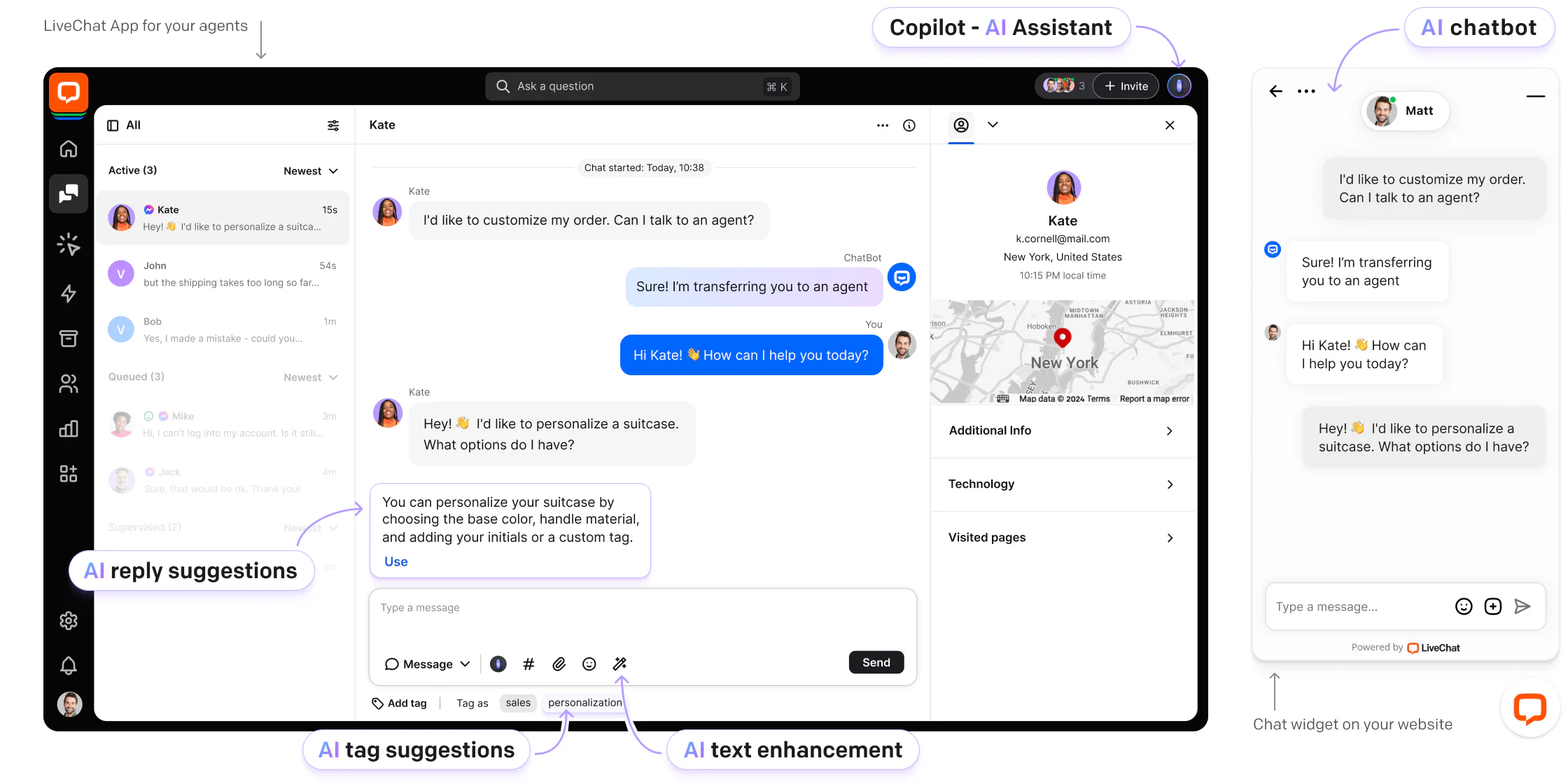
LiveChat is a long-running paid chat tool. Its pricing page now shows Text plans to new trials: Essential at $19 per user a month billed annually ($25 monthly) and Growth at $79 ($99). Both include an AI Agent, 10 and 200 AI resolutions a month, and a shared inbox with ticketing, and the vendor says current LiveChat customers keep their plans. Extra AI resolutions come in packs of 50 for $49.50, about $0.99 each.
Pros
- AI Agent included, with AI resolutions in the plan.
- Chat, inbox and ticketing in one workspace.
Cons
- No free plan, only a 14-day trial with no card.
- Per-user pricing, and extra AI resolutions are billed per pack.
Pricing: per user per month, billed annually (monthly in brackets): Essential $19 ($25); Growth $79 ($99); Enterprise by quote.
Rating: G2 4.5/5
See Tidio vs LiveChat and our LiveChat alternatives guide.
5. tawk.to
Best for: teams that want free live chat and are fine with a small badge.
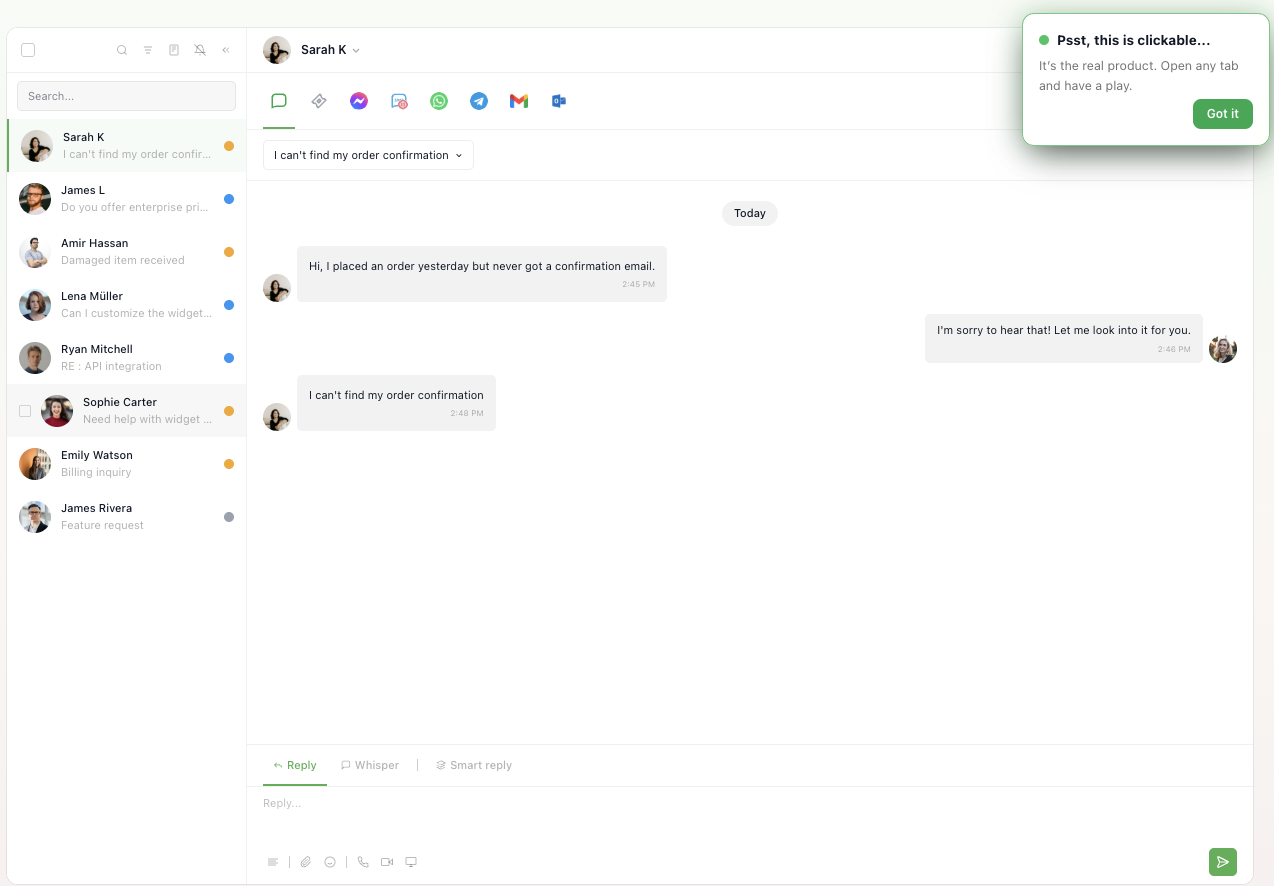
tawk.to's homepage says the platform is 100% free. The paid extras are optional and billed per property: AI Assist and Whitelabel (badge removal) are $29 a month each, voice agents start at $49 a month plus usage, and data enrichment starts at $59 a month.
Pros
- Free live chat with a shared inbox and no card on file.
Cons
- Removing the "Powered by tawk.to" badge costs $29 a month per property.
- AI is an add-on, and voice and data enrichment are priced separately.
Pricing: the platform is free; AI Assist $29 a month, Whitelabel $29 a month, voice from $49 a month plus usage, billed per property.
Rating: G2 4.5/5
See Tidio vs tawk.to and our tawk.to review.
6. Help Scout
Best for: small, email-first teams that want a simple shared inbox with a free plan.
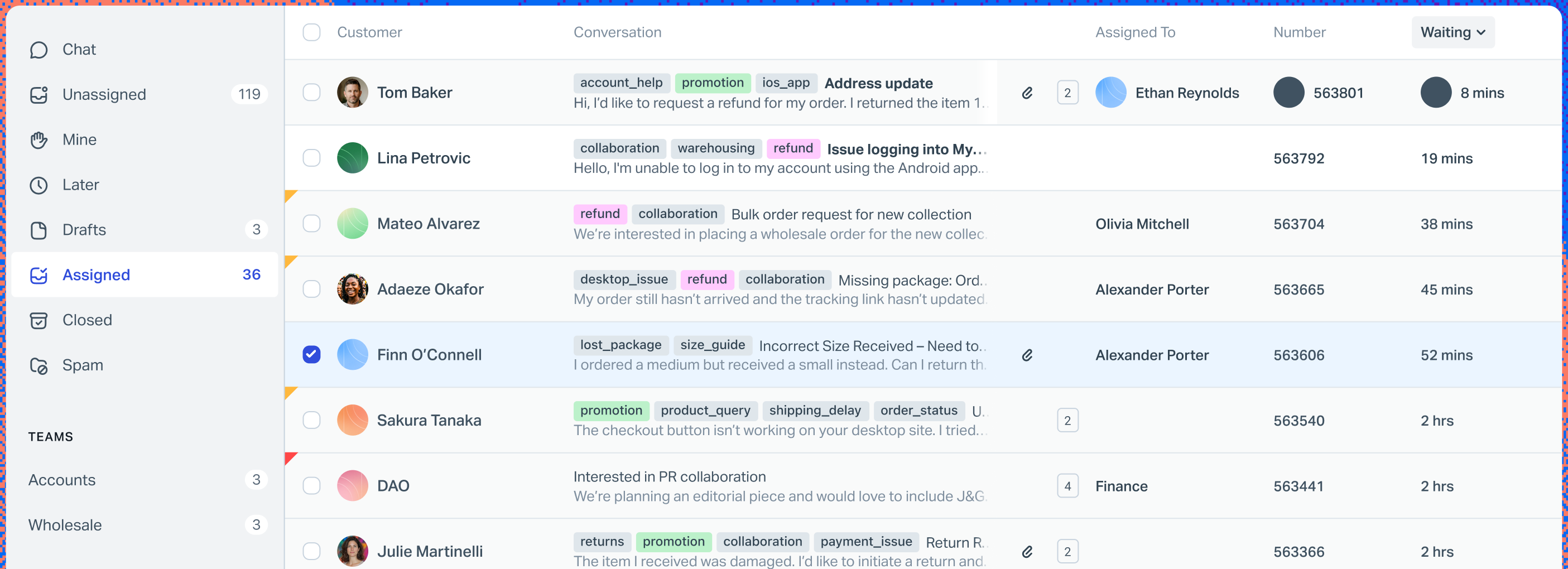
Help Scout feels like email with ownership added. The Free plan covers 5 users, 1 Inbox and 1 Docs site, and the Beacon live chat widget comes with Standard at $25 per user a month billed annually ($30 monthly). The trade-off is scale: Standard stops at 25 users and Plus at 50.
Pros
- A real free plan for 5 users.
- Live chat and workflows start at $25 per user.
Cons
- Phone is an integration on every plan.
- Standard caps at 25 users and Plus at 50; Pro needs at least 10 users and a demo.
Pricing: per user per month, billed annually (monthly in brackets): Standard $25 ($30); Plus $45 ($54); Pro $75 ($90). Free for 5 users. 15-day trial. AI resolutions are $0.75 each.
Rating: G2 4.4/5
See Tidio vs Help Scout and our Help Scout review.
7. Freshdesk
Best for: teams that want a help desk with a public per-agent price and the usual ticketing tools.
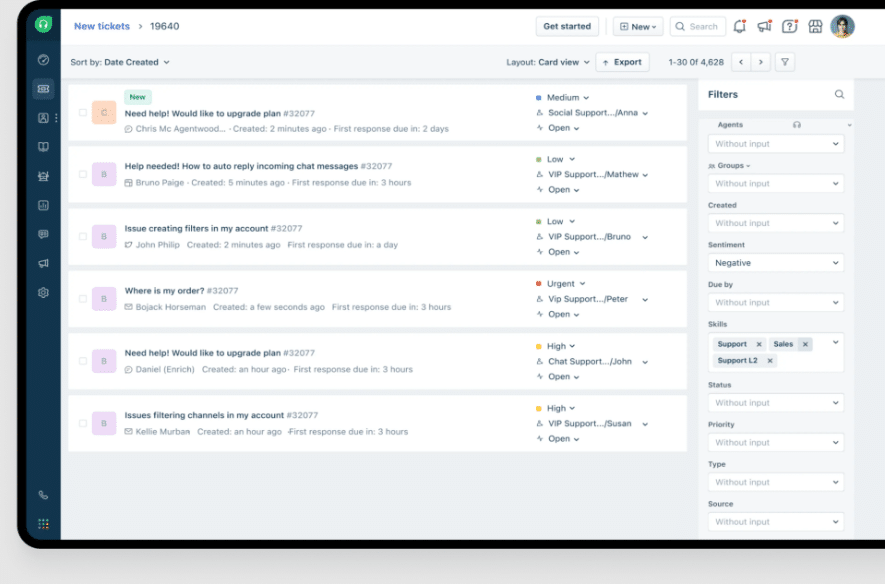
Freshdesk is the most direct swap for a ticketing desk, and its price is on the page. Growth is $19 per agent a month billed annually ($23 monthly). Multiple SLA policies and round-robin routing start at Pro at $55. Skill-based assignment is Enterprise only.
Pros
- A low entry price per agent, with SLAs and routing a tier earlier than Zendesk.
Cons
- Growth has a single SLA policy and no custom dashboards.
- You can only downgrade or cancel at the end of your term.
Pricing: per agent per month, billed annually (monthly in brackets): Growth $19 ($23); Pro $55 ($66); Enterprise $89 ($107). No free plan on the pricing page; 14-day trial.
Rating: G2 4.4/5
See Tidio vs Freshdesk and our Freshdesk alternatives guide.
8. Zendesk
Best for: larger teams that need deep ticketing, routing and SLAs across many channels.
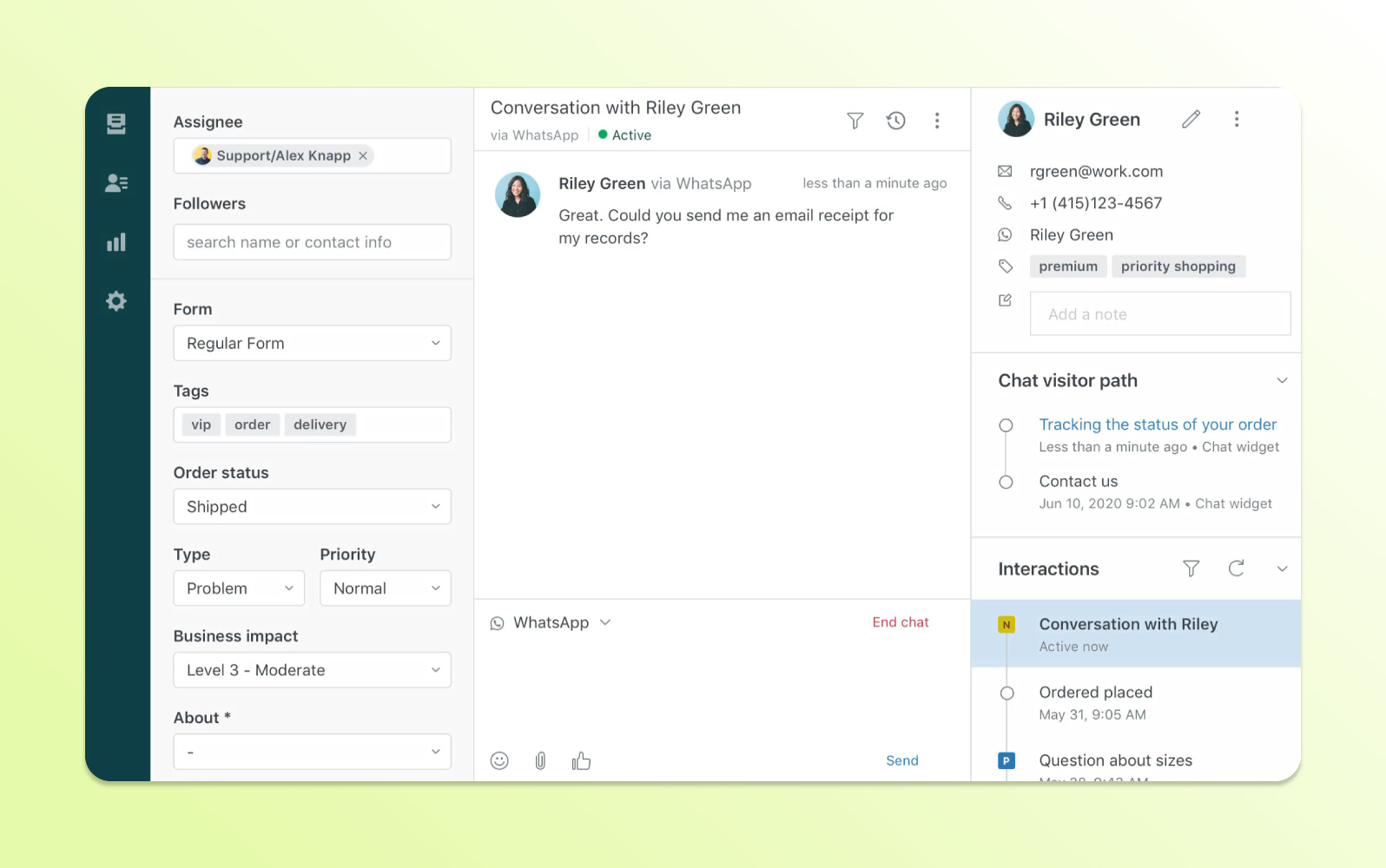
Zendesk suits a team that has outgrown a chat widget. Support Team is $19 per agent a month billed annually, but it covers email and ticketing only. Chat and AI come with Suite Team at $55 ($69 monthly): AI agents, a knowledge base, messaging and live chat, telephony and omnichannel routing. The trade-off is scale of setup: more admin work, and a higher seat price once you want chat.
Pros
- Deep ticketing, routing, triggers and automations.
- Chat, email, phone and social in one suite on Suite Team.
Cons
- Chat and AI need Suite Team, almost three times the Support Team price.
- Skills-based routing and the App Builder start at Suite Professional, $115 per agent a month.
Pricing: per agent per month, billed annually (monthly in brackets): Support Team $19 ($25); Suite Team $55 ($69); Suite Professional $115; Enterprise by quote. Free trial.
Rating: G2 4.3/5
See Tidio vs Zendesk and our Zendesk alternatives guide.
9. HubSpot Service Hub
Best for: teams that already run HubSpot CRM and want chat tied to customer records.
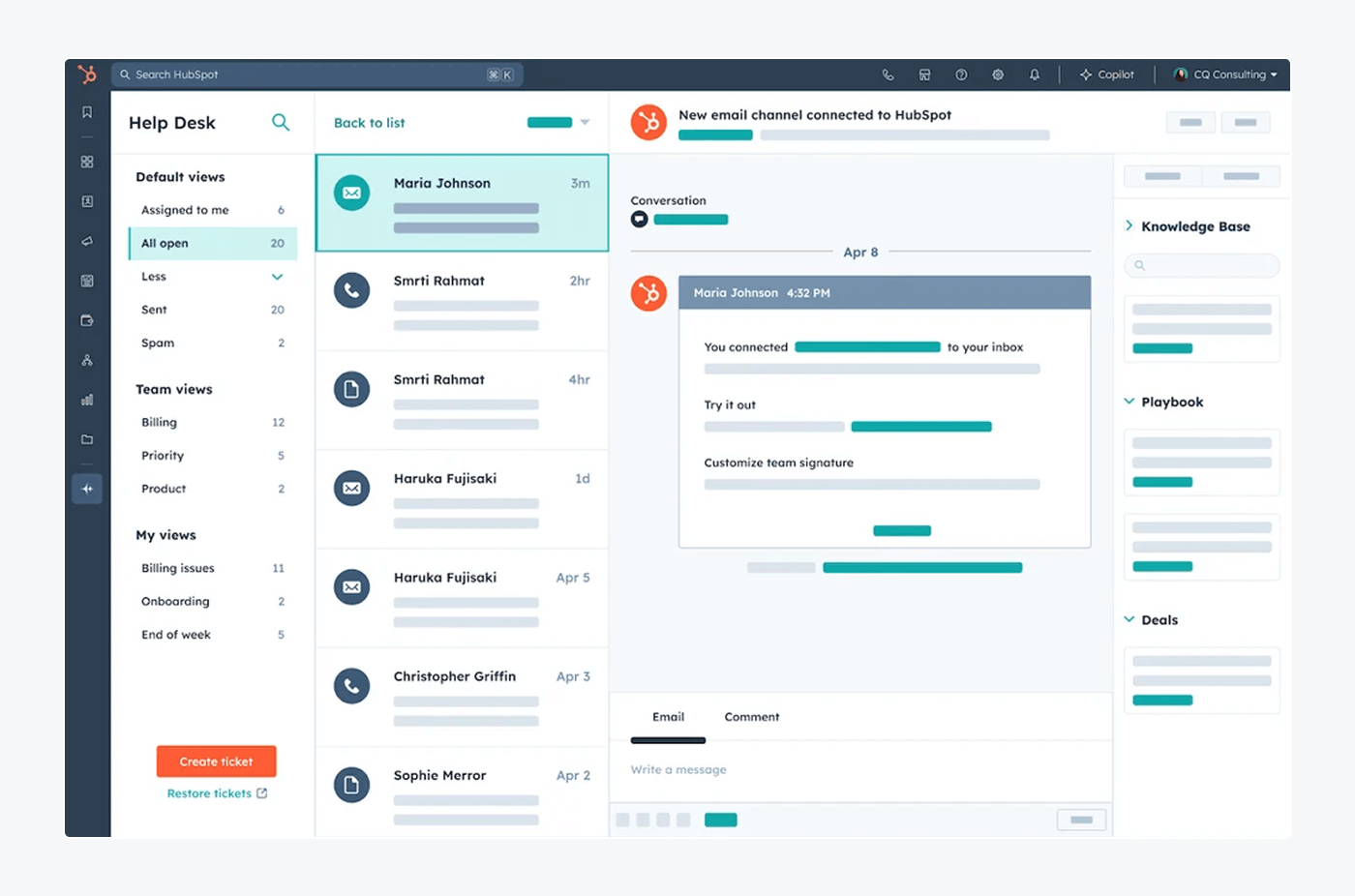
HubSpot is strongest when sales and support share one CRM. Service Hub is free for up to 2 users, and HubSpot's pricing page says the Starter plan removes HubSpot branding from live chat. Starter is $7 per seat a month billed annually ($20 monthly). Professional is $90 per seat billed annually ($100 monthly), adds the Help Desk Workspace and a customer agent, and carries a $1,500 one-time onboarding fee.
Pros
- Chat, CRM, sales and marketing data in one place.
- A free tier, and a low-cost Starter plan that removes the badge.
Cons
- Professional costs $90 a seat plus $1,500 for onboarding.
- You are buying a CRM platform, so chat alone is more tool than you need.
Pricing: per seat per month, billed annually (monthly in brackets): Free $0; Starter $7 ($20); Professional $90 ($100); Enterprise $150.
Rating: G2 4.4/5
See our HubSpot alternatives guide.
10. Chatwoot
Best for: teams that want an open source, self-hostable inbox and control over their data.
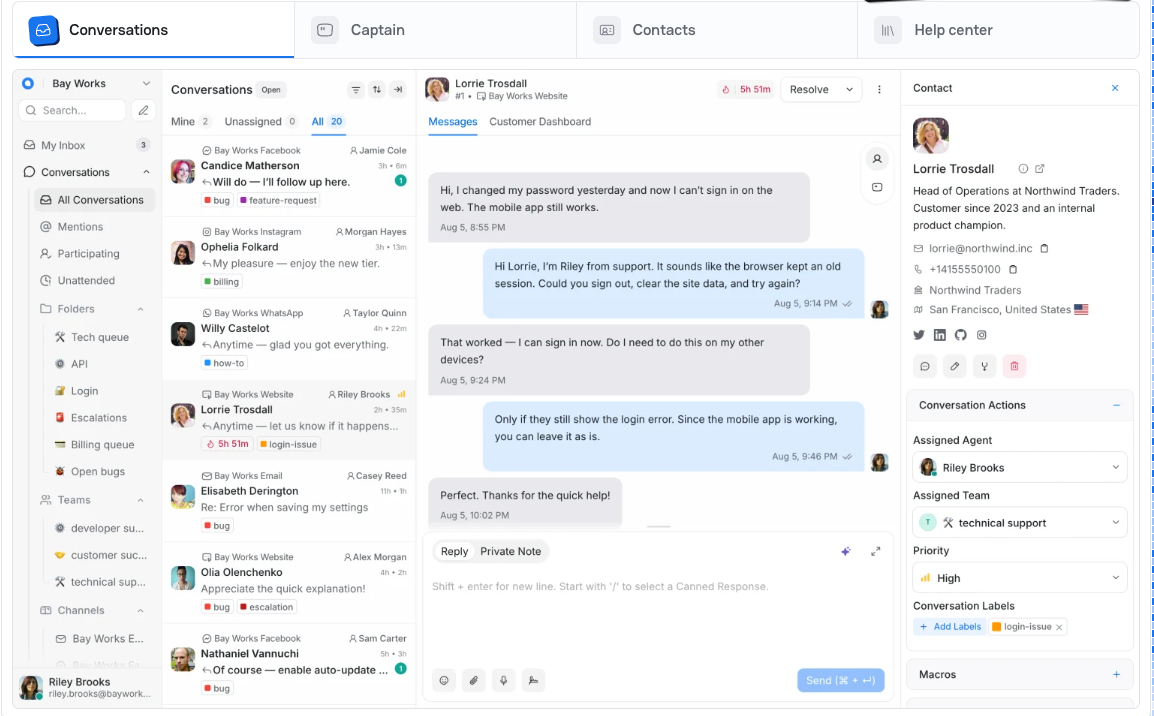
Chatwoot describes itself as the open source, self-hosted customer support platform. The cloud Hacker plan is $0 for up to 2 agents and 500 conversations a month. Startups is $19 per agent a month, Business $39 and Enterprise $99. Captain, its AI, runs on credits: 300, 500 or 800 included depending on the plan, then $20 per 1,000.
Pros
- Open source and self-hostable.
- Low per-agent prices, and a free plan.
Cons
- A small G2 presence, so there is less independent feedback.
- If you self-host, updates and uptime are yours to run.
Pricing: per agent per month as shown on the page: Hacker $0 (2 agents); Startups $19; Business $39; Enterprise $99. Captain credits extra at $20 per 1,000.
Rating: G2 4.5/5
What 5 agents cost
Free, per-user and per-workspace prices don't compare directly, so here is one team on every tool: 5 agents, the cheapest paid plan that covers live chat, billed annually, before AI usage. Prices come from the pages above.
| Tool | Plan | Math | Per month |
|---|---|---|---|
| tawk.to | Free | free, per property | $0 |
| Tidio | Starter | flat, up to 10 seats | $24.17 |
| HubSpot | Starter | 5 × $7 | $35 |
| Gorgias | Basic (300 tickets) | flat, not per agent | $50 |
| Chatwoot | Startups | 5 × $19 | $95 |
| Crisp | Essentials (10 seats) | flat per workspace | $95 |
| LiveChat | Essential | 5 × $19 | $95 |
| Freshdesk | Growth | 5 × $19 | $95 |
| Help Scout | Standard | 5 × $25 | $125 |
| Intercom | Essential | 5 × $29 | $145 |
| Zendesk | Suite Team | 5 × $55 | $275 |
Seat-based tools climb with every agent you add, while Tidio, Crisp and Gorgias stay flat and usage moves their bills. Every AI agent also carries its own meter, so price your busiest month, not an average one.
Should you stay with Tidio?
Tidio is the better choice for some teams and the weaker one for others.
| If you… | Tidio | Better fit |
|---|---|---|
| Run a small or mid-sized support team | Flat plan prices for up to 10 seats | Zendesk or Freshdesk only if you need strict SLAs |
| Sell on Shopify | Cart preview and order history in the inbox; native Shopify actions from Growth | Gorgias if order edits and refunds are your daily work |
| Want an AI agent that resolves chats | Lyro can resolve up to 75% of support requests | Intercom if you prefer outcome-based billing |
| Want one inbox for chat, email, Messenger, Instagram and WhatsApp | Included | Help Scout if email is nearly everything |
| Need free live chat only | Free plan, 50 billable conversations a month | tawk.to if you want no conversation cap |
| Want a CRM behind the chat | Not the focus | HubSpot |
A billable conversation is one with at least one reply from a human agent, and Lyro and Flows replies don't count toward it. Lyro AI Agent is sold separately, from $32.50 a month billed annually ($39 monthly) for 50 Lyro conversations. Plus starts at $300 a month plus usage and Premium is priced by quote, which is where comparing Intercom or Zendesk makes sense. See Tidio pricing.
Try Tidio free
How to switch from Tidio
Plan for a week of parallel running, not a weekend:
- List what you use. Note which of Lyro, Flows, macros and the Shopify integration your team relies on, and which plan of the new tool covers each.
- Save your content. Copy your macros (saved replies) and the knowledge base content Lyro uses before you cancel anything.
- Check your integrations. Note which apps feed customer data into your inbox, such as your store or CRM.
- Check your dates. Note your renewal date and any Lyro or Flows quota you have already paid for.
- Run both for a week. Install the new widget on a test page, route part of the traffic, then swap the widget everywhere.
We found no one-click Tidio import advertised on the vendors' pricing pages, so expect to rebuild saved replies and automations by hand.
How to choose
Match the tool to your bottleneck.
- You run a store and order edits are the job. Choose Gorgias.
- You want AI-first chat and can budget for usage. Choose Intercom.
- You want one price for the whole team. Choose Crisp.
- You want chat with AI resolutions in the plan. Choose LiveChat.
- You want free chat and can live with a badge. Choose tawk.to.
- Most of your load is email. Choose Help Scout.
- You need SLAs and routing at a low seat price. Choose Freshdesk.
- You run a large queue across many channels. Choose Zendesk.
- Sales and support share a CRM. Choose HubSpot Service Hub.
- You want control over your data. Choose Chatwoot.
Bottom line
Leave Tidio when your reason is specific: a very large queue, an order-heavy store desk, an email-first inbox or a different AI billing model. Stay when you are a small or mid-sized team or a store that wants one inbox and an AI agent at flat plan prices.
Try Tidio free
Related guides
- Tidio vs Intercom
- Tidio vs Zendesk
- Intercom alternatives
- Zendesk alternatives
- LiveChat alternatives
- Gorgias alternatives
- Best tawk.to alternatives
Frequently asked questions
It depends on why you're leaving. Gorgias fits stores with heavy order support, Intercom fits AI-first teams that can budget for usage, Crisp fits teams that want a flat workspace price, LiveChat fits teams that want bundled AI resolutions, and Zendesk and Freshdesk fit teams that need deep ticketing. Start from the bottleneck, then compare plans on one billing basis.
Intercom, Crisp, LiveChat and tawk.to compete as chat-first tools, Gorgias competes for online stores, Help Scout competes for email-first teams, and Zendesk and Freshdesk compete as full ticketing desks. They differ mostly in price model: free, per user, flat, per ticket or per outcome.
Yes. tawk.to is free, Help Scout's free plan covers 5 users, HubSpot Service Hub is free for 2 users, Crisp's free plan covers 2 seats and Chatwoot's Hacker plan covers 2 agents. Tidio's own free plan covers 50 billable conversations and up to 10 seats.
Tidio is AI customer service software that combines live chat, email, social messages and the Lyro AI agent in one inbox. It is built for small and mid-sized teams and online stores, and it has a free plan and paid plans that start at $24.17 a month billed annually.
Tidio has a Free plan with 50 billable conversations a month, Starter at $24.17 a month billed annually ($29 monthly) for 100, Growth from $49.17 ($59 monthly) and Plus from $300 a month plus usage. Premium is priced by quote. Lyro AI Agent is sold separately, from $32.50 a month billed annually ($39 monthly), as of October 2026.
Gorgias, if order edits and refunds are your daily work. Tidio already shows a Shopify customer's cart and order history in the inbox.
Copy your macros and knowledge base content and list your integrations before you cancel. We found no one-click Tidio import advertised by the tools above, so plan to rebuild automations by hand.
Use live chat to support your customers in real-time