Key takeaways
- Replace HubSpot's chat and help desk: Tidio, Zendesk, or Intercom. Tidio fits small and mid-sized e-commerce teams. Zendesk suits ticket-heavy queues; Intercom suits product-led SaaS.
- Replace the whole CRM suite: Salesforce, Zoho CRM, or Freshsales. Zoho and Freshsales start at $14 and $9 per user a month, billed annually.
- Replace the sales pipeline only: Pipedrive. Plans start at $14 per seat a month, billed annually.
- Replace Marketing Hub: ActiveCampaign or Brevo. Both price by contacts or email volume, not by a $800-a-month platform tier.
- Free alternatives to HubSpot: Zoho CRM (3 users), EngageBay (15 users), Brevo (300 emails a day), and Tidio (50 conversations a month).
HubSpot earned its place. Its free CRM gives two users a shared contact record and deal pipeline at no cost, and the Marketing, Sales, and Service hubs all sit on that one database. The trouble starts when you outgrow Starter. Professional plans add a per-seat jump, an annual commitment, and a required onboarding fee, so the second invoice often looks nothing like the first. We compared 10 tools that each replace one HubSpot hub, using every vendor's pricing page and G2 profile for this edition. Tidio leads the list for one job only: customer service and live chat for small and mid-sized online stores. It isn't a CRM, and many teams run it next to HubSpot CRM rather than instead of it.
Why teams look for a HubSpot alternative
HubSpot is a good choice if your teams share one contact record and plan to grow into the Professional tier together. The free tools cover a lot: 2,000 email sends a month, live chat, and dashboards for two users. Teams that already run campaigns, sequences, and tickets inside HubSpot often stay for that reason.
People leave for four reasons, and HubSpot's own pricing pages show each one:
- The Professional price jump. The Starter Customer Platform starts at $7 per seat a month for new customers, against a list price of $20. Sales Hub and Service Hub Professional start at $90 per seat a month, and Marketing Hub Professional starts at $800 a month.
- Required onboarding fees. Professional adds a one-time fee of $1,500 on Sales and Service Hub and $3,000 on Marketing Hub. Enterprise onboarding costs $3,500 and $7,000.
- Annual commitment and seat caps. Professional plans are billed on an annual commitment. Marketing Hub Professional includes 3 core seats, and each extra seat starts at $45 a month.
- AI sits higher up. The Customer Agent, HubSpot's AI agent for support, arrives with Service Hub Professional, and it runs on HubSpot Credits.
If you use only one hub, you pay for a platform built around all of them. That's when a focused tool usually costs less.
HubSpot alternatives at a glance
| Tool | Replaces | Best for | Starting price | Free plan / trial | G2 rating |
|---|---|---|---|---|---|
| Tidio | Service Hub, live chat | Small and mid-sized e-commerce teams | $24.17/mo, billed annually, up to 10 seats | Free plan, 7-day trial | 4.6 |
| Salesforce | CRM suite | Teams that will grow into an enterprise CRM | $25/user/mo | 30-day trial | 4.4 |
| Zoho CRM | CRM suite | Budget-conscious sales teams | $14/user/mo, billed annually | Free for 3 users, 15-day trial | 4.1 |
| Pipedrive | Sales Hub | Deal tracking for small sales teams | $14/seat/mo, billed annually | 14-day trial | 4.3 |
| Freshsales | CRM suite | Low per-user price with built-in phone and chat | $9/user/mo, billed annually | 21-day trial | 4.5 |
| EngageBay | All hubs, small scale | Very small teams that want a free all-in-one | $13.79/user/mo, billed yearly | Free for 15 users | 4.6 |
| ActiveCampaign | Marketing Hub | Email automation | $15/mo, 1,000 contacts, billed yearly | 14-day trial | 4.4 |
| Brevo | Marketing Hub | Email and SMS on a budget | $8.08/mo, 5,000 emails, billed yearly | Free plan | 4.5 |
| Zendesk | Service Hub | High-volume ticketing | $19/agent/mo, billed annually | 14-day trial | 4.3 |
| Intercom | Service Hub | Product-led SaaS support | $19/seat/mo, billed annually | 14-day trial | 4.5 |
Prices change often. Confirm each one with the vendor before you commit.
How we evaluated these alternatives
We started from the reasons teams leave HubSpot and scored each tool on five of them:
- Fit for one HubSpot hub. Every tool here does at least one hub's core job well. Tools that only cover a slice, such as a newsletter app, didn't make the list.
- Price at five seats. We used each vendor's annual price where one is shown, plus required fees.
- Free plan or trial. Can you test it without a sales call?
- AI cost. Is the AI agent included, sold per seat, or billed per resolution?
- Ratings. The G2 score for the product, read from G2.
We didn't run paid trials of every tool. Prices and features come from each vendor's public pricing pages and docs.
The 10 best HubSpot alternatives in 2026
1. Tidio: best for customer service and live chat in small and mid-sized online stores
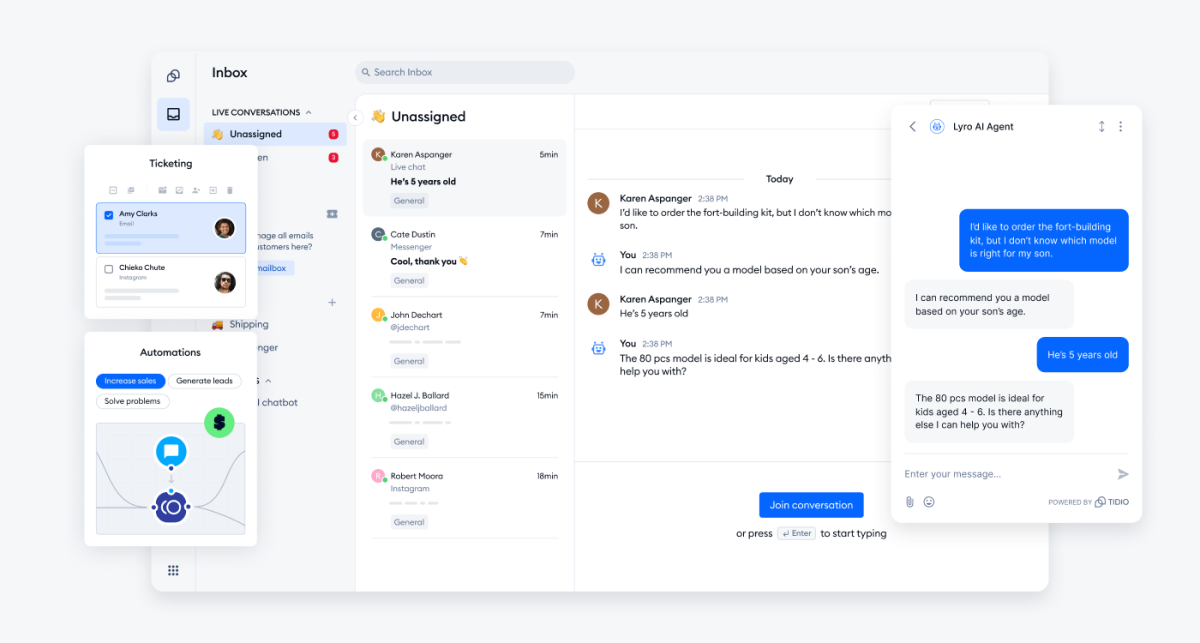
Tidio replaces the Service Hub side of HubSpot: the chat widget, the shared inbox, tickets, and the AI agent. Live chat, email, Messenger, Instagram, and WhatsApp land in one inbox, and an email becomes a ticket with a status, a priority, and an owner. The Lyro AI agent can resolve up to 75% of support requests and hands the rest to a person.
You don't have to give up HubSpot CRM to use it. The Tidio HubSpot integration creates HubSpot contacts from new chats, saves each solved conversation as a note on the contact, and shows HubSpot contact details inside the Tidio panel.
Tidio fits these teams best:
- Shopify stores, which see a shopper's cart and order history next to the chat.
- Small support teams that want Lyro to take order-status and shipping questions.
- Businesses that answer chat, email, and social messages in one place.
Pros
- Pricing follows conversations, not seats, so a new teammate adds no seat fee on self-serve plans.
- A free plan and a 7-day trial with every feature, no card needed.
- Flows, a visual builder for proactive messages and cart recovery.
Cons
- Conversations, Lyro, and Flows each have their own quota, so you pay only for what you use but have a few limits to watch.
- Plus and Premium are priced by the sales team, which suits larger setups that need custom limits.
- It isn't a CRM or an email marketing tool, so pair it with one if you need deal pipelines or campaigns.
Pricing: per its pricing page, billed annually: Free $0 (50 billable conversations a month); Starter $24.17 a month; Growth from $49.17 a month; Plus from $300 a month; Premium by quote. Self-serve plans cover up to 10 seats. Lyro starts at $32.50 a month for 50 Lyro conversations.
Rating: G2 4.6/5
Versus HubSpot: you gain an AI agent and help desk on a flat plan without a Professional seat price or onboarding fee. You give up HubSpot's CRM and marketing tools, which is why many teams keep HubSpot CRM and connect the two.
Try Tidio free
2. Salesforce: best for teams that will grow into an enterprise CRM
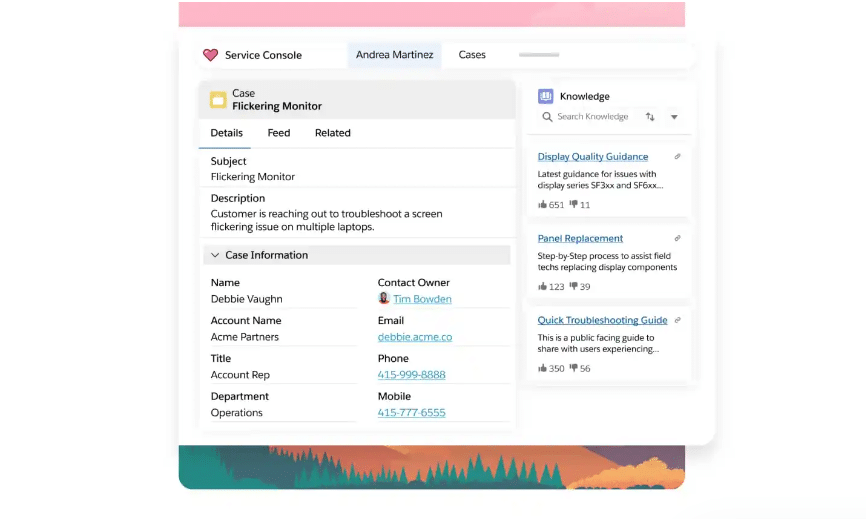
Salesforce is the CRM most enterprise teams end up on, and its small-business suites let you start smaller. Starter Suite is an all-in-one CRM for small businesses: sales flows, lead routing, email nurture campaigns, and an AI assistant, Agentforce Coworker. Pro Suite adds quoting and forecasting, and the full Sales Cloud editions run to $550 per user a month.
Pros
- Room to grow from a five-person team to a global sales org on the same platform.
- Sales flows, lead routing, and email campaigns on the entry plan.
Cons
- Pro Suite is billed annually with a contract.
- The pricing page notes that transaction fees apply, and Premier Support is an add-on.
Pricing: per its pricing page, Starter Suite is $25 per user a month, billed monthly or annually. Pro Suite is $100 per user a month, billed annually. There's no free plan; Starter Suite has a 30-day trial for up to 10 users.
Rating: G2 4.4/5 for Sales Cloud
Versus HubSpot: you gain more customization and a longer runway. You give up HubSpot's simpler setup, and admin work grows with the platform.
3. Zoho CRM: best for budget-conscious sales teams
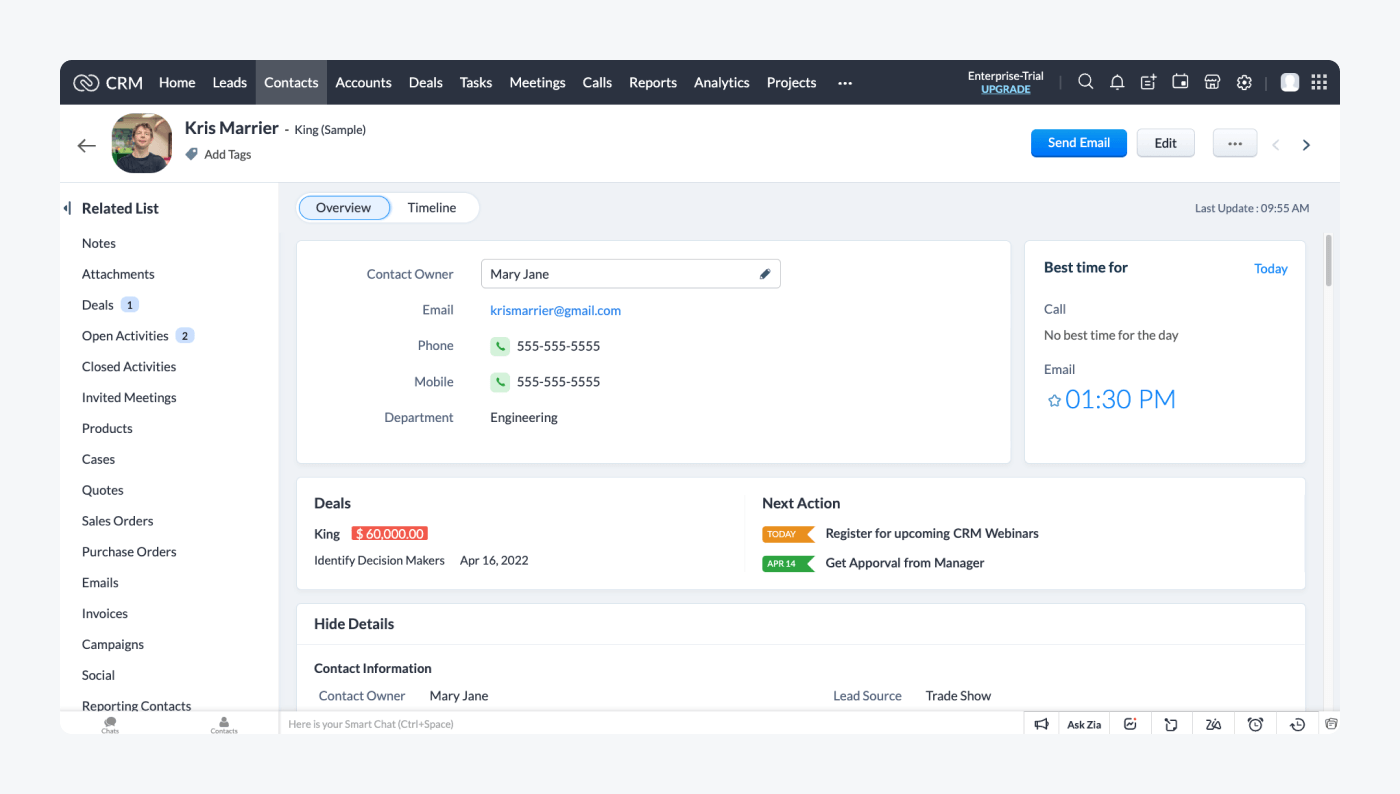
Zoho CRM covers leads, deals, workflows, and reports at a lower per-user price than HubSpot's paid hubs. Standard adds sales forecasting and multiple pipelines. Professional adds quoting (CPQ), customer journeys, and AI agents, and it sits inside the wider Zoho app suite.
Pros
- A free plan for 3 users with leads, deals, workflows, and reports.
- No contract: Zoho bills monthly or yearly, pay as you go.
Cons
- The free plan allows 10 data exports.
- AI agents start on Professional, not on Standard.
Pricing: per its pricing page, billed annually, per user a month: Standard $14, Professional $23, Enterprise $40. The free plan covers 3 users, and paid plans have a 15-day trial with no card.
Rating: G2 4.1/5
Versus HubSpot: you gain a full CRM at a fraction of Sales Hub Professional's seat price, with no onboarding fee on the page. You give up HubSpot's polish and its built-in marketing hub.
4. Pipedrive: best for deal tracking in small sales teams
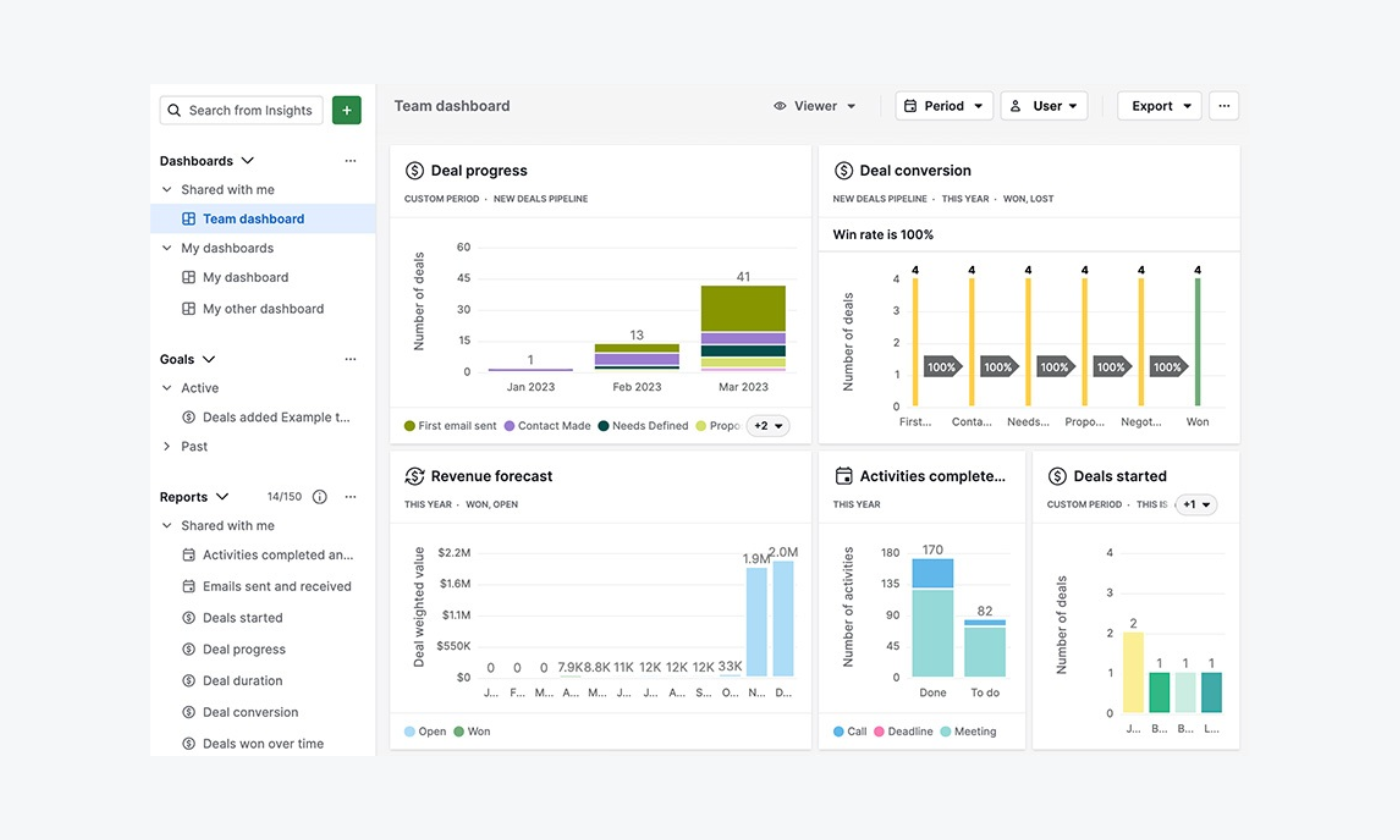
Pipedrive is a sales pipeline first. Deals move across a visual board, and each plan adds automation, email sequences, or quoting. It suits a team that lives in its pipeline and doesn't need marketing or support tools in the same app.
Pros
- A clear pipeline view that new reps understand on day one.
- Over 500 integrations, and free implementation on plans over $400 a year, per its pricing page.
Cons
- No free plan, only a 14-day trial.
- Lead capture, campaigns, and web visitor tracking are separate add-ons.
Pricing: per its pricing page, per seat a month, billed annually (monthly in brackets): Lite $14 ($24), Growth $39 ($49), Premium $59 ($79), Ultimate $79 ($99). Add-ons such as LeadBooster start from $32.50.
Rating: G2 4.3/5
Versus HubSpot: you gain a focused pipeline at a lower seat price than Sales Hub Professional. You give up marketing and service tools, so you'll pair it with others.
5. Freshsales: best for a low per-user price with built-in phone and chat
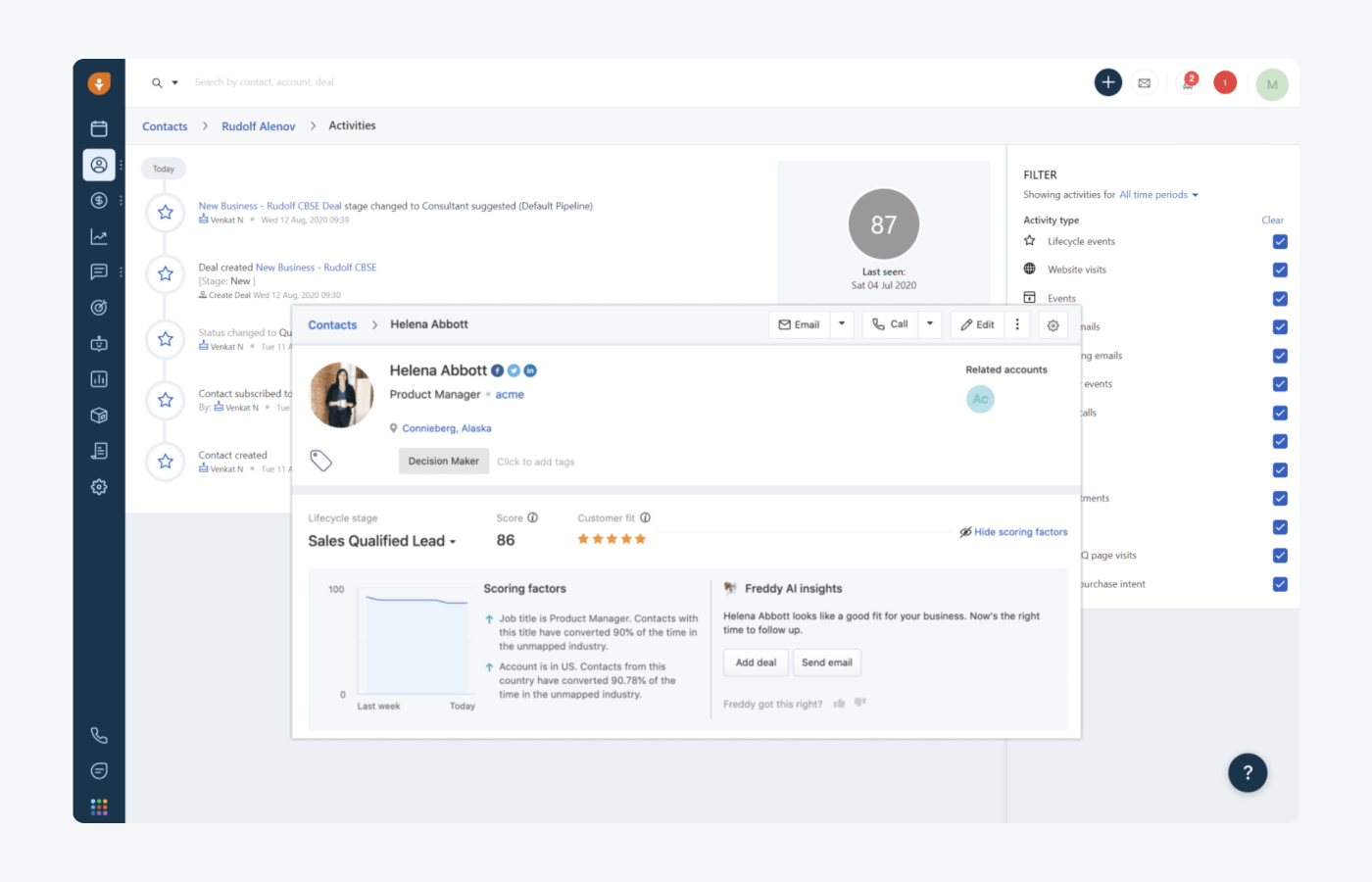
Freshsales is the CRM from Freshworks, the company behind Freshdesk. Chat, email, and phone sit in the CRM from the Growth plan, and Pro adds contact scoring, sales sequences, and territory management. Its Freddy AI agent is sold in session packs.
Pros
- One of the lowest entry prices for a full CRM.
- Built-in phone, chat, and email from the first plan.
Cons
- No free plan; the 21-day trial ends in a suspended account if you don't pick a plan.
- The Freddy AI agent costs $49 per 100 sessions, after 500 free sessions once per account.
Pricing: per its pricing page, per user a month, billed annually (monthly in brackets): Growth $9 ($11), Pro $39 ($47), Enterprise $59 ($71).
Rating: G2 4.5/5
Versus HubSpot: you gain a lower per-user price and calling built in. You give up HubSpot's marketing depth, and forecasting waits for Enterprise.
6. EngageBay: best for very small teams that want a free all-in-one
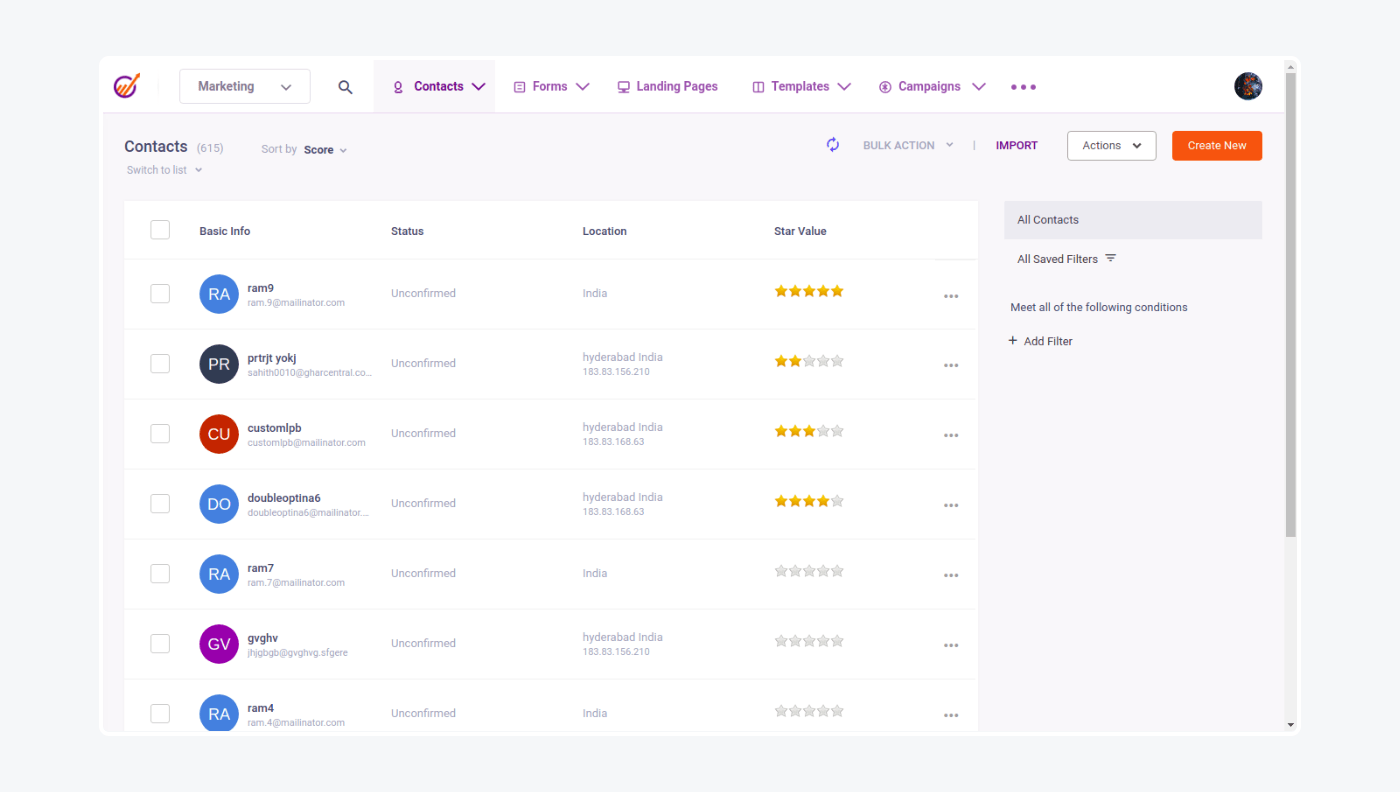
EngageBay copies HubSpot's all-in-one idea for very small teams: CRM, email marketing, landing pages, a help desk, and live chat in one app. The free plan covers up to 15 users. It also offers a free migration service from another platform, per its pricing page.
Pros
- Free for up to 15 users, with CRM, email, help desk, and live chat.
- Marketing automation and service automation on Growth.
Cons
- The free plan stops at 250 contacts, 1,000 branded emails, and 1 landing page.
- Contact limits rise steeply: Basic covers 500 contacts and Growth 5,000.
Pricing: per its pricing page, per user a month: Basic $13.79 billed yearly ($14.99 monthly), Growth $59.79 ($64.99), Pro $110.39 ($119.99).
Rating: G2 4.6/5
Versus HubSpot: you gain HubSpot's breadth at a small-team price. You give up scale, since contact caps arrive early.
7. ActiveCampaign: best for email marketing automation
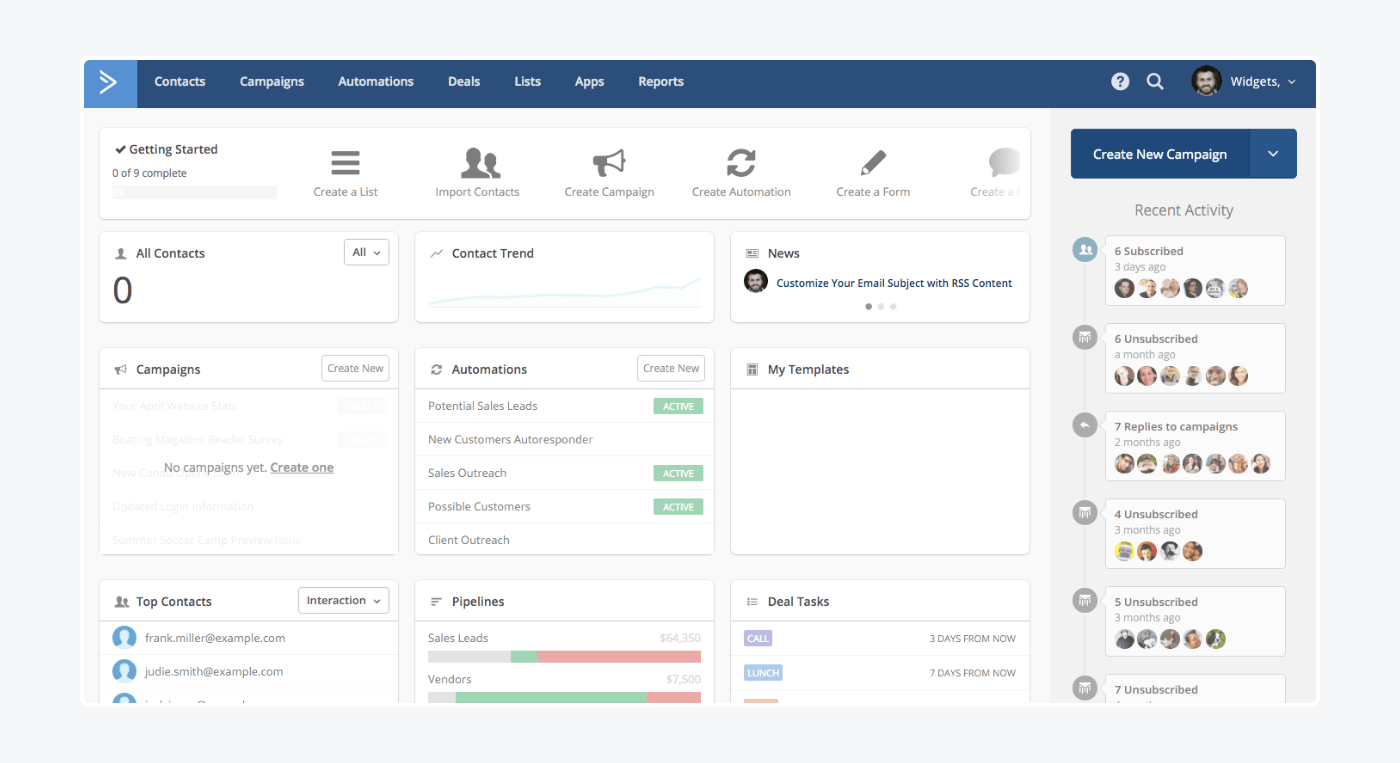
ActiveCampaign replaces Marketing Hub for teams whose growth runs on email. Every plan includes multi-step automation and 250+ email templates, and higher plans add predictive sending and conditional content. Prices follow your contact count.
Pros
- Automation on every plan, starting with Starter.
- A 14-day trial with no card, plus a 30-day money-back guarantee.
Cons
- Deals and pipelines are a paid add-on, and Starter can't use it.
- Starter and Plus include one seat each.
Pricing: per its pricing page, at 1,000 contacts, billed yearly: Starter $15 a month (1 seat), Plus $49 (1 seat), Pro $79 (3 seats), Enterprise $145 (5 seats).
Rating: G2 4.4/5
Versus HubSpot: you gain automation depth for far less than Marketing Hub Professional's $800 a month. You give up a built-in CRM unless you add the pipelines add-on.
8. Brevo: best for email and SMS marketing on a budget
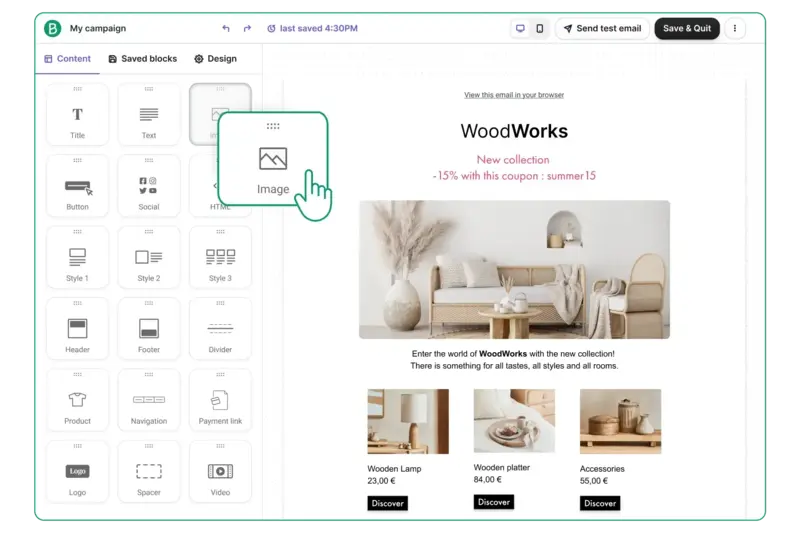
Brevo, formerly Sendinblue, prices by email volume instead of contacts, so a large list with modest sending stays cheap. Standard adds unlimited automated workflows, and Professional adds WhatsApp, pop-ups, and push. A simple sales CRM sits alongside, with a free tier.
Pros
- A free plan with 300 emails a day.
- Low entry price, because volume, not list size, sets the bill.
Cons
- SMS credits are sold separately.
- WhatsApp, pop-ups, and push wait for Professional, a plan built for 150,000 emails a month.
Pricing: per its pricing page, billed yearly (monthly in brackets): Starter $8.08 ($9) and Standard $16.17 ($18) a month from 5,000 emails; Professional $449.08 ($499) from 150,000 emails, with 10 seats. Sales Essentials starts at $27.92 a month for one seat.
Rating: G2 4.5/5
Versus HubSpot: you gain email and SMS marketing for a few dollars a month. You give up campaigns and deals living on HubSpot's single contact record.
9. Zendesk: best for high-volume ticketing
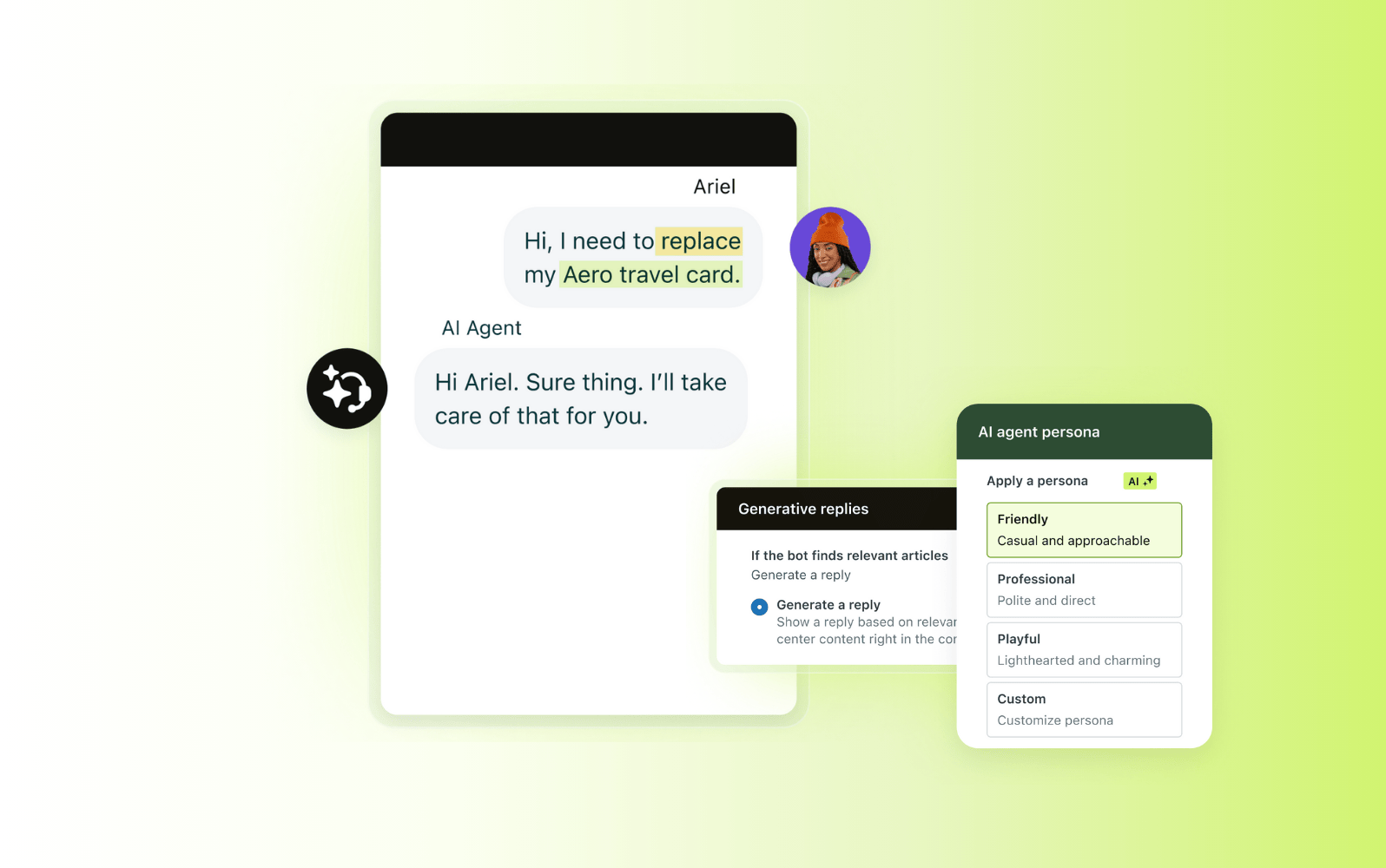
Zendesk is the help desk many teams move to when Service Hub's tickets outgrow it. Suite plans add omnichannel routing, an action builder, and telephony. AI agents bill per automated resolution. We cover the two head to head in Zendesk vs HubSpot.
Pros
- Omnichannel and skills-based routing for large queues.
- A long list of channel and app integrations.
Cons
- Copilot for agents is a $50-per-agent add-on.
- AI resolutions cost $1.50 each committed or $2.00 pay as you go, beyond a few included per agent.
Pricing: per its pricing page, per agent a month, billed annually (monthly in brackets): Support Team $19 ($25), Suite Team $55 ($69), Suite Professional $115 ($149). 14-day trial.
Rating: G2 4.3/5
Versus HubSpot: you gain ticketing depth beyond Service Hub. You give up the CRM and marketing hubs. See more Zendesk alternatives.
10. Intercom: best for product-led SaaS support
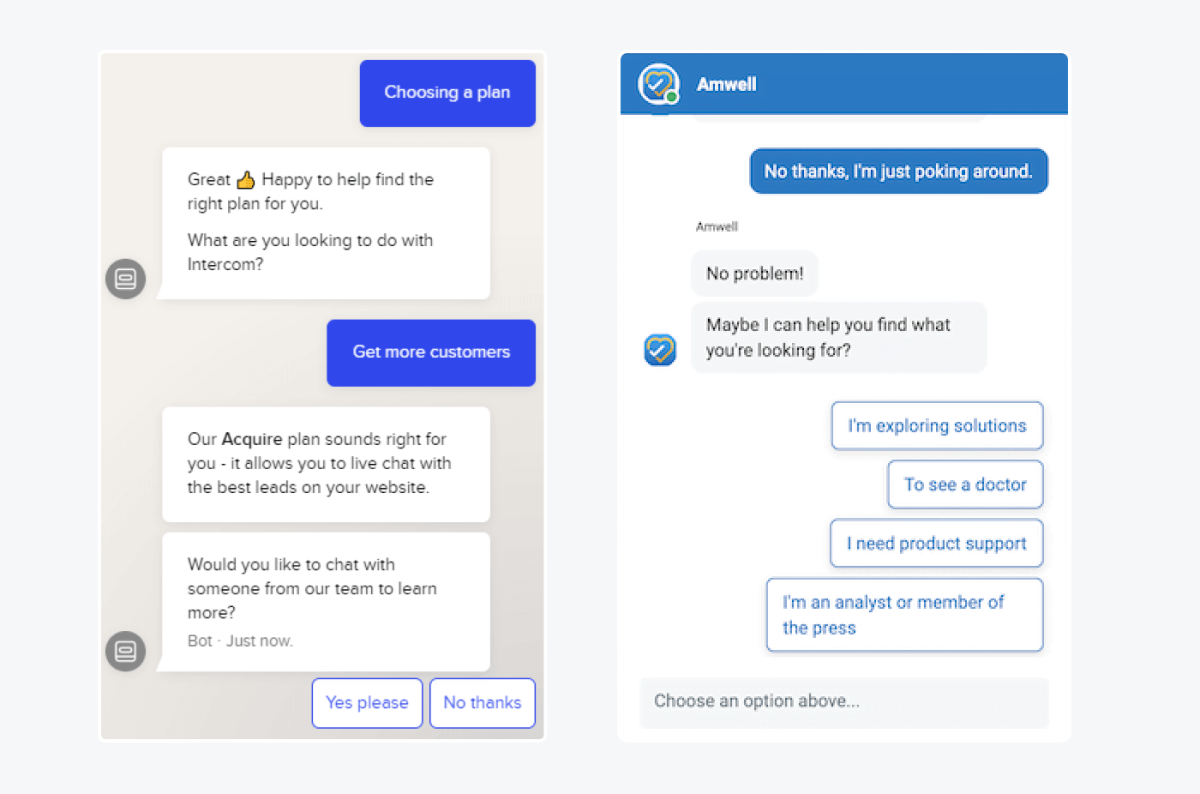
Intercom pairs a messenger, a shared inbox, and ticketing with Fin, its AI agent. It suits software companies that support users inside the product. Fin is billed per outcome on top of seats.
Pros
- Fin, a mature AI agent that can also run without seats.
- In-app messenger and help center in one product.
Cons
- Fin costs $0.99 per outcome, so AI spend grows with volume.
- WhatsApp, SMS, and bulk email are charged per message.
Pricing: per its pricing page, per seat a month, billed annually: Essential $19 for new customers (list $29), Advanced $85, Expert $132. 14-day trial, no card.
Rating: G2 4.5/5
Versus HubSpot: you gain a stronger in-app messenger and AI agent. You give up the CRM and marketing hubs. See more Intercom alternatives.
What 5 seats cost
The same team of five, on each tool's entry plan for that job, billed annually.
| Tool | Plan | Math | Per month |
|---|---|---|---|
| HubSpot Sales or Service Hub | Professional | 5 × $90, plus $1,500 one-time onboarding | $450 |
| HubSpot Starter Customer Platform | Starter | 5 × $7 (new customers) to 5 × $20 (list) | $35 to $100 |
| Tidio | Growth | One plan price for up to 10 seats | from $49.17 |
| Salesforce | Starter Suite | 5 × $25 | $125 |
| Zoho CRM | Standard | 5 × $14 | $70 |
| Pipedrive | Growth | 5 × $39 | $195 |
| Freshsales | Growth | 5 × $9 | $45 |
| EngageBay | Basic | 5 × $13.79 | $68.95 |
| ActiveCampaign | Enterprise (5 seats, 1,000 contacts) | Plan price | $145 |
| Zendesk | Suite Team | 5 × $55 | $275 |
| Intercom | Essential | 5 × $19 | $95 |
Brevo is left out because its price follows email volume. AI is extra on most tools: Lyro, Fin, Zendesk resolutions, and Freddy sessions all bill on top.
Tidio vs HubSpot
Tidio and HubSpot overlap on one job, talking to customers, and differ on almost everything else.
| Tidio | HubSpot | |
|---|---|---|
| What it is | AI customer service: live chat, help desk, Lyro AI agent | CRM platform with marketing, sales, service, and content hubs |
| CRM and deal pipeline | Not its focus; syncs contacts and chat transcripts to HubSpot | Core strength, free CRM for 2 users |
| Email marketing | Not its focus | Marketing Hub, 2,000 free sends a month |
| Live chat | On every plan, including Free | On Free, with HubSpot branding |
| AI agent | Lyro, from $32.50 a month for 50 conversations | Customer Agent from Service Hub Professional, on HubSpot Credits |
| Pricing unit | Conversations, up to 10 seats on self-serve plans | Per seat (Sales, Service), per account plus seats (Marketing) |
| Entry paid plan | Starter, $24.17 a month, billed annually | Starter, $7 to $20 per seat a month |
| Required onboarding fee | None on the pricing page | $1,500 to $7,000 on Professional and Enterprise |
| G2 rating | 4.6 | 4.4 (Sales Hub and Service Hub) |
Choose Tidio if your support team needs chat and tickets with an AI agent, without HubSpot's Professional seat price. Keep HubSpot if your marketing and sales teams depend on its CRM, and connect the two.
Connect Tidio to HubSpot
How to switch from HubSpot
- List the hubs you actually use. Many teams pay for a bundle and use one hub daily. Replace that one first.
- Export your data. Pull contacts, companies, deals, and tickets as CSV files, and save email templates and snippets.
- Map your automations. Write down every workflow, sequence, and chatflow, with its trigger, so you can rebuild it.
- Run both tools for two weeks. Route a share of chats or deals to the new tool and compare response times and lost leads.
- Check your contract dates. Professional plans run on an annual commitment, so time the move to your renewal.
- Keep HubSpot CRM if it still fits. Moving only support or chat is the smallest switch.
How to choose
- You want AI customer service and live chat for an online store. Choose Tidio.
- You expect to become an enterprise sales org. Choose Salesforce.
- You need a full CRM on a tight budget. Choose Zoho CRM.
- Your team lives in its deal pipeline. Choose Pipedrive.
- You want the lowest CRM seat price with calling built in. Choose Freshsales.
- You're a team of a few people and want everything free. Choose EngageBay.
- Your growth runs on email automation. Choose ActiveCampaign.
- You send email and SMS on a small budget. Choose Brevo.
- You handle thousands of tickets a month. Choose Zendesk.
- You support users inside a software product. Choose Intercom.
Bottom line
HubSpot is worth its price when you use several hubs and grow into Professional together. If you use one hub, a focused tool usually costs less. Salesforce, Zoho CRM, and Freshsales replace the CRM; Pipedrive replaces the pipeline; ActiveCampaign and Brevo replace Marketing Hub; Zendesk and Intercom replace Service Hub. If your bottleneck is answering customers in a small or mid-sized online store, start with Tidio, and keep HubSpot CRM connected if your sales team still lives there.
Start with Tidio for free
Related guides
- Zendesk vs HubSpot
- Free CRM software
- Marketing automation software
- CRM vs ticketing system
- Help desk software for small business
Frequently asked questions
It depends on the hub you're replacing. Salesforce, Zoho CRM, and Freshsales replace the CRM suite. Pipedrive replaces Sales Hub's pipeline. ActiveCampaign and Brevo replace Marketing Hub. Tidio, Zendesk, and Intercom replace Service Hub and live chat. Tidio fits small and mid-sized e-commerce teams best.
Salesforce is HubSpot's largest CRM competitor, followed by Zoho CRM, Pipedrive, and Freshsales. In marketing, ActiveCampaign and Brevo compete with Marketing Hub. In customer service, Zendesk, Intercom, and Tidio compete with Service Hub.
Yes. Zoho CRM is free for 3 users, EngageBay is free for up to 15 users with 250 contacts, and Brevo's free plan sends 300 emails a day. For support, Tidio's free plan includes live chat and 50 billable conversations a month.
Freshsales starts at $9 per user a month and Zoho CRM at $14, both billed annually, against $90 per seat for HubSpot Sales Hub Professional. For support, Tidio's Growth plan starts at $49.17 a month for up to 10 seats, with no onboarding fee on the pricing page.
For a small sales team, Zoho CRM and Pipedrive are the usual picks. For a small online store, Tidio covers chat, email tickets, and an AI agent, and it can sync contacts to HubSpot CRM if you keep it.
Tidio, Zendesk, and Intercom. Tidio suits small and mid-sized e-commerce teams with its Lyro AI agent, Zendesk suits large ticket queues, and Intercom suits SaaS companies that support users in the product.
Yes. The Tidio HubSpot integration adds new chat contacts to HubSpot, saves solved conversations as notes on the contact, and shows HubSpot contact details in the Tidio panel.
Use live chat to support your customers in real-time