



Key takeaways
- Best for small teams and online stores: Tidio. Live chat, email, Messenger, Instagram, and WhatsApp share one inbox on every plan, next to the Lyro AI agent.
- Best for large teams with phone: Zendesk. Chat, messaging, and voice come with the Suite plans from $55 per agent.
- Best value for messaging apps: Zoho Desk. The $14 Standard plan connects six messaging apps, and phone arrives on the $23 Professional plan.
- Channels are gated differently: Zendesk keeps chat off its $19 plan, Freshdesk needs its Omni plans from $29, and LiveAgent charges $39 a month per social channel below Large.
- Four of the ten have a free plan: Tidio, HubSpot, Zoho Desk, and Help Scout.
Most support tools call themselves omnichannel. Fewer keep one customer’s email, chat, and WhatsApp messages in a single thread, and fewer include those channels in an affordable plan. We compared ten tools on their pricing pages, feature lists, and G2 reviews, and checked every price in October 2026. For each tool you get the channels it covers, the plan where they start, how its AI is billed, and who should skip it. Tidio sits first because we ordered the list for small and mid-sized teams and online stores, and it gets the same checks and the same honest drawbacks section as every rival.
What is omnichannel support software?
Omnichannel support software connects every channel customers use to reach you, such as live chat, email, social messaging, and phone, in one workspace that keeps a single history for each customer.
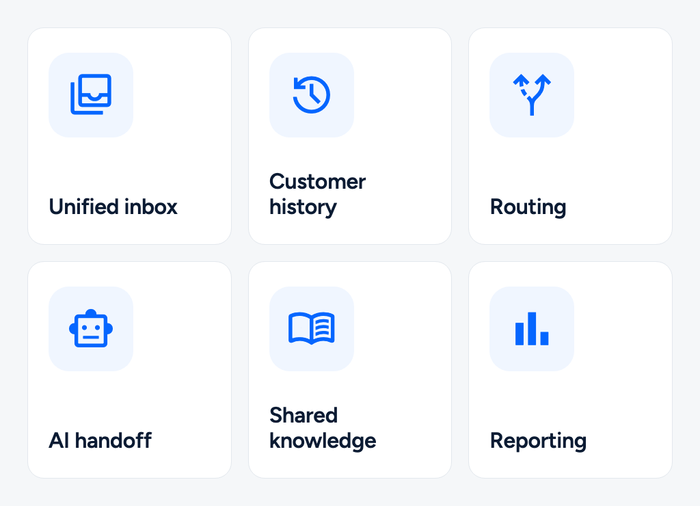
A tool is omnichannel when it does the six jobs below. Products that cover the channels but skip the shared history or routing are multichannel instead. For the strategy behind it, read our guide to omnichannel customer service.
| Job | What it should do |
|---|---|
| Unified inbox | Shows every channel’s conversations in one queue |
| Customer history | Keeps one profile per customer across all channels |
| Routing | Assigns each conversation by skill, load, or priority |
| AI handoff | Lets an AI agent answer first and passes the thread to a person with context |
| Shared knowledge | Feeds the same answers to chat, email, and AI |
| Reporting | Measures response and resolution time by channel |
Products reach that goal from different starting points: Zendesk and Freshdesk from email tickets, Tidio and Intercom from the conversation, HubSpot and Salesforce from the customer record, and Gorgias from the store order.
The best omnichannel support software at a glance
Our short list: Tidio for small teams and online stores, Zendesk for large teams that need phone, and Zoho Desk for the longest messaging-app list at the lowest seat price.
Table 1: price, free plan, and AI billing
| Tool | Best for | Starting price (paid) | Free plan / trial | AI pricing | G2 rating |
|---|---|---|---|---|---|
| Tidio | Small teams and online stores, especially Shopify | $24.17/mo, billed annually | Free plan · 7-day trial | Lyro from $32.50/mo for 50 AI conversations | 4.6 (1,962)[1] |
| Zendesk | Large teams with chat, phone, and email | $55/agent/mo with chat (Suite Team) | No free plan · 14-day trial | $1.50 to $2.00 per resolution | 4.3 (7,091)[2] |
| Freshdesk | Teams that outgrew email-only support | $29/agent/mo (Omni Growth) | Free trial | 500 sessions included, then $49 per 100 | 4.4 (3,795)[3] |
| HubSpot Service Hub | Teams already in HubSpot CRM | Starter $20/seat/mo list price | Free for 2 users | $0.50 per resolved conversation | 4.4 (3,018)[4] |
| Intercom | SaaS teams that put AI first | $29/seat/mo, billed annually | No free plan · 14-day trial | $0.99 per outcome | 4.5 (3,921)[5] |
| Zoho Desk | Budget-conscious teams on the Zoho stack | $7/user/mo, billed annually | Free for 3 users · 15-day trial | AI included in plan | 4.4 (7,996)[6] |
| Help Scout | Email-first teams that add chat and social | $25/user/mo, billed annually | Free plan | $0.75 per resolution | 4.4 (431)[7] |
| Gorgias | Shopify stores with high ticket volume | $10/mo for 50 tickets | Free trial | $0.85 to $1.00 per automated interaction | 4.6 (582)[8] |
| LiveAgent | Small teams that need phone and social | $15/agent/mo, billed annually | No free plan · 30-day trial | AI included in plan | 4.5 (1,537)[9] |
| Salesforce Service Cloud | Companies already on Salesforce CRM | $25/user/mo (Starter Suite) | Free trial | $2 per Agentforce conversation | 4.4 (8,432)[10] |
Table 2: where the channels start
| Tool | Live chat | Messaging apps and social | Phone |
|---|---|---|---|
| Tidio | Every plan | Messenger, Instagram, WhatsApp, email | Not a channel |
| Zendesk | From Suite Team | Via messaging in Suite plans | Voice in Suite plans |
| Freshdesk | Omni plans | Any app through its API | Bring your own telephony |
| HubSpot Service Hub | Listed | WhatsApp, SMS | Listed |
| Intercom | Messenger, all plans | WhatsApp, SMS billed by usage | Billed by usage |
| Zoho Desk | Standard (widget), Enterprise (full) | Standard: WhatsApp, Instagram, Messenger, Telegram, WeChat, Line | From Professional |
| Help Scout | Standard | Standard: SMS, WhatsApp, Instagram, Messenger | Through an integration |
| Gorgias | Listed | Social, SMS | Voice listed |
| LiveAgent | All plans | $39/mo per channel on Small and Medium | Call center from Medium |
| Salesforce Service Cloud | Web chat included | Sold separately | Not on the pricing page |
How we chose these tools
We started with the tools that recur in buyer comparisons and AI answers, then kept the ten that fit a small or mid-sized team, an online store, or a Salesforce shop.
Every tool got the same checks:
- Channels: chat, email, social messaging, and phone, and the plan that unlocks each.
- One history: whether channels land in one conversation view per customer.
- Routing and AI: how work is assigned and how the AI agent is billed.
- Price: the real starting price and what grows the bill.
- Reviews: the G2 rating and review count.
We ordered the list by fit for the audience above, not by rating. We didn’t pilot every tool end to end. For rivals, we relied on vendor documentation and reviews.
The 10 best omnichannel support software tools in 2026
Tidio
Best for: small teams and online stores that want chat, email, and social in one inbox
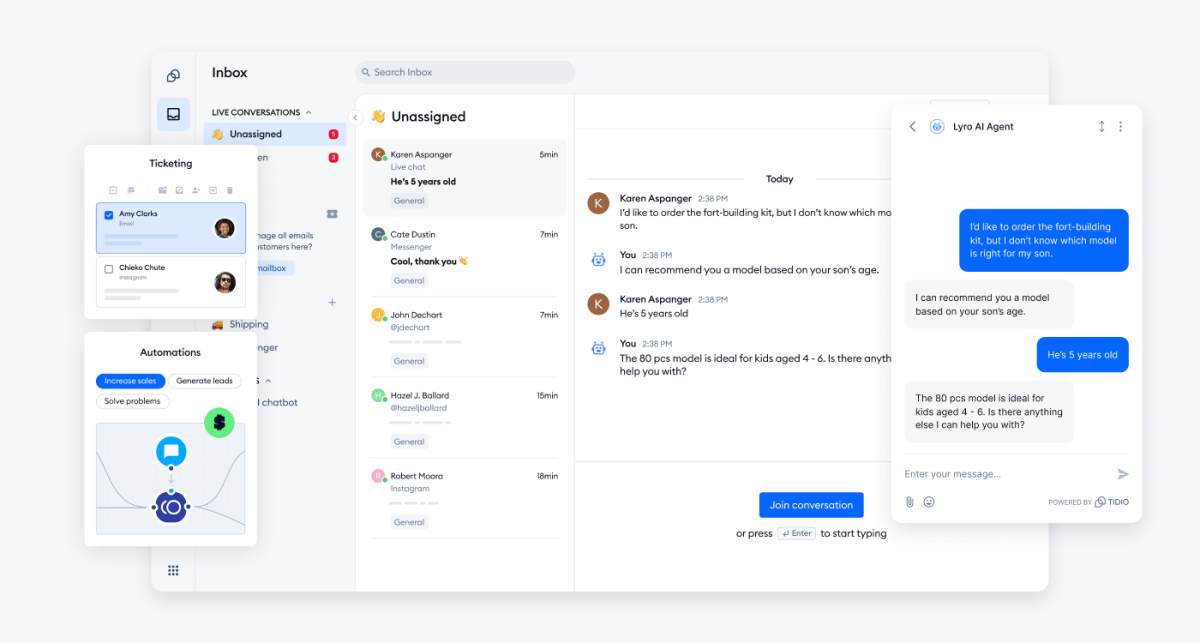
Tidio’s multichannel inbox is included on every plan. It brings live chat, email, Messenger, Instagram, and WhatsApp into one conversation list, and it recognizes returning WhatsApp customers by phone number and shows their earlier data. The Lyro AI agent can answer on any channel you connect, and Flows automate replies inside each one. Tidio says Lyro can resolve up to 75% of support requests.
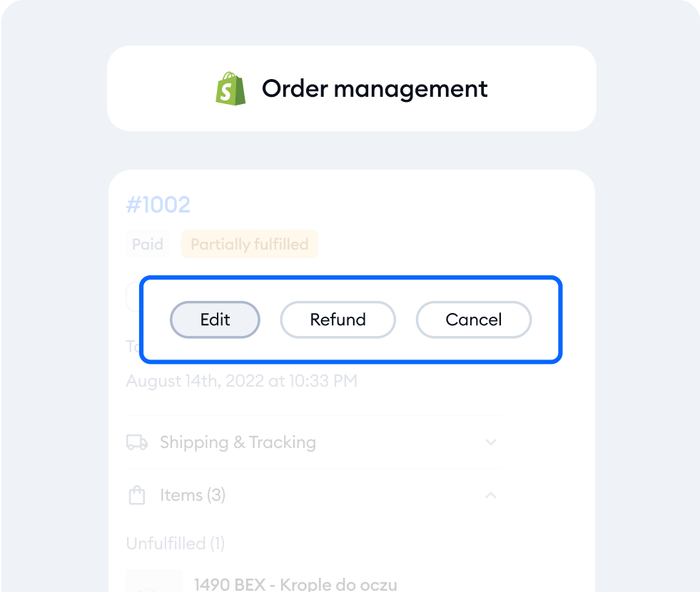
For online stores, the Shopify integration puts the cart and order history next to the chat, so agents can cancel an order, issue a refund, or change a shipping address without switching tabs.
Tidio fits these teams best:
- Shopify and other online stores that want order data in every conversation.
- Small teams that lean on automation and AI instead of extra headcount.
- Busy queues where most messages repeat.
Skip Tidio if phone is your main channel. Zendesk and LiveAgent handle voice natively.
Key features:
- Shared inbox: one queue for every connected channel, with assignment and ticket views.
- Lyro AI agent: answers from your help content and hands off with the thread attached.
Pros
- The Free plan gives 10 seats and 50 billable conversations a month, so you can test on a live site.
- Messaging channels come with every plan, so the entry price covers them all.
- Shopify order actions work from inside the inbox.
Cons
- Pricing follows usage. Billable conversations, Lyro, and Flows are priced separately, so you pay only for what you use, but there are a few quotas to keep an eye on as you grow.
- WhatsApp includes 1,000 free support messages per number each month, and messages above that are charged at WhatsApp’s local rate.
- Phone is not a channel today, so call-heavy teams pair Tidio with a phone tool.
Pricing: the plans on Tidio’s pricing page, billed annually with monthly prices in brackets:
- Free: $0, 50 billable conversations a month, 10 seats.
- Starter: $24.17 a month ($29), 100 conversations.
- Growth: from $49.17 a month ($59), for 250 to 2,000 conversations.
- Plus: from $300 a month plus usage. Premium: by quote.
- Lyro AI agent: from $32.50 a month ($39 monthly) for 50 AI conversations. 7-day free trial, no card.
Rating: G2 4.6/5 (1,962 reviews)[1]
See which Tidio plan fits your support volume
Zendesk
Best for: large teams that run chat, phone, and email in one queue
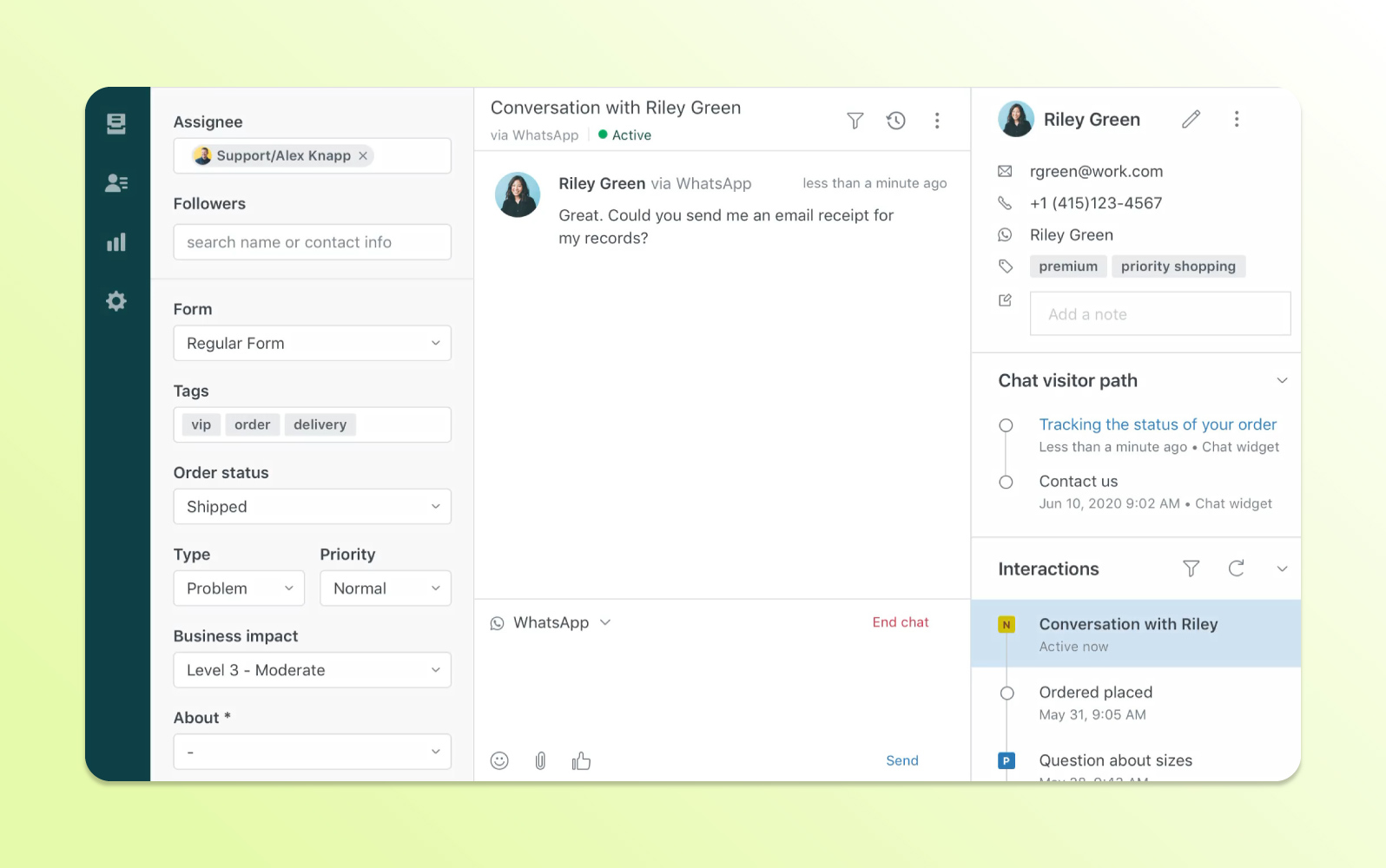
Zendesk is the pick for teams that need voice. Its Suite plans combine ticketing, messaging, live chat, a help center, and phone support, and omnichannel routing assigns each request by agent status, capacity, skill, and priority. The $19 Support Team plan covers email only, so omnichannel features begin at Suite Team.
Key features:
- Omnichannel routing across email, messaging, voice, and social.
- AI agents that resolve conversations, billed per automated resolution.
Pros
- Voice, chat, and email share one workspace and one queue.
- Omnichannel routing weighs agent status, capacity, skill, and priority.
Cons
- The cheapest plan has no live chat.
- AI cost scales per resolution, which is hard to forecast in a spike.
Pricing (per agent, billed annually; monthly in brackets): Support Team $19 ($25) · Suite Team $55 ($69) · Suite Professional $115 ($149) · Enterprise on request. Each agent includes 5 AI resolutions a month (10 on Professional), then $1.50 each committed or $2.00 pay-as-you-go. No free plan; 14-day trial.
Rating: G2 4.3/5 (7,091 reviews)[2]
Read more: Zendesk review
Freshdesk
Best for: teams that outgrew email-only support and want messaging on a mid-market budget
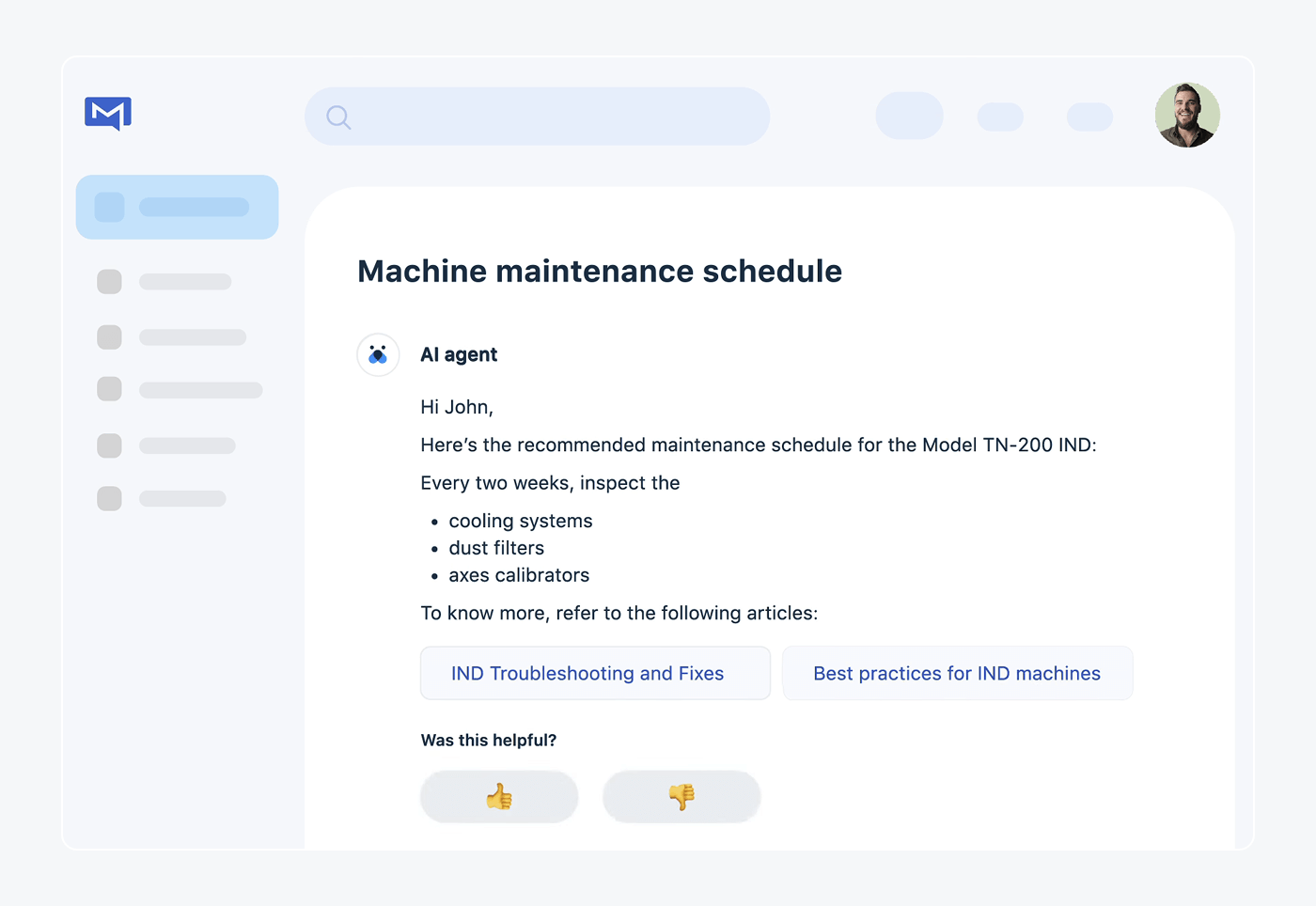
Freshdesk sells two products that are easy to mix up. The standard plans start at $19 and are built around email, a shared inbox, and a customer portal. The omnichannel version is Freshdesk Omni, which starts at $29 and adds messaging channels in a single agent workspace. Omni also lets you connect a messaging app through its API and bring your own phone provider, which helps when your channel isn’t on the standard list.
Key features:
- Freddy AI Agent that answers on chat and messaging apps and by email.
- Routing: intelligent assignment from Pro and skill-based assignment on Enterprise.
Pros
- Omni’s entry plan is $29, lower than Zendesk’s first multichannel plan.
- Bring-your-own channel and telephony options reach niche channels.
Cons
- You have to pick between Freshdesk and Freshdesk Omni, and the cheaper one is email-led.
- AI sessions beyond the first 500 cost $49 per 100, and Copilot is a $29 per agent add-on on Pro and Enterprise.
Pricing (Freshdesk Omni, per agent, billed annually): Growth $29 · Pro $79 · Enterprise $119. Standard Freshdesk: Growth $19 · Pro $55 · Enterprise $89. Free trial.
Rating: G2 4.4/5 (3,795 reviews)[3]
Read more: Freshdesk review · Freshdesk alternatives
HubSpot Service Hub
Best for: teams that already run sales and marketing in HubSpot CRM
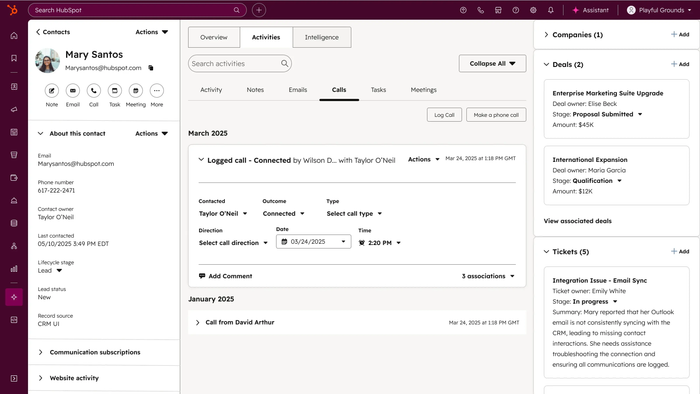
HubSpot’s pitch is that the customer record is the omnichannel layer. Email, chat, phone, SMS, and WhatsApp conversations attach to the same contact as their deals and marketing history, so support sees the whole account. That makes it the easiest pick if your team already lives in HubSpot, and a heavier one if you don’t.
Key features:
- Shared help desk for email, chat, and messaging apps, tied to the CRM contact.
- Breeze Customer Agent that resolves conversations with AI.
Pros
- One contact record covers sales, marketing, and support.
- A free plan lets two users try the help desk.
Cons
- HubSpot’s pages disagree on some prices, with promotional figures shown above list prices.
- The best value only appears if the rest of your stack is HubSpot.
Pricing (per seat a month): Free for 2 users · Starter $20 list price ($7 promotional price shown) · Professional $100 list price ($90 shown) · Enterprise from $150. Breeze Customer Agent costs $0.50 per resolved conversation. Confirm the figures at checkout.
Rating: G2 4.4/5 (3,018 reviews)[4]
Read more: HubSpot alternatives
Intercom
Best for: SaaS teams that want an AI agent to answer first on chat and email
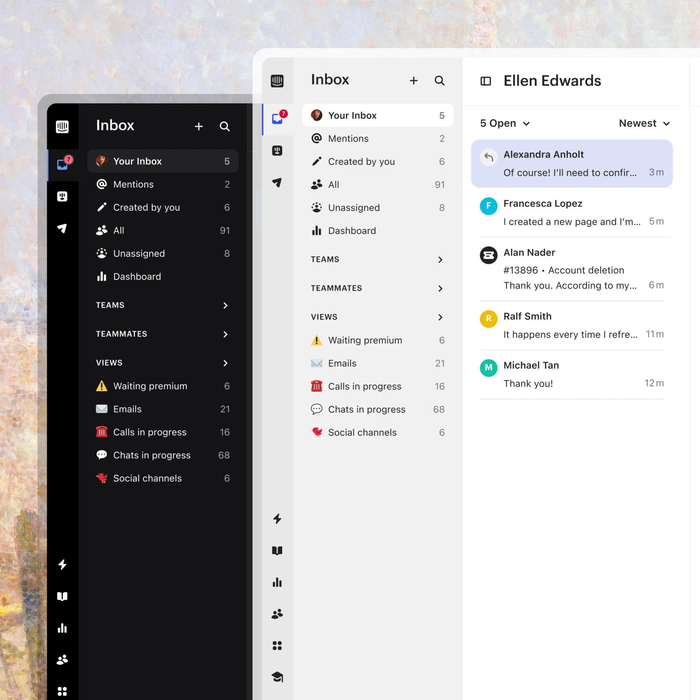
Intercom is chat-first. Its Messenger runs on your site and app, the inbox handles email and other conversations, and its Fin AI agent takes the first reply. WhatsApp, SMS, and phone work, but they are billed on usage on top of the seat price, so a team that leans on messaging apps should model that cost early.
Key features:
- Fin AI agent that answers first and hands off to your team.
- Omnichannel inbox with live chat, tickets, and a Help Center.
Pros
- Fin takes the first reply, so agents see conversations that already have context.
- Inbound support email is included in the seat price.
Cons
- WhatsApp is billed per conversation, SMS per message, and phone by usage.
- Fin’s per-outcome fee grows with volume.
Pricing (per seat, billed annually; monthly in brackets): Essential $29 ($39) · Advanced $85 ($99) · Expert $132 ($139). Fin costs $0.99 per outcome. No free plan; 14-day trial.
Rating: G2 4.5/5 (3,921 reviews)[5]
Read more: Intercom review
Zoho Desk
Best for: budget-conscious teams that want the widest list of messaging apps
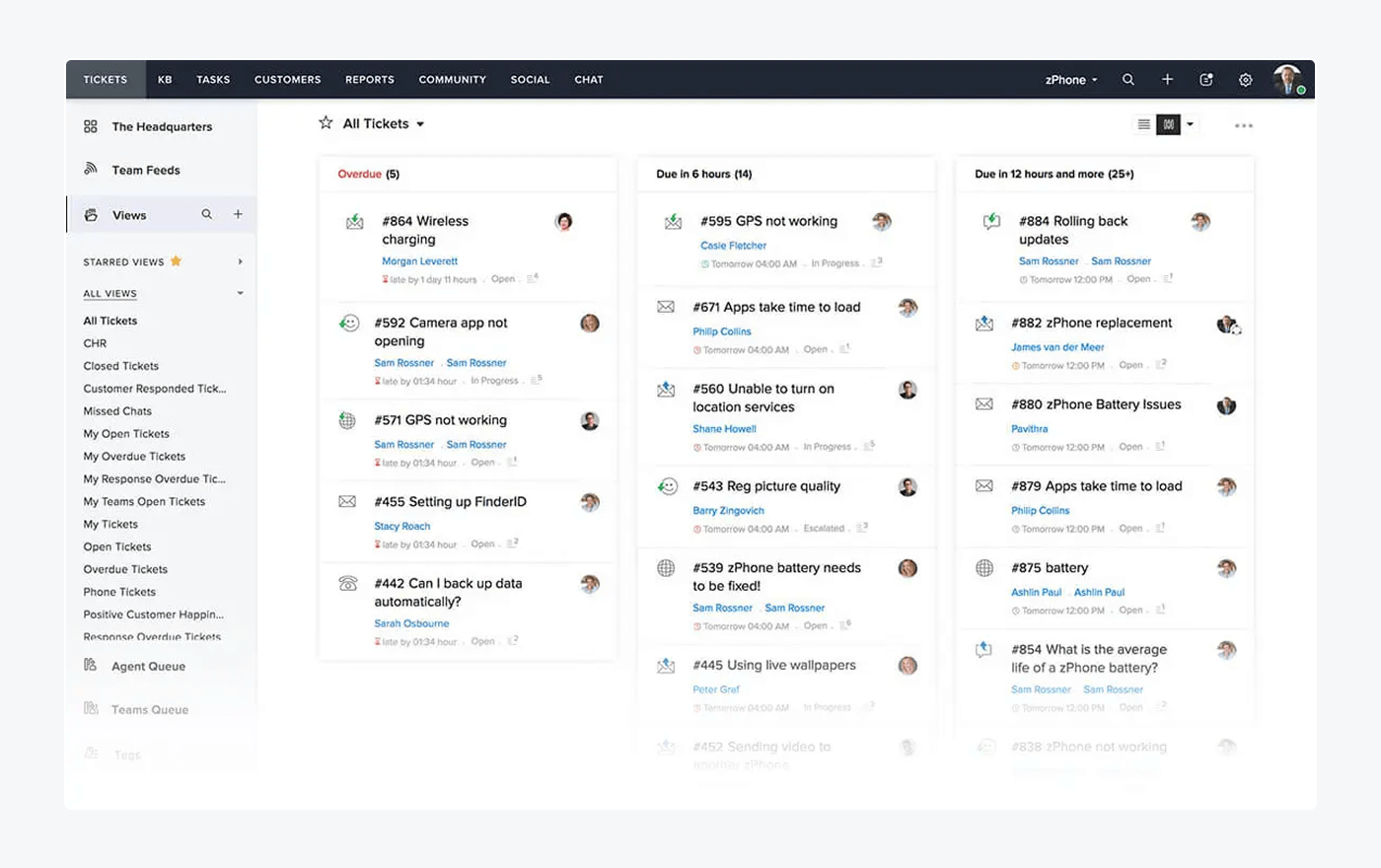
Zoho Desk spreads its channels across the plans in small steps. Email and social tickets from Instagram, Facebook, and X start on Express. Standard adds Business Messaging and an instant messaging module for WhatsApp, Instagram, Messenger, Telegram, WeChat, and Line. Professional adds telephony, and Enterprise adds full live chat through Zoho SalesIQ. It is the cheapest route to a long channel list, as long as you map your needs to the right tier.
Key features:
- Instant messaging module for six messaging apps.
- AI agents with a monthly token allowance from Express, and Zia AI from Professional.
Pros
- Paid plans start at $7 per user, and a free plan covers 3 users.
- Messaging apps arrive on Standard, not on the top tier.
Cons
- Full live chat and skill-based routing wait until Enterprise.
- Channels are split across four tiers, so your channel mix decides the plan.
Pricing (per user, billed annually; monthly in brackets): Free · Express $7 ($9) · Standard $14 ($20) · Professional $23 ($35) · Enterprise $40 ($50). 15-day trial.
Rating: G2 4.4/5 (7,996 reviews)[6]
Read more: Zoho Desk review · Zoho Desk alternatives
Help Scout
Best for: email-first teams that want chat and messaging apps in a simple inbox
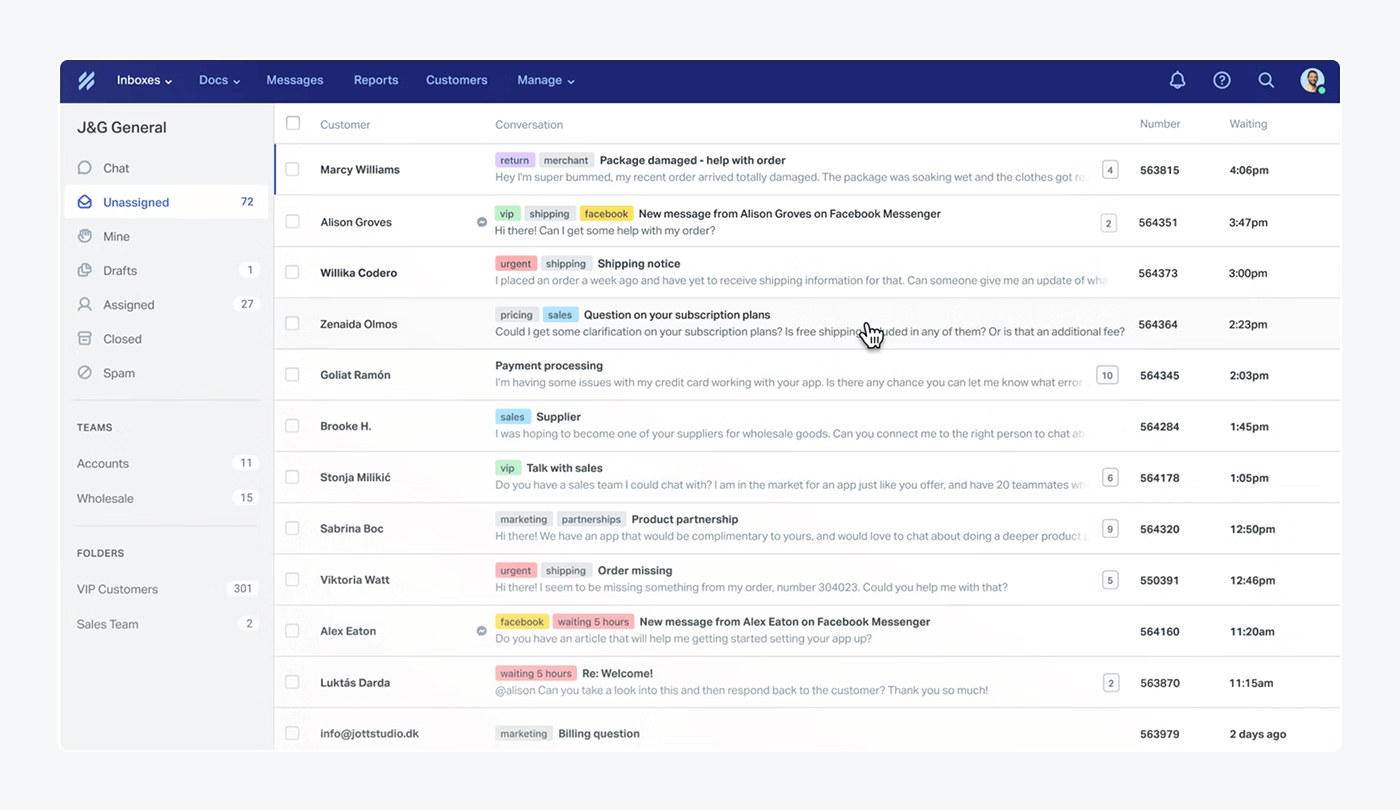
Help Scout keeps the inbox simple and still covers the channels most small teams need. Its $25 Standard plan lists live chat, SMS, WhatsApp, Instagram, and Messenger. Phone is the exception, because calls connect through an integration.
Key features:
- Shared inbox with customer profiles and conversation history in the sidebar.
- AI Answers chatbot that replies from your knowledge base.
Pros
- The first paid plan includes live chat, SMS, and three social messaging apps.
- Customer profiles and conversation history sit in the inbox sidebar.
Cons
- Phone works only through an integration.
- AI Answers costs $0.75 per resolution on top of the seat price.
Pricing (per user, billed annually; monthly in brackets): Free · Standard $25 ($30) · Plus $45 ($54) · Pro $75 ($90). AI Answers costs $0.75 per resolution, with the first three months of resolutions free.
Rating: G2 4.4/5 (431 reviews)[7]
Read more: Help Scout review
Gorgias
Best for: Shopify stores with high ticket volume across email, chat, and social

Gorgias was built for online stores, and its channels reflect that: email, live chat, social media, SMS, and voice, all with the order panel next to the conversation. Pricing follows ticket volume instead of seats, which suits a store with a small team and a large queue.
Key features:
- Order panel with Shopify data inside each ticket.
- AI Agent that resolves common order questions.
Pros
- Shopify order data sits next to the conversation.
- Pricing follows ticket count, not seat count.
Cons
- The bill grows with ticket volume, and AI adds a separate fee.
- Built around online stores, so other businesses use fewer of its strengths.
Pricing (helpdesk only, billed annually): Starter $10 a month for 50 tickets (monthly billing only) · Basic $50 for 300 · Pro $300 for 2,000 · Advanced $750 for 5,000. The AI Agent adds $0.85 to $1.00 per automated interaction. Free trial; no free plan.
Rating: G2 4.6/5 (582 reviews)[8]
Read more: Gorgias review · Gorgias alternatives
LiveAgent
Best for: small teams that need phone, chat, and social in one tool at a low price
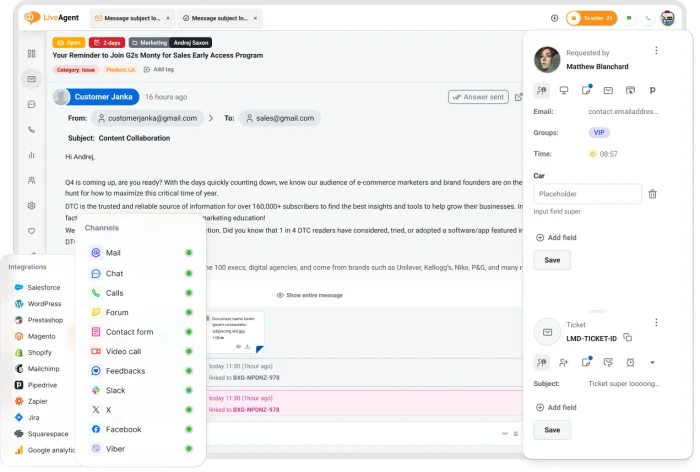
LiveAgent is one of the cheaper ways to add a phone channel. The call center and IVR start on the $29 Medium plan, and live chat and email are in every plan. Social channels are where the bill moves: Facebook, X, Viber, and Instagram each cost $39 a month as add-ons on Small and Medium. The Large plan lists them all.
Key features:
- Call center and IVR from the Medium plan.
- Social channels for Facebook, Instagram, X, Viber, Telegram, and WhatsApp.
Pros
- Phone, chat, and email in one tool from $29 per agent.
- A 30-day trial gives time to test the channel mix.
Cons
- Social channels are priced as add-ons below the Large plan.
- WhatsApp connects only through the Twilio and 360dialog providers.
Pricing (per agent, billed annually; monthly in brackets): Small $15 ($19) · Medium $29 ($35) · Large $49 ($59) · Enterprise $69 ($85). 30-day free trial; no free plan.
Rating: G2 4.5/5 (1,537 reviews)[9]
Read more: LiveAgent review
Salesforce Service Cloud
Best for: enterprises whose customer data already lives in Salesforce CRM
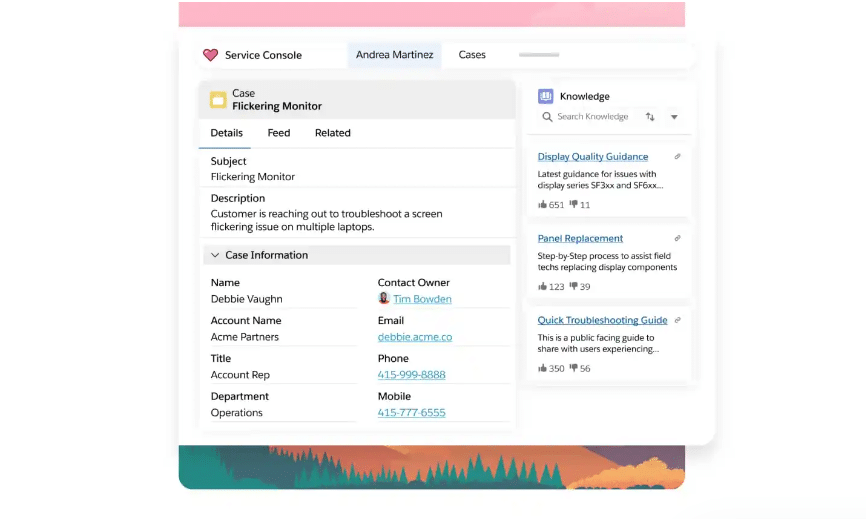
Salesforce Service Cloud suits companies that run on Salesforce and want service tied to the same records. Omni-Channel Routing sends incoming work to agents, and the Service Console manages each case beside the customer’s data. Web chat is included, while other digital channels are sold separately. The richer plans need an annual contract, which puts it out of reach for most small teams.
Key features:
- Omni-Channel Routing for incoming conversations.
- Service Console with case management and knowledge.
Pros
- Service sits on the same data as sales.
- Case management and routing are built for large, complex queues.
Cons
- Channels beyond web chat are separate purchases.
- Pro Suite and the plans above it need an annual contract.
Pricing (per user per month): Starter Suite $25 · Pro Suite $100 (annual contract) · Core $195 · Advanced $395 · Max $550, billed annually. Agentforce usage is billed at $2 per conversation or through Flex Credits. Free trial available.
Rating: G2 4.4/5 (8,432 reviews)[10]
Read more: Zendesk vs Salesforce
Use live chat to support your customers in real-time
How to choose omnichannel support software
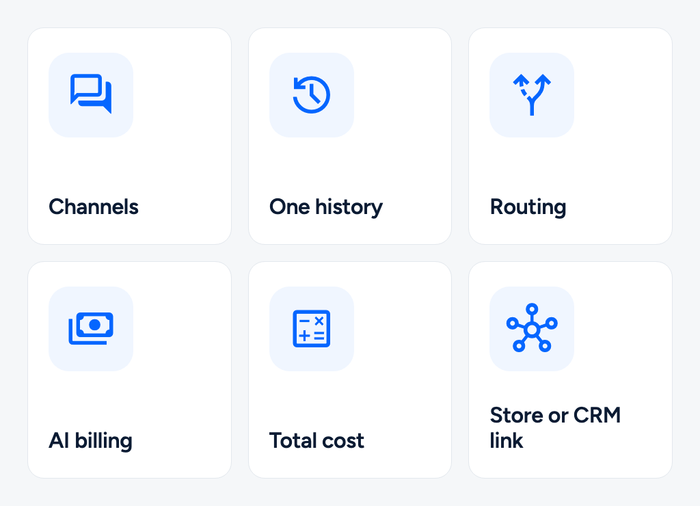
Start from the channels your customers already use, then check what each plan includes, then price the AI.
Map the channels to the plans
List every channel customers use (our guide to customer service channels helps), then find the plan that includes each. The price with your channels is the real starting price. Zendesk’s $19 plan has no chat, Freshdesk’s omnichannel features need Omni, and LiveAgent’s social channels cost extra below Large. Tidio includes its messaging channels on every plan, and Help Scout from the first paid plan.
Check that the history is shared
Write in by email, then chat as the same test customer. Both conversations should sit under one profile. If the tool shows two separate tickets, it is multichannel, not omnichannel.
Test routing and handoff
Send a chat, an email, and a WhatsApp message and see who receives each. Look for routing by skill or load, and an AI handoff that passes the whole thread to a person. For AI-first tools, see our agentic customer service software roundup.
Price the AI by its unit
Per resolution (Zendesk, HubSpot, Help Scout), per outcome (Intercom), and per automated interaction (Gorgias) all mean you pay when the agent solves a conversation. Per session (Freshdesk) counts every conversation the agent opens. Bundled (Zoho Desk, LiveAgent) means no separate fee, with limits to read. Ask what counts as a resolution, because that unit decides your bill.
Add up the real cost
List price is never total cost. Multiply seats by the monthly price, then add messaging fees, AI at your volume, and channel add-ons. A five-agent team on Zendesk Suite Team pays $275 a month before AI. The same team on Tidio Starter pays $24.17 a month and keeps 100 billable conversations. Run the math on your own numbers.
Check the store or CRM link
If you sell on Shopify, look for order data inside the conversation. Tidio and Gorgias have it. If your customer record lives in HubSpot or Salesforce, a CRM-native tool saves the sync. Our e-commerce help desk guide covers the store side.
Which omnichannel support platform should you pick?
Pick by team size and channel.
Small business or online store: Tidio on a paid Growth plan. Chat, email, social messages, and Lyro share one inbox, and on Shopify agents see the cart and order history while they reply. [CTA: Compare Tidio plans for your team | https://www.tidio.com/pricing/]
Shopify store with a heavy queue: Tidio if you want chat, tickets, and AI in one place, or Gorgias if nearly all your work is order tickets and you prefer ticket-based pricing. [CTA: Try Tidio on your Shopify store | https://www.tidio.com/integrations/shopify/]
Large team with phone, chat, and email: Zendesk, or Salesforce Service Cloud if your data already lives in Salesforce.
Tight budget and many messaging apps: Zoho Desk if you can work across its tiers, or Help Scout for a simple inbox with chat and social in the first paid plan.
Phone and social on a small budget: LiveAgent, watching the per-channel add-ons.
SaaS team that wants AI to take most conversations: Intercom, as long as you model Fin and WhatsApp usage at your volume.
Already on HubSpot CRM: HubSpot Service Hub, since the ticket and the contact share one record.
Frequently asked questions
For small teams, Tidio is a strong fit: live chat, email, Messenger, Instagram, WhatsApp, and an AI agent share one inbox, and a free plan lets you test it. Zoho Desk and Help Scout are low-cost alternatives when email is your main channel.
Multichannel software supports several channels but keeps each in its own queue and history. Omnichannel software joins them into one view per customer. Our multichannel customer service guide compares the two.
All ten. Lyro (Tidio), Fin (Intercom), Breeze Customer Agent (HubSpot), Freddy (Freshdesk), Agentforce (Salesforce), and the AI agents from Zendesk and Gorgias answer customers directly. Zoho Desk and LiveAgent bundle their AI into the plan.
Yes, four of the ten: Tidio (50 billable conversations a month, 10 seats), HubSpot Service Hub (2 users), Zoho Desk (3 users), and Help Scout. Check what each free plan leaves out before you rely on it.
Most seat-based tools start at $7 to $29 per user a month, billed annually. Tidio starts at $24.17 a month on a conversation-based plan and Gorgias at $10 for 50 tickets. AI adds $0.50 to $2.00 per resolution or interaction.
Only if customers call you. Zendesk, LiveAgent, Zoho Desk, and Gorgias list phone or voice, and Freshdesk lets you bring your own telephony. Tidio has no phone channel today, so phone-first teams should check voice first.
Talk to your customers in one inbox with Tidio
