



Key takeaways
- Two kinds of AI, two kinds of bill. Some tools give your agents a copilot that drafts replies. Others have an AI agent that answers customers alone. Most of the 10 do both, priced separately.
- Best for small and mid-sized support teams and Shopify stores: Tidio, with the Lyro AI agent, live chat, and tickets in one inbox. Tidio says Lyro solves up to 67% of customer questions.
- Best for large omnichannel teams: Zendesk, from $19 per agent a month, with AI agents billed per automated resolution.
- Best for internal IT support: Jira Service Management, with a free plan for three agents and a virtual service agent on Premium.
- Four of the 10 have a free plan: Tidio, Zoho Desk, Help Scout, and Jira Service Management. Every Tidio account also starts with 50 free Lyro conversations to test the AI.
Every help desk now says it has AI. The hard part is what that AI does, and how it’s billed: per seat, per resolution, or per conversation. We compared 16 AI help desks and checked every pricing page and G2 profile. Ten made the list, each with what its AI does alone, who it fits, and the full price with AI fees.
What is an AI help desk?
An AI help desk is help desk software that uses artificial intelligence to answer, sort, and route support requests. It still does the core help desk job: it collects email, live chat, and social messages into one inbox and turns them into tickets. The AI layer answers common questions on its own, tags and routes the rest, and drafts replies for your agents.
Triage is the quiet part: AI reads each new ticket, sets topic and priority, and sends it to the right person (see our guide to AI ticketing systems). A traditional help desk needs manual rules for all of it, as our comparison of an AI vs a traditional help desk shows.
AI that assists vs AI that resolves
AI in a help desk comes in two forms. Assistive AI (a copilot) helps your agents write, summarize, and find answers, and a person still sends every reply. Autonomous AI (an AI agent) answers customers by itself and closes the conversation when it can. The first saves agent time. The second takes conversations off the queue entirely.
It matters most on the bill. Copilots are usually priced per agent. AI agents are priced by usage: per resolution (Intercom, Zendesk, Help Scout), per automated interaction (Gorgias), per session (Freshdesk), or per AI conversation (Tidio). A rule-based help desk chatbot sits below both and can’t answer a question you didn’t plan for.
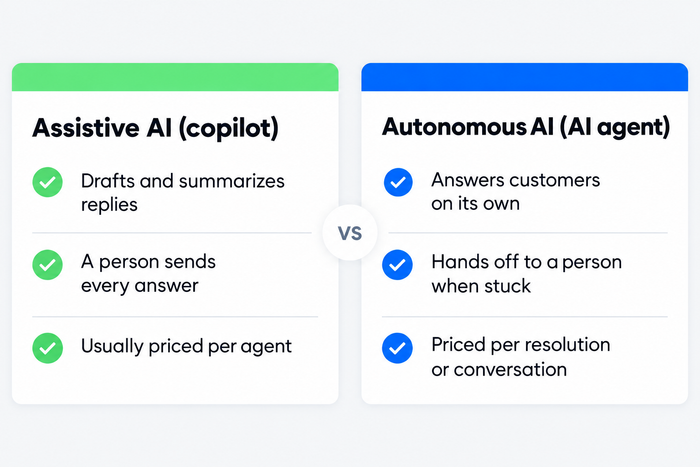
Most tools on this list sell both. Decide which one you’re buying first, because it sets the pricing model you’ll live with.
The best AI help desk software at a glance
If you need a shortlist now: Tidio for small and mid-sized support teams and Shopify stores, Zendesk for large omnichannel teams, and Intercom for SaaS companies that want the AI agent at the center of support.
| Tool | Best for | Starting price | AI pricing | Free plan / trial | G2 rating |
|---|---|---|---|---|---|
| Tidio | SMB and e-commerce support teams | $24.17/mo | Lyro from $32.50/mo for 50 AI conversations | Free plan, 7-day trial | 4.6 (1,962) |
| Zendesk | Large omnichannel teams | $19/agent/mo | $1.50 to $2.00 per automated resolution | 14-day trial | 4.3 (7,082) |
| Intercom | SaaS and in-app support | $29/seat/mo | $0.99 per Fin outcome | 14-day trial | 4.5 (3,913) |
| Freshdesk | Email-first teams on a budget | $19/agent/mo | 500 free sessions once, then $49 per 100 | 14-day trial | 4.4 (3,773) |
| Zoho Desk | Low-cost multi-department desks | $7/user/mo | AI agents included with a monthly token allowance | Free plan (3 users) | 4.4 (7,954) |
| Help Scout | Small teams that live in email | $25/user/mo | $0.75 per AI resolution | Free plan (5 users) | 4.4 (431) |
| Gorgias | Shopify stores priced by ticket volume | $10/mo | $0.85 to $1.00 per automated interaction | Free trial | 4.6 (582) |
| Salesforce Service Cloud | Companies already on Salesforce CRM | $25/user/mo | $2 per conversation or Flex Credits | Free trial | 4.4 (8,432) |
| Jira Service Management | Internal IT and dev-adjacent support | $20/agent/mo | Virtual service agent on Premium and Enterprise | Free plan (3 agents) | 4.3 (986) |
| ServiceNow | Enterprise IT service management | Quote only | Quote only | Demo | 4.5 (1,989) |
How we chose these tools
We started with 16 help desks that AI search answers and Google’s top results name for “AI help desk” and kept 10. We dropped HubSpot Service Hub (AI tied to its CRM credits), Kustomer (quote only), and Drift (now Salesloft, no longer a help desk).
We judged each tool on six criteria: what the AI does on its own, how the AI is billed, the handoff to people, channels, integrations, and the total price for a small team with AI fees included. Sources were each vendor’s pricing and product pages and G2, all read on 6 October 2026.
We didn’t run every AI agent on one shared set of test questions, so resolution rates here are vendor claims. Tidio is our product. It’s first because the list is ordered for small and mid-sized customer support teams, and its block lists real drawbacks like every other.
The 10 best AI help desk software in 2026
1. Tidio
Best for: small and mid-sized support teams and Shopify stores that want AI to handle repetitive questions.
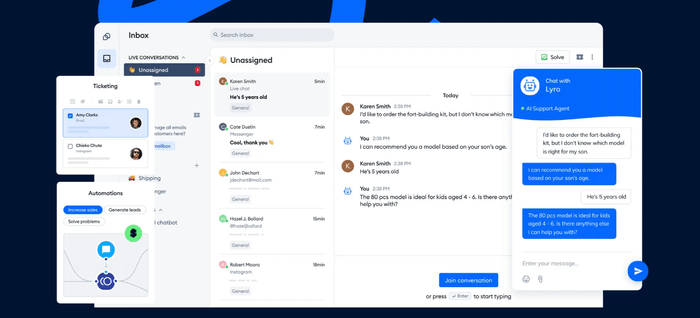
Tidio is a help desk with live chat, built around the Lyro AI agent. Email, chat, Messenger, Instagram, and WhatsApp land in one inbox, where conversations become tickets. Lyro answers from your help center and policies, takes actions such as checking an order’s status, and passes the rest to your team under handoff rules you set. Tidio says Lyro solves up to 67% of customer questions.
Lyro is priced per AI conversation, and replies from Lyro and Flows don’t count toward your plan’s billable conversations.
Tidio is made for customer-facing support. Internal IT teams that need ITIL processes and asset tracking are better served by a service desk such as Jira Service Management.
Tidio fits these teams best:
- E-commerce businesses, especially Shopify stores, thanks to native features such as live cart preview and order history next to the chat.
- Small and medium-sized businesses that want to streamline support without large teams, through automation and AI.
- Businesses with high support volume that want to automate repetitive questions and reduce ticket load.
- Companies across industries (retail, SaaS, services) that talk to website visitors and want faster responses and higher conversion.
- Teams that manage live chat, email, Messenger, Instagram, and WhatsApp in one place.
Key features:
- Lyro AI agent: answers from your knowledge base on any channel connected to Tidio, runs actions, and hands off under your rules.
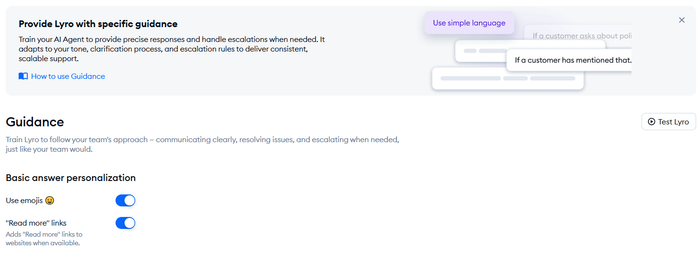
- Lyro Guidance: set tone, when Lyro asks a clarifying question, and when it escalates to a person.
- Ticketing: turn any conversation into a ticket with priority, tags, and internal notes, and route it automatically.
- Shopify actions: preview carts, view order history, cancel orders, issue refunds, and change shipping addresses from the conversation.
Pros
- AI agent, live chat, and help desk in one tool, with one bill.
- AI is priced per conversation, so a quiet month costs less.
- Free plan and 50 free Lyro conversations let you test the AI on real traffic.
- Deep Shopify integration for order questions.
Cons
- Lyro is priced separately from the help desk plans, so you pay only for the AI you use, with a monthly conversation quota to keep an eye on.
- SSO and Lyro as a managed service come with Premium, so larger teams get a quote from Tidio’s sales team.
- It focuses on customer support, so internal IT teams will want a dedicated service desk alongside it.
Pricing: from Tidio’s pricing page, billed annually (monthly in brackets):
- Free: $0, 50 billable conversations, 10 seats.
- Starter: $24.17/mo ($29), 100 billable conversations.
- Growth: from $49.17/mo ($59), 250 to 2,000 billable conversations, advanced analytics, automatic assignment.
- Plus: from $300/mo plus usage, with departments, ticketing automations, and custom seat counts.
- Premium: contact sales; from 3,000 Lyro conversations, a guaranteed 50% Lyro resolution rate, and SSO.
- Lyro AI agent: from $32.50/mo ($39) for 50 conversations. 7-day free trial on paid plans.
Rating: G2 4.6/5 (1,962 reviews)
Compare Tidio plans and add Lyro to your help desk
2. Zendesk
Best for: large support teams that want AI agents and ticketing across every channel.
Zendesk is the help desk most buyers shortlist first. Email, messaging, voice, and social run through one queue with mature routing and SLA rules, and AI agents come with every plan.
The ceiling is cost: seats, automated resolutions, and Copilot are billed separately.
Key features:
- AI agents: answer customers on every plan, billed per automated resolution.
- Copilot: suggested replies and summaries for agents, an add-on on Professional and up.
- Omnichannel routing: one queue for every channel.
Pros
- Proven at very high ticket volumes.
- Large integration marketplace.
Cons
- Seats, AI resolutions, and Copilot are three separate charges.
- Support Team, the entry plan, covers email ticketing only.
Pricing: per agent per month from Zendesk’s pricing page, billed annually (monthly in brackets): Support Team $19 ($25); Suite Team $55 ($69); Suite Professional $115 ($149); Suite Enterprise by quote. Automated resolutions $1.50 each on a commitment, $2.00 pay-as-you-go. Copilot $50 per agent per month. 14-day trial.
Rating: G2 4.3/5 (7,082 reviews)
Read more: Zendesk alternatives
3. Intercom
Best for: SaaS and digital-first teams that want the AI agent at the center of support.
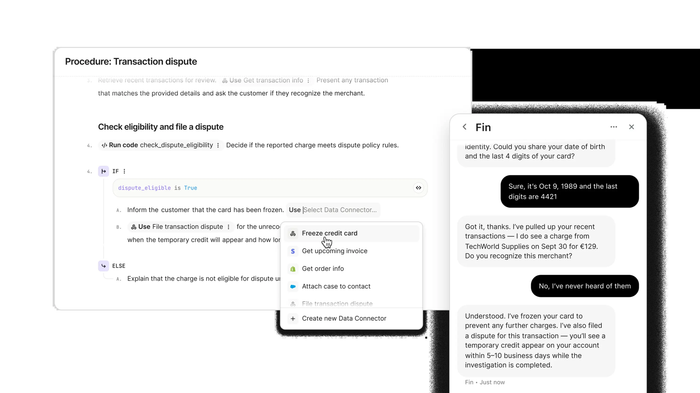
Intercom is built around Fin, its AI agent, with the inbox, tickets, and help center arranged around it. Its AI pricing is the simplest here: $0.99 for each Fin outcome on top of seats. Fin can also run on another help desk without Intercom seats.
It’s strongest in chat and in-app messaging; phone-heavy teams often pair it with a second system.
Key features:
- Fin AI agent: resolves conversations across channels, billed per outcome.
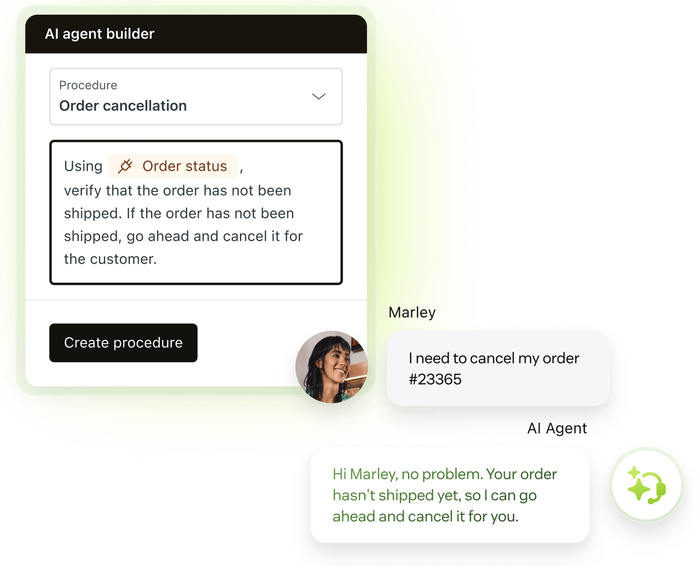
- Procedures: step-by-step instructions that let Fin complete tasks.
- Workflows: automation and assignment rules.
Pros
- Clear, published AI pricing.
- Strong in-app and messenger experience.
Cons
- Seats and Fin outcomes add up together at high volume.
- Multiple team inboxes and advanced workflows need Advanced or higher.
Pricing: per seat per month from Intercom’s pricing page, billed annually (monthly in brackets): Essential $29 ($39), Advanced $85 ($99), Expert $132 ($139). Fin $0.99 per outcome. 14-day trial.
Rating: G2 4.5/5 (3,913 reviews)
Read more: Intercom alternatives
4. Freshdesk
Best for: email-first support teams that want a full ticketing suite at a low seat price.
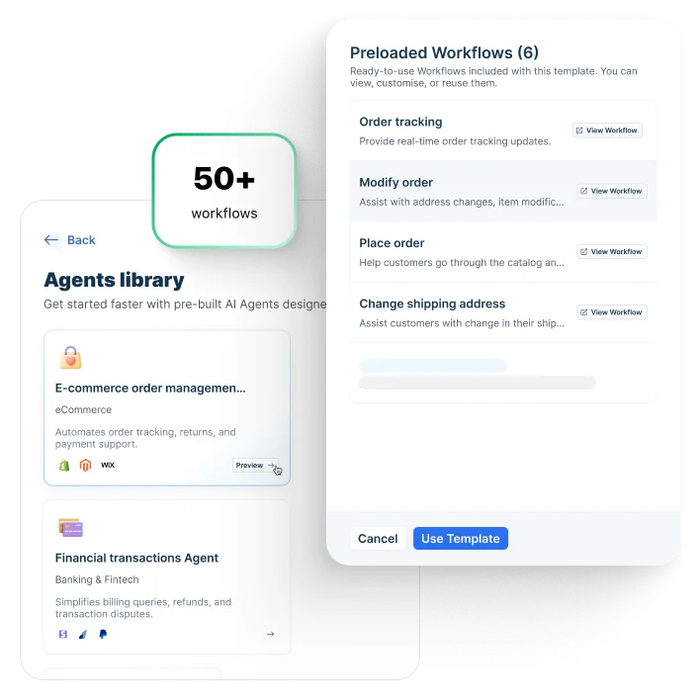
Freshdesk gives you mature ticketing, SLAs, and automations at one of the lowest seat prices among the big names. Its Freddy AI agent answers on chat and email, and Freddy Copilot helps agents write and summarize.
Watch the AI billing: 500 AI sessions are free once per account, then sessions come in paid packs.
Key features:
- Freddy AI agent: answers customers on chat and email, billed by session.
- Freddy Copilot: reply suggestions and summaries, on Pro and Enterprise.
- Automations and SLAs: ticket rules and SLA policies.
Pros
- Low entry price for a full ticketing suite.
- Clear upgrade path from Growth to Enterprise.
Cons
- No free plan; the 500 free AI sessions are a one-time allowance.
- Copilot costs extra per agent on top of the seat.
Pricing: per agent per month from Freshdesk’s pricing page, billed annually (monthly in brackets): Growth $19 ($23), Pro $55 ($66), Enterprise $89 ($107). Freddy AI agent: 500 sessions free once, then $49 per 100 sessions. Freddy Copilot $29 per agent per month. 14-day trial.
Rating: G2 4.4/5 (3,773 reviews)
Read more: Freshdesk alternatives
5. Zoho Desk
Best for: budget-conscious teams that run support for several departments or brands.
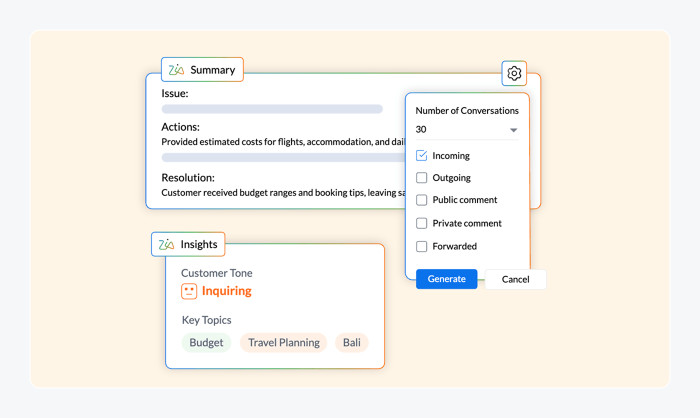
Zoho Desk is the cheapest full help desk on this list and has a free plan for three users. AI agents come with the paid plans, using your own AI provider key or Zoho’s model, with up to 30 million free tokens a month. If you already use Zoho CRM, the two share data out of the box.
The trade-off is setup. Generative features such as sentiment analysis, ticket summaries, and reply suggestions need your own OpenAI or DeepSeek API key, and the interface is dense.
Key features:
- AI agents: prebuilt and custom agents, with up to 30 million free tokens a month.
- Generative AI (bring your own key): sentiment analysis, ticket summaries, and smart reply suggestions.
Pros
- Free plan and very low paid prices.
- Native link to Zoho CRM and other Zoho apps.
Cons
- Dense interface with a learning curve.
- Generative AI needs your own API key and its usage costs.
Pricing: per user per month from Zoho’s pricing data, billed annually (monthly in brackets): Free (3 users); Express $7 ($9); Standard $14 ($20); Professional $23 ($35); Enterprise $40 ($50). 15-day trial.
Rating: G2 4.4/5 (7,954 reviews)
Read more: Zoho Desk alternatives
6. Help Scout
Best for: small teams that run support from a shared email inbox.
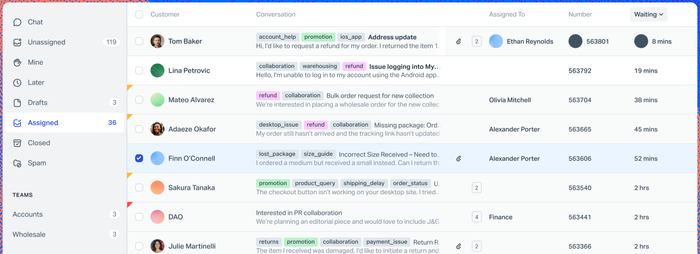
Help Scout feels like email, which is why small teams like it. Conversations stay personal, the setup takes minutes, and its AI Answers agent resolves questions from your Docs site. You pay only when the AI resolves a conversation without a human reply.
It’s lighter than the big suites, so complex routing or phone support pushes growing teams elsewhere.
Key features:
- AI Answers: an AI agent that resolves customer questions from your help center, billed per resolution.
- AI drafts and summaries: help agents write and catch up on long threads.
Pros
- Free plan for up to 5 users.
- Easy to learn for teams moving off a shared mailbox.
Cons
- The Free plan is limited to one inbox and one Docs site.
- Fewer routing and SLA options than the large suites.
Pricing: per user per month from Help Scout’s pricing page, billed annually: Free (5 users, 1 inbox, 1 Docs site); Standard $25; Plus $45; Pro $75. AI Answers $0.75 per resolution.
Rating: G2 4.4/5 (431 reviews)
Read more: Help Scout alternatives
7. Gorgias
Best for: Shopify stores that want help desk pricing based on tickets, not seats.
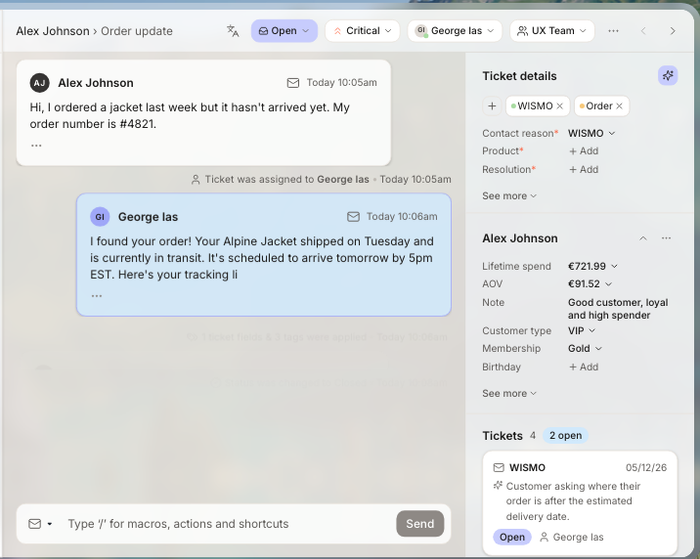
Gorgias is a help desk made for online stores. It charges by monthly ticket volume instead of per agent, so adding people doesn’t raise the bill. Its AI Agent answers shopper questions on every plan and is billed per automated interaction.
The catch: a busy season raises your tier even if your team stays the same size.
Key features:
- AI Agent: answers shopper questions on every plan, billed per automated interaction.
- Shopify data in the ticket: order details next to every conversation.
Pros
- No per-seat fees.
- Built for store support from day one.
Cons
- Each tier caps monthly tickets, so peak seasons cost more.
- Little value outside e-commerce.
Pricing: by tickets per month from Gorgias’s pricing page, annual (monthly in brackets): Starter $10 monthly only (50 tickets); Basic $50 ($60) for 300 tickets; Pro $300 ($360) for 2,000; Advanced $750 ($900) for 5,000. AI Agent $0.85 to $1.00 per automated interaction, depending on plan. Free trial.
Rating: G2 4.6/5 (582 reviews)
Read more: Gorgias alternatives
8. Salesforce Service Cloud
Best for: companies whose customer data already lives in Salesforce CRM.
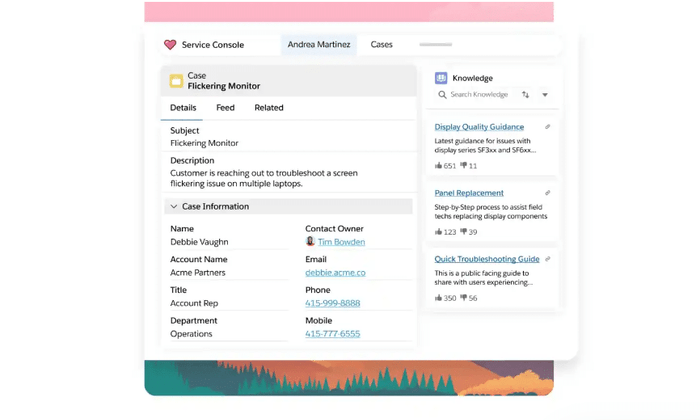
Service Cloud puts support cases on the same data as your sales records, so agents see the whole account. Agentforce, Salesforce’s AI agent, answers customers and assists reps.
It’s heavy to run: most teams need a Salesforce admin, and the full AI suite sits in the top editions.
Key features:
- Agentforce for Service: AI agents and rep assistance, included in Max.
- Omni-channel routing: sends each case to the right rep automatically.
Pros
- One data model for sales, service, and marketing.
- Scales to complex, multi-team processes.
Cons
- Needs dedicated admin time.
- Full AI features push you into the top editions.
Pricing: per user per month from Salesforce’s pricing page: Starter Suite $25; Pro Suite $100 (annual contract); Core $195, Advanced $395, Max $550 (billed annually). Agentforce $2 per conversation or Flex Credits at $500 per 100,000. Free trial.
Rating: G2 4.4/5 (8,432 reviews)
Read more: Zendesk vs Salesforce
9. Jira Service Management
Best for: internal IT teams and support teams that work closely with developers.
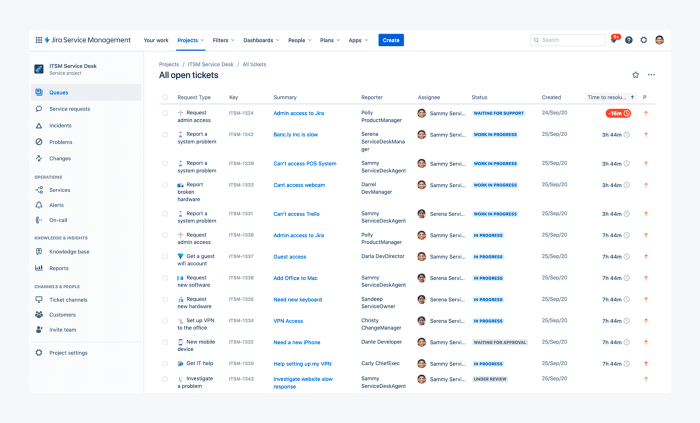
Jira Service Management is Atlassian’s service desk, and it’s the natural choice when your IT or support team already works in Jira. Employees raise requests by email, Slack, Microsoft Teams, or the portal, requests link straight to engineering issues, and ITIL processes such as incident and change management are built in. A virtual service agent answers common requests on the Premium and Enterprise plans.
It’s an IT tool first, and thin for website chat or store support.
Key features:
- Virtual service agent: AI-powered conversational answers to common requests, on Premium and Enterprise.
- ITIL workflows: incident, problem, change, and request management.
Pros
- Free plan for up to 3 agents.
- Tight fit with Jira and Confluence.
Cons
- The AI agent needs Premium or Enterprise.
- Weak for customer-facing chat and e-commerce.
Pricing: per agent per month from Atlassian’s pricing page: Free (3 agents); Standard $20; Premium $51.42 at the default 75-agent view; Enterprise by quote. 14-day trial.
Rating: G2 4.3/5 (986 reviews)
10. ServiceNow
Best for: large enterprises running IT, HR, and customer service on one platform.
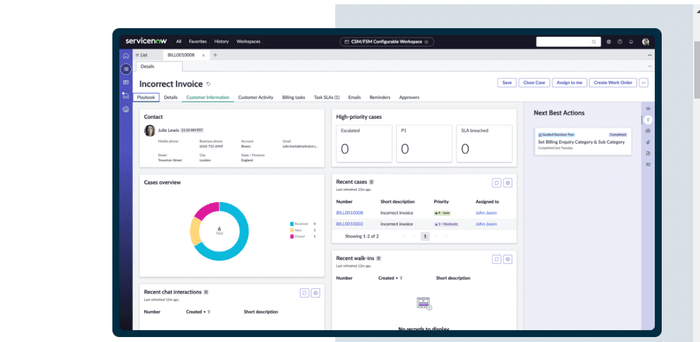
ServiceNow is the reference for enterprise IT service management. Its AI agents and Now Assist run across IT, HR, and customer service workflows on one platform.
There’s no public price list, and most rollouts need a partner or an in-house platform team.
Key features:
- AI agents and Now Assist: autonomous agents and generative AI across service workflows.
- ITSM on one CMDB: incident, problem, change, and request management with dependency data.
Pros
- Deepest IT service management on this list.
- One platform for IT, HR, and customer workflows.
Cons
- Quote-only pricing makes early budgeting hard.
- Long implementations with specialist admins.
Pricing: not published; sold by quote through ServiceNow and its partners.
Rating: G2 4.5/5 (1,989 reviews), for ServiceNow IT Service Management
AI help desk for customer support vs an AI service desk for IT
A customer support AI help desk answers your customers about orders, billing, and products. An AI service desk answers your employees about passwords, access, devices, and outages, often in Slack or Microsoft Teams. Both use AI agents; they differ in who asks and which systems the AI connects to.
For IT, a conversational AI service desk gives 24/7 AI help desk support for routine requests such as password resets and software access, and hands harder issues to an engineer with the context collected. Jira Service Management and ServiceNow cover this, as do employee assistants such as Moveworks that sit on top of a service desk.
Customer support teams need answers from the help center, actions in the store, and a smooth handoff on the website chat. That’s where Tidio, Zendesk, Intercom, and Gorgias fit. Our help desk vs service desk guide covers the split, and our enterprise help desk roundup has more options for large teams.
How to choose an AI help desk
Choose an AI help desk by testing its AI on your own most common questions, then pricing it at your volume with AI fees included. Then check the handoff to people, your integrations, and security. The tool that wins the demo often loses on one of these five.
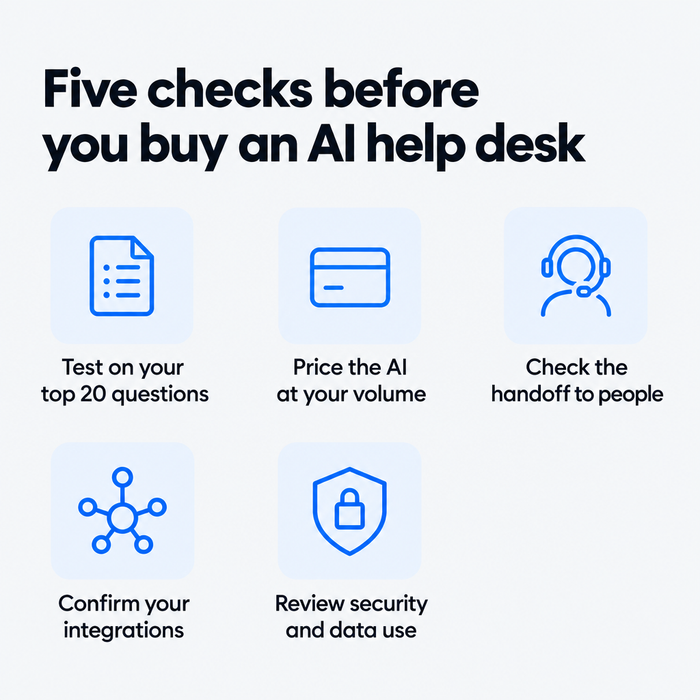
Test the AI on your top 20 questions
Run last month’s 20 most common questions through each trial and count the correct answers. A vendor’s resolution rate comes from its best customers; plan around what you see on your own data.
Price the AI at your real volume
List price is never total cost. Take a team of five agents whose AI resolves 400 conversations a month. On Help Scout Standard that’s $125 in seats plus $300 in AI resolutions. On Intercom Essential it’s $145 plus $396. On Zendesk Suite Team it’s $275 plus $600 at the committed rate. Ask each vendor what counts as a resolution, because a conversation the customer simply abandons may still be charged.
Check the handoff to people
The AI will get things wrong, so look for rules that pass the conversation to a person on request or on topics such as refunds. The agent should see the full thread, so the customer never repeats themselves.
Confirm your integrations
An AI agent that can’t see orders or accounts can only answer FAQs. Check for native links to your store, CRM, and billing tools, and whether the AI can act in them or only read.
Review security and data use
Ask where conversation data is stored, whether it trains the vendor’s models, and which certifications the vendor holds. SSO and role-based access usually sit on the top plans.
Which AI help desk should you pick?
- You run a Shopify store → Tidio Growth with Lyro. Lyro answers order-status questions, and agents preview carts, check order history, and issue refunds from the chat. Gorgias is the alternative if you want pricing by ticket volume.
- You’re a small or mid-sized team on chat, email, and social → Tidio Growth with Lyro, moving to Plus when you need departments and ticketing automations.
- You run a large omnichannel support team → Zendesk, if you budget for AI resolutions and Copilot.
- You’re a SaaS company supporting users in your app → Intercom, with Fin’s easy-to-forecast pricing.
- You want the lowest seat price and mostly use email → Freshdesk or Zoho Desk, or Help Scout if the team is small and wants an email-like inbox.
- You support employees, not customers → Jira Service Management, or ServiceNow at enterprise scale.
- Your company runs on Salesforce → Service Cloud with Agentforce.
See which Tidio plan fits your support volume
Frequently asked questions
It depends on your team. Tidio fits small and mid-sized support teams and Shopify stores, Zendesk fits large omnichannel teams, and Intercom fits SaaS companies. For internal IT, Jira Service Management and ServiceNow lead.
For enterprise customer service, Zendesk and Salesforce Service Cloud are the common choices; for enterprise IT, ServiceNow is the standard. Expect quote-based pricing on top plans, and check SSO and data-use terms.
Seats start at about $7 to $29 per agent a month on entry plans, and the AI is usually billed on top. AI agents cost $0.75 to $2.00 per resolution on the per-resolution tools here, or a monthly fee per block of AI conversations, as with Tidio’s Lyro from $32.50 a month for 50 conversations.
Yes. Tidio, Zoho Desk, Help Scout, and Jira Service Management have free plans, with limits on seats, inboxes, or conversations. Every Tidio account also starts with 50 Lyro AI conversations to test the AI agent.
Yes, for routine requests. An AI service desk answers password, access, and how-to questions around the clock and logs a ticket for an engineer when it can’t help. Outages and hardware problems still need people.
Start with Tidio and let Lyro answer your top questions
