



Key takeaways
- An AI ticketing system uses AI at three points: triage (tags, priority, sentiment), agent help (summaries and drafted replies) and resolution (an AI agent answers without a person).
- Resolution is billed by outcome almost everywhere. Help Scout charges $0.75 per resolution, Intercom $0.99, Zendesk $1.50 to $2.00. Budget for ticket volume, not only seats.
- Best for small e-commerce and SMB teams: Tidio. It has a free plan, prices by conversations rather than seats, and Lyro replies to chats and emails.
- Best for ticket triage on a budget: LiveAgent or Zoho Desk. LiveAgent runs AI triage and categorization on every plan from $15 an agent; Zoho Desk adds auto tags and sentiment on Standard from $14 a user.
- Best for IT and internal requests: Jira Service Management. It has a free plan for 3 agents and a request router that suggests type and priority.
Nearly every help desk now says “AI”, but the pages rarely say what the AI touches (the tag, the priority, the draft reply or the resolution) or what it costs once volume grows. Most vendors bill AI on top of seats. We compared 8 AI ticketing systems on their pricing pages, help centers and G2 profiles in October 2026, and this guide shows what each one’s AI does to a ticket, how it is billed, and which team it suits. Tidio comes first because the list is ordered for small and mid-size support teams, and it gets the same template, drawbacks included, as every rival.
What is an AI ticketing system?
An AI ticketing system is help desk software that uses artificial intelligence to handle support tickets: it reads each incoming request, tags and prioritizes it, suggests or writes replies, and can resolve routine questions without an agent. It differs from a ticketing system with rules only, which follows conditions you write, and from automated ticketing, which covers routing, SLAs and rules as well as AI.
Customer-facing tools such as Zendesk or Tidio serve shoppers and customers. IT tools such as Jira Service Management serve employees. AI answers to this topic split along that line, and so does this list.
How AI handles a ticket
The AI can act at five points between the customer’s message and the closed ticket. Tools differ in how many of them they cover and on which plan.
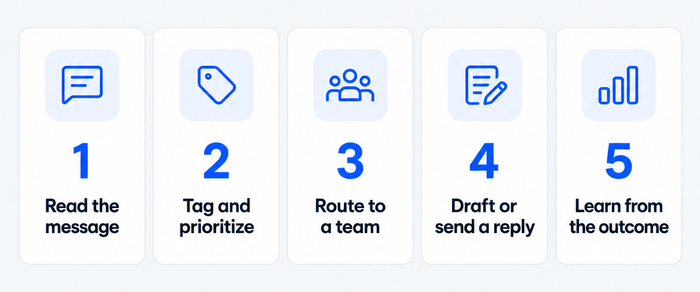
- Read and classify. Natural language processing picks out the topic, language and details such as an order number. This is the basis of ticket tagging.
- Prioritize. Sentiment and urgency set the queue order, so an angry long-time customer is not behind a routine question. See ticket triage.
- Route. The class decides the team or agent. Some tools apply it only through rules you build, which is covered in automated ticket routing.
- Reply. The AI drafts an answer for the agent to edit, or an AI agent sends it, handing off with context when it is unsure.
- Learn. Resolution outcomes and agent edits improve answers and show which topics need a better knowledge base.
The two reply modes are different products. A copilot makes agents faster and bills per agent. An AI agent resolves tickets alone and bills per outcome. Most tools below sell both.
AI does not fix a thin knowledge base. It answers from the articles and past tickets you give it, so a gap in your help content becomes a wrong or missing answer. It also does not remove the queue: ambiguous, emotional and high-value tickets still need a person, and the better tools hand them over with the conversation attached.
The best AI ticketing systems at a glance
Our top three: Tidio for small e-commerce and SMB teams that want chat, email tickets and an AI agent in one inbox, Zendesk for larger teams that want AI triage inside a mature rules engine, and LiveAgent for the lowest entry price with AI triage on every plan. Prices below are per seat per month, billed annually unless noted. Tidio charges by conversation instead.
| Tool | Best for | What the AI does | How resolution is billed | Starting price | Free plan or trial | G2 |
|---|---|---|---|---|---|---|
| Tidio | Small e-commerce and SMB teams | Lyro replies to chats and emails; AI fills ticket fields | Per Lyro conversation, from $32.50/mo | $24.17/mo, billed annually | Free plan; 7-day trial | 4.6 (1,962) |
| Zendesk | Mid-size and larger teams | Triage by topic and sentiment, AI agents, Copilot | $1.50 to $2.00 per resolution | $19 | 14-day trial | 4.3 (7,097) |
| Freshdesk | Email-first teams | Freddy AI Agent, Copilot sentiment and replies | $49 per 100 sessions after 500 | $19 | 14-day trial | 4.4 (3,795) |
| Intercom | Teams that want an AI agent first | Fin AI Agent, Copilot | $0.99 per outcome | $29 | 14-day trial | 4.5 (3,921) |
| Zoho Desk | Budget-conscious teams | Zia sentiment and auto tags, answer bot | Token allowance | $7 | Free plan (3 users) | 4.4 (7,996) |
| LiveAgent | Teams that want chat, calls and tickets | AI triage, summaries, tickets responder | Not stated | $15 | 30-day trial | 4.5 (1,537) |
| Help Scout | Small email-centric teams | AI Answers, drafts, summaries | $0.75 per resolution | $25 | Free plan (5 users) | 4.4 (431) |
| Jira Service Management | IT and internal service desks | Request router, virtual service agent | From $0.30 per conversation above 1,000 | $21.50, billed monthly | Free plan (3 agents) | 4.3 (986) |
How we chose and compared these tools
We started from the tools that rank for this search, appear in AI answers about AI help desks and sat in the live version of this article, shortlisted 11, and kept 8 that we could verify and that still sell what we describe. We ordered the list by fit for small and mid-size customer-facing teams, not by rating. Every tool is judged on the same six criteria:
- AI triage: tags, priority or sentiment set by AI.
- Agent assist: summaries and drafted replies.
- AI resolution: whether an AI agent answers tickets, and over which channels.
- Billing unit: what triggers a charge for AI, and what is included.
- Plan gating: which plan holds each AI feature.
- Ticketing core: inbox, assignment and SLAs underneath the AI.
Our sources are vendor pricing pages, help centers and G2, all read in October 2026. We did not run each tool on real ticket volume, and vendor resolution rates are claims. Test the AI on your own tickets during a trial.
The 8 best AI ticketing systems in 2026
1. Tidio
Best for: small e-commerce and SMB teams that want chat, email tickets and an AI agent in one inbox.
Tidio grows out of website chat, so the AI starts before a ticket exists. Lyro, Tidio’s AI agent, answers repeat questions from the data sources you connect and can reply to incoming emails as well. Tidio says Lyro can resolve up to 75% of support requests. Agents then work tickets with status, priority, tags and notes in one inbox. Skip Tidio if you need IT asset management, change approvals or deep multi-stage workflows.
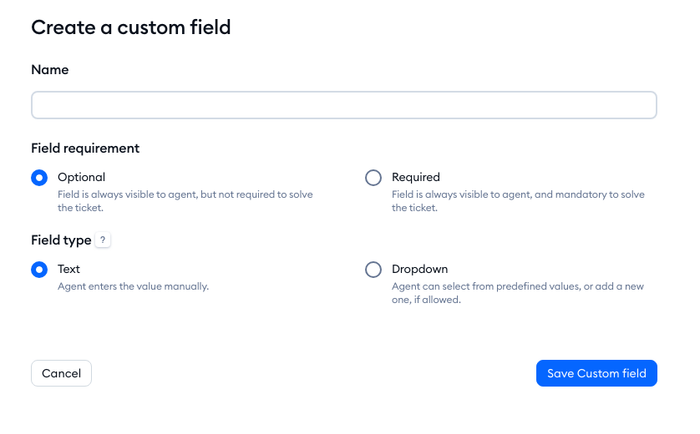
For triage, Tidio fills custom fields such as order number or request type from the customer’s message. Lyro answers only the first email in a thread: if the customer writes again, a person takes over. Shopify merchants get cart previews and order history beside the ticket.
Tidio fits these teams best:
- Stores on Shopify or other e-commerce platforms, where order details help answer tickets.
- Small teams that want AI to carry routine requests.
- High-volume inboxes full of repeat questions.
- Teams that run chat, email, Messenger, Instagram and WhatsApp in one place.
Key features:
- Lyro AI agent: replies on chat and email, and a person takes over when the customer writes again.
- AI-filled custom fields: order numbers and request types read from the message.
- Workflows and SLA policies: assign, escalate and track response targets.
- Shared inbox: emails, forms, chats and social messages become tickets in one queue.
Pros
- Tickets, live chat and the AI agent share one inbox, so nobody repeats information.
- Billing follows conversations, not headcount, and self-serve plans include up to 10 seats.
- The Free plan and a 7-day trial let you test the whole setup before you pay.
Cons
- Lyro is sold separately from the plan, so you pay only for the AI you use, with its own conversation quota to watch.
- Ticketing automations come with the Plus plan, and Growth adds automatic chat assignment and replies, so check which plan holds your workflows.
- It is built for customer-facing support, so IT asset and change management sit outside it.
Pricing: Free: $0 for 50 billable conversations. Starter: $24.17/mo billed annually ($29 monthly) for 100. Growth: from $49.17/mo ($59). Plus: from $300/mo plus usage. Lyro AI Agent: 50 free conversations once, then from $32.50/mo billed annually ($39 monthly) for 50 conversations. A Lyro conversation is any conversation with at least one Lyro reply. See Tidio’s pricing page.
Rating: G2 4.6/5 (1,962 reviews)
Add Lyro and a shared inbox to your support
2. Zendesk
Best for: mid-size and larger teams that want AI triage inside a deep rules engine.
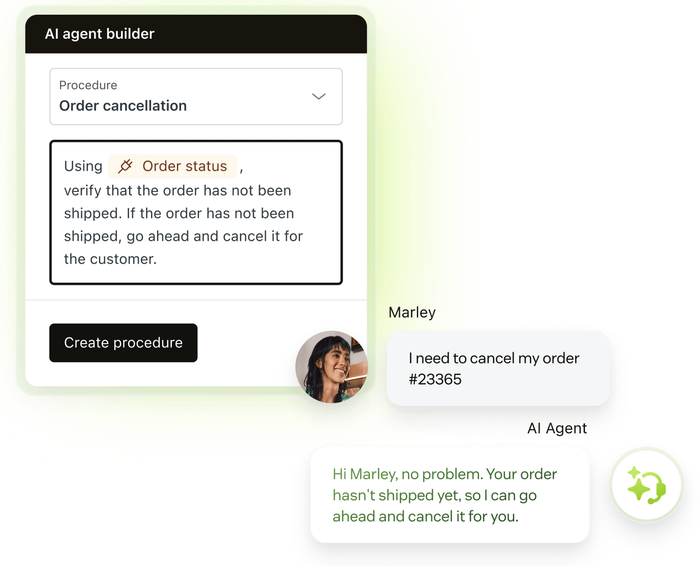
Zendesk ties AI triage into its rules engine. Intelligent triage classifies tickets by topic, sentiment, language and entities from the Professional plan, but using those classes in triggers and routing needs the Copilot add-on. AI agents work across messaging, email and voice.
Key features:
- Intelligent triage: topic, sentiment, language and entities on every ticket.
- AI agents: automated answers billed per resolution.
- Copilot: suggested macros and agent assist as an add-on.
Pros
- AI classes can drive routing and automations once Copilot is on.
- One platform for tickets, messaging and voice.
Cons
- No free plan; the Support Team card does not list AI agents, and Copilot is $50 per agent a month on top.
- Each automated resolution costs $1.50 committed or $2.00 pay-as-you-go, on top of seats.
Pricing: Support Team $19, Suite Team $55, Suite Professional $115 per agent per month billed annually. Enterprise is sold through sales.
Rating: G2 4.3/5 (7,097 reviews)
Read more: Tidio vs Zendesk
3. Freshdesk
Best for: email-first teams that want a low entry price and AI bought by usage.
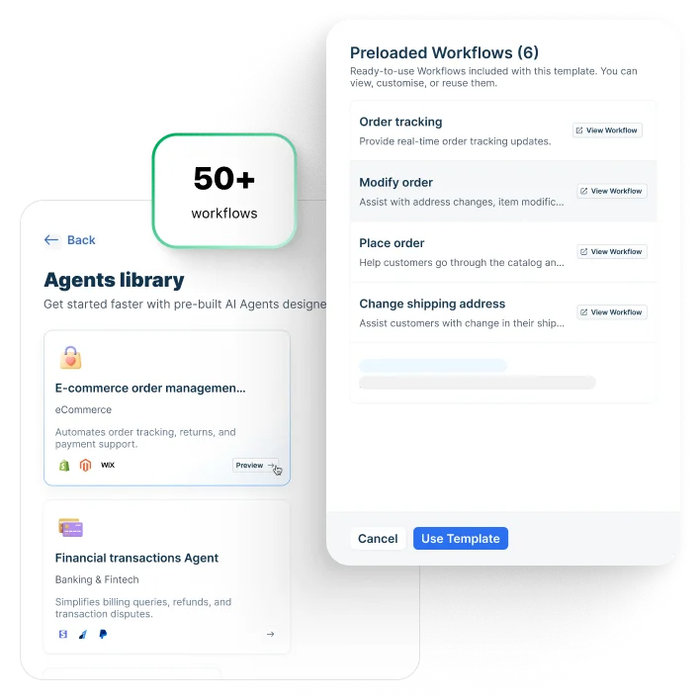
Freshdesk’s AI is a Freddy AI Agent for email and chat, plus a Copilot add-on with sentiment analysis and a response assistant. The cheapest plan includes the AI agent, but Copilot starts at Pro. Skip it if you want AI costs you can forecast: sessions are metered.
Key features:
- Freddy AI Agent: answers customers, billed by session.
- Copilot sentiment analysis: a queue ordered by customer sentiment.
- Response assistant: drafts replies for agents.
Pros
- AI agent available from the $19 Growth plan.
- Copilot costs $29 per agent a month, against $50 for Zendesk’s.
Cons
- The first 500 AI sessions are one-time, then $49 per 100 sessions.
- No free plan listed; the 14-day trial runs on the Enterprise plan.
Pricing: Growth $19, Pro $55, Enterprise $89 per agent per month billed annually.
Rating: G2 4.4/5 (3,795 reviews)
Read more: Tidio vs Freshdesk
4. Intercom
Best for: teams that want an AI agent answering before a person sees the ticket.
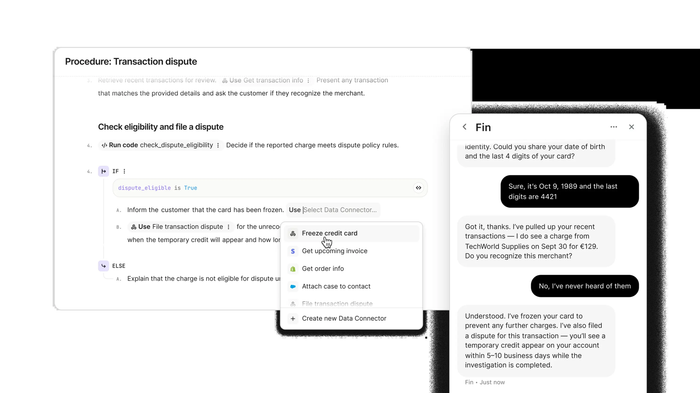
Intercom puts the AI agent first. Fin is on every plan at $0.99 per outcome, charged at most once per conversation. An outcome is a resolution or a handoff after a configured procedure. Fin can also run on top of another help desk, which suits teams that do not want to migrate. Skip it if your volume is high and your margins are thin.
Key features:
- Fin AI Agent: answers across channels and runs procedures.
- Copilot: an agent assistant at $29 per agent a month billed annually.
- Workflows: automation builder from the Advanced plan.
Pros
- Fin is available on every plan, including Essential.
- Works alongside an existing help desk if you buy Fin alone.
Cons
- A handoff procedure also counts as a $0.99 outcome, so spend follows volume.
- SLAs and workload management are Expert only.
Pricing: Essential $29, Advanced $85, Expert $132 per seat per month billed annually. Fin is $0.99 per outcome.
Rating: G2 4.5/5 (3,921 reviews)
Read more: Tidio vs Intercom
5. Zoho Desk
Best for: budget-conscious teams, especially ones already on Zoho apps.
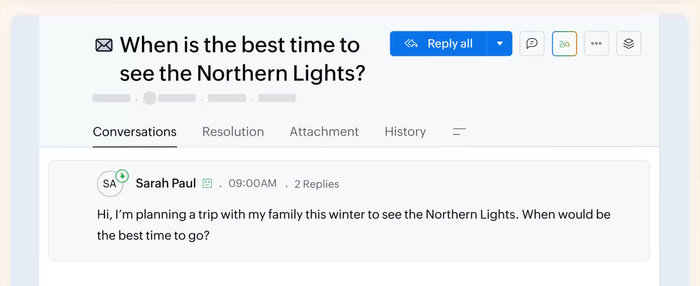
Zoho Desk’s AI is called Zia. Zoho’s comparison table starts sentiment analysis and auto tags on Standard, and an answer bot there too, while the pricing page card puts Zia at Professional, so confirm the plan before you buy. Pre-built AI agents are Enterprise only. It suits teams that value a low price and Zoho integrations over the newest AI features.
Key features:
- Sentiment analysis and auto tags: classify tickets on arrival.
- Answer bot: replies from your knowledge base.
- AI agents: token-based, with up to 30 million free tokens a month.
Pros
- A real free plan for 3 users, and paid plans from $7.
- AI agents on Express and up with a free token allowance.
Cons
- No per-resolution price, and the overage rate on tokens is not stated.
- Live chat through Zoho SalesIQ is Enterprise only.
Pricing: Free for 3 users. Express $7, Standard $14, Professional $23, Enterprise $40 per user per month billed annually.
Rating: G2 4.4/5 (7,996 reviews)
Read more: Zoho Desk review
6. LiveAgent
Best for: small and mid-size teams that want AI triage on a low seat price.
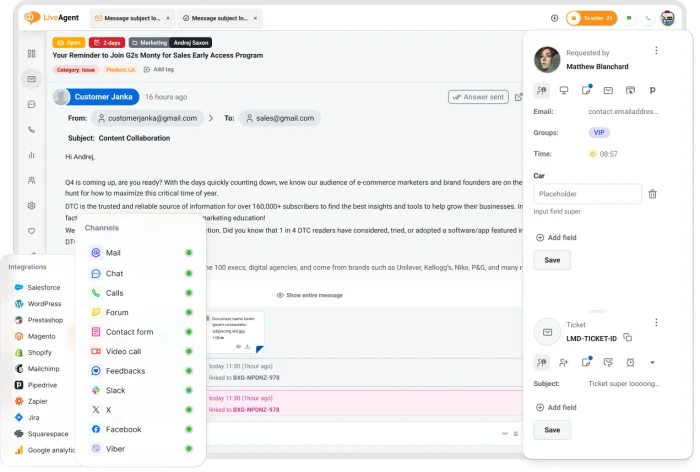
LiveAgent lists AI on every plan, including the cheapest. AI ticket triage and categorization, a tickets responder, ticket summaries and an AI spam filter are shown on all four plans. The billing unit for AI is not stated, so ask before you rely on volume. Skip it if you need a published per-resolution price.
Key features:
- AI ticket triage and categorization: assigns a category tag to each ticket.
- AI tickets responder: answers incoming tickets.
- AI ticket summary: condenses long threads for the next agent.
Pros
- AI triage on every plan, from $15 an agent.
- Chat, tickets and calls in one tool.
Cons
- No AI price or usage unit is published.
- Social channels cost $39 a month each on top of seats.
Pricing: Small $15, Medium $29, Large $49, Enterprise $69 per agent per month billed annually.
Rating: G2 4.5/5 (1,537 reviews)
7. Help Scout
Best for: small, email-centric teams that want a simple inbox and pay-per-resolution AI.
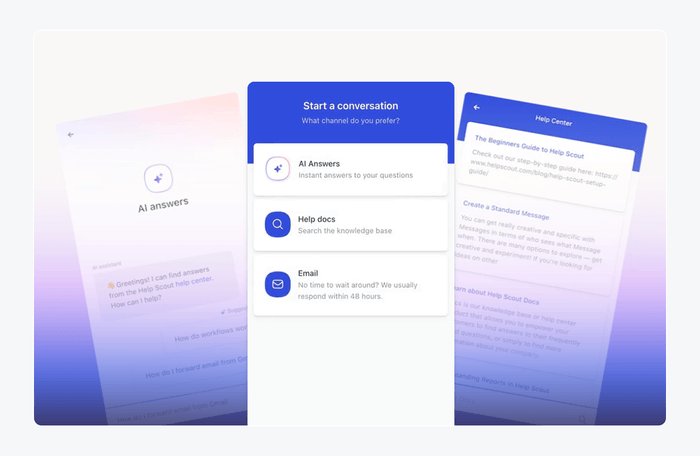
Help Scout’s AI is limited to replies. AI Answers resolves conversations at $0.75 per resolution, with 3 months of free unlimited resolutions from account creation. AI Drafts start on Plus. Help Scout does not list automatic tagging or priority, so skip it if triage is your main need.
Key features:
- AI Answers: replies to customers and charges only for resolved conversations.
- AI Drafts and Summarize: draft replies and thread summaries.
- Spending cap: a monthly limit on resolutions.
Pros
- The clearest AI price on this list: $0.75 per resolution, with a cap.
- A free plan for 5 users.
Cons
- No AI triage or sentiment listed.
- User caps: 25 on Standard, 50 on Plus.
Pricing: Free for 5 users. Standard $25, Plus $45, Pro $75 per user per month billed annually.
Rating: G2 4.4/5 (431 reviews)
Read more: Help Scout review
8. Jira Service Management
Best for: IT and internal service desks already on Jira.
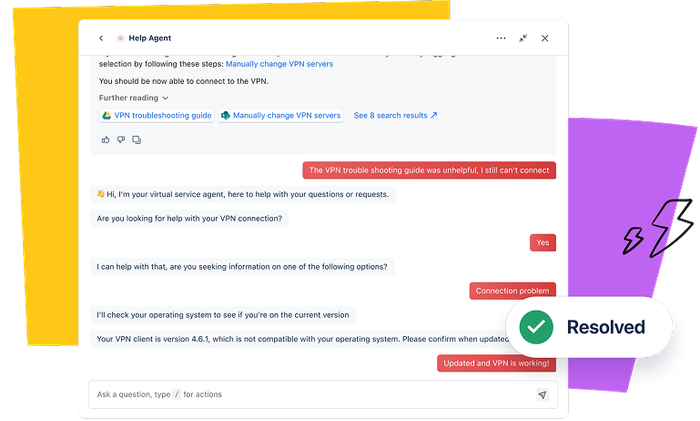
Jira Service Management is the IT pick. Its Request Router, a Rovo agent, suggests request type, priority and escalation from the message, sentiment and SLAs. The virtual service agent, for customer-facing answers, starts on Premium. Skip it if your tickets come from customers rather than employees.
Key features:
- Request Router: suggests type, priority and escalation.
- Virtual service agent: 1,000 assisted conversations a month included on Premium and Enterprise.
- Rovo credits: included per user, 250 on Standard.
Pros
- A free plan for 3 agents.
- Fits employee requests, approvals and engineering escalations.
Cons
- The virtual service agent is not on Standard.
- Automation is metered in steps, so heavy rules can hit the cap.
Pricing: Free for 3 agents. Standard $21.50 and Premium $55.28 per agent per month billed monthly at the 75-agent tier. Above the included 1,000, the virtual agent starts at $0.30 per assisted conversation. See Atlassian pricing.
Rating: G2 4.3/5 (986 reviews)
How to choose an AI ticketing system
Count the tickets AI can take
List your top five request types, such as order status, password resets and refunds. If most are repeat questions, an AI agent pays off. If most need judgment, buy triage and drafts first.
Decide between support and IT
Customer-facing teams need chat, email and an AI agent. IT teams need approvals and assets, which is where Jira Service Management fits. Mixing both in one tool usually means paying for features one team never uses. See ticketing system features for the full checklist.
Separate the copilot from the agent
A copilot bills per agent and speeds up replies you still send. An AI agent bills per outcome and replies alone. Start with the one that matches your volume.
Check which plan holds the AI
The table shows where each tool starts its AI, using the vendors’ own plan pages (“not stated” means no page we read says).
| Tool | Triage or sentiment | Agent assist | AI agent |
|---|---|---|---|
| Tidio | AI-filled custom fields; plan not stated | Not stated | Lyro, sold separately from the plan |
| Zendesk | Classification from Professional; using it in routing needs Copilot ($50) | Suggested macros: add-on on Professional | Billed per resolution; listed on Suite Team |
| Freshdesk | Sentiment in Copilot, Pro and up ($29) | Response assistant in Copilot | Freddy AI Agent on every plan |
| Intercom | Not stated | Copilot add-on ($29) | Fin on every plan |
| Zoho Desk | Sentiment and auto tags from Standard; the pricing page says Professional | Not stated | Answer bot from Standard; pre-built agents on Enterprise |
| LiveAgent | Every plan | Ticket summary on every plan | Tickets responder on every plan |
| Help Scout | Not stated | AI Drafts from Plus | AI Answers from Standard |
| Jira Service Management | Request Router; plan not stated | Not stated | Virtual agent from Premium |
Model the AI bill
At 2,000 resolutions a month, $0.75 is $1,500, $0.99 is $1,980 and $1.50 is $3,000, all on top of seats. Tidio prices by conversations instead of seats, so headcount matters less. See the plan-level view in automated ticketing systems.
Match the tool to your size
Small teams under about 10 agents do best with a free or low plan, a bundled AI agent and a price that does not scale per seat: Tidio, Zoho Desk, LiveAgent or Help Scout. Mid-size teams that need SLAs and routing rules should look at Zendesk, Freshdesk or Intercom. Large or IT-led organizations usually add Jira Service Management or another enterprise service desk, with a sales conversation about AI volume.
Layer AI or switch the desk
Intercom’s Fin and Tidio’s Lyro can sit in front of an existing setup. Switching the whole desk makes sense only when your current tool lacks triage or SLAs.
Pilot on your own tickets
Run 50 to 100 real tickets through triage, drafts and the AI agent in a trial. Count wrong tags and answers you would not send.
Which AI ticketing system should you pick?
- If you run a small or midsize team that wants chat, email and AI in one inbox: Tidio on Growth with Lyro, or Plus when you need ticketing automations.
- If you run a Shopify store: Tidio on Growth. Agents preview carts and order history from the ticket, and Lyro can field order-status questions. Tidio’s Shopify integration has the details.
- If you need deep rules with AI triage: Zendesk, once you budget for Professional and Copilot.
- If your budget per seat decides: LiveAgent or Zoho Desk.
- If you want an AI agent to answer first: Intercom, with a limit on outcome spend.
- If your support is small and email-first: Help Scout.
- If you support internal teams: Jira Service Management.
Put an AI agent in front of your ticket queue
Frequently asked questions
It depends on your team. Tidio suits small e-commerce and SMB teams, Zendesk suits larger teams that want AI triage inside deep rules, and Jira Service Management suits IT. Compare what the AI does to a ticket and how it is billed, not only the seat price.
Look for a free or low entry plan, triage on that plan and a clear AI price. Tidio, Zoho Desk, LiveAgent and Help Scout all work for small teams. Zoho Desk and Help Scout have free plans.
For repeat questions, yes. Zendesk, Intercom and Help Scout bill each resolved conversation, and Tidio says Lyro can resolve up to 75% of support requests. Vendor rates are claims, so measure resolutions on your own tickets.
No. AI takes the repeat questions and sorts the rest, and agents handle the cases that need judgment. Every tool here hands off to a person.
Seats run from $7 to $132 a month before AI on the plans listed here. AI resolution adds $0.75 to $2.00 per outcome at Help Scout, Intercom and Zendesk. Tidio charges by conversation, with paid plans from $24.17 a month on annual billing.
Jira Service Management is the pick here: a free plan for 3 agents, a request router and a virtual service agent on Premium. For customer-facing teams, the rest of this list fits better.
Check current Tidio plans and Lyro allowances
