



Key takeaways
- Reply to a new chat within the first minute, even if the first reply is only a greeting and a time estimate.
- Never leave a customer staring at a silent chat. Say how long you need, then check back before that time is up.
- When the answer is no, lead with what you can do instead.
- Close only when the customer confirms the problem is solved, then ask for a rating while the chat is still fresh.
A customer who opens your chat widget has usually tried the FAQ already. They’re on the checkout page, the order is late, or the discount code failed, and they’re waiting for a reply. In Tidio’s customer experience study, almost 44% of online customers said a customer service reply should come in under 5 minutes. On chat, most expect it much sooner.
Speed only starts the conversation. What your agents type next decides whether the customer buys or leaves. Below are 12 live chat best practices and tips for support teams. Each one comes with steps you can start this week and an example reply to adapt.
What is live chat etiquette?
Live chat etiquette is the set of habits that keep a support chat polite and quick: how agents greet customers, how they write, how they handle waiting and bad news, and how they close. Live chat best practices are the wider set of rules that includes the team and tools behind the chat, such as response targets, handoffs between a chatbot and an agent, and reviewing transcripts. This article covers both.
Online chat etiquette matters because the customer only has your words. No tone of voice softens a short reply, and every message stays on screen. Good chat etiquette pays off for your business:
- It keeps sales alive. Chat questions often come right before a purchase, so a fast answer at checkout can save the order.
- It protects your reputation. Forrester’s 2024 US Customer Experience Index found customer experience quality among US brands at an all-time low[1]. Consistent, polite chat support stands out when the bar is dropping.
- It makes quality repeatable. Written rules and saved replies let a new agent sound like your best one.
Try Tidio live chat on the free plan
12 live chat best practices and tips for customer service
The practices follow a chat in the order it happens, from before the first message to the close. The table works as a cheat sheet for your team.
| # | Best practice | Why it matters | Example phrase |
|---|---|---|---|
| 1 | Reply within the first minute | Customers expect chat to be live | “Hi Maria, thanks for waiting. Let me look at that now.” |
| 2 | Start proactive chats where visitors hesitate | Help arrives before the visitor leaves | “Questions about sizing? I can check stock for you.” |
| 3 | Open with a short greeting | Sets a friendly tone in one line | “Hi there, how can I help?” |
| 4 | Use the name and context you already have | Customers don’t repeat details | “I can see order #4821 shipped on Monday.” |
| 5 | Read the whole message before you answer | Prevents half answers | “Just to confirm: the wrong size arrived and you’d like an exchange?” |
| 6 | Match the customer’s tone | Keeps the chat comfortable | “Happy to help with that.” |
| 7 | Show empathy with specific words | Calms frustrated customers | “Two weeks without your order is frustrating. Let’s fix it.” |
| 8 | Say how long you need, then check back | Silence feels like being ignored | “Give me 2 minutes to check with the warehouse.” |
| 9 | Deliver bad news with an alternative | Keeps the customer moving | “That color is sold out, but navy ships today.” |
| 10 | Write short, clear messages | Easy to read on a phone | One idea per message |
| 11 | Transfer without making customers repeat themselves | Handoffs are where chats go wrong | “I’ve passed your order details to Sam, who handles refunds.” |
| 12 | Confirm it’s solved, then close and ask for feedback | Ends on a clear outcome | “Is there anything else I can help with today?” |
1. Reply within the first minute
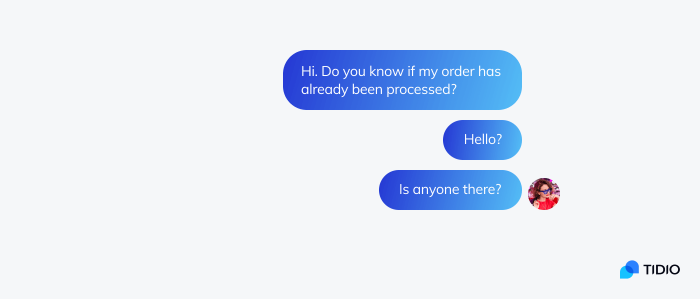
The first reply matters most, because that’s when the customer decides whether anyone is there. It doesn’t need to solve the problem. It needs to show that a person has seen the message.
A chat unanswered for 3 minutes feels longer than a phone hold, because the customer can see nothing is happening.
How to do it:
- Set a first response target for chat, such as 60 seconds, and show it on your team dashboard.
- Turn on desktop and mobile notifications for every agent on shift.
- Reply late rather than never. A customer who wrote 30 minutes ago may still have the tab open.
Example: A shopper asks “Is this in stock in a 10?” The agent replies at once, “Hi, checking the size 10 for you now,” and sends the answer 40 seconds later.
2. Start proactive chats where visitors hesitate
A proactive message is one your team sends first, based on what the visitor is doing. It works best on landing, pricing and checkout pages, where visitors stop to decide. On every page, it just trains visitors to close it.
How to do it:
- Trigger a message after a visitor has spent 30 seconds or more on the page.
- Tie the message to the page: sizing help on a product page, delivery times at checkout.
- Send it only once per visit and never over the “Place order” button.
Example: On a landing page for a running shoe, the widget says: “Not sure about the fit? Tell me your usual size and I’ll check it for you.” For triggers and timing, see our guides to proactive live chat and live chat triggers.
In Tidio, you set these messages up in Flows, triggered by events such as a first visit or a visit to a specific page.
3. Open with a short greeting
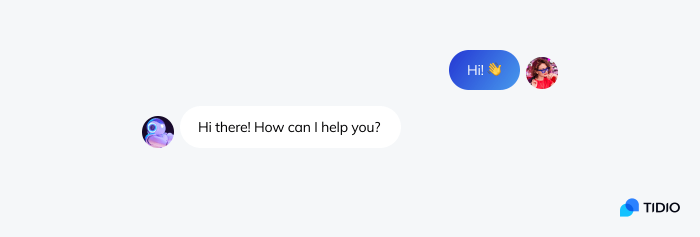
Chat greeting best practices come down to one line: greet, then help. Customers already see the agent’s name and photo in the widget, so a formal introduction only delays the answer.
How to do it:
- Start every first message with “Hi” or “Hello”, plus the customer’s name if you have it.
- If the customer asked a question, answer it in the same message as the greeting.
Example:
- Don’t say: “Good day to you. My name is Josh and I will be your customer service representative today. How may I be of assistance?”
- Say instead: “Hi Anna, happy to help. Your order left our warehouse this morning.”
4. Use the name and context you already have
Personal chat means using what you already know: the customer’s name, the page they’re on, their cart and their last order. It starts with not asking for an order number that’s already on screen.
How to do it:
- Use the customer’s first name once in the greeting and once in the close. More than that feels scripted.
- Collect the name and email in a short pre-chat form instead of asking mid-conversation.
- Check the visitor’s current page and past chats before your first reply.
Example: “Hi Tom, I can see you’re looking at the Growth plan. Are you comparing it with the one you have now?”
5. Read the whole message before you answer
Customers often send a question in pieces. Reply to the first line and you miss the real request in the third.
How to do it:
- Wait until the customer stops typing before you reply to a multi-part message.
- Paraphrase long or emotional messages in one sentence before you act on them.
- Ask one follow-up question at a time, not a list of five.
Example: The customer writes “Hi” / “I got the wrong size” / “and the box was damaged” / “can I just get a refund?” The agent replies once: “Sorry about both. To confirm: you’d like a refund rather than an exchange, and the box arrived damaged. I’ll start the refund now.”
Tidio’s live typing preview shows agents what the customer is typing before they press send.
6. Match the customer’s tone
Tone is easy to get wrong in text. Start friendly and calm, then adjust: brief with someone in a hurry, warmer with someone chatty.
How to do it:
- Skip jokes and GIFs when the customer has a problem. Use an emoji only if the customer used one first and the chat is going well.
- Write out words instead of chat abbreviations: “I’ll be right back”, not “brb”.
- Replace internal terms with plain ones: “your payment didn’t go through”, not “the transaction returned a 402”.
- Stay polite when the customer isn’t, and never tell anyone to calm down.
Example:
- Don’t say: “idk tbh, prob a glitch”
- Say instead: “I’m not sure yet what caused that. Let me check and get back to you in 2 minutes.”
7. Show empathy with specific words
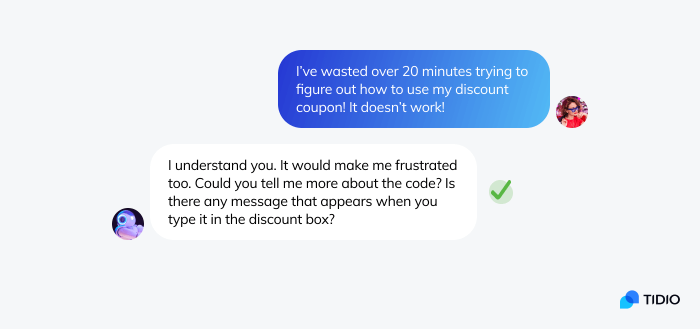
Empathy in chat means naming the customer’s problem before you fix it. Generic phrases read as copy-paste.
How to do it:
- Name the actual problem: “a late birthday present”, not “the inconvenience”.
- Acknowledge the feeling in one sentence, then move straight to the fix.
- Avoid phrases that blame the customer, such as “you should have” or “as I already said”.
Example:
- Don’t say: “We apologize for any inconvenience caused.”
- Say instead: “Waiting two weeks for a birthday present is really frustrating. I’ve checked, and I can ship a replacement today with express delivery.”
For heated conversations, our guide on how to deal with angry customers covers de-escalation step by step.
8. Say how long you need, then check back
A silent chat feels like being ignored. When you need to look something up, say how long it will take, then come back before that time runs out.
How to do it:
- Give a specific time: “2 minutes”, not “a moment”.
- If it takes longer, send an update before the time is up, even if there’s no answer yet.
- For anything over 10 minutes, offer to email the answer so the customer can leave.
Example: “Let me check with our warehouse. It’ll take about 2 minutes.” Two minutes later: “Still waiting on the warehouse. I can stay on, or email you in 15 minutes if you’d rather not wait.”
9. Deliver bad news with an alternative
Sometimes the answer is no: the item is sold out or the return window has closed. Customers accept a no better when it comes with a next step.
How to do it:
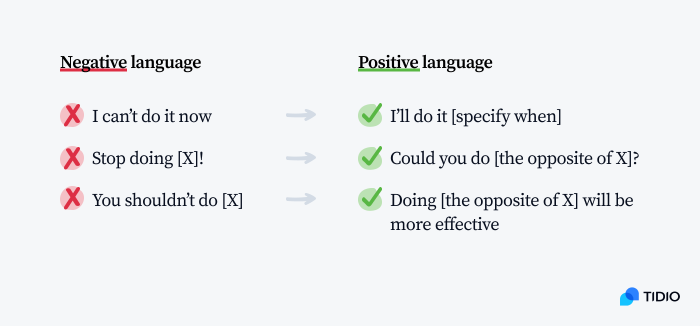
- Lead with what you can do, then state the limit plainly.
- Offer a choice where you can: a similar product, a restock alert, store credit.
- Swap negative phrasing for positive phrasing. Our guide to positive scripting has more phrase swaps.
Example:
- Don’t say: “No, returns are only accepted within 30 days. You’re past that.”
- Say instead: “Your order is outside our 30-day return window, so I can’t refund it. I can offer store credit for the full amount, or a repair if the zipper is the problem. Which would you prefer?”
10. Write short, clear messages
Many chats are read on a phone. Long paragraphs get skimmed, and typos look careless.
How to do it:
- Keep one idea per message and two or three sentences at most, following plain language guidelines.
- Read each message once before sending, and use a spelling checker in the agent’s browser.
- Save polished answers to common questions, so agents don’t retype them under pressure. Our guide to canned responses has examples to start from.
Example: “Here’s how to start your return: 1. Open your order confirmation email. 2. Click ‘Return item’. 3. Print the label. Your refund arrives 3 to 5 days after we get the parcel.”
11. Transfer without making customers repeat themselves
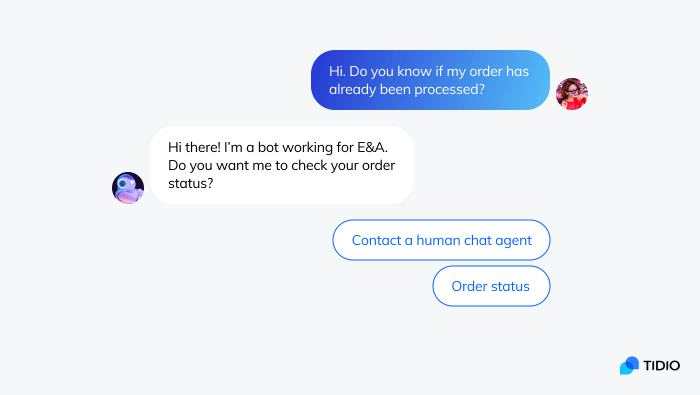
Transfers are where good chats go wrong: the customer explains the problem to a chatbot, an agent, then a specialist. In Salesforce’s 2023 State of the Connected Customer report, 56% of customers said they often have to repeat or re-explain information to different representatives.
How to do it:
- Pass a one-line summary with the transfer, so the next agent opens with the answer, not a question.
- Let a chatbot hand off to a human on request. In a Gartner survey published in July 2024, 64% of customers said they would prefer companies didn’t use AI for customer service, so the way to a person must be easy to find.
- If the issue can’t be solved in the chat, turn it into a ticket and tell the customer when they’ll hear back.
Example: “I’m passing this to Sam on our billing team, who can issue the refund. Sam can see everything we’ve discussed, so you won’t need to explain it again.”
In Tidio, you can set handoff and escalation rules for Lyro AI Agent, so the chatbot passes a conversation to your team when a customer asks for a person or raises a sensitive topic. Our chatbot best practices cover the chatbot side of the handoff.
12. Confirm it’s solved, then close and ask for feedback
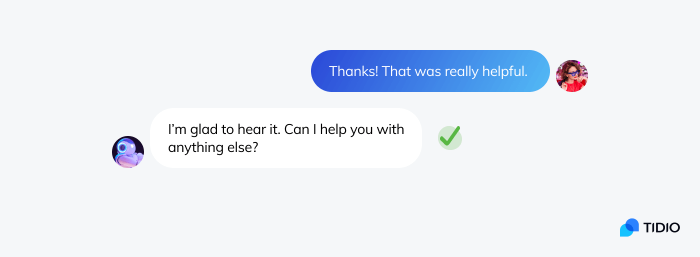
Closing too early is a common chat etiquette mistake. The customer decides when the chat is over. A clear close goes in order: check, summarize, then ask for a rating.
How to do it:
- Ask “Is there anything else I can help with today?” and wait for the answer.
- Summarize what happened and what comes next: “Your refund is on its way and should arrive in 3 to 5 days.”
- Send a one-question satisfaction survey right after the chat ends. Our guide to customer satisfaction surveys covers what to ask.
- Once a week, read five chats that got a low rating and turn what you find into a saved reply or a new team rule.
Example: “Glad we sorted that out, Maria. Your replacement ships today and you’ll get tracking by email. Anything else I can help with?” Customer: “No, that’s all.” Agent: “Thanks, Maria. Please rate this chat below if you have a moment.”
Live chat etiquette do’s and don’ts
Most chat etiquette rules fit in one table. Add it to your onboarding notes for new agents.
| Do | Don’t |
|---|---|
| Reply within a minute, even just to say you’re on it | Leave a new chat unanswered while you look things up |
| Say how long you need and check back | Go silent for minutes at a time |
| Offer an alternative with every no | Quote policy and stop there |
| Stay calm and polite with rude customers | Argue, get sarcastic or tell anyone to calm down |
| Let the customer end the chat | Close the chat as soon as you’ve replied |
How Tidio helps your team follow these practices
Tidio’s Live Chat builds several of these practices into the inbox:
- Replying fast (1): chat, Instagram, WhatsApp and Messenger arrive in one inbox, on browser, desktop and mobile.
- Proactive chats (2): Flows send messages based on what visitors do, such as visiting a specific page.
- Context (4): customer details sit beside the chat, and with the Shopify integration, agents can edit, cancel or refund orders without leaving the inbox.
- Reading the whole message (5): live typing preview shows what the customer is writing.
- Short, clear messages (10): agents insert saved replies, called Macros, with the Macros icon or by typing “/”.
- Transfers (11): Lyro AI Agent answers common questions and hands conversations to your team under the rules you set.
Start using Tidio live chat for free
Where to start
You don’t need all 12 practices on day one. Start with the two customers notice first: a reply within the first minute (practice 1) and a time estimate whenever you need to check something (practice 8). Add them to your team rules this week, then read five rated chats on Friday to pick the next practice.
Frequently asked questions
Live chat etiquette covers how agents write in a chat: greetings, tone, empathy, waiting and closing. Live chat best practices add the team and tools around it, such as response targets, proactive chat rules, chatbot handoffs and transcript reviews.
Aim to send the first reply within a minute. It can be a greeting and a time estimate while you look into the question. In Tidio’s customer experience study, almost 44% of online customers wanted a customer service reply in under 5 minutes.
Sometimes. An emoji can work when the customer used one first and nothing has gone wrong. Leave them out of your first message, and whenever the customer is upset or the news is bad.
Put your whole question in one or two messages, with the order number if you have one. Stay on the chat until the agent replies and answer their follow-up questions. Say when the problem is solved. If you need to leave, ask for an email follow-up.
Ask whether there is anything else you can help with, and wait for the answer. Then summarize what was done and what happens next. Thank the customer and ask for a rating. Close only after the customer confirms they’re done.
Use live chat to support your customers in real-time
