Key takeaways
- Want an AI agent for customer service without building one? Tidio. Lyro learns from your site and Shopify products and hands over to your team in the same inbox. From $33/month for Starter with Lyro (billed annually), up to 10 seats included on self-serve plans; Lyro and human replies share one conversation quota.
- Already on Intercom, or need AI on top of another help desk? Intercom Fin, billed per outcome.
- Want a bot trained on your docs, fast? Chatbase, with no seat fees.
- Need a builder like Botpress, with voice? Voiceflow. On Microsoft or Google Cloud? Copilot Studio or Dialogflow CX.
- Need to self-host, as with Botpress v12? Rasa, Typebot or n8n. The current Botpress platform runs in Botpress's cloud only.
If your team wants a ready AI agent for customer service instead of a chatbot build project, start with Tidio, especially if you run an online store on Shopify. Lyro and human replies share one conversation quota (50 a month) on Starter with Lyro, which costs $33/month billed annually with up to 10 seats included on self-serve plans. Per Botpress's pricing page, paid plans start at Plus, and the current platform runs only in Botpress's cloud.
Teams with a developer who owns the flows may want to keep building: Voiceflow is the closer swap, Copilot Studio and Dialogflow CX suit Microsoft and Google Cloud, and Rasa, Typebot or n8n let you self-host.
Tidio is our product; here's how we compared. Each platform was judged on its own pricing page and docs, Tidio's entry carries cons like every other, and wherever a builder beats a ready-made agent, the list says so. How we chose.
Botpress alternatives at a glance
| Tool | Best for | Starting paid price | Free plan or trial | How you pay |
|---|---|---|---|---|
| Tidio | Support teams and online stores that want a ready AI agent | $33/mo for Starter with Lyro, billed annually ($24/mo Human only) | Free plan, 7-day trial | Conversations; Lyro and human replies share one quota |
| Intercom Fin | SaaS support teams on Intercom or another help desk | $0.99 per Fin outcome, plus Intercom seats | 14-day trial | Resolved outcomes |
| Chatbase | A docs-trained answer bot set up fast | $120/mo, billed yearly | 7-day trial | Message credits |
| Landbot | No-code lead and FAQ flows on web and WhatsApp | $36/mo, billed annually | Free plan, 100 chats/mo | Chats, AI chats capped per plan |
| Voiceflow | Teams building chat and voice agents | Quote or usage-based | Free trial | Usage credits plus model tokens |
| Microsoft Copilot Studio | Microsoft 365 organizations | $200/mo for 25,000 credits | Trial (build and test only) | Copilot Credits |
| Google Dialogflow CX | Developers on Google Cloud, voice IVR | $0.007 per chat request | $600 in trial credits | Per request |
| Kore.ai | Large enterprises and contact centers | Custom, contact sales | 14- and 30-day trials | Custom |
| Rasa | Engineering teams that need on-premise control | Free Developer Edition, Enterprise by quote | Free license (1 bot) | License |
| Typebot | Chat forms and budget builds, self-host option | $39/mo | Free plan, 200 chats/mo | Chats |
| n8n | AI agents inside automated workflows | $20/mo, billed annually | Free self-hosted edition | Workflow executions |
For comparison, Botpress Plus is $150 a month billed annually ($189 monthly) for 250 conversations, per Botpress's pricing page.
How we chose these alternatives
A tool made the list only if it does Botpress's core job (an AI agent or chatbot that talks to customers or users), publishes its prices or offers a free plan or trial, and gives a Botpress customer a clear reason to switch: a ready support agent with an inbox, a simpler bill, voice, a Microsoft or Google Cloud stack, or self-hosting. We then compared each one on build effort, human handoff, billing unit, hosting and free start.
Tidio, which publishes this guide, is one of the 11 tools reviewed. It sits at number one because it fits the most common reason to leave (a support channel, not a build project), with cons like every other entry. We didn't run trials; the review used each vendor's pricing page and documentation, plus G2 for ratings.
Why teams look for a Botpress alternative
Botpress is a capable AI agent platform. It mixes a visual builder with code, lets you pick OpenAI, Anthropic or Google models per bot or per step, and hands chats to human agents in tools like Intercom, HubSpot and LiveChat, or in its own help desk, Botpress Desk. It holds a 4.5/5 rating on G2. People leave for specific reasons:
- The pricing model changed in 2026. In its pricing update post, Botpress announced on May 14, 2026 that new workspaces are billed per conversation instead of per incoming message. Plus is now $150 a month billed annually, or $189 billed monthly, for 250 conversations and $25 of AI usage. Extra conversations come in packs of 100 for $65, added automatically, and the top-up can't be switched off. Older workspaces keep their plans for now.
- What counts as a conversation. Per the FAQ on its pricing page, Botpress counts any exchange with at least two user messages in a billing month. A conversation that spans two months counts in both, and test chats in the emulator count the same as customers.
- The learning curve. It is a recurring con in Botpress's G2 reviews, and someone has to own the flows and prompts after launch.
- Open source is now the legacy version. The self-hostable, AGPL-licensed Botpress v12 repository on GitHub has had no updates for over a year, and the current platform runs only in Botpress's cloud.
- The job changed. Botpress now calls itself an AI-native customer support platform. Teams that only need a support agent can get one without a builder.
The 11 best Botpress alternatives in 2026
1. Tidio: best for support teams and online stores that want a ready AI agent
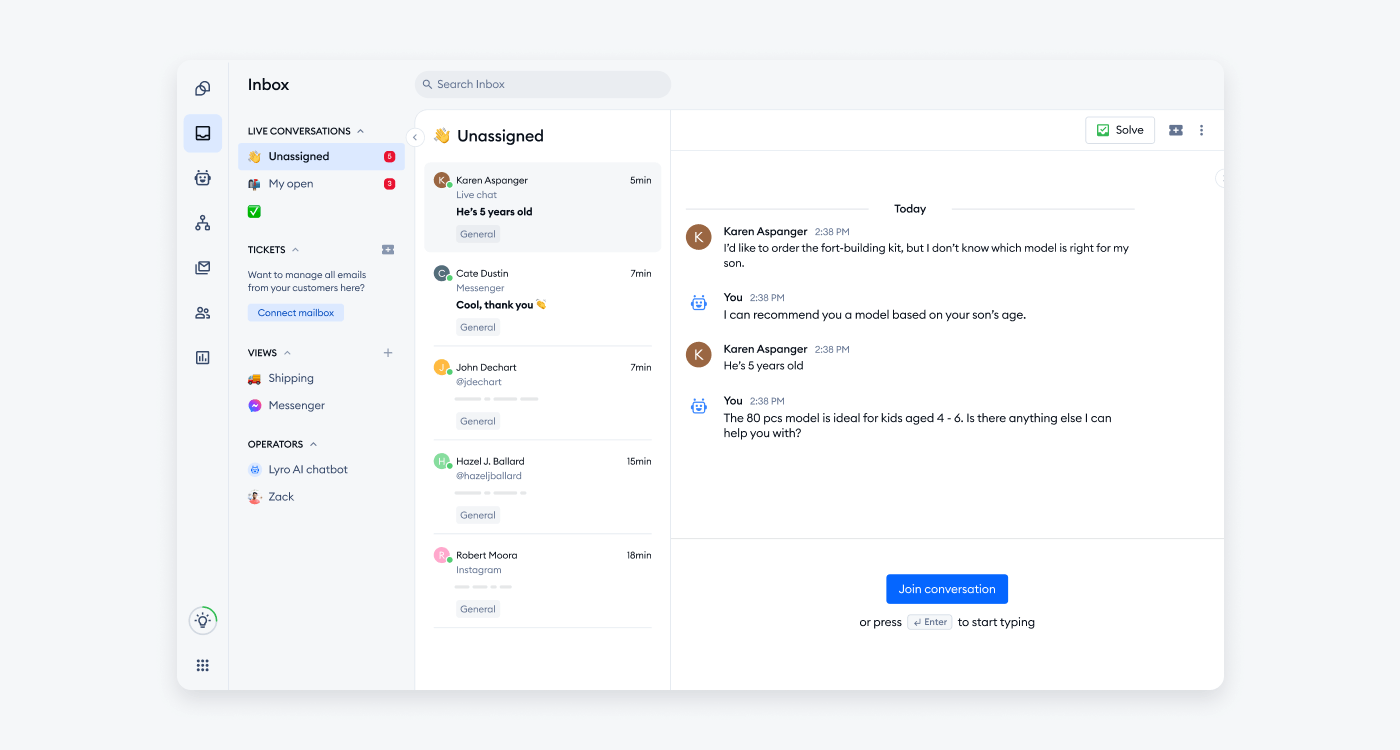
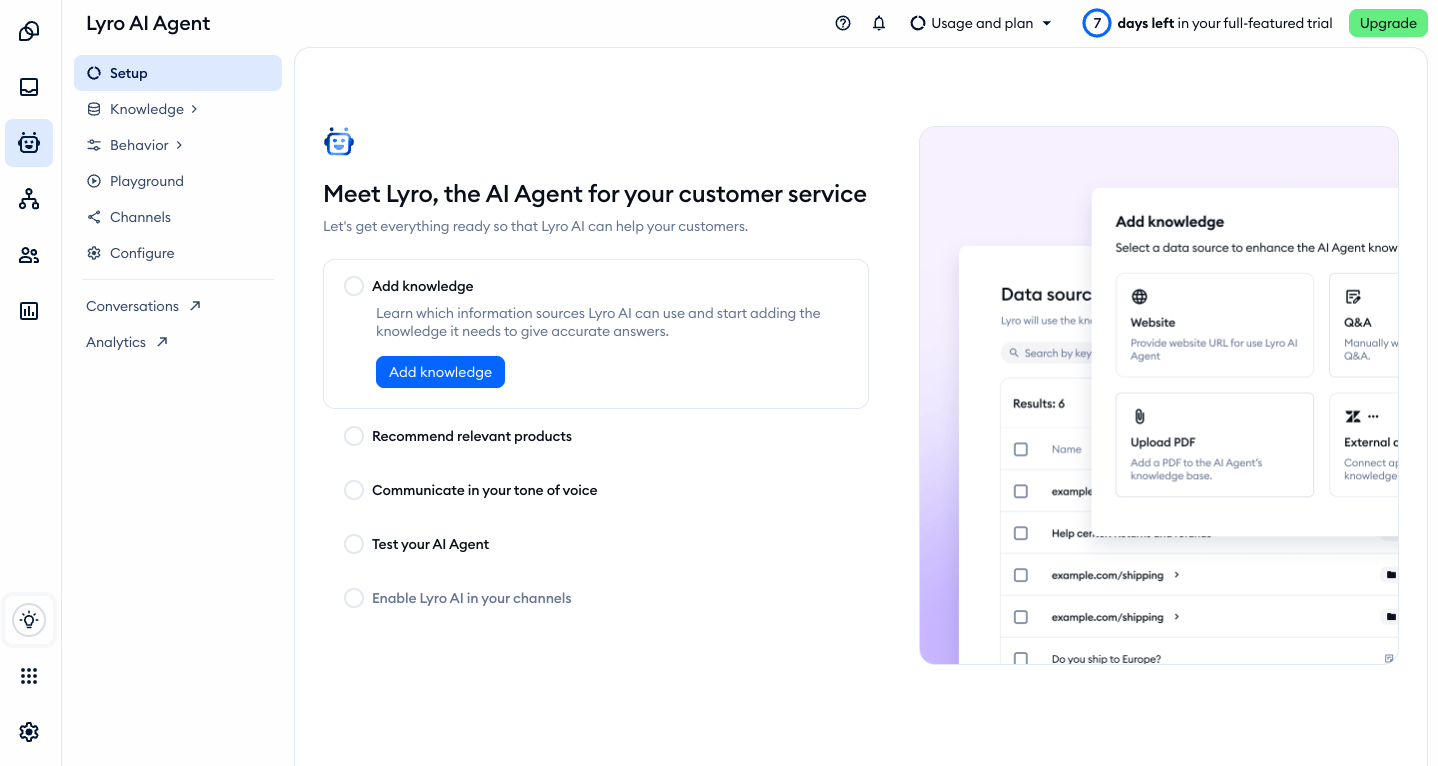
Botpress gives you the parts to build an agent. Tidio gives you the agent and the help desk around it. The Lyro AI agent learns from your help content, answers on live chat, email, Messenger, Instagram and WhatsApp (the WhatsApp integration is on every plan), and hands over to your team in the same inbox, in 51 languages. Every conversation counts once against a quota that Lyro and human replies share, from the first reply by Lyro or your team (how the limit works). You shape its behavior with written Guidance rules and connect it to your systems with Lyro Actions and MCP tools, rather than drawing a flow for every question.
Tidio fits these teams best
- Online stores, especially on Shopify: agents see the shopper's cart next to the chat, and Growth adds order history and order edits.
- Small and mid-sized businesses that want AI support without a bot developer.
- High-volume teams that want Lyro to take the repetitive questions.
Pros
- No build project: Lyro works from your existing content, and you can test it in the Lyro playground before it goes live.
- Live chat, ticketing and the AI agent come in one plan, so handoff needs no second tool.
- Starter with Lyro from $33/month billed annually, up to 10 seats included on self-serve plans, a free plan and a 7-day trial with Lyro.
Cons
- The quota counts every conversation Lyro or your team replies to, so size the plan for your busiest month.
- You get less low-level control than a builder: Lyro is configured with instructions and actions, not custom code paths or a model picker.
- Plus and Premium are set up with the sales team, so larger rollouts get a quote.
Pricing:
- Free: 50 human conversations/month, 100 Flows visitors/month + 50 one-time Lyro AI conversations.
- Starter: Human only: from $24/month for 100 conversations. With Lyro AI: from $33/month for 50 conversations shared by AI and your team.
- Growth: from $41/month for 200 human conversations or $63/month for 100 AI + human conversations; scalable to 1,000/month.
- Plus: from $300/month + usage. Premium: custom pricing.
- Optional add-ons: Flows, Inbox AI, Help Center, Voice, and branding removal.
- 7-day free trial: Growth features with Lyro AI and 100 AI + human conversations, no card required; moves to Free unless you choose a paid plan.
Starting prices shown with annual billing.
See Tidio pricing for every tier.
Rating: G2 4.6/5 (2,169 reviews)
What a G2 reviewer says: "It’s extremely easy to set up, even for beginners." (5-star review of the setup)
Versus Botpress: you gain a working support agent, live chat and a shared inbox from day one, with no flows to maintain. You give up Botpress's model choice, custom code and unlimited agents for many separate use cases.
Try Tidio free
2. Intercom Fin: best for SaaS support teams on Intercom or another help desk
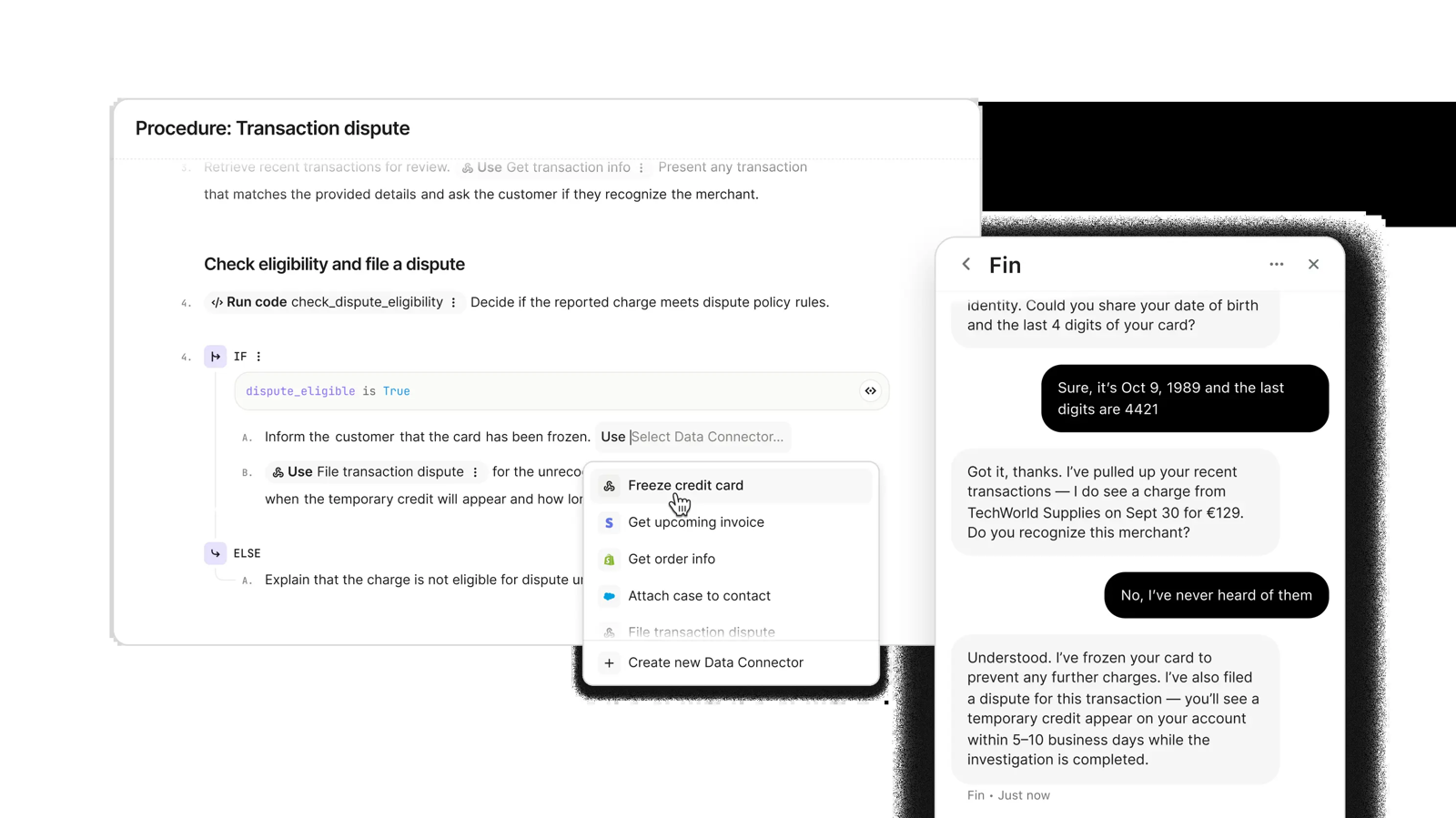
Fin is Intercom's AI agent. It runs inside Intercom or on top of Salesforce, HubSpot or Freshdesk, so support teams can keep their ticketing tool.
Key features
- AI agent on chat, email and other channels, with Procedures for multi-step tasks.
- Works inside Intercom or as a standalone agent on another help desk.
Pros
- You pay for resolved outcomes, and a conversation that reopens is refunded.
- A large review base: 4.5/5 on G2, with setup and reduced agent workload often praised.
Cons
- On Intercom you pay seats plus outcomes, so the bill grows with both team size and volume.
- Standalone Fin has a minimum monthly commitment, and reviewers mention answers that still need human oversight.
Pricing: $0.99 per Fin outcome on every plan. Intercom Essential is $29 per seat a month billed annually, shown at $19 for new customers. Standalone Fin is sold through sales with a minimum, for example 50 outcomes a month. 14-day free trial.
Versus Botpress: you gain Intercom's help desk and per-resolution pricing. You give up model choice and the freedom to build agents for jobs outside support.
3. Chatbase: best for a docs-trained answer bot set up fast
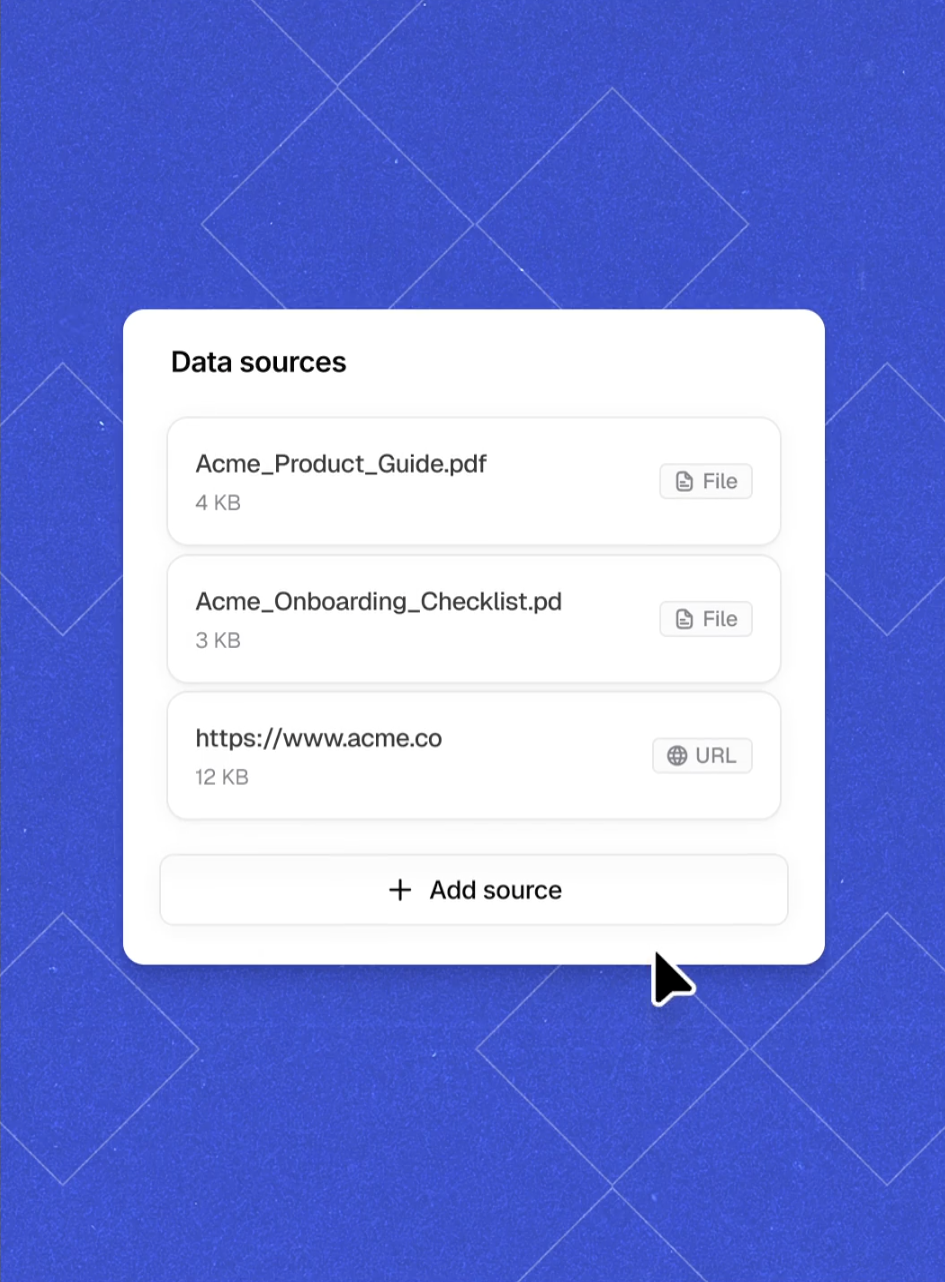
Chatbase turns your website, files and help articles into an answer bot with little setup.
Key features
- Train an agent on URLs, files and text, then embed it on your site.
- Choose models from OpenAI, Anthropic, Google, Mistral and others.
Pros
- Unlimited team members with no seat fees.
- Fast to launch: 4.7/5 on G2, with ease of use the top theme.
Cons
- No free plan, only a 7-day trial, and each plan includes one agent ($25 a month per extra agent).
- No inbox of its own, so live handoff depends on another tool.
Pricing: Basic is $120 a month billed yearly or $150 billed monthly, with 4,000 message credits and one agent. Business is $400 a month billed yearly. Extra credits cost $40 per 1,000, and removing branding is $99 a month.
Versus Botpress: you gain a shorter setup. You give up visual flow logic and multiple agents in the base plan.
4. Landbot: best for no-code lead and FAQ flows on web and WhatsApp
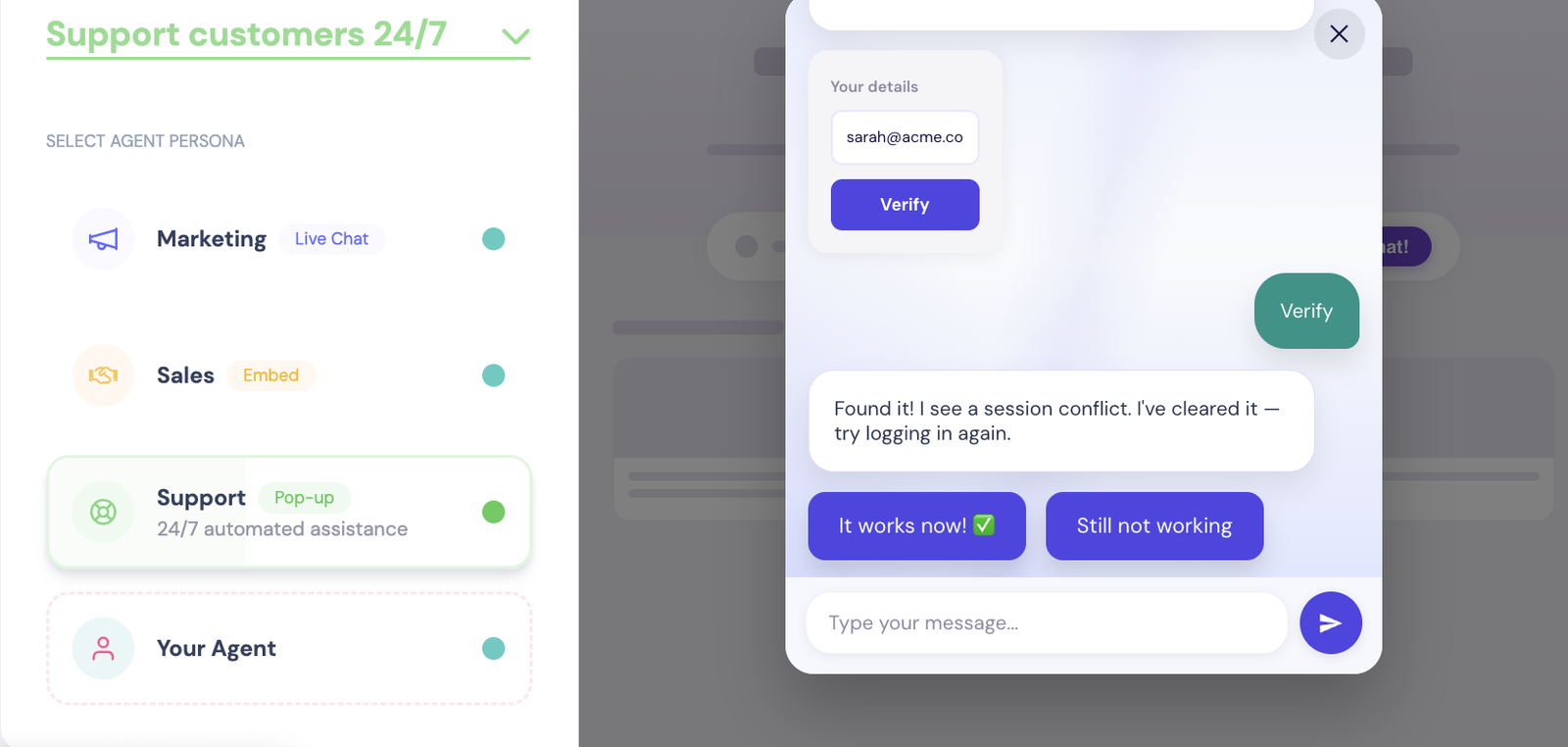
Landbot is a drag-and-drop builder for lead forms, qualification flows and FAQ bots on websites and WhatsApp, a simpler path for marketing teams. Read our Landbot review for the full picture.
Key features
- Visual flow builder with blocks for questions, conditions and integrations.
- AI chats for open-ended answers inside a flow.
Pros
- A free plan with 100 chats a month that never expires.
- Easy to learn: 4.7/5 on G2, with ease of use the leading theme.
Cons
- AI chats are capped per plan (100 on Starter, 300 on Professional), and the free plan has none.
- WhatsApp costs $100 a month on top, and reviewers say pricing can climb quickly.
Pricing: Starter is $36 a month billed annually ($45 monthly) with 500 chats and 100 AI chats. Professional is $88 a month billed annually ($110 monthly) with 2,500 chats.
Versus Botpress: you gain a gentler builder and a lasting free plan. You give up Botpress's depth for autonomous AI agents.
5. Voiceflow: best for teams building chat and voice agents
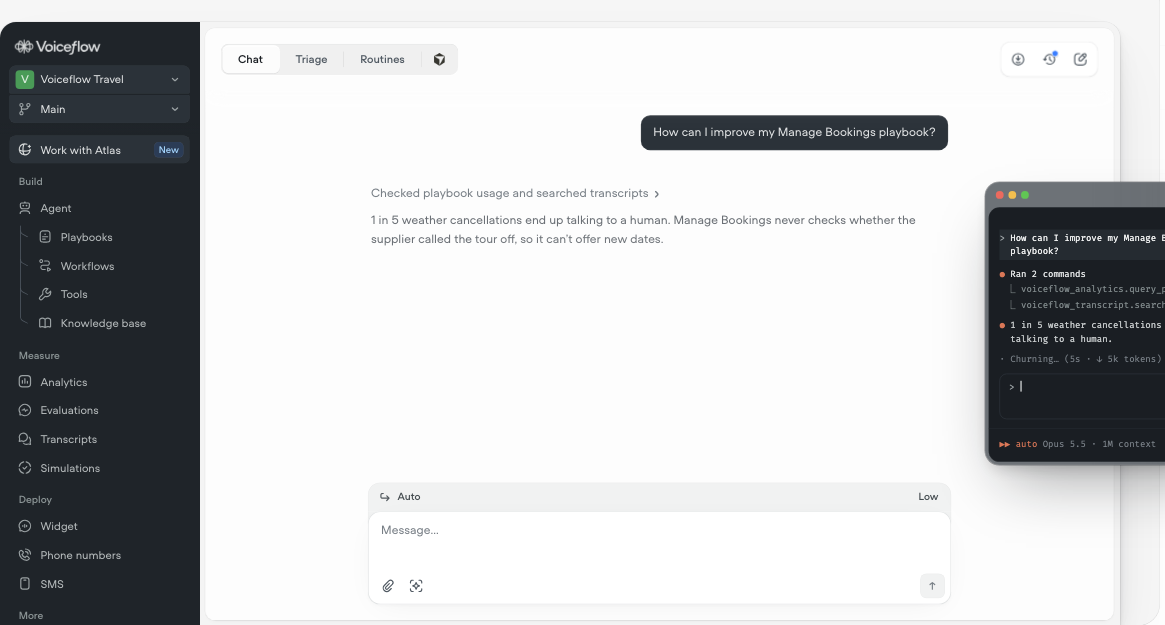
Voiceflow is a visual agent builder like Botpress. It suits product and CX teams that design agents carefully, and it adds phone agents to web chat.
Key features
- Visual canvas and playbooks for agent logic.
- Pick the model per agent or step, with a fallback model and bring-your-own-model.
Pros
- Phone agents on usage billing, while Botpress's pricing page keeps voice for Enterprise.
- 4.5/5 on G2, with ease of use and features praised.
Cons
- No public list prices: businesses request pricing, agencies get a trial with usage-based billing.
- Advanced features take time to learn, a recurring G2 theme.
Pricing: Voiceflow doesn't publish plan prices. Its documentation lists usage at $0.005 per chat message and $0.05 per phone minute, plus model tokens.
Versus Botpress: you gain voice channels and finer per-step model control. You give up a price you can read from the website.
6. Microsoft Copilot Studio: best for Microsoft 365 organizations
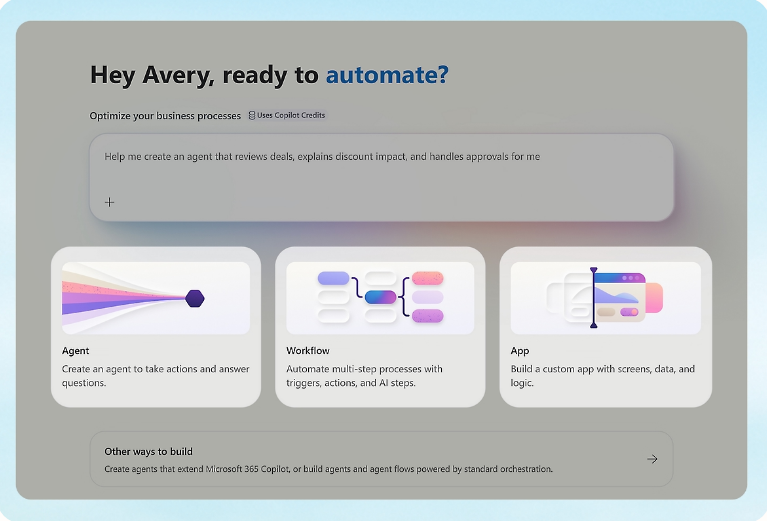
Copilot Studio builds agents inside the Microsoft stack, with connectors to SharePoint, Dataverse, Teams and Power Automate.
Key features
- Low-code agent builder with Power Platform connectors.
- Publish to Teams, websites and other channels.
Pros
- Works with Microsoft identity, data and governance.
- 4.4/5 on G2, with easy integrations among the top praise.
Cons
- Credit math is complex: a generative answer costs 2 credits, an agent action 5, and reasoning models add more per token.
- The trial lets you build and test agents, but not publish them.
Pricing: $200 a month for a tenant pack of 25,000 Copilot Credits, or $0.01 per credit pay-as-you-go through Azure. Unused credits don't carry over.
Versus Botpress: you gain Microsoft-native security and data access. You give up simple pricing and a quick start outside the Microsoft world.
7. Google Dialogflow CX: best for developers on Google Cloud and voice IVR
Dialogflow CX, now part of Google's Conversational Agents, is a developer platform for chat and voice agents, with Flows and generative Playbooks editions.
Key features
- Flow editor for complex, state-based conversations.
- Generative playbooks and data stores for answers from your content.
Pros
- Pure pay-per-use with trial credits, and no seats.
- 4.4/5 on G2 from 150 reviews.
Cons
- Per-request billing is hard to forecast for busy bots.
- Needs developers and a Google Cloud setup; there is no ready inbox for agents.
Pricing: Flows costs $0.007 per chat request and Playbooks $0.012. Voice is billed per second. New users get $600 (Flows) or $1,000 (Playbooks) in credits that expire after 12 months.
Versus Botpress: you gain Google's infrastructure and voice. You give up a visual product your support team can run without engineers.
8. Kore.ai: best for large enterprises and contact centers
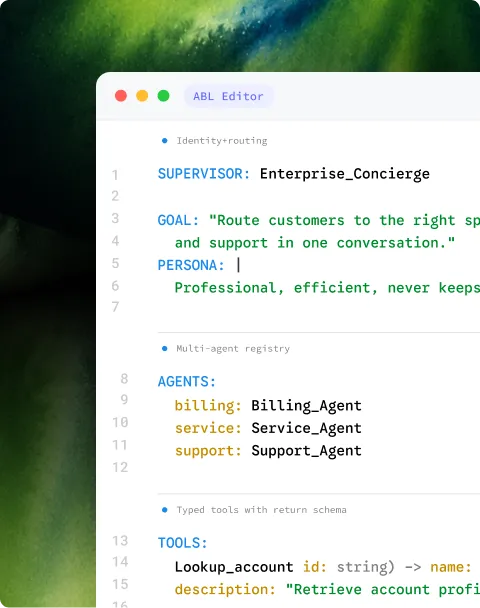
Kore.ai is an enterprise conversational AI platform for large organizations and contact centers.
Key features
- Low-code builder for virtual assistants across chat and voice.
- Contact center AI with agent assist.
Pros
- One platform for virtual assistants and contact center AI.
- 4.6/5 on G2, with chatbot development and features praised.
Cons
- No public pricing; every deal goes through sales.
- A real learning curve, which G2 reviewers mention often.
Pricing: Custom. Kore.ai offers a 14-day trial of its automation platform and a 30-day trial of its contact center product.
Versus Botpress: you gain enterprise contact-center depth. You give up self-serve plans and a quick start.
9. Rasa: best for engineering teams that need on-premise control
Rasa runs an assistant on your own infrastructure, on-premise or in a private cloud.
Key features
- Self-managed deployment, on-premise or private cloud, or a managed service.
- Flows that keep business logic predictable while an LLM handles language.
Pros
- A free Developer Edition license that also covers production use for one bot.
- Like Botpress v12, it runs on your own servers, for teams that need data in-house.
Cons
- Needs developers to build and run; G2 reviewers call it complex for beginners.
- Rasa Open Source is in maintenance mode, so new features land in the licensed platform.
Pricing: Developer Edition is free for one bot with up to 1,000 external conversations a month. Enterprise is priced by sales.
Versus Botpress: you gain self-hosting and data control. You give up a hosted product and a visual builder that non-developers can use.
10. Typebot: best for chat forms and budget builds you can self-host
Typebot is a lightweight chat builder for lead capture and simple support flows, with an OpenAI block for AI answers, in its cloud or on your server.
Key features
- Drag-and-drop editor with unlimited bots.
- Blocks for OpenAI, webhooks and common integrations.
Pros
- Self-hosting is free under its source-available license, for nearly any use except reselling hosting.
- Simple chat-based pricing: one chat per discussion, however many messages.
Cons
- Monthly billing only, and WhatsApp needs Pro.
- Better for structured flows than for autonomous agents.
Pricing: Free with 200 chats a month. Starter is $39 a month with 2,000 chats and Pro $89 a month with 10,000 chats. G2 rating 4.6/5.
Versus Botpress: you gain a free self-hosted option and low cloud prices. You give up Botpress's agent depth and built-in AI usage.
11. n8n: best for AI agents inside automated workflows
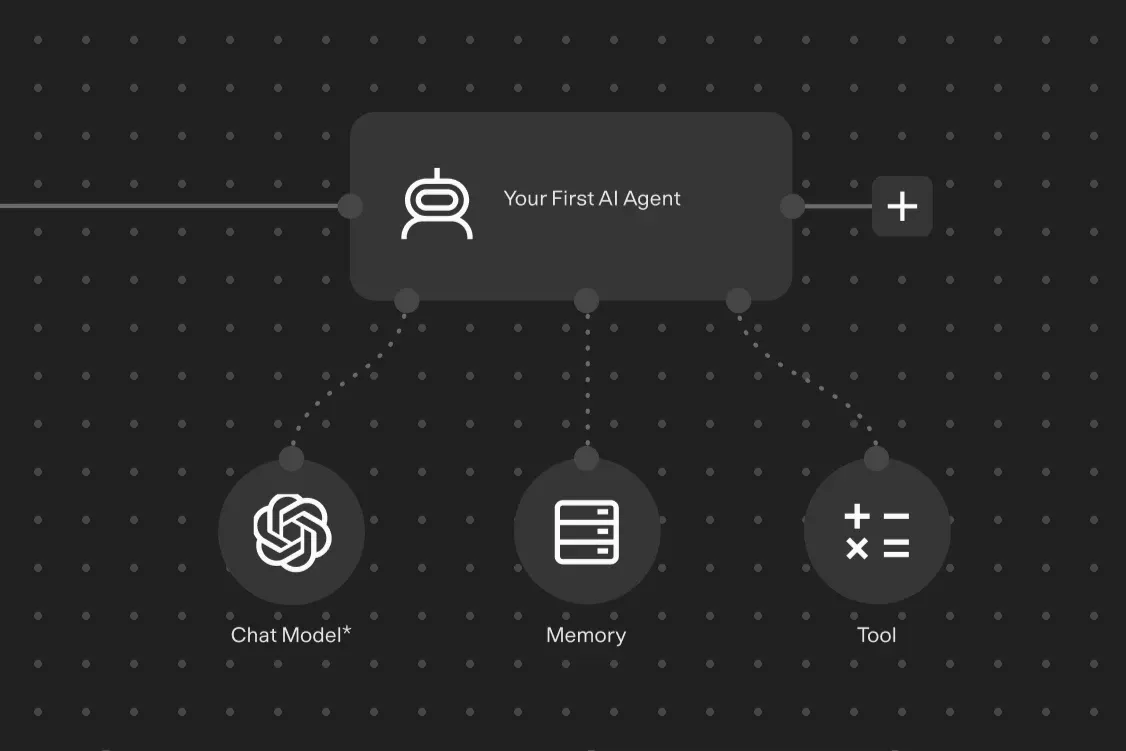
n8n is a workflow automation tool with AI agent nodes, for technical teams whose agent mostly does back-office work.
Key features
- AI Agent node with tools, memory and MCP support.
- A large integration library and custom code steps.
Pros
- A free, self-hosted Community Edition.
- Pricing by workflow executions, with unlimited users and steps: 4.7/5 on G2.
Cons
- Not a chatbot product out of the box; you build the chat front end and handoff.
- Large workflows are hard to debug, and the learning curve is the top G2 con.
Pricing: Cloud Starter is $20 a month and Pro $50 a month, billed annually, with 2,500 and 10,000 executions. Business is $800 a month billed annually and self-hosted.
Versus Botpress: you gain self-hosting and automation far beyond chat. You give up a ready chat widget and conversation tooling.
Tidio vs Botpress: side by side
| Tidio | Botpress | |
|---|---|---|
| Best for | Support teams and online stores that want a ready agent | Teams and agencies that build custom AI agents |
| Setup | Lyro learns from your site and help content | You design agents, flows and knowledge in Studio |
| Free plan | 50 human conversations a month + 50 one-time Lyro conversations | 100 conversations |
| Paid entry | Starter with Lyro, $33/mo billed annually for 50 conversations ($24/mo Human only) | Plus $150/mo billed annually ($189 monthly) |
| Billing unit | Conversations; Lyro and human replies share one quota | Conversations, with packs of 100 added automatically |
| Live chat and inbox for your team | Included | Botpress Desk, or handoff to another help desk |
| Model choice and custom code | Not its focus | Pick OpenAI, Anthropic or Google per step, plus code |
| Self-hosting | No, cloud only | No, cloud only (legacy v12 is self-hostable) |
| Agents for many separate use cases | Not its focus | Unlimited agents on paid plans |
| E-commerce | Shopify cart preview; order history and edits on Growth | Through integrations you build |
| G2 rating | 4.6/5 (2,169 reviews) | 4.5/5 |
Botpress fits better when you build several custom agents and pick the model behind each step. Tidio fits better when you want a support channel your team runs, with the AI agent, live chat and inbox in one place.
See how Lyro works
How to switch from Botpress
- Export what you built. Copy knowledge sources, tables and prompts. Flows rarely import elsewhere, so screenshot the important ones.
- List the jobs your agent does. Separate answers from your docs, actions (order lookup, refunds) and handoff rules.
- Test answers before launch. Run your 20 most common questions, worded the way customers type them, before adding actions.
- Reconnect channels and handoff. Move your widget and WhatsApp number, and check where unanswered chats go.
- Run both for a week. Keep Botpress on a low-traffic page and compare answers and handoff rates.
- Time the cut-over to your billing. Unused Botpress conversation packs expire at the end of the month.
Choose by your reason for leaving Botpress
- The conversation bill keeps growing. Per Botpress's pricing page, packs of 100 conversations for $65 are added automatically on Plus. On Tidio, Starter with Lyro is $33/month billed annually for 50 conversations, and Lyro and human replies share that one quota. For pure pay-per-use, Dialogflow CX bills per request.
- No one maintains the flows. Tidio and Chatbase answer from content you already have. In Tidio, you add data sources, set the tone and test Lyro before you switch on channels.
- You need voice. Voiceflow bills phone agents per minute; Botpress keeps voice for Enterprise.
- You must self-host. Rasa, Typebot or n8n.
- You run on Microsoft 365 or Google Cloud. Copilot Studio or Dialogflow CX.
Bottom line
Stay on Botpress if someone owns your agents and you value model choice and custom logic over a predictable bill. Move if the conversation pricing outgrew your volume, if no one maintains the flows, or if you need self-hosting. If what you need is a support channel rather than an agent to build, start on Tidio's free plan and test Lyro on your own top questions before you cancel Botpress.
Try Tidio free
Related guides
- Best chatbot platforms compared
- Chatbot pricing: what AI chatbots really cost
- Customer service chatbots: how they work
- Chatbot builders for every skill level
- ManyChat alternatives
Prices change often. Confirm each one with the vendor before you commit.
Frequently asked questions
Tidio fits support teams and small online stores that want a ready AI agent without a developer. Voiceflow is the closest builder, Copilot Studio and Dialogflow CX fit Microsoft and Google Cloud teams, and Rasa fits teams that must self-host.
Yes. Tidio's free plan covers 50 human conversations a month, plus 50 Lyro AI conversations once. Landbot's free plan includes 100 chats a month, Typebot's 200 chats, and Rasa's Developer Edition is a free license for one bot with up to 1,000 external conversations a month.
Botpress v12 is the open-source version, but it is no longer developed. For self-hosting today, Rasa offers a free Developer Edition license and an on-premise Enterprise plan, Typebot is free to self-host under a source-available license, and n8n's Community Edition is free on your own servers.
Botpress has a free plan with 100 conversations, 3 seats and 3 AI agents, with no top-ups. Paid plans start with Plus at $150 a month billed annually, or $189 billed monthly, for 250 conversations and $25 of AI usage. Extra conversations cost $65 per pack of 100.
Ground it in your own content, test your most common questions before launch, and keep a human handoff for anything it can't answer. In Tidio, Lyro answers from the data sources you add (website pages, Q&As, PDF and CSV files, synced Shopify or WooCommerce products), and agents rate each Lyro reply with a thumbs up or down in the inbox.
On Botpress, packs of 100 conversations for $65 are added automatically. On Tidio, monthly plans move to the next tier at 95% of the quota unless you switch that off; at 100%, Lyro and your team stop replying until the next cycle or an upgrade.
Both are builders for AI agents with model choice. Botpress publishes its plans and bills per conversation, and adds its own help desk, Botpress Desk. Voiceflow quotes business pricing, bills usage per message and phone minute, and offers phone agents outside an enterprise plan.
Use live chat to support your customers in real-time