
Key takeaways
- Best for customer service: Tidio. Its Lyro AI agent can resolve up to 75% of support requests, and it works inside the same inbox as your live chat and email.
- Best general assistants: ChatGPT, Claude and Perplexity. ChatGPT is the all-rounder, Claude handles long documents, and Perplexity answers with cited sources.
- Pick by job. Seven jobs cover most teams: customer service, general assistance, email and calendar, docs and planning, slides, design and video, and reporting.
- Most tools have a free plan or a trial. Of the 20, 13 have a free plan; Morgen, DashThis and Upmetrics rely on a trial or a money-back window instead.
- Billing models differ. Seats, credits, campaigns and per-use fees all appear on this list, so price your own volume before you commit.
New AI tools launch every week, and most of them do one narrow job well. Buying the wrong one costs you a subscription and a month of setup. We chose 20 tools that still sell what they promise and checked every one against its own pricing page, product pages and G2 listing. Each entry says what the tool is best for, what it costs, how it bills and where its limits are. The list is ordered for small and mid-sized business teams, so it starts with the job that touches revenue first: talking to customers.
The best AI tools at a glance
The best AI tool depends on the job. Tidio answers your customers, ChatGPT and Claude draft and research for the whole team, and Decktopus and Visme build decks from a prompt.
| Tool | Job | Best for | Starting price | Free plan |
|---|---|---|---|---|
| Tidio | Customer service | AI agent and live chat for small and mid-sized teams | $29/mo ($24 (Human only) billed annually) | Yes |
| HubSpot Agent Hub | Customer service and CRM | AI agents for teams already on HubSpot | Starter from $7/seat/mo; agents billed in credits | Yes, up to 2 users |
| ChatGPT | General assistant | Everyday writing and research | Plus $20/mo | Yes |
| Claude | General assistant | Long documents, careful writing and coding help | Pro $20/mo ($17 billed annually) | Yes |
| Perplexity | General assistant | Fast research with cited sources | Pro $17/mo billed annually | Yes |
| Canary Mail | AI email client for busy professionals | $3/mo, billed yearly | Yes | |
| Unspam.email | Testing whether campaigns land in the inbox | Pay per test, $5 monthly minimum | Yes | |
| Morgen | Calendar | AI daily plans across calendars and tasks | $30/mo ($15 billed yearly) | No, 14-day trial |
| Bit.ai | Docs | Team docs and wikis with an AI writer | $8/user/mo billed annually | Yes |
| Stackby | Data | Spreadsheet-database with AI columns | $9/seat/mo ($4.20 billed annually) | Yes |
| Upmetrics | Planning | Business plans and three-year forecasts | $19/mo ($14 billed annually) | No, money-back guarantee |
| Drivetrain | Finance | FP&A planning for finance teams | Demo only, no public price | No |
| Decktopus AI | Presentations | Decks from a topic or a file | $24.99/mo ($9.99 billed annually) | No |
| Visme | Presentations | Branded decks and visuals in one editor | $12.25/mo per person, billed yearly | Yes |
| Simplified | Marketing content | AI agent that plans and creates social campaigns | $79/mo | No |
| Venngage | Design | Infographics and reports from plain text | $19/mo ($10 billed yearly) | Yes |
| DepositPhotos AI Assistant | Design | Finding and generating licensed visuals | $29/mo for unlimited downloads | No |
| LTX | Video | AI video generation for marketing teams | $15/mo ($12 billed yearly) | Yes, personal use only |
| DashThis | Reporting | Automated marketing reports for agencies | $54/mo ($44 billed yearly) | No, 14-day trial |
| Rocket.new | App building | Building apps and researching markets from prompts | $25/mo | Yes, 20 credits |
Prices change often. Confirm each one with the vendor before you commit.
How we chose these tools
We chose 20 tools so that each job below has two or three strong options and every entry can be re-checked on the vendor's own pages. We judged each tool on six criteria:
- A clear job: what the tool does for a working team, stated on its own pages.
- AI that does work: does the AI write, plan, answer or act, or is it a label on an old product?
- Assistant or agent: does it draft for you to approve, or act on its own (like Lyro or HubSpot's customer agent)?
- Pricing clarity: what a plan costs, and which unit raises the bill (seats, credits, campaigns or tests).
- Free access: a free plan, a trial or a money-back window.
- Reviews: the G2 score and how many users it rests on.
We dropped overlapping tools and tools whose AI is a minor add-on. We did not run every tool on a live project, and where a vendor's own pages disagree with each other, the entry says so.
The 20 best AI tools for work in 2026
Customer service and CRM
1. Tidio

Best for: small and mid-sized teams that want AI to answer customers
Tidio is customer service software that puts live chat, email, social messages and help desk tickets in one inbox, with the Lyro AI agent answering first. Lyro learns from your help center and website pages and hands the chat to a person, with the full history, when it can't help. Lyro can resolve up to 75% of support requests, and Lyro Actions let it act on a request, such as checking an order status, instead of only answering.
Where general assistants draft text for you to send, Tidio does the work in front of your customers. Setup takes an afternoon rather than a project, because there is no model to pick and no flow to design before Lyro goes live.
Tidio fits these teams best:
- Online stores, especially on Shopify. The Shopify integration shows the shopper's cart and order history inside the chat.
- Small and mid-sized businesses that need faster support without hiring a bigger team.
- Teams flooded with repeat questions about orders, returns, shipping or plans, which Lyro takes off the queue.
- Retail, SaaS and service companies that want to reply to website visitors while they are still on the page.
- Teams on several channels that want live chat, email, Messenger, Instagram and WhatsApp in one place.
Key features:
- Lyro AI agent: answers from your own content around the clock and passes hard cases to a person.
- Flows: no-code automations that greet visitors, collect leads and recover carts.
- Helpdesk: email and chat become tickets your team can assign and track.
- Tidio Copilot: a free Chrome extension that suggests replies inside Gmail, Zendesk, Intercom or Gorgias.
Pros
- One inbox for chat, email and social messages, with an AI agent that can act, not only reply.
- A free plan and a 7-day trial with every feature and no card.
- Quick to set up for a small team with no developer.
Cons
- Lyro and your team draw on the same monthly conversation quota, so a month with heavy AI traffic uses it up faster, and Flows is billed on its own.
- Self-serve plans cover up to 10 seats, so larger teams get a custom quote on Plus or Premium.
- It is built for customer conversations, so you'll still want a general assistant for writing and research.
Pricing:
Tidio offers a free plan, Starter from $24/month for human support or $33/month with Lyro AI, Growth from $41 or $63/month respectively with flexible conversation limits, Plus from $300/month + usage, and custom-priced Premium plans, alongside optional add-ons and a 7-day free trial (starting prices billed annually). Premium can add a guaranteed 50% Lyro resolution rate by agreement. See Tidio pricing.
Rating: G2 4.6/5 (2,076 reviews).
Skip Tidio if your main need is AI for writing, slides or research rather than for talking to customers.
Let Lyro answer your customers first
2. HubSpot Agent Hub
Best for: teams that already run their CRM and sales on HubSpot
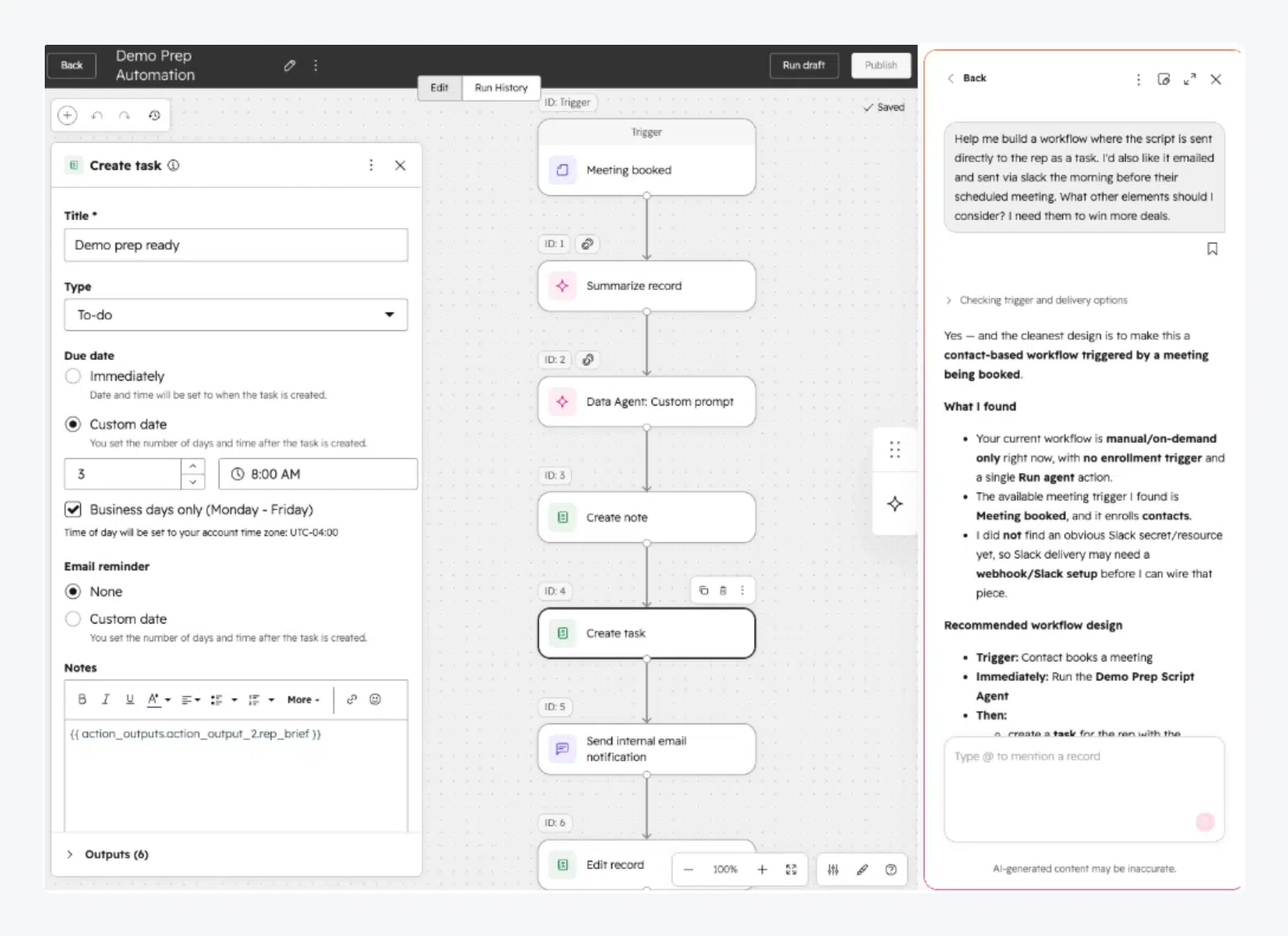
HubSpot Agent Hub is where HubSpot's Breeze AI agents live: a customer agent that answers support questions, a prospecting agent that researches leads, and a data agent that answers questions about your contacts. The agents read your CRM records, so answers draw on real contact and contract history. The ceiling is the ecosystem: the value comes from HubSpot data, so it makes little sense on another CRM.
Key features:
- Customer agent: resolves common questions around the clock from your knowledge base and CRM data.
- Prospecting agent: finds high-value leads and drafts personalized outreach.
Pros
- Agents work on CRM data you already have, with no separate integration.
- The customer agent bills per resolved conversation, not per seat.
Cons
- Credit billing needs forecasting: extra credits cost $10 per 1,000.
- Professional starts at $1,300/mo, so the full agent set gets expensive.
Pricing: Free CRM for up to 2 users. Starter from $7/seat/mo with 500 HubSpot Credits; Professional from $1,300/mo (6 seats, 5,000 credits); Enterprise from $4,700/mo. The customer agent spends 50 credits ($0.50) per resolved conversation, and the prospecting agent 100 credits ($1) per lead.
Rating: G2 4.3/5 (34 reviews) for Agent Hub.
Read more: Zendesk vs HubSpot · HubSpot alternatives
General AI assistants
3. ChatGPT

Best for: everyday writing and research across any team
ChatGPT is the general assistant most teams try first. One chat window covers drafting, summarizing, image creation and deep research. It doesn't know your business until you feed it context, and the free plan caps uploads and research.
Key features:
- Deep research: multi-step web research that returns a cited report.
- Projects and custom GPTs: reusable instructions and files for repeat tasks.
Pros
- Covers more jobs in one tool than anything else on this list.
- A capable free plan to test it on real work.
Cons
- The free plan limits uploads, image creation and deep research.
- Heavy users move to Pro, which starts at $100/mo.
Pricing: Free plan. Plus is $20/mo, billed monthly. Pro starts at $100/mo in three usage tiers. Business is priced per user from 2 users, and Enterprise is quoted by sales. See ChatGPT pricing.
Rating: G2 4.6/5 (4,895 reviews).
4. Claude
Best for: long documents, careful writing and coding help
Claude from Anthropic works through long files and writes in a plain voice, so teams use it for long reports and code. Every plan has usage limits that reset every five hours and every week, so heavy users hit a ceiling sooner than they expect.
Key features:
- Artifacts: documents, code and small apps built in a side panel you can edit.
- Connectors: links to your apps and tools, plus Claude in Chrome and Microsoft 365.
Pros
- Handles long documents and careful writing better than most assistants.
- Team plans start at a low per-seat price.
Cons
- Usage limits apply on every plan, free and paid.
- Team needs at least 2 seats, and self-serve Enterprise needs 20.
Pricing: Free plan. Pro is $20/mo ($17/mo billed annually), Max is $100/mo and Ultra $200/mo. Team is $25 per seat monthly ($20 annually), with premium seats at $125 ($100 annually). See Claude pricing.
Rating: G2 4.7/5 (1,794 reviews).
5. Perplexity
Best for: fast research with a source behind every answer
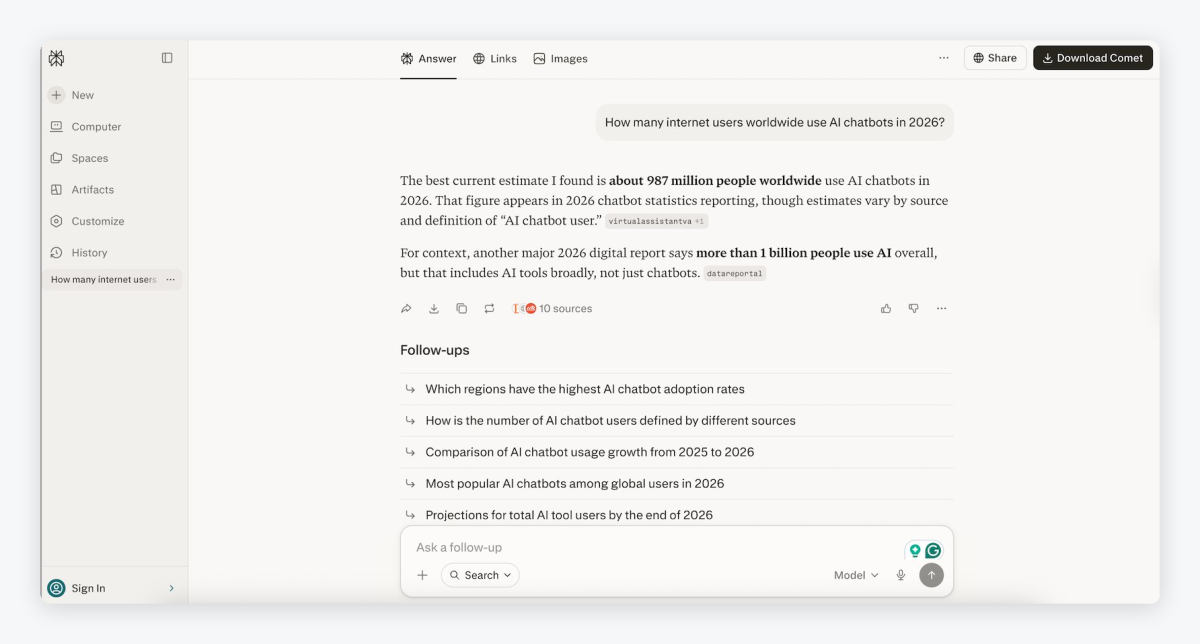
Perplexity is an answer engine: ask a question and it searches the web, writes an answer and links every claim to its source. You can check a fact or scan a market in a minute before a meeting. The free tier is tight, at three Pro searches a day.
Key features:
- Cited answers: every reply links its sources so you can check them.
- Deep research: longer reports built from many searches.
Pros
- Every answer comes with sources you can open.
- Mistakes are easy to catch, because the source sits next to the claim.
Cons
- The free plan allows 3 Pro searches a day and 1 research query a month.
- Paid plans also carry weekly limits.
Pricing: Free plan. Pro is $17/mo billed annually, Max $167/mo billed annually, and Enterprise Pro starts at $40 per seat a month. See Perplexity pricing.
Rating: G2 4.4/5 (371 reviews).
Email and calendar
6. Canary Mail

Best for: professionals who want AI help inside their email client
Canary Mail is an AI-first email client for Mac, Windows, iOS and Android that keeps several accounts in one inbox. Its AI Copilot writes replies in your voice, summarizes long threads and sorts mail into priority tabs. Your emails are not used to train AI models, and the AI can be switched off. It is a single-user product, so it isn't a shared team inbox.
Key features:
- AI email writer: drafts messages tailored to your voice.
- Thread summaries: long threads condensed in seconds.
Pros
- Very low yearly price for AI in your inbox.
- Clear privacy terms: your mail doesn't train AI models.
Cons
- The free plan has no AI Copilot.
- No monthly billing: plans are yearly or a one-time lifetime purchase.
Pricing: Free plan without AI. Growth is $3/mo billed yearly ($36/yr) and adds AI Copilot; Pro+ is $10/mo billed yearly ($100/yr) and adds encryption and threat detection. 7-day free trial, no card.
Rating: G2 4.5/5 (53 reviews).
7. Unspam.email

Best for: marketers who need to know a campaign will reach the inbox
If your emails are getting buried in spam folders, Unspam.email tells you why. It runs a spam test, checks inbox placement across providers and previews the email on different devices, then its AI assistant reads the results and lists what to fix, from authentication to specific lines of copy. It tests email; it does not send it, so it works next to your email platform.
Key features:
- AI assistant: explains the results and suggests fixes line by line.
- AI eye-tracking heatmap: shows where your CTA will get attention.
Pros
- A useful free plan with an AI assistant included.
- Pay only for the tests you run; no seat fees.
Cons
- Free results are kept for 14 days only.
- Pay-per-test pricing makes the bill harder to predict at high volume.
Pricing: Free plan with 5 spam tests, 3 inbox placements and 3 device previews a month. The paid Custom plan is pay per test from a $5 monthly minimum and adds long history, API, MCP and DMARC monitoring. 14-day refund window.
Rating: G2 4.8/5 (32 reviews).
8. Morgen

Best for: busy professionals who plan their day across several calendars
Morgen merges your calendars and task lists into one view, and its AI Planner turns them into a daily plan you can accept or adjust. It flags tasks at risk of running late, reshuffles the plan when meetings move, and adds booking pages for others. Whether you're a busy founder or a developer on Linux, it is often ranked among the best Fantastical alternatives for its task integrations and AI scheduling.
Key features:
- AI Planner: builds a daily plan from your tasks and free time.
- Frames: template your ideal week so the AI plans around it.
Pros
- Every plan includes the full feature set.
- Works across Google, Outlook, iCloud and Fastmail calendars.
Cons
- No free plan after the 14-day trial.
- Monthly billing costs twice the yearly rate.
Pricing: 14-day free trial, no card. Individual is $30/mo billed monthly or $15/mo billed yearly. Teams are $25 per seat monthly or $10 yearly, with a 2-seat minimum.
Rating: G2 4.8/5 (30 reviews).
Docs, data and planning
9. Bit.ai

Best for: small teams that keep docs and wikis in one shared place
Bit.ai is an AI-powered document and knowledge management tool that helps teams create, organize and share information without scattered files. Its AI Genius drafts outlines, templates, research notes and SOPs from a prompt. AI words are metered, so heavy writers pay for add-on packs.
Key features:
- AI Genius: outlines, drafts, summaries and translations inside your docs.
- Wikis: structured knowledge bases for teams and clients.
Pros
- Team docs and wikis in one place, with AI built in.
- Low per-user price on annual billing.
Cons
- No AI on the free plan, and Pro includes only 20,000 AI words.
- No refunds on paid plans.
Pricing: Free plan for up to 5 members, without AI. Pro is $8 per user/mo billed annually; Business $15 per user/mo billed annually. Extra AI words cost $10 per 100,000.
Rating: G2 4.1/5 (28 reviews).
10. Stackby

Best for: teams that run projects and data in a spreadsheet-database
Stackby combines a spreadsheet with a database and no-code automations. Often considered a strong Airtable alternative, it helps teams organize data, automate workflows and manage projects from one place. AI columns call OpenAI, Gemini or Anthropic models to generate text, analyze documents or research the web for every row. You bring your own API key, so AI usage is billed by the model provider.
Key features:
- AI field agents: prompts that run on each row with your own model key.
- AI co-builder: build or import a database from a description.
Pros
- Generous free plan for up to 5 editors.
- AI works with the model you already pay for.
Cons
- Row limits per stack on lower plans (1,500 free, 7,000 on Economy).
- The vendor's pages disagree on trial length (7 or 14 days).
Pricing: Free plan with 5 editors and 1,500 rows per stack. Economy is $9 per seat billed monthly or $4.20 per user/mo billed annually; Business is $18 monthly or $8.30 annually. AI usage is paid to your model provider.
Rating: G2 4.6/5 (85 reviews).
11. Upmetrics

Best for: founders writing a business plan and a financial forecast
Upmetrics is a complete business planning platform that helps you turn an idea into an investor-ready plan. AI drafts each section, from the executive summary to the market analysis, and turns your numbers into a three-year forecast. One click builds a pitch deck from the plan. It is a narrow tool: plans, forecasts and decks only.
Key features:
- AI plan writer: first drafts of every section.
- Financial forecasting: up to a 7-year forecast on Premium.
Pros
- Unlimited AI usage on Premium.
- Exports to PDF, Word, PowerPoint and Excel.
Cons
- No free plan or trial, only a 15-day money-back guarantee.
- Premium covers one company; extra companies cost $5 to $7 a month each.
Pricing: Premium is $19/mo, or $14/mo billed annually, for 1 company and up to 5 team members. Professional is $49/mo, or $37/mo billed annually, for 3 companies.
Rating: G2 4.7/5 (29 reviews).
12. Drivetrain

Best for: finance teams that have outgrown spreadsheet planning
Drivetrain is an AI-native FP&A platform for budgets and forecasts. Its Drive AI builds models, scenarios and board-ready reports, and it computes numbers rather than generating them. Access controls carry through to the AI, so people only see what they're allowed to see. Pricing is not public, and setup is guided by a finance advisor rather than instant.
Key features:
- Drive AI: builds a forecast or a scenario from a request.
- Live data in other AI tools: finance data inside Claude or ChatGPT, with permissions.
Pros
- Built for finance work, with numbers you can audit.
- Strong G2 score from a solid review base.
Cons
- No public pricing; a demo is required.
- Only for finance teams, not general business use.
Pricing: Not published. Book a demo for a quote.
Rating: G2 4.7/5 (148 reviews).
Presentations
13. Decktopus AI

Best for: turning a topic or a file into a first-draft deck
Decktopus AI builds a full presentation or carousel from a topic or an uploaded file and applies your brand kit from your website address. You edit slides with plain-language prompts, then rehearse: it simulates audience questions and gives feedback on pacing and clarity. Reviewers say the drafts still need trimming before they're ready to share.
Key features:
- Deck from a prompt or file: a complete draft in one step.
- Brand kit from a URL: your colors and fonts applied automatically.
Pros
- Fast first drafts with your brand already applied.
- Built-in rehearsal, which few deck tools offer.
Cons
- No free plan on the pricing page, and Pro is capped at about 150 slides a month.
- Drafts usually need editing before you present.
Pricing: Pro is $24.99/mo billed monthly or $9.99/mo billed annually, with 750 AI credits a month. Business adds a shared workspace and brand kit per seat. Enterprise is custom.
Rating: G2 4.3/5 (78 reviews).
14. Visme
Best for: teams that make branded decks and visuals in one editor
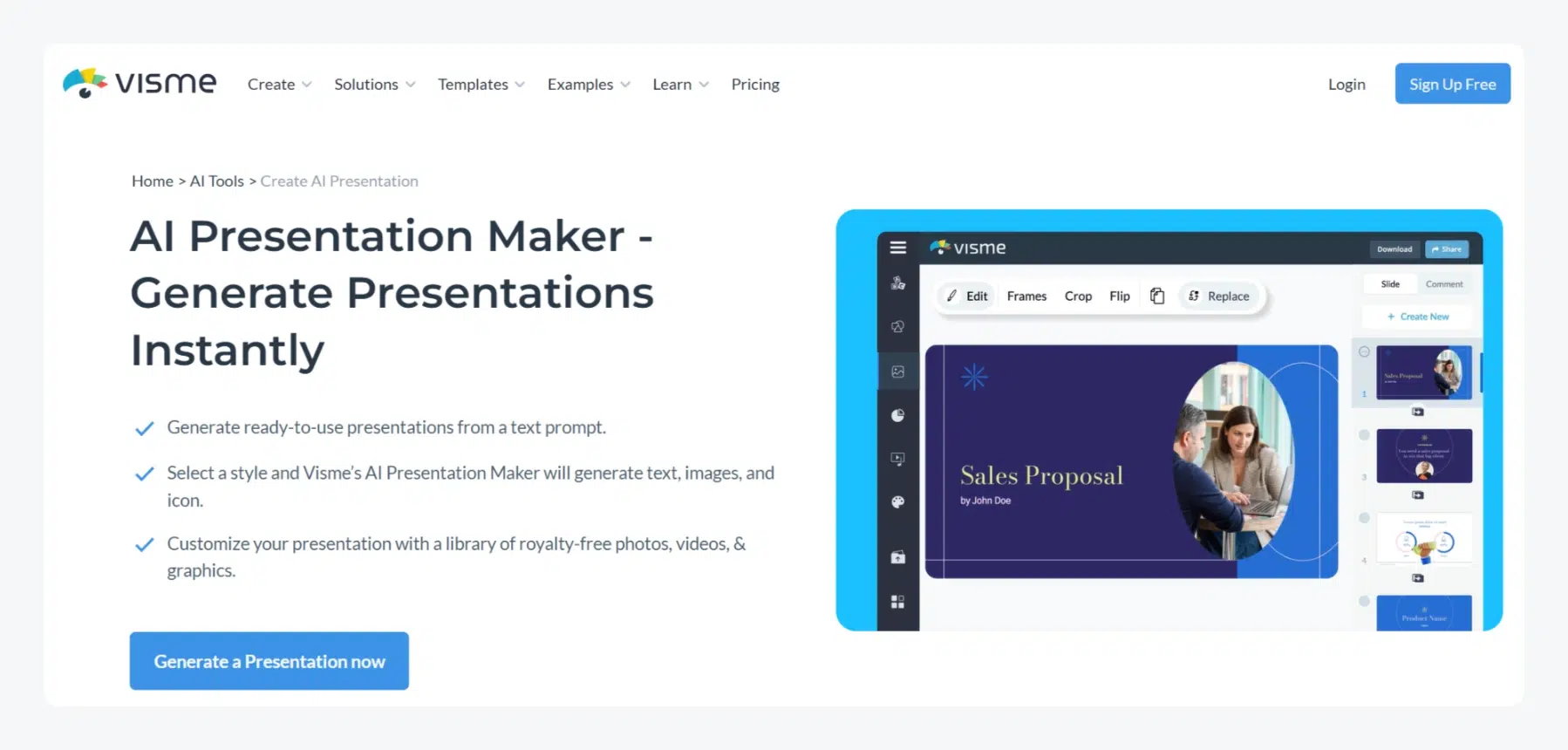
The Visme AI presentation maker builds a deck from a chat prompt and can pull content from a document or website you point it to. The same editor makes infographics, reports and social graphics, with an AI writer, image generator and AI Resize for new formats. PowerPoint export is reserved for Business.
Key features:
- AI presentation maker: decks from a prompt or a source document.
- AI Resize: fits a project to a new canvas size in seconds.
Pros
- Decks and graphics in the same editor.
- Large review base with a strong rating.
Cons
- The free plan has 10 AI credits a month and no PPTX export.
- PowerPoint, video and HTML5 export need the Business plan.
Pricing: Free plan. Starter is $12.25 per person/mo ($147/yr); Business is $24.75 per person/mo ($297/yr). Enterprise starts at 10 users.
Rating: G2 4.5/5 (511 reviews).
15. Simplified

Best for: small marketing teams that want an AI agent to run social campaigns
Simplified has moved from a design suite to agentic marketing. Its AI agent plans a campaign, creates the posts, images and video in your brand style, and schedules them to your channels. Pricing is now by campaign, and some long-time users dislike the change.
Key features:
- Campaign agent: plans a full campaign and schedules it.
- Brand Kit: colors, fonts, voice and audiences the agent reads before it writes.
Pros
- One tool from campaign idea to scheduled posts.
- Very large G2 review base.
Cons
- Starter is $79/mo, and extra campaigns cost $10 each.
- Unused campaigns don't roll over to the next month.
Pricing: Starter is $79/mo for 5 campaigns, 100,000 AI words and 100 AI designs. Pro and Business add campaigns and seats. Extra campaigns cost $10 each. The trial includes full Starter access.
Rating: G2 4.6/5 (5,011 reviews).
Design, images and video
16. Venngage
Best for: turning plain text into infographics and visual reports
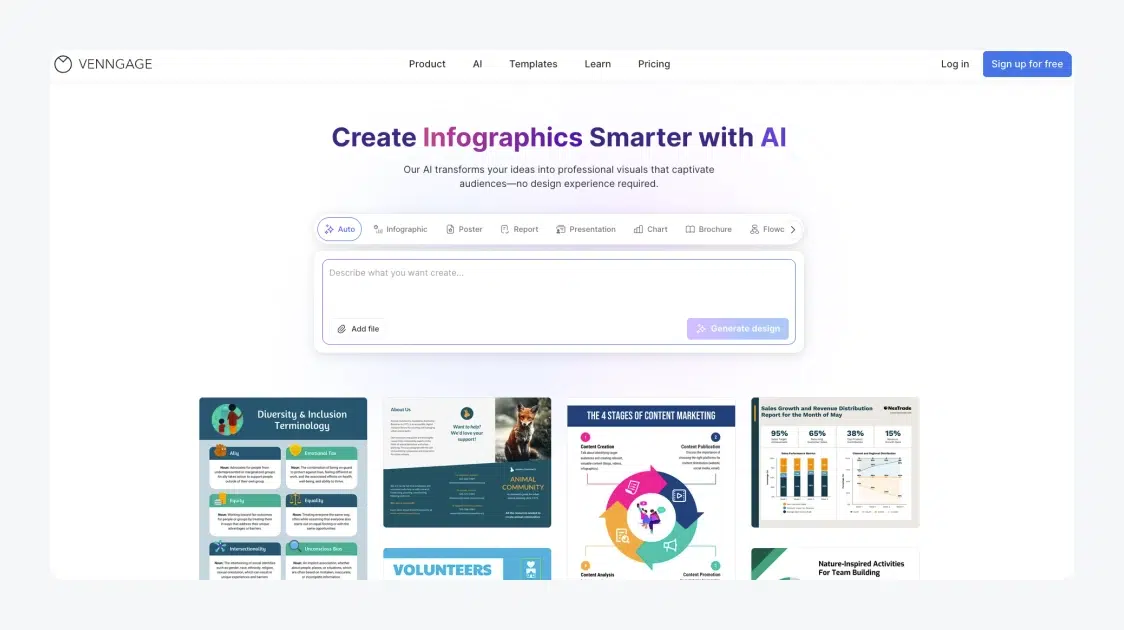
Venngage AI is built for the moment the work is done but still needs to look presentable. Describe the idea or paste your text, and it generates a structured infographic, report or diagram with on-brand content.
Key features:
- Text to visual: layouts generated from a description.
- AI icons and illustrations: made to match your topic and brand.
Pros
- Fast route from text to a clean visual.
- Built-in accessibility audit.
Cons
- The free plan allows 5 designs and public sharing only.
- PDF and PowerPoint export need the Business plan.
Pricing: Free plan with 5 designs. Premium is $19/mo, or $10/mo on yearly billing. Business is $49 per user/mo, or $24 on yearly billing, and adds brand kits and team sharing. Enterprise starts at $499/mo for 10 members.
Rating: G2 4.7/5 (137 reviews).
17. DepositPhotos AI Assistant
Best for: marketers who need licensed visuals for commercial projects
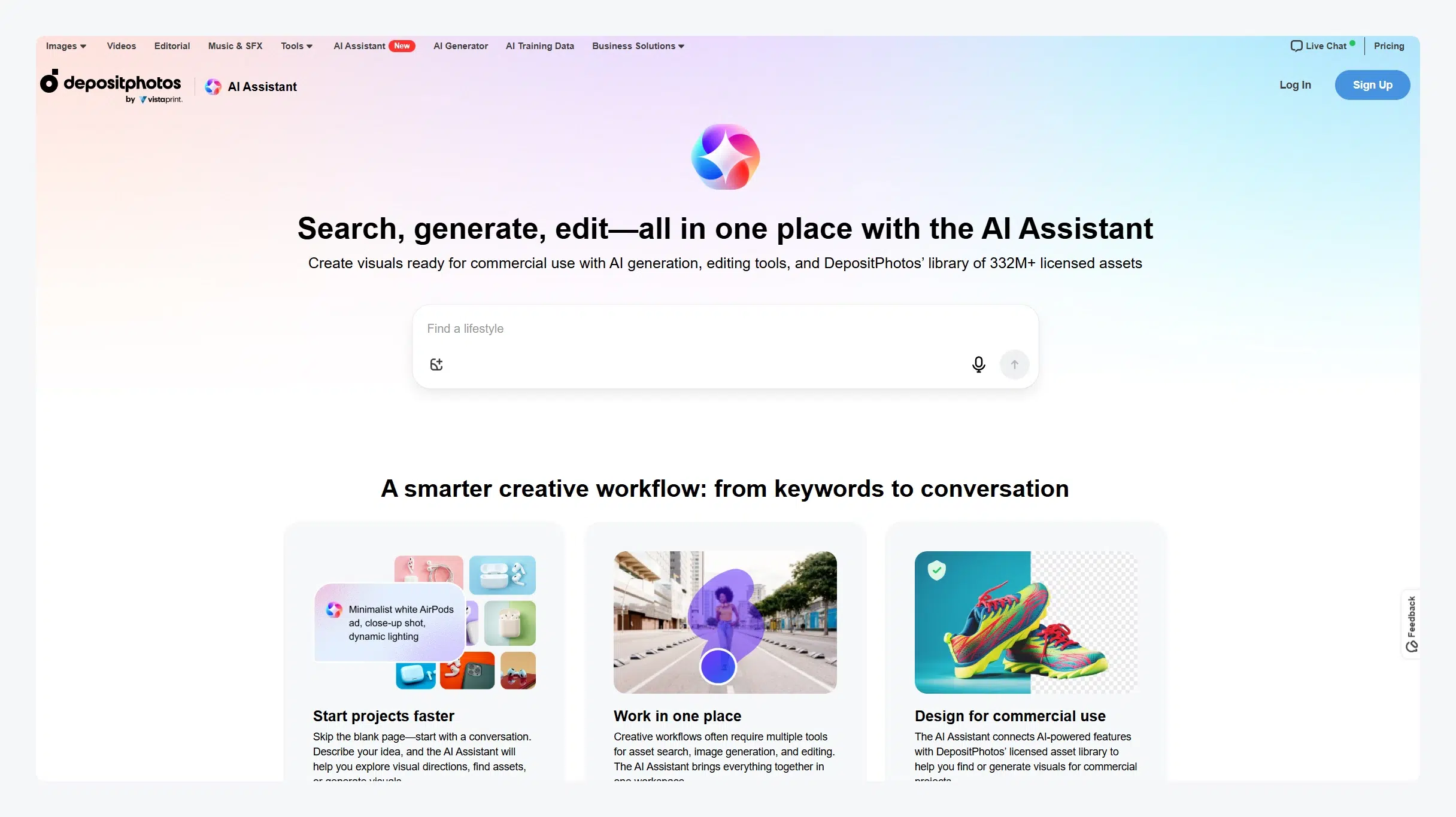
The DepositPhotos AI Assistant starts a creative project as a conversation. Describe the idea, and it suggests visual directions, searches a library of 335 million licensed assets, or generates new images, all in one workspace. Everything is meant for commercial use, which is the main reason to pick it over a general image generator. It runs on desktop only.
Key features:
- Conversational brief: explore directions and find assets by describing them.
- AI generation: new images when the library has no match.
Pros
- Search, generation and editing in one place.
- Assets come with a standard commercial license.
Cons
- Desktop only.
- Downloads need a paid plan or a prepaid pack.
Pricing: The Unlimited plan is $29/mo billed monthly, with unlimited image downloads and AI image generation; yearly commitments save 25%. Prepaid packs start at $9 per image.
Rating: G2 4.4/5 (44 reviews) for DepositPhotos as a whole.
18. LTX

Best for: marketing teams producing short AI video
LTX, through its LTX Studio app, generates images and video from text, images or audio, with camera controls, storyboards and node-based Flows for repeat production. Paid plans also give access to partner models such as Veo 3.1 on Pro. Reviewers say consistent characters across longer clips take work. The free plan is for personal projects only, so business use starts at Standard.
Key features:
- Text, image and audio to video: generation with advanced camera controls.
- AI storyboards and pitch decks: plan a shoot before you render it.
Pros
- Storyboards, generation and editing in one studio.
- Credits included every month on paid plans.
Cons
- The free plan can't be used for business, and its 800 credits are one-time.
- A commercial license starts at Standard, $35/mo.
Pricing: Free plan with 800 one-time credits for personal use. Lite is $15/mo ($12 billed yearly); Standard $35/mo ($28 yearly) with a commercial license; Pro $125/mo ($100 yearly).
Rating: G2 4.2/5 (124 reviews).
Reporting and building
19. DashThis

Best for: agencies sending automated marketing reports to clients
Built for agencies and marketing teams, DashThis uses automation and AI assistance to highlight key results, trends and insights, so you spend less time compiling spreadsheets. AI Insights sorts what changed into summaries, wins, opportunities and issues.
Key features:
- AI Insights: automatic analysis of every dashboard, on every plan.
- 30+ integrations: ads, analytics, SEO and social data in one report.
Pros
- Core AI Insights included on every plan.
- Priced by dashboards, not seats.
Cons
- No free plan; the entry plan covers 3 dashboards.
- AI Insights Pro is a $19/mo add-on.
Pricing: 14-day free trial. Individual is $54/mo ($44 paid yearly) for 3 dashboards; Professional $164/mo ($139 yearly) for 10; Business $324/mo ($279 yearly) for 25. AI Insights Pro costs $19/mo ($15 annually).
Rating: G2 4.7/5 (95 reviews).
20. Rocket.new

Best for: founders who want to research a market and build an app from prompts
Rocket.new is an AI-powered builder that turns ideas into websites, web apps and mobile apps from natural-language prompts. It also researches a market problem first and returns evidence and a recommendation, then keeps watching competitors after launch. Credits pay for the work, so big builds need a bigger plan.
Key features:
- Research to build: a market brief first, then an app built from it.
- One-click deploy: staging and production environments included.
Pros
- Every plan includes unlimited team members.
- Credits never expire.
Cons
- The free plan gives 20 credits once.
- Pro includes 100 credits a month, so heavy building needs a higher plan.
Pricing: Free plan with 20 one-time credits. Pro is $25/mo with 100 credits a month, Rocket $50/mo with 250, and Booster $250/mo with 1,500. Annual billing saves 20%.
Rating: Too few G2 reviews to quote.
See how Tidio fits next to your AI stack
How to choose AI tools for work
Start with the job, not the tool
Write down the three tasks that eat the most hours each week, such as answering the same customer questions, building decks or chasing reports. Pick one tool per task. A specialist earns its place only where it does a job a general assistant can't.
Know what you're paying for
AI tools bill in four ways, and the model decides your real cost:
- Per seat: a flat price per user each month (Claude Team, Bit.ai, Stackby). Easy to budget, expensive as the team grows.
- Per plan: one price for the workspace, with usage caps (Tidio, DashThis, Upmetrics).
- Credits: each AI action spends credits from a monthly pool (HubSpot, Decktopus, LTX, Rocket.new). Light users save, heavy users top up.
- Per use: you pay for what the AI does, such as a resolution or a spam test (HubSpot's customer agent, Unspam.email).
List price is never total cost. Price your own volume before you commit.
Decide between an assistant and an agent
An assistant drafts and suggests, and you press send. An agent acts on its own: Lyro answers a customer and checks an order without a person in the loop, and HubSpot's customer agent resolves questions inside its CRM. Agents save more time, but their mistakes reach customers, so test them harder. Our guide to agentic customer service software covers the support side in depth.
Check where your data goes
Read the data terms before you upload customer records or financials. Ask every vendor the same question in writing before you connect company data.
Pilot it on real work
Run each tool for one or two weeks on real tasks: your top 20 customer questions, last month's report, next week's deck. Keep the one that saves hours you can count, and cancel the rest before the trial ends.
Which AI tool should you pick?
- If customers ask the same questions all day → Tidio. Start on Growth with Lyro, so the AI agent answers first and your team takes the hard cases.
- If you run a Shopify store → Tidio. Its Shopify integration shows carts and order history in the chat, and Lyro can answer order questions for you. Our AI tools for e-commerce roundup covers the rest of a store's stack.
- If your sales and support already live in HubSpot → HubSpot Agent Hub, because its agents work on CRM data you already have.
- If you need one assistant for the whole team → ChatGPT, or Claude if most of your work is long documents.
- If research and fact-checking eat your week → Perplexity.
- If decks and visuals are the bottleneck → Decktopus for quick drafts, Visme or Venngage for branded design.
- If you report to clients every month → DashThis.
Put an AI agent on your website with Tidio
Frequently asked questions
The best AI tools for work depend on the job. ChatGPT, Claude and Perplexity cover writing and research for any team. Tidio and HubSpot Agent Hub handle customer service, Canary Mail and Morgen manage email and calendars, and Decktopus, Visme and Venngage make decks and visuals.
ChatGPT is the general assistant most teams try first, and Claude and Perplexity are the usual next picks. For specific jobs, teams add specialists: an AI agent for customer service, an AI email client or an AI deck builder.
Yes. Of the 20 tools here, 13 have a free plan, including Tidio, ChatGPT, Claude, Perplexity, Canary Mail, Bit.ai, Stackby and Venngage. Free plans cap usage, so test with real work before you rely on one.
An agentic AI tool takes actions on its own instead of only suggesting text. Tidio's Lyro answers customers and checks order status, and HubSpot's customer agent resolves support questions. Assistants such as ChatGPT draft for you, and you decide what to send.
Most paid plans start between $3 and $30 a month per user. Team and business plans run higher, and usage-based tools charge per credit, conversation or test, so the real cost depends on your volume.
Tidio is AI customer service software that combines live chat, a shared inbox, help desk tickets and the Lyro AI agent. Small and mid-sized businesses and online stores use it to answer customers on their website, email and social channels.
Use live chat to support your customers in real-time