



Key takeaways
- Best for small teams and online stores: Tidio. Live chat, email, Messenger, Instagram, and WhatsApp share one inbox, and Lyro can resolve up to 75% of support requests.
- Best for WhatsApp-led teams: Respond.io. It prices by active contacts, not seats, and WhatsApp fees from Meta are billed on top.
- Best for ticket-heavy Shopify stores: Gorgias. Plans are priced by ticket volume, not by agent.
- Four of the eleven have a free plan: Tidio, Crisp, Help Scout, and HubSpot. The other seven have no free plan.
- AI is billed six different ways: per outcome, resolution, session, interaction, credit, and conversation. Compare that unit before the seat price.
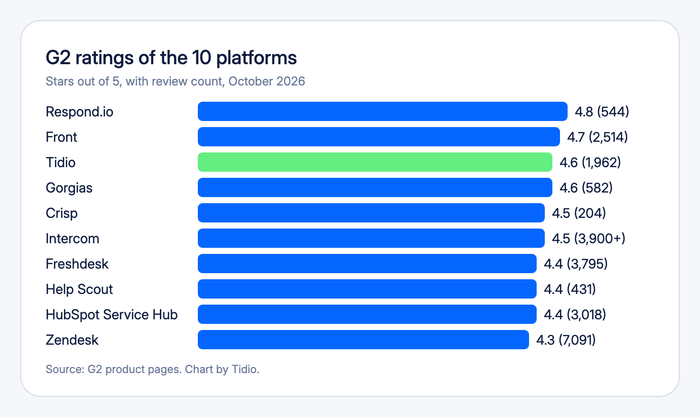
Most customer messaging platforms promise one inbox for every channel, then bill by seat, by ticket, by contact, or by AI answer. That makes a $19 plan and a $99 plan hard to compare. We compared eleven platforms on their public pricing pages, documentation, and G2 reviews, and checked every price in October 2026. You get what each one does well, where it stops, and what the bill looks like for a small team. Tidio is listed first because the list is ordered for small teams and online stores. It gets the same template and the same drawbacks section as every other tool.
The best customer messaging platforms at a glance
A customer messaging platform puts live chat, email, social, and messaging apps such as WhatsApp into one shared inbox, usually with an AI agent for repeat questions. Our short list: Tidio for small teams and online stores, Crisp for a flat price per workspace, and Respond.io for WhatsApp-led support and sales.
| Tool | Best for | Starting price (paid) | Free plan / trial | G2 rating |
|---|---|---|---|---|
| Tidio | Small teams and online stores | $24.17/mo, billed annually | Free plan · 7-day trial | 4.6 |
| Crisp | Flat price per workspace | $45/workspace/mo | Free plan · 14-day trial | 4.5 |
| Respond.io | WhatsApp-led support and sales | $79/mo, billed yearly | No free plan · 7-day trial | 4.8 |
| Gorgias | Shopify stores with many tickets | $10/mo for 50 tickets | Not listed | 4.6 |
| Intercom | Paying per AI outcome | $29/seat/mo | No free plan · 14-day trial | 4.5 |
| Zendesk | Large teams with complex rules | $19/agent/mo, billed annually | No free plan · 14-day trial | 4.3 |
| Freshdesk | Ticket rules on a low seat price | $19/agent/mo, billed annually | No free plan · 14-day trial | 4.4 |
| Help Scout | Email-first small teams | $25/user/mo | Free for 5 users · 15-day trial | 4.4 |
| Front | Shared inbox for busy teams | $25/seat/mo, billed annually | No free plan · 14-day trial | 4.7 |
| HubSpot Service Hub | Teams already on HubSpot CRM | $7/seat/mo (Starter) | Free for 2 users | 4.4 |
| SlickText | SMS-first teams in the US and Canada | $29/mo for 500 credits | No free plan · 14-day trial | 4.8 |
How we chose these platforms
We started from the 13 tools in the previous version of this list and the platforms that recur in AI answers and review roundups. We kept eleven that handle customer-facing conversations and publish enough to compare. Developer chat SDKs and internal team chat tools left the list. Each platform got the same checks:
- Channels: live chat, email, Messenger, Instagram, WhatsApp, SMS.
- AI agent: what it answers, how it hands over, and how it is billed.
- Inbox and routing: assignment, notes, and automation rules.
- Integrations: Shopify and other stores, CRM.
- Pricing model: per seat, ticket, contact, workspace, or resolution.
- Fit: who it suits, especially small teams and online stores.
We ordered the list by fit for small teams and online stores, not by rating. We did not run every platform on the same set of conversations. Rival details come from vendor pricing pages, documentation, and G2, and we label a claim as the vendor’s where it is one.
The 11 best customer messaging platforms in 2026
1. Tidio
Best for: small teams and online stores that want AI to answer repeat messages
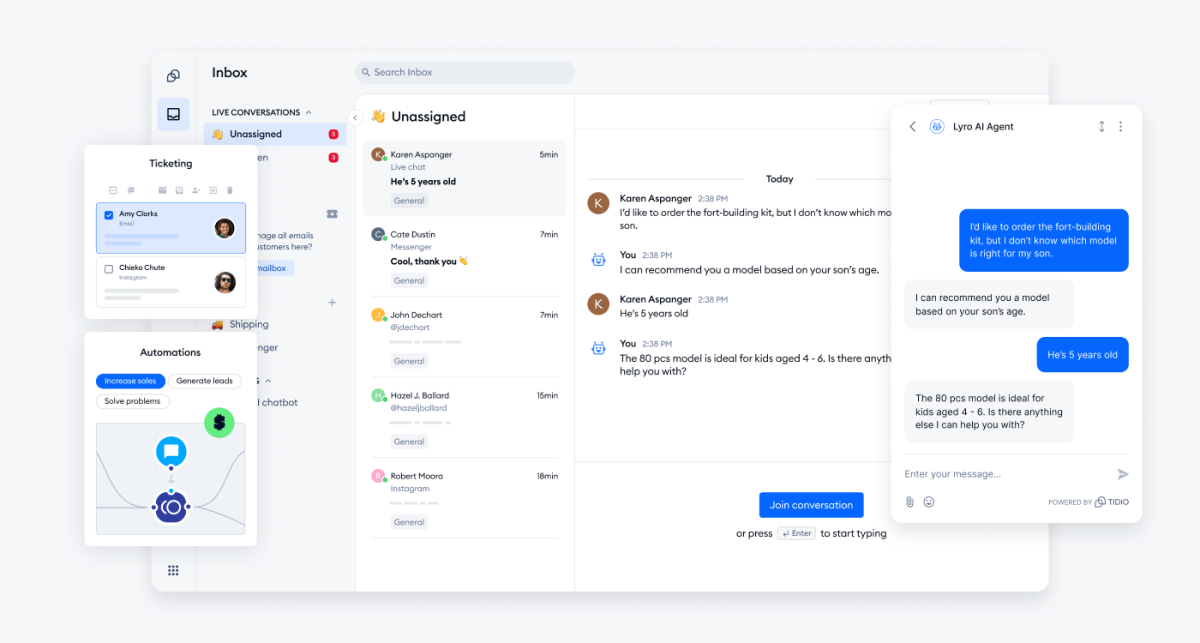
Tidio brings live chat, email, Messenger, Instagram, and WhatsApp into one inbox, so your team manages every channel in one place. Lyro, the AI agent, can resolve up to 75% of support requests and hands the rest to your team with the conversation attached. Flows add rule-based chat for greetings, lead capture, and FAQs.
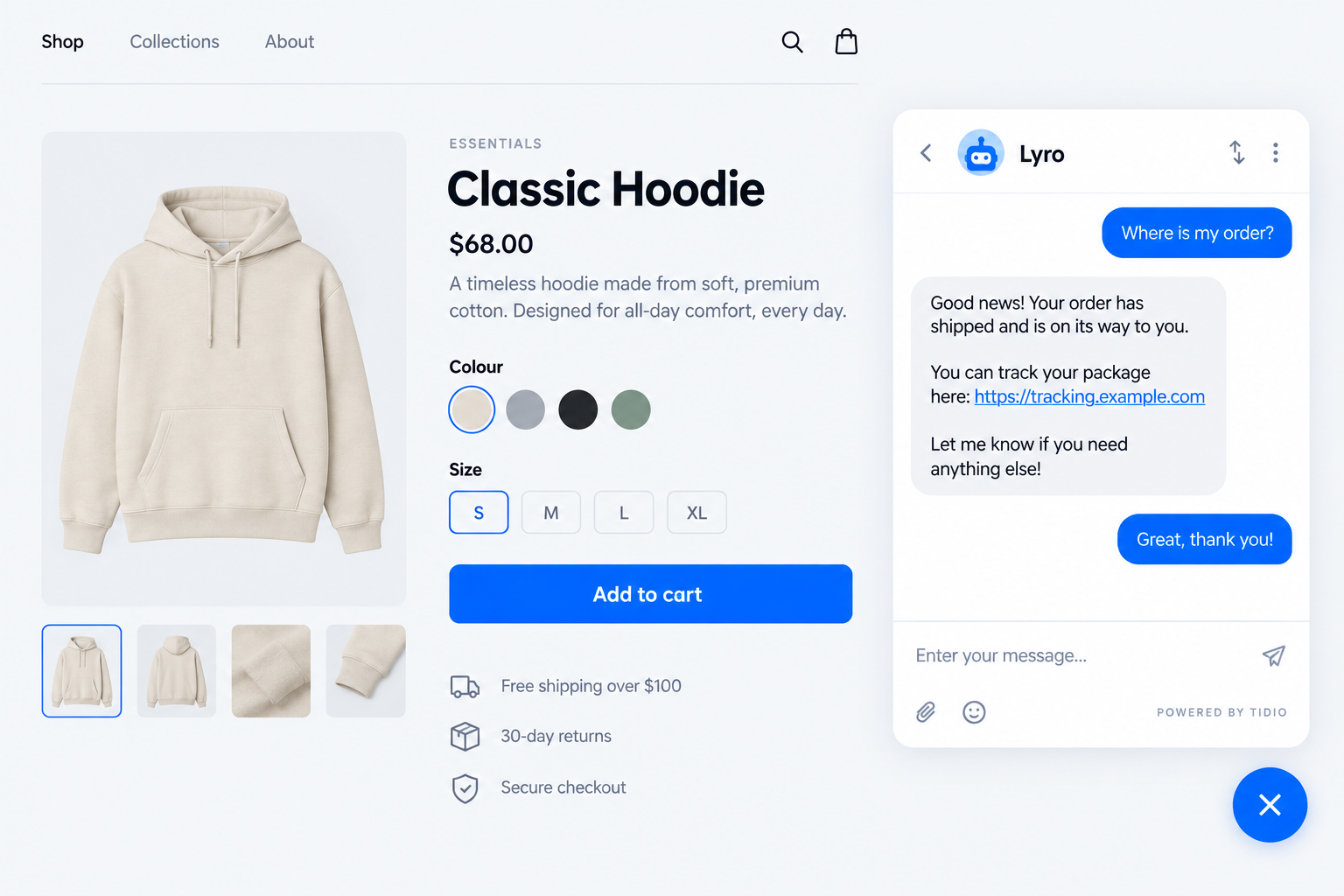
On Shopify, agents see the cart and order history beside the chat, and Lyro can answer “where is my order?” from store data. Growth and up add Shopify actions from the inbox.
Tidio fits these teams best:
- Shopify and other online stores that want order details beside the chat.
- Small and mid-sized teams that cover a growing inbox with AI instead of new hires.
- Teams that message on several channels: chat, email, Messenger, Instagram, and WhatsApp.
- Busy inboxes where most messages repeat the same questions.
Skip Tidio if your messaging sits inside a large CRM suite, or you need ticket workflows built for a big enterprise agent pool. HubSpot and Zendesk go further there.
Key features:
- Lyro AI agent: answers from your help content and hands over to a person with context.
- Shared inbox: chat, email, Messenger, Instagram, and WhatsApp conversations in one view.
- Flows: a visual builder for visitor greetings, lead capture, and FAQ paths.
- Shopify tools: cart preview and order history beside the chat.
Pros
- A free plan with up to 10 seats and 50 billable conversations a month.
- Lyro, human chat, and tickets live in one inbox, so a handoff to an agent keeps the whole conversation.
- Native Shopify actions on Growth and up.
Cons
- Conversations, Lyro, and Flows are priced separately, so you pay only for what you use, but there are quotas to keep an eye on as volume grows.
- Analytics, permissions, and macros sit on Growth and up.
- Self-serve plans cover up to 10 seats. Bigger teams move to Plus or Premium, which come with a sales quote.
Pricing: Tidio’s pricing page shows annual prices first, with monthly prices in brackets:
- Free: $0 with 50 billable conversations a month and up to 10 seats.
- Starter: $24.17 a month ($29), 100 conversations.
- Growth: from $49.17 a month ($59) for 250 conversations, up to 2,000 conversations on the largest tier.
- Plus: from $300 a month plus usage. Premium: by quote.
- Lyro: from $32.50 a month ($39) for 50 AI conversations. Flows: from $24.17 a month ($29).
- 7-day free trial, no card.
Rating: G2 4.6/5
See which Tidio plan fits your message volume
2. Crisp
Best for: small teams that want one flat price per workspace
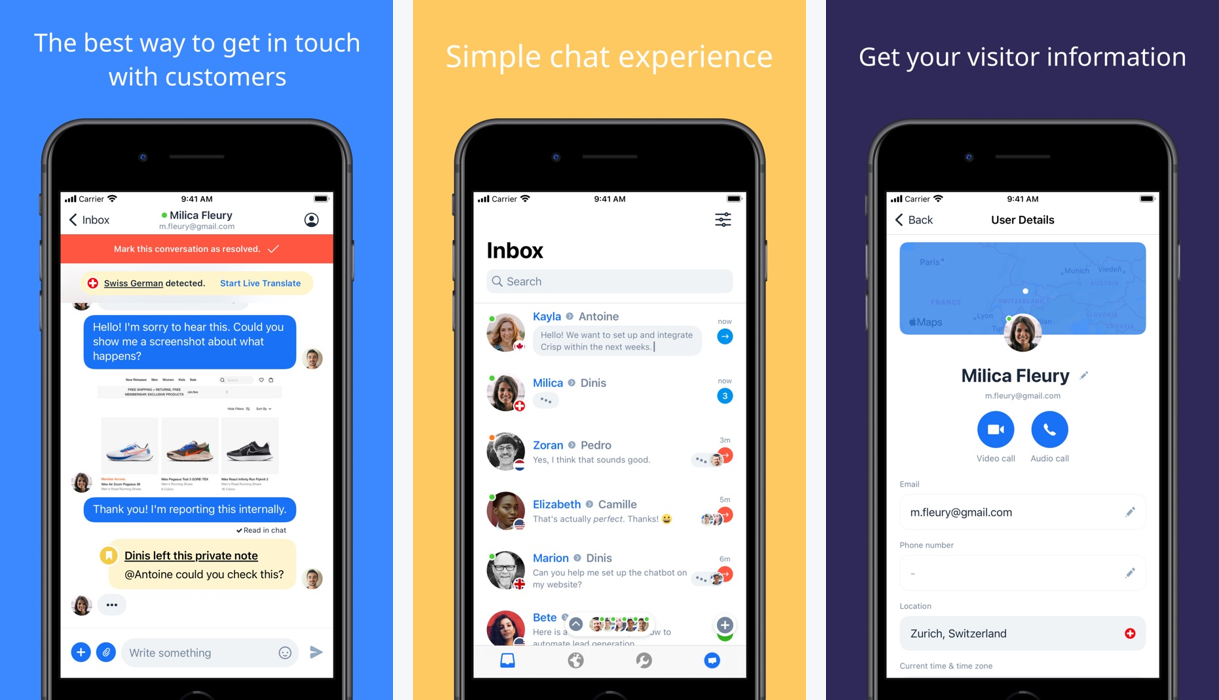
Crisp charges per workspace, not per seat or per conversation, so the bill stays flat as your volume grows. The free plan gives two seats and a website chat widget. The paid plans add a shared email inbox on Mini ($45), and an omnichannel inbox with WhatsApp Business, Instagram DMs, SMS, Line, and Viber on Essentials ($95).
The limit is the AI allowance. Each plan includes AI credits (about 90 automated conversations on Mini, 450 on Essentials), and heavy use needs a higher plan.
Key features:
- Omnichannel inbox: WhatsApp, Instagram, SMS, and more on Essentials.
- Workflow builder and AI chatbot: visual rules plus an omnichannel bot.
- Shared inbox: private notes, shortcuts, and chat triggers.
Pros
- A free plan and a 14-day trial with every feature.
- Flat workspace pricing makes the bill easy to forecast.
Cons
- Messaging channels beyond live chat and email start on Essentials.
- AI credits cap automated conversations on each plan.
Pricing: Free (2 seats). Mini $45, Essentials $95, Plus $295 per workspace a month. Plus adds ticketing and white labelling. 14-day trial. Read more: Crisp review and Tidio vs Crisp.
Rating: G2 4.5/5
3. Respond.io
Best for: teams that sell and support over WhatsApp and other messaging apps
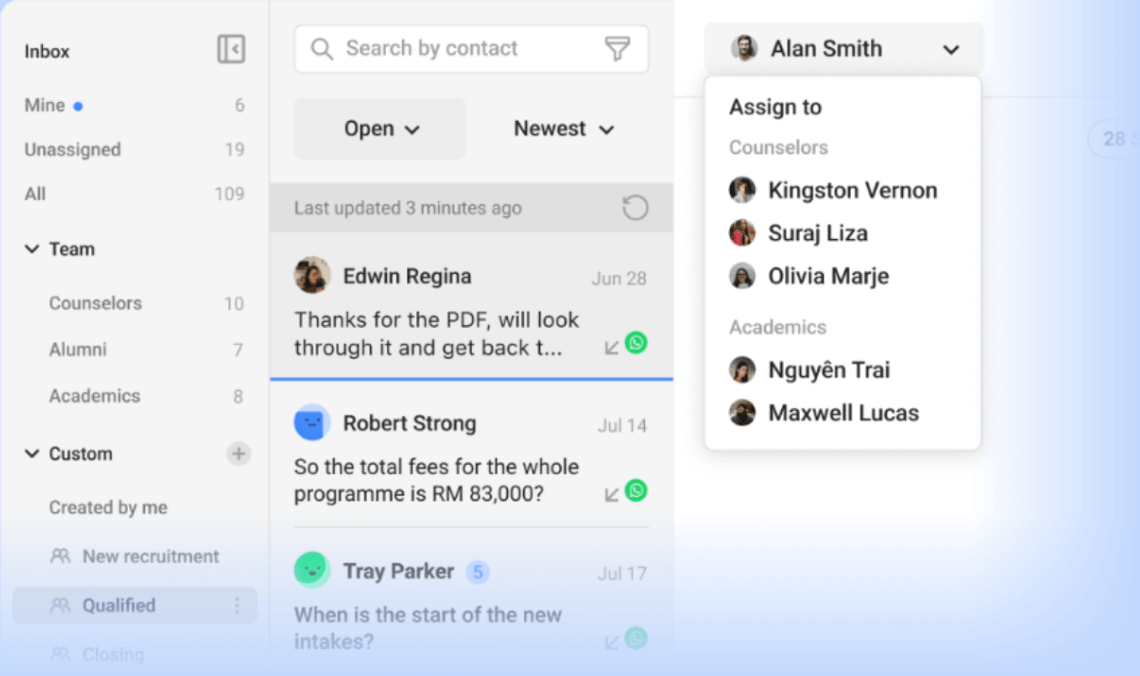
Respond.io is built around messaging apps. Its inbox groups conversations by team and custom view, and the Growth plan adds broadcasts, workflow automation, and AI agents. It prices by monthly active contacts, the people you talked to that month, so the bill follows your audience instead of your headcount.
WhatsApp is the line to watch. The pricing page states that WhatsApp fees are not included in any subscription: Meta bills them on top.
Key features:
- Team and custom inboxes: assign conversations by team and view.
- Workflows and broadcasts: automation and campaigns on Growth and up.
- AI agents: included on Growth, Advanced, and Enterprise under a fair-use policy.
Pros
- Strong fit for WhatsApp-led support and sales.
- Highest G2 rating on this list.
Cons
- No free plan, and AI agents are not on Starter.
- The price rises with your contact tier, and Meta’s WhatsApp fees are extra.
Pricing: per month billed yearly, at the 1,000-contact tier: Starter $79 (5 users), Growth $159 (10 users), Advanced $279 (10 users). Monthly billing is $99, $199, and $349. Extra users cost $12 to $24 a month. Enterprise by quote. 7-day trial, no card.
Rating: G2 4.8/5
4. Gorgias
Best for: Shopify stores with a high ticket volume
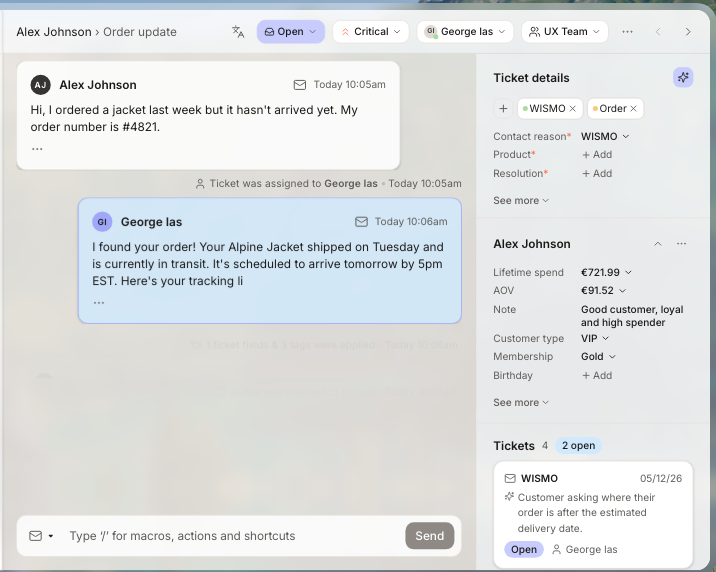
Gorgias is a help desk built for e-commerce. A ticket shows the customer’s lifetime spend and past tickets beside the conversation, and the platform connects to Shopify, BigCommerce, Magento, and WooCommerce. Plans are priced by ticket volume, never per agent, which suits stores with a big team on a modest volume.
The AI agent bills per automated interaction, and each one also counts as a helpdesk ticket.
Key features:
- Order management: order details and actions inside the ticket.
- Flows and quick responses: automation for common questions.
- AI Agent: on every plan, billed per automated interaction.
Pros
- Built for stores, with store data in every ticket.
- No per-agent pricing.
Cons
- Each AI resolution also uses up a ticket.
- Starter has no AI actions or brand voice controls, and Magento support starts on Pro.
Pricing: Starter $10 a month (monthly billing only, 50 tickets, 3 seats). Basic $50 (billed annually) or $60, 300 tickets. Pro $300 or $360, 2,000 tickets. Advanced $750 or $900, 5,000 tickets. Extra tickets cost $0.36 to $0.40. AI interactions $0.85 to $1.00 each. Read more: Gorgias review and Tidio vs Gorgias.
Rating: G2 4.6/5
5. Intercom
Best for: teams that want an AI agent in chat and pay per result
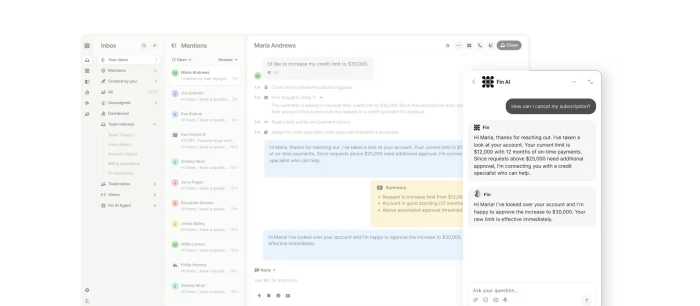
Intercom’s Messenger is the on-site chat visitors see, and Fin, its AI agent, can take first-line chats. Fin costs $0.99 per outcome on every plan. An outcome counts when the customer confirms the fix, stops asking after Fin replies, or Fin completes a workflow. You pay nothing if Fin cannot answer or the customer asks for a person.
The catch is the second meter. You pay for seats and for Fin, and the workflow builder starts on Advanced at $85 a seat.
Key features:
- Messenger: the on-site chat that bots and agents reply in.
- Fin AI Agent: learns your support content and completes multi-step procedures.
- Shared helpdesk: inbox, tickets, and a help center.
Pros
- Billing follows outcomes, and a handoff to a human is free.
- Fin works on every plan, trial included.
Cons
- Seat prices step up from $29 to $85 to $132 as you add rules and SLAs.
- An outcome is also charged when a customer just stops asking.
Pricing: Essential $29, Advanced $85, Expert $132 per seat a month, billed annually. Fin $0.99 per outcome. No free plan, 14-day trial. Read more: Intercom review.
Rating: G2 4.5/5
6. Zendesk
Best for: larger support teams with complex routing and reporting
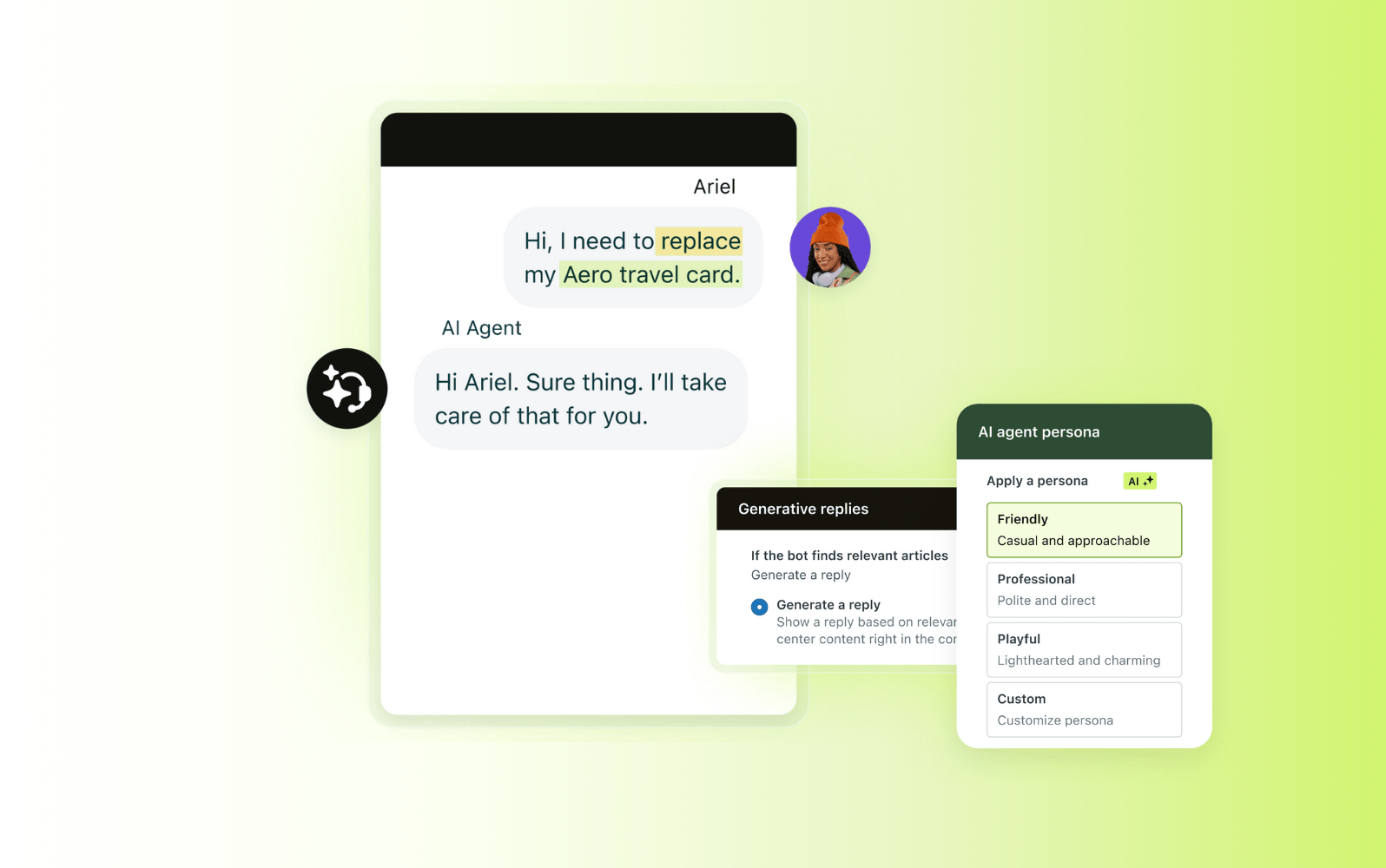
Zendesk is the deep option for large teams. Support Team starts at $19 an agent, and Suite Team ($55) is the plan aimed at teams that unify channels and add AI agents. It includes macros, triggers, and ticket routing, and the AI agent bills per automated resolution.
Small teams pay for that depth. Each plan includes a few resolutions per agent a month (5 on Team plans), and extra ones cost $1.50 committed or $2.00 pay-as-you-go. Copilot is a separate $50 an agent add-on on Professional and up.
Key features:
- Omnichannel routing: skills-based routing on Suite Professional.
- AI agents: generative replies and an agent builder.
- Macros and triggers: rules for repeat work.
Pros
- Skills-based routing on Suite Professional and approval workflows on Enterprise.
- AI agents are included in every Suite and Support plan.
Cons
- No free plan, and extra automated resolutions cost $1.50 to $2.00.
- Copilot is a paid add-on on higher plans.
Pricing: Support Team $19 ($25 monthly), Suite Team $55 ($69), Suite Professional $115 ($149) per agent a month. Enterprise by quote. 14-day trial of Suite Professional. Read more: Zendesk review and Tidio vs Zendesk.
Rating: G2 4.3/5
7. Freshdesk
Best for: teams that want conventional ticketing at a low seat price
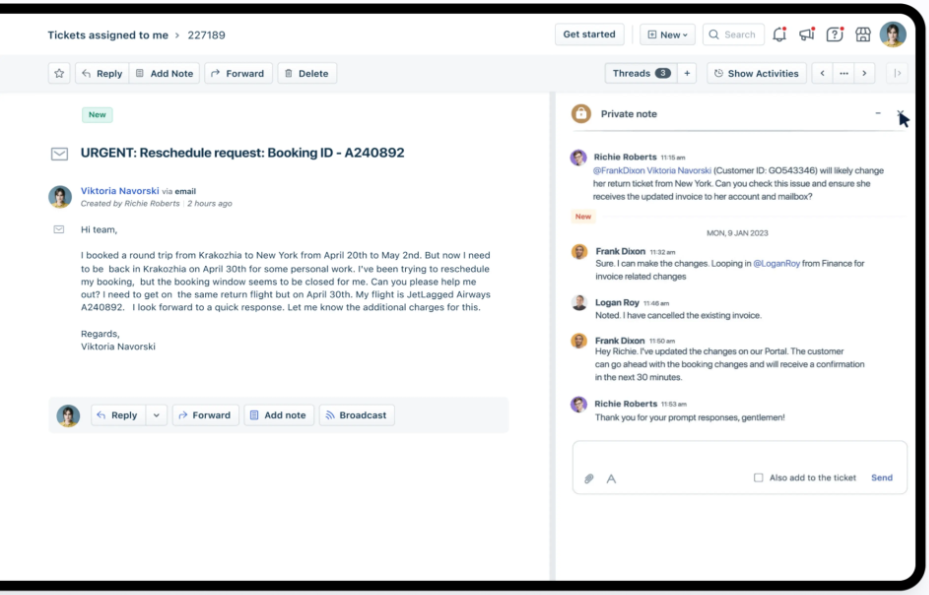
Freshdesk is a ticket-first help desk. Growth starts at $19 an agent, with 500 free Freddy AI Agent sessions, once per account. After that, packs cost $49 per 100 sessions. Intelligent routing and multiple SLA policies start on Pro ($55), and skill-based routing on Enterprise.
It suits teams whose conversations become tickets, and less so teams that want a chat-first inbox.
Key features:
- Freddy AI Agent: sessions-based AI agent, 500 free to try.
- Automations: rules for follow-ups and escalations.
- Private notes: internal threads on a ticket.
Pros
- Low entry price per agent.
- Automations and SLA rules that scale with the plan.
Cons
- Routing depth is gated to Pro and Enterprise.
- Copilot ($29 an agent) is an add-on on Pro and up.
Pricing: per agent a month, billed annually: Growth $19, Pro $55, Enterprise $89. Extra AI sessions $49 per 100. 14-day trial. Read more: Freshdesk review and Tidio vs Freshdesk.
Rating: G2 4.4/5
8. Help Scout
Best for: small, email-first teams that want a personal tone
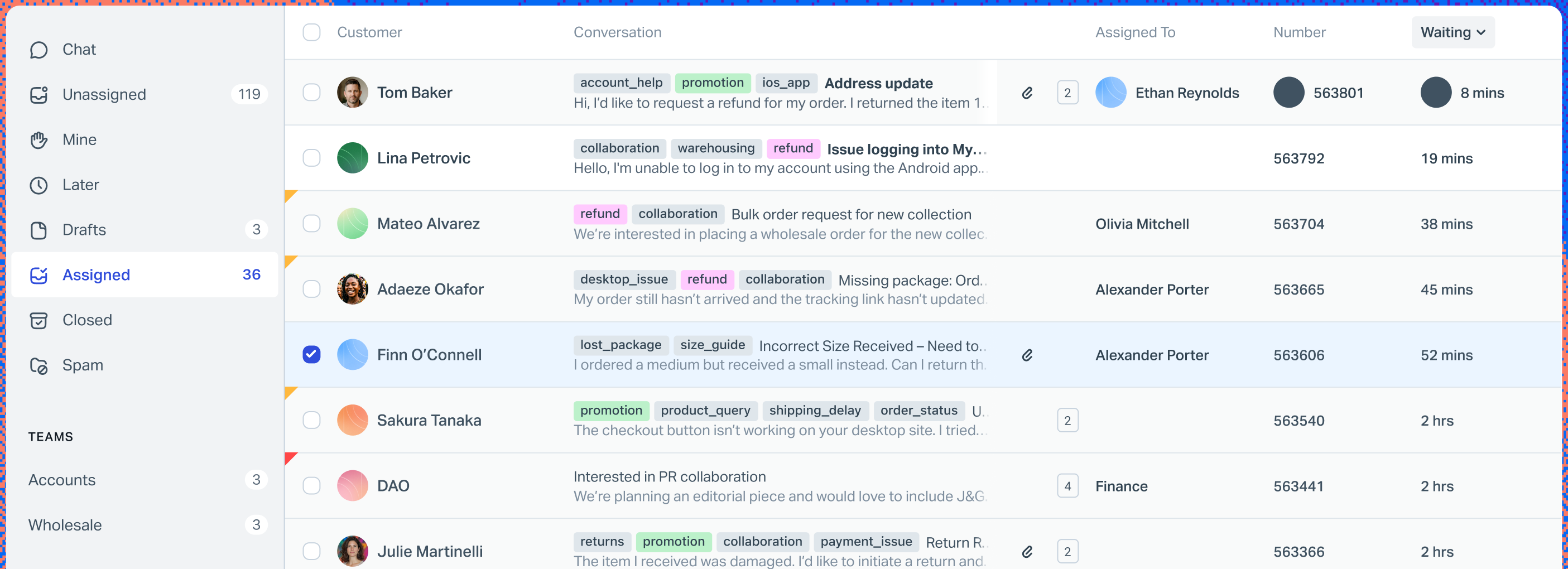
Help Scout keeps support close to email, with a shared inbox. The free plan covers 5 users and one inbox. Paid plans start at $25 a user, and the AI Answers add-on costs $0.75 per resolution after a 3-month free trial.
The plans are light on automation: Standard has 150 basic workflows and one SLA policy, and unlimited workflows need the Pro plan.
Key features:
- Shared inbox: assignments, notes, and saved replies.
- AI Answers: an AI agent billed per resolution.
- Docs: a help center that feeds the AI.
Pros
- A free plan for 5 users.
- AI Answers comes with a 3-month free trial.
Cons
- Workflow and SLA caps by plan.
- Extra inboxes cost $10 to $12 a month each.
Pricing: Free (5 users, 1 inbox). Standard $25, Plus $45, Pro $75 per user a month (the page does not pair each price with a billing period). AI Answers $0.75 per resolution. 15-day trial. Read more: Help Scout review.
Rating: G2 4.4/5
9. Front
Best for: teams of 10 or more that share an email-style inbox
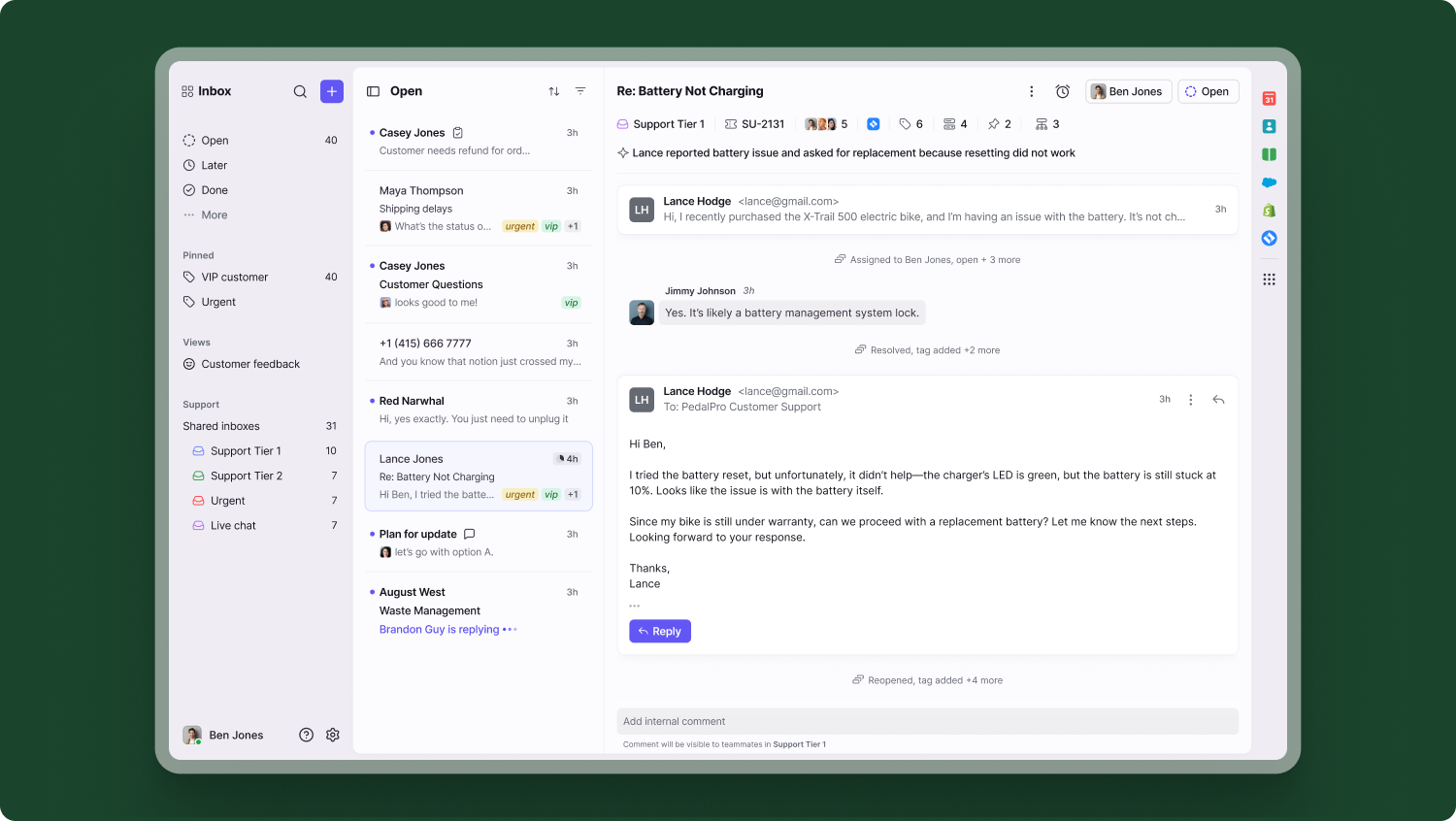
Front turns email, SMS, social, and WhatsApp into a shared inbox with assignments, comments, and rules. Starter is limited: it covers one channel type and up to 10 rules, so most teams land on Professional at $65 a seat to get omnichannel.
AI is billed apart. Copilot costs $20 a seat on Starter and Professional, and Autopilot starts at $0.05 a conversation.
Key features:
- Shared inboxes: assign, comment, and draft together.
- Omnichannel: email, SMS, social, and WhatsApp on Professional and up.
- Autopilot and Copilot: AI agent and agent assist.
Pros
- A G2 rating of 4.7.
- Collaboration tools for teams that hand conversations around.
Cons
- One channel type and 10 rules on Starter.
- Native WhatsApp is billed by Meta plus a 20% admin fee.
Pricing: Starter $25, Professional $65, Enterprise $105 per seat a month, billed annually. 14-day trial, no card. Read more: Front review.
Rating: G2 4.7/5
10. HubSpot Service Hub
Best for: teams whose customer records already sit in HubSpot CRM
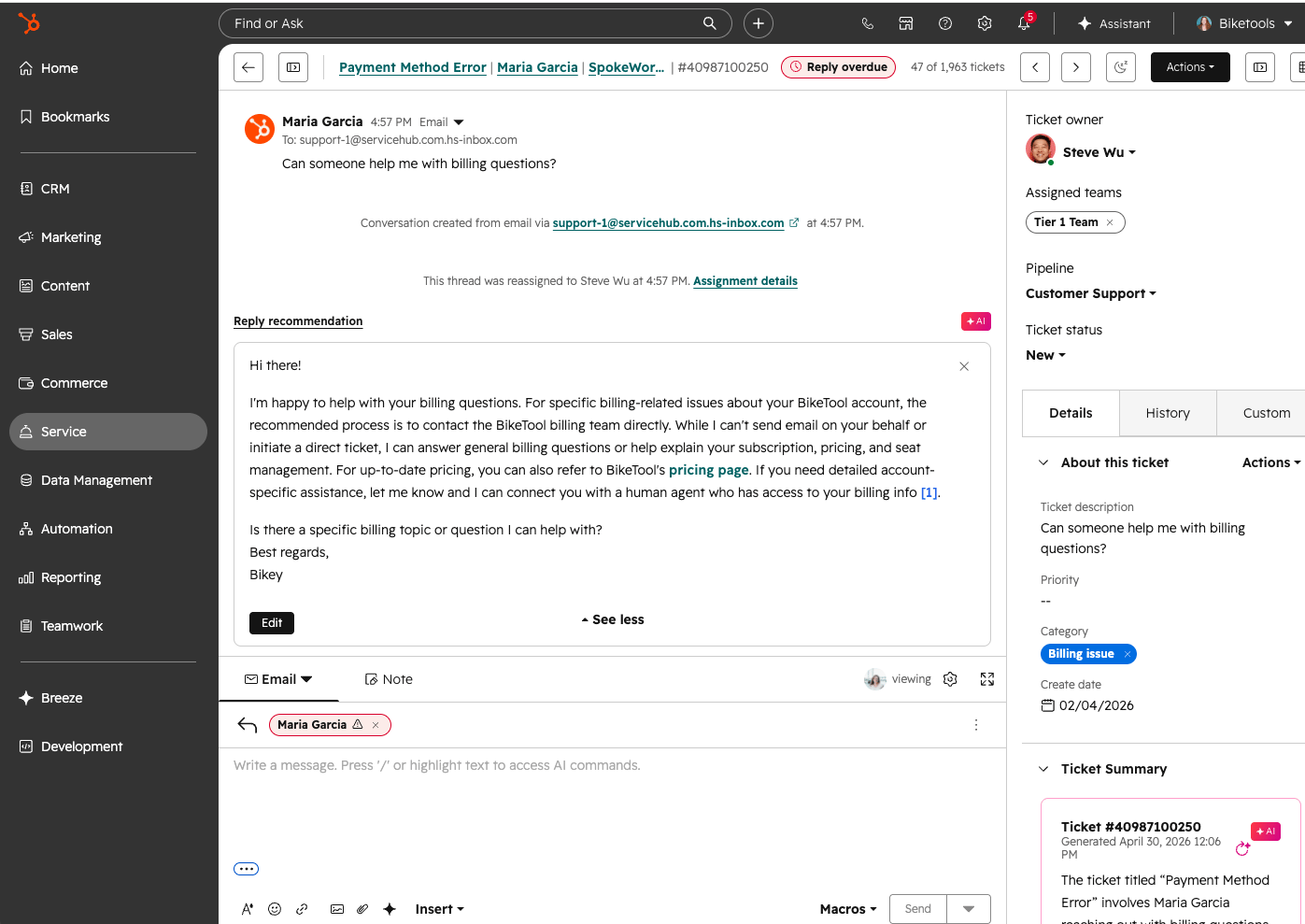
HubSpot Service Hub puts conversations next to the CRM record, so agents see deals, contacts, and past tickets. Free covers two users. The Customer Agent, HubSpot’s AI agent, costs $0.50 per resolution and needs Professional or Enterprise.
Professional lists from $90 a seat a month (the page also shows $100 and does not label which billing period is which), plus a required one-time onboarding fee of $1,500.
Key features:
- CRM context: conversations tied to contact and company records.
- Customer Agent: an AI agent billed per resolution.
- Help desk workspace: tickets, macros, and routing.
Pros
- Free tier for two users.
- Conversations and customer data in one place.
Cons
- Customer Agent needs Professional or Enterprise.
- Credits are shared across agents and features, and the Professional onboarding fee is $1,500.
Pricing: Free for 2 users. Starter from $7 a seat (the page also shows $20). Professional from $90 ($100). Enterprise from $150. Customer Agent $0.50 per resolution. Read more: HubSpot alternatives.
Rating: G2 4.4/5
11. SlickText
Best for: SMS-first teams in the US and Canada that run texting campaigns and two-way support

SlickText is an SMS-first messaging platform that combines mass texting, drip workflows, and list-growth tools with a shared inbox for one-on-one replies. The inbox routes incoming texts to team members and organizes them with tags and statuses. Every plan includes all features, and pricing follows message credits (one credit per SMS, three per MMS); the page lists no seat price.
SMS is the channel here. SlickText currently sends only to the United States and Canada, and its pages do not mention live chat, email, WhatsApp, or an AI agent.
Key features:
- Shared inbox: routing, tags, and statuses on incoming texts.
- Workflows: a no-code builder for drip texts, cart recovery, and review requests.
- List growth: popups, web forms, keywords, and QR codes.
Pros
- Incoming texts are free, and contacts are unlimited on every plan.
- All features are on every plan, with a 14-day trial and no card.
Cons
- SMS only, and only in the United States and Canada.
- No AI agent or other chat channel is listed on the pricing or home page.
Pricing: $29 a month for 500 credits, $49 for 1,000, $79 for 2,000, $129 for 3,500, up to $939 for 50,000, plus custom Enterprise (the page does not say which billing period it shows; paying yearly gives two months free). Carrier fees are extra and passed through with no markup. 14-day trial, no free plan.
Rating: G2 4.8/5
How to choose a customer messaging platform
List the channels your customers use
Start with where messages come from today: website chat, email, Instagram, Messenger, WhatsApp. A platform that covers all of them in one inbox saves agents from tab switching. Check which plan includes each channel, because Crisp and Front gate theirs. For more on running chat, social, and email together, see our guide to a unified messaging platform.
Compare the AI billing unit
AI agents are billed per outcome, resolution, session, interaction, credit, or conversation, and each unit defines “resolved” differently. Intercom charges when a customer stops asking, and Help Scout does not charge when the customer asks for more help. Ask what counts, and how a handoff is billed, before you compare seat prices.
Check that a human can take over
Run a test on your ten most common questions. A good handoff passes the full conversation to an agent, so the customer never repeats themselves. Check what the platform bills when the AI hands over, and whether the agent sees what the bot already asked.
Match the pricing model to your volume
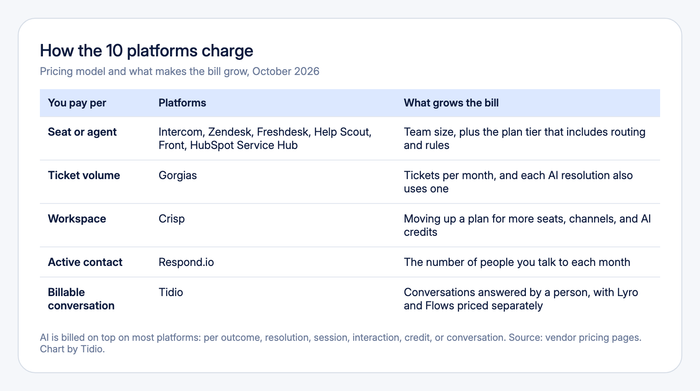
Per-seat pricing suits a small team with high volume. Per-ticket pricing (Gorgias) suits a big team with modest volume. Per-contact pricing (Respond.io) follows your audience. Per-message credits (SlickText) follow how much you send. Flat pricing (Crisp) is the easiest to forecast. Per-resolution AI fees grow with success, so set a cap where the platform allows it.
Check your store and CRM connection
If you run a Shopify store, look for cart preview and order actions in the inbox. If your data lives in a CRM, check how conversations sync to contacts.
Customer messaging platform vs instant messaging app
An instant messaging app, such as Slack or Microsoft Teams, connects your own staff. A customer messaging platform connects you to customers across chat, email, and social, with assignment, history, and AI. If the people on the other end are customers, you want the second kind.
Which customer messaging platform should you pick?
- You run a small team or a Shopify store → Tidio Growth with Lyro. Order details sit beside the chat, and Lyro handles repeat questions. Larger teams can step up to Plus. See Tidio pricing.
- You want one flat bill → Crisp. The price is per workspace, so volume does not change it.
- You sell over WhatsApp → Respond.io. It is built around messaging apps, and Meta’s fees come on top.
- You run a high-volume store with a big team → Gorgias. Pricing follows tickets, not agents.
- You want to pay only for AI results → Intercom. Fin charges per outcome.
- You need deep routing at scale → Zendesk or Freshdesk. Both have SLA and routing rules that go further than a chat-first inbox.
- You live in email → Help Scout or Front. Help Scout is lighter and cheaper, and Front suits teams of 10 or more.
- Your data lives in HubSpot → HubSpot Service Hub. Conversations stay next to the CRM record.
- Your customers mostly text, and you serve the US or Canada → SlickText. It is built around SMS, with a team inbox, and prices by message credits.
Automate your Shopify store's customer messages with Lyro
Frequently asked questions
Tidio is the best fit for small teams and online stores, because chat, email, Messenger, Instagram, and WhatsApp share one inbox, and Lyro can resolve up to 75% of support requests. Crisp is a strong alternative for a flat workspace price, and Respond.io suits WhatsApp-led teams.
A customer messaging platform is software that collects customer conversations from live chat, email, social media, and messaging apps in one shared inbox. Teams reply, assign, and automate from there. Most now include an AI agent that answers repeat questions and hands over to a person.
Tidio and Gorgias are the strongest picks for online stores. Tidio shows cart and order history beside the chat and starts with a free plan. Gorgias prices by ticket volume and connects to Shopify, BigCommerce, Magento, and WooCommerce.
Entry prices run from free to $79 a month for a small team. Tidio and Crisp have free plans, Help Scout covers 5 users free, and paid plans start at $19 to $25 a seat. AI fees come on top and vary by platform.
Yes. Tidio, Crisp (Essentials), Respond.io, and Front (Professional) support WhatsApp and social channels in a shared inbox. WhatsApp message fees are billed by Meta, and Respond.io and Front say so on their pricing pages.
A chatbot answers questions automatically. A customer messaging platform is the inbox that holds every conversation, with or without a bot, plus assignment and history. Most platforms include a chatbot or AI agent as one feature.
Try Tidio for your customer messages
