Key takeaways
- Tidio has the lowest entry cost. The WhatsApp integration is free on every plan, including Free, and each connected number gets 1,000 free messages a month, with Lyro and Flows replies counted.
- The plan price is only part of the bill. Meta’s per-message fees come on top for every tool here, and several tools add their own WhatsApp charge, such as the $88 add-on at Landbot or the $15 number fee at SleekFlow.
- Only two tools have a free plan with WhatsApp. Tidio Free and AiSensy Free Forever connect WhatsApp; AiSensy’s free plan cannot send broadcasts.
- Respond.io and Kommo suit teams that sell. Respond.io routes high conversation volume to agents and AI; Kommo puts WhatsApp inside a sales pipeline.
- Check the AI line before you buy. At SleekFlow, WATI, ManyChat, and Gallabox the cheapest plan does not include the AI agent.
A WhatsApp chatbot looks cheap on the pricing page and costs more on the invoice. Since October 1, 2026, Meta also charges for customer-service replies after the first 1,000 per number each month, so a busy bot now has a usage bill on top of the plan. We compared the pricing pages, help docs, and G2 reviews of 16 WhatsApp chatbot tools and kept the 11 that are worth a shortlist spot. Each entry shows who it fits, what it costs with WhatsApp on, and where it stops. Prices were checked in October 2026. Tidio is listed first because the list is ordered for small e-commerce and support teams; it gets the same template, drawbacks included, as every tool.
The best WhatsApp chatbot tools at a glance
Our top three: Tidio for small e-commerce and support teams that want WhatsApp, live chat, and AI in one inbox; Respond.io for mid-size B2C teams with heavy WhatsApp volume; Kommo for sales teams that work from a CRM.
| Tool | Best for | Starting price with WhatsApp | Free plan / trial | G2 rating |
|---|---|---|---|---|
| Tidio | Small e-commerce and support teams that want AI in one inbox | $0 on Free; paid from $24.17 a month billed annually | Free plan, 7-day trial | G2 4.6/5[1] |
| Respond.io | High-volume B2C teams that route chats to agents | $79 a month billed yearly | 7-day trial, no card | G2 4.8/5[2] |
| WATI | Teams that run broadcasts from a shared inbox | $59 a month billed annually ($69 monthly) | 7-day trial | G2 4.6/5[3] |
| SleekFlow | Growing teams that want an omnichannel inbox and AI agents | $49 a month billed yearly; AI agents from $109 | 7-day Pro trial, no card | G2 4.6/5[4] |
| Landbot | Teams that want a no-code visual flow builder | $176 a month (Professional plus the WhatsApp add-on), billed annually | Free plan (WhatsApp test number only), 14-day trial | G2 4.7/5[5] |
| ManyChat | Creators and Instagram-first brands adding WhatsApp | $29 a month billed annually (Pro) | Free plan without WhatsApp, 14-day trial | G2 4.5/5[6] |
| SendPulse | Small businesses that already use SendPulse email or SMS | From $12 a month monthly ($9.60 billed yearly) | Free plan without the WhatsApp API, 7-day trial with card | No G2 rating loaded |
| Kommo | Sales teams that want WhatsApp inside a CRM | $25 per user a month, 6-month minimum | 14-day trial, no card | G2 4.1/5[7] |
| AiSensy | Budget-minded D2C brands focused on broadcasts | $45 a month billed monthly | Free Forever plan (no broadcasts) | G2 4.4/5[8] |
| Gallabox | Sales teams that want WhatsApp AI agents | $150 a month billed quarterly ($112 billed annually) | Trial with 500 AI credits, no card | G2 4.6/5[9] |
| WotNot | Teams that want a no-code AI agent trained on their own help content | $29 a month billed monthly | 14-day trial, no free plan listed | G2 4.6/5[10] |
How we chose and tested these tools
Every tool was judged on the same five points, and where a page left a price or limit unstated, we say so:
- WhatsApp access. Which plan connects the official WhatsApp Business API, and how many numbers it includes.
- Total cost. Plan price, WhatsApp add-ons, and how Meta’s message fees reach the invoice.
- Chatbot and AI. Visual builder, AI agent, and what the AI costs.
- E-commerce fit. Shopify and WooCommerce integrations, product catalogs, order updates.
- Evidence. Pricing pages and help docs read in October 2026, plus G2 ratings. We did not trial every tool, and vendor claims are labeled as claims.
The 11 best WhatsApp chatbot tools in 2026
1. Tidio
Best for: Small e-commerce and support teams that want WhatsApp, an AI agent, and live chat in one inbox.
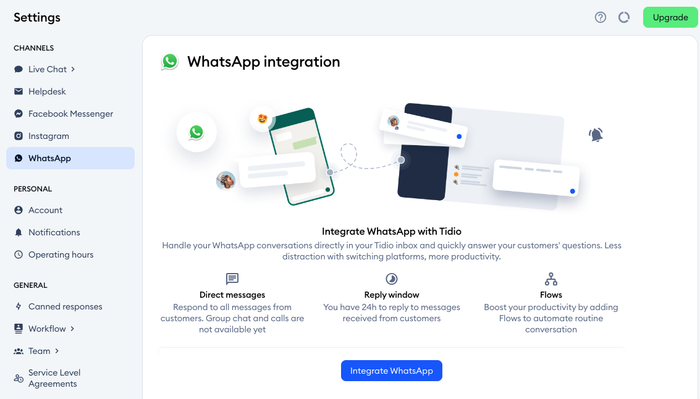
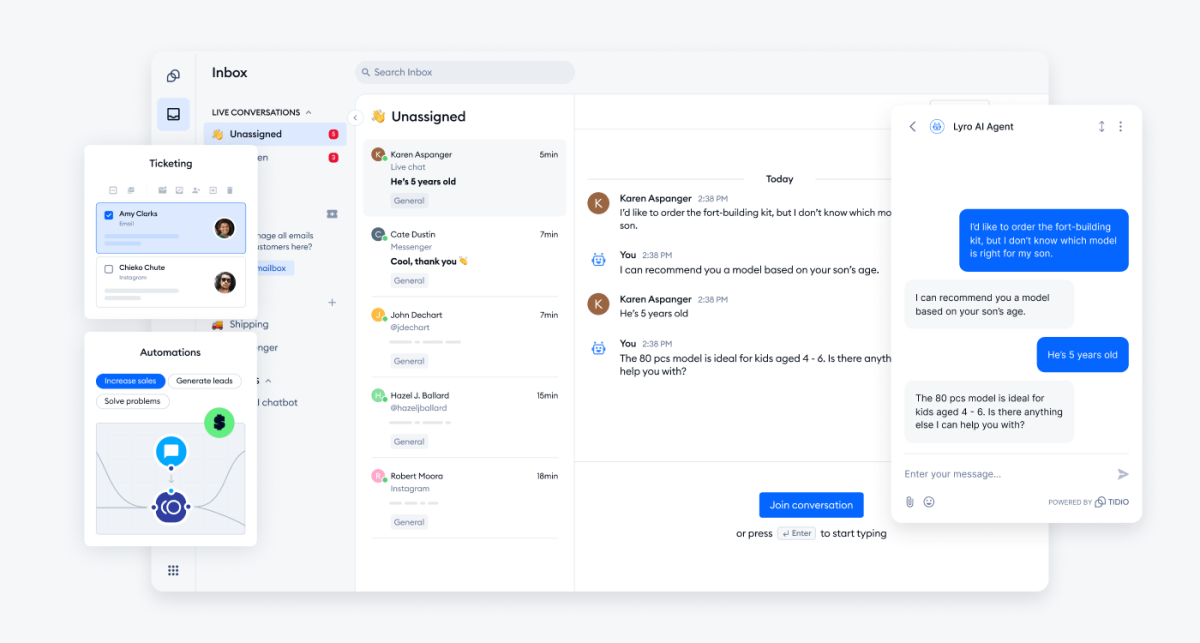
Tidio connects your WhatsApp Business number to the same inbox that holds your website live chat, email, Messenger, and Instagram. Lyro, the AI agent, answers the repetitive questions first, such as order status, shipping, and returns, and Lyro can resolve up to 75% of support requests. A human picks up what Lyro hands off, in the same thread.
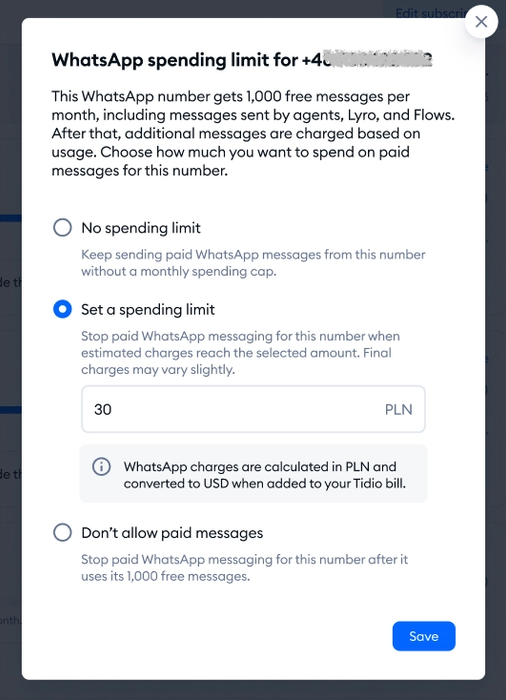
The WhatsApp integration is free on every plan. Each connected number gets 1,000 free messages a month, and that count includes replies from agents, Lyro, and Flows. Above that, Tidio bills the local WhatsApp rate for your customer’s country at the end of the month, adds no markup, and lets you set a spending cap. Our WhatsApp integration page and the Help Center walk through the Meta Business setup.
Tidio fits these teams best:
- Shopify and other online stores that want order status and returns answered on WhatsApp, with cart preview and order history for agents.
- Small teams and high-volume shops where the same few questions fill the inbox and AI should take them.
- Businesses that mix channels, with live chat on the site, WhatsApp, Messenger, Instagram, and email in one place.
Key features:
- Lyro on WhatsApp. Lyro answers from your help content and hands off to an agent.
- Flows. Rule-based automation for greetings, lead capture, and routing.
- Message templates. Reopen a conversation after WhatsApp’s 24-hour window with a Meta-approved template.
- Customer recognition. Tidio matches the sender’s phone number to the contact and shows their history.
- Several numbers. Connect multiple WhatsApp Business Accounts, each with several numbers.
Pros
- The WhatsApp integration costs nothing on any plan, and there is no markup on Meta’s fees.
- A spending cap in the dashboard keeps WhatsApp usage predictable.
- Chat, email, and social channels share one inbox with the AI agent.
Cons
- Lyro is billed separately by conversation, so cost follows usage, but its monthly quota needs watching as WhatsApp volume grows.
- On WhatsApp, Flows run on three triggers, and a quick-reply step shows the first three buttons, which is a WhatsApp limit.
- The number must be a business-owned line, and a number already in the WhatsApp app has to be removed from it before you connect.
Skip Tidio if outbound broadcast campaigns to large contact lists are your main use case.
Pricing: Free plan with 50 billable conversations and up to 10 seats. Starter is $29 a month, or $24.17 billed annually; Growth starts at $59 ($49.17 billed annually). Lyro is sold separately from $39 a month ($32.50 billed annually) for 50 Lyro conversations. Paid plans have a 7-day trial. On Free and during the trial, WhatsApp sending stops at 1,000 messages a month.
Rating: G2 4.6/5.[1]
Connect WhatsApp to Tidio
2. Respond.io
Best for: Mid-size B2C teams with high WhatsApp volume that need routing and AI agents.
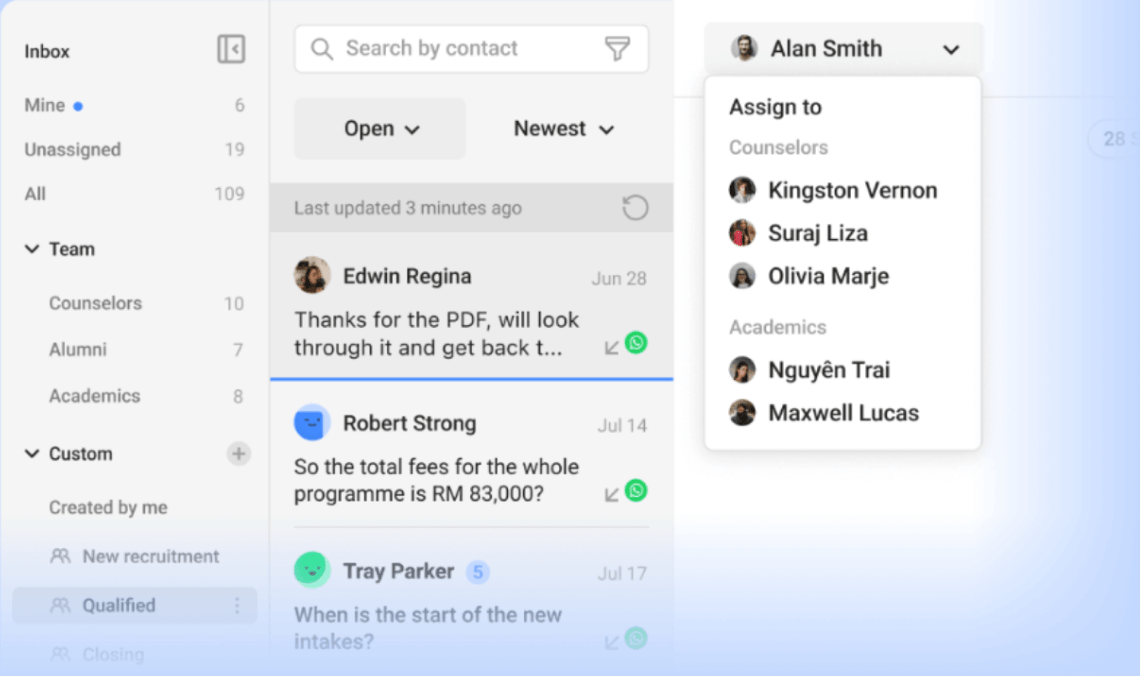
Respond.io is a messaging inbox built around WhatsApp, with team routing, workflows, and AI agents. The strength is conversation management at volume: assignment, teams, and one number that works on both the WhatsApp Business app and the API. The vendor aims its AI agents at mid-market B2C businesses with sustained volume.
Key features: shared inbox with team assignment; workflow automation; AI agents, AI Assist, and summaries on a credit system; broadcasts; Meta Product Catalog.
Pros
- Highest G2 rating on this list.
- Respond.io adds no WhatsApp fee on top of Meta’s.
Cons
- No free plan, and the price grows with Monthly Active Contacts.
- AI agents and broadcasts need Growth at $159 a month.
- We found no Shopify integration listed on its pricing page.
Pricing: Starter $79 a month billed yearly, Growth $159, Advanced $279, Enterprise custom. Extra users are $12 a month and extra AI credits are $15 per 1,000. Meta’s fees are not included.
Rating: G2 4.8/5.[2]
3. WATI
Best for: Teams that run broadcasts and support from one WhatsApp-first inbox.
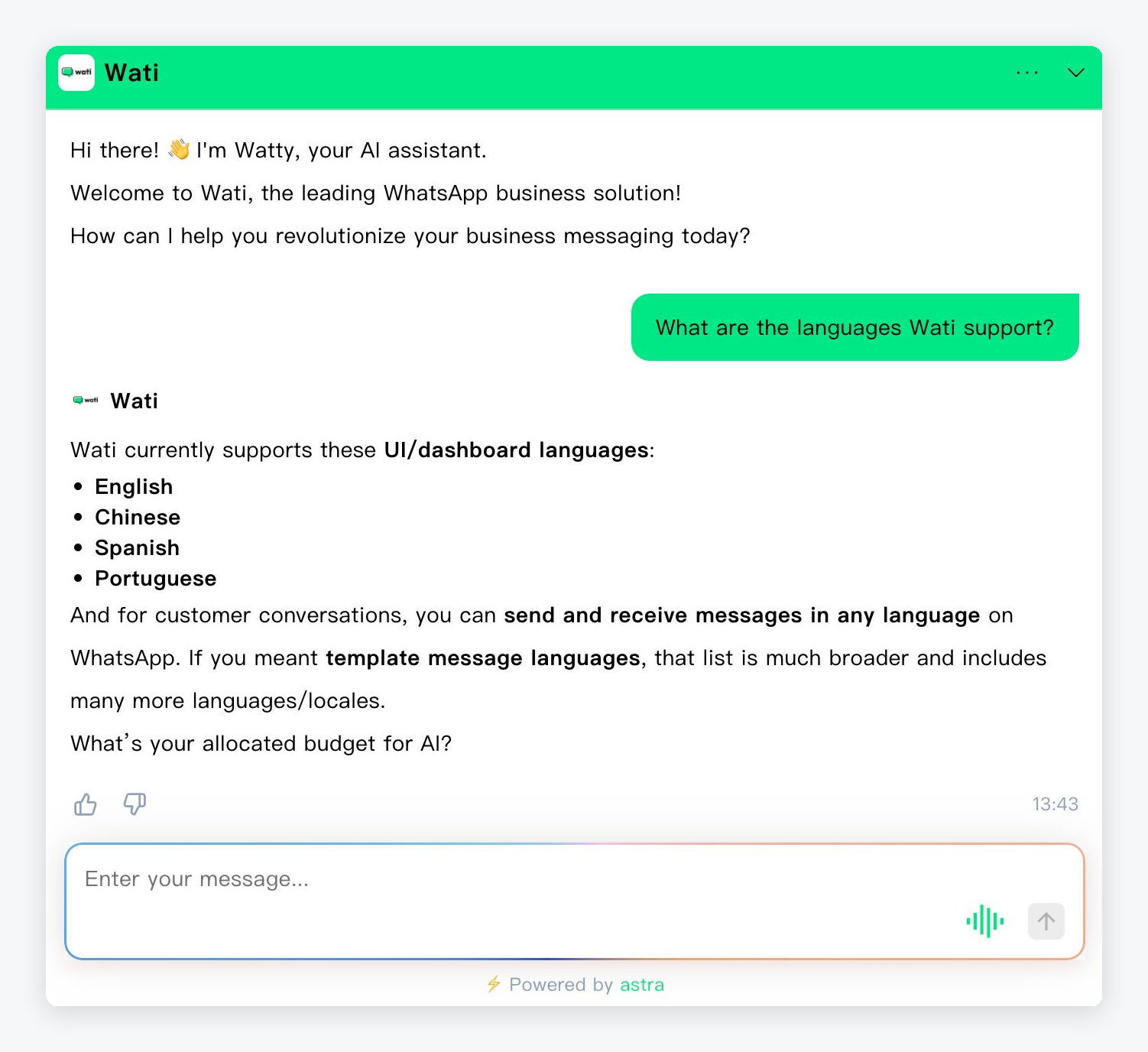
WATI is a WhatsApp-only platform with a team inbox, broadcasts, and a no-code flow builder. It suits a small team that wants everything on WhatsApp. The catch: chatbots start on Pro, the Astra AI agent is an add-on with no price on the page, and several useful pieces cost extra.
Key features: shared inbox; broadcasts; no-code flow builder; AI co-pilot credits; WhatsApp catalog; Shopify abandoned-cart templates.
Pros
- No WhatsApp setup fee, and help with the Blue Tick application.
- A strong G2 rating for a WhatsApp-only tool.
- Broadcasts are unlimited on Pro.
Cons
- Growth connects one channel and allows no extra users.
- Shopify costs $4.99 a month extra, and each additional number is $29 a month.
- Message charges follow a WATI rate card, so any markup over Meta’s rate is not stated.
Pricing: Growth $59 a month billed annually ($69 monthly), Pro $119 ($149), Business $279 ($349). Extra users on Pro are $39 a month. 7-day trial, no free plan.
Rating: G2 4.6/5.[3]
4. SleekFlow
Best for: Growing sales and support teams that want an omnichannel inbox plus AI agents.
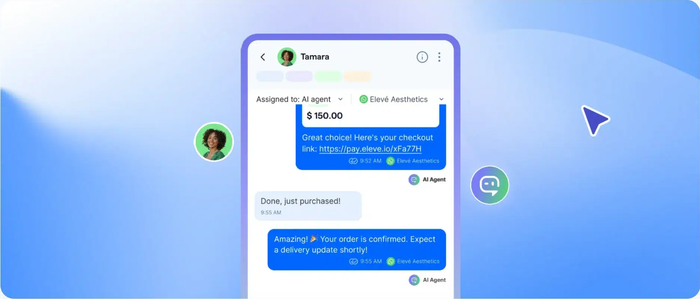
SleekFlow combines a WhatsApp, Instagram, SMS, and live chat inbox with a no-code flow builder and AI agents. Pricing is per Monthly Active Contact. Read the entry price carefully: Essential has no AI agents or broadcasts, so the cheapest plan that matches a chatbot is Pro.
Key features: visual flow builder; AI agents on Pro; Shopify, Zapier, and Make integrations; catalog and payment links.
Pros
- AI agents, the flow builder, and Shopify all sit on one plan, Pro.
- Broad channel mix, including SMS.
- A 7-day Pro trial .
Cons
- WhatsApp number hosting is $15 a month on top, plus Meta’s fees through a rate card.
- Extra contacts cost $20 per 100 Monthly Active Contacts.
- Pricing varies by country, and the Essential plan is rolling out country by country.
Pricing: Essential $49 a month billed yearly, Pro $109, Premium $279, Enterprise custom. No free plan.
Rating: G2 4.6/5.[4]
5. Landbot
Best for: Teams that want to design conversation flows visually first and add WhatsApp second.
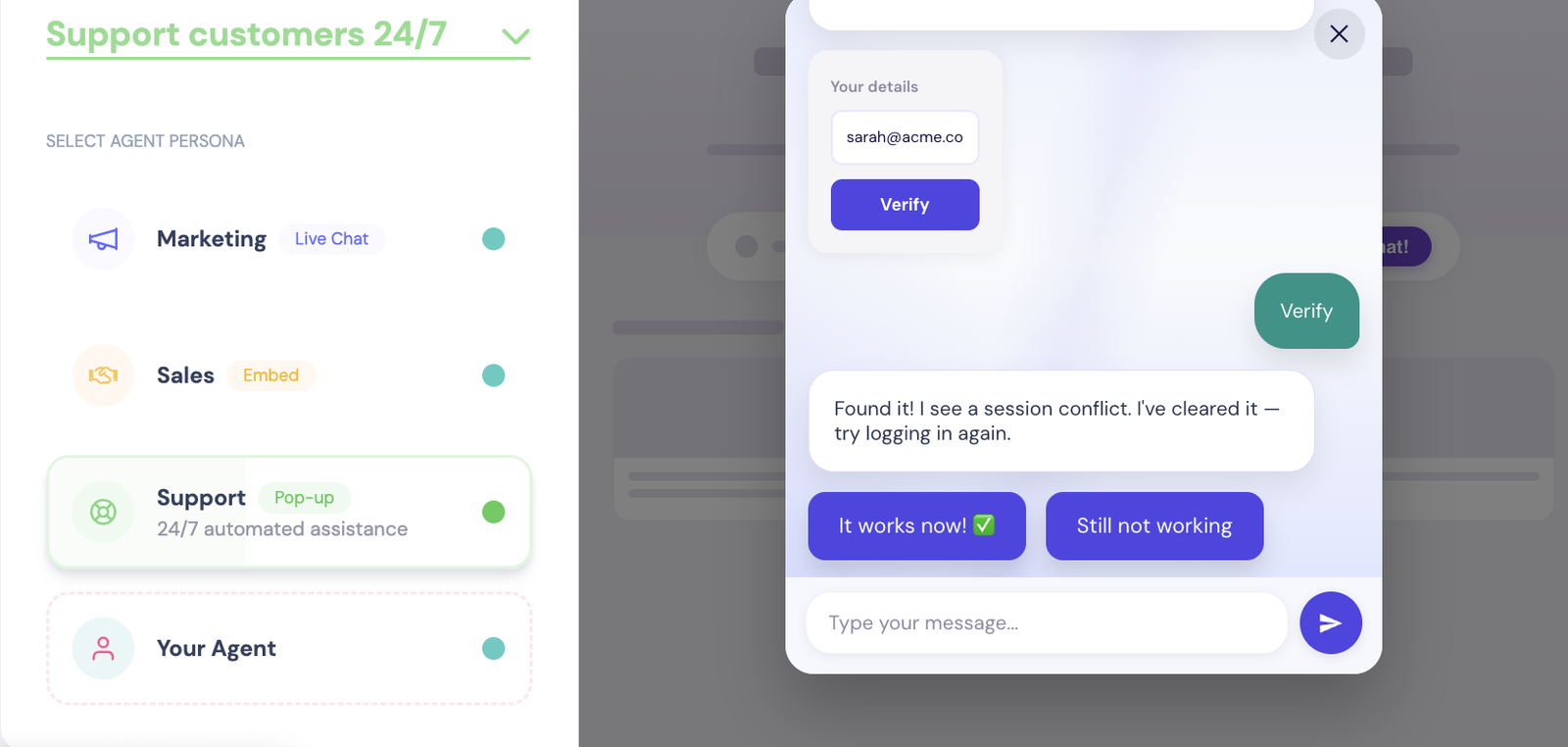
Landbot is a no-code builder for web and WhatsApp bots, with AI agents on every paid plan. WhatsApp with your own number needs the Professional plan plus an add-on, and the 100-chat Free plan only gives you a test number. So you pay extra to put the design on WhatsApp.
Key features: full visual builder and templates; AI agents; chat packs across channels; 14-day trial.
Pros
- The most visual flow design on the list.
- Prices are published, including extra chats at $0.05 and extra AI chats at $0.10.
- The Free plan lets you test a flow on WhatsApp before paying.
Cons
- WhatsApp is not on Starter; it needs Professional plus an $88 add-on.
- Landbot adds its own markup to template messages on top of Meta’s cost, printed in euros on the page.
- Extra seats cost $25 a month each.
Pricing: Free $0; Starter $36 a month billed annually; Professional $88, or $176 with the WhatsApp add-on. One WhatsApp number is included and extra numbers are $100 a month. Landbot’s older WhatsApp page quotes a different, euro price, so use the pricing page. Read more: Landbot review.
Rating: G2 4.7/5.[5]
6. ManyChat
Best for: Creators and Instagram-first brands that want to add WhatsApp flows.
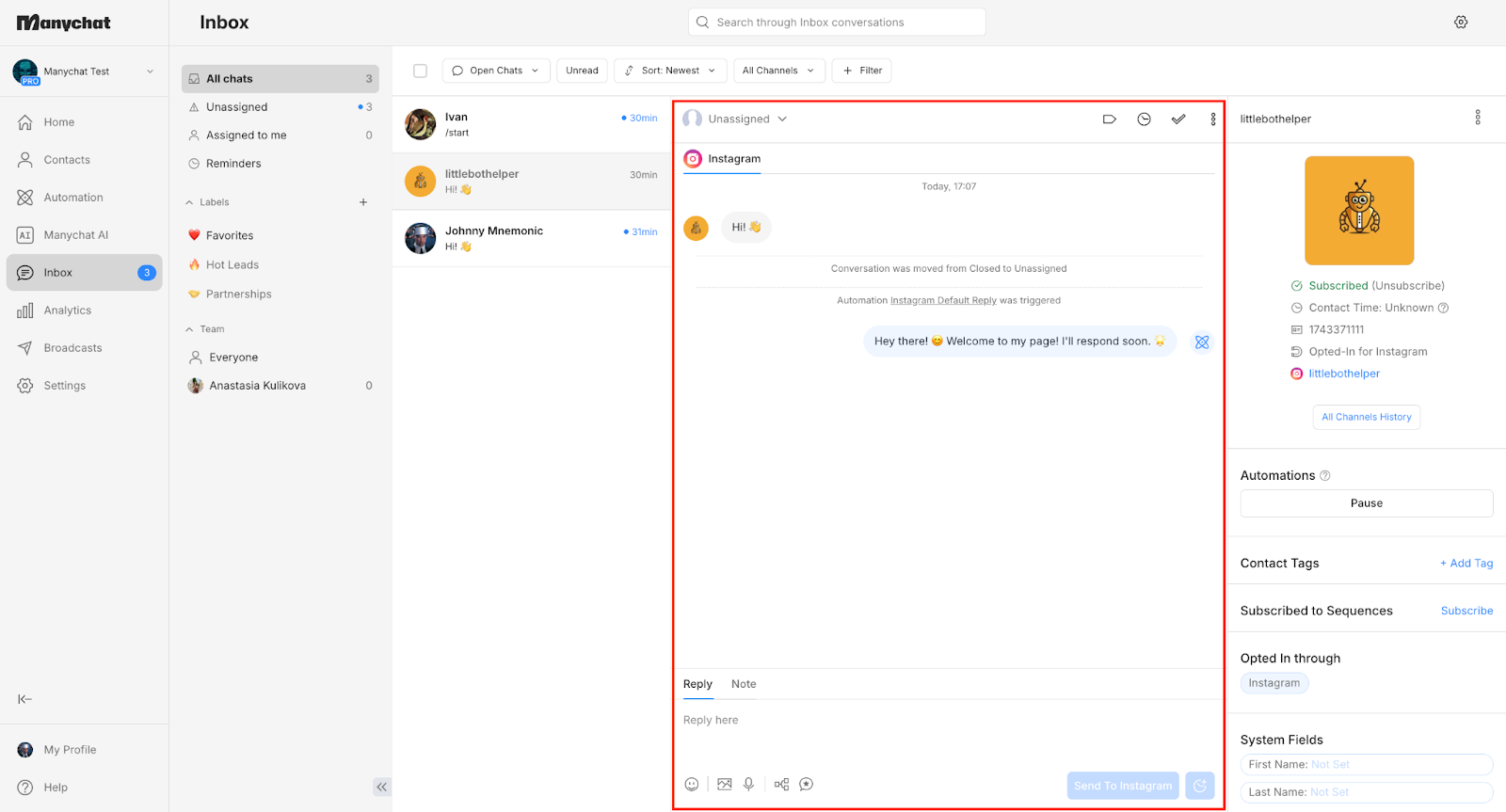
ManyChat started as an Instagram and Messenger automation tool and now supports WhatsApp from the Pro plan. It fits creators and online sellers who sell through social DMs. It is less of a customer-service tool: the shared team inbox and assignments start on Business.
Key features: visual flow builder with 60+ templates; Manychat AI on Pro; broadcasts; any three channels on Pro.
Pros
- Low entry price and a free plan to learn the builder.
- Many ready-made flow templates.
Cons
- WhatsApp is not on Free or Essential.
- Annual plans cannot move to monthly until the term ends.
- The pricing page does not say how many numbers you get or whether Meta’s fees are extra.
Pricing: Free (25 contacts, no WhatsApp), Essential $14 a month billed annually, Pro $29, Business $69, Advanced $139. Overage is charged per extra Active Contact. Read more: ManyChat review or Tidio vs ManyChat.
Rating: G2 4.5/5.[6]
7. SendPulse
Best for: Small businesses that already send email or SMS with SendPulse.
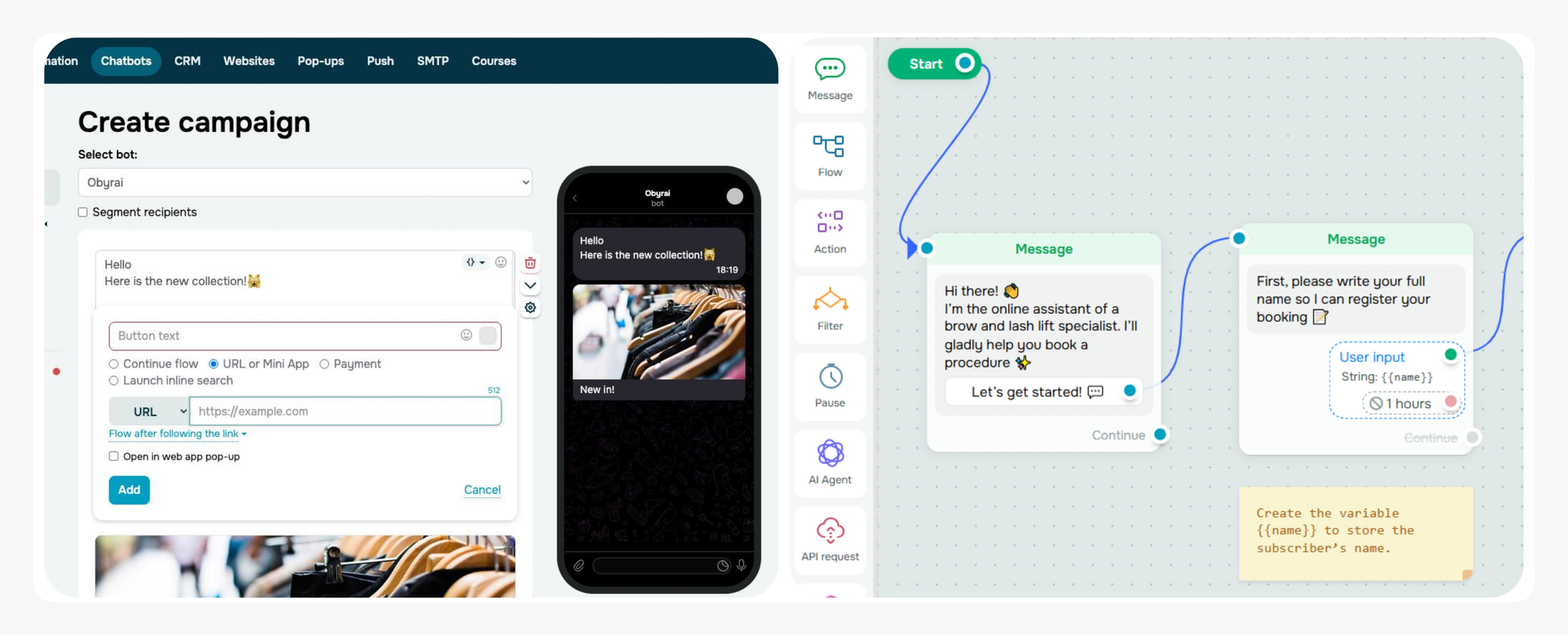
SendPulse is a marketing suite whose chatbot builder covers WhatsApp, Instagram, Messenger, Telegram, and more. The price is the draw: a subscriber slider starting at about $12 a month. The limits: the free plan excludes the WhatsApp Business API, and the API trial needs a credit card.
Key features: drag-and-drop builder; ChatGPT integration; WhatsApp API; email and SMS in the same account.
Pros
- Lowest entry price on the list, and a Free plan for other messengers.
- No setup or extra fee for the WhatsApp Business API; you pay Meta’s per-message rates.
- One account for chatbots, email, and SMS.
Cons
- The Free plan is capped at 500 subscribers and 10,000 messages and excludes the WhatsApp API.
- Cost rises with each subscriber tier.
- We could not load a G2 rating for it.
Pricing: Free; paid plans from about $12 a month billed monthly or $9.60 billed yearly at the lowest slider tier (the page does not label the tier). The 7-day WhatsApp trial needs a card.
8. Kommo
Best for: Sales teams that want WhatsApp conversations inside a CRM pipeline.
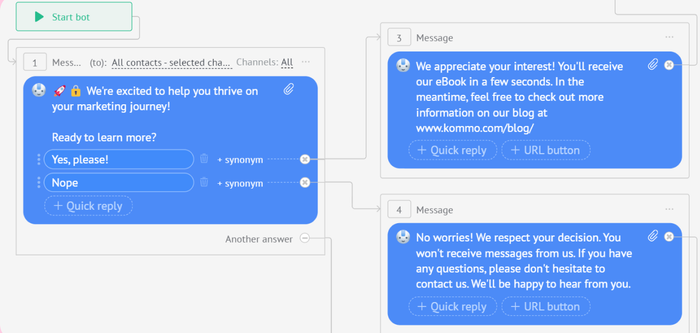
Kommo is a messaging-first CRM. WhatsApp conversations create leads in a pipeline, and a no-code salesbot qualifies and routes them. A support-only team will pay for sales features it does not use.
Key features: official WhatsApp API on every plan; no-code salesbots from Advanced; AI agents from Advanced; WhatsApp catalogs.
Pros
- Kommo charges no WhatsApp fee of its own.
- WhatsApp API on every plan, with 1, 3, or unlimited numbers.
- 14-day trial with all features and no card.
Cons
- Priced per user, and every seat must be on the same plan.
- No monthly billing; the minimum is 6 months.
- Bots and AI agents are not on Base, and AI credits reset each month.
Pricing: Base $25 per user a month, Advanced $35, Pro $45, Enterprise custom. Meta’s fees are extra.
Rating: G2 4.1/5.[7]
9. AiSensy
Best for: Budget-minded D2C brands that mostly send broadcasts and order updates.
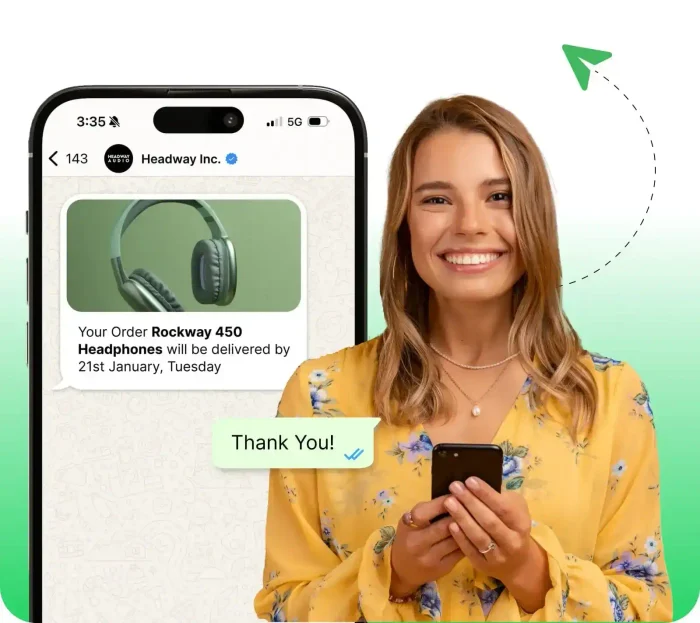
AiSensy is a WhatsApp-first platform for broadcasts, a shared inbox, click-to-WhatsApp ads, and order notifications. The Free Forever plan lets you claim a WhatsApp Business API account, but it cannot broadcast. The chatbot flow builder and the AI agent are paid add-ons, so the real price is the plan plus both.
Key features: broadcasts; shared inbox; Shopify and WooCommerce integrations; chatbot flows (add-on); AI Chat Agent (add-on).
Pros
- A free plan that includes the API and the Blue Tick application.
- Shopify and WooCommerce order, shipping, and abandoned-cart messages.
Cons
- The default pricing page shows rupees; the dollar list is on a separate page.
- Chatbot Flows cost $80 a month and the AI agent $50 a month for 1,000 AI messages, so Basic plus both is $175.
- Billing is prepaid, and any markup on Meta’s rates is not stated.
Pricing: Free Forever $0, Basic $45 a month billed monthly, Pro $99, Premium $299, Unlimited $899. Yearly billing is 10% off. Extra agents are $20 a month.
Rating: G2 4.4/5.[8]
10. Gallabox
Best for: Sales teams that want WhatsApp AI agents and chatbot flows with payment links.
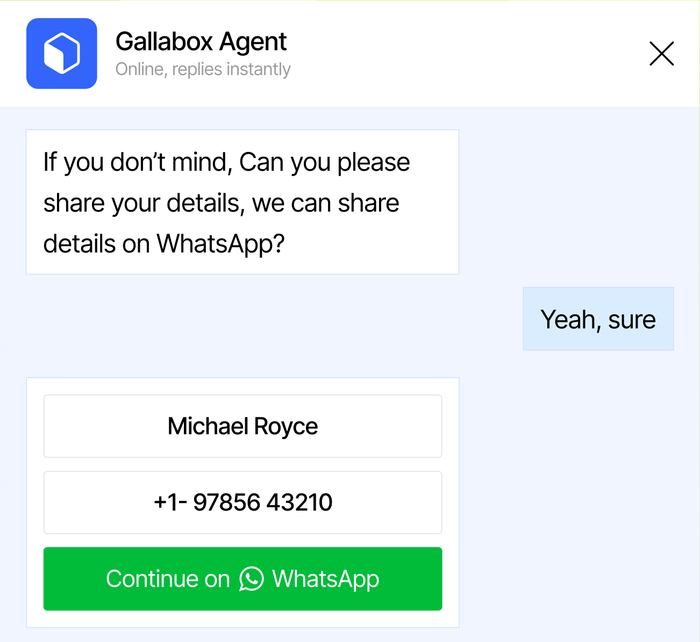
Gallabox is a WhatsApp-first inbox and AI agent platform, with Shopify, payments, and catalog integrations on the entry plan. It sits at the high end on price with no free plan, so it fits teams that already know WhatsApp is their main sales channel.
Key features: drag-and-drop chatbot flows; AI agents on WhatsApp from Essential; catalog and payments; credit-based AI usage.
Pros
- AI agents are built into the paid plans, billed in AI credits.
- Shopify and payment integrations from the first plan.
- A no-card trial that includes 500 AI credits.
Cons
- Basic is $150 a month billed quarterly, with a hard cap of 3 users.
- Gallabox adds a markup to Meta’s fees, and the size is not stated.
- Extra WhatsApp numbers cost $20 a month and are not available on Basic.
Pricing: Basic $150 a month billed quarterly ($112 billed annually), Essential $331 ($248), Advanced $632 ($474), Enterprise custom. Trial length is not stated on the page.
Rating: G2 4.6/5.[9]
11. WotNot
Best for: Teams that want a no-code AI agent trained on their own help content and running on WhatsApp.

WotNot is a chatbot and AI agent platform that connects to WhatsApp, Instagram, Facebook, SMS, web, email, and voice. You train the agent from a URL, help-center pages, and PDFs, test it in a built-in test agent, then connect your WhatsApp Business number and switch it on. The same agent can also run on your website. Plans are priced by chats and AI credits, so check your monthly volume against the cap before you pick one.
Key features: no-code agent builder; AI Studio on Starter and up; WhatsApp, Instagram, SMS, and web channels; Zapier, HubSpot, Salesforce, and Calendly integrations; 80+ languages (a vendor claim).
Pros
- The agent answers from your own URL, help center, and PDFs, with a test agent before launch.
- One agent covers WhatsApp, Instagram, Facebook, SMS, and web chat.
- Three plans are priced on the page, and each has a 14-day free trial.
Cons
- Live Chat for human takeover is listed from Premium, at $299 a month.
- Lite caps you at 1,000 chats and 1,000 AI credits, and the page does not say how a chat is counted.
- Meta’s per-message fees, any WhatsApp number fee, and a Shopify integration are not stated.
Pricing: Lite $29 a month, Starter $99, Premium $299, Enterprise custom, shown billed monthly with a 20% annual discount offered. 14-day free trial, and no free plan is listed. The page also has a Done For You tab, and its prices are not stated.
Rating: G2 4.6/5.[10]
What WhatsApp costs on top of the plan
Two bills reach you: the vendor’s plan, and WhatsApp’s message fees. Meta changed the second one in 2025 and again on October 1, 2026. According to Meta’s pricing documentation, businesses are now charged per delivered message, by category and by the recipient’s country. Marketing, utility, and authentication templates carry a fee. Service replies sent inside the 24-hour window after a customer writes to you are free only up to 1,000 a month for each business number, and charged after that. Clicks from a click-to-WhatsApp ad open a free entry window.
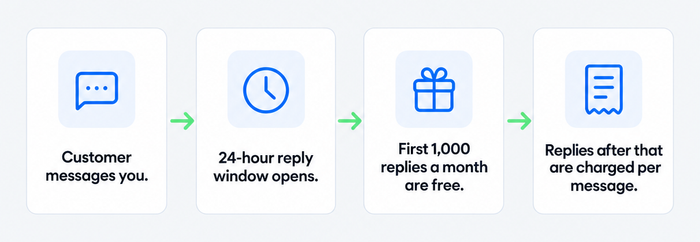
That makes the vendor’s pass-through policy part of the price. The table shows what each tool adds for WhatsApp.
| Tool | What it charges for WhatsApp itself | How Meta’s fees reach you |
|---|---|---|
| Tidio | Nothing; the integration is free on every plan | 1,000 free messages per number a month, then the local rate with no markup |
| Respond.io | Nothing | Billed by Meta, no Respond.io markup |
| WATI | Extra numbers $29 a month | WATI rate card; markup not stated |
| SleekFlow | $15 a month number hosting | Per SleekFlow rate card; markup not stated |
| Landbot | $88 a month add-on | Meta’s cost plus a Landbot markup on template messages |
| ManyChat | Not stated on the pricing page | Not stated |
| SendPulse | Nothing | Meta’s per-message rates, passed through |
| Kommo | Nothing | Paid to Meta on top; Kommo adds no fee |
| AiSensy | Nothing | Prepaid wallet; markup not stated |
| Gallabox | $20 a month per extra number | Meta’s fees with a Gallabox markup of unstated size |
| WotNot | Not stated on the pricing page | Not stated |
Free WhatsApp chatbot options
Only two tools here connect WhatsApp on a free plan. Tidio Free includes the WhatsApp integration, 50 billable conversations, and 1,000 free WhatsApp messages per number a month. AiSensy Free Forever gives you a WhatsApp API account and a shared inbox but no broadcasts.
Landbot’s Free plan uses a test number only. ManyChat’s free plan does not include WhatsApp. SendPulse’s free plan covers other messengers, and its WhatsApp API needs a paid plan or a card-backed trial. Treat the rest as trials.
Past the free service tier, Meta’s fees apply on any paid plan. Tidio’s Free plan stops sending at 1,000 messages, so it cannot run up a bill.
How to choose a WhatsApp chatbot tool
Decide what the bot must do
Order and shipping questions need an AI agent and a shared inbox for hand-offs. Promotions need broadcasts and approved templates. Lead qualification needs a CRM. Most tools do one of these well, so list your top three conversations before you open a pricing page.
Price the whole bill
Add the plan, WhatsApp and AI add-ons, extra seats or contacts, and Meta’s fees. Landbot with WhatsApp is $176, not $36. AiSensy Basic with flows and AI is $175, not $45., then model your own volume against the 1,000 free service messages per number.
Check which plan includes the AI agent
Several tools put the AI agent one tier above the entry plan, or sell it as an add-on. Pilot it on your 20 most common questions, and see how to build a WhatsApp chatbot first.
Look at the hand-off to a human
When the bot cannot answer, a person should see the full thread, the customer’s details, and the order. Check that agents work in the same screen, and read our guide to WhatsApp automation.
Match the tool to the channel mix
If WhatsApp is your only channel, a WhatsApp-first tool such as WATI or AiSensy is enough. If customers also write from your site, Instagram, or email, pick a tool that keeps all of them in one inbox. Our guide to WhatsApp Business covers the account basics.
Test the e-commerce fit
For a store, look for order status, abandoned-cart messages, and a product catalog on WhatsApp. Compare Shopify chatbot options and confirm the integration is on the plan you can afford. WATI charges $4.99 extra for Shopify, and Tidio’s native Shopify actions start on Growth.
Which WhatsApp chatbot tool should you pick?
- You run a Shopify store and want WhatsApp answers without a bigger team: Tidio on a paid plan with Lyro, so order questions get an AI answer and a person sees the hand-offs. See Tidio’s Shopify integration.
- You are a small support team with chat on your site as well as WhatsApp: Tidio, because WhatsApp, live chat, email, Messenger, and Instagram share one inbox.
- You handle a high volume of B2C conversations and need routing: Respond.io, ideally on Growth for AI agents.
- You sell through a sales team: Kommo, because WhatsApp leads land in a pipeline.
- You send mostly broadcasts and order alerts on a tight budget: AiSensy or WATI.
- You want to design flows before paying for WhatsApp: Landbot’s Free plan with a test number.
- You already use SendPulse for email: SendPulse, for the lowest entry price.
- You want a no-code AI agent that answers from your help center and PDFs: WotNot, on a plan with enough chats for your volume.
Start with WhatsApp and Lyro in Tidio
Frequently asked questions
It depends on the job. Tidio fits small e-commerce and support teams, Respond.io high-volume B2C routing, Kommo sales teams, and AiSensy and WATI broadcast-heavy brands.
Yes, two on this list. Tidio’s Free plan includes the WhatsApp integration and 1,000 free messages per number a month. AiSensy Free Forever includes the API but not broadcasts.
Plans in this article start at about $12 a month at SendPulse and reach $150 a month at Gallabox, plus Meta’s per-message fees. Tidio’s WhatsApp integration is free, and paid plans start at $24.17 a month billed annually.
To connect a chatbot tool, yes: you connect through the WhatsApp Business Platform with a Meta Business account and a business-owned phone number. Most tools here handle setup in their dashboard.
SleekFlow lists WhatsApp, SMS, and live chat in one inbox. Tidio covers web live chat and WhatsApp but not SMS.
Only with a Meta-approved template, and only to customers who opted in. Inside the 24-hour window after a customer writes, the bot can reply freely.
Try Tidio for WhatsApp and live chat