
Keeping information organized sounds simple, but it quickly gets messy as teams grow and conversations pile up. Answers end up scattered across documents, chats, and people’s heads, which makes it harder to stay consistent and respond quickly. That’s where knowledge base software comes in. It gives teams one place to store and manage information, so both customers and support agents can find what they need without digging through multiple tools.
This shift is becoming more important as customer expectations change. Salesforce research shows that 78%[1] of service professionals say customers seem more rushed, which puts more pressure on teams to provide fast, accessible answers. At the same time, 72% of high-performing service teams report that customers resolve most simple issues through self-service, which shows how valuable a well-structured knowledge base can be.
In this article, we’ll take a closer look at what knowledge base software offers and explore some of the best tools available today. You’ll see how these platforms help teams keep information organized, make it easier to access, and support both customers and agents in everyday interactions.
| Knowledge base platform | Free plan? | Best for |
| Tidio | ✅ | AI-powered customer support automation |
| Zendesk | ❌ | Customer self-service knowledge bases for support teams |
| Help Scout | ✅ | Branded help centers for growing support teams |
| Document360 | ❌ | Technical documentation and dedicated knowledge base portals |
| Confluence | ✅ | Internal company knowledge bases for cross-functional teams |
| Notion | ✅ | Flexible internal wikis and team documentation |
| Guru | ❌ | AI-powered internal knowledge and enterprise search |
| Slab | ✅ | Internal knowledge hubs with strong search and integrations |
| Slite | ❌ | AI-powered team documentation for fast-growing companies |
| Bloomfire | ❌ | Cross-functional knowledge management and enterprise search |
Tidio (Lyro AI Agent)

Ratings: 4.7/5 ⭐️
Tidio combines customer communication tools with a built-in knowledge system that supports both self-service and AI-driven support. It allows businesses to create a centralized source of information that can be used across live chat, help center content, and automated conversations, making it easier to keep answers consistent as support volume grows.
A key part of Tidio’s knowledge base functionality sits within Lyro, its customer service AI agent. Lyro relies on structured data sources that you define, which act as its knowledge base. This can include website content, manually created question-and-answer pairs, imported files, or even past conversations. As a result, the knowledge base is not static. It evolves over time as new questions come in, allowing teams to continuously improve coverage and accuracy. Lyro can then use this knowledge to answer questions, guide users to relevant resources, and support customers in real time without requiring agents to step in.
Main features:
- Centralized knowledge base built from multiple data sources, including websites, Q&A pairs, and imported files
- Automatic knowledge extraction from website content and previous conversations
- Suggestion system that highlights unanswered questions and helps expand the knowledge base
- Ability to import existing help center content from platforms like Zendesk
- Search, filtering, and editing tools for managing and updating knowledge at scale
Pricing:
- 7-day free trial available
- Free version available
- Starter ($24.17/mo)
- Growth (starts at $49.17/mo)
- Plus (starts at $749/mo)
- Premium (starts at $2999/mo)
Read more: Learn what it takes to create a solid AI knowledge base.
Turn your knowledge base into instant answers with Lyro
Zendesk

Ratings: 4.3/5 ⭐️
Zendesk approaches knowledge base software as part of a broader support ecosystem, where content, conversations, and workflows are all connected. Its Help Center acts as a central place for customers to find answers, while also supporting agents with the same information during customer interactions.
One of the key strengths of Zendesk’s knowledge base is how closely it’s tied to AI and support workflows. Teams can create articles, organize them into categories, and make them available through a branded help center. At the same time, AI can use this content to generate answers, suggest articles, and power self-service across channels. Zendesk also includes tools that help teams identify content gaps by tracking what users search for and where they struggle to find answers, which makes it easier to keep the knowledge base relevant over time.
Main features:
- Branded help center for publishing articles, FAQs, and self-service resources
- AI-powered knowledge tools that suggest content and generate answers
- Content organization with categories, sections, and multilingual support
- Built-in analytics that track article performance and search behavior
- Integration with ticketing and messaging for seamless agent access to knowledge
Pricing:
- Free trial available (14 days)
- Support Team ($19/mo/agent)
- Suite Team ($55/mo/agent)
- Suite Professional ($115/mo/agent)
Read more: Find out how to create a knowledge base chatbot for your needs.
Help Scout
Ratings: 4.4/5 ⭐️
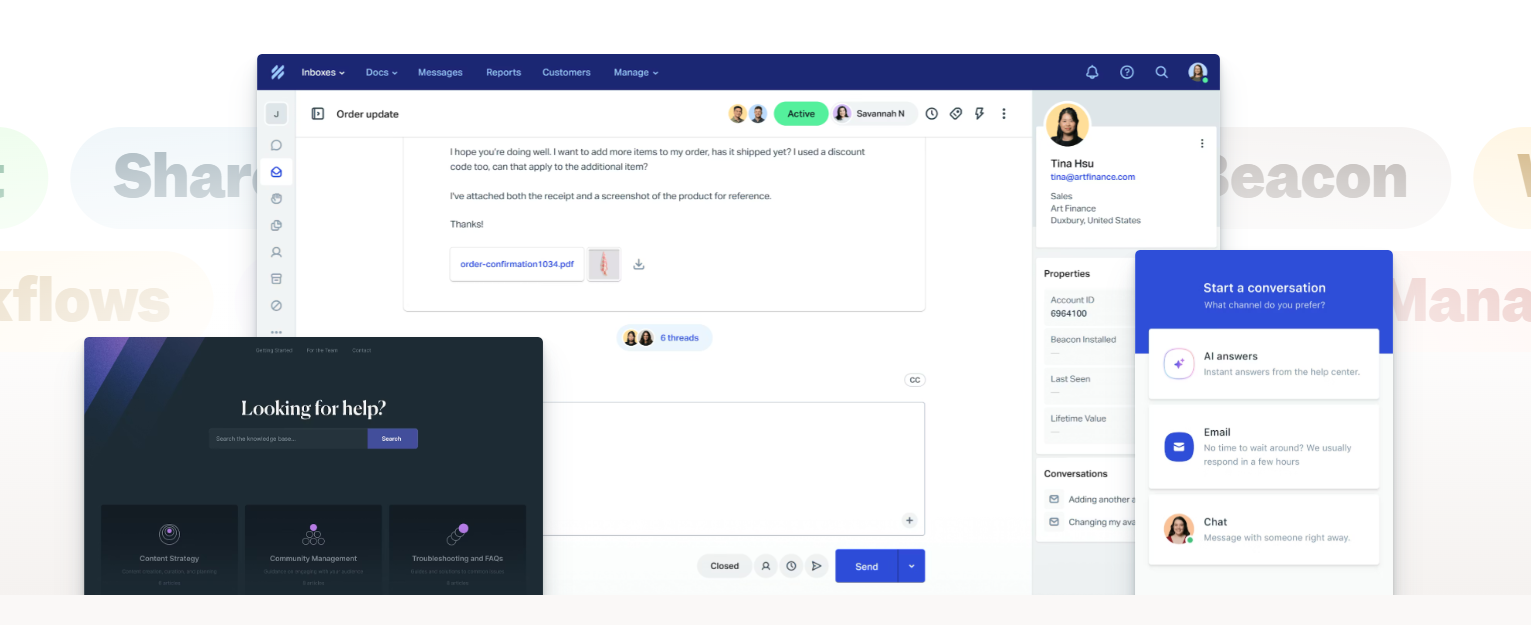
Help Scout takes a more straightforward approach to knowledge base software, focusing on making self-service easy to set up and maintain. Its Docs feature is designed as a public-facing help center where customers can browse articles, search for answers, and resolve issues without needing to contact support.
What makes Docs practical is how closely it’s connected to everyday support workflows. Teams can create and publish articles using a simple editor, organize them into categories, and keep everything aligned with their brand. At the same time, content from the knowledge base can be surfaced directly inside conversations, so agents can quickly share relevant articles or rely on them while responding. This setup helps reduce incoming tickets while keeping answers consistent across channels.
Main features:
- Customizable knowledge base for publishing help articles and FAQs
- Built-in editor for creating and managing content without technical setup
- Embedded help widgets that surface articles inside websites or apps
- Search functionality that helps customers find answers quickly
- Reporting tools that track article views and identify content gaps
Pricing:
- Free version available
- Standard ($25/mo/user)
- Plus ($45/mo/user)
- Pro ($75/mo/user)
Read more: Find out the core differences and similarities between Help Scout and Zendesk.
Document360
Ratings: 4.7/5 ⭐️
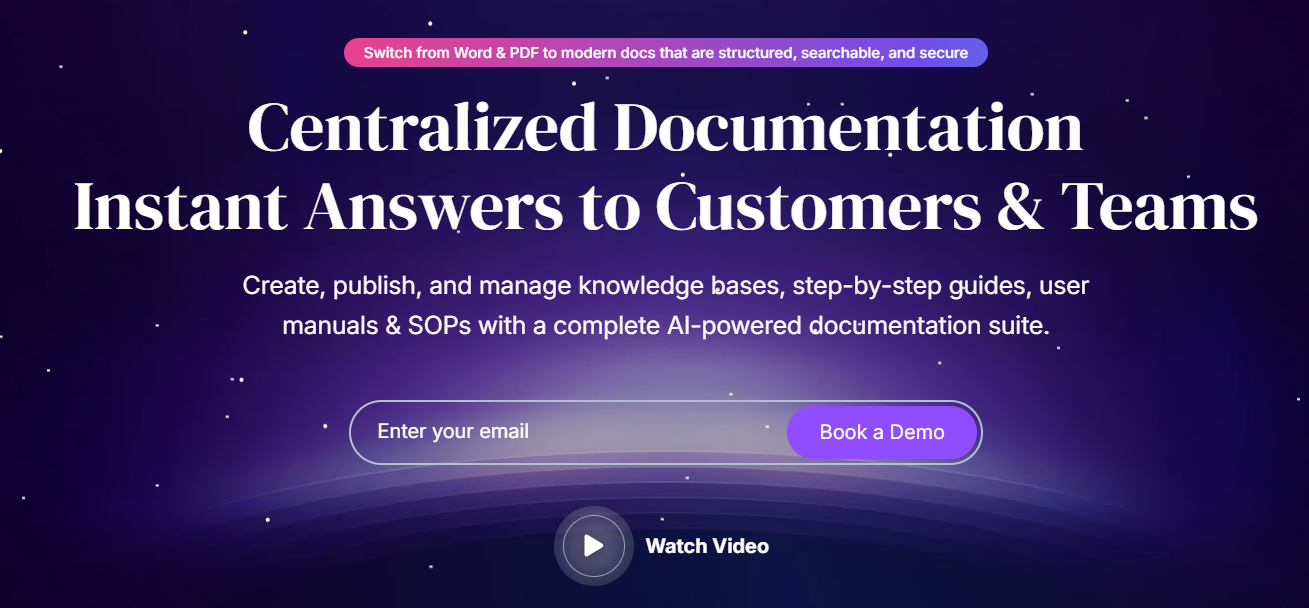
Document360 is a dedicated knowledge base platform built for creating structured documentation that can be shared with both customers and internal teams. It’s often used by companies that need a clear, organized way to publish help articles, product guides, and technical documentation in one place.
The platform focuses heavily on how content is created and maintained over time. Teams can build a public or private knowledge base, organize articles into categories, and manage revisions without losing previous versions. It also includes AI-powered tools that help generate content and improve search accuracy, so users can find answers more easily. Because everything is designed around documentation workflows, it’s easier to keep content consistent, update information when needed, and scale the knowledge base as the company grows.
Main features:
- Dedicated knowledge base portal for public and private documentation
- Advanced editors (Markdown and WYSIWYG) for creating and managing articles
- AI-powered search and answer system for more accurate results
- Version control and revision history to track and manage content updates
- Analytics dashboard for tracking user behavior and identifying content gaps
Pricing:
- Free trial available
- Professional (custom pricing)
- Business (custom pricing)
- Enterprise (custom pricing)
Confluence
Ratings: 4.1/5 ⭐️
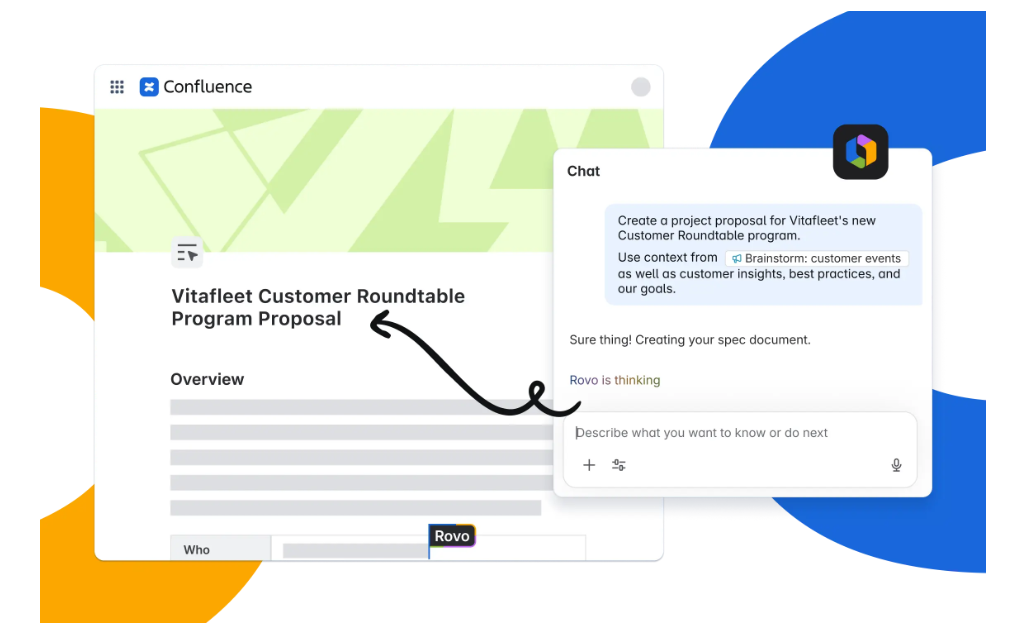
Confluence works more like a shared workspace than a traditional knowledge base tool. Teams use it to document processes, store internal knowledge, and collaborate on content in real time, all within a structured environment that keeps information connected to everyday work.
Instead of building a standalone help center, Confluence lets teams organize knowledge into spaces and pages that reflect how the company operates. This makes it easier to document projects and keep information updated as things change. Because it’s tightly connected to tools like Jira, teams can link documentation directly to tasks and workflows, which helps keep knowledge relevant rather than static.
Main features:
- Structured knowledge base built with spaces and pages for organizing documentation
- Real-time collaboration with comments, mentions, and shared editing
- Templates for documentation, project planning, and internal processes
- Built-in automation and whiteboards for organizing work visually
- Integrations with Atlassian tools and external apps
Pricing:
- Free ($0, up to 10 users)
- Standard ($5.42/mo/user)
- Premium ($10.44/mo/user)
- Enterprise (custom pricing)
Notion
Ratings: 4.6/5 ⭐️
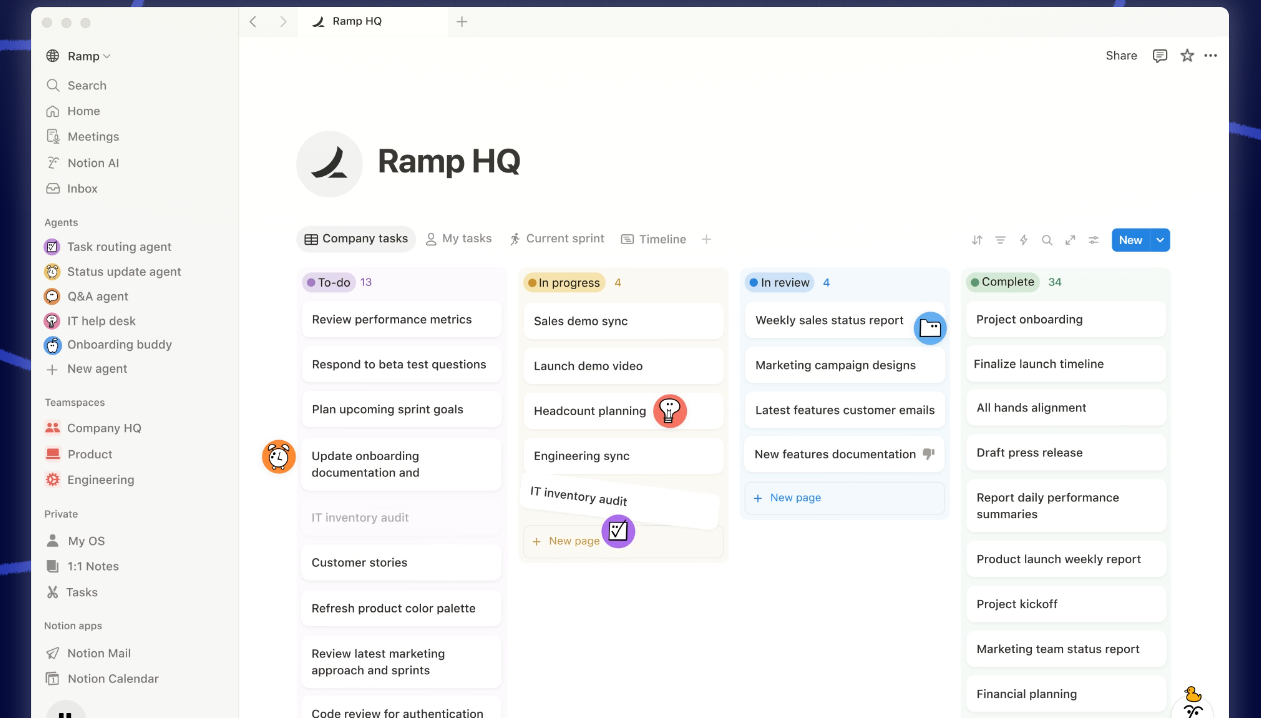
Notion doesn’t feel like a traditional knowledge base tool at first. It’s more of a blank workspace where teams gradually build their own system for storing and sharing information. Some use it for internal wikis, others for product documentation, and many end up combining both in one place.
What makes it work as a knowledge base is how easily information can be connected. A single page can turn into a hub with linked documents, databases, and notes that update in real time. Teams can shape the structure as they go, rather than fitting their content into a predefined layout. Over time, this makes it easier to keep everything in sync with daily work, instead of maintaining a separate documentation system that quickly goes out of date.
Main features:
- Flexible workspace where knowledge can be structured using pages, databases, and links
- Real-time collaboration that keeps documentation aligned with ongoing work
- Built-in templates that help teams start faster without defining everything from scratch
- AI features that assist with writing, summarizing, and finding information
- Option to publish content publicly or keep it internal
Pricing:
- Free ($0 per user/month)
- Plus ($10 per user/month)
- Business ($20 per user/month)
- Enterprise (custom pricing)
Guru
Ratings: 4.7/5 ⭐️
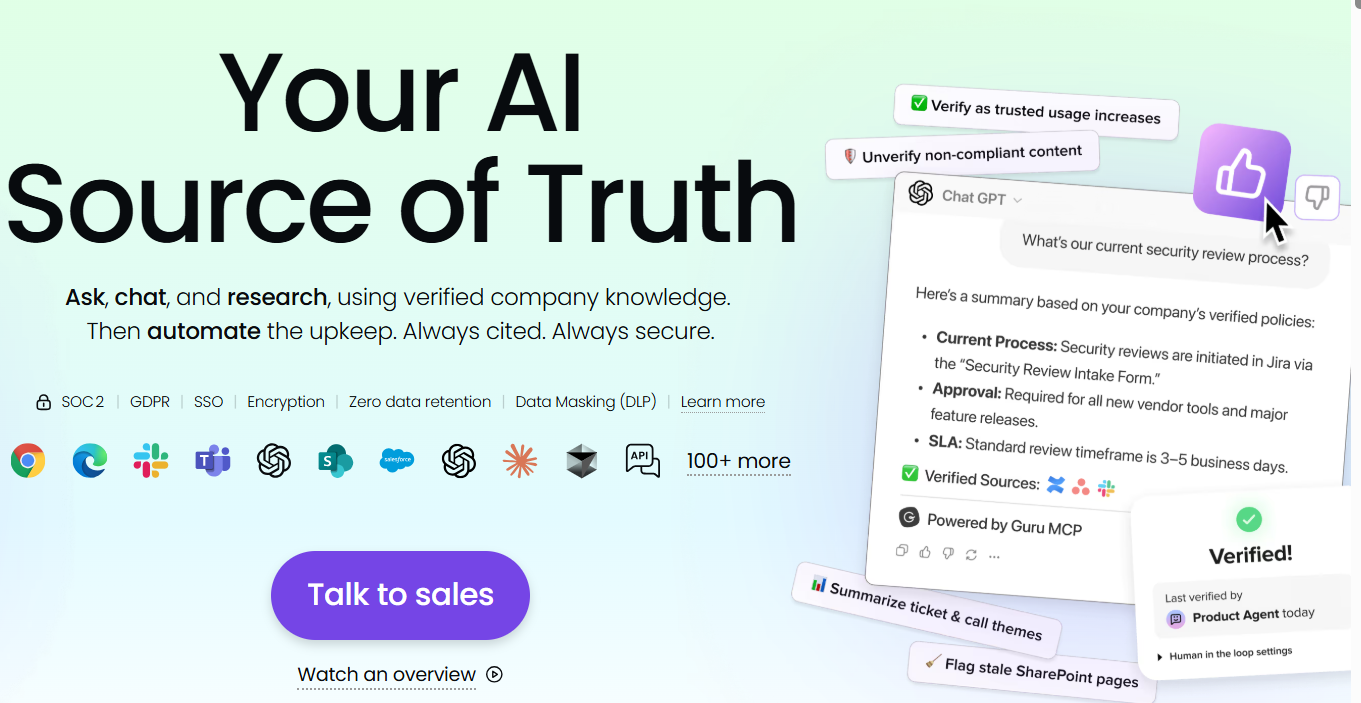
Guru focuses on how knowledge is actually used during work, not just how it’s stored. Instead of building a separate help center or wiki, it connects information with the tools teams already rely on, so answers appear in context while people are working.
The platform is built around verified knowledge that stays reliable over time. Content is continuously reviewed and updated through verification workflows, which helps teams avoid outdated or conflicting information. Guru also brings AI into the process, allowing users to ask questions in natural language and get answers pulled from connected sources. Because it integrates with CRM tools and other systems, knowledge becomes easier to access without interrupting daily workflows.
Main features:
- AI-powered search and knowledge agents that deliver answers based on company data
- Verification workflows that keep content accurate and regularly reviewed
- Integrations with tools like Slack, Salesforce, and internal systems
- Browser-based access that surfaces knowledge inside everyday workflows
- Centralized knowledge hub that connects documents, apps, and conversations
Pricing:
- All-in-one ($25/seat/month, $30 billed monthly)
- Enterprise (custom pricing)
Slab
Ratings: 4.6/5 ⭐️
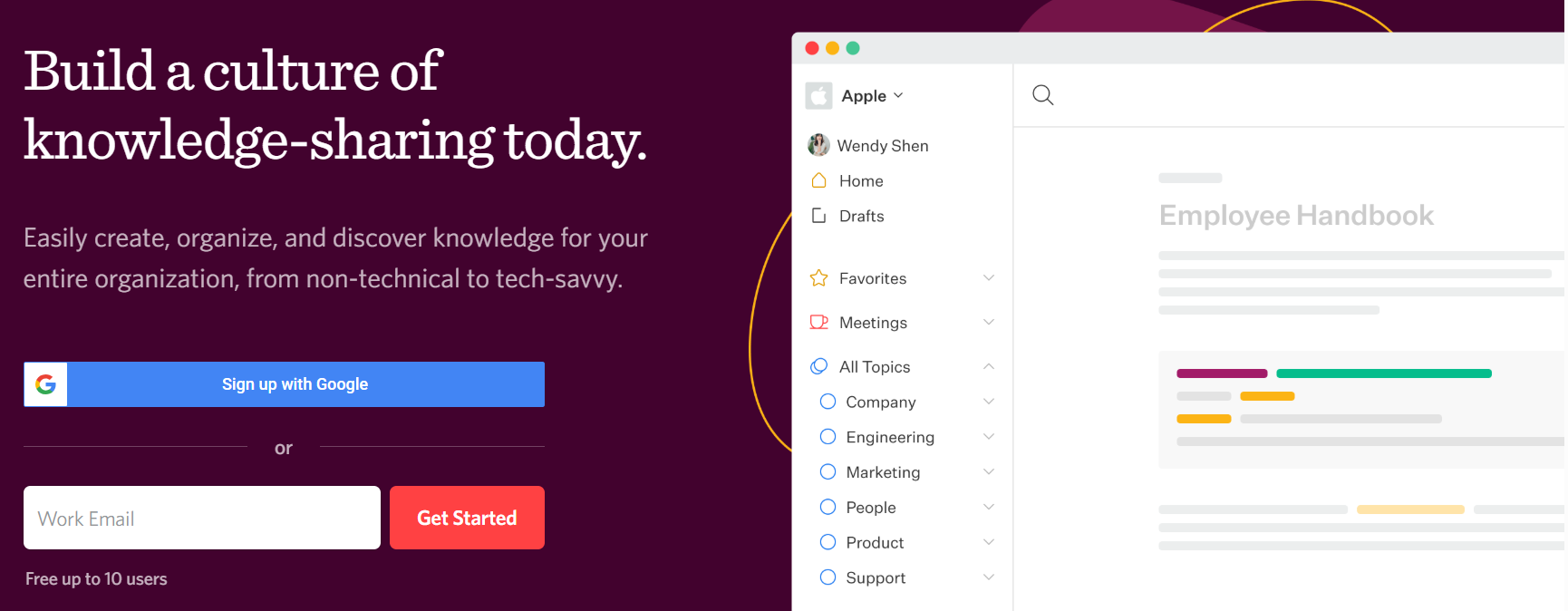
Slab keeps things straightforward. It’s built for teams that want a clean, focused place to document internal knowledge. And it does so without turning it into a complex system that takes time to manage.
The way content is organized feels intuitive from the start. Teams group information into topics, which makes it easier to browse as the knowledge base grows. Search plays an important role as well, pulling in results not only from Slab but also from connected tools, so people can find what they need without remembering where it was originally created. Because editing happens in real time, documentation tends to stay closer to how teams actually work, instead of falling behind.
Main features:
- Clean editor for creating and maintaining internal documentation
- Topic-based structure that keeps content organized as it grows
- Unified search across Slab and integrated tools
- Real-time collaboration with comments and shared editing
- Integrations with tools like Slack, Google Drive, GitHub, and Asana
Pricing:
- Free ($0/user/month)
- Startup ($6.67/user/month, billed annually)
- Business ($12.50/user/month, billed annually)
- Enterprise (custom pricing)
Slite
Ratings: 4.6/5 ⭐️
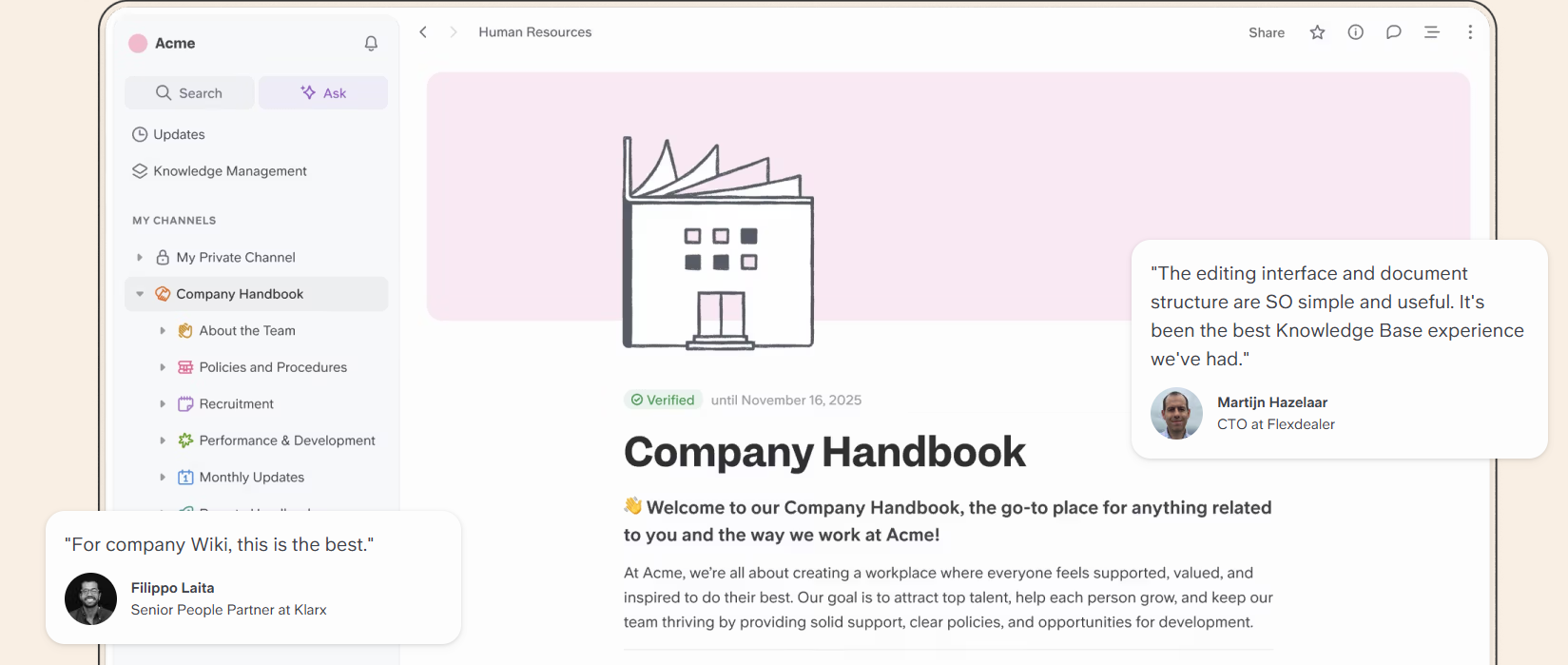
Slite is built around a simple idea: knowledge should be easy to write, easy to find, and easy to keep relevant over time. It’s designed for teams that want a shared space for documentation without turning it into something complex to manage or maintain.
What makes this tool stand out is how naturally knowledge fits into everyday work. Teams create documents together in a collaborative editor, while built-in AI helps surface answers when someone has a question. Instead of digging through folders, users can simply ask and get a response pulled directly from existing content. Slite also puts a strong focus on keeping information accurate, with verification features and reminders that help teams revisit and update content regularly.
As documentation grows, the platform keeps things organized through a clear structure and a centralized knowledge panel. It also connects with tools like Slack, so information doesn’t feel locked inside a single system. This makes it easier for teams to rely on their knowledge base as part of daily work.
Main features:
- AI-powered “Ask” search that delivers answers from team knowledge
- Collaborative editor for real-time document creation and updates
- Document verification system that keeps content accurate over time
- Knowledge management panel for organizing and maintaining content
- Integrations with tools like Slack and other workplace apps
Pricing:
- Standard ($8/user/month, billed annually)
- Knowledge Suite ($20/user/month, billed annually)
- Enterprise (custom pricing)
Bloomfire
Ratings: 4.6/5 ⭐️
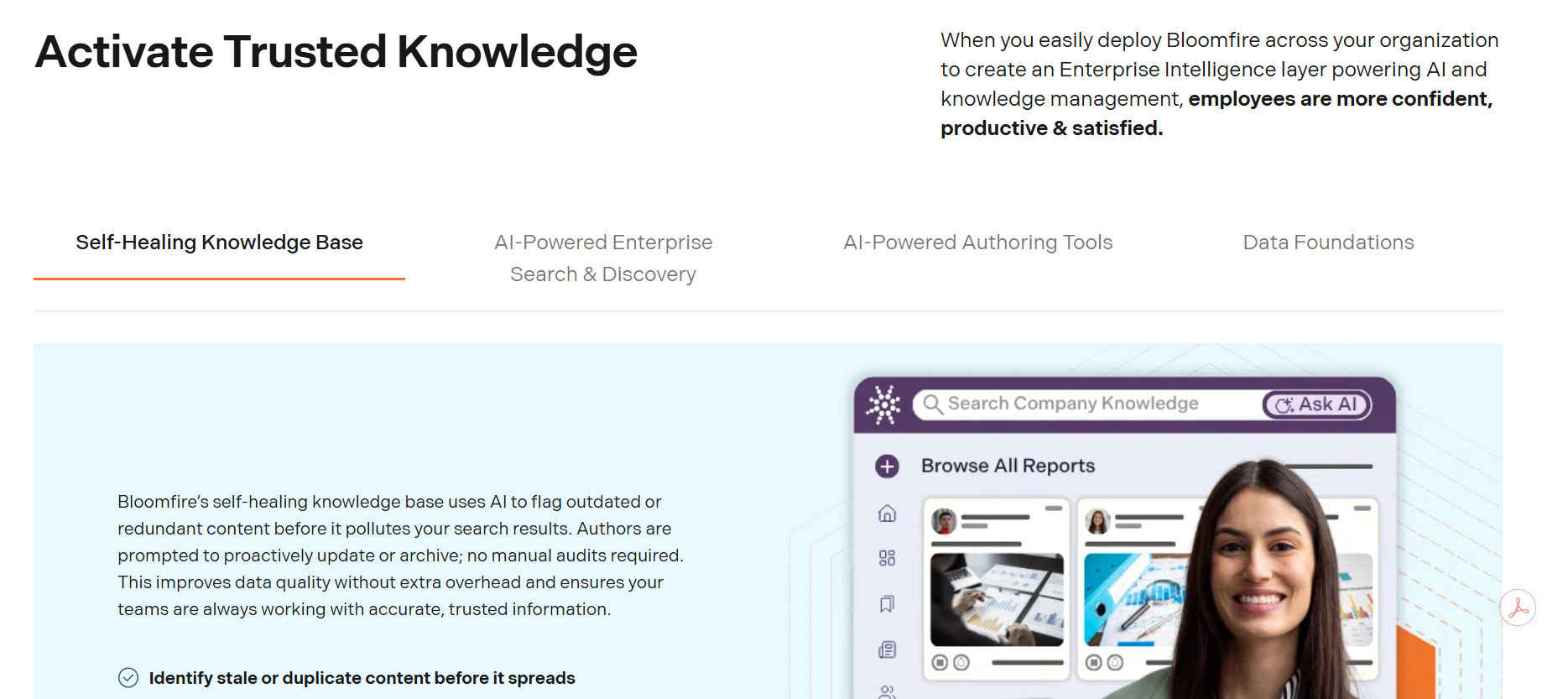
Bloomfire is built for companies that need to manage large amounts of information across teams and formats. It brings everything into one place so people can search, explore, and reuse knowledge without spending time tracking it down. The platform works well with different types of content, including documents and videos, making it easier to surface useful information even when it isn’t perfectly structured.
Search is at the center of the experience. Bloomfire uses AI to help users find relevant answers based on context, which makes navigating large knowledge bases much more manageable. Teams can also contribute and refine content over time, while analytics help highlight what’s being used and where gaps exist. As the knowledge base grows, this keeps information accessible and useful across the organization.
Main features:
- AI-powered search that indexes and retrieves information across different content types
- Centralized knowledge hub for documents, media, and internal resources
- Content organization and curation tools for managing large knowledge bases
- Collaboration features that allow teams to contribute and refine content
- Analytics and reporting to track usage and identify knowledge gaps
Pricing:
- Team (custom pricing)
- Department (custom pricing)
- Enterprise (custom pricing)
Knowledge base systems: key takeaway
Choosing the right knowledge base management software depends on how your team works and how your customers look for answers. Some knowledge base tools focus on internal documentation and collaboration, while others are built to support customer self-service at scale. What matters most is having a system that keeps information easy to access, simple to update, and reliable across every interaction. When knowledge is organized well, it reduces repeated questions and shortens response times, helping both teams and customers move forward without delays.
If you’re looking for a solution that connects knowledge with real customer conversations, Tidio is a strong place to start. With Lyro, you can turn your knowledge base into an active part of your support experience, where answers are not just stored but used to respond to customers in real time. This makes it easier to handle everyday questions and give customers quick access to the information they need.
Be sure to give Tidio a try and take advantage of its knowledge-driven customer service features.
Put your knowledge to work with Lyro and deliver fast support
FAQ
A knowledge base system is a tool that helps businesses create, organize, and share information in one place. It allows both customers and employees to quickly find answers through articles, FAQs, and documentation.
Knowledge base software makes information easier to access and keeps it consistent across teams. It helps reduce support workload, improves response times, and allows customers to solve common issues on their own.
Look for strong search functionality, easy content organization, and collaboration tools that keep information up to date. AI-powered search and integrations with support tools can also make knowledge more accessible during real interactions.
The best knowledge base tools depend on your needs, but popular options include Tidio, Notion, Confluence, Guru, Slab, Document360, and Bloomfire. Each tool supports different use cases, from internal documentation to customer self-service.
Yes, it helps customers find answers without waiting for an agent, which reduces ticket volume and speeds up resolutions. It also gives support teams quick access to accurate information during conversations.
Tidio is a customer service and knowledge base platform that combines live chat, help desk tools, and AI-powered automation in one place. It helps businesses manage conversations and support customers across multiple channels.
Yes, Tidio uses AI through its Lyro agent, which can respond to customer questions based on your knowledge base. It uses existing content to provide accurate answers and assist customers in real time.
Tidio helps reduce support costs by automating repetitive questions and improving response times. By enabling self-service and faster resolutions, businesses can handle more inquiries without increasing team size, which leads to measurable efficiency gains.