



Key takeaways
- Two different jobs. A customer-facing help center deflects tickets. An internal wiki keeps your team aligned. Pick the one you need first, because the tools split along that line.
- Best for small teams and online stores: Tidio. Its Help Center launched in September 2026 and feeds the Lyro AI agent, so the same articles answer in chat. Tidio says Lyro can resolve up to 75% of support requests.
- Best for large support teams: Zendesk. Its help center sits inside a full ticketing suite, from $19 per agent a month.
- Best internal wiki: Notion or Slite, from $10 per user a month. Neither is built around ticket deflection.
- Prices vary by billing unit. Seats, flat monthly fees and per-resolution AI charges all appear below. Check which one scales with your team.
A knowledge base pays off when customers find the answer and your team keeps it current. Most tools do one of those well. We compared 14 knowledge base platforms and checked every pricing page and G2 profile in October 2026. Nine made the list, each with who it fits, what it costs, and where it runs out of room. Tidio is listed first because the list is ordered for small and mid-sized support teams and online stores, and it gets the same template and the same drawbacks as every other tool.
The best knowledge base software at a glance
If you need a shortlist now: Tidio for small and mid-sized teams that want articles and an AI agent in one tool, Zendesk for large teams that need a help center inside a ticketing suite, and Notion or Slite for an internal team wiki.
| Tool | Best for | Starting price | Free plan / trial | G2 rating |
|---|---|---|---|---|
| Tidio | Small teams and online stores | $24.17/mo | 50 free Lyro conversations, 7-day trial | 4.6 (1,962) |
| Zendesk | Large teams with a ticketing suite | $19/agent/mo | Free trial | 4.3 (7,091) |
| Help Scout | Small teams that live in email | $25/user/mo | Free plan (5 users, 1 Docs site) | 4.4 (431) |
| Freshdesk | Budget help desk with a built-in portal | $19/agent/mo | Free trial | 4.4 (3,773) |
| Zoho Desk | Low-cost multi-brand help centers | $7/user/mo | Free edition (3 users) | 4.4 (7,954) |
| Helpjuice | Dedicated customer-facing knowledge base | $249/mo flat | 14-day trial | 4.7 (382) |
| Notion | Internal wikis and team docs | $10/user/mo | Free plan | 4.6 (13,872) |
| Slite | Verified internal knowledge | $10/user/mo | No free plan listed | 4.6 (275) |
| Guru | Large teams feeding AI with company knowledge | Quote only | Demo | 4.7 (2,332) |
Starting prices are the lowest paid plan, billed annually where the vendor offers it, from each vendor’s pricing page in October 2026. Helpjuice is billed as a flat monthly fee. G2 ratings were read on g2.com the same day.
Which tools answer questions from your articles
The question buyers now ask is whether the tool answers from your articles. The table shows what each one offers, from the vendors’ own pages.
| Tool | AI answers from your content | How it is billed |
|---|---|---|
| Tidio | Lyro answers in chat from the Help Center, your website, Q&A pairs and files | Lyro from $32.50/mo for 50 conversations; first 50 free |
| Zendesk | AI agents on Suite plans; knowledge builder drafts articles | Per agent, plus add-ons |
| Help Scout | AI Answers resolves questions from your sources | $0.75 per resolution |
| Freshdesk | Freddy AI agent, first 500 sessions included | $49 per 100 extra sessions |
| Zoho Desk | AI agents on Express and up | Token allowance included |
| Helpjuice | AI Search, AI Writer and AI Chatbot on the $449 plan | Flat monthly fee |
| Notion | AI answers with citations across the workspace | Credits at $10 per 1,000 for custom agents |
| Slite | Ask answers from docs; the Slite Agent on Pro | 30 questions per seat on Basic; credits on Pro |
| Guru | Knowledge Agents with cited answers | Quote only |
How we chose these tools
We started with 14 tools: the ones AI search and Google’s top results name for “knowledge base software”, plus the ten in the previous version of this list. We dropped Confluence and Document360 because their pricing pages would not load for us, so we could not confirm current plans. We also dropped HubSpot, Slab and Bloomfire to keep the list to tools you can price from a public page and use as a help center or a wiki.
We judged each tool on six criteria:
- Audience. Customer-facing help center, internal wiki, or both.
- Authoring. How fast a non-technical person can write, organize and update an article.
- Search and AI answers. Whether the tool answers a question from your articles instead of only listing them.
- Upkeep. Review dates, verification and analytics that show which articles are stale or unhelpful.
- Pricing model. Per seat, flat fee or per AI resolution, and what is locked behind higher plans.
- Fit for small teams. Setup time and price at 5 to 20 people.
The list is ordered for the audience in this article, not by rating. We read pricing pages and G2 profiles. We did not run a hands-on trial of every tool, and vendor claims about AI accuracy are labeled as claims.
The 9 best knowledge base software tools in 2026
1. Tidio
Best for: small and mid-sized support teams and Shopify stores that want help center articles and an AI agent in one tool.
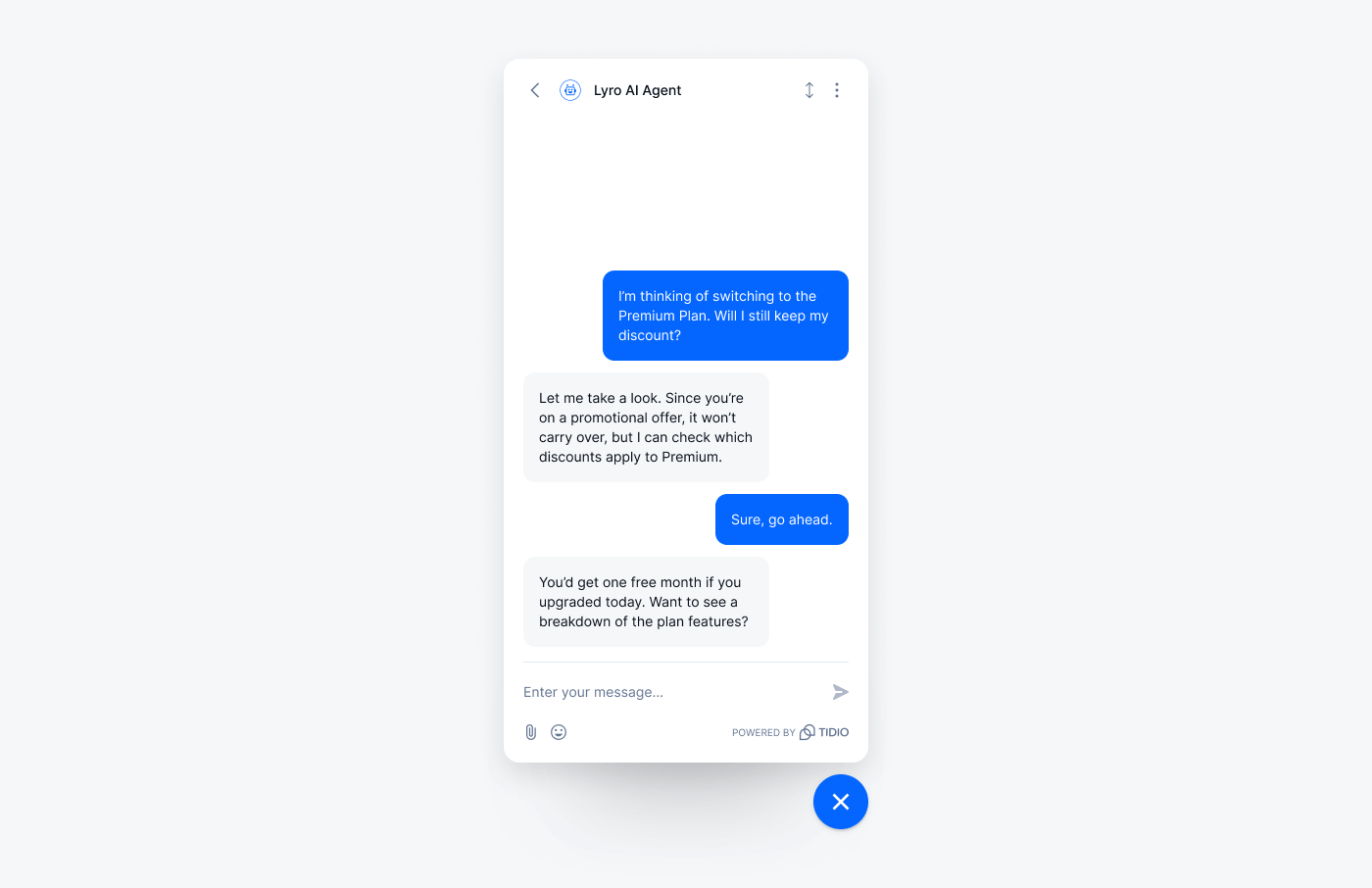
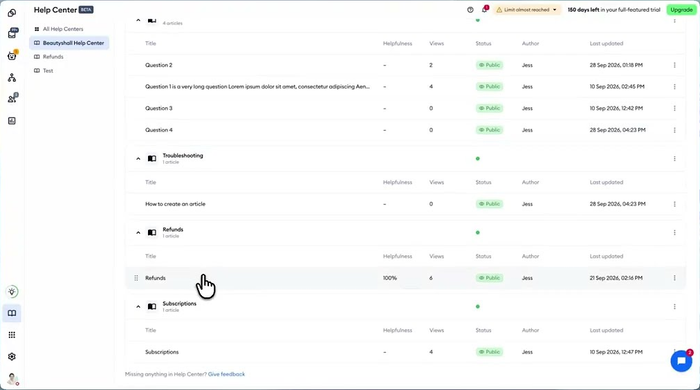
In September 2026 Tidio added a Help Center: a branded, multilingual site where you publish articles with images and videos, sort them into categories, and track views and helpfulness ratings. You can publish it on a Tidio or custom domain or embed it in your website. The same articles are a knowledge source for Lyro, Tidio’s AI agent, so a customer can read the article or ask in chat.
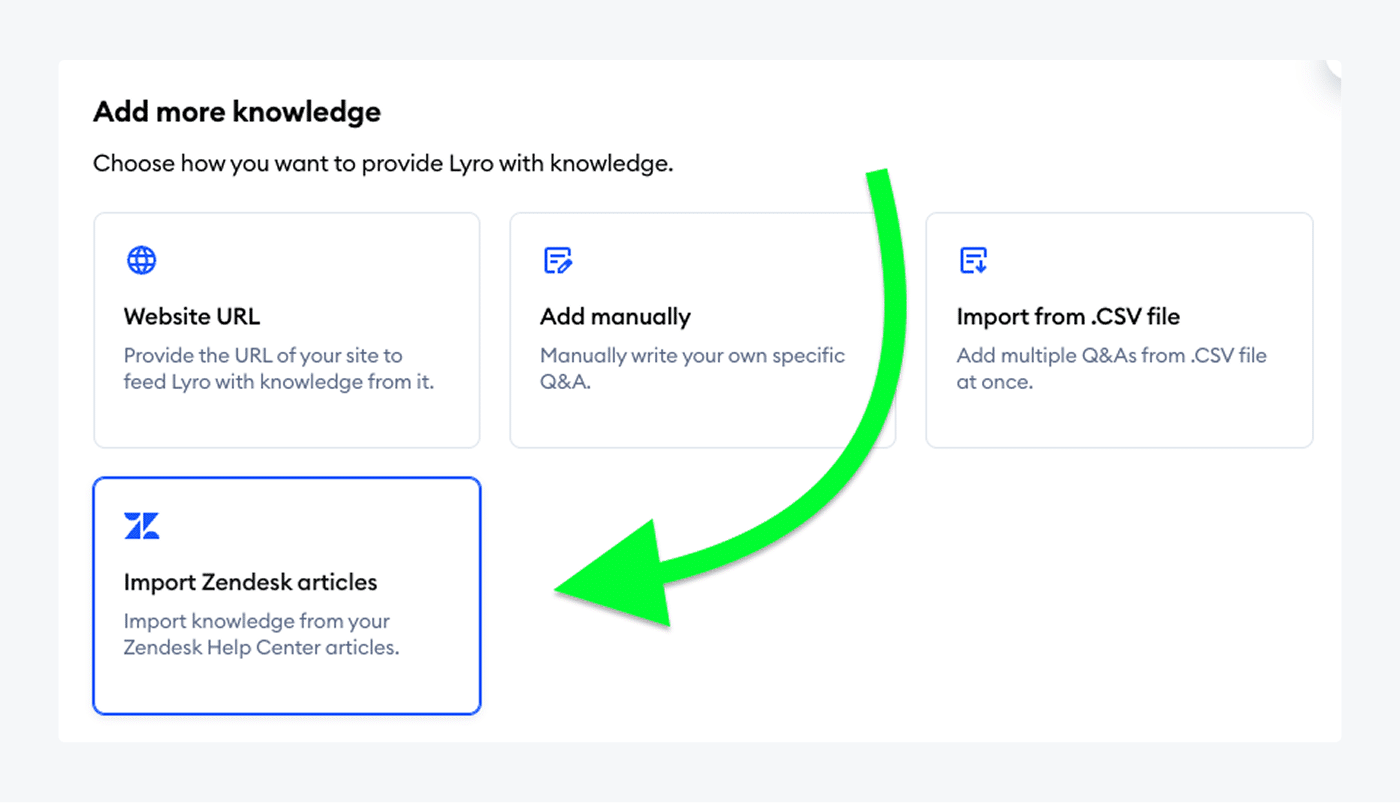
Lyro learns from more than the Help Center. You can point it at a website, add question-and-answer pairs by hand, import a CSV or PDF, import Zendesk Help Center articles, or sync Shopify and WooCommerce products. The trade-off is scope: Tidio is built around customer support, so for an internal wiki you will want a team-docs tool alongside it.
Tidio fits these teams best:
- E-commerce businesses, especially Shopify stores, that want cart preview and order history next to the answer.
- Small and medium-sized businesses that want self-service and automation without a large support team.
- Teams with repetitive questions that want an AI agent to take them off the queue.
- Teams that answer customers on live chat, email, Messenger, Instagram and WhatsApp from one inbox.
Key features:
- Help Center: a branded, multilingual article site with categories, full-text search, view tracking and helpfulness ratings.
- Lyro AI agent: answers from your articles, website and Q&A pairs, and hands over to a person under rules you set.
- Shopify tools: preview carts and view order history from the conversation.
- Multichannel inbox: live chat, email, Messenger, Instagram and WhatsApp in one place.
Pros
- Articles and the AI agent share one set of content, so you update an answer once.
- Lyro can import an existing Zendesk help center, so a move does not mean rewriting everything.
- Lyro’s first 50 conversations are free, so you can test it on real traffic.
- Native Shopify integration for order questions.
Cons
- Help Center launched in September 2026, so it has a shorter track record than the dedicated tools below.
- Lyro is priced separately from the help desk plans, so you only pay for the AI you use, with a monthly conversation quota to keep an eye on.
- It is a support tool first, so internal-only documentation fits better in a team wiki.
Pricing: from Tidio’s pricing page, billed annually. Starter is $24.17 a month for 100 billable conversations. Growth starts at $49.17 a month for 250 conversations and adds advanced analytics and automatic assignment. Plus starts at $300 a month plus usage. Lyro is sold from $32.50 a month for 50 conversations, and the first 50 conversations are free. Paid plans have a 7-day trial. Tidio announced Help Center with a free introductory period that ran to October 15, 2026, so check the pricing page for how it is priced on your plan.
Rating: G2 4.6/5 (1,962 reviews)
See Tidio plans and add Lyro to your help center
2. Zendesk
Best for: large support teams that want a help center inside a full ticketing suite.
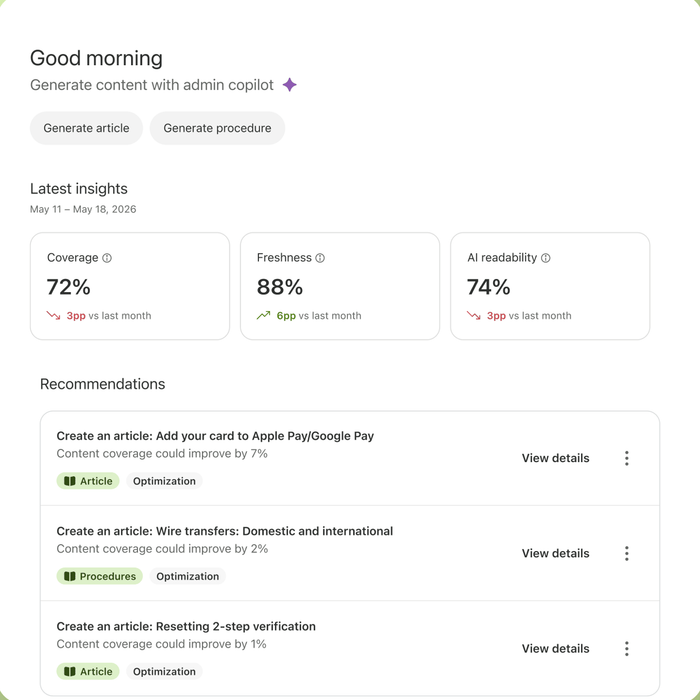
Zendesk’s help center sits inside its ticketing suite, so agents can link an article in a reply. The ceiling is cost: you pay per agent, and the AI knowledge features arrive on Suite plans, not on the entry plan.
Key features:
- Help center: structured articles, themes and generative search across the help center.
- Knowledge builder: generates a draft knowledge base from your ticket history with AI, sold as an add-on.
- AI agents: answer from your articles on Suite plans.
Pros
- Articles, tickets and AI agents live in one suite.
- Scales to multiple help centers and 40+ languages on higher plans.
Cons
- Support Team at $19 covers email ticketing only; AI knowledge features start on Suite Team.
- Seat price, AI resolutions and add-ons add up fast for small teams.
Pricing: per agent per month, billed annually, from Zendesk’s pricing page. Support Team $19, Suite Team $55, Suite Professional $115, Suite Enterprise by quote. Knowledge builder is an add-on.
Rating: G2 4.3/5 (7,091 reviews)
Read more: Zendesk alternatives
3. Help Scout
Best for: small teams that handle support from a shared email inbox and want a simple help center.

Help Scout bundles a knowledge base called Docs with its inbox, so a small team gets a branded, searchable help center without a second tool. The limit is depth: it is a support product first, so teams that need a large library or a separate internal wiki will want a dedicated tool.
Key features:
- Docs sites: a searchable, branded help center or knowledge base, with extra sites available.
- Beacon: an embeddable support hub that surfaces articles on your website.
- AI Answers: an AI agent that resolves questions from your sources.
Pros
- A usable free plan with 5 users, 1 inbox and 1 Docs site.
- Docs and the inbox share one login and one bill.
Cons
- Additional Docs sites cost $20 a month each.
- AI Answers is billed per resolution, on top of seats.
Pricing: per user per month, billed annually, from Help Scout’s pricing page. Free $0, Standard $25, Plus $45, Pro $75. AI Answers is $0.75 per resolution, with a 3-month free trial.
Rating: G2 4.4/5 (431 reviews)
Read more: Help Scout review
4. Freshdesk
Best for: budget-conscious support teams that want a knowledge base inside a help desk.
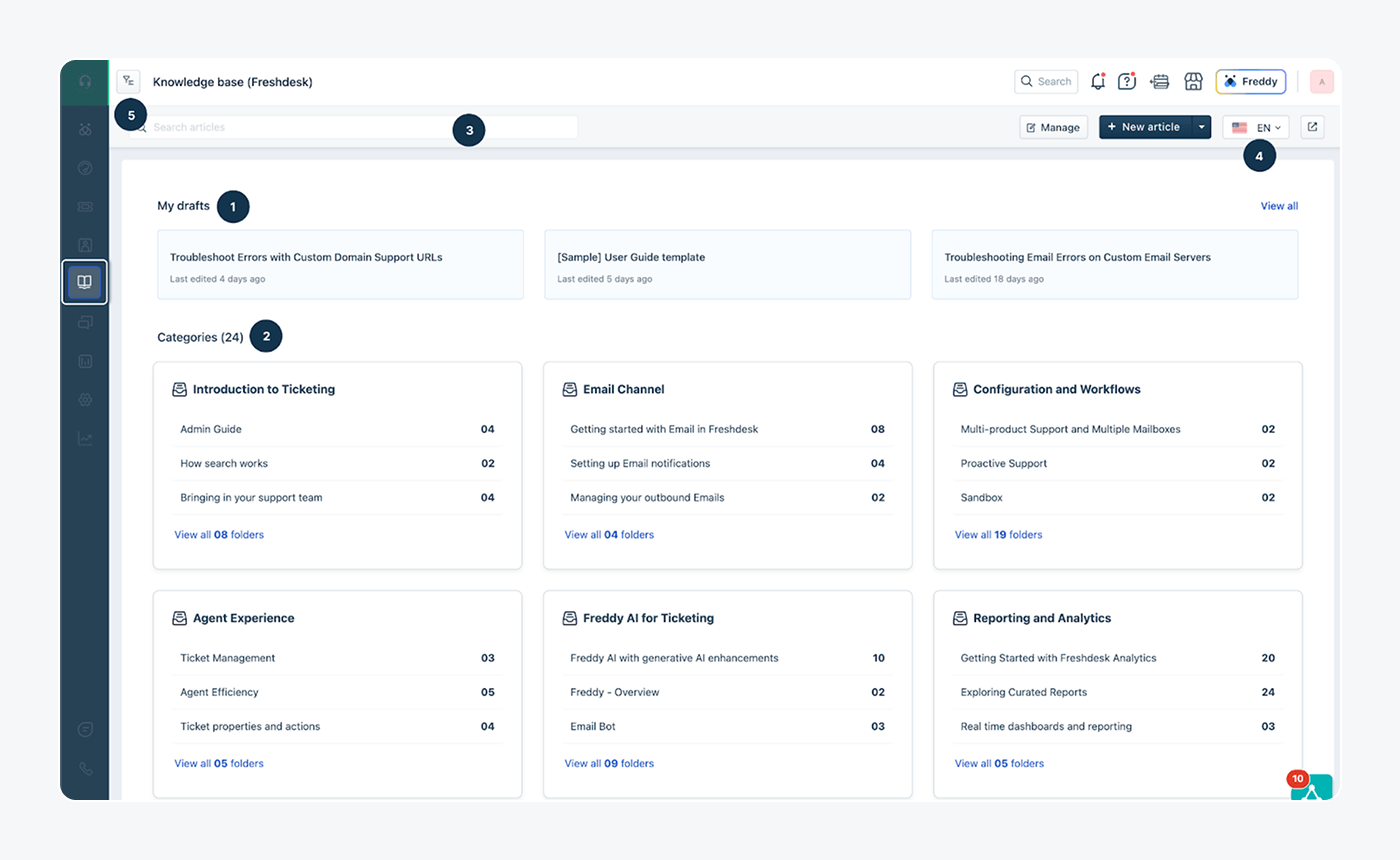
Freshdesk includes a customer portal and knowledge base from its lowest plan, so a small team gets self-service and ticketing for one per-agent price. Its Freddy AI agent can then answer from those articles. The catch is that AI sessions beyond the included allowance are billed separately.
Key features:
- Knowledge base and portal: categories, folders and articles customers can search.
- Freddy AI agent: answers customers, with the first 500 sessions included.
- Ticketing and shared inbox: one queue for email and tickets.
Pros
- Knowledge base included from the Growth plan at $19.
- Ticketing, shared inbox and the knowledge base on one per-agent bill.
Cons
- Extra AI agent sessions cost $49 per 100.
- Multiple SLA policies and custom dashboards need the $55 Pro plan.
Pricing: per agent per month, billed annually, from Freshdesk’s pricing page. Growth $19, Pro $55, Enterprise $89. Free trial.
Rating: G2 4.4/5 (3,773 reviews)
Read more: Freshdesk alternatives
5. Zoho Desk
Best for: small teams that want a low per-user price and a multi-brand help center.
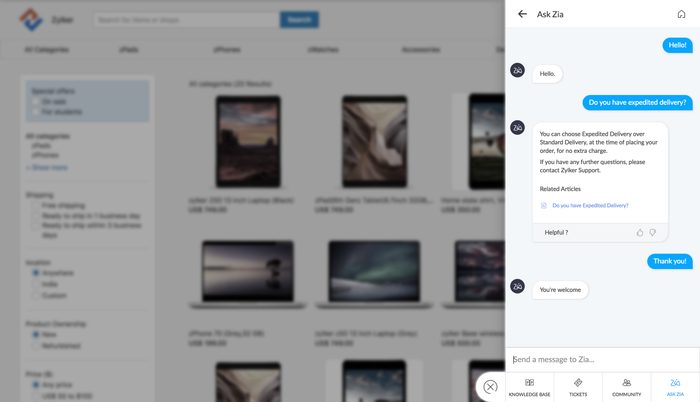
Zoho Desk is one of the cheapest ways to get a help desk with a help center attached. It publishes knowledge base articles in more than 40 languages and supports separate self-service portals for several brands in one account. It suits teams that want help desk basics at a low per-user price.
Key features:
- Help center: knowledge base articles in 40+ languages.
- Multiple brands: separate self-service portals within one account.
- AI agents: Express includes up to 30M free tokens a month.
Pros
- A free edition for three users, and paid plans from $7.
- Paid plans start at $7 per user a month, the lowest on this list.
Cons
- AI and help center features sit across several plans, so compare the plan table before you buy.
- It is a full help desk, so a team that only needs articles pays for more than it uses.
Pricing: per user per month, billed annually, from Zoho Desk’s pricing page. Free edition $0 for three users, Express $7, Standard $14.
Rating: G2 4.4/5 (7,954 reviews)
Read more: Zoho Desk review
6. Helpjuice
Best for: companies that want a dedicated, fully branded customer-facing knowledge base.
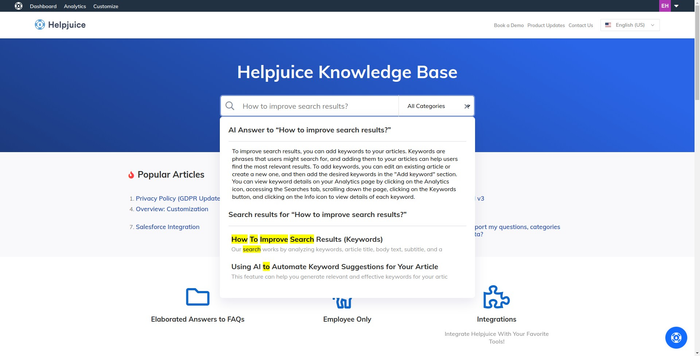
Helpjuice is a dedicated knowledge base product. It is priced as a flat monthly fee rather than per seat, and each plan includes a user allowance, so adding writers does not change the bill until you pass the tier. It also builds your knowledge base design for you at sign-up. The cost is the entry price, which is high for a team that needs a few dozen articles.
Key features:
- Custom design: Helpjuice builds your knowledge base theme for you.
- Collaboration and workflows: real-time editing for writers and reviewers.
- AI suite: AI Writer, AI Search and an AI Chatbot, included from the $449 plan.
Pros
- Flat pricing with 30, 100 or unlimited users depending on the plan.
- Purpose-built for knowledge bases, with localization and 40+ language AI translation.
Cons
- Starts at $249 a month, so it costs more than seat-priced tools for small teams.
- The AI suite is not included on the $249 plan.
Pricing: monthly, from Helpjuice’s pricing page. $249 for 30 users, $449 for 100 users with the AI suite, $799 for unlimited users. 14-day free trial.
Rating: G2 4.7/5 (382 reviews)
7. Notion
Best for: small teams that want a flexible internal wiki and can publish a few public pages.
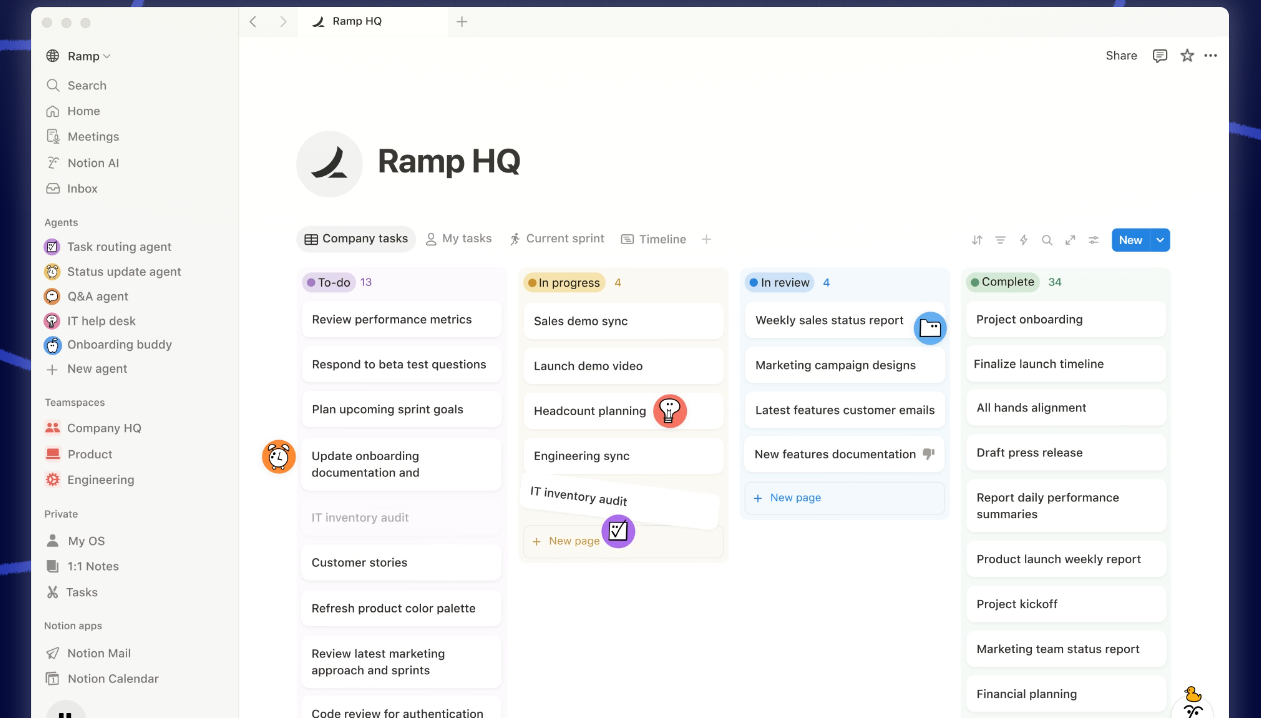
Notion is a workspace first and a knowledge base second. That suits internal documentation and team handbooks, and a small public help site. It is not built around ticket deflection, so check how you will measure which articles customers find helpful.
Key features:
- Wiki pages and databases: structure docs, owners and statuses in one workspace.
- Publishing: share pages as a site, with a custom domain for $8 a month per domain, billed annually.
- AI answers with citations: ask a question across your workspace.
Pros
- A free plan, and the best-known editor on this list.
- Flexible enough to hold a wiki, projects and docs together.
Cons
- Not a purpose-built customer help center.
- Custom domains and branding cost extra per domain.
Pricing: per member per month, billed annually, from Notion’s pricing page. Free $0, Plus $10, Business $20, Enterprise by quote.
Rating: G2 4.6/5 (13,872 reviews)
8. Slite
Best for: teams that need an internal knowledge base where every doc has an owner and a verification date.
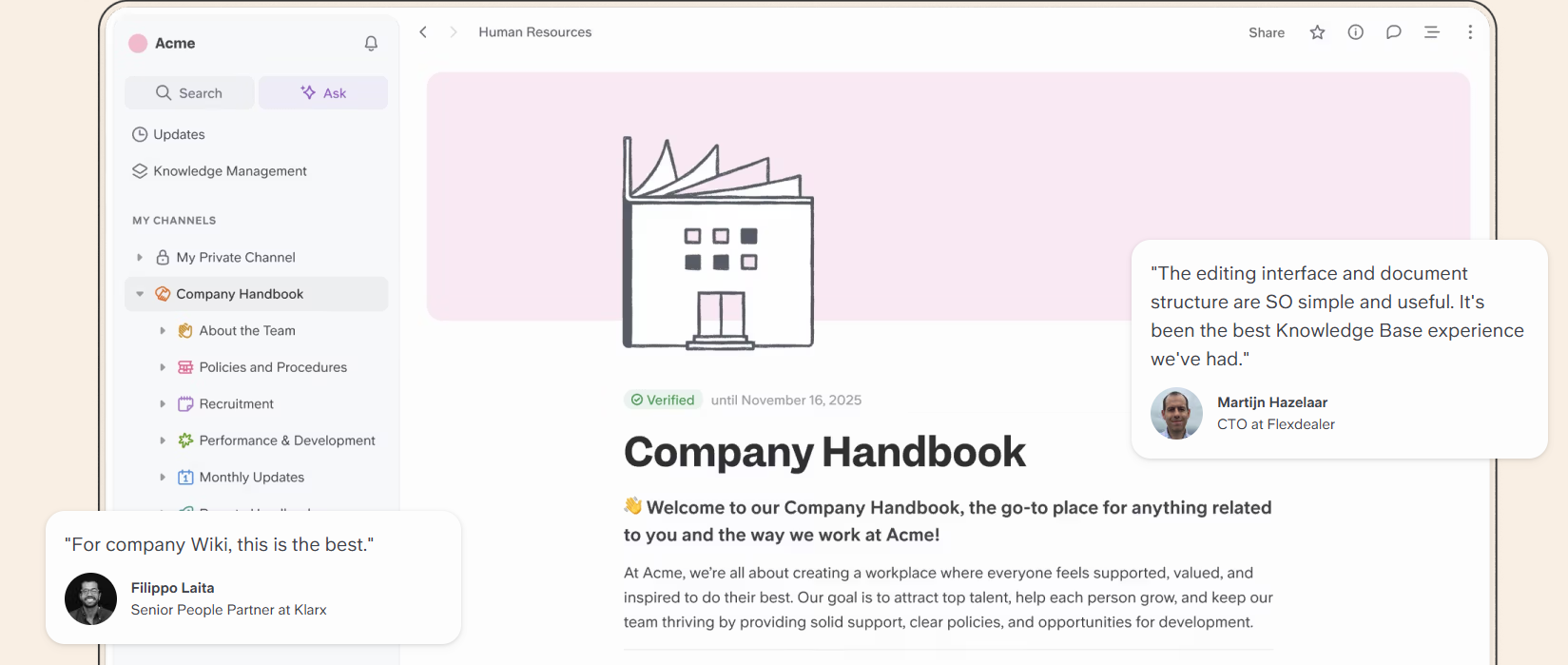
Slite is built around keeping docs current. You assign an owner, mark a doc verified and review what needs attention in a Knowledge Management Panel. The Slite Agent, on the Pro plan, searches your connected tools and suggests fixes for outdated docs. It is an internal tool, so a public help center is not its main use.
Key features:
- Doc verification: owners confirm a doc is current, with a panel to bulk-review the rest.
- Ask: AI search and answers across your Slite docs.
- Public docs: sharing with a custom domain on Pro.
Pros
- Verification and ownership keep a wiki trustworthy.
- Simple editor and a low entry price.
Cons
- Basic includes 30 AI questions per seat a month.
- Not built for ticket deflection or a branded help center.
Pricing: per user per month, billed yearly, from Slite’s pricing page. Basic $10, Pro $20, Enterprise by quote.
Rating: G2 4.6/5 (275 reviews)
9. Guru
Best for: larger companies that want verified internal knowledge feeding AI answers across their tools.
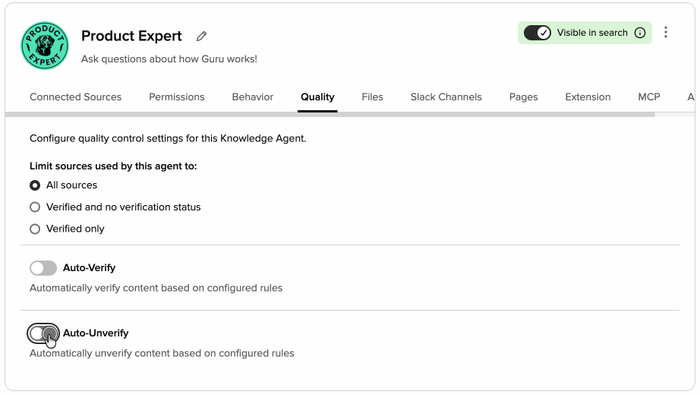
Guru now sells a managed platform rather than a per-seat tool: pricing is built around your scale and includes a team of solution engineers who set up the knowledge architecture. Its Knowledge Agents give cited, permission-aware answers across your stack, with verification workflows to keep content accurate. That setup is aimed at larger organizations, so a small team may find it more than it needs.
Key features:
- Knowledge Agents: cited, permission-aware answers across your connected tools.
- Verification workflows: usage signals and review cycles that keep content current.
- 100+ integrations: with MCP delivery for AI tools.
Pros
- Strong governance: SOC 2 Type II, SSO and audit trails.
- Answers cite their sources.
Cons
- No public price; you scope it with the sales team.
- It centers on internal knowledge, not a public help center.
Pricing: custom, quote-based, from Guru’s pricing page.
Rating: G2 4.7/5 (2,332 reviews)
Use live chat to support your customers in real-time
How to choose knowledge base software
Decide who reads it
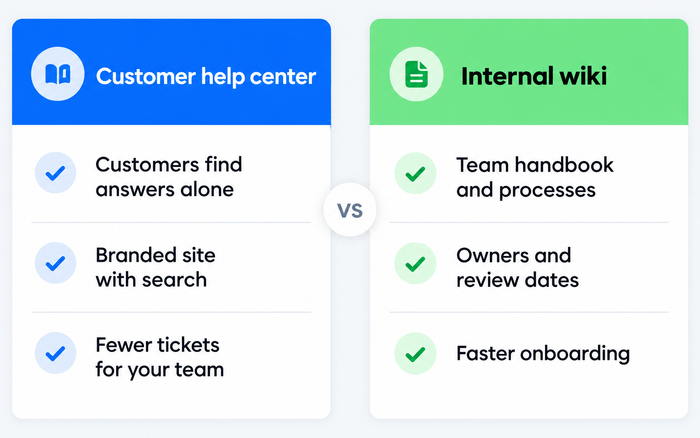
Start with the reader. If customers read it, you need search, a branded site, languages and article analytics (Tidio, Zendesk, Help Scout, Freshdesk, Zoho Desk, Helpjuice). If your team reads it, you need ownership and review dates (Notion, Slite, Guru). Buying one tool for both usually means one of the two jobs is done badly.
Test the search
Run your 20 most common support questions through the search box. If the right article is not first, no amount of writing fixes it. AI answers raise the bar: ask each question in plain language and check the answer cites the right article. Our guides on AI knowledge bases and knowledge base chatbots cover how that works.
Check how the AI is billed
Seat-based tools charge for people. AI agents often charge per resolution (Help Scout $0.75) or per block of sessions (Freshdesk $49 per 100). Ask each vendor what counts as a billable answer, and price your own volume.
Write the answer first
The first two sentences of an article decide whether it helps, for a person or an AI. Put the answer first, name the product or plan it applies to, and keep one question per article. AI agents are only as accurate as the articles behind them, so a clean, current library helps any knowledge base platform.
Plan the upkeep
A knowledge base decays. Look for review dates, owners and a view of which articles customers rate unhelpful. If a tool has none, assign a person and a monthly slot.
Count the real cost
Add seats, add-ons, extra sites and domains. Zendesk’s knowledge builder, Help Scout’s extra Docs sites and Notion’s custom domain are all separate lines. For a longer look at self-service, see our customer self-service guide.
Which knowledge base software should you pick?
- You run a Shopify store. Pick Tidio on Growth with Lyro: it previews carts and shows order history in the conversation, and the Help Center feeds Lyro. If you only need a standalone help center, Helpjuice is a specialist alternative.
- You are a small support team with a shared inbox. Pick Tidio for chat and AI, or Help Scout if email is your main channel.
- You are a large team on a ticketing suite. Pick Zendesk, and budget for the AI knowledge add-ons.
- You want the lowest per-agent cost. Pick Freshdesk or Zoho Desk.
- You need an internal wiki. Pick Notion for flexibility or Slite when freshness matters most.
- You are an enterprise feeding AI from internal knowledge. Pick Guru and scope it with sales.
Frequently asked questions
Knowledge base software lets you write, organize and publish answers in one searchable place. It can be a customer-facing help center, an internal wiki, or both. Many tools now add AI that answers from the articles. Tidio’s Help Center does this through Lyro.
For a small business that supports customers, Tidio, Help Scout and Zoho Desk keep cost and setup low. For an internal wiki, Notion’s free plan is a common start. Match the tool to who reads it.
Yes. Help Scout has a free plan with 1 Docs site, Zoho Desk has a free edition for three users, and Notion has a free plan. Tidio gives your first 50 Lyro conversations free.
Seat-priced tools run from $7 to $55 per user a month on this list, flat-fee tools such as Helpjuice start at $249 a month, and Guru is quote-based. AI answers add per-resolution or per-session fees on some tools.
A help center is a customer-facing knowledge base. A knowledge base can also be internal, for employees. The software is often the same; the audience and permissions differ.
Yes. Tidio’s Lyro, Freshdesk’s Freddy and Help Scout’s AI Answers all answer from your content. See our guide to FAQ software for the self-service side.
Put your knowledge base to work with Tidio
