Key takeaways
- Best for small businesses and online stores: Tidio. It has a free plan, a mobile app on every plan, a 4.8 iPhone rating and the Lyro AI agent, which can resolve up to 75% of support requests.
- Best for Instagram and WhatsApp DMs: ManyChat. Paid plans start at $14 a month billed annually, but WhatsApp needs the Pro plan.
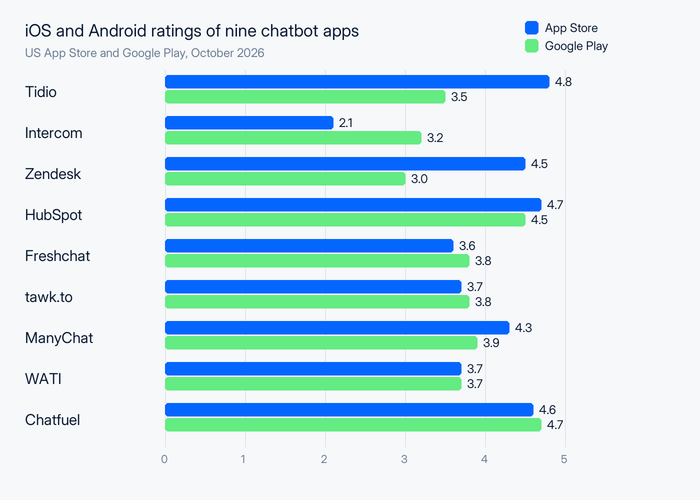
- Store ratings split by platform. Zendesk is 4.5 on iOS and 3.0 on Android; Intercom is 2.1 on iOS and 3.2 on Android. Check the store you use.
- Five tools have a free plan: Tidio, HubSpot, Freshchat, tawk.to and ManyChat. Intercom, Zendesk, WATI and Chatfuel have trials only.
- List price is never total cost. AI replies are billed per resolution, outcome, session, credit or contact, and WhatsApp message fees sit on top.
You search for a chatbot app and get two different lists: AI assistants you chat with yourself, and tools that answer your customers for you. This guide is the second one. We compared nine chatbot apps for business on where the bot runs (your website, WhatsApp, Instagram, Messenger), what the iPhone and Android apps let you do, how the store ratings differ and what the bot costs. Prices and ratings were checked in October 2026. Tidio is listed first because the list is ordered for small businesses and online stores, and every tool, ours included, gets the same template and its real drawbacks.
The best chatbot apps at a glance
For most small businesses and online stores, the best chatbot app is Tidio: one bot for your website, Instagram, Messenger and WhatsApp, plus a mobile app to take over a chat. ManyChat fits social-first brands, HubSpot fits teams that already run their CRM there, and Zendesk and Intercom fit larger support teams.
| App | Best for | Bot runs on | Starting price (paid) | Free plan / trial | iOS / Android rating | G2 rating |
|---|---|---|---|---|---|---|
| Tidio | Small businesses and online stores, especially Shopify | Website, Messenger, Instagram, WhatsApp, email | $24.17/mo, billed annually | Free plan · 7-day trial | 4.8 / 3.5 | 4.6 (1,995) |
| Intercom | Software teams that put an AI agent first | Messenger live chat, email, WhatsApp | $19/seat/mo for new customers, plus $0.99 per Fin outcome | No free plan · 14-day trial | 2.1 / 3.2 | 4.5 (3,930) |
| Zendesk | Large teams that work in tickets across many channels | Web chat, email, social and messaging apps | $55/agent/mo (first plan with AI agents), billed annually | No free plan · 14-day trial | 4.5 / 3.0 | 4.3 (7,091) |
| HubSpot | Teams that already run their CRM in HubSpot | Website, email, WhatsApp | Customer Agent at $0.50 per resolution on Professional seats | Free plan (2 users) | 4.7 / 4.5 | 4.4 (3,018) |
| Freshchat | Teams that plan to join the Freshworks suite | Website and mobile app, social, text | $19/agent/mo, billed annually | Free plan (10 agents) | 3.6 / 3.8 | 4.4 (504) |
| tawk.to | A free chat inbox with a pay-as-you-go AI add-on | Website | Free; AI Assist from $29/mo | Free plan | 3.7 / 3.8 | 4.5 (202) |
| ManyChat | Instagram, TikTok and WhatsApp DM automation | Instagram, WhatsApp, Messenger, TikTok, Telegram | $14/mo, billed annually | Free plan (25 contacts) · 14-day trial | 4.3 / 3.9 | 4.5 (165) |
| WATI | Teams that run support on the WhatsApp Business API | WhatsApp, Instagram, Facebook, TikTok | $59/mo, billed annually | No free plan · 7-day trial | 3.7 / 3.7 | 4.6 (514) |
| Chatfuel | Small teams that want a prepaid AI bot for WhatsApp and Instagram | WhatsApp, Instagram, Facebook | $18/mo, billed yearly | No free plan · free trial | 4.6 / 4.7 | 4.4 (45) |
How we chose and tested these chatbot apps
We started from the chatbot tools in our guides to chatbot pricing, WhatsApp chatbots and live chat apps. We kept the nine that have a current iOS and Android app, plus a chatbot or AI agent a business can switch on without writing code. Salesloft (previously Drift), Cleverbot, Replika and Florence from the previous edition of this article are out: the first is a B2B sales tool and the rest are consumer apps, not support chatbots.
We scored each app on six criteria:
- Goal: support questions, leads and sales, or social DMs.
- Channels: where the bot answers, and whether WhatsApp, Instagram and Messenger are included.
- Mobile app: what the listing says you can do from a phone, and the US App Store and Google Play ratings side by side.
- Handoff and AI: how a human takes over, and what the AI agent costs per reply or per resolution.
- Price: public plan prices, billing basis and the fees that change the bill.
- Free plan: whether one exists and what stops being free.
Everything comes from vendor pricing pages, app store listings and G2, checked in October 2026. We did not install every rival app on both platforms, so the feature lines repeat what each vendor says its app does. The order follows fit for small businesses and online stores, not rating.
The 9 best chatbot apps in 2026
The nine apps below are ordered for small businesses and online stores. Each block lists where the bot runs, what the phone app does, both store ratings, the plan prices and the AI billing unit.
1. Tidio
Best for: small businesses and online stores that want one bot across chat, Instagram, Messenger and WhatsApp
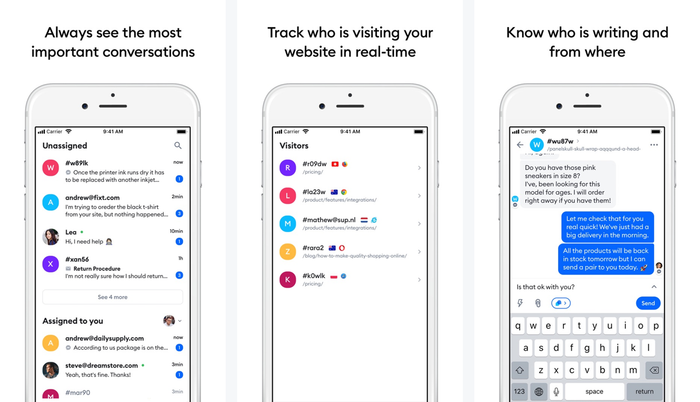
Tidio combines live chat, Flows (no-code chatbot automations), the Lyro AI agent and a help desk in one account. Lyro answers from your help content and can resolve up to 75% of support requests, while Flows handle lead capture, product suggestions and cart reminders. When a customer needs a person, your team picks the chat up in the same inbox on desktop or in the iPhone and Android apps.
The apps give you push notifications and quick responses, and the pricing page includes the mobile app on every plan, the free one too. If you build your own app, the Tidio Mobile SDK puts live chat and Lyro inside it, and you request access on that page.
Key features:
- Lyro AI agent: answers customer questions around the clock and hands over to your team with the conversation attached.
- Flows: build bots for lead capture, discount offers and abandoned carts without code.
- Shopify tools: cart preview and order history sit next to the chat, so agents see what the shopper sees.
- Shared inbox: live chat, email, Messenger, Instagram and WhatsApp in one place.
Tidio fits these teams best:
- Online stores, especially on Shopify, that want order context inside the conversation.
- Small teams that answer customers in several channels without a large support staff.
- Businesses with a steady stream of repeat questions that want the AI agent to take the first pass.
Pros
- The highest iPhone rating on this list: 4.8 from 4,767 ratings.
- A free plan with up to 10 seats, and the mobile app is included.
- Bot, live chat and inbox in one tool, so agents don’t switch apps.
- The AI agent and Flows are sold as add-ons, so the bill follows how much automation you switch on.
Cons
- The Android rating (3.5) trails the iPhone one, so Android-heavy teams should try the app on their own phones first.
- The Free and Starter plans include 50 and 100 billable conversations a month, so busy teams keep an eye on the quota.
- Larger deployments (Plus and Premium) get a quote from Tidio’s sales team.
Skip Tidio if you only want a bare chat widget with unlimited conversations, which tawk.to covers.
Pricing: Tidio’s pricing page lists billing annually, with monthly in brackets:
- Free: $0, 50 billable conversations a month, up to 10 seats.
- Starter: $24.17 a month ($29) with 100 conversations. Growth: $49.17 a month ($59) and up, for 250 to 2,000 conversations.
- Plus: from $300 a month plus usage. Premium: custom pricing.
- Add-ons: the Lyro AI agent starts at $32.50 a month ($39) for 50 Lyro conversations, and Flows at $24.17 a month ($29).
- A 7-day free trial of the premium features, no card.
Mobile app: App Store 4.8 (4,767 ratings) · Google Play 3.5 (2.87K ratings, 500K+ downloads)
Rating: G2 4.6/5 (1,995 reviews)
See Tidio plans and add Lyro to your chat
2. Intercom
Best for: software teams that want an AI agent to take the first pass on support
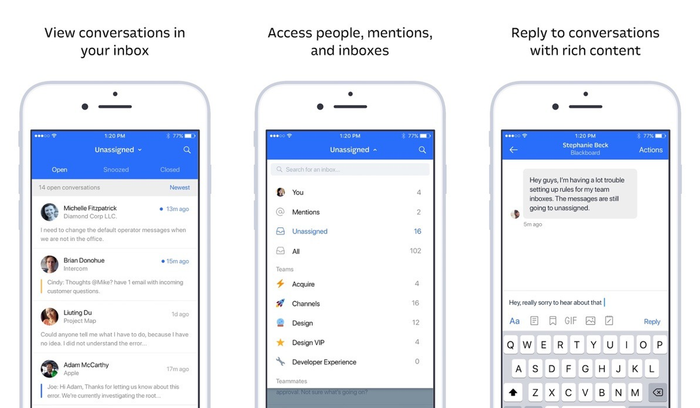
Intercom’s AI agent, Fin, works inside Intercom’s helpdesk or on top of another one. Intercom’s app is a teammate inbox: you view and assign conversations, reply, add notes and use saved replies. Nothing we found says you can take over a Fin conversation from the phone.
Fin is billed per outcome, which counts resolutions, handoffs inside a workflow and disqualifications. Per Intercom’s pricing page, you pay nothing if Fin fails or the customer asks for a person.
Key features:
- Fin AI agent: answers from your help content and can run workflows, billed per outcome.
- Works with other helpdesks: Fin can sit on top of your current one with no Intercom seats.
- Mobile inbox: view, assign and reply to conversations, with push notifications for teammates.
Pros
- You pay for Fin’s outcomes, not for failed answers.
- Billing is once per conversation, and a reopened conversation is refunded.
Cons
- Outcome billing grows with volume, and every seat is paid on top.
- The app is weak by ratings (2.1 on iPhone, 3.2 on Android) and is an inbox, not a bot builder.
Pricing: the pricing page shows Essential from $19 per seat a month for new customers ($29 list), Advanced at $85 and Expert at $132, billed annually, and its structured data lists higher figures, so confirm before you buy. Fin costs $0.99 per outcome. No free plan; a 14-day trial with no card.
Mobile app: App Store 2.1 (173 ratings) · Google Play 3.2 (1.1K ratings, 100K+ downloads)
Rating: G2 4.5/5 (3,930 reviews, Fin by Intercom)
Read more: Intercom review
3. Zendesk
Best for: large support teams that handle tickets across many channels
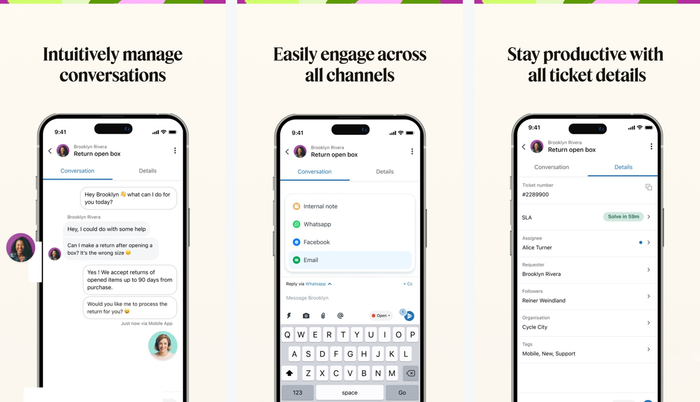
Zendesk’s AI agents sit inside its Suite plans, and the Support app on iOS and Android is built around tickets, with push alerts, replies and a manager’s workload view. Neither the listing nor the help article mentions the AI agents, so plan to manage the bot from a computer.
Suite Team is the first plan card that lists AI agents. Zendesk bills them per automated resolution, with five to ten included per agent each month.
Key features:
- AI agents: billed only when a request is resolved without a human.
- Suite plans: tickets, messaging, voice and AI agents in one subscription.
- Support app: notifications, ticket replies and team workload on a phone.
Pros
- Pay for the AI only when it resolves a request.
- The iPhone app is strong: 4.5 from 4,225 ratings.
Cons
- Seat price, resolutions and add-ons (Copilot is $50 per agent) make the bill hard to predict.
- The Android app is rated 3.0, and the app is ticket-first, not bot-first.
Pricing: Support Team $19 per agent a month billed annually ($25 monthly), without AI agents; Suite Team $55 ($69); Suite Professional $115 ($149). Extra automated resolutions cost $1.50 committed or $2.00 pay-as-you-go. No free plan; a 14-day trial.
Mobile app: App Store 4.5 (4,225 ratings) · Google Play 3.0 (7.78K ratings, 500K+ downloads)
Rating: G2 4.3/5 (7,091 reviews)
Read more: Zendesk review
4. HubSpot
Best for: teams that already run their sales and service CRM in HubSpot
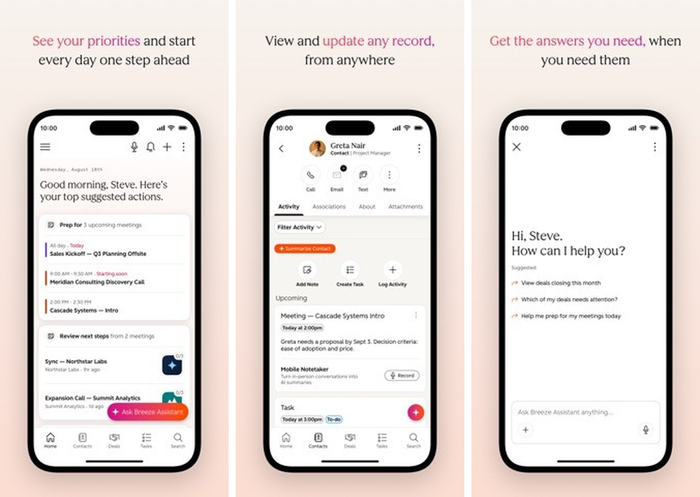
HubSpot has two bots. The rule-based chatbot builder is on every tier, with limited features on Free and Starter. The AI Customer Agent needs a Professional or Enterprise seat. The mobile app is HubSpot’s general app: its store listing describes sales and marketing, and HubSpot’s mobile page adds inbox and ticket access.
Key features:
- Chatbot builder: free rule-based bots for lead capture and routing.
- Customer Agent: an AI agent billed per resolution, free for 14 days with a Professional or Enterprise seat.
- CRM context: every chat sits on the contact record.
Pros
- The best-rated mobile app on both platforms here: 4.7 on iPhone and 4.5 on Android.
- The Customer Agent costs $0.50 per resolution, about half of Intercom’s per-outcome price.
Cons
- The AI agent requires a Professional seat plus a required one-time onboarding fee of $1,500.
- The ratings cover the whole HubSpot app, and the store text is about sales, not chat.
Pricing: Service Hub Free for up to 2 users. Starter shows $7 and $20 per seat a month and Professional $90 and $100, and the page does not label which figure is the annual one. A resolution counts when the conversation isn’t handed to a person for 72 hours.
Mobile app: App Store 4.7 (15,827 ratings) · Google Play 4.5 (13.6K ratings, 1M+ downloads)
Rating: G2 4.4/5 (3,018 reviews, Service Hub)
Read more: HubSpot alternatives
5. Freshchat
Best for: teams that plan to grow into the Freshworks suite
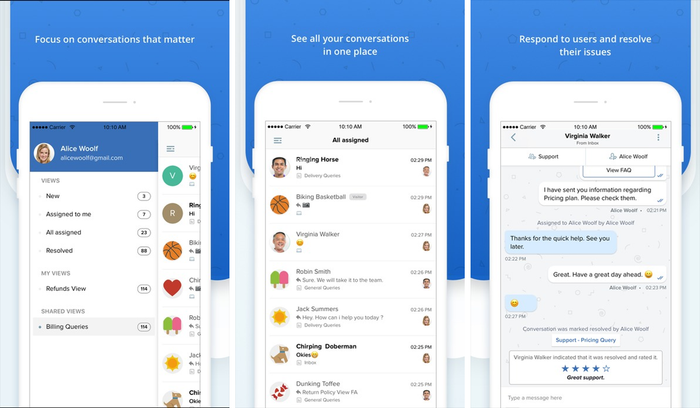
Freshchat is Freshworks’ messaging product, and Freddy is its AI. The app lets an agent view, reply to, assign and manage conversations, see the visitor profile and share help articles. The listings don’t mention Freddy controls in the app.
Key features:
- Freddy AI Agent: answers chats, with 500 free sessions on paid plans to test it.
- Free plan: up to 10 agents with a shared inbox.
- Visitor profile: contact details and event timeline in the app.
Pros
- A free plan for up to 10 agents.
- The agent app covers the basics: reply, assign, visitor profile, push.
Cons
- A session is any interaction, not only a resolution, at $49 per 100 sessions after the free 500.
- The iPhone rating is 3.6 from 51 ratings, with no update since May 2026.
Pricing: a free plan covers up to 10 agents. Paid plans are billed annually per agent: Growth $19 a month, Pro $49, Enterprise $79. Freddy AI Copilot is $29 per agent a month. Social messengers and text messaging start on Growth.
Mobile app: App Store 3.6 (51 ratings) · Google Play 3.8 (1.52K ratings, 100K+ downloads)
Rating: G2 4.4/5 (504 reviews)
Read more: Freshchat review
6. tawk.to
Best for: teams that want a free chat inbox and only pay for AI if they use it
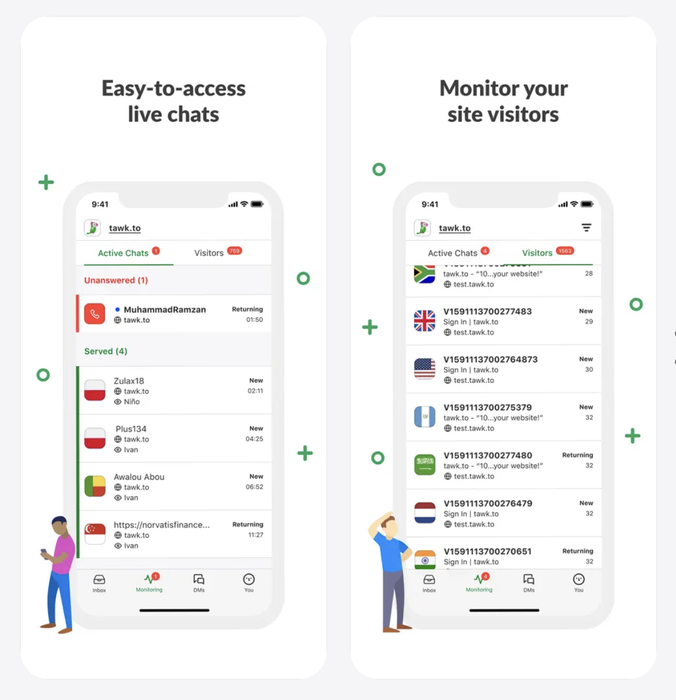
tawk.to is a free live chat, ticketing and help center product with free iOS and Android apps. The apps send push notifications for new visitors and chats, show visitors on your site and handle tickets. The bot side is the paid AI Assist add-on, which answers chats from your content.
Key features:
- AI Assist: a free Hobby tier for limited volume, paid tiers from $29 a month.
- Free inbox: live chat, tickets and a help center at no cost.
- Mobile apps: answer chats, reply to tickets and watch visitors.
Pros
- The core product and the apps are free.
- The most Android reviews on this list (15.2K), with 1M+ downloads.
Cons
- AI is billed in credits and each model costs a different number of credits per reply (3 on Auto), so volume matters.
- The iPhone rating is 3.7 from 217 ratings.
Pricing: free for life, with branding removal at $29 a month. AI Assist: Hobby free (100 credits a month), Growth $29 a month ($290 yearly), Business $99, Enterprise $399; extra credits cost $30 per 1,000.
Mobile app: App Store 3.7 (217 ratings) · Google Play 3.8 (15.2K ratings, 1M+ downloads)
Rating: G2 4.5/5 (202 reviews)
Read more: tawk.to review
7. ManyChat
Best for: brands that sell through Instagram, TikTok and WhatsApp DMs
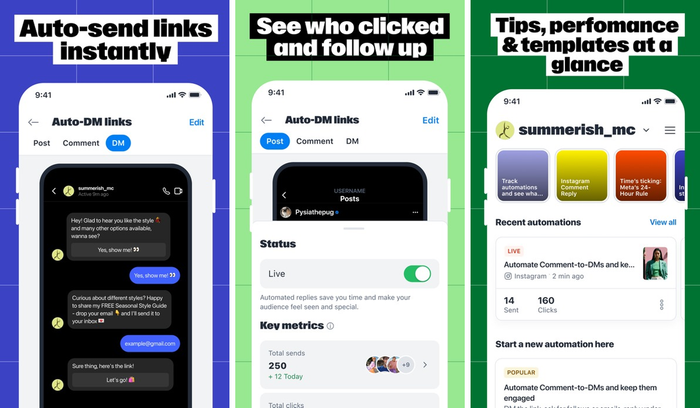
ManyChat builds comment-to-DM and welcome-message automations for Instagram, TikTok, Messenger, WhatsApp and Telegram, with 60+ templates. Its app puts all those DMs in one inbox, with live chat, assignment, templates and push notifications. It is built for social DMs, not for a chat widget on your website.
Key features:
- Flow builder: automations for comments, new followers and link sharing in DMs.
- Manychat AI: AI conversations on Pro and above.
- Mobile inbox: reply, assign and use templates from one app.
Pros
- A real free plan with 25 Active Contacts.
- Deep Instagram automation with ready-made templates.
Cons
- WhatsApp starts on Pro ($29 a month billed annually), and the bill grows with Active Contacts.
- The shared team inbox and assignments start on Business.
Pricing: Free; Essential $14 a month billed annually ($17); Pro $29 ($39); Business $69 ($99); Advanced $139 ($199). Plans are billed per Active Contact. WhatsApp message fees pass through from Meta to a wallet, with no markup, per ManyChat.
Mobile app: App Store 4.3 (2,162 ratings) · Google Play 3.9 (6.04K ratings, 1M+ downloads)
Rating: G2 4.5/5 (165 reviews)
Read more: ManyChat review
8. WATI
Best for: teams that run customer support on the WhatsApp Business API
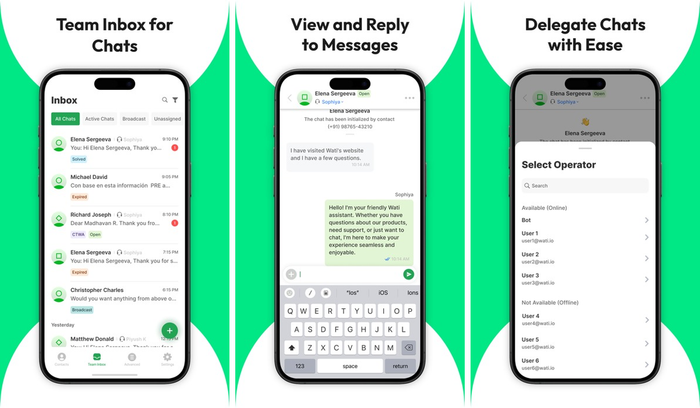
WATI is a WhatsApp Business API platform with a shared team inbox, broadcasts and no-code chatbots. The app brings the shared inbox and broadcasts to your phone. AI agents are a separate add-on with no public price.
Key features:
- Shared inbox: WhatsApp, Instagram, Facebook and TikTok conversations in one place.
- Chatbots: advanced automation on Pro and above.
- Broadcasts: WhatsApp campaigns from the app.
Pros
- Official WhatsApp API with a team inbox on mobile.
- No setup fee and a 7-day trial.
Cons
- No free plan, and extra users cost $39 (Pro) or $89 (Business) a month; Growth can’t add any.
- Meta message fees follow WATI’s own rate card, which we did not fetch.
Pricing: Growth $59 a month billed annually ($69), Pro $119 ($149), Business $279 ($349). AI Co-pilot credits are included, and more cost $30 a month for a pack.
Mobile app: App Store 3.7 (21 ratings) · Google Play 3.7 (973 ratings, 100K+ downloads)
Rating: G2 4.6/5 (514 reviews)
Read more: WhatsApp chatbot tools
9. Chatfuel
Best for: small teams that want a prepaid AI bot for WhatsApp and Instagram
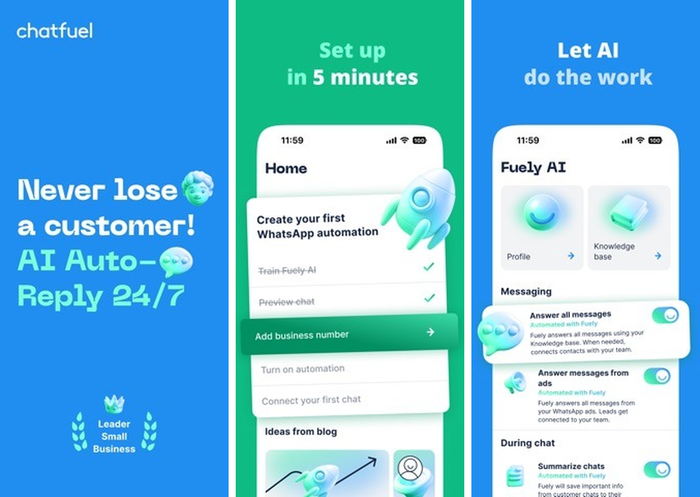
Chatfuel is an AI chatbot platform for WhatsApp, Instagram and Facebook. Per its mobile page, the app answers chats, lets you take over from the AI agent and pushes an alert for each new chat and booking. It only opens current Chatfuel accounts, not the Legacy drag-and-drop flow builder.
Key features:
- AI agent: replies on WhatsApp, Instagram and Facebook.
- Wallet billing: AI replies, templates and Meta fees come from one prepaid balance.
- Mobile app: take over a chat and get booking alerts.
Pros
- A low paid entry that includes AI credits: $18 a month billed yearly, with $20 of credits.
- One bill that includes Meta’s WhatsApp fees.
Cons
- No free plan, and the trial length and the cost per AI reply are not published.
- Processing stops when the wallet hits zero.
Pricing: Business $18 a month billed yearly ($20 monthly) with $20 of AI credits; Agency S $90 with $100 of credits.
Mobile app: App Store 4.6 (25 ratings) · Google Play 4.7 (313 ratings, 50K+ downloads)
Rating: G2 4.4/5 (45 reviews)
Read more: Chatfuel review
Best free chatbot apps
Five of the nine have a free plan, and none of them is free once the bot gets busy. Free usually means a small quota, fewer channels or a bot you build yourself.
| App | What you get for free | What is paid-only |
|---|---|---|
| Tidio | 50 billable conversations a month, up to 10 seats, the mobile app, 50 one-time Lyro conversations | More conversations, Lyro and Flows volume, advanced analytics |
| HubSpot | Free tools for up to 2 users and the free chatbot builder with limited features | The AI Customer Agent (Professional seat) |
| Freshchat | Up to 10 agents with a shared inbox | Freddy AI sessions beyond the 500 free ones, social messengers |
| tawk.to | Live chat, tickets, help center and the apps | AI beyond the Hobby tier, branding removal |
| ManyChat | 25 Active Contacts on two channels | WhatsApp, shared inbox, more contacts |
Intercom, Zendesk, WATI and Chatfuel offer trials instead. If you want a bot that works unattended, test the free plan on your top 20 customer questions before you rely on it.
Looking for ChatGPT-style AI chat apps?
ChatGPT, Gemini, Claude and Copilot are general assistants for your own questions. They don’t sit on your website or in your WhatsApp inbox, and they don’t hand a customer over to your team. If you want a chatbot that answers your customers, pick from the nine above. If you want an assistant for your own writing and research, a general AI app fits, and it is a different purchase.
How to choose a chatbot app
Choose by five things: the job the bot does, the channels it covers, how the app behaves on your team’s phones, what one AI reply costs and whether you also need chat inside your own app.
Start with the job
A support bot answers repeat questions, a sales bot qualifies leads and a social bot replies to DMs. Pick the job first, because it narrows the list: ManyChat for DMs, Intercom and Zendesk for ticket-heavy support, Tidio for support and sales in one bot.
Check the channels
Make sure the bot runs where your customers write. WhatsApp is often a separate plan or a separate fee, and ManyChat needs Pro for it. Tidio and Chatfuel cover WhatsApp, Instagram and Messenger from one account.
Test the app on your phone
The same app can rate very differently on iOS and Android, so install it on the phone your team uses. Look for push alerts, quick replies and a way to take over from the bot.
Understand the pricing model
AI is billed per resolution at Zendesk and HubSpot, per outcome at Intercom, per session at Freshchat, per credit at tawk.to and per Active Contact at ManyChat. Ask what counts as one unit and what happens past the quota.
Decide whether to build or buy
If you need a custom app of your own, read our guides to chatbot development and creating a chatbot for your website. To compare costs side by side, see chatbot pricing.
Which chatbot app should you pick?
- You run a Shopify store: Tidio on a Growth plan with Lyro. Cart preview and order history sit next to the chat, and Lyro can answer order-status questions. Gorgias is the specialist alternative for a ticket-heavy store.
- You are a small team with a website and several messaging channels: Tidio with a paid plan, so Lyro and Flows are on.
- You sell mostly through Instagram or TikTok DMs: ManyChat.
- Your support runs on WhatsApp: WATI or Chatfuel; read their message-fee terms first.
- You are a software company that wants an AI agent first: Intercom.
- You already live in HubSpot’s CRM or Zendesk’s ticketing: stay there and use their bots.
Pick a Tidio plan and add Lyro to your store
Frequently asked questions
For a small business or online store, Tidio covers website chat, Instagram, Messenger and WhatsApp with one AI agent. ManyChat is stronger for social DMs, and Intercom or Zendesk fit larger support teams.
Yes. Tidio, HubSpot, Freshchat, tawk.to and ManyChat have free plans, with quotas. Tidio’s free plan includes 50 billable conversations a month and the mobile app.
By store rating, HubSpot is the most even (4.7 on iOS, 4.5 on Android) and Chatfuel scores 4.6 and 4.7 from few ratings. Tidio is 4.8 on iPhone and 3.5 on Android.
A chatbot app is software that answers customers automatically in chat, using rules or AI, and gives your team an app to take over. It runs on your site or in messaging apps like WhatsApp.
Yes. Tidio’s Mobile SDK embeds live chat and the Lyro AI agent in an iOS or Android app, and you request access on its page.
Paid plans in this list start at $14 to $24 a month, and AI usage usually adds more. Tidio’s Lyro AI agent starts at $32.50 a month billed annually. Check what each tool counts as one AI unit.
Use live chat to support your customers in real-time