Key takeaways
- Best for small teams and online stores: Tidio. Chat, email tickets, social messages and the Lyro AI agent work in one inbox. Starter with Lyro costs $33/month billed annually, with up to 10 seats included on self-serve plans, and Lyro and human replies share one conversation quota.
- Closest like-for-like help desk: Freshdesk, from $19 per agent a month billed annually, with messaging on the Omni plans.
- Phone, chat and email at scale: Zendesk. Suite plans put voice in the same queue, from $55 per agent a month billed annually.
- Lowest seat price: Zoho Desk, from $7 per user a month billed annually, with a free plan for 3 users. Free live chat: tawk.to.
For a small customer support team or online store that wants live chat, email tickets, social messages and an AI agent in one customer service inbox, Tidio is our first pick among LiveAgent alternatives. Starter with Lyro costs $33/month billed annually and includes up to 10 seats on self-serve plans; Lyro and human replies share one conversation quota of 50 a month. LiveAgent keeps social channels and the call center for its Team plan and needs your own AI provider account. Freshdesk is the like-for-like help desk; Zendesk handles phone at scale.
Tidio is our product; here's how we compared. Every help desk is priced for 5 and 10 agents from its pricing page, Tidio gets the same pros-and-cons format, and where a rival wins, we say so. How we picked.
LiveAgent alternatives at a glance
Entry price per agent or seat per month, billed annually, unless the cell says otherwise.
| Tool | Best for | Starting price | Free plan / trial | G2 rating |
|---|---|---|---|---|
| Tidio | Small teams and online stores that want chat, tickets and AI in one inbox | $24/mo (Human only); Starter with Lyro $33/mo; up to 10 seats included on self-serve plans | Free plan · 7-day trial | 4.6 (2,169)[1] |
| Freshdesk | A like-for-like help desk swap | $19/agent; messaging (Omni) from $29 | 14-day trial | 4.4 (3,795)[2] |
| Zendesk | Large teams on phone, chat and email | $19/agent (email only); Suite from $55 | 14-day trial | 4.3 (7,091)[3] |
| Zoho Desk | The lowest seat price | $7/user | Free for 3 users | 4.4 (7,996)[4] |
| Help Scout | Email-first teams | $25/user | Free for 5 users | 4.4 (431)[5] |
| HubSpot Service Hub | Support tied to CRM records | Starter $20/seat list price | Free for 2 users | 4.4 (3,018)[6] |
| Intercom | AI-first support for SaaS | $29/seat, plus $0.99 per Fin outcome | 14-day trial | 4.5 (3,930)[7] |
| Front | Shared email inboxes | $25/seat, up to 10 seats | Trial | 4.7 (2,514)[8] |
| Crisp | A chat-first inbox priced per workspace | $45/mo for 4 seats, monthly billing | Free for 2 seats · 14-day trial | 4.5 (204)[9] |
| tawk.to | Free live chat | $0; paid add-ons | Free | 4.5 (202)[10] |
| Gorgias | Online stores with a large ticket queue | $50/mo for 300 tickets, not per agent | Trial | 4.6 (582)[11] |
LiveAgent itself starts at $15 per agent a month billed annually ($19 monthly) on Starter, has a 30-day trial and no free plan, and holds 4.5 on G2 from 1,537 reviews.[12]
Why teams look for a LiveAgent alternative
LiveAgent earns its fans: reviewers praise its all-in-one inbox and its price, and a team that uses the phone features daily has good reason to stay. Our LiveAgent review walks through the product.
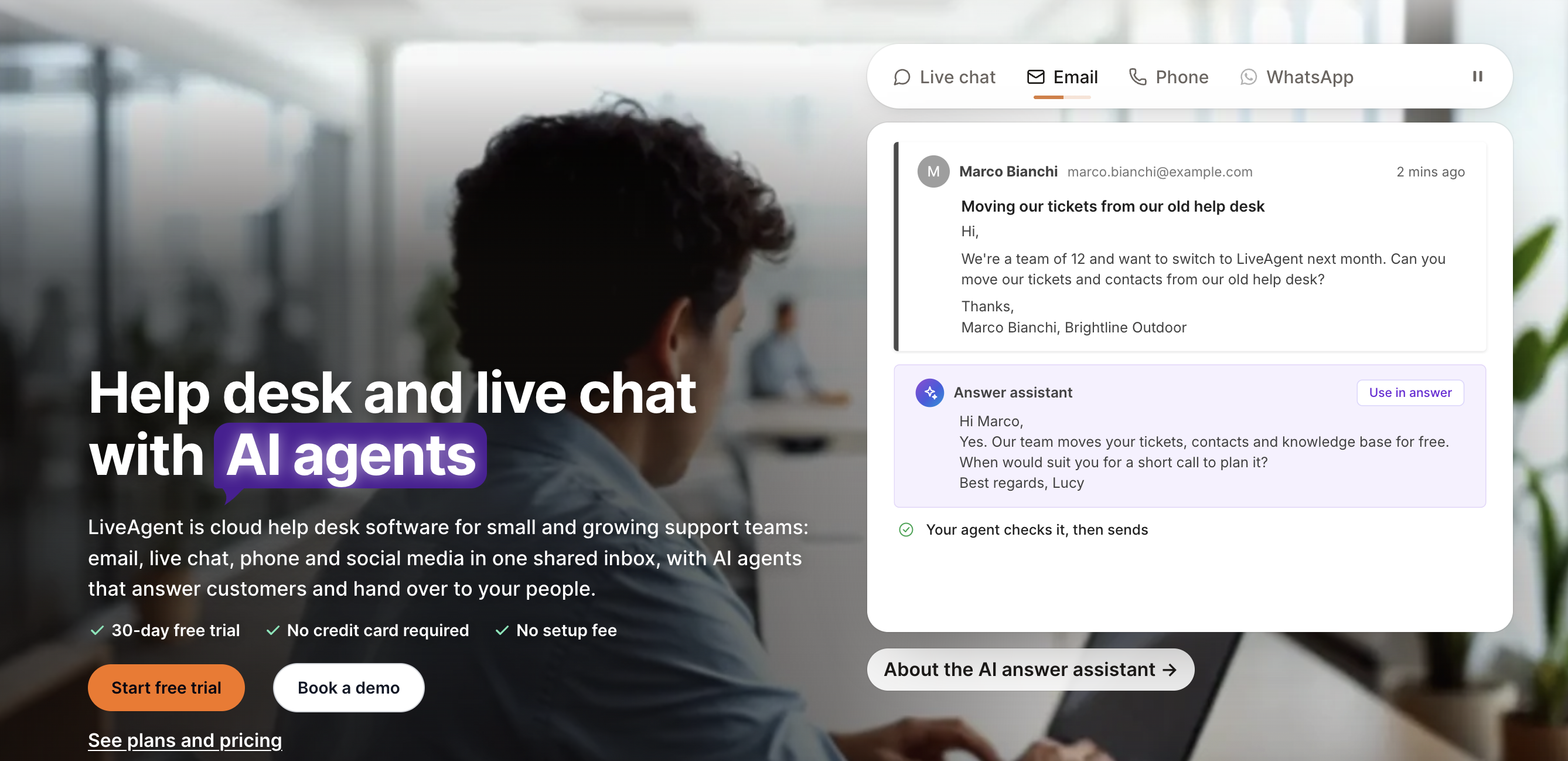
Reviews and LiveAgent's pricing page show why people leave:
- The interface shows its age. A verified Capterra reviewer sums it up: "UI can feel outdated, initial setup is time-consuming, advanced features have a learning curve."
- Starter leaves out the channels people buy LiveAgent for. Per LiveAgent's pricing page, social channels, the call center and reporting start on Team. Starter also stops at five agents, so a sixth hire moves the whole team to $29 per agent: $174 a month instead of $75.
- AI runs on your own AI account. The AI chatbot and reply assistant on every plan connect to your own OpenAI, Anthropic, Gemini or FlowHunt account, so you pay that provider a second bill.
- Setup takes time. Plan days for routing rules, departments and call flows. A G2 reviewer also flags "slow page loading times during periods of high traffic."
How we picked these alternatives
A help desk made the list only if it covers LiveAgent's core job (website live chat and support email in one shared inbox with routing), publishes its prices or a free plan, and gives a LiveAgent customer a clear reason to switch: AI with no provider account of its own, a lower bill at their team size, a newer interface, CRM or Shopify context, or voice in the same queue at scale. Each was then compared on price at 5 and 10 agents, channels per plan, AI billing, setup and G2 rating.
We didn't run paid trials: prices and features come from each vendor's pricing page and documentation, ratings from G2, and quotes from verified G2 and Capterra reviews.
The 11 best LiveAgent alternatives in 2026
1. Tidio
Best for: small and mid-sized teams and online stores that want chat, email tickets, social messages and AI in one inbox, with up to 10 seats included on self-serve plans.
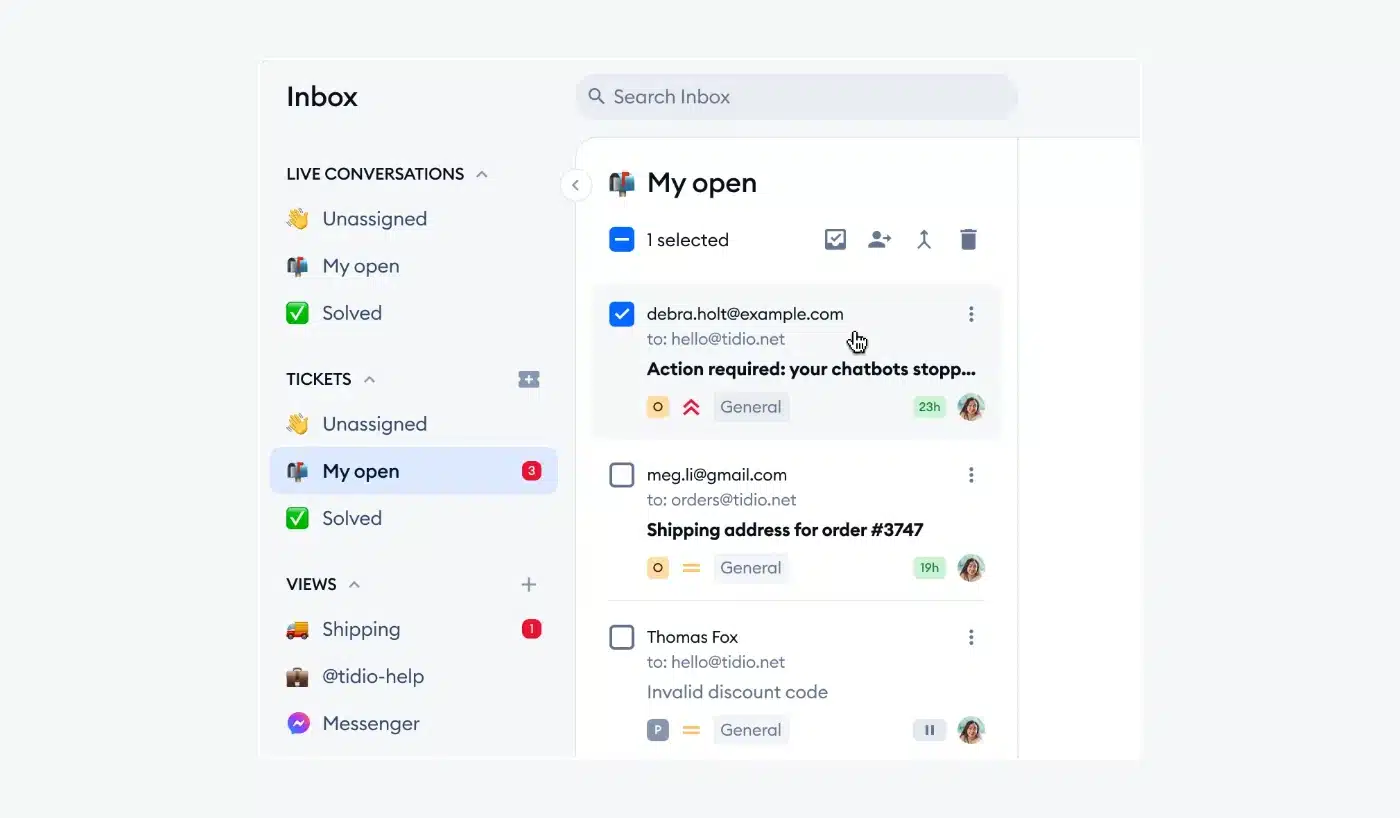
LiveAgent leaves the AI wiring to you; Tidio ships it ready to use. Website chat, support email, Messenger, Instagram and WhatsApp share one inbox, and the WhatsApp integration is available on every plan (sending message templates needs Growth or higher). Emails turn into tickets with a status, a priority and an assignee. The Lyro AI agent answers first on chat, email and WhatsApp, then hands over to your team. Lyro and human replies share one conversation quota; each conversation counts once, at the first reply from Lyro or your team (how the limit works).
The Voice add-on brings phone calls into the same inbox for numbers in the US, Canada, Australia and the UK. For stores, Tidio's Shopify integration puts the shopper's cart next to the chat.
Pros
- Starter with Lyro from $33/month billed annually, with Lyro working out of the box and no AI provider account to manage.
- Up to 10 seats included on self-serve plans, plus a free plan and a 7-day trial with Lyro.
Cons
- Flows and Voice have their own limits on top of the conversation quota, so a busy month means watching a few numbers.
- Voice is an add-on you enable with the sales team, rather than a call center built into every plan.
- Teams past 10 seats move to Plus, which is set up with sales.
Pricing:
- Free: 50 human conversations/month, 100 Flows visitors/month + 50 one-time Lyro AI conversations.
- Starter: Human only: from $24/month for 100 conversations. With Lyro AI: from $33/month for 50 conversations shared by AI and your team.
- Growth: from $41/month for 200 human conversations or $63/month for 100 AI + human conversations; scalable to 1,000/month.
- Plus: from $300/month + usage. Premium: custom pricing.
- Optional add-ons: Flows, Inbox AI, Help Center, Voice, and branding removal.
- 7-day free trial: Growth features with Lyro AI and 100 AI + human conversations, no card required; moves to Free unless you choose a paid plan.
Starting prices shown with annual billing.
See Tidio pricing for every tier.
Rating: G2 4.6/5 (2,169 reviews)
What a G2 reviewer says: "The all-in-one inbox for chat, email, and social media keeps things organized, no need to juggle apps." (4-star review of the shared inbox)
Versus LiveAgent: you gain a modern inbox, an AI agent that needs no AI account of your own, Shopify order tools, and up to 10 seats included on self-serve plans instead of a per-agent price. You give up LiveAgent's built-in IVR call center, its Viber and Telegram channels, and per-agent plans for teams far beyond 10 seats.
Try Tidio free
2. Freshdesk
Best for: teams that want a help desk built like LiveAgent's ticketing, with a cleaner interface.
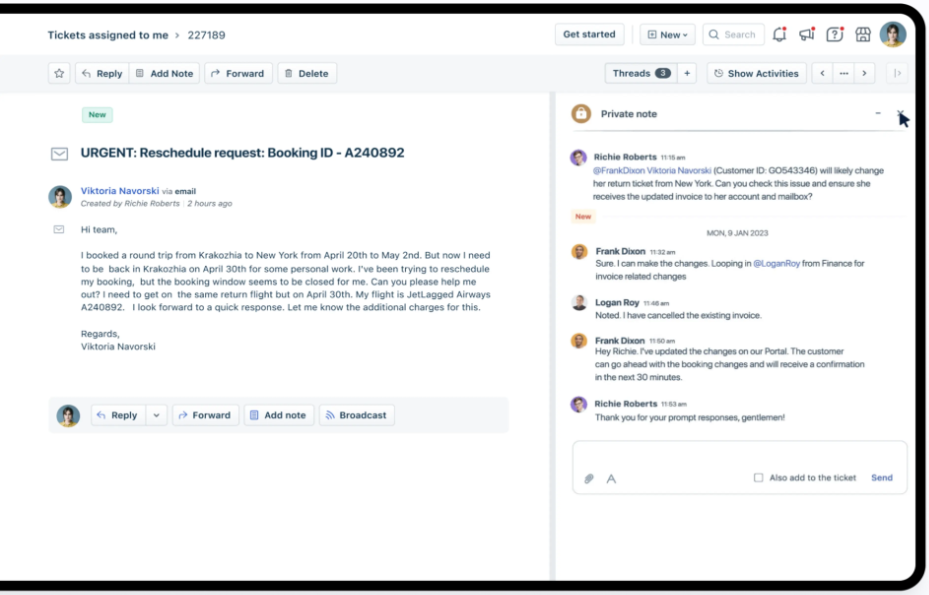
Tickets, automations, SLAs, a portal and a knowledge base work much as in LiveAgent, so agents adjust quickly.
Pros
- 500 free AI agent sessions to try automation.
Cons
- Chat and social messaging need the Omni plans, which cost more per agent.
- Extra AI sessions are sold in packs of 100.
Pricing (per agent a month, billed annually): Growth $19 · Pro $55 · Enterprise $89. Omni plans $29 · $79 · $119. After 500 free Freddy AI Agent sessions, more cost $49 per 100. 14-day trial.
Rating: G2 4.4/5 (3,795 reviews)
Versus LiveAgent: you gain a cleaner workspace. You give up a lower price: chat on Freshdesk Omni costs $29 per agent, the same as LiveAgent Team with its call center included. See our Freshdesk alternatives.
3. Zendesk
Best for: large support teams that run phone, chat and email in one queue.
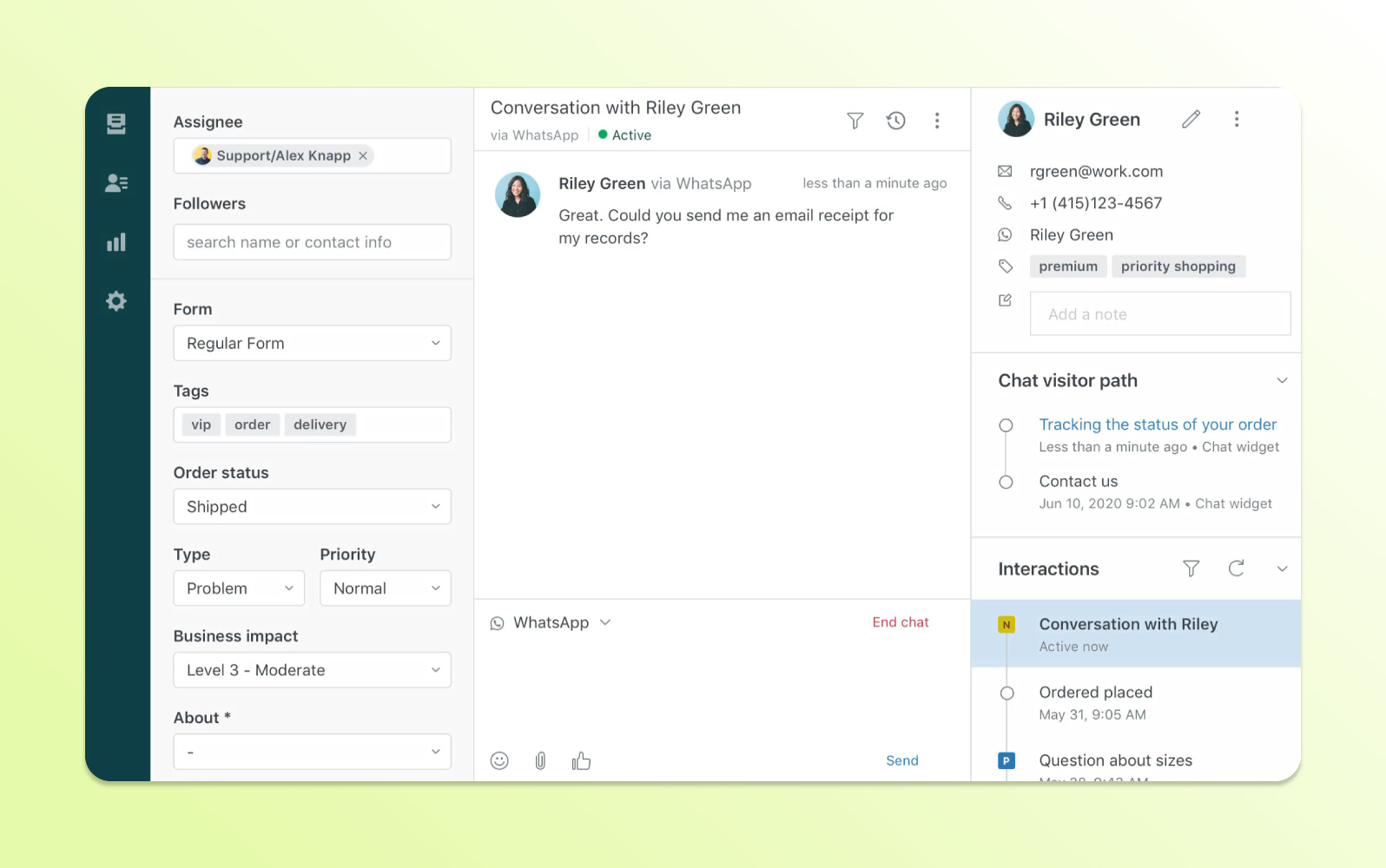
Zendesk covers what LiveAgent does at a larger scale. Suite plans put tickets, messaging, voice and a help center in one workspace, with routing by skill and capacity.
Pros
- Voice, chat and email share one queue and one reporting view.
Cons
- AI resolutions past the allowance add a variable cost.
Pricing (per agent a month, billed annually; monthly in brackets): Support Team $19 ($25) · Suite Team $55 ($69) · Suite Professional $115 ($149) · Enterprise on request. Resolutions past the allowance cost $1.50 each committed or $2.00 pay-as-you-go. 14-day trial.
Rating: G2 4.3/5 (7,091 reviews)
Versus LiveAgent: you gain routing by skill and capacity, and voice, chat and email in one reporting view. You pay for it: Suite Team costs $55 per agent, nearly twice LiveAgent Team. See LiveAgent vs Zendesk and Zendesk alternatives.
4. Zoho Desk
Best for: teams where seat price decides, especially companies already on Zoho.
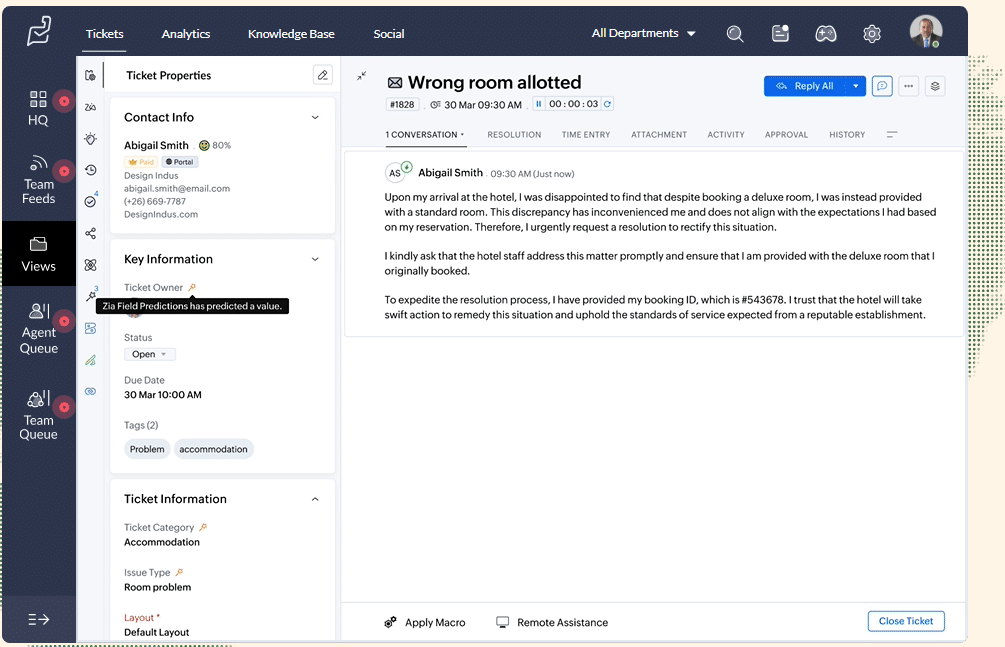
Zoho Desk undercuts even LiveAgent Starter. Zia, Zoho's assistant, suggests replies on the upper tiers, and the desk links to Zoho CRM.
Pros
- The lowest paid seat price on this list.
Cons
- Low tiers trim automations and channels.
- A long settings menu, so budget time for setup.
Pricing (per user a month, billed annually; monthly in brackets): Free (3 users) · Express $7 ($9) · Standard $14 ($20) · Professional $23 ($35) · Enterprise $40 ($50).
Rating: G2 4.4/5 (7,996 reviews)
Versus LiveAgent: you gain a cheaper seat and a free tier. You give up LiveAgent's channel bundle on mid plans. See our Zoho Desk alternatives.
5. Help Scout
Best for: small, email-led teams that want support to feel like personal email.
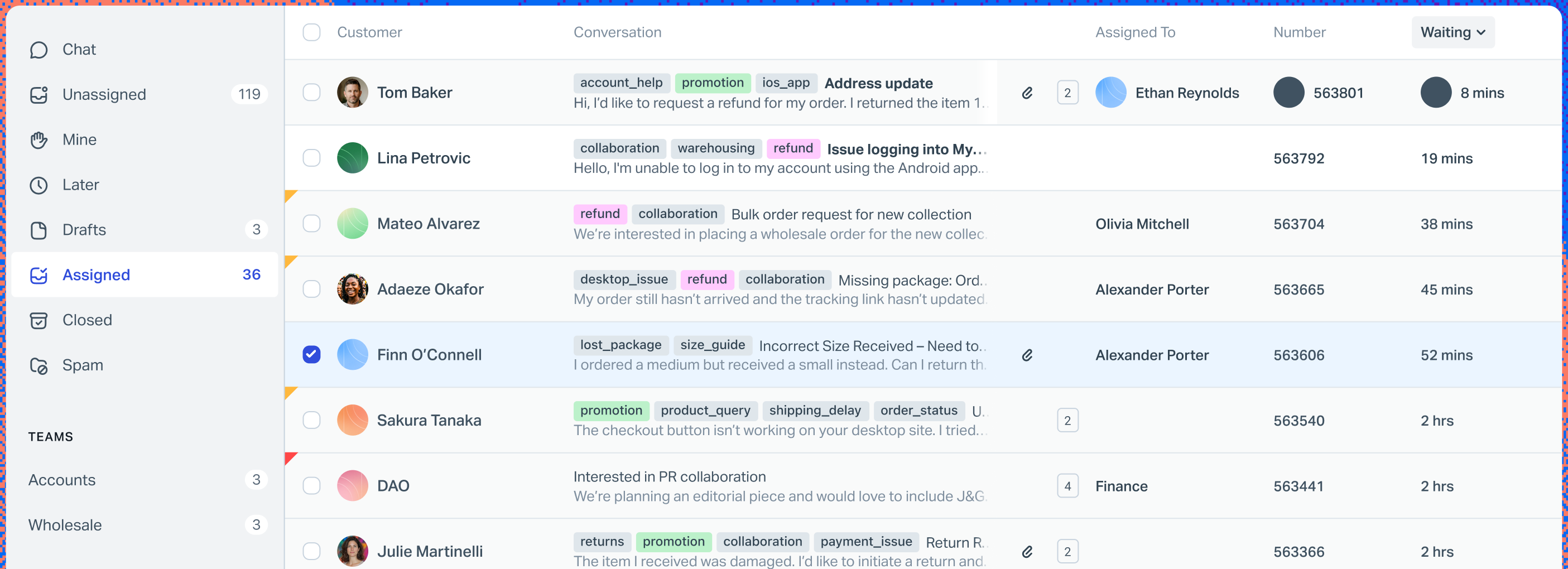
Help Scout is the opposite of LiveAgent's busy screen: customers see ordinary emails, agents a simple shared inbox. The Beacon widget adds chat and self-service.
Pros
- New agents learn it in an afternoon.
- Free for up to 5 users.
Cons
- Lighter chat and fewer rules than LiveAgent's Team plan.
Pricing (per user a month, billed annually; monthly in brackets): Free (5 users) · Standard $25 ($30) · Plus $45 ($54) · Pro $75 ($90). AI Answers costs $0.75 per resolution.
Rating: G2 4.4/5 (431 reviews)
Versus LiveAgent: you gain the simplest interface on this list. You give up phone, social channels and LiveAgent's depth of routing. See our Help Scout alternatives.
6. HubSpot Service Hub
Best for: companies whose customer data already lives in HubSpot CRM.
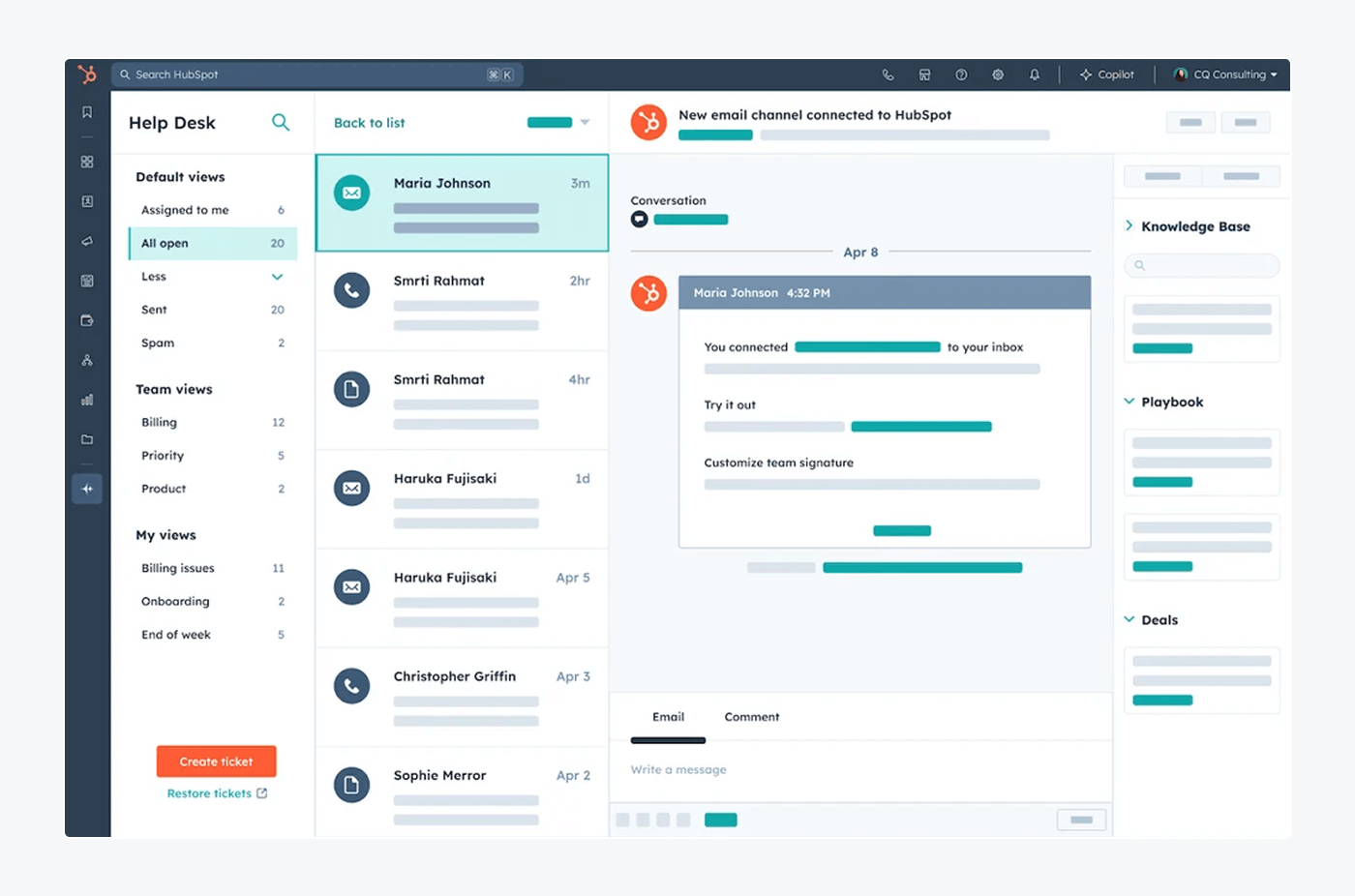
Service Hub attaches every ticket to the CRM record sales and marketing already use, so agents see deals and past emails beside it.
Pros
- One customer record across support, sales and marketing.
Cons
- A large jump from Starter to Professional.
- Much less appealing if you don't use HubSpot CRM.
Pricing (per seat a month): Free (2 users) · Starter $20 list price · Professional $100 list price · Enterprise from $150. HubSpot shows lower promotional prices to new customers, and Professional carries a one-time onboarding fee. Breeze runs on HubSpot Credits, with an allowance per tier.
Rating: G2 4.4/5 (3,018 reviews)
Versus LiveAgent: you gain CRM context on every ticket. You give up LiveAgent's low seat price once you need Professional features. See our HubSpot alternatives.
7. Intercom
Best for: SaaS and product teams that want an AI agent to answer before a person does.
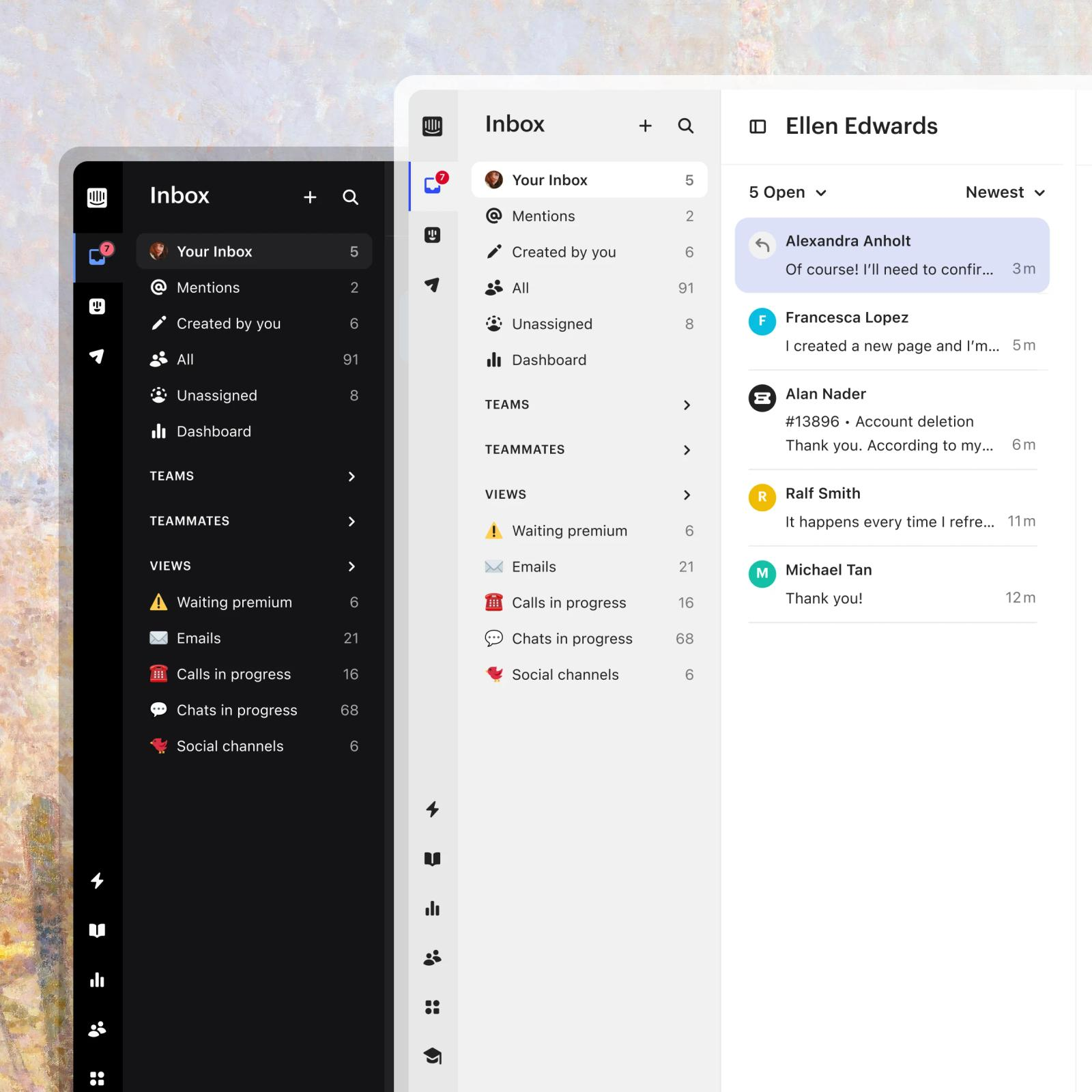
Intercom is the AI-first pick. Fin answers across chat and email, then hands over with context.
Pros
- Fin works without an AI account of your own.
- In-product messaging for SaaS.
Cons
- Costs rise with both team size and AI success.
Pricing (per seat a month, billed annually; monthly in brackets): Essential $29 ($39) · Advanced $85 ($99) · Expert $132 ($139). Fin costs $0.99 per outcome. 14-day trial.
Rating: G2 4.5/5 (3,930 reviews)
Versus LiveAgent: you gain Fin and in-product messaging. You give up phone support and predictable pricing. See our Intercom alternatives.
8. Front
Best for: teams that handle support through shared email inboxes and work on threads together.
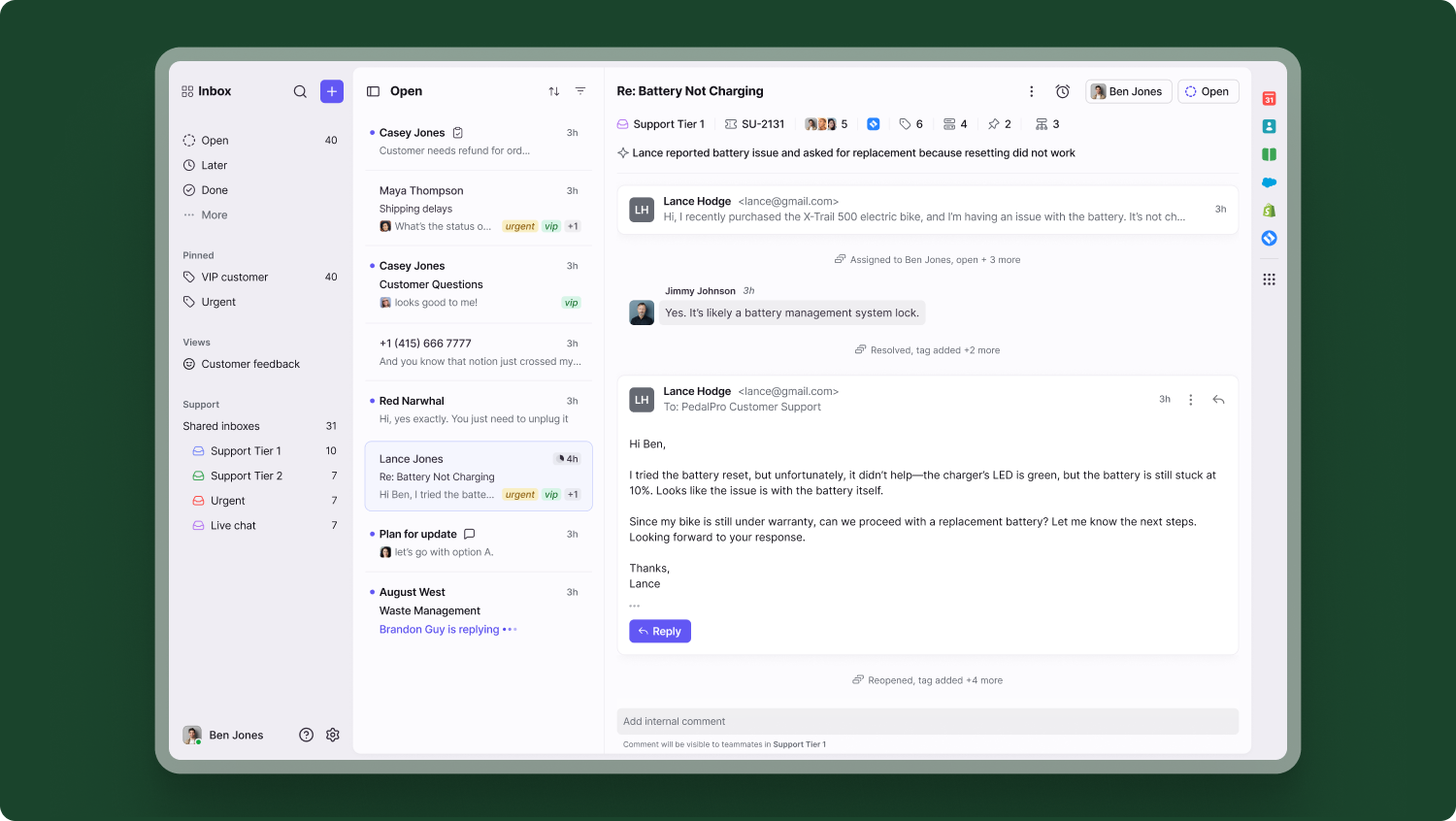
Front turns shared inboxes into a team workspace where people assign threads, comment and draft replies together.
Pros
- The highest G2 score on this list.
- Collaboration that feels natural to email-heavy teams.
Cons
- Starter caps at 10 seats, and AI costs extra.
Pricing (per seat a month, billed annually): Starter $25 (up to 10 seats) · Professional $65 (up to 50 seats) · Enterprise $105. Copilot costs $20 per seat a month, and the Autopilot AI agent from $0.39 per conversation.
Rating: G2 4.7/5 (2,514 reviews)
Versus LiveAgent: you gain teamwork on email threads that LiveAgent's ticket view doesn't match. You give up the call center and LiveAgent's social channel list. See our Front alternatives.
9. Crisp
Best for: small teams that want a chat-first inbox at one price per workspace.
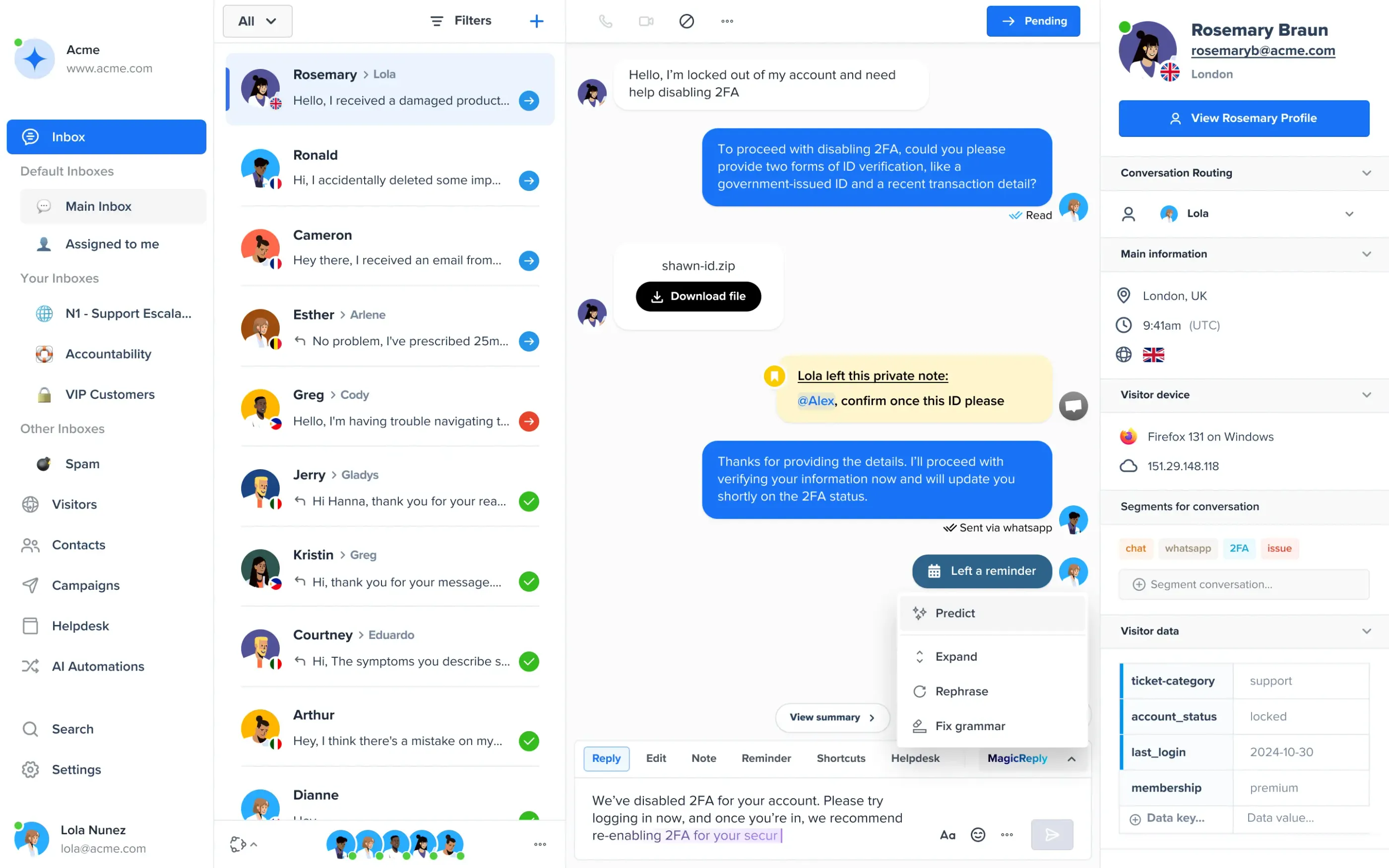
Crisp prices by workspace rather than by agent. Website chat, email and messaging channels land in one inbox, and each paid plan comes with AI credits.
Pros
- One price for a group of seats, not per agent.
Cons
- AI credits run out on busy plans and need topping up.
Pricing (per workspace a month, monthly billing): Free (2 seats) · Mini $45 (4 seats) · Essentials $95 (10 seats) · Plus $295 (20+ seats). 14-day trial.
Rating: G2 4.5/5 (204 reviews)
Versus LiveAgent: you gain a cleaner chat experience and seat bundles. You give up phone, Viber and Telegram, and LiveAgent's ticket rules. See our Crisp review.
10. tawk.to
Best for: teams that need live chat for free and can live with paid add-ons.
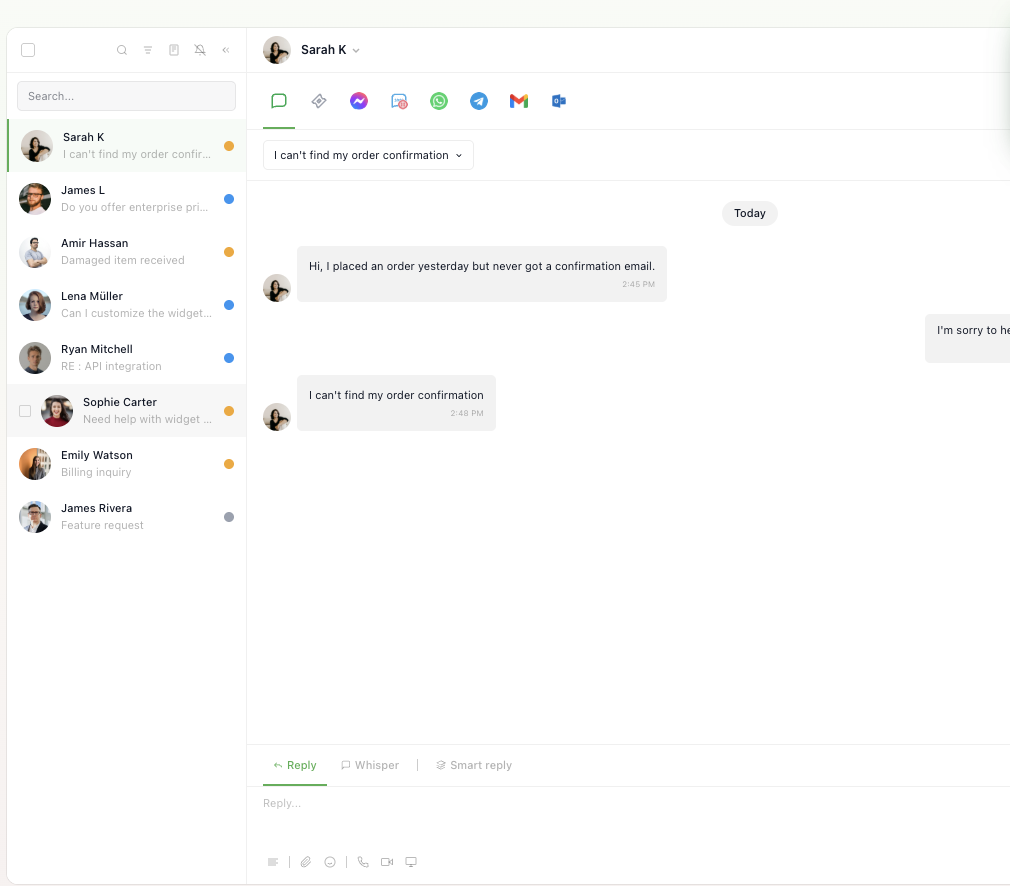
tawk.to gives away live chat, ticketing and a knowledge base for any number of agents and earns on add-ons.
Pros
- Free core product with no agent limit.
- Hired chat agents at $1 an hour if you need cover.
Cons
- The "Powered by tawk.to" branding stays unless you pay to remove it.
- Ticketing and reporting are basic next to LiveAgent's.
Pricing: Free core product. Branding removal costs $29 a month, and AI Assist starts at $29 a month.
Rating: G2 4.5/5 (202 reviews)
Versus LiveAgent: you gain a free plan and no seat fees. You give up the call center and social channels. See our tawk.to alternatives.
11. Gorgias
Best for: stores whose ticket volume, not team size, drives the workload.
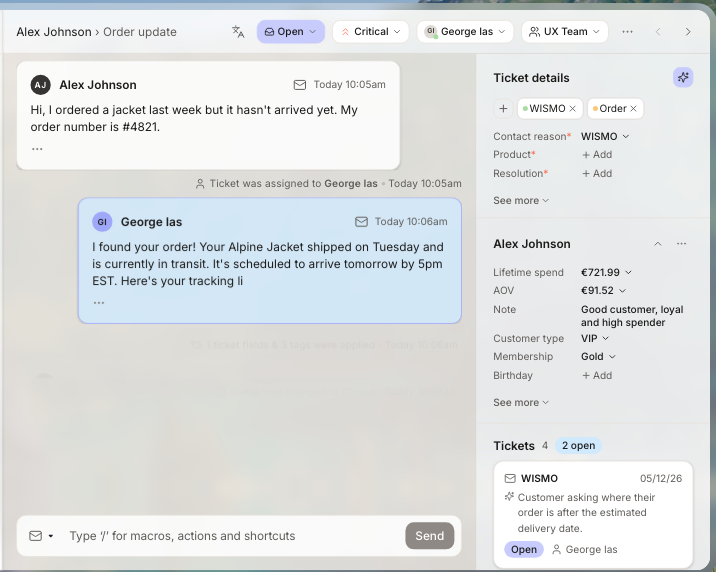
Gorgias is built for e-commerce. Tickets show the customer's Shopify, BigCommerce, Magento or WooCommerce orders, and agents refund or edit them in place.
Pros
- Order data and actions in every ticket.
- Unlimited agents.
Cons
- Only makes sense for online stores.
- Ticket-based pricing climbs at high volume.
Pricing (help desk, billed annually): Basic $50 a month for 300 tickets · Pro $300 for 2,000 · Advanced $750 for 5,000. The AI Agent adds $0.90 per automated interaction on annual plans ($1.00 monthly). Trial available.
Rating: G2 4.6/5 (582 reviews)
Versus LiveAgent: you gain store context in every ticket and a price that ignores team size. You give up phone support and a help desk for non-store work. See our Gorgias alternatives.
What a 5- and 10-agent team pays
Each cell is the cheapest plan that puts website live chat and support email in one shared inbox for that many agents, per month, billed annually where offered, before AI fees and add-ons. Free plans count where they cover the team. LiveAgent is the baseline; the rest run from the lowest 10-agent price.
| Tool | 5 agents | 10 agents | AI billed on |
|---|---|---|---|
| LiveAgent | Starter, $75 (Team, $145, with call center and social) | Team, $290 (Starter stops at 5 agents) | Your own AI provider account |
| tawk.to | Free, $0 | Free, $0 | AI Assist add-on from $29/mo |
| Tidio | Starter (Human only), $24 for 100 conversations | Starter (Human only), $24 for 100 conversations | Shared quota for Lyro and your team (Starter with Lyro, $33 for 50) |
| Gorgias | Basic, $50 for 300 tickets | Basic, $50 for 300 tickets | $0.90 per automated interaction |
| Crisp (monthly prices) | Essentials, $95 (Mini stops at 4 seats) | Essentials, $95 | AI credits in the plan |
| Zoho Desk | Standard, $70 (Free covers 3 users) | Standard, $140 | Zia on upper tiers |
| HubSpot Service Hub | Starter list price, $100 (Free covers 2 users) | Starter, $200 | HubSpot Credits |
| Help Scout | Standard, $125 (Free stops at 25 contacts a month) | Standard, $250 | $0.75 per resolution |
| Front | Starter, $125 | Starter, $250 | Autopilot from $0.39 per conversation |
| Freshdesk | Omni Growth, $145 | Omni Growth, $290 | $49 per 100 sessions after 500 free |
| Intercom | Essential, $145 | Essential, $290 | $0.99 per Fin outcome |
| Zendesk | Suite Team, $275 | Suite Team, $550 | Per resolution past the allowance |
Tidio and Gorgias price by volume, not by seat: Tidio's Starter covers up to 10 seats and 100 conversations a month, and Growth scales to 1,000.
What AI and WhatsApp add. Take 10 agents handling about 300 conversations a month, with an AI agent answering first and WhatsApp switched on:
- LiveAgent: Team, $290, the first plan with WhatsApp, plus your AI provider's usage bill.
- Tidio: Growth with Lyro for 300 conversations, $175 a month billed annually, with WhatsApp on every plan. WhatsApp messages above the free monthly allowance are billed at Meta's cost (WhatsApp integration).
- Intercom: Essential, $290 for 10 seats, plus $0.99 for each conversation Fin resolves. If Fin resolves half (150), the month comes to about $439.
Tidio vs LiveAgent
LiveAgent is a per-agent help desk with a call center built in. Tidio is a conversation-based inbox with an AI agent built in.
| Tidio | LiveAgent | |
|---|---|---|
| Price model | Per conversation, up to 10 seats included on self-serve plans | Per agent; Enterprise flat for 80 agents |
| Entry price | Free plan; Starter from $24/mo billed annually (Human only); Starter with Lyro from $33/mo | Starter $15/agent/mo, up to 5 agents |
| AI agent | Lyro, no AI account needed; Lyro and human replies share one conversation quota | AI chatbot on every plan, runs on your own AI provider account |
| Phone | Voice add-on (US, Canada, Australia, UK) | Call center with IVR and recording from Team |
| Messaging apps | Messenger, Instagram, WhatsApp, on every plan | Facebook, Instagram, WhatsApp, Viber, Telegram, X from Team |
| Shopify | Cart preview in the inbox; order history and order edits on Growth | Integration |
Choose LiveAgent if phone is your main channel and you want IVR, call recording and many social networks in one plan. Choose Tidio if you're a small or mid-sized team or a store that wants AI answering from day one, with up to 10 seats included on self-serve plans.
Compare Tidio plans
How to move off LiveAgent
- Time the move around your renewal date.
- Export tickets, contacts and knowledge base articles.
- Map every email address, widget, phone number and social account, and which team owns each brand or website.
- Rebuild only the rules you use.
- Import the knowledge base first: the new AI agent learns from it.
- Switch one channel at a time. Start with website chat, check that the AI agent hands tricky questions to a person, and port phone numbers last.
Choose by your reason for leaving LiveAgent
Start from what's pushing you off LiveAgent:
- You want AI without a second provider account. Tidio's Lyro and Intercom's Fin work out of the box. Lyro draws on the same conversation quota as your team, from $33/month billed annually on Starter with Lyro; Fin costs $0.99 per outcome on top of seats.
- You want a lower bill. tawk.to is free for live chat and ticketing. Tidio's Starter covers up to 10 seats from $24 a month billed annually if 100 conversations a month is enough, and Zoho Desk starts at $7 per user.
- You want the same help desk with a newer interface. Freshdesk keeps tickets, SLAs and a portal; Zendesk Suite adds voice to the same queue for larger teams.
- You run an online store. Tidio shows the shopper's cart next to the chat, and from Growth agents see order history and cancel, refund or edit orders without leaving the conversation. Gorgias suits stores with hundreds of tickets a month.
For other reasons, see the entries above: Help Scout or Front for email, HubSpot Service Hub for HubSpot CRM, Crisp for seats bundled per workspace.
Bottom line
LiveAgent covers a lot of channels for its price, and a phone-heavy team may have no reason to move. The case for switching starts with the dated interface, the channels held back from Starter, and AI tied to a separate provider account. Tidio covers those from Starter with Lyro at $33/month billed annually, with up to 10 seats included on self-serve plans and one conversation quota shared by Lyro and your team.
Try Tidio free
Related guides
Frequently asked questions
Tidio, for small teams and online stores that want chat, email, social messages and an AI agent in one inbox. Freshdesk is the closest help desk swap.
tawk.to is free for live chat and basic ticketing. Among paid help desks, Zoho Desk starts at $7 per user a month billed annually. Tidio has a free plan with 50 human conversations a month, and Starter from $24/month billed annually (Human only), with up to 10 seats included on self-serve plans.
Yes. Zendesk Suite includes voice in the same queue as chat and email, starting at $55 per agent a month billed annually. Tidio offers phone calls in its inbox through the Voice add-on, from $19 a month for 20 calls on monthly billing.
Tidio and Gorgias. Tidio shows the shopper's cart beside the chat, adds order history and order edits on Growth, and Lyro answers routine order questions. Gorgias puts order actions on every ticket and prices by ticket volume.
On LiveAgent the bill grows with agents, and AI usage with your provider account. On Tidio, Lyro and your team share one conversation quota. On monthly billing the plan moves up a tier at 95% unless you switch automatic upgrades off, and at 100% replies stop, so leave headroom.
LiveAgent is cheaper and includes a call center from its $29 Team plan. Zendesk is built for larger teams, with routing by skill and capacity, but voice starts on Suite Team at $55 per agent a month billed annually.
Yes, on every plan, but it runs on your own OpenAI, Anthropic, Gemini or FlowHunt account, billed separately. Tidio's Lyro needs no AI account of your own and comes with Starter with Lyro from $33/month billed annually.
Use live chat to support your customers in real-time