


Key takeaways
- Best for e-commerce and small support teams: Tidio, with live chat, email, social messaging, tickets, and the Lyro AI agent in one inbox, from a free plan up.
- Best for omnichannel support at scale: Zendesk, from $19 per agent a month, with AI agents billed per automated resolution.
- Best value per seat: Zoho Desk and Freshdesk. Zoho Desk has a free plan for three users; Freshdesk starts at $19 per agent with no free plan.
- A cloud help desk has no servers to run, but you still check security, uptime, and how to get your data out.
- List price is never total cost. Most of the 8 tools charge for AI by usage on top of the plan.
Most help desks now run in the cloud, so “cloud-based” alone no longer sets one apart. The bill, the AI, and how much work the tool takes off your team do. We compared the cloud help desks that support teams shortlist most often and checked every pricing page and G2 profile. For each one you get who it suits, what it does better than the rest, where it stops, and the full price with add-ons.
What is a cloud-based help desk?
A cloud-based help desk is software your vendor hosts and you open in a browser. It collects customer requests from email, chat, social media, and other channels into one shared inbox, turns each one into a ticket, and tracks it until it’s solved. You install nothing, the vendor ships updates, and you pay a subscription instead of buying servers.
Most cloud help desks add a knowledge base, automation, AI, and reporting. They differ from a CRM or a basic ticketing system: a CRM manages sales relationships, and a basic ticketing system logs issues without much automation or channel support. For the ticket side, see our guide to the help desk ticketing system.
Cloud-based or on-premise help desk?
On-premise means you run the software on your own servers. Cloud means the vendor runs it. For most support teams the cloud is faster to start and cheaper to maintain. On-premise mainly makes sense where policy keeps data on your own hardware.
| Cloud-based help desk | On-premise help desk | |
|---|---|---|
| Setup | Sign up and connect channels, nothing to install | Servers, installation, and IT time first |
| Cost model | Monthly or annual subscription | License plus hardware and maintenance |
| Updates | Vendor ships them automatically | Your team schedules and installs them |
| Scaling | Add agents and channels from the admin panel | Add capacity yourself |
| Access | Any browser, from any location | Often limited to your network or VPN |
| Security duty | Shared: the vendor secures the platform, you manage users and access | Yours alone |
| Control | Limited to what the vendor exposes | Full control over data and code |
The practical gains for a support team are the ones in the first four rows: agents work from anywhere, new channels such as WhatsApp go live in minutes, and nobody maintains a server.
The best cloud-based help desk software at a glance
The best cloud-based help desk in 2026 depends on your team and channels. Our top picks: Tidio for e-commerce and small teams that want chat, tickets, and AI in one inbox; Zendesk for omnichannel support at scale; and Zoho Desk for teams that need the lowest price per seat.
| Tool | Best for | Starting price | Free plan / trial | AI pricing | G2 rating |
|---|---|---|---|---|---|
| Tidio | E-commerce and small to midsize support teams | $24.17/mo billed annually ($29 monthly) | Free plan · 7-day trial | Lyro from $32.50/mo for 50 AI conversations | 4.6 (1,962) |
| Zendesk | Omnichannel support at scale | $19/agent/mo billed annually ($25 monthly) | 14-day trial | $1.50 to $2.00 per automated resolution | 4.3 (7,082) |
| Freshdesk | Email-first teams on a per-agent budget | $19/agent/mo billed annually | 14-day trial | 500 AI sessions free once, then $49 per 100 | 4.4 (3,773) |
| Zoho Desk | Lowest cost per seat, Zoho users | $7/user/mo billed annually ($9 monthly) | Free for 3 users · 15-day trial | AI agents from Express; Zia from Professional | 4.4 (7,954) |
| Help Scout | Email-style support for growing teams | $25/user/mo billed annually | Free for 5 users | $0.75 per AI resolution | 4.4 (431) |
| HubSpot Service Hub | Teams whose customer data lives in HubSpot | $7/seat/mo billed annually (Starter) | Free tools for 2 users | Customer Agent in HubSpot Credits, Professional and up | 4.4 (3,017) |
| Front | Teams that work like a shared email inbox | $25/seat/mo billed annually | 14-day trial | Autopilot from $0.05 per conversation | 4.7 (2,514) |
| Gorgias | Shopify brands with high ticket volume | $10/mo for 50 tickets | Free trial | $0.85 to $1.00 per automated interaction | 4.6 (582) |
How we chose these help desks
We started from the 18 help desks we reviewed for our help desk software research and kept the 8 with a clear best fit, public pricing, and customer-facing support at their core. Intercom and Jira Service Management are in our help desk software roundup, and Salesforce Service Cloud and ServiceNow in our enterprise help desk list. We dropped tools that are self-hosted only, such as osTicket, which belong in our open-source help desk guide.
We judged every tool on the same six criteria:
- Channels. Email, live chat, social, messaging apps, and phone in one inbox.
- Ticketing and workflow. Assignment, priorities, SLAs, and automation rules.
- AI. Whether AI drafts replies or resolves tickets on its own, and how it’s billed.
- Integrations. E-commerce platforms, CRM, and engineering tools.
- Total cost. Seat prices, usage fees, add-ons, and onboarding.
- User sentiment. G2 rating, review count, and the complaints that repeat.
The list is ordered for small and midsize customer service teams, so Tidio, our product, comes first. We read pricing pages and product docs, then the reviews. We didn’t run a paid pilot of every tool, so vendor claims about AI resolution rates are labeled as claims, and we didn’t audit any vendor’s uptime or security reports.
The 8 best cloud-based help desk software in 2026
1. Tidio
Best for: e-commerce and small to midsize support teams that want live chat, tickets, and AI in one inbox.
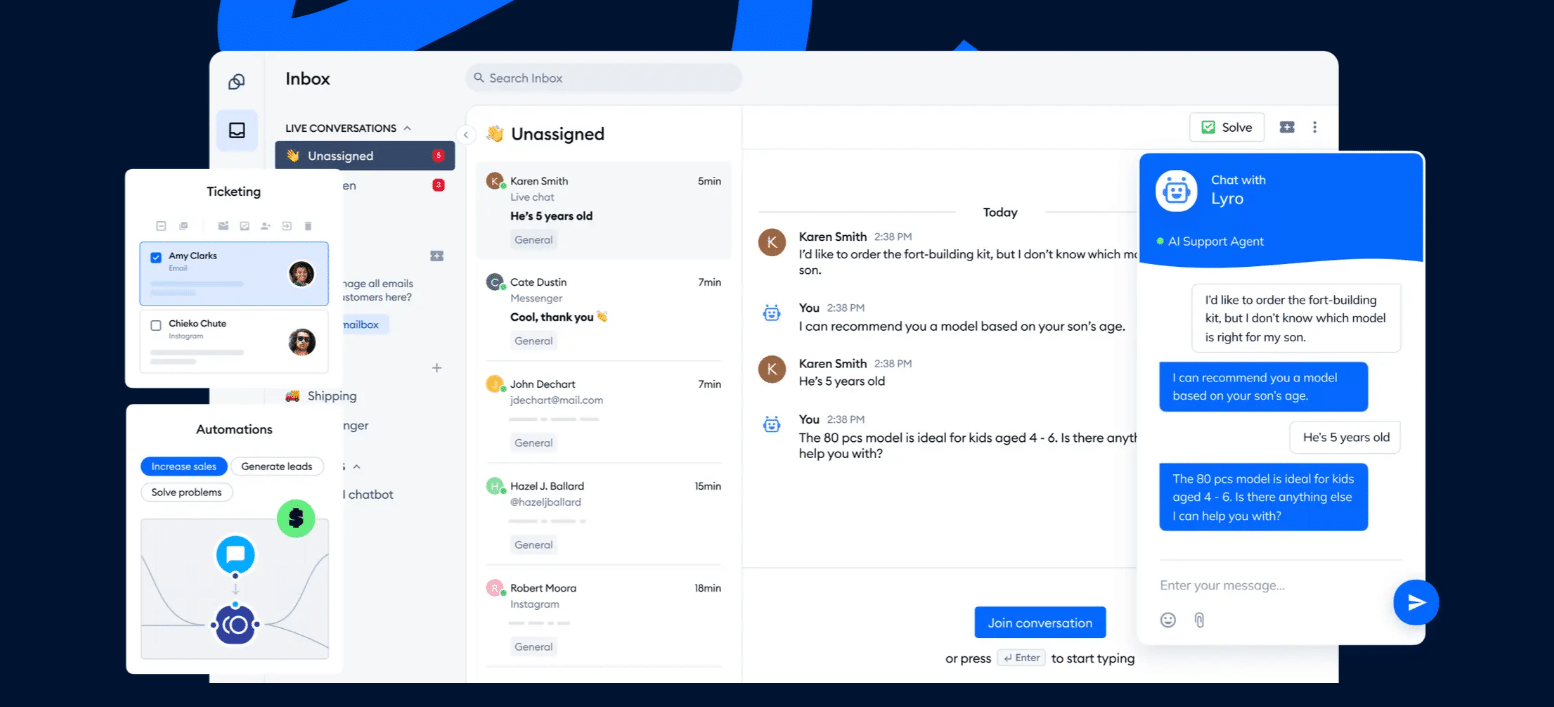
Tidio is a help desk built around the conversations customers start on your website. Live chat, email, Messenger, Instagram, WhatsApp, and tickets land in one inbox, and every plan, the free one included, has ticketing and the email inbox. The Lyro AI agent answers from your help center and policies, runs actions such as order lookups, and hands the rest to a person under rules you set. Tidio says Lyro solves up to 75% of customer questions automatically.
Where Tidio pulls ahead of most of this list is the store. On Shopify, agents preview carts, see order history, and cancel orders, issue refunds, or change shipping addresses without leaving the chat. Growth adds macros, automatic assignment, satisfaction surveys, and advanced analytics; Plus adds departments, ticketing automations, and multiple brands in one dashboard.
Tidio runs in the browser and in desktop and mobile apps, and its security page lists TLS encryption, two-factor login, roles and permissions, and a completed SOC 2 examination. Tidio focuses on customer-facing support, so teams that need an ITIL service desk with asset management should look at an IT-specific tool.
Tidio fits these teams best:
- E-commerce businesses, especially Shopify stores, thanks to native features such as live cart preview and order history in the inbox.
- Small and medium-sized businesses that want to streamline support without large teams, through automation and AI.
- Businesses with high support volume that want to automate repetitive questions and reduce ticket load.
- Companies across industries (retail, SaaS, services) that talk to website visitors and want faster responses and higher conversion.
- Teams that manage live chat, email, Messenger, Instagram, and WhatsApp in one place.
Key features:
- Lyro AI agent: answers from your knowledge base, runs actions, and escalates under your handoff rules.
- Ticketing: turn chats and emails into tickets with priority, tags, and notes; Plus automates assignment and prioritization.
- Omnichannel inbox: live chat, email, Messenger, Instagram, and WhatsApp in one view, plus live video calls.
- Shopify actions: preview carts, view orders, cancel, refund, and edit shipping addresses from the conversation.
Pros
- Help desk, live chat, and AI agent in one tool, with no separate AI vendor to manage.
- Free, Starter, and Growth are priced by conversations, not seats, and include 10 seats.
- A real free plan and a 7-day trial let you test with live traffic.
- Deep Shopify integration for order questions.
Cons
- Lyro is priced separately from the help desk plan, so you only pay for the AI you use, but there are a few quotas to keep an eye on.
- Macros, automatic assignment, and advanced analytics come with Growth, so the cheaper plans suit smaller teams best.
- SSO and Lyro as a managed service come with Premium, where larger teams get a quote from Tidio’s sales team.
Pricing: from Tidio’s pricing page, billed annually (monthly in brackets):
- Free: $0, 50 billable conversations, 10 seats.
- Starter: $24.17/mo ($29), 100 billable conversations.
- Growth: from $49.17/mo ($59), up to 2,000 billable conversations.
- Plus: from $300/mo plus usage, departments, ticketing automations, multiple brands.
- Premium: contact sales; SSO, a guaranteed 50% Lyro resolution rate, pay-per-resolution billing.
- Lyro AI agent: first 50 conversations free, then from $32.50/mo ($39) for 50 conversations. 7-day free trial.
Rating: G2 4.6/5 (1,962 reviews)
Compare Tidio plans for your support volume
2. Zendesk
Best for: growing and large support teams that need omnichannel ticketing on one platform.
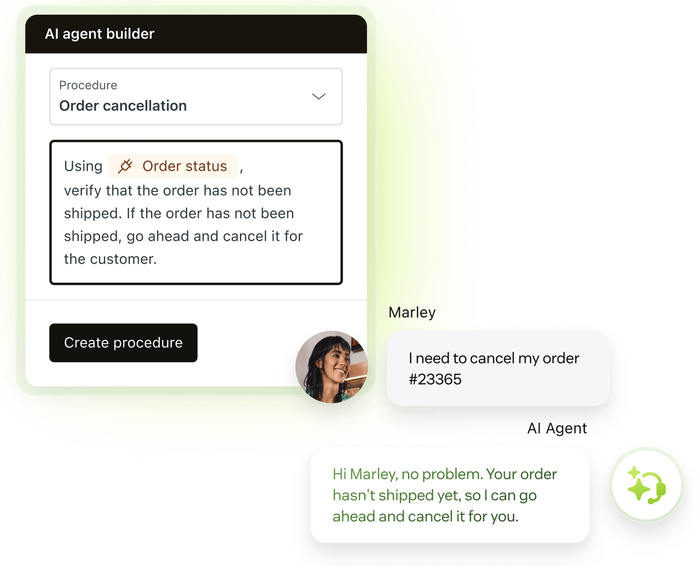
Zendesk is the help desk most teams benchmark against. Email, messaging, voice, social, a help center, and AI agents sit on one platform, with routing and SLAs that hold up under heavy volume.
Cost sets the ceiling: most teams need a Suite plan, plus AI and Copilot fees on top.
Key features:
- AI agents: in every plan, billed per automated resolution.
- Omnichannel routing: one queue for email, chat, voice, and social.
- Copilot: reply suggestions and summaries, an add-on on Professional and up.
Pros
- Mature and proven at high ticket volume.
- A large app marketplace around the core product.
Cons
- AI resolutions and Copilot add usage and seat fees to the plan price.
- The entry plan covers email only.
Pricing: per agent per month, billed annually (monthly in brackets): Support Team $19 ($25); Suite Team $55 ($69); Suite Professional $115 ($149); Suite Enterprise by quote. Automated resolutions $1.50 each committed, $2.00 pay-as-you-go. Copilot $50 per agent. 14-day trial.
Rating: G2 4.3/5 (7,082 reviews)
Read more: Zendesk alternatives
3. Freshdesk
Best for: email-first support teams that want a full ticketing suite on a per-agent budget.
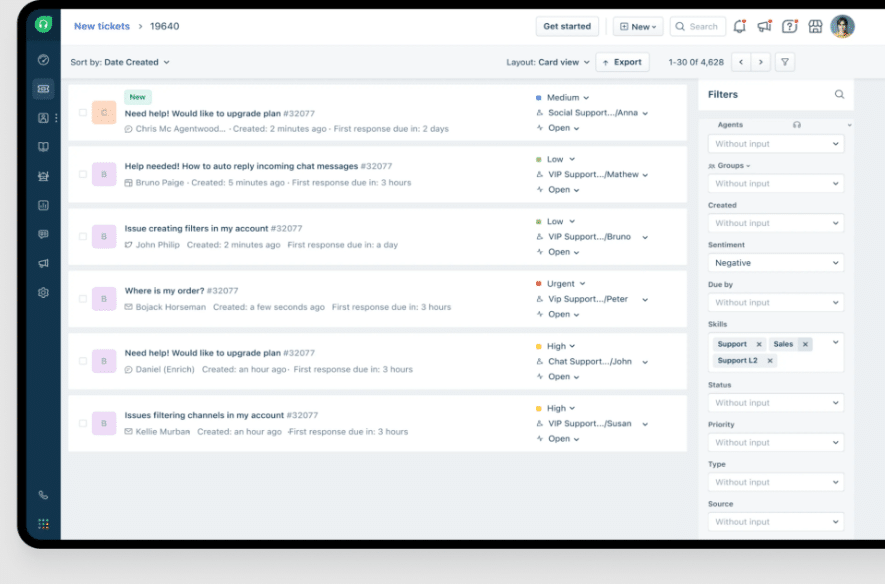
Freshdesk gives you a mature ticketing core at one of the lowest per-agent prices among the big names. Ticketing, a shared inbox, and a knowledge base come with Growth, and the Freddy AI agent answers on chat and email. For internal IT, Freshworks sells a separate product, Freshservice.
Watch the add-ons: AI sessions are billed in packs, and Copilot costs extra per agent.
Key features:
- Freddy AI agent: chat and email answers, billed by session.
- SLA management and automations: multiple SLA policies and routing on higher plans.
- Freddy Copilot: agent assist add-on on Pro and Enterprise.
Pros
- Low entry price for a full help desk.
- Clear upgrade path from Growth to Enterprise.
Cons
- No free plan; the trial is the only free way in.
- The 500 free AI sessions are a one-time allowance per account.
Pricing: per agent per month, billed annually: Growth $19, Pro $55, Enterprise $89 (annual billing saves 20%). Freddy AI agent: 500 sessions free once, then $49 per 100. Copilot $29 per agent. 14-day trial.
Rating: G2 4.4/5 (3,773 reviews)
Read more: Freshdesk alternatives
4. Zoho Desk
Best for: cost-conscious teams, especially ones already on Zoho apps.
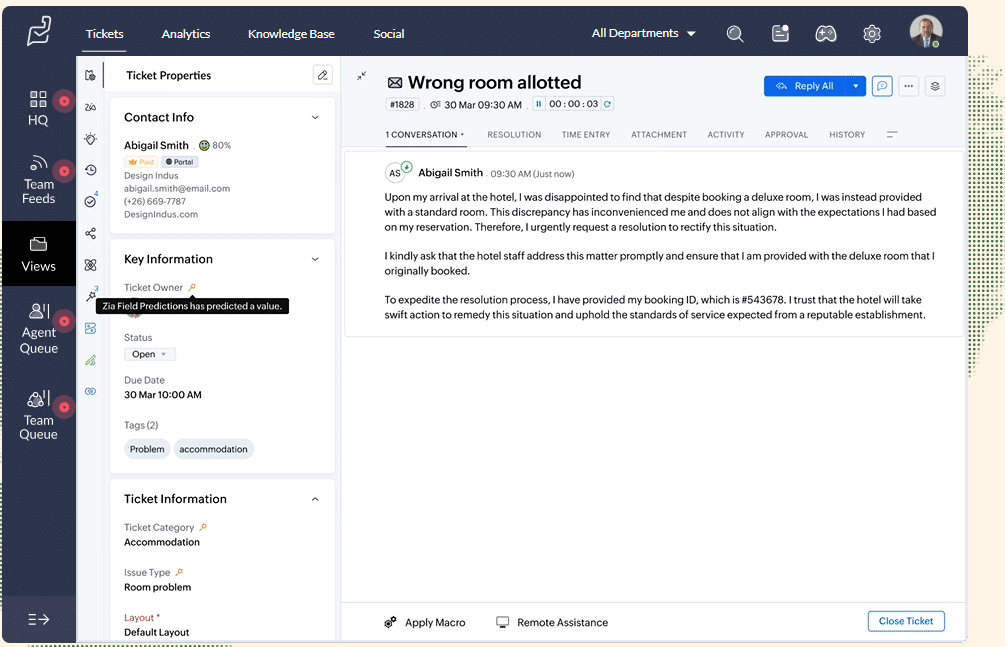
Zoho Desk is the cheapest paid help desk here, and its free plan covers three users. Express already includes AI agents, with a monthly allowance of free tokens, and workflows. It ties neatly into Zoho CRM and the rest of the Zoho suite.
Key features:
- AI agents: build your own, with up to 30M free tokens a month from Express.
- Multi-level escalations and workflows: rule-based routing on every paid plan.
- Zoho ecosystem: native links to Zoho CRM, Analytics, and SalesIQ.
Pros
- Free plan and the lowest paid entry price on this list.
- Strong value if you already run Zoho.
Cons
- Key features, including telephony and Zia, start at Professional.
- Website live chat for anonymous visitors needs the Enterprise plan.
Pricing: per user per month, billed annually (monthly in brackets): Free for 3 users; Express $7 ($9), up to 5 users; Standard $14 ($20); Professional $23 ($35); Enterprise $40 ($50). 15-day trial.
Rating: G2 4.4/5 (7,954 reviews)
Read more: Zoho Desk alternatives
5. Help Scout
Best for: growing teams that want email-style support that feels personal.
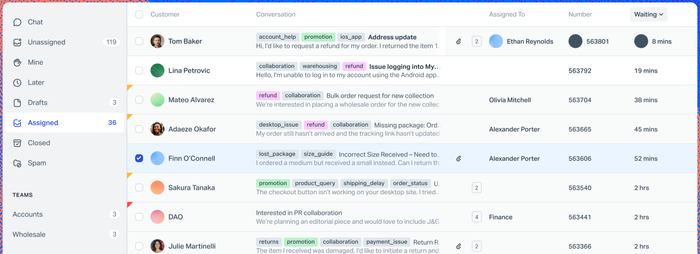
Help Scout looks like email to your customers and works like a help desk for your team. Conversations arrive in shared inboxes, with tags, saved replies, and a knowledge base. Standard adds live chat, SMS, WhatsApp, Instagram, and Messenger, so it’s no longer email only.
It’s lighter than Zendesk by design, and SSO needs Pro with a 10-user minimum.
Key features:
- Shared inbox: assign and tag conversations across several inboxes.
- AI Answers: an AI agent billed per resolution, with a 3-month free trial.
- Docs: a knowledge base that also feeds the AI.
Pros
- Free plan for up to 5 users.
- Simple to learn for teams moving off a shared Gmail inbox.
Cons
- Contacts are capped at 100 a month on the free plan.
- Advanced workflows and key integrations need Plus.
Pricing: per user per month, billed annually: Free (5 users, 1 inbox); Standard $25; Plus $45; Pro $75 (10-user minimum). AI Answers $0.75 per resolution. Annual billing saves 16%.
Rating: G2 4.4/5 (431 reviews)
Read more: Help Scout alternatives
6. HubSpot Service Hub
Best for: teams whose customer data already lives in HubSpot’s CRM.
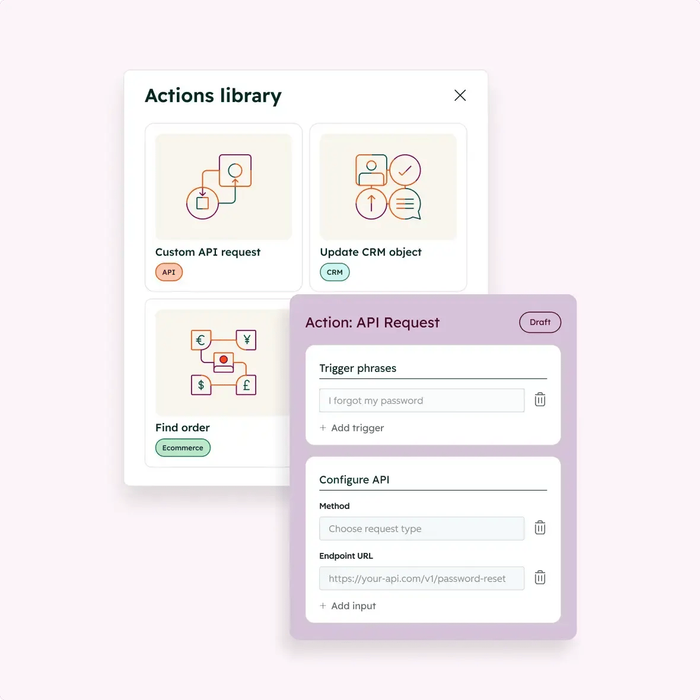
Service Hub puts tickets on the same CRM records as your sales and marketing teams. The Customer Agent answers across chat and email, and HubSpot says it resolves 65% or more of conversations automatically.
The catch is the plan ladder. The AI agent needs Professional or Enterprise, and both carry a one-time onboarding fee.
Key features:
- Help desk workspace: tickets and inbox tied to CRM contacts and deals.
- Customer Agent: AI answers and actions, paid in HubSpot Credits.
- HubSpot Credits: set spend limits per AI feature.
Pros
- One customer record across sales, marketing, and service.
- Free tools to start for up to two users.
Cons
- No AI agent on the free or Starter plans.
- Professional and Enterprise require paid onboarding.
Pricing: free tools for two users; Starter from $7 per seat a month billed annually; Professional from $90 per seat billed annually ($100 monthly) plus $1,500 onboarding; Enterprise from $150 per seat plus $3,500 onboarding. Checked 30 September 2026.
Rating: G2 4.4/5 (3,017 reviews)
Read more: HubSpot alternatives
7. Front
Best for: operations-heavy teams that run support from shared email inboxes.
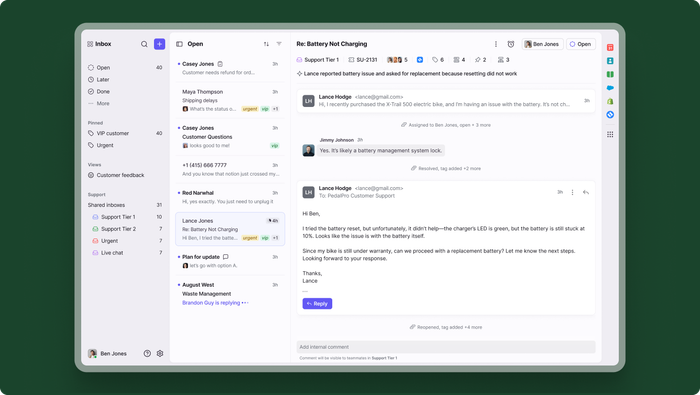
Front feels like email with a help desk underneath, so support, operations, and account teams can work the same conversations. It’s the highest-rated tool on this list on G2.
The plans gate channels: omnichannel support starts at Professional.
Key features:
- Shared inboxes and ticketing: statuses, assignment, and internal comments on every thread.
- Autopilot: an omnichannel AI agent, sold as an add-on.
- Analytics: team performance, CSAT, and SLA reports.
Pros
- Familiar email workflow that cross-team users pick up fast.
- SSO and SCIM from Professional.
Cons
- Starter is single-channel and capped at 10 seats.
- Copilot, Smart QA, and Smart CSAT are paid add-ons below Enterprise.
Pricing: per seat per month, billed annually: Starter $25 (up to 10 seats), Professional $65 (up to 50 seats), Enterprise $105. Autopilot from $0.05 per conversation. 14-day trial, no credit card.
Rating: G2 4.7/5 (2,514 reviews)
Read more: Front alternatives
8. Gorgias
Best for: Shopify brands with high ticket volume and a dedicated support team.
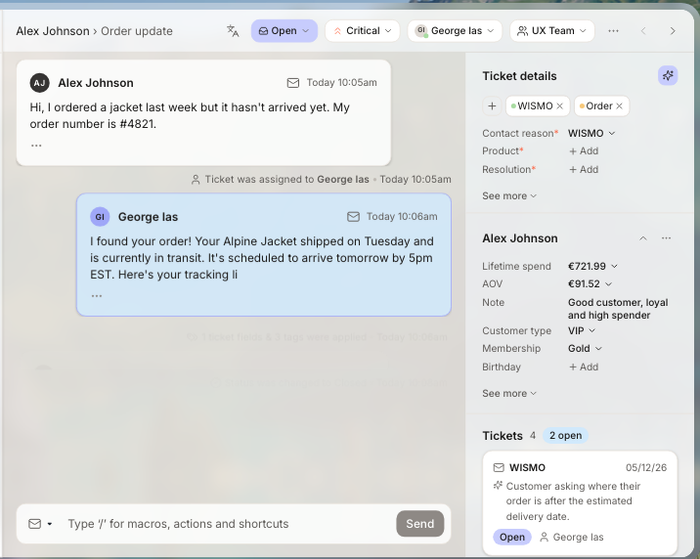
Gorgias is a help desk for online stores, with native Shopify, BigCommerce, Magento, and WooCommerce integrations. Its AI Agent runs returns, order tracking, and cancellations, and pricing follows ticket volume, not seats.
Key features:
- Order actions in every ticket: cancel, refund, discount, and track.
- AI Agent: pre-trained for e-commerce, with brand voice and guardrails.
- Revenue analytics: see sales influenced by support.
Pros
- No per-agent fees.
- Deep connectors for the e-commerce stack (Klaviyo, Recharge, Yotpo).
Cons
- Every automated interaction is billed on top of the plan.
- Built for stores only.
Pricing: monthly (annual in brackets): Starter $10 for 50 tickets (monthly only); Basic $60 ($50) for 300; Pro $360 ($300) for 2,000; Advanced $900 ($750) for 5,000. AI Agent $0.85 to $1.00 per automated interaction. Free trial.
Rating: G2 4.6/5 (582 reviews)
Read more: Gorgias alternatives
What to check in a cloud help desk
Every tool above does ticketing. These checks are specific to software someone else hosts, plus the features that decide how much work it takes off your team.
Security and access
Your customers’ data sits on the vendor’s servers, so ask what protects it. Look for encryption in transit and at rest, two-factor login, roles and permissions, and SSO on the plan you’d buy. Ask for the vendor’s SOC 2 report. Tidio, for example, lists TLS encryption, two-factor authentication, roles and permissions, encrypted backups, a completed SOC 2 examination, and GDPR and CCPA compliance on its security page.
Uptime and support
Check the vendor’s status page and what the contract promises about uptime and support response. Compare what each plan promises, since the answer often changes between the entry plan and the top one.
Data location and exit
Ask where the data is stored and whether you can export tickets, contacts, and your knowledge base in a standard format. A cloud tool is easy to join and, without an export, hard to leave.
Channels and integrations
List the channels your customers use today, then check which plan includes each one, since several tools gate chat or social behind a higher tier. Your help desk should also show the order, the account, or the bug next to the ticket, through native integrations with your store, CRM, and engineering tools.
Automation, AI, and reporting
Automation routes and tags tickets by rule. AI drafts replies or answers customers on its own, so ask what it can do and how it’s billed. See how an AI ticketing system changes the workload. You also need first response time, resolution time, CSAT, and SLA breaches at a minimum; our guide to help desk metrics explains which numbers matter.
How cloud help desk pricing works
Cloud help desk vendors charge on three meters, and most combine two. Your real cost depends on which grows fastest: headcount, ticket volume, or AI usage.
| Pricing model | You pay for | Tools on this list | Watch out for |
|---|---|---|---|
| Per agent (seat) | Each person who answers tickets | Zendesk, Freshdesk, Zoho Desk, Help Scout, HubSpot, Front | Seat creep as the team grows; light users |
| Per conversation or ticket | Volume handled, not people | Tidio, Gorgias | Quota limits and overage in busy months |
| Per AI resolution or session | Each conversation the AI handles | Zendesk, Help Scout, Gorgias, Freshdesk, Front | Bills that move with traffic, not headcount |
Model a busy month, not an average one, with seats, AI resolutions, onboarding, and add-ons included. Check the contract term too: monthly billing costs more per seat, and annual plans lock you in.
How to choose a cloud-based help desk
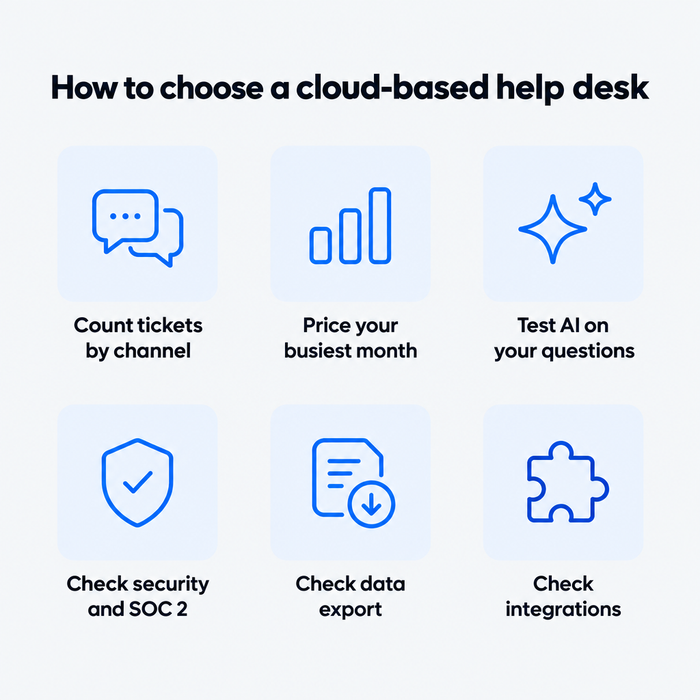
Start from your tickets, not the feature list. These five steps catch most bad fits before you sign.
1. Count your tickets by channel and topic
Tag a month of conversations to find your top 20 questions and busiest channels.
2. Price your busiest month
Add seats, tickets, and AI for your peak month. Compare totals, not entry prices.
3. Test the AI on your own questions
Run your top 20 questions through a trial and count how many the AI answers correctly alone.
4. Check security and exit
Ask for the SOC 2 report, confirm SSO and roles on the plan you’d buy, and export a sample of tickets during the trial.
5. Check integrations and migration
Connect your store or CRM and import old tickets in the trial. If that takes days, add it to the cost.
Which cloud-based help desk should you pick?
- If you run a Shopify or e-commerce store: pick Tidio on the Growth plan with Lyro. Agents see carts and order history, cancel and refund from the chat, and Lyro answers order-status questions. If you have a large dedicated team and want ticket-based pricing, Gorgias is the alternative.
- If you’re a small or midsize team that wants chat, email, and AI in one inbox: pick Tidio Growth, or Plus when you need departments and ticketing automations.
- If you handle high volume across every channel: Zendesk Suite, with budget set aside for AI resolutions.
- If price per seat matters most: Zoho Desk, or Freshdesk if you don’t need a free plan.
- If your customer data lives in HubSpot: Service Hub Professional.
- If your team works out of shared email inboxes: Front or Help Scout.
Get Tidio's cloud help desk with Lyro AI for your store
Frequently asked questions
For a small business, the best cloud help desk covers your channels without per-seat creep. Tidio includes 10 seats on its Free, Starter, and Growth plans, Zoho Desk is free for three users, and Help Scout is free for five. See our full list of help desk software for small business.
Yes. Tidio, Zoho Desk, Help Scout, and HubSpot all have free plans, with limits on users, contacts, or conversations. Freshdesk dropped its free plan, so its trial is the only free way in.
Most cloud help desks cost $7 to $150 per seat a month on annual billing for the plans listed here, before AI. Usage-priced AI usually adds $0.75 to $2.00 per resolution. Tidio and Gorgias price by conversations or tickets instead of seats.
It can be, but security is shared: the vendor protects the platform, and you manage users, roles, and access. Ask each vendor for its SOC 2 report, confirm two-factor login and SSO on your plan, and check where data is stored.
A ticketing system logs and tracks requests. A help desk adds the channels, automation, knowledge base, and reporting around the tickets. Every tool on this list includes ticketing; see our guide to the help desk ticketing system for the ticket side.
On G2 in October 2026, Front has the highest rating on this list at 4.7 out of 5, followed by Tidio and Gorgias at 4.6. Zendesk and Zoho Desk have the most reviews, at over 7,000 each.
Start with Tidio and add Lyro when you're ready
