



Key Takeaways
- Easiest to run: FreeScout and osTicket. Both are PHP and MySQL tools that run on modest hosting, and the software is free for any number of agents.
- Best agent experience: Zammad. It has the most complete ticket workspace here, but it needs PostgreSQL and Redis, and its hosted plans cap at 5 and 35 agents.
- Best for chat, social, and email in one inbox: Chatwoot. The community edition is MIT-licensed, but automation rules sit on a paid cloud plan.
- “Free” still has a bill. Upkeep, hosting, paid modules, and support packages decide what an open source help desk really costs.
- Don’t want to self-host? A hosted help desk with a free plan, such as Tidio, Zoho Desk, or Help Scout, gives you tickets without a server.
Open source help desk software costs nothing to download. Running it is another matter. Someone on your team installs it, patches it, backs it up, and answers when email stops arriving at 2am. We compared 7 open source helpdesk tools for customer support teams and checked each project’s license, requirements, and latest release on GitHub in October 2026, plus every pricing page and G2 profile. Each tool gets a verdict on who it suits and where it stops.
What Is Open Source Helpdesk Software?
Open source helpdesk software is ticketing software whose source code is published under a license that lets you run and change it yourself. You install it on your own server or a host you rent, and email, web forms, and sometimes chat become tickets your agents work from one inbox. Most projects also sell a hosted version or paid support. This guide covers help desks for customer support, not IT service management for internal laptops and access requests.
If your search is closer to “free help desk software”, the section on free hosted plans covers that without a server.
The Best Open Source Helpdesk Tools at a Glance
If you have one technical person and want the lightest install, start with FreeScout or osTicket. If agent experience matters more than setup time, pick Zammad. If your customers write in through chat and social channels as well as email, look at Chatwoot.
| Tool | Best for | License | Stack | Hosted from | G2 rating |
|---|---|---|---|---|---|
| FreeScout | Shared email inbox on cheap hosting | AGPL-3.0 | PHP, MySQL | No official cloud | None usable |
| osTicket | Plain email ticketing | GPL-2.0 | PHP, MySQL | $12/agent/mo | 4.4 (45) |
| Zammad | Polished agent workspace | AGPL-3.0 | Ruby, PostgreSQL, Redis | €7/agent/mo billed annually, excl. VAT | 4.5 (10) |
| Chatwoot | Chat, social, and email in one inbox | MIT (outside enterprise/) | Rails, PostgreSQL, Redis | $19/agent/mo | 4.5 (16) |
| Frappe Helpdesk | Unlimited agents with SLAs | AGPL-3.0 | Frappe framework | $5/mo per site | 4.6 (5) |
| UVdesk | E-commerce order context | OSL-3.0 | PHP, Symfony, MySQL | $8/agent/mo billed annually | 4.3 (7) |
| Faveo | Teams that want a free edition with SLAs | OSL-3.0 | PHP, MySQL | Not confirmed | 4.6 (23) |
How We Chose These Tools
We started from the pages that rank for this search, the previous edition of this article, and GitHub. We kept tools that are actually open source, still shipping updates in 2026, and built for customer support, then ordered the list by how hard each is to run, easiest first. We checked each against six criteria:
- License. The repository’s license file, since “free” is not the same as open source.
- Maintenance. Latest release and last push on GitHub.
- Requirements. The stack and server your team has to run.
- Channels. What turns into a ticket out of the box: email, forms, chat, social.
- What costs money. Hosted plans, paid modules, enterprise editions, and support packages.
- User sentiment. The correct G2 listing, with score and review count.
We read documentation, pricing pages, and GitHub data. We didn’t install the tools or test them with live tickets, and we label vendor claims as claims.
Four tools left the previous list. Heroic Inbox is a WordPress plugin with paid tiers, and we couldn’t confirm an open source license. Hesk describes itself as free to download, not open source, and its $49.99 license removes its branding. Rocket.Chat is a team chat platform that now sells to governments and enterprises. For internal IT tickets, GLPI and OTOBO are open source and built for it, but this guide stays with customer support.
The 7 Best Open Source Helpdesk Tools in 2026
1. FreeScout
Best for: small teams that want a shared email inbox on cheap hosting.
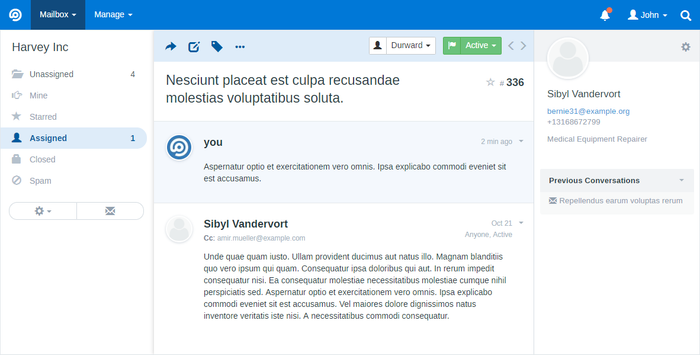
FreeScout is the lightest tool on this list. It’s a PHP and MySQL app that runs on shared hosting, with unlimited agents, tickets, and mailboxes in the free core. The project releases often: version 1.8.245 shipped in October 2026. It’s a self-hosted shared inbox that grows into a help desk through modules.
The catch is that it grows through paid modules. Saved replies, workflows, tags, a knowledge base, and live chat are separate modules, sold as lifetime licenses per instance. There’s also no official cloud, so you pick a host yourself. Managed hosts and one-click installs start at about $3 a month.
Key features:
- Shared inbox: email becomes tickets with assignment, folders, and notes.
- Channel modules: WhatsApp, Telegram, Facebook, Slack, and live chat are available as modules.
- No agent limits: the core is free for any team size.
Pros
- It runs on modest hosting, so a small team can start without a dedicated server.
- Unlimited agents, tickets, and mailboxes in the free core.
Cons
- Saved replies, workflows, tags, and the knowledge base are paid modules.
- Module licenses are per instance, so a test server needs its own license.
- There’s no official cloud version.
Pricing: free core under AGPL-3.0. Modules are one-time lifetime licenses per instance; check each price on the modules page. Hosting is separate. Source: GitHub.
Rating: G2 has no usable FreeScout rating page, so we don’t show one.
2. osTicket
Best for: teams that want plain, proven email ticketing and can maintain a PHP server.
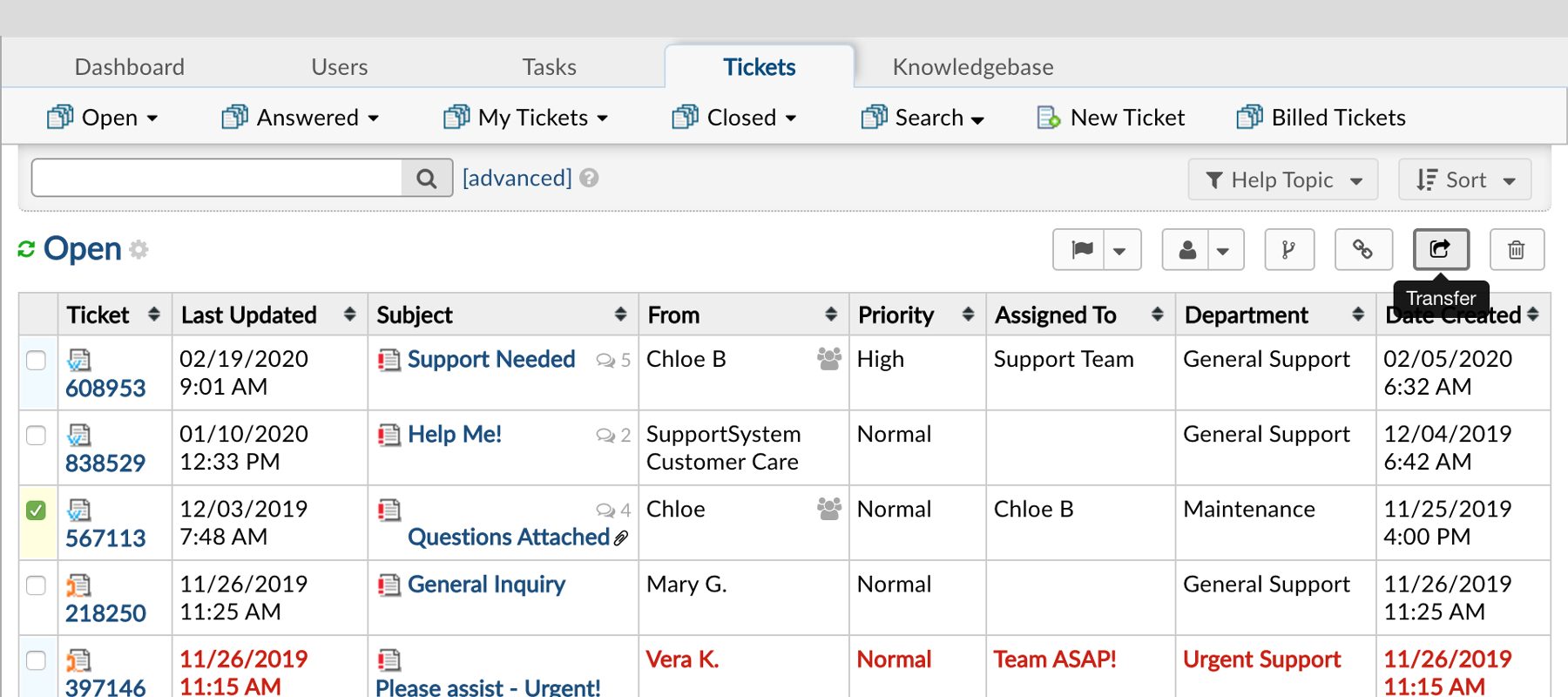
osTicket does one job: it turns email and web forms into tickets with departments, custom fields, and routing. It runs on PHP 8.2 to 8.4 and MySQL, and the latest release, 1.18.4, shipped in June 2026. That’s slower than FreeScout, but it’s a long-running project (about 4,000 GitHub stars).
It stays a ticket system rather than a multichannel inbox. The pages we read describe email, phone entry, and web forms. They don’t list live chat or social channels. The free edition also comes with community support only, and commercial support packages start at $12,500 a year.
Key features:
- Custom forms and fields: collect the details you need when a customer opens a ticket.
- Routing by department: send tickets to the team that owns them.
- Ticket locking: two agents don’t answer the same ticket.
Pros
- Simple to install on a standard PHP stack.
- Free for any number of agents under GPL-2.0.
Cons
- The interface looks dated next to Zammad or Chatwoot.
- Upgrades, backups, and security patches are your job on the free edition.
- Commercial support starts at $12,500 a year, and hosted Basic limits attachments to 2 MB.
Pricing: free self-hosted. Hosted from $12 (Basic), $16 (Standard), or $24 (Premium) per agent per month. Commercial support packages are $12,500 and $25,000 a year. Source: osTicket on GitHub; hosted prices read October 2026.
Rating: G2 4.4/5 (45 reviews)
3. Zammad
Best for: teams that want a polished agent workspace and have someone to run PostgreSQL.
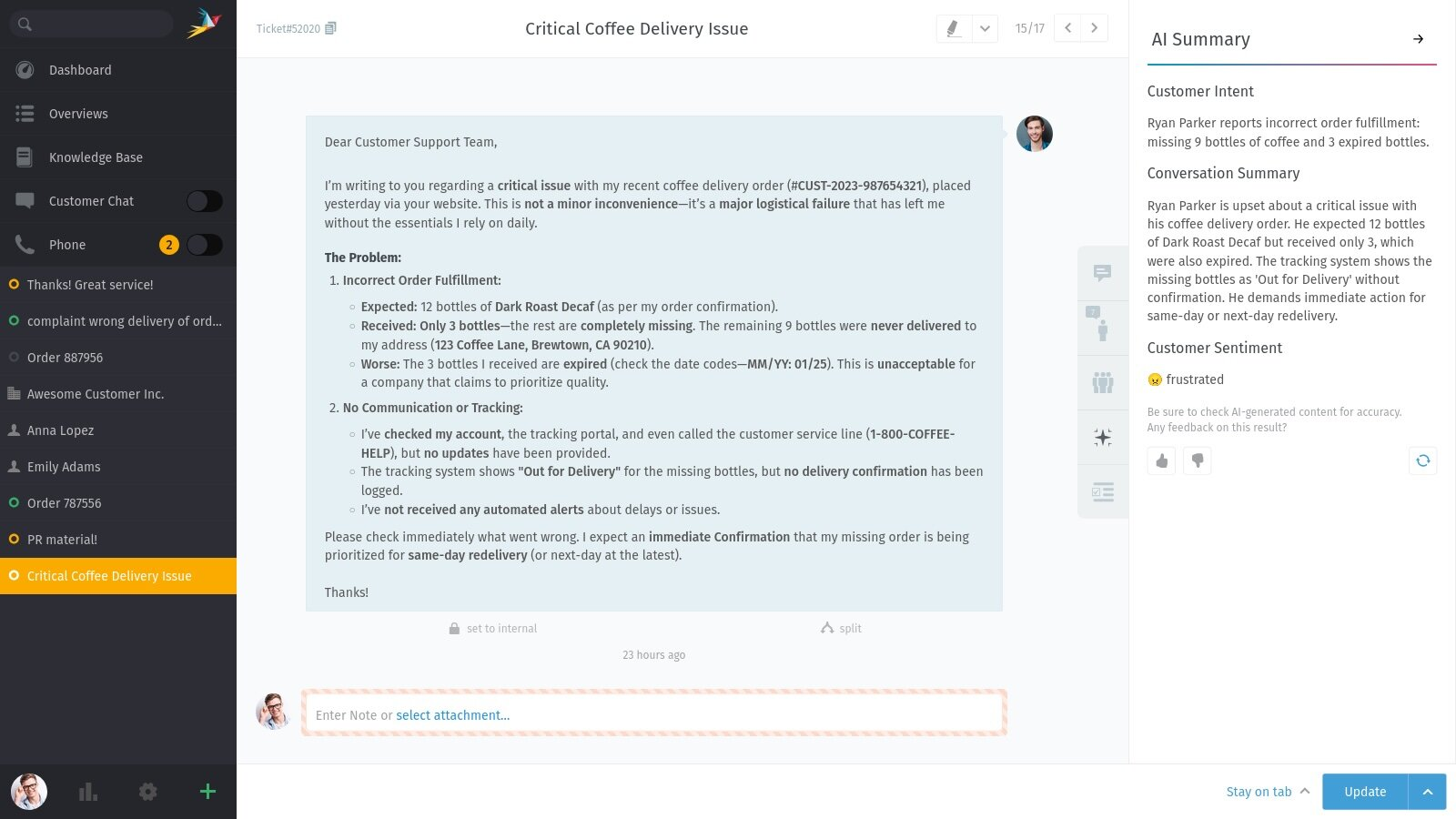
Zammad has one of the most modern agent experiences in this group. Agents get a ticket workspace with macros, text modules, triggers, and a knowledge base, and the project is actively developed (about 6,000 GitHub stars, with a push on the day we checked). It’s built on Ruby on Rails with PostgreSQL 15 or later and Redis 7 or later, so it asks more of your server and your team than the PHP tools.
Channels depend on the hosted plan. Starter covers email, web forms, and SMS. Chat and Telegram come with Professional, and Facebook and WhatsApp with Plus. The hosted plans also cap agents: 5 on Starter and 35 on Professional. If you self-host, the software is free and the paid part is optional support.
Key features:
- Ticket workspace: macros, text modules, and triggers for repeat work.
- Knowledge base and SLAs: SLAs and custom roles from Professional.
- Optional AI: AI features are billed per use on hosted plans.
Pros
- A clean agent interface with macros, text modules, and triggers.
- Hosted and self-hosted options from the same vendor.
Cons
- Self-hosting needs PostgreSQL, Redis, and a reverse proxy, with updates and backups on you.
- Hosted Starter caps at 5 agents and Professional at 35.
- Chat, Telegram, WhatsApp, and Facebook sit on higher hosted plans.
Pricing: free self-hosted under AGPL-3.0. Hosted per agent per month, billed annually and excluding VAT: Starter €7, Professional €16, Plus €25 (monthly billing is €9, €18, and €27). Self-hosted support packages are €2,999, €5,999, and €9,999 a year. AI features cost €0.03 per call. See Zammad pricing.
Rating: G2 4.5/5 (10 reviews)
4. Chatwoot
Best for: teams whose customers write in through chat, social, and email.
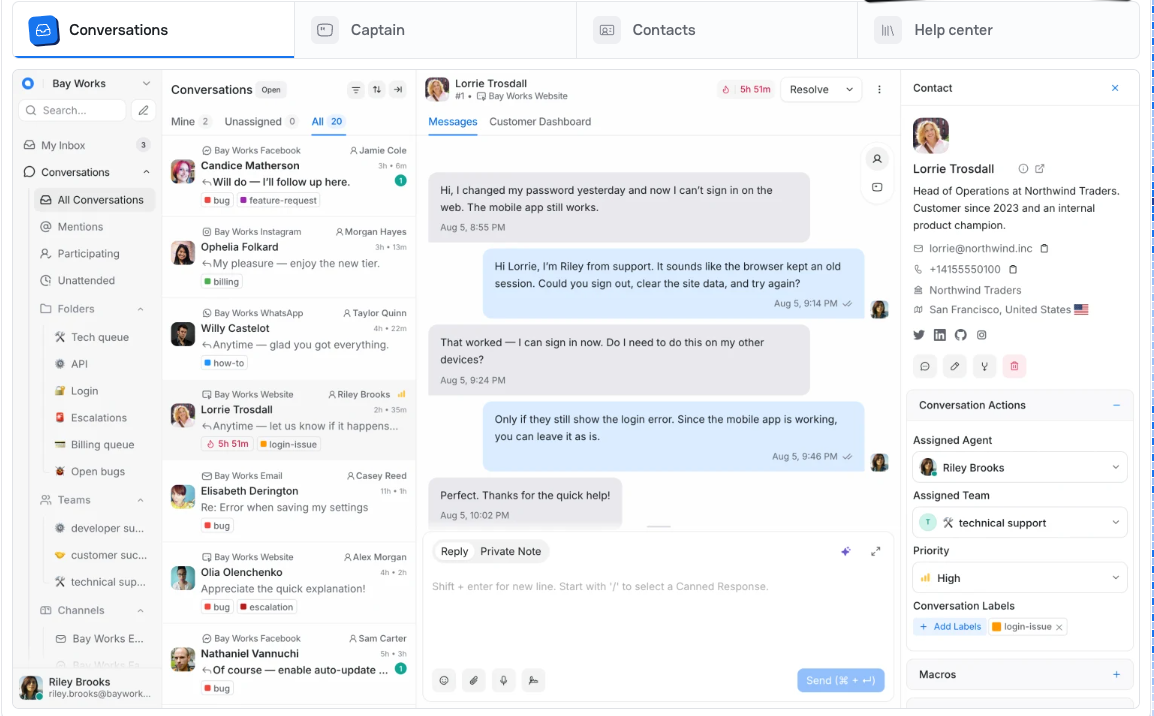
Chatwoot is closer to a modern omnichannel inbox than a classic ticket queue. It handles a website chat widget, email, Facebook, Instagram, TikTok, WhatsApp, SMS, Telegram, and LINE in one place. It’s popular (about 37,600 GitHub stars) and ships monthly: version 4.18.0 arrived in September 2026.
Read the license before you commit. Code outside the enterprise/ folder is MIT, and that folder has its own Enterprise License. On the cloud side, the free Hacker plan is limited to 2 agents, 500 conversations a month, and live chat only. Automation rules need the $39 Business plan, and removing branding needs Enterprise.
Key features:
- Omnichannel inbox: chat, email, and social conversations in one view.
- Captain AI assistant: credits on paid cloud plans, with extra credits sold separately.
- Help center: a knowledge base on paid cloud plans.
Pros
- Strong channel coverage for a team that lives in messaging apps.
- A hosted option when you’d rather not run Rails and Redis yourself.
Cons
- Self-hosting means running Rails, PostgreSQL, Redis, and file storage.
- Enterprise features are under a separate license, not MIT.
- Cloud automation rules start at the $39 plan, and branding removal at $99.
Pricing: free self-hosted community edition. Cloud per agent per month: Hacker $0 (2 agents, live chat only), Startups $19, Business $39, Enterprise $99, with a 15-day trial. The page doesn’t state whether prices are annual or monthly. See Chatwoot pricing and the repository license.
Rating: G2 4.5/5 (16 reviews)
5. Frappe Helpdesk
Best for: teams that want unlimited agents, SLAs, and a customer portal.
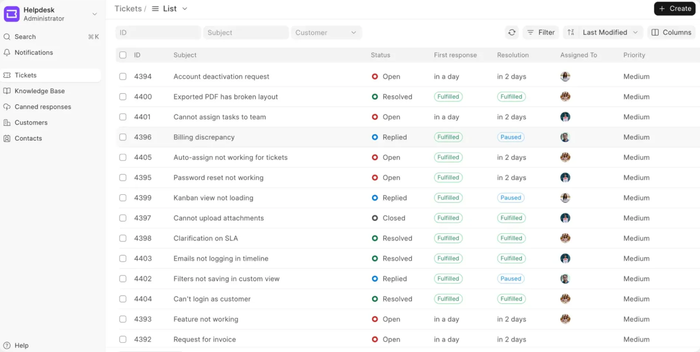
Frappe Helpdesk has a modern interface and a steady release rhythm (version 1.30.1 in September 2026). The core is AGPL-3.0, and the vendor states that all plans include unlimited tickets, agents, and customers. It covers ticket management, SLAs, assignment rules, a customer self-service portal, and reporting.
It’s strongest for teams already comfortable with the Frappe stack, because you install it with the framework’s bench tool. The feature list shows no live chat widget or social channels, so it fits email and portal support better than messaging. Frappe Cloud hosts it from $5 a month per site, and plans under $50 a month include hosting support but not product support.
Key features:
- SLAs and assignment rules: route and time tickets by policy.
- Customer portal: customers track their own tickets.
- Insights and reporting: dashboards for ticket volume and response times.
Pros
- No per-agent pricing anywhere: unlimited agents on self-hosted and cloud.
- SLAs included in the core.
Cons
- No live chat widget or social channels in the feature list.
- Cloud plans under $50 a month don’t include product bug-fix support.
- Setup assumes familiarity with the Frappe framework.
Pricing: free self-hosted under AGPL-3.0. Frappe Cloud sites from $5 a month, servers from $20, dedicated from $60; billed per site, not per user. 14-day trial. See Frappe Helpdesk pricing.
Rating: G2 4.6/5 (5 reviews). Only 5 reviews, so treat it as thin.
6. UVdesk
Best for: online stores that want order context beside the ticket.
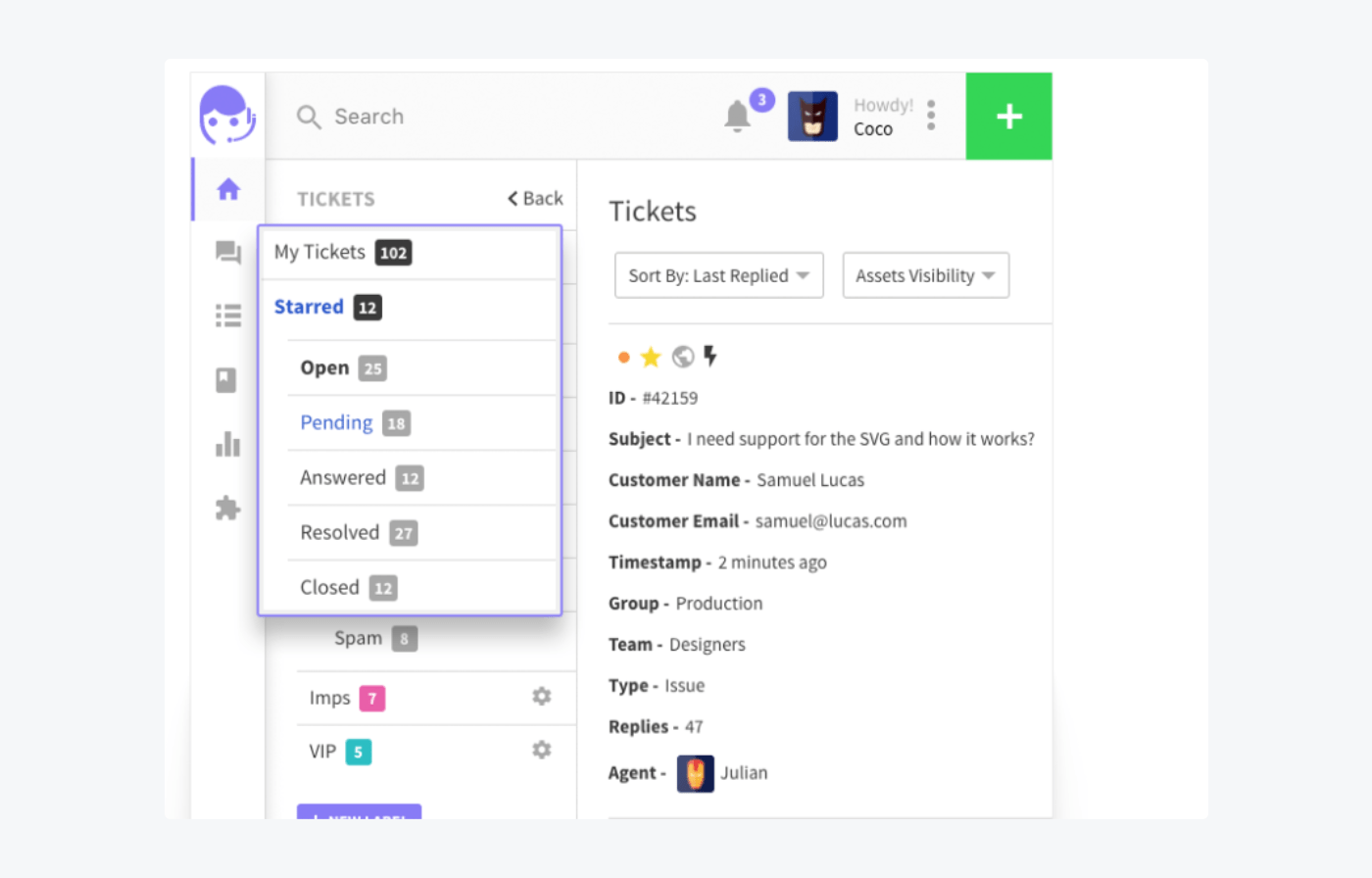
UVdesk is built around e-commerce. It’s a Symfony and PHP app with marketplace and store integrations for Shopify, Magento, and OpenCart, plus email and form ticketing, and it’s unlimited on agents when self-hosted. It needs PHP 8.1, MySQL 5.7.23 or later, Composer, and about 4 GB of RAM.
Maintenance is the question mark. The latest release, 1.1.8, is from September 2025, about a year old, so call it slowly maintained rather than abandoned.
Key features:
- Store integrations: Shopify, Magento, and OpenCart connectors.
- Email and form tickets: the standard intake channels.
- Hosted option: a cloud product for teams that don’t want to run PHP.
Pros
- E-commerce connectors that most open source help desks don’t have.
- Free and unlimited on agents when self-hosted.
- Cloud plans from $8 per agent a month if you want it hosted.
Cons
- The latest release is about a year old.
- Some hosted Pro features, such as the form builder, sit on paid tiers.
- The self-hosted install needs a fairly heavy PHP stack.
Pricing: free self-hosted under OSL-3.0. Cloud per agent per month: Pro $8 billed annually ($11 monthly), Enterprise $15 annually ($18 monthly), minimum 2 agents, 30-day trial. See UVdesk pricing and GitHub.
Rating: G2 4.3/5 (7 reviews)
7. Faveo
Best for: teams that want a free edition with SLA features and don’t need frequent releases.
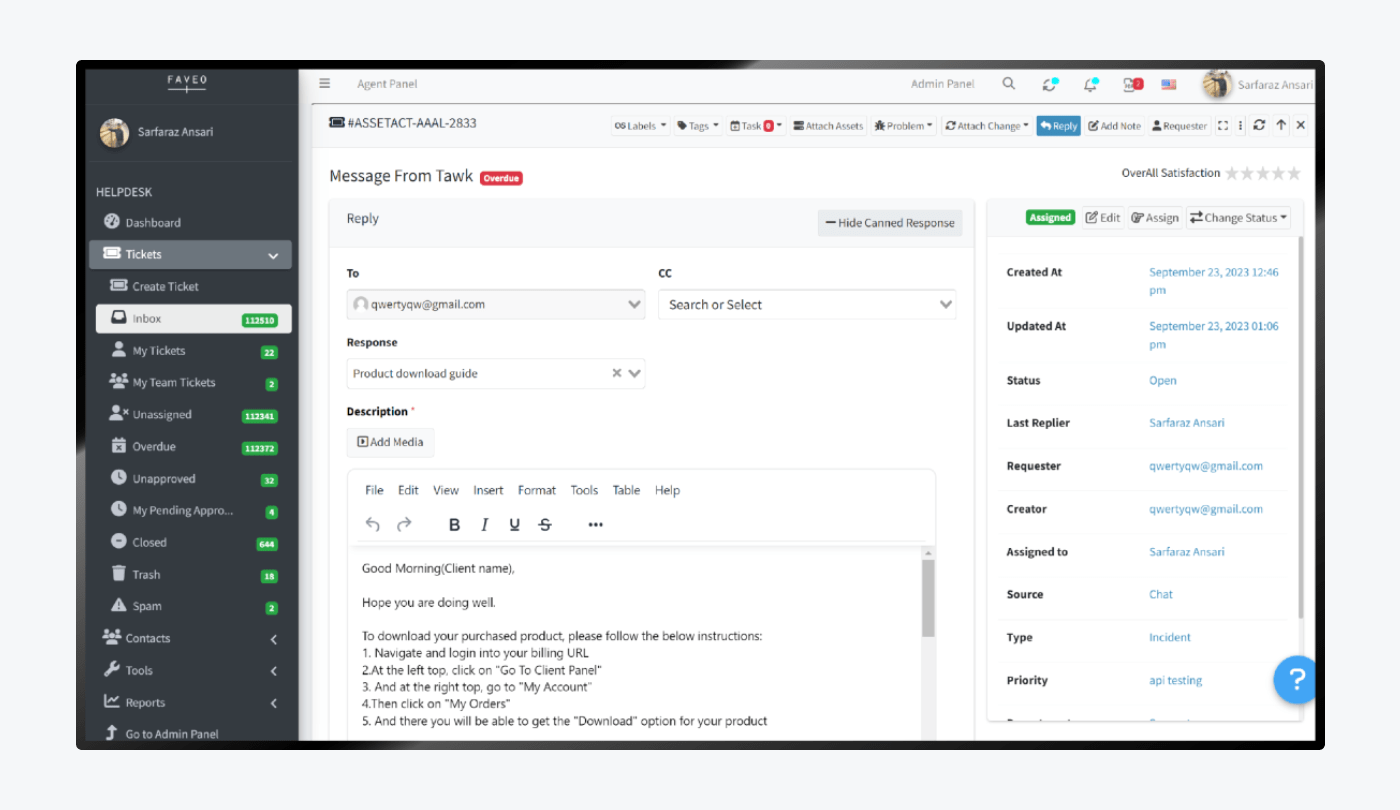
Faveo’s repository lists three flavors: a free Community Edition, a free Freelancer edition that unlocks enterprise features for two agents, and a paid Enterprise edition. It runs on PHP 8.1 or later with MySQL 8 or MariaDB 10.6, and it’s licensed OSL-3.0. The vendor markets AI and omnichannel features, and those appear tied to the commercial product.
The last tagged GitHub release, 2.0.3, dates from October 2023, though the repository was updated in October 2026. We couldn’t read Faveo’s pricing page, which was behind a bot challenge, so we don’t state paid prices.
Key features:
- Editions: Community, Freelancer, and Enterprise from one codebase.
- Canned responses and ticket properties: shown in the agent panel.
- Self-hosted or cloud: the vendor offers both.
Pros
- Three editions let a small team start free and move up.
- A 4.6 G2 score from 23 reviews, a bigger sample than most tools here.
Cons
- No tagged release since October 2023.
- Paid pricing isn’t visible without contacting the vendor.
- AI and omnichannel features look tied to commercial editions.
Pricing: Community Edition free under OSL-3.0; Freelancer free for two agents; Enterprise price not confirmed. See the repository.
Rating: G2 4.6/5 (23 reviews)
Not Open Source: Tidio, a Hosted Help Desk With a Free Plan
Tidio isn’t open source and you can’t self-host it. We include it for teams that searched for open source because they wanted a free help desk, not because they wanted to run servers. It follows the same template as the tools above, and it has trade-offs of its own.
Tidio
Best for: small e-commerce and SMB teams that want email tickets, live chat, and AI in one hosted inbox.
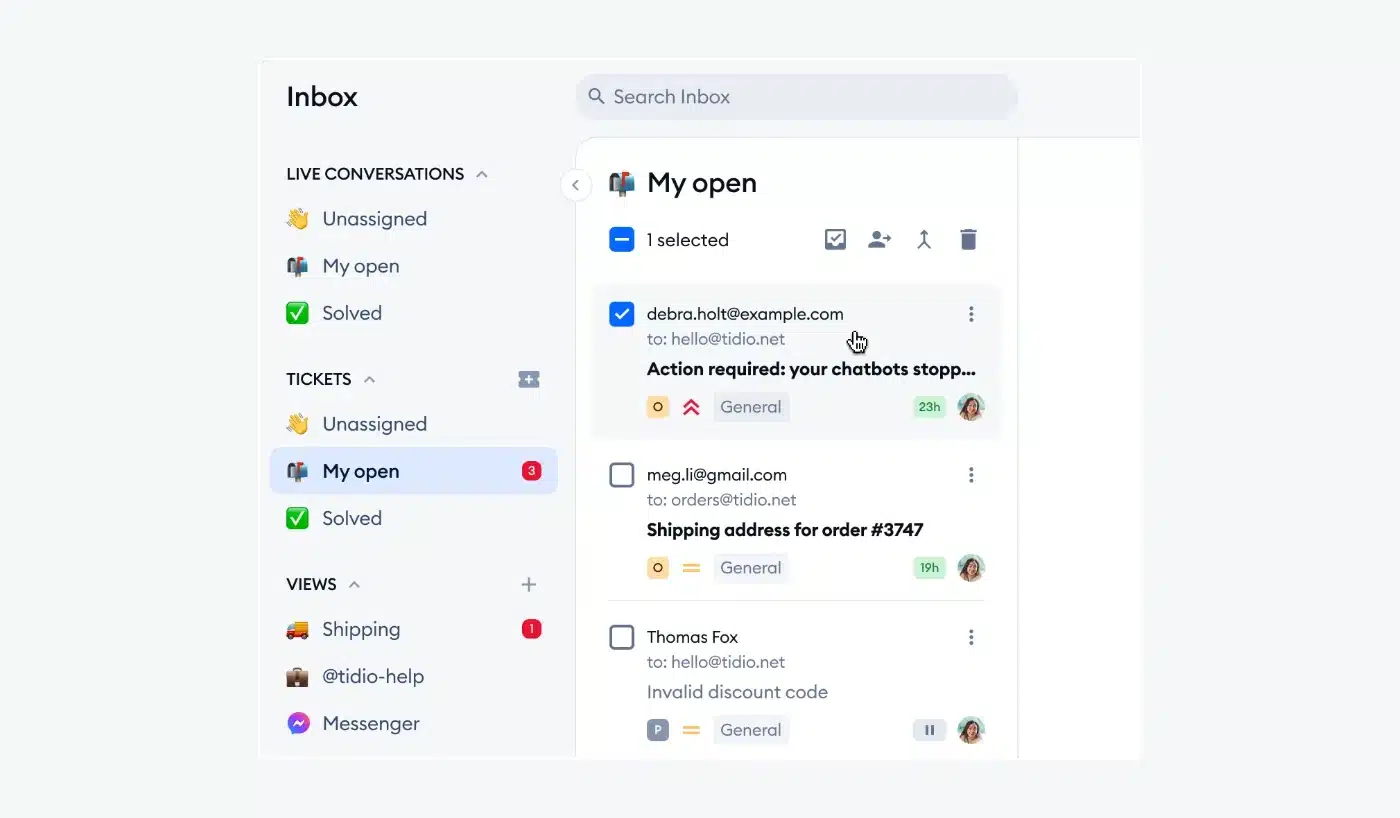
Tidio is a hosted help desk that grows out of website chat. Support emails land in a dedicated ticket tab, separate from chats, where you can see each ticket’s status and assigned operator. Agents set priorities and add notes and tags. Custom fields such as order number are filled in by AI from the customer’s message, and an agent can see a linked chat or turn part of a chat into a ticket. There’s nothing to install, patch, or back up.
Shopify stores see cart preview and order history in the same inbox. The Lyro AI agent handles repeat questions, and Tidio says it solves up to 75% of customer questions automatically. Tidio is built for customer-facing support, so IT asset and change management need another tool, and teams that must keep data on their own servers can’t use it.
Who should pick it over self-hosting:
- Shopify stores that want order data in the inbox without wiring up an integration.
- Small teams with nobody to run a server.
- Teams that want a free start with chat and AI built in.
- Teams that want chat, email, Messenger, Instagram, and WhatsApp in one inbox.
Key features:
- Email-to-ticket handling: every email becomes a ticket with a status and an assigned operator.
- Custom fields: AI fills in fields such as order number from the customer’s message.
- Chat continuity: see linked chats and turn part of a conversation into a ticket.
Pros
- Email tickets, live chat, and AI share one inbox, so no one repeats information.
- No server, install, or upgrade work.
- A free plan and a 7-day trial let you test ticketing before you commit.
Cons
- It’s hosted only, so it doesn’t suit teams that need the code or the data on their own servers.
- Macros come with Growth and ticketing automations with Plus, so the cheaper plans suit smaller teams best.
- Live conversations and tickets both count toward your monthly billable conversations, so a busy inbox may move you up a plan.
Pricing: from Tidio’s pricing page, billed annually (monthly in brackets):
- Free: $0, 50 billable conversations a month, 10 seats, ticketing included.
- Starter: $24.17/mo ($29), 100 billable conversations.
- Growth: from $49.17/mo ($59), adds Macros, advanced analytics, and automatic chat assignment.
- Plus: from $300/mo plus usage, adds ticketing automations and custom seats.
- Premium: contact sales; adds SSO and pay-per-resolution billing.
- Lyro AI agent: first 50 conversations free, then from $32.50/mo ($39) for 50 conversations.
Rating: G2 4.6/5 (1,962 reviews)
Explore Tidio's ticketing and help desk
Free Help Desk Software You Don’t Have to Host
Most people searching for free help desk software want tickets without a server bill. These hosted plans are free, with limits. Check each cap against your team before you rely on one.
| Tool | What the free plan includes | What it leaves out |
|---|---|---|
| Tidio | 50 billable conversations a month, 10 seats, live chat, and ticketing | Macros, advanced analytics, and ticketing automations sit on paid plans |
| Zoho Desk | Free for 3 users | Higher plans add more automation and seats |
| Help Scout | Free for 5 users | Paid plans from $25 per user a month, billed annually |
| Chatwoot | Hacker cloud plan: 2 agents, 500 conversations a month, live chat only | Email, social channels, and the help center need paid plans |
Sources: each vendor’s pricing page, checked September to October 2026.
Free plans suit small teams with low ticket volume. When agents multiply or volume climbs, check the next plan before you build your workflows on the free one.
What Self-Hosting Really Costs
An open source help desk removes the license fee, not the cost of owning the system. Plan for these, and compare them with a hosted plan before you decide:
| You take on | What it means in practice |
|---|---|
| Server and hosting | A VPS or managed host, plus a database. Managed FreeScout hosting starts at about $3 a month |
| Installation and upgrades | Following the docs, testing each new version, and rolling back if it breaks |
| Backups and uptime | If email stops creating tickets, you find out and fix it |
| Security patches | Your server setup and update schedule decide how safe the system is |
| Missing features | Saved replies, automation, chat, and reporting can be paid modules or higher tiers |
| Support | Community help for free, or commercial packages such as osTicket’s $12,500 a year |
Self-hosting is the right call when data must stay on your servers, when you want to change the code, or when you have technical staff who already run similar systems. It’s the wrong call when nobody owns the server. Several tools here sell a hosted plan for that case: osTicket from $12 per agent, Zammad from €7, Chatwoot from $19, and UVdesk from $8.
How to Choose and Set up an Open Source Help Desk
Work through these steps in order.
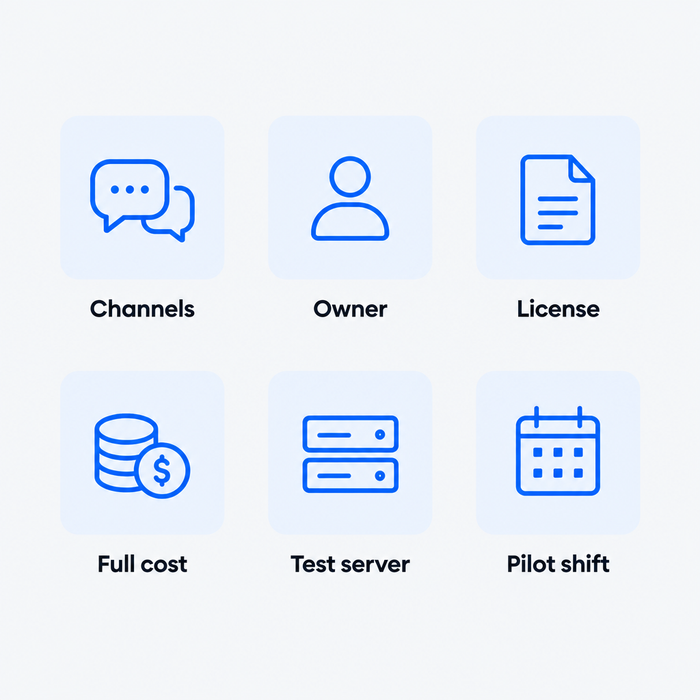
- List channels and agents. Write down where customers contact you (email, chat, social) and how many people answer. Chat and social point to Chatwoot or Zammad; email alone fits FreeScout or osTicket.
- Name the owner. Pick the person who will patch and back up the server. If no one qualifies, take a hosted plan from the same project.
- Check the license and the release date. Read the license file, and look at the last release. A year without one, as with UVdesk and Faveo, is a question to ask, not a verdict.
- Price the full stack. Add hosting, paid modules or enterprise tiers, and support. A free core with five paid modules is not free.
- Install on a test server. Follow the official docs, connect one mailbox, and send test tickets from a personal account.
- Pilot a full shift. Give agents real work for a few days, then track a few customer service metrics such as first response time before you switch over.
If you outgrow free tools later, compare paid options in our help desk software for small business guide or our list of Zendesk alternatives.
Which Help Desk Should You Pick?
- If you have one technical person and a shared email inbox: FreeScout, with its modules priced before you commit.
- If you want plain email ticketing that has been stable for years: osTicket.
- If agent experience matters and you can run PostgreSQL: Zammad.
- If customers use chat, WhatsApp, and social: Chatwoot.
- If you want unlimited agents and SLAs at low cost: Frappe Helpdesk.
- If you sell on Shopify, Magento, or OpenCart and self-host: UVdesk, after checking its release pace.
- If you want open source now and a hosted option later: Zammad or osTicket, both sold hosted by the project.
- If nobody on the team wants to run a server: Tidio on the Growth plan with Lyro, or Plus when you need ticketing automations.
- If you run a Shopify store: pick Tidio on Growth. Agents see carts and order history in the inbox, and Lyro answers order-status questions. UVdesk is the self-hosted alternative if you want to run it yourself.
Get Tidio's help desk with Lyro AI for your support team
Frequently Asked Questions
It depends on your stack and channels. FreeScout and osTicket are the easiest to run, Zammad has the best agent workspace, and Chatwoot covers chat and social channels. Pick the one whose requirements your team can maintain, then check which features sit behind paid modules or tiers.
The software is free to download for the tools here, but running it isn’t free. You pay for hosting and a database, and your team handles upgrades, backups, and security patches. Some tools sell paid modules, enterprise editions, or support packages on top.
For a free hosted plan, Tidio, Zoho Desk, and Help Scout all offer one with limits on conversations or users. For free self-hosted software, FreeScout, osTicket, and Zammad have no license fee. See the tables above for what each leaves out.
Zammad and osTicket are the closest in function: tickets, email, and agent workflows, with hosted options if you don’t want to self-host. Chatwoot suits teams that use Zendesk mainly for chat and social messaging. Check the paid tiers, since features like SLAs and automation vary.
They can be. Public code lets many people find and fix problems, but your server setup, update schedule, and backups decide how safe your installation is. A system that nobody patches is a risk whatever the license says.
For self-hosting, usually not. You need someone comfortable with a server, a database, and email setup. Without that person, use a hosted plan, from the open source project itself or from a hosted help desk such as Tidio.
Use live chat to support your customers in real-time
