Key takeaways
- Customer engagement software connects the channels customers use (chat, email, SMS, social) to one customer record and adds automation and AI on top.
- Best for small teams and e-commerce stores: Tidio. It has a free plan, prices by conversations rather than seats, and Lyro, its AI agent, can resolve up to 75% of support requests.
- Best if you already run on a CRM: HubSpot or Salesforce. Both tie the conversation to sales and marketing records, but service automation and AI sit on the higher plans.
- Best for marketing-led engagement in online stores: Klaviyo. Email, SMS and flows run on one profile, and the bill grows with your contact list.
- AI is billed by outcome. Help Scout charges $0.75 per resolution, Intercom $0.99, Zendesk $1.50 to $2.00 and Salesforce $2 per conversation. Budget for volume, not only seats.
Most "customer engagement" lists mix three different products: marketing clouds, help desks and sales chat tools. That makes it hard to tell which one fixes your problem, and harder to see what it costs once your contact list or ticket volume grows. We compared 11 tools on their pricing pages, help centers and G2 profiles, and this guide shows what each one does for the customer conversation, how it bills, and which team it suits. Tidio comes first because the list is ordered for small and mid-size teams and online stores, and it gets the same template, drawbacks included, as every rival.
What is customer engagement software?
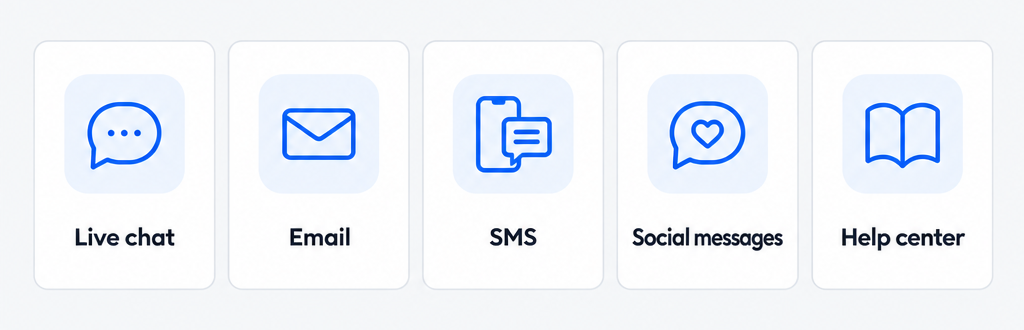
Customer engagement software is a platform that lets a business talk to customers across live chat, email, SMS and social channels, keep every conversation on one customer record, and automate the routine parts with rules and AI. Some teams call it an omnichannel communication platform, because the point is that the customer can switch channels and nobody starts over.
The category covers two jobs. Reactive engagement answers customers when they write, which is where customer service software and help desks sit. Proactive engagement reaches out first: a chat prompt on a pricing page, an order update, a reminder or a win-back email, as in proactive customer service. Mobile engagement is the same idea on the customer's phone: SMS, WhatsApp and other messaging apps instead of a website widget. Most tools below do one job well and the other partly, so decide which one you need first. If you are measuring the whole journey, see our guide to customer experience software.
The best customer engagement software at a glance
Our top three: Tidio for small teams and online stores that want chat, email, an AI agent and automation in one inbox, HubSpot for teams that want conversations tied to a CRM, and Klaviyo for stores that lead with email and SMS. Prices are per seat per month, billed annually, unless noted. Tidio charges by conversation.
| Tool | Best for | Starting price | Free plan or trial | G2 |
|---|---|---|---|---|
| Tidio | Small teams and e-commerce | $24.17/mo, billed annually | Free plan; 7-day trial | 4.6 (2,076) |
| HubSpot | Teams on a CRM | $7 per seat | Free plan for 2 users | 4.4 (3,018) |
| Intercom | AI-first support teams | $29 per seat | 14-day trial | 4.5 (3,930) |
| Zendesk | Mid-size and larger teams | $19 per seat | 14-day trial | 4.3 (7,091) |
| Klaviyo | Email and SMS for online stores | Scales with contacts | Free plan: 250 profiles | 4.6 (1,371) |
| Help Scout | Small email-first teams | $25 per user | Free plan for 5 users | 4.4 (431) |
| Freshdesk | Budget help desks | $19 per agent | 14-day trial | 4.4 (3,795) |
| Zoho Desk | Teams on Zoho apps | $7 per user | Free plan for 3 users | 4.4 (7,996) |
| Salesforce Service Cloud | Salesforce shops | $25 per user | Free trial | 4.4 (8,432) |
| Pabau | Clinics and med spas | From $104/mo for 1 user | Add-on trials only | 4.7 (334) |
| Giva | HIPAA-ready ticketing | $76 per agent | 30-day trial | 4.7 (10) |
Prices change often. Confirm each one with the vendor before you commit.
How we chose and compared these tools
We reviewed 16 tools and kept 11. Each had to talk to customers, not only measure them, and to still be sold under the name we list. We scored every tool on the same six criteria:
- Channels: which of chat, email, SMS, social and voice work out of the box.
- Automation: rules, flows and triggers, and the plan they start on.
- AI: what the AI does (answers, drafts, routing) and how it is billed.
- Pricing model: per seat, per contact or per conversation, and what is extra.
- Fit: the team size and platform it suits best.
- Reviews: G2 rating and the themes reviewers repeat.
We used vendor pricing pages, help centers and G2, and we did not test every tool hands-on. Vendor claims are labeled as claims. The order follows fit for small teams and online stores, not ratings.
The 11 best customer engagement software tools in 2026
1. Tidio
Best for: small teams and online stores that want chat, email and an AI agent in one inbox.
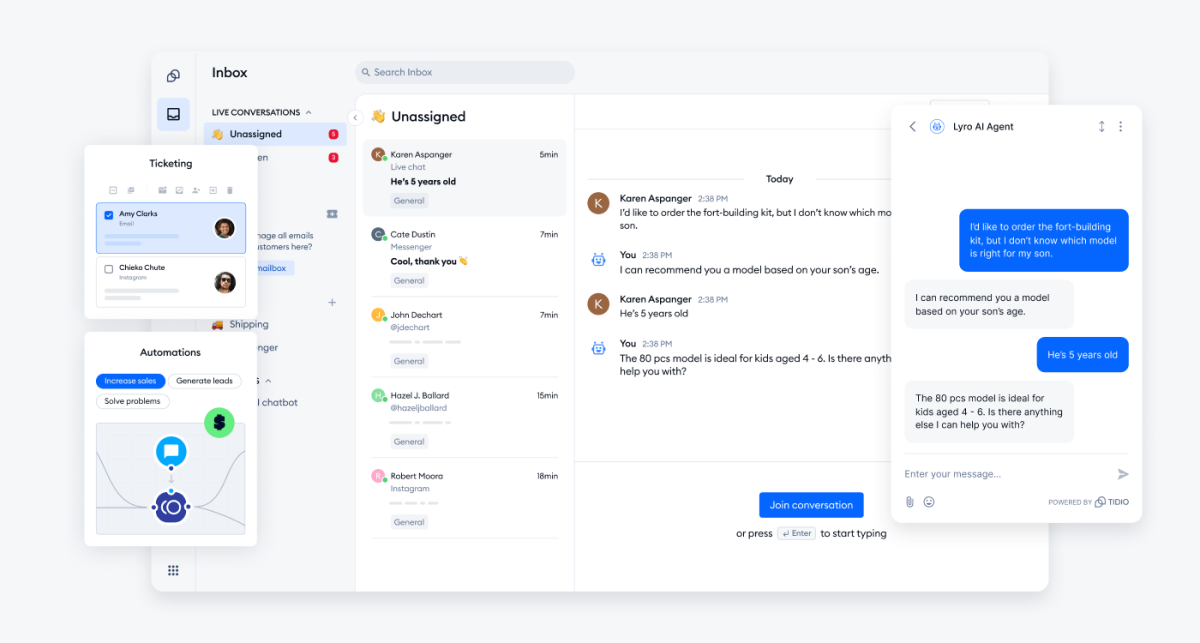
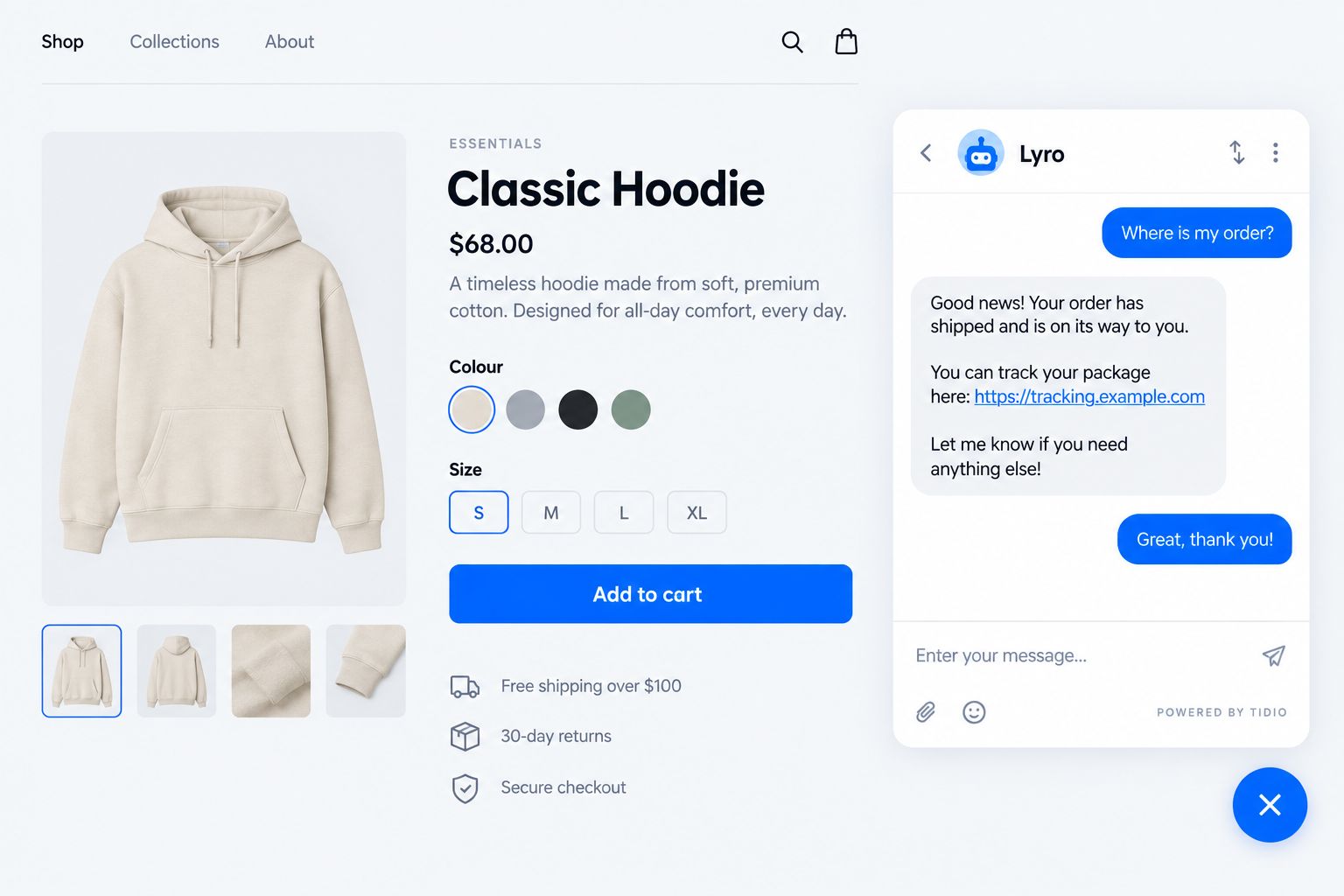
Tidio grows out of website chat, so engagement starts before the customer writes. Flows send proactive messages based on what a visitor does, such as a cart reminder or a prompt on the pricing page. Lyro, the AI agent, answers repeat questions from your help content, and Lyro can resolve up to 75% of support requests. When it cannot, a person takes over with the conversation attached. Skip Tidio if you need a full marketing automation suite with large email and SMS campaigns.
Live chat, email, Messenger, Instagram and WhatsApp land in one inbox, next to ticketing and customer details. Shopify stores get cart previews and order history beside the chat, and Lyro can answer order-status questions.
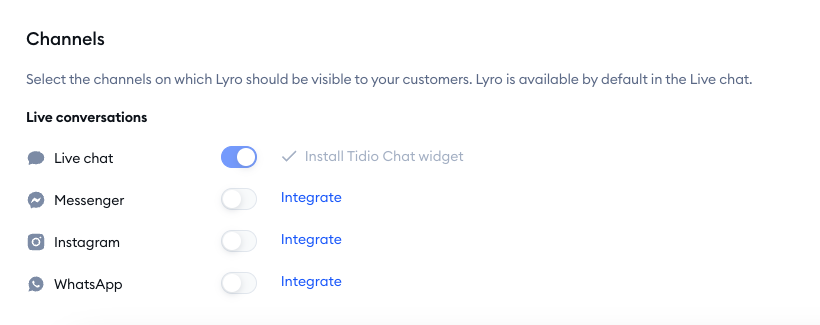
Tidio fits these teams best:
- Shopify and other online stores that answer order and product questions all day.
- Small teams that want AI to carry the routine conversations.
- Businesses in retail, SaaS and services that want to reply faster to website visitors.
- Teams that keep chat, email and social messages in one place.
Key features:
- Lyro AI agent: answers on chat and email from your help content and hands over to a person when needed.
- Flows: proactive messages and automations triggered by visitor behavior.
- Multichannel inbox: chat, email, Messenger, Instagram and WhatsApp in one queue.
- Shopify integration: cart preview and order history inside the conversation.
Pros
- One inbox covers chat, email and social, so customers do not repeat themselves.
- Plans are priced by conversations rather than seats, and self-serve plans include up to 10 agents.
- The Free plan and a 7-day trial with all features let you test the setup before you pay.
Cons
- Lyro and Flows are priced separately from the plan, so you pay for what you use, with a conversation or visitor quota to keep an eye on.
- Advanced analytics, macros and automatic assignment come with Growth, so check which plan holds your workflows.
- Tidio focuses on conversations, so heavy email and SMS campaign programs are usually run in a marketing tool such as Klaviyo.
Pricing: Free: $0 for 50 billable conversations. Starter: $24.17/mo billed annually ($29 monthly) for 100. Growth: from $49.17/mo ($59). Plus: from $300/mo plus usage. Lyro AI Agent: from $32.50/mo billed annually ($39 monthly) for 50 conversations, after 50 free ones once. Flows: from $24.17/mo for 2,000 visitors reached. See the pricing page.
Rating: G2 4.6/5 (2,076 reviews)
Put chat, email and Lyro in one inbox
2. HubSpot
Best for: teams that already use HubSpot CRM and want service tied to marketing and sales records.
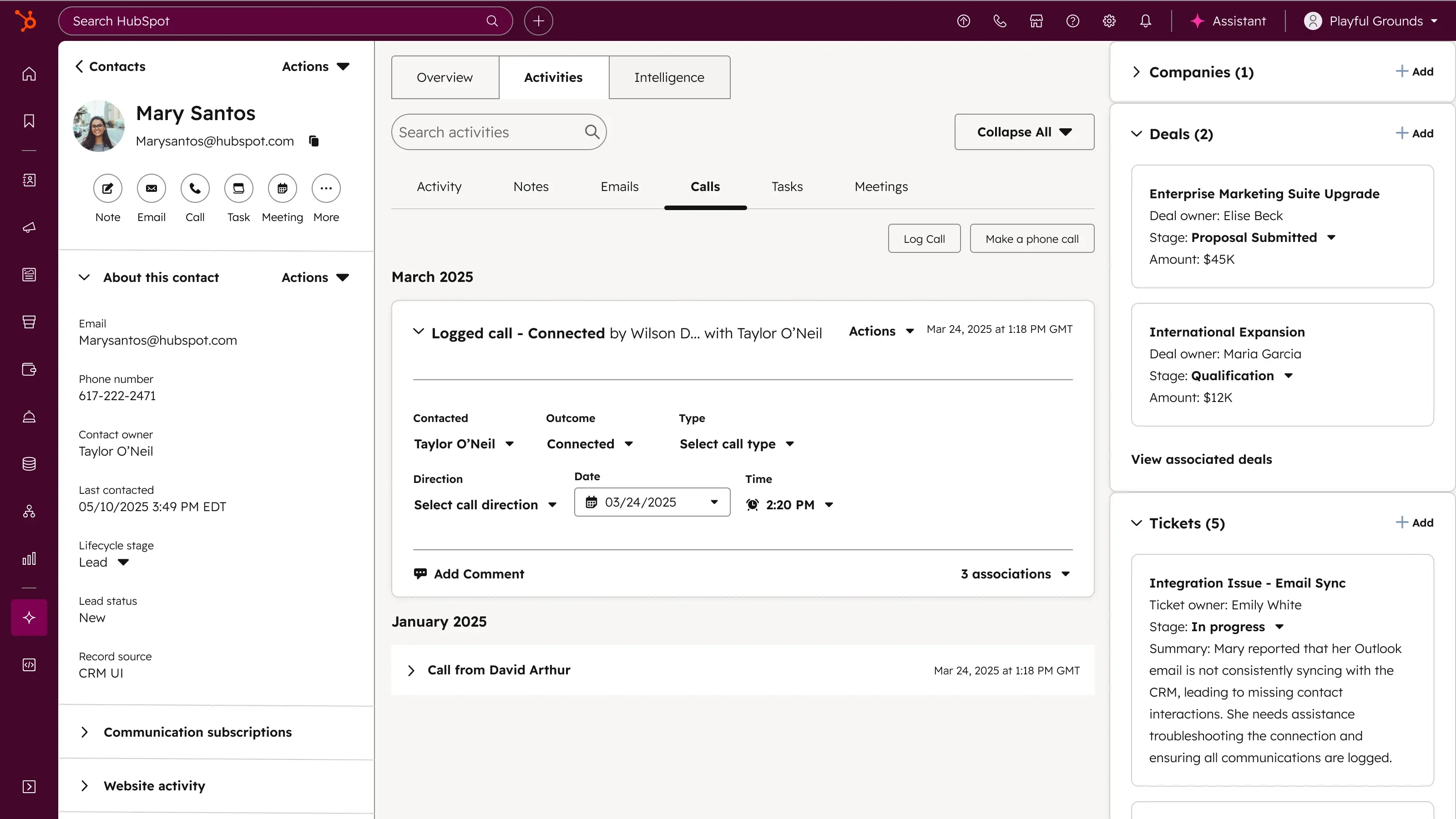
HubSpot's strength is the shared customer record: every email, call, deal and ticket lands on one contact. Service Hub adds a help desk, a knowledge base and the Customer Agent, an AI agent that answers on chat and email. The ceiling is price and setup. Routing, SLAs and the Customer Agent start on Professional, so small teams often outgrow the free tier before they get the automation.
Key features:
- Shared CRM record: conversations sit beside deals and marketing history.
- Help desk workspace: tickets, routing and SLAs on higher plans.
- Customer Agent: AI answers billed as credits per resolved conversation.
Pros
- One record joins marketing, sales and service data.
- A free plan covers up to 2 users with no card.
Cons
- Professional carries a mandatory one-time onboarding fee of $1,500.
- Automatic routing and SLAs start at $90 per seat.
Pricing: Free for up to 2 users. Starter from $7 per seat per month billed annually. Professional from $90 per seat, annual commitment. Enterprise from $150 per seat. The Customer Agent bills credits per resolved conversation.
Rating: G2 4.4/5 (3,018 reviews)
Read more: HubSpot alternatives
3. Intercom
Best for: software and e-commerce teams that want an AI agent answering first.
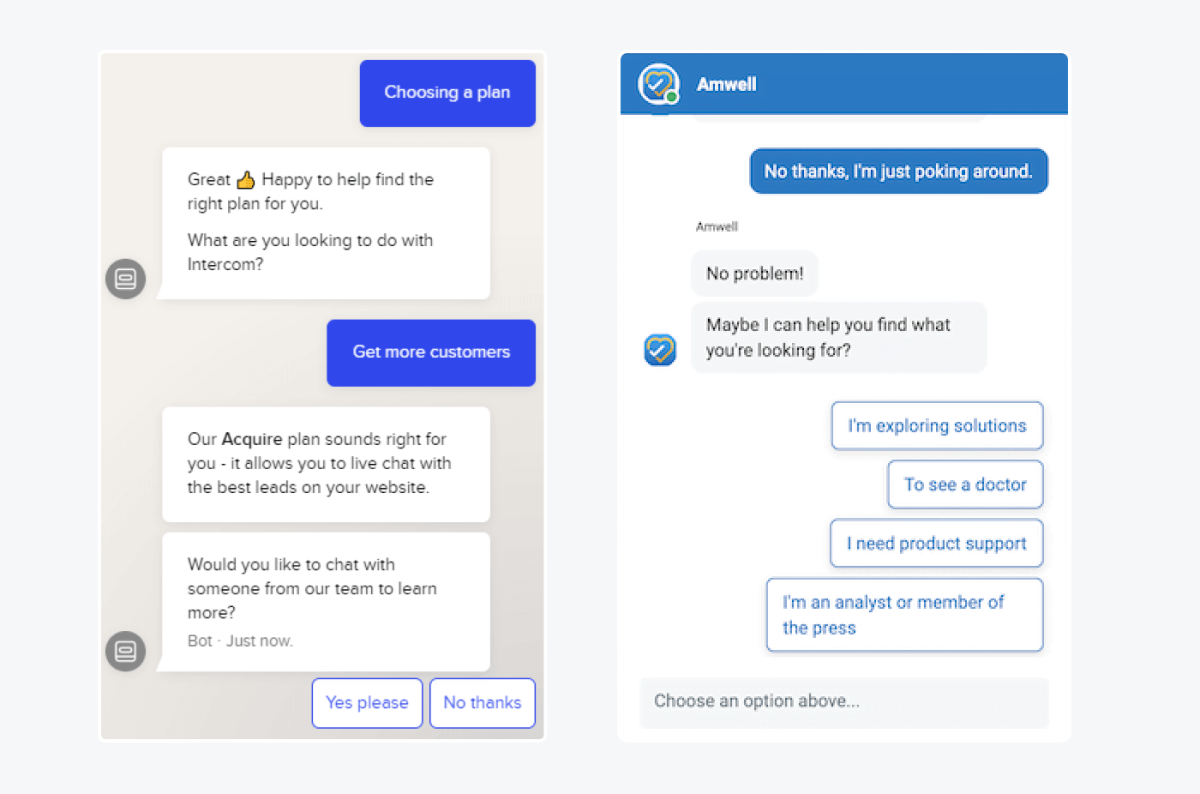
Intercom built its name on the in-product Messenger, and its AI agent, Fin, now answers customers on every plan. The Messenger suits proactive engagement with targeted messages, and an add-on, Proactive Support Plus, is sold for proactive messaging. The ceiling is cost control. Fin charges per outcome, and rules, round robin and SLAs move up the plans.
Key features:
- Fin AI Agent: answers across chat and email on all plans.
- Messenger: in-product chat with targeted messages.
- Copilot add-on: drafts replies and summaries for agents.
Pros
- Fin is available from the cheapest plan.
- The Messenger handles both support and proactive messages.
Cons
- Fin charges $0.99 per outcome, and a handoff procedure also counts as one.
- The Workflows builder and round robin start on Advanced at $85 a seat.
Pricing: Essential $29 per seat per month billed annually ($39 monthly). Advanced $85 ($99). Expert $132 annual. 14-day cardless trial. Copilot add-on $29 per agent.
Rating: G2 4.5/5 (3,930 reviews)
Read more: Intercom alternatives and Tidio vs Intercom
4. Zendesk
Best for: mid-size and larger teams that want deep rules and AI on one mature platform.
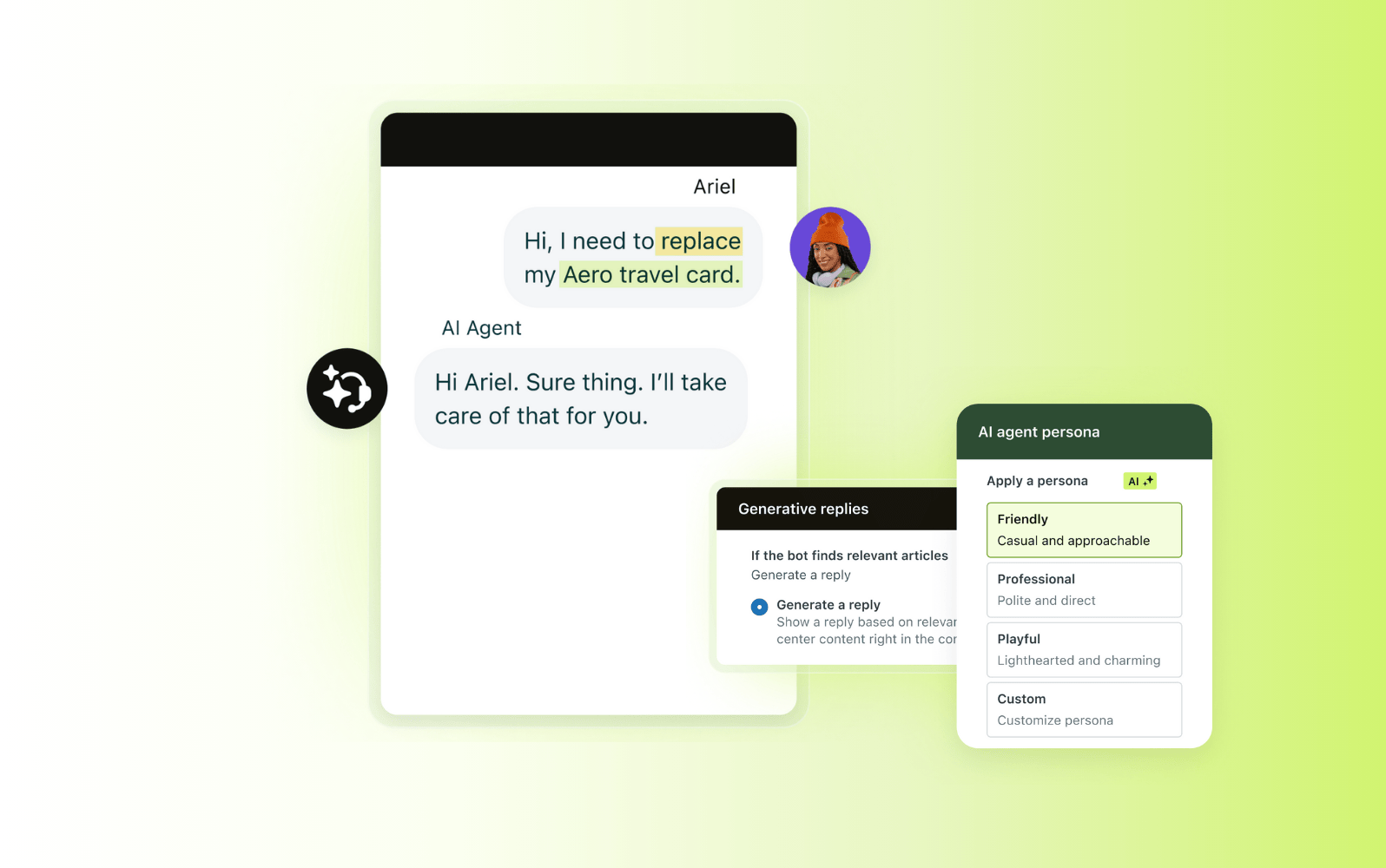
Zendesk is a long-established help desk for larger support teams, with automations, triggers and macros on every plan. It engages customers through messaging, email and voice on one platform. The catch is plan gating and metering. The cheapest plan is email and ticketing only, and AI resolutions bill on top of seats.
Key features:
- Automations and triggers: rule-based workflows on every plan.
- AI agents: automated resolutions for messaging, email and voice.
- Omnichannel routing: from Suite Team up.
Pros
- Macros, triggers and automations are standard on every plan.
- It scales to large, multi-team deployments.
Cons
- There is no free plan, and Support Team covers only email and ticketing.
- Automated resolutions cost $1.50 each committed or $2.00 pay as you go.
Pricing: Support Team $19 per agent per month billed annually ($25 monthly). Suite Team $55 ($69). Suite Professional $115 ($149). Enterprise on request. 14-day trial. Copilot add-on $50.
Rating: G2 4.3/5 (7,091 reviews)
Read more: Zendesk alternatives and Tidio vs Zendesk
5. Klaviyo
Best for: e-commerce brands that lead with email and SMS and want one profile per customer.
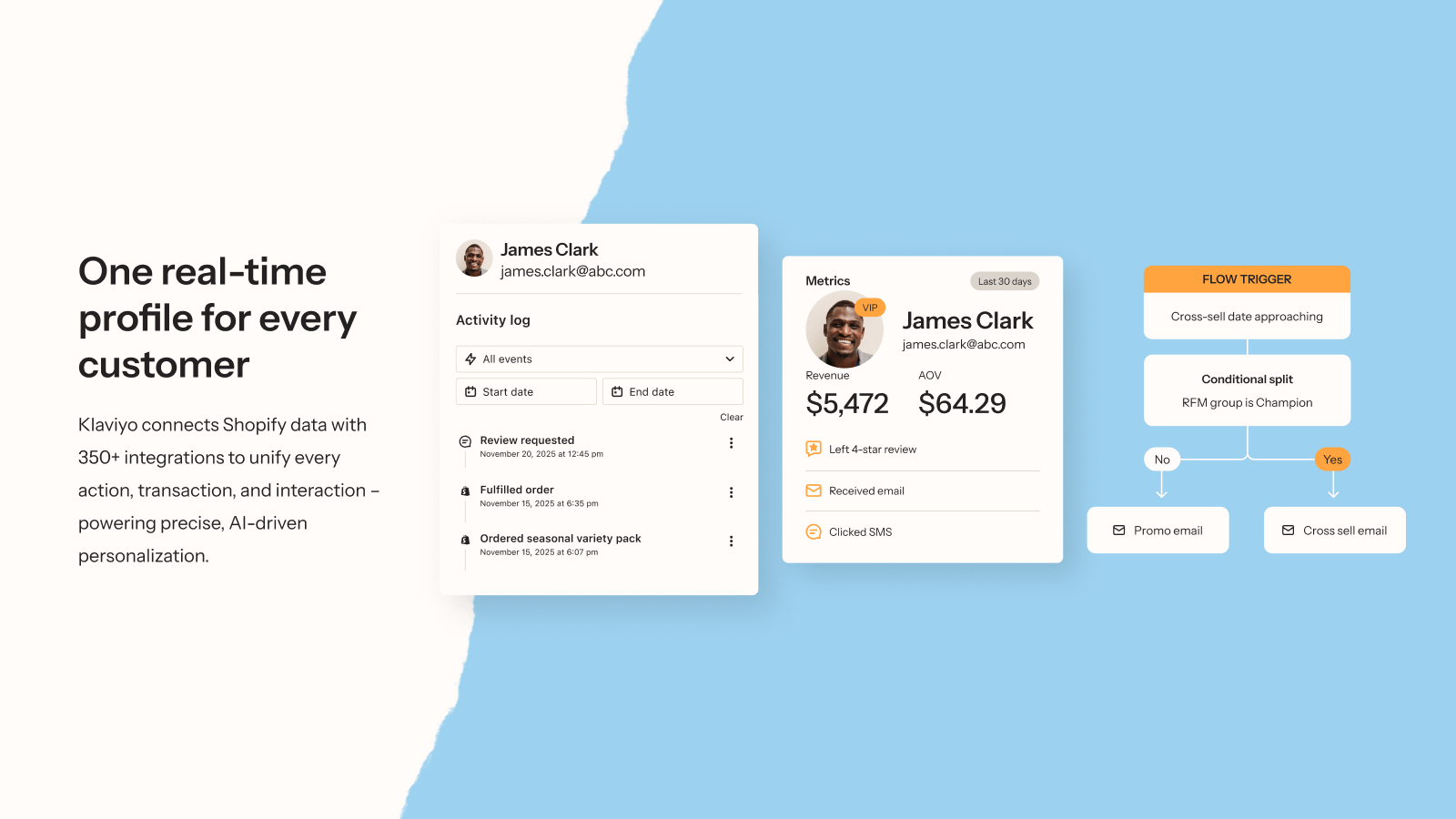
Klaviyo is the marketing side of engagement. It runs email, SMS, push and social messages from one customer profile fed by your store data, and G2 reviewers call out the Shopify integration. It has also added a helpdesk and a Customer Agent. The catch is cost: price scales with the number of contacts and the messages you send.
Key features:
- Flows and segments: automated campaigns built on purchase and browsing data.
- Channels: email, SMS, push, WhatsApp and social on one profile.
- Customer Agent: AI answers, with 50 free resolutions.
Pros
- Reviewers rate it highly for ease of use and email marketing.
- The free plan covers 250 profiles and 500 emails a month.
Cons
- Paid plans scale with contacts and usage, and G2 reviewers often describe it as expensive.
- Free-plan support is limited to the first 60 days.
Pricing: Free: up to 250 profiles and 500 emails a month. Paid plans scale with the number of contacts and your email and SMS usage, with no fixed list price. Composer, the AI marketing agent, is $20 a month. Helpdesk has a free 30-day trial.
Rating: G2 4.6/5 (1,371 reviews)
Read more: Shopify abandoned cart apps
6. Help Scout
Best for: small, email-centric teams that want a simple shared inbox.
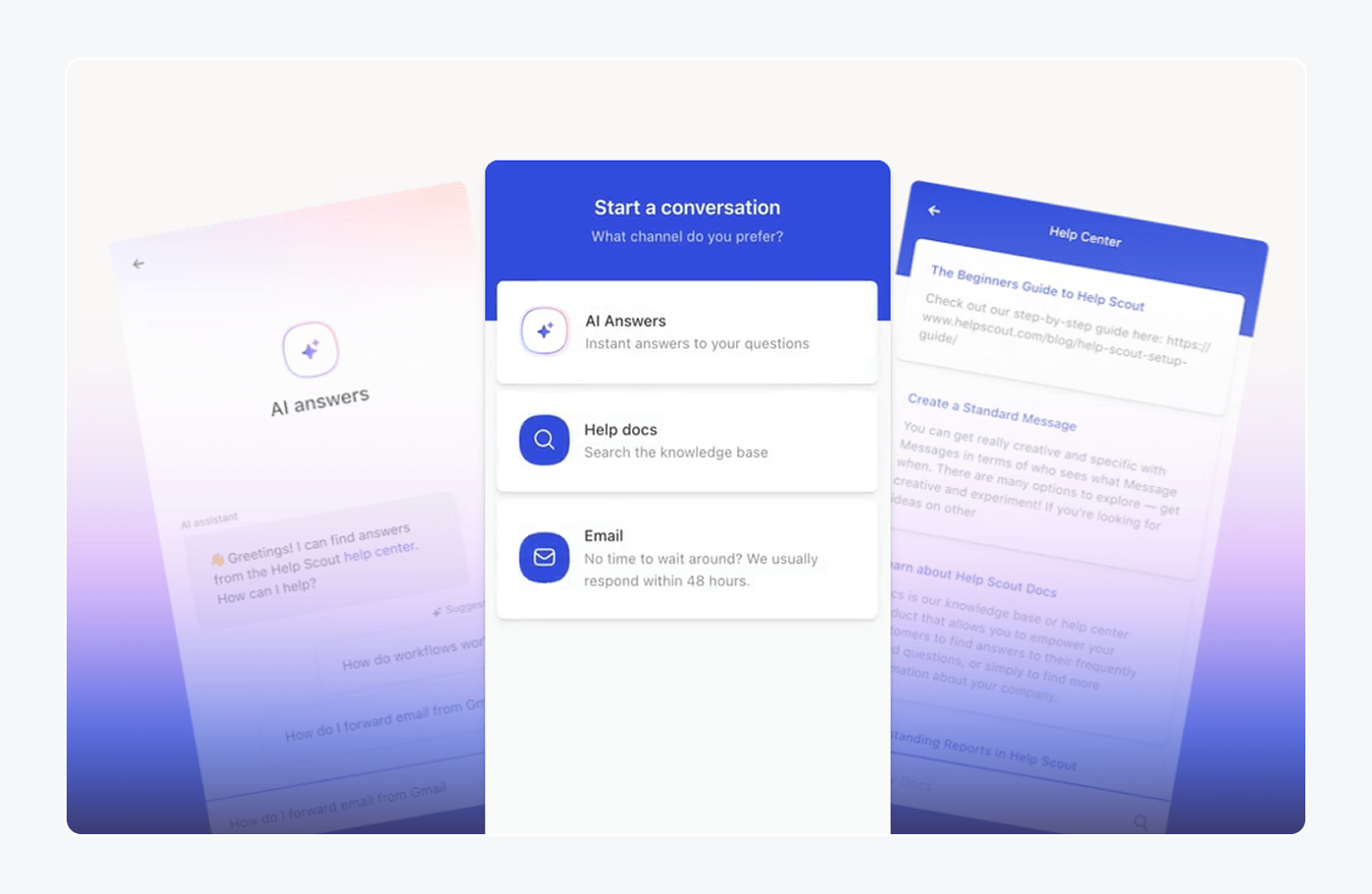
Help Scout keeps support personal: a shared inbox, a knowledge base called Docs, and a Beacon widget for chat and answers. It suits teams that value a human tone over heavy automation. The ceiling is scale, because each plan caps users and phone and SMS come through integrations.
Key features:
- Shared inbox: one queue for email and chat.
- Docs and Beacon: a knowledge base and an on-site widget.
- AI Answers: automated replies from your articles.
Pros
- The Free plan includes 5 users, 1 Inbox and 1 Docs site.
- AI Answers comes with 3 months of free resolutions.
Cons
- Users are capped at 5 on Free, 25 on Standard and 50 on Plus.
- Phone and voice are available only through integrations.
Pricing: Free for 5 users. Standard $25 per user per month billed annually. Plus $45. Pro $75, sold by demo. AI Answers is $0.75 per resolution, with 3 months of free resolutions. 15-day trial.
Rating: G2 4.4/5 (431 reviews)
Read more: Help Scout alternatives and Tidio vs Help Scout
7. Freshdesk
Best for: email-first teams that want a low-priced ticketing core with automation.
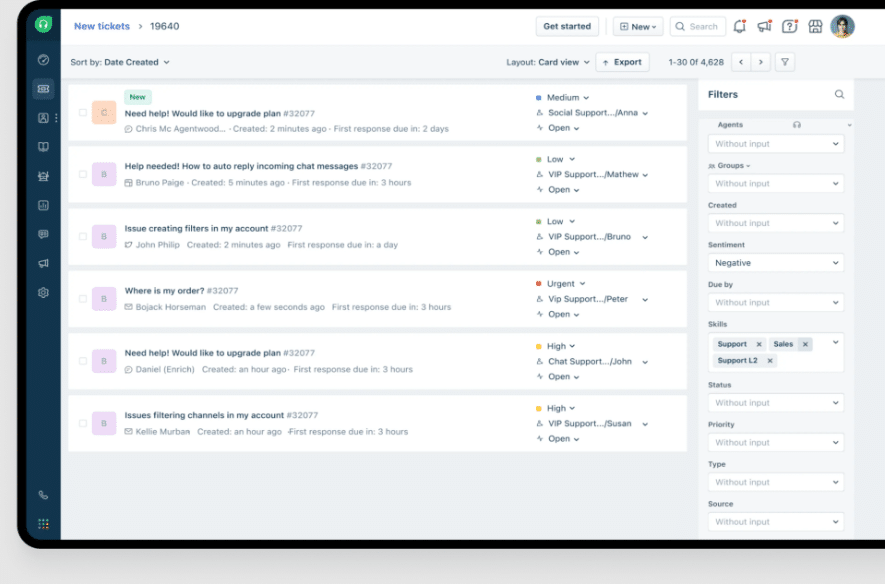
Freshdesk gives small teams ticket automation, escalation rules and a knowledge base at a low entry price. Freddy AI Agent answers customers on email. The catch is plan gating: fair assignment methods and multiple SLA policies start on Pro, and AI sessions are metered.
Key features:
- Automations: event and time triggers, follow-ups and escalations on every plan.
- Freddy AI Agent: the first 500 sessions are included.
- Copilot add-on: sentiment and reply drafting.
Pros
- Growth starts at $19 an agent.
- Automations and ticket dispatch are on every plan.
Cons
- Round robin and load-balanced assignment start on Pro at $55.
- After the 500 included AI sessions, Freddy costs $49 per 100 sessions.
Pricing: Growth $19 per agent per month billed annually. Pro $55. Enterprise $89. 14-day trial. Copilot add-on $29 per agent per month annual.
Rating: G2 4.4/5 (3,795 reviews)
Read more: Freshdesk alternatives and Tidio vs Freshdesk
8. Zoho Desk
Best for: budget-minded teams, especially ones already on Zoho apps.
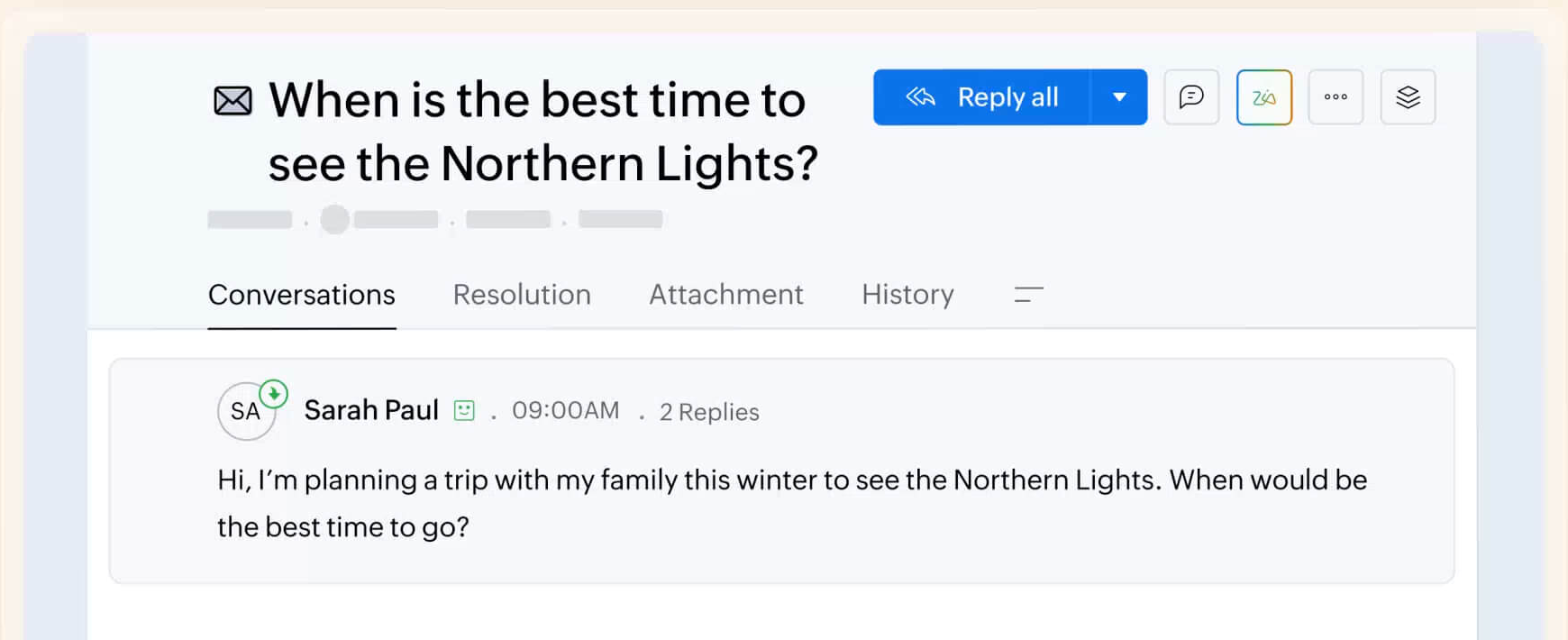
Zoho Desk is one of the cheapest ways to get a real help desk, and it is the natural pick when the rest of your stack is Zoho. It offers a forever-free plan, email ticketing and the Zia AI assistant. The catch sits on the lower plans, where workflow rules and live chat are gated.
Key features:
- Ticketing: email requests in one queue, with live chat through SalesIQ on Enterprise.
- Zia AI: an assistant for replies, with AI agents from Express up.
- Zoho integrations: CRM, SalesIQ and Zoho apps.
Pros
- The Free plan is free forever for 3 users.
- Paid plans start at $7 per user.
Cons
- Free has no workflow rules, and Express is capped at 5 users.
- Live chat through Zoho SalesIQ is Enterprise only.
Pricing: Free for 3 users. Express $7 per user per month billed annually ($9 monthly). Standard $14 ($20). Professional $23 ($35). Enterprise $40 ($50). 15-day trial.
Rating: G2 4.4/5 (7,996 reviews)
Read more: Zoho Desk alternatives
9. Salesforce Service Cloud
Best for: mid-size to enterprise teams already on Salesforce CRM with admin resources.
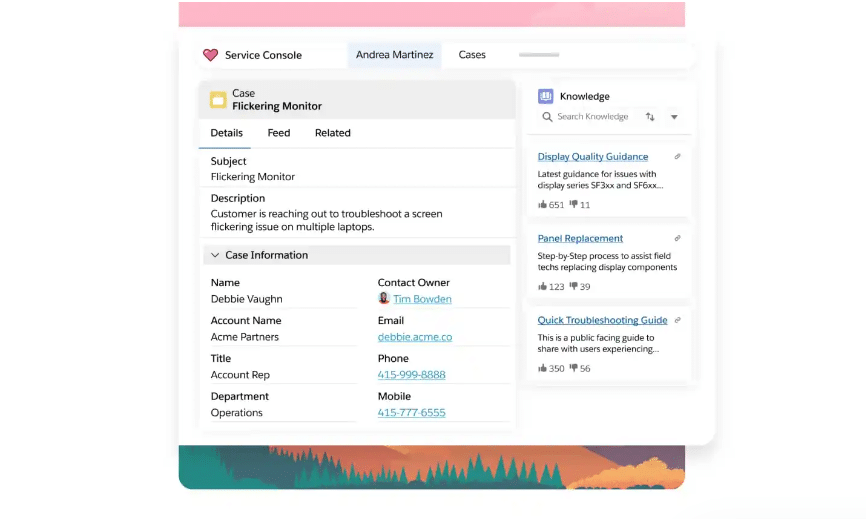
Service Cloud turns Salesforce CRM data into case management, omnichannel routing, a knowledge base and Agentforce AI agents. It is the most configurable tool here. The trade-off is complexity and cost: reviewers repeatedly mention a steep learning curve, and messaging and AI are paid add-ons.
Key features:
- Case management: with Omni-Channel routing and a service console.
- Agentforce: AI agents billed per conversation or by credits.
- Knowledge and self-service: a help center on Core and up.
Pros
- Deep customization and a large add-on ecosystem.
- Service data lives beside the sales record.
Cons
- G2 reviewers often mention complexity and a steep learning curve.
- Enhanced Messaging adds $75 per user a month, and Agentforce is $2 per conversation.
Pricing: Starter Suite $25 per user per month. Pro Suite $100, annual contract. Core $195. Advanced $395. Max $550. The Agentforce add-on is $125 per user a month.
Rating: G2 4.4/5 (8,432 reviews)
Read more: Zendesk vs Salesforce
10. Pabau
Best for: private clinics, med spas and aesthetics practices that message patients.
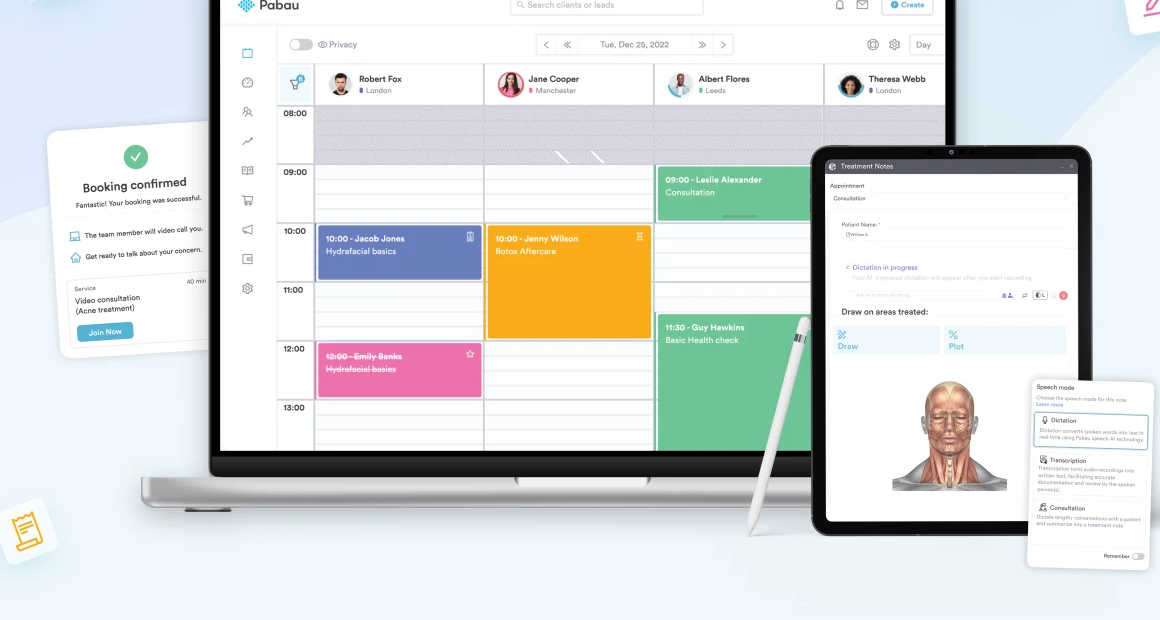
Pabau is practice management software, so engagement here means booking, patient records and messaging in one system. Every plan includes online booking, a patient portal, a shared inbox for email and SMS, and email and SMS campaigns. It is a specialist tool, so it is the wrong choice for general e-commerce or SaaS support.
Key features:
- Booking and patient portal: online booking and digital records.
- Messaging: two-way SMS and a shared inbox.
- Marketing tools: campaigns, loyalty and review requests.
Pros
- Reviewers rate support and ease of use highly.
- Every feature is in every plan, and plans differ by user count only.
Cons
- G2 reviewers mention a complex setup and a learning curve.
- Messages and AI call minutes bill through credits as you go.
Pricing: from $104 a month for one user, depending on location and users. Tiers run from Solo (1 user) to Enterprise (16+). Add-ons such as Marketing Plus and Engage Plus have separate pricing.
Rating: G2 4.7/5 (334 reviews)
11. Giva
Best for: healthcare, finance and education teams that need HIPAA-ready ticketing.
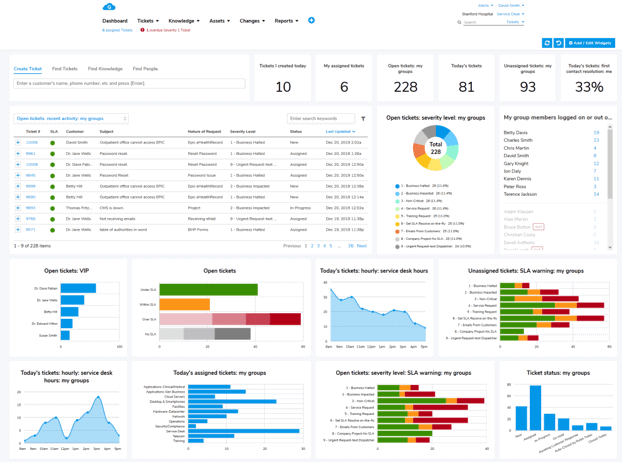
Giva is a cloud ticketing and help desk platform with a knowledge base, reporting and AI Copilots. Its edge is compliance: it signs a Business Associates Agreement and lists HIPAA and HITECH support. It is a ticketing tool more than an engagement platform, since the pages we read name no live chat, SMS or social channel and label its AI agents as in development.
Key features:
- Ticketing and knowledge: email-to-ticket inboxes with a knowledge base.
- AI Copilots: unlimited use on every plan.
- Compliance: HIPAA, HITECH, SOC 2 and GDPR.
Pros
- Public per-agent prices with unlimited AI Copilot use.
- Free setup help and a 30-day trial with no card.
Cons
- Every plan needs at least 5 licenses, and Professional caps at 10 agents.
- It has only 10 G2 reviews, which makes the rating hard to rely on.
Pricing: Professional $76 per agent per month billed annually. Enterprise $98. Minimum of 5 licenses. 30-day trial.
Rating: G2 4.7/5 (10 reviews)
How to choose customer engagement software
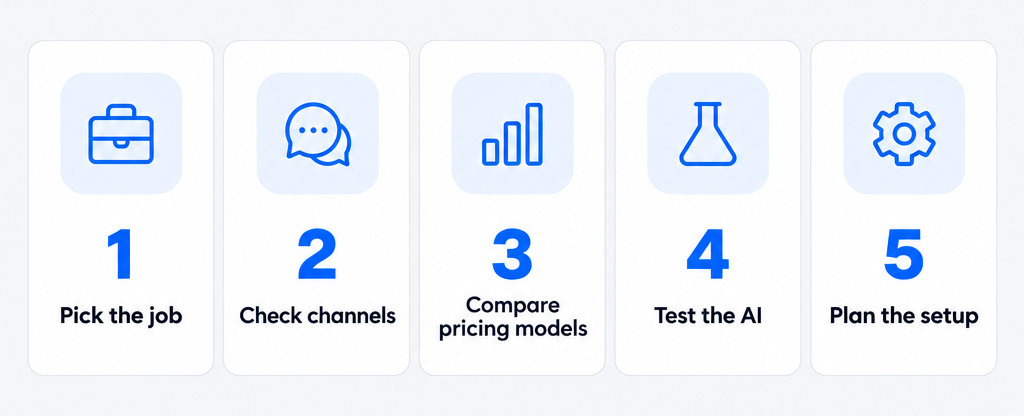
Five checks narrow the list quickly.
Start with the job, not the category
Decide whether you need to answer customers faster, reach them first, or both. Support-led teams should shortlist the help desks and chat tools. Marketing-led stores should start with Klaviyo and add chat later. Test it by listing your 20 most common customer messages and checking which tool handles them out of the box.
Check the channels customers use
Look at where your customers already write: site chat, email, Instagram or WhatsApp. Confirm each channel works on the plan you would buy, because several tools above gate chat, SMS or voice to higher tiers. A single inbox for omnichannel customer service saves agents from switching tabs.
Understand the pricing model
Per-seat plans grow with your team, per-contact plans grow with your list, and per-conversation plans grow with volume. AI adds a fourth line. Ask each vendor for a quote at your volume and add the AI charge before you compare totals.
Test the AI on your own questions
Run each AI agent on your top 20 questions, check the answers against your help content, and see how it hands over to a person. A good handoff passes the conversation with context. Our guide to AI customer support software shows how.
Plan the setup
Check how long setup takes and who owns it. Tools with an onboarding fee or heavy configuration, such as HubSpot Professional and Salesforce, need a person with time. Pilot with one channel before you move everything.
Which customer engagement software should you pick?
Each pick fits a specific job:
- Small team that wants chat, email and AI in one inbox: Tidio on a paid plan, with Lyro for repeat questions. Start on Growth if you need analytics and macros.
- Shopify store that answers order questions all day: Tidio, for cart previews, order history and Lyro answers on order status. Add Klaviyo when email and SMS campaigns become the main channel.
- Store that leads with email and SMS: Klaviyo, with Tidio for live chat and support.
- Team already on a CRM: HubSpot or Salesforce Service Cloud, if you can fund the setup.
- AI-first support team: Intercom, if you will pay per outcome.
- Email-first team on a tight budget: Freshdesk, Zoho Desk or Help Scout.
- Large team that needs deep rules: Zendesk.
- Clinic or med spa: Pabau. Regulated ticketing teams: Giva.
Start with a paid Tidio plan
Frequently asked questions
Tidio suits small businesses that want chat, email, social messages and an AI agent in one inbox, with a free plan and conversation-based pricing. HubSpot and Help Scout are good alternatives for teams that want a CRM or a simple shared inbox.
A CRM stores customer records and sales history. Customer engagement software handles the conversations with those customers across channels and automates replies. Many tools, such as HubSpot and Salesforce, combine both.
Tidio is AI customer service software that combines live chat, a multichannel inbox, ticketing, automation Flows and the Lyro AI agent. It is built for small and mid-size teams and online stores.
Entry plans for support-focused tools run from free to about $29 per seat a month. AI is usually billed separately: Help Scout charges $0.75 per resolution, Intercom $0.99 and Zendesk $1.50 to $2.00. Marketing tools such as Klaviyo price by contacts.
Yes. Tidio, HubSpot, Help Scout, Zoho Desk and Klaviyo offer free plans with limits on conversations, users or contacts. Free plans suit testing, not scaling.
AI can answer routine questions, draft replies and route conversations. It works best with a solid help center and a clear handoff to a person. Tidio's Lyro can resolve up to 75% of support requests.
Use live chat to support your customers in real-time