



Key takeaways
- Best for small businesses and online stores: Tidio. Live chat, email, social messages, and an AI agent share one inbox, with a free plan and Shopify order tools.
- Best for large multichannel teams: Zendesk. Chat, phone, and email in one workspace, from $55 per agent a month on the plan that includes chat.
- Best budget ticketing: Zoho Desk. A free plan for 3 users, and paid plans from $7 per user a month, billed annually.
- AI is billed in three different ways: per resolution (Zendesk, Intercom, HubSpot, Help Scout), per session (Freshdesk), or bundled into the plan (Zoho Desk, LiveAgent). Compare the unit before the seat price.
- Only 4 of the 9 have a free plan: Tidio, HubSpot, Zoho Desk, and Help Scout.
Most customer service solutions look the same on the pricing page and behave very differently once tickets pile up. One charges for every seat, another for every AI answer, and a third hides live chat in a higher plan. We compared nine tools on their pricing pages, help centers, and G2 reviews, and kept the ones that suit a small or mid-sized business or an online store. Each entry says who it fits and where it stops, with prices in plain numbers. Tidio is included and follows the same template as the others.
What is a customer service solution?
A customer service solution is the software your team uses to answer customers and keep track of what was said. Most businesses combine a few types, and many tools bundle several of them.
| Type | What it does | Fits when |
|---|---|---|
| Live chat | Answers website visitors in real time | Shoppers ask before they buy |
| Email and ticketing | Turns every message into a ticket with an owner and a status | Several people share one inbox |
| Knowledge base | Lets customers find answers without contacting you | The same questions repeat |
| AI agent | Answers common questions and hands the rest to your team | Support volume outgrows your team |
| Social and messaging | Brings Messenger, Instagram, and WhatsApp into the same inbox | Customers write where they already are |
Chat and email do different jobs. Live chat suits quick questions from visitors who are about to buy, while email and tickets suit longer problems that need a record and a named owner. Most small teams need both, and an AI agent on top to take the repetitive questions off the queue.
The tools below cover most of these types. Where a type costs extra, the entry says so.
The best customer service solutions at a glance
Our short list: Tidio for small businesses and online stores, Zendesk for large multichannel teams, and Zoho Desk for the lowest price per seat.
| Solution | Best for | Starting price (paid) | Free plan / trial | AI pricing | G2 rating |
|---|---|---|---|---|---|
| Tidio | SMBs and online stores, especially Shopify | $24.17/mo, billed annually | Free plan · 7-day trial | Lyro from $32.50/mo for 50 conversations | 4.6 (1,962) |
| Zendesk | Large teams across chat, phone, and email | $19/agent/mo (email only); $55 with chat | No free plan · 14-day trial | $1.50 to $2.00 per resolution | 4.3 (7,091) |
| Freshdesk | Small email-led support teams | $19/agent/mo, billed annually | No free plan · 14-day trial | 500 free sessions, then $49 per 100 | 4.4 (3,773) |
| Intercom | SaaS teams that put AI first | $29/seat/mo, billed annually | No free plan · 14-day trial | $0.99 per outcome | 4.5 (2,900+) |
| HubSpot Service Hub | Teams already on HubSpot CRM | $20/seat/mo list price ($7 promo shown) | Free plan (2 users) | $0.50 per resolved conversation | 4.4 (3,017) |
| Zoho Desk | Teams on a tight budget | $7/user/mo, billed annually | Free plan (3 users) · 15-day trial | Included in the plan | 4.4 (7,954) |
| Help Scout | Email-first teams that want a human tone | $25/user/mo, billed annually | Free plan (5 users) | $0.75 per resolution | 4.4 (431) |
| Gorgias | Shopify stores with high ticket volume | $50/mo for 300 tickets, billed annually | Free trial | $0.85 to $1.00 per automated interaction | 4.6 (582) |
| LiveAgent | Small teams that want phone and social cheaply | $15/agent/mo, billed annually | 30-day trial | Included in the plan | 4.5 (1,537) |
How we chose these solutions
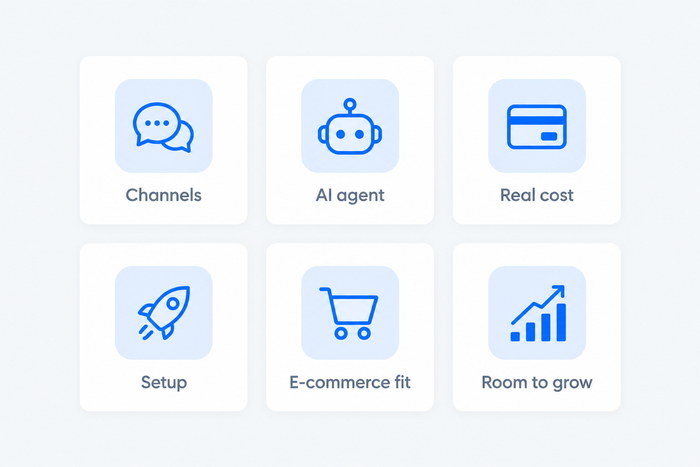
We started with the nine tools in the previous version of this guide, swapped out one niche enterprise knowledge tool, and added the tools buyers most often ask about for customer support. We ordered the list for small and mid-sized businesses and online stores, which is why Tidio comes first. Every tool is judged on the same six criteria:
- Channels: live chat, email, social, and phone.
- AI: what it does and how it is billed.
- Real cost: seats, add-ons, and usage fees at your volume.
- Setup: how fast a small team can go live.
- E-commerce fit: order data, returns, and store integrations.
- Room to grow: reporting, automation, and plan limits.
We read each vendor’s pricing page and help center and took ratings from G2. We did not test every tool hands-on, and vendor claims about AI results are labeled as claims.
The 9 best customer service solutions in 2026
Tidio
Best for: small businesses and online stores that want chat, tickets, and AI in one app
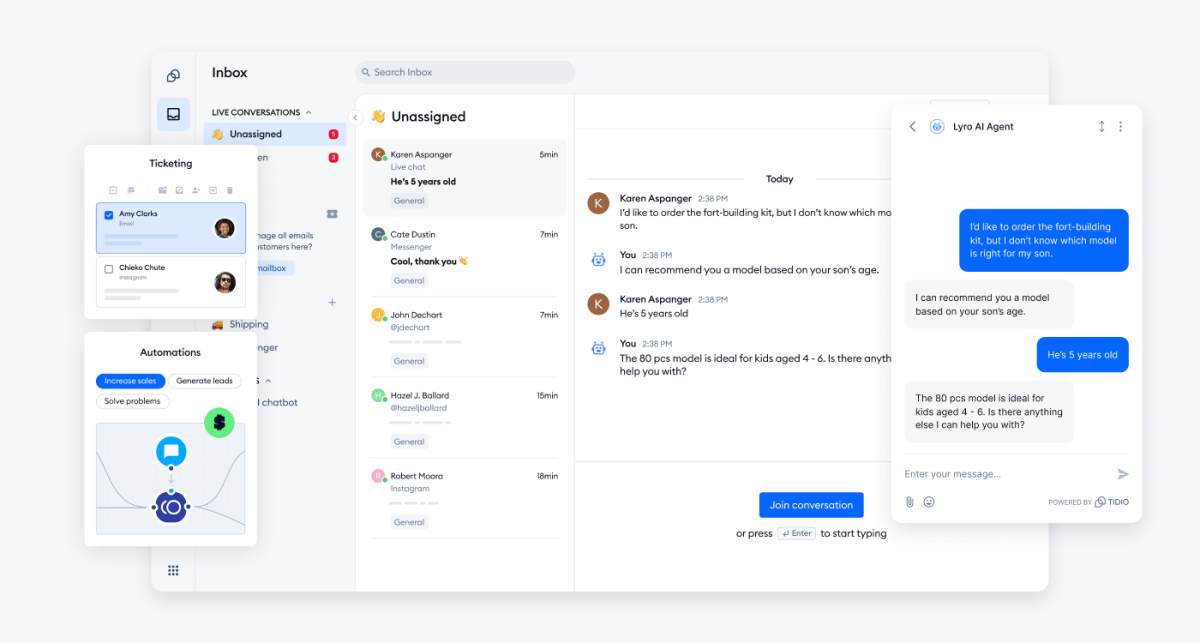
Tidio puts live chat, email tickets, Messenger, Instagram, and WhatsApp in one inbox, and adds an AI agent called Lyro and no-code automations called Flows. Ticketing, live video calls, and basic analytics come with the Free plan, and advanced analytics start on Growth. On Shopify, agents see a shopper’s cart and order history beside the conversation and can cancel an order, issue a refund, or change a shipping address without leaving the inbox. Tidio says Lyro can solve up to 75% of customer questions automatically and hands the rest to your team with the conversation attached.
Tidio is a good match for:
- Shopify stores that want cart preview and order history in the inbox.
- Small and mid-sized teams that use automation and AI to cover for a small staff.
- Busy support queues full of repeat questions.
- Multichannel teams that handle live chat, email, Messenger, Instagram, and WhatsApp in one inbox.
Skip Tidio if phone calls and an IVR are your main channel. Zendesk covers that better.
Key features:
- Lyro AI agent: answers from your help content and website, works on chat, Messenger, Instagram, and WhatsApp, and checks order status on Shopify.
- Flows: greet visitors, recover carts, and collect leads, running alongside Lyro on the same project.
- Tickets and SLAs: views, assignment, merging, custom fields, and first-reply targets for email tickets.
Pros
- Free plan with 10 seats and 50 billable conversations a month, enough to test on a live site.
- Shopify actions such as refunds and order edits work straight from the inbox.
- AI, human chat, and tickets share one inbox, so handoffs keep their context.
Cons
- Pricing grows with usage: billable conversations, Lyro, and Flows are priced separately, so you only pay for what you use, but there are a few quotas to keep an eye on as you grow.
- Lyro answers common questions well and passes complex cases to your team, and the free Lyro allowance is a one-time 50 conversations.
- Phone is not a channel today, so teams that take many calls pair Tidio with a phone tool.
Pricing: Tidio’s pricing page lists these plans (billed annually; monthly in brackets):
- Free: $0, 50 billable conversations a month, 10 seats.
- Starter: $24.17 a month ($29), 100 conversations.
- Growth: from $49.17 a month ($59), 250 to 2,000 conversations.
- Plus: from $300 a month plus usage. Premium: by quote.
- Lyro AI agent: from $32.50 a month ($39 billed monthly) for 50 AI conversations. Flows: from $24.17 a month ($29).
- 7-day free trial, no card.
Rating: G2 4.6/5 (1,962 reviews)
See which Tidio plan fits your support volume
Zendesk
Best for: large teams that run chat, phone, and email in one workspace
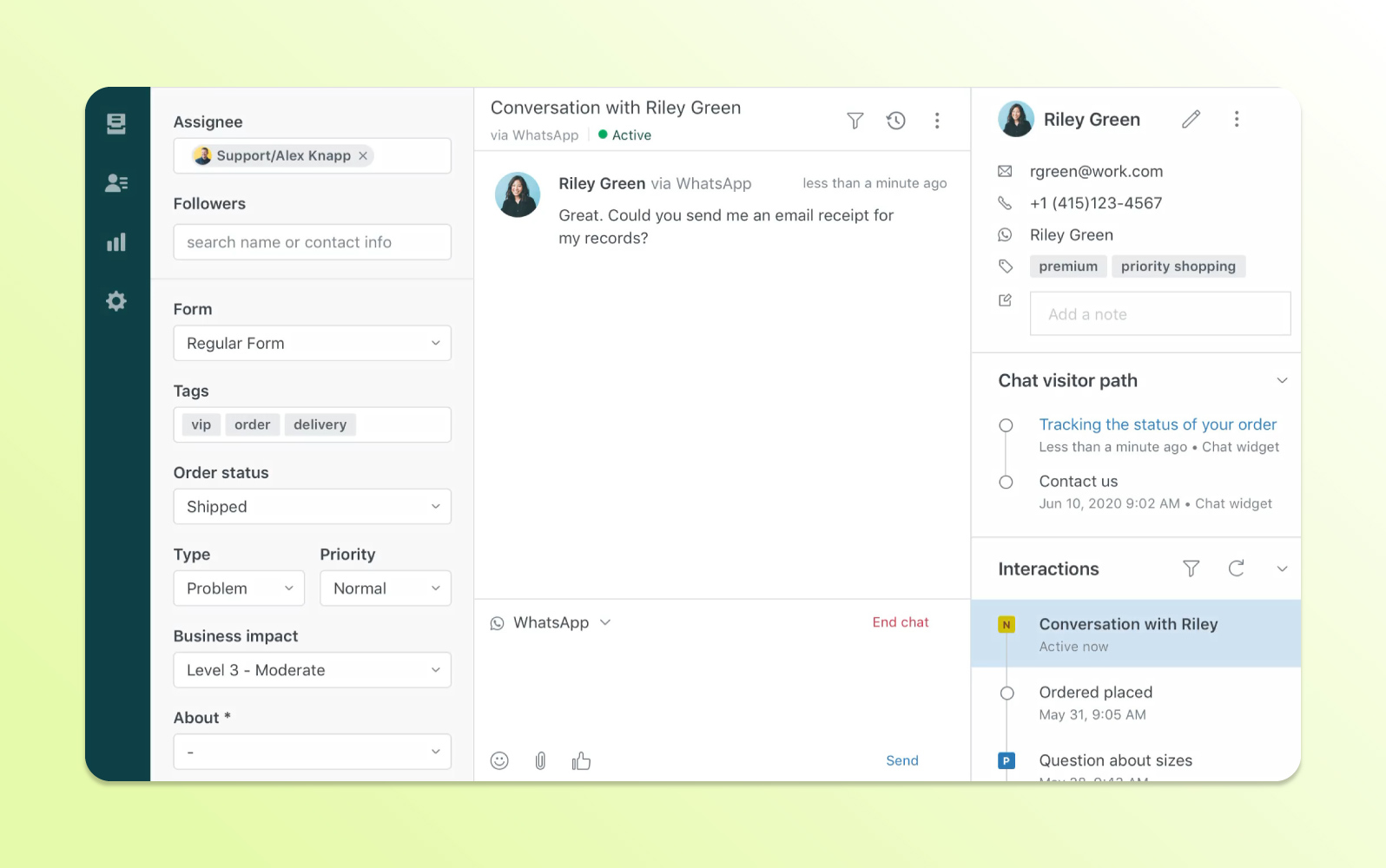
Zendesk is the broadest option here. The Suite plans put live chat, phone, and an AI agent in the same workspace as email tickets. The trade-off for small teams is price and plan steps: the $19 Support Team plan is email only, so chat starts at Suite Team.
Key features:
- Omnichannel routing across email, chat, phone, and social channels.
- AI agents on every plan, billed per automated resolution.
- Prebuilt analytics dashboards from the entry plan.
Pros
- One queue for every channel.
- Prebuilt analytics dashboards from the entry plan.
Cons
- The entry plan has no live chat, so chat starts at Suite Team.
- AI cost scales per resolution, which is hard to forecast when chat volume spikes.
Pricing (per agent, billed annually; monthly in brackets): Support Team $19 ($25) · Suite Team $55 ($69) · Suite Professional $115 ($149) · Enterprise on request. Each agent includes 5 AI resolutions a month (10 on Professional), then $1.50 each committed or $2.00 pay-as-you-go. No free plan; 14-day trial.
Rating: G2 4.3/5 (7,091 reviews)
Read more: Zendesk review · Zendesk alternatives
Freshdesk
Best for: small, email-led support teams that want a knowledge base at a low price
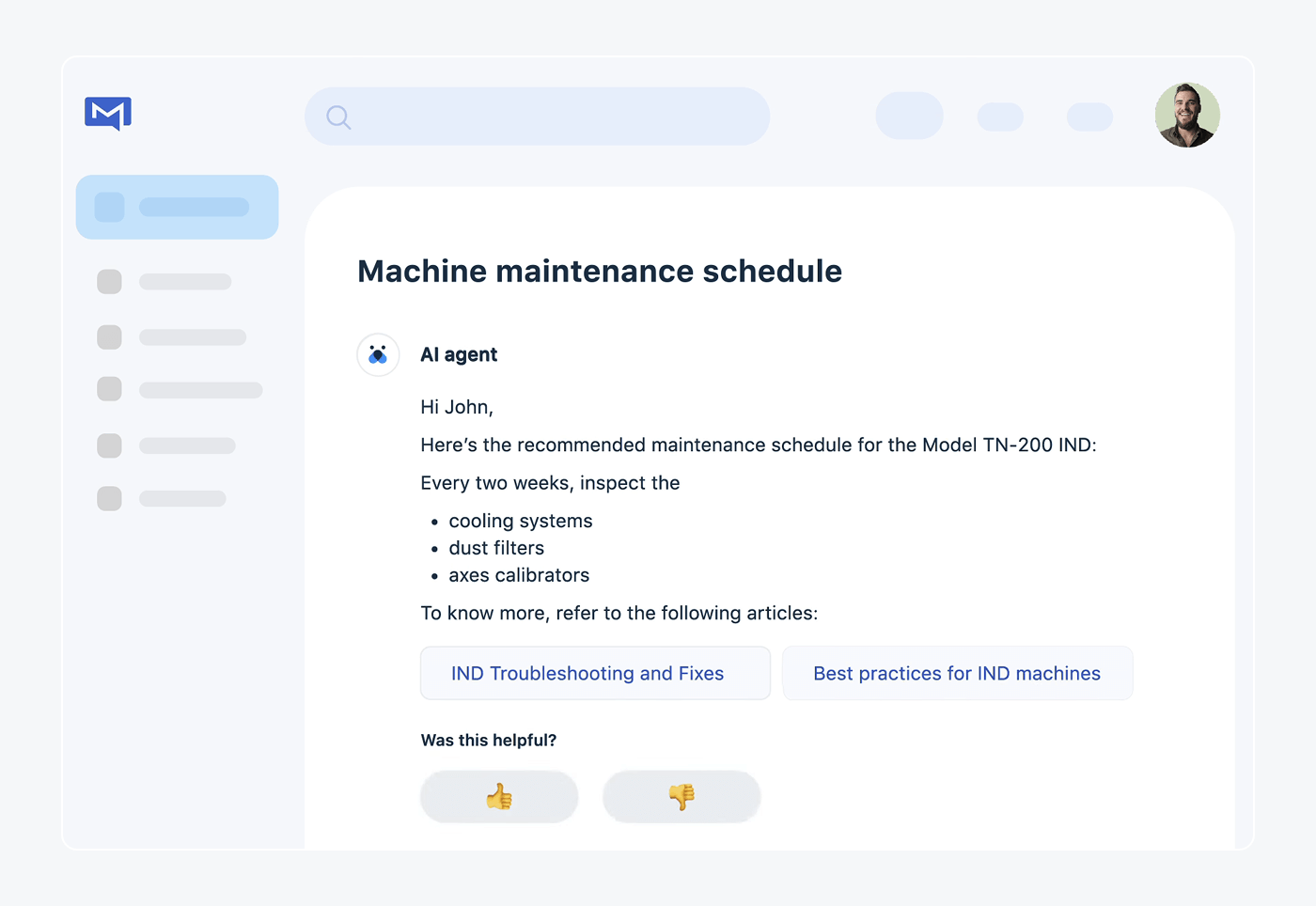
Freshdesk is the cheapest annual entry in this group that still bundles a customer portal, a knowledge base, and reporting. It sells an email-first help desk, so live chat, WhatsApp, and phone come from separate Freshworks products. That suits a lean team with a steady email queue more than a store that lives on chat.
Key features:
- Ticketing and shared inbox with roles and permissions, and multiple SLA policies on Pro.
- Customer portal and knowledge base from the Growth plan.
- Freddy AI Agent, with Copilot as a paid add-on from Pro.
Pros
- Transparent AI price: 500 free sessions, then $49 per 100.
- Knowledge base and reporting on the entry plan.
Cons
- Chat and phone are separate products with their own pricing.
- Copilot ($29 per agent) is not available on Growth.
Pricing (per agent, billed annually; monthly in brackets): Growth $19 ($23) · Pro $55 ($66) · Enterprise $89 ($107). No free plan; 14-day trial.
Rating: G2 4.4/5 (3,773 reviews)
Read more: Freshdesk review · Freshdesk alternatives
Intercom
Best for: SaaS teams that want an AI agent to handle most conversations
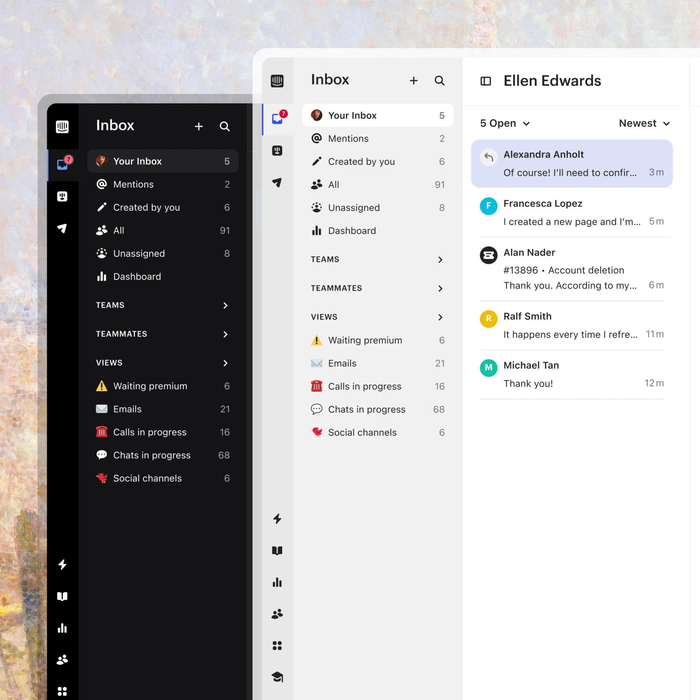
Intercom is built around its AI agent, Fin. The Messenger, shared inbox, and help center come with every plan, and Fin is billed only when it resolves a conversation. The catch is the second bill: seats plus outcomes, so a store with high chat volume pays for both.
Key features:
- Fin AI agent on every plan, and also usable on top of another help desk.
- Messenger live chat with a shared inbox and ticketing.
- Workflow builder from Advanced.
Pros
- AI is charged only when Fin resolves a conversation.
- Messenger, shared inbox, and a public help center on every plan.
Cons
- 1,000 resolutions a month add $990 before seats.
- Lite seats are free only on Advanced and Expert.
Pricing (per seat, billed annually; monthly in brackets): Essential $29 ($39) · Advanced $85 ($99) · Expert $132 ($139). Fin costs $0.99 per outcome. No free plan; 14-day trial.
Rating: G2 4.5/5 (2,900+ reviews)
Read more: Intercom review · Intercom alternatives
HubSpot Service Hub
Best for: teams that already run their sales and marketing in HubSpot
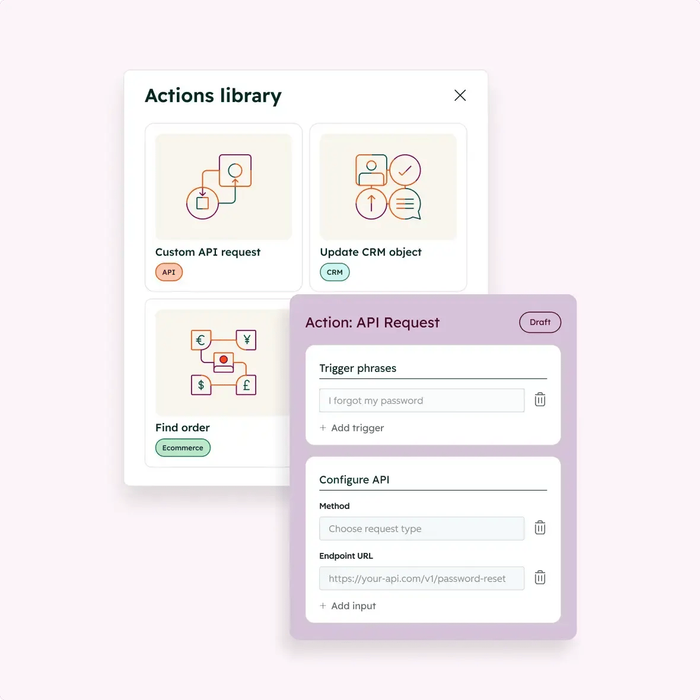
HubSpot’s strength is the shared customer record: tickets, chat, and the Breeze Customer Agent sit next to the CRM data your sales team already uses. The free plan covers two users, and the agent is billed at $0.50 per resolved conversation. The agent starts on Professional, which also needs a one-time $1,500 onboarding fee.
Key features:
- Ticketing and team email on the Free plan.
- Live chat from Starter.
- Breeze Customer Agent and a knowledge base on Professional.
Pros
- The clearest AI price here, and a free plan for 2 users.
- Tickets and CRM data live in one record.
Cons
- The AI agent and knowledge base are not on Starter.
- Required onboarding fees: $1,500 for Professional, $3,500 for Enterprise.
Pricing (per seat a month): Free for 2 users · Starter $20 list price ($7 promotional price shown) · Professional $100 list price ($90 shown) · Enterprise from $150. HubSpot’s pages disagree on some of these figures, so confirm at checkout.
Rating: G2 4.4/5 (3,017 reviews)
Read more: HubSpot alternatives
Zoho Desk
Best for: teams on a tight budget that want a free tier and a clear upgrade path
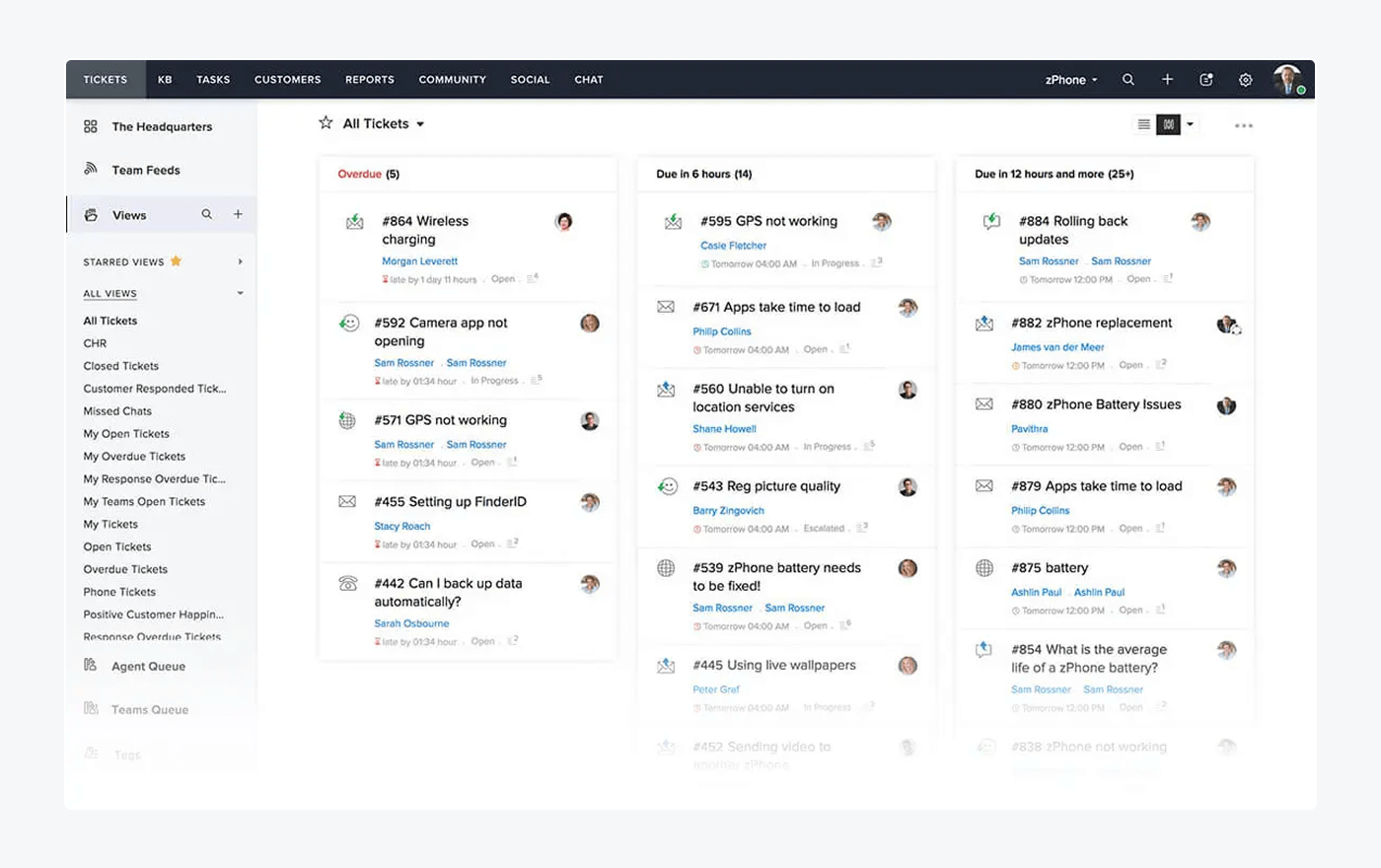
Zoho Desk has the lowest seat prices in this group and a real free plan. The ladder has five plans, and the AI assistant Zia comes with the plan at no per-resolution fee. The full live chat window sits on Enterprise, so teams that want chat on a website should price that step first.
Key features:
- Email and social tickets from the entry plan, with instant messaging channels on Standard.
- Knowledge base and CSAT ratings from Standard.
- Zia AI with reply help and summaries on Professional.
Pros
- Free plan for 3 users and $7 Express plan.
- AI bundled with no per-resolution fee.
Cons
- Full live chat starts on Enterprise.
- Standard caps support users at 5.
Pricing (per user, billed annually; monthly in brackets): Free · Express $7 ($9) · Standard $14 ($20) · Professional $23 ($35) · Enterprise $40 ($50). 15-day trial.
Rating: G2 4.4/5 (7,954 reviews)
Read more: Zoho Desk review · Zoho Desk alternatives
Help Scout
Best for: email-first teams that want a simple shared inbox with a human tone
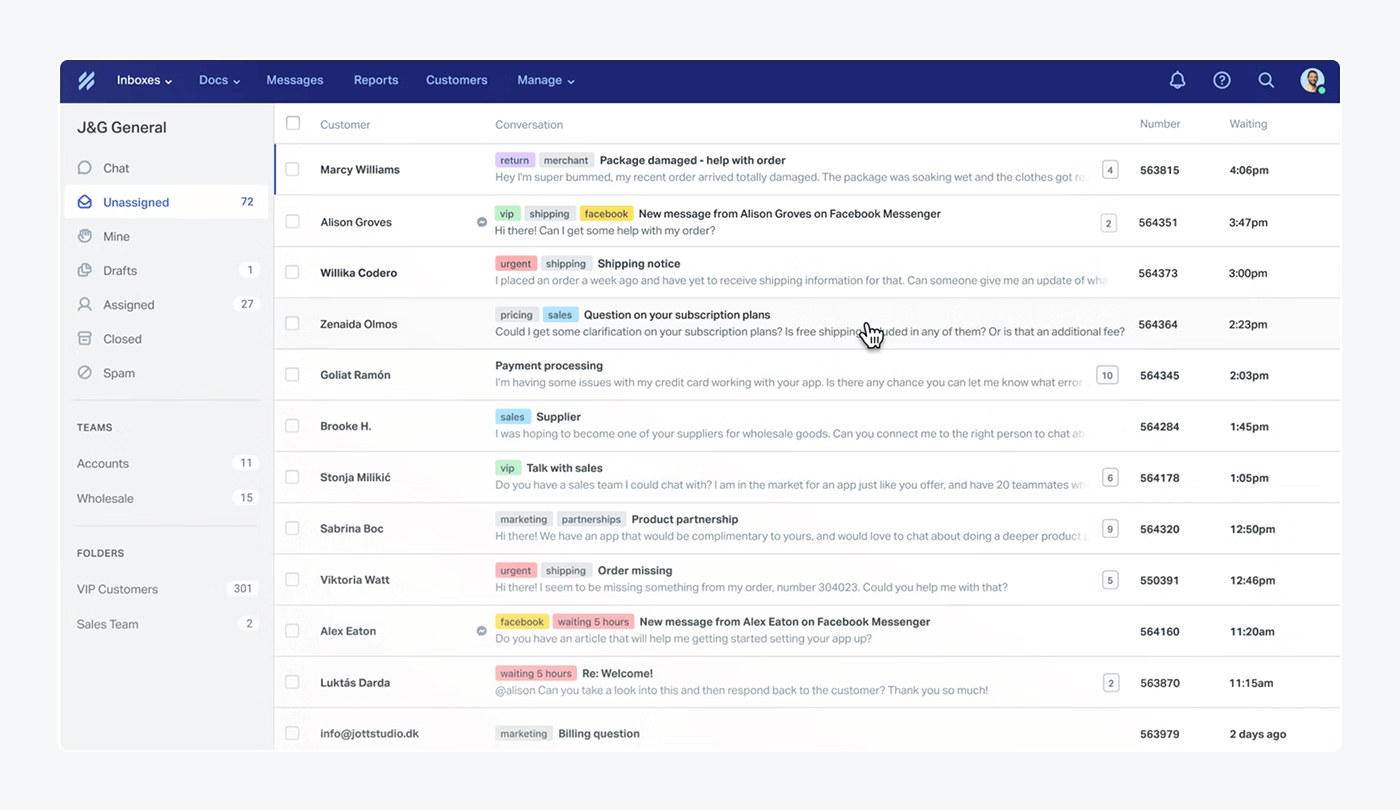
Help Scout is a shared inbox that keeps conversations looking like ordinary email. Live chat and messaging channels are on the paid plans, and the AI Answers add-on has the lowest per-resolution rate here. It has no native store data in the inbox, so e-commerce teams rely on integrations.
Key features:
- Shared inbox with multiple inboxes and saved replies.
- Knowledge base (Docs) from the entry plan.
- AI Answers, billed per resolution.
Pros
- Free plan with 5 users.
- Multiple inboxes and knowledge bases on the entry paid plan.
Cons
- Live chat starts on the Standard plan, not on Free.
- Advanced workflows and SLA policies start on Plus.
Pricing (per user, billed annually; monthly in brackets): Free · Standard $25 ($30) · Plus $45 ($54) · Pro $75 ($90). AI Answers costs $0.75 per resolution, with the first three months of resolutions free.
Rating: G2 4.4/5 (431 reviews)
Read more: Help Scout review · Help Scout alternatives
Gorgias
Best for: Shopify stores with high ticket volume

Gorgias is a help desk made for online stores. Order data, returns, and refunds appear inside the ticket, and the price follows ticket volume instead of seat count, so a large team does not raise the bill. The same model works against stores with spiky volume, because overage is billed.
Key features:
- Shopify, WooCommerce, and BigCommerce order data in every ticket.
- AI Agent on every plan.
- Email, chat, and social on all plans.
Pros
- No per-seat fees.
- Order actions inside the ticket.
Cons
- Ticket caps with paid overage.
- Less useful for teams that are not online stores.
Pricing (helpdesk only, billed annually): Starter $10 a month for 50 tickets (monthly billing only) · Basic $50 for 300 · Pro $300 for 2,000 · Advanced $750 for 5,000. The AI Agent adds $0.85 to $1.00 per automated interaction. Free trial; no free plan.
Rating: G2 4.6/5 (582 reviews)
Read more: Gorgias review · Gorgias alternatives
LiveAgent
Best for: small teams that want phone, chat, and social in one tool at a low price
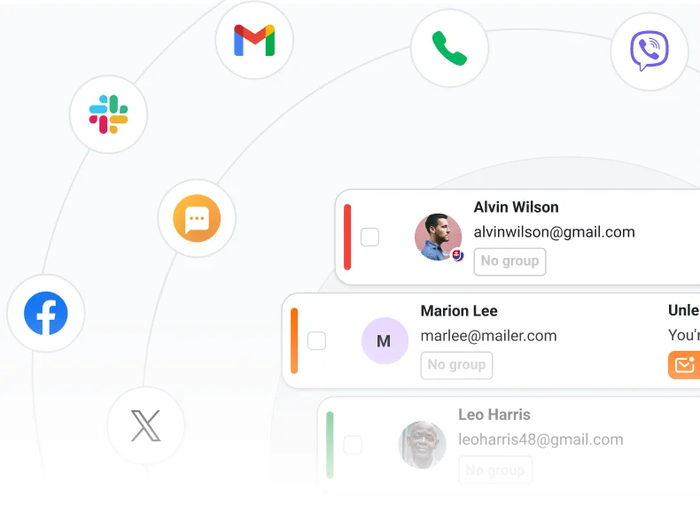
LiveAgent bundles ticketing, live chat, a knowledge base, and a call center at a low per-agent price. Social channels are where the bill grows: on the Small and Medium plans, Facebook, X, Viber, and WhatsApp are $39 a month each, so three channels add more than $100 before seats.
Key features:
- Ticketing and live chat on every plan.
- Call center and IVR from Medium.
- AI features (Answer Assistant, chatbot with handover, ticket triage) bundled in plans.
Pros
- Cheap per agent, with a 30-day trial.
- Many channels in one inbox.
Cons
- Social channels are paid add-ons below the Large plan.
- Plan-by-plan AI limits are not stated clearly on the pricing page.
Pricing (per agent, billed annually; monthly in brackets): Small $15 ($19) · Medium $29 ($35) · Large $49 ($59) · Enterprise $69 ($85). 30-day free trial; no free plan.
Rating: G2 4.5/5 (1,537 reviews)
Read more: LiveAgent review
How to choose a customer service solution
Start with the channels you must cover
List where your customers write today: chat, email, Messenger, Instagram, WhatsApp, phone. Cover the busiest two first. Email-only plans such as Zendesk Support Team and Freshdesk Growth are cheap, and they stop at email. See our guides to multichannel customer service and customer service channels.
Price the AI, not only the seats
AI is billed per resolution (Zendesk, Intercom, HubSpot, Help Scout), per session (Freshdesk), per automated interaction (Gorgias), per conversation (Tidio), or bundled (Zoho Desk, LiveAgent). At 1,000 resolutions a month, the per-resolution rates work out to about $500 on HubSpot, $750 on Help Scout, $990 on Intercom, and $1,500 on Zendesk before its included resolutions, all on top of seats. Ask how each vendor defines a resolution. More in our guide to AI customer support software.
Add up the real cost at your volume
Write down your seats, monthly conversations, and the AI share you expect, then price each tool for that month. Onboarding fees (HubSpot), overage (Gorgias), and paid social channels (LiveAgent) change the total more than the headline seat price.
Check the store connection
If you sell online, test whether order status, refunds, and cart contents show up next to the conversation. Our e-commerce help desk guide lists the checks.
Plan for growth
A tool that fits ten conversations a day may not fit a hundred. Check what the next plan adds (routing, SLAs, reporting, more seats) and what it costs. Seat-based tools get pricier as the team grows, while ticket-based and conversation-based tools get pricier as volume grows. Pick the model that follows the thing you expect to grow.
Run it on your own questions
Take your 20 most common customer questions and ask the AI agent each one during the trial. Count the answers you would send as they are. Then check how the handoff to a person looks. Our small business help desk guide covers what to test.
Which customer service solution should you pick?
- If you run a Shopify store → Tidio Growth with Lyro. Cart preview, order history, and order edits sit in the inbox, and Lyro answers order-status questions around the clock. A store with a very large ticket volume may prefer Gorgias.
- If you’re a small or mid-sized business that wants AI without a big team → Tidio Growth with Lyro. Teams that need custom limits move to Tidio Plus.
- If you run a large team across chat, phone, and email → Zendesk.
- If your sales and marketing live in HubSpot → HubSpot Service Hub.
- If you want the lowest seat price and a free start → Zoho Desk.
- If you want an AI agent to handle most conversations in a SaaS product → Intercom.
- If your support is email-first and you value a human tone → Help Scout.
- If you need phone and social channels cheaply → LiveAgent.
Compare Tidio plans and add Lyro to your support
Frequently asked questions
For most small businesses and online stores, Tidio is the best fit, because live chat, email, social messages, and an AI agent share one inbox, and there is a free plan to start. Zoho Desk suits the tightest budgets, and Help Scout suits email-first teams.
Tidio and Gorgias both show order data beside the conversation. Tidio suits small and mid-sized stores that want chat, AI, and tickets in one app, and Gorgias suits Shopify stores with a high ticket volume.
All nine. Tidio (Lyro), Zendesk, Intercom (Fin), HubSpot (Breeze Customer Agent), Freshdesk (Freddy), Zoho Desk (Zia), Help Scout (AI Answers), Gorgias (AI Agent), and LiveAgent offer AI features. They bill by conversation, resolution, session, or plan, so check the unit before you commit.
Zendesk, Freshdesk Pro, and Intercom suit medium-sized teams that need routing, SLAs, and reporting. Tidio Plus suits growing e-commerce and service teams that need custom limits and branding.
Yes. Tidio, HubSpot Service Hub, Zoho Desk, and Help Scout have free plans, limited by users, conversations, or channels. The other five offer a free trial instead. Our guide to customer service software compares more options.
Paid plans start at about $7 to $29 per user a month. AI usually adds a per-resolution fee of $0.50 to $2.00, and some tools charge by ticket volume instead of seats.
Try Tidio's customer service solution with Lyro AI
