Customer service automation software helps support teams work smarter, not harder. It uses rule-based workflows, AI agents, and chatbots to handle repetitive tasks, route tickets, suggest replies, and trigger self-service tools automatically.
This isn’t about replacing humans.
The idea is to free them up to focus on issues that require empathy and context. When used right, automation shortens first response time and increases team capacity, ensuring every customer gets a consistent experience, no matter the channel or time of day.
In fact, 80% of companies[0] are either using or planning to adopt AI-powered chatbots for customer service. If your support operation is growing, you’ll need a plan to automate without compromising quality.
Take your support off autopilot and let Tidio handle it
How customer service automation software works behind the scenes
Most automation tools sit quietly in the background, handling the tasks your agents don’t need to touch.
When a customer asks a question in chat, an AI chatbot can instantly scan for keywords, match the query to a help center article, or offer a direct response. If the request is complex or emotional, it hands things off to a human agent via the ticket escalation process (often with a full summary already written).
When someone sends an email about a refund, the system tags it as a billing issue and applies relevant SLAs. Then, it assigns it to the right team and sends a first-response confirmation without any agent needing to lift a finger.
That’s the core of customer service automation: recognizing patterns, applying rules, and enabling faster, more accurate responses.
Key CS automation software features to look for
Modern tools pack a long list of features, but not all are created equal. Here’s what to expect from a well-built chatbot automation platform and what these features actually do:
- AI chatbots and AI agents: NLP chatbots and AI CS agents can do so much more than FAQ chatbots. They can greet customers, perform tasks, do AI lead generation and sales, and will escalate when needed. The best ones use NLP and machine learning to understand intent, not just keywords.
- Automated ticket assignment: Instead of dumping tickets into a shared queue, automation routes them to the right person or team instantly based on topic, priority, or customer status.
- SLA workflows: Automated help desk workflows enforce your service-level agreements. Tickets nearing a deadline can be flagged, escalated, or reassigned without manual monitoring.
- Macros and canned replies: agents can respond faster with pre-written, personalized replies that adapt based on ticket context. Macros can also trigger internal actions like tagging or closing tickets.
- Multichannel inbox automation: these tools consolidate messages from email, chat, social, and SMS. Automation ensures no message falls through the cracks, even across time zones.
- Self-service knowledge base triggers: when customers type in a query, the system can suggest help center articles automatically, reducing the need for live interaction. For more complex inquiries, you can use document workflow automation tools to gather specific details before an agent even joins the chat.
Did you know that…
Implementing AI in customer service can reduce labor costs by up to 90%[0] by automating routine tasks such as answering frequently asked questions and order tracking.
When to consider automating your support
Automation makes sense when your team starts hitting a wall. If the volume’s too high, SLAs are slipping, or agents are drowning in basic requests, it’s probably time.
Signs your team is ready
You don’t need a crystal ball or an AI guru. Just pay attention to what’s happening day to day:
- Agents spend most of their time answering the same 10 questions
- It’s unclear which tickets should be prioritized, and managers are manually triaging
- Customers are frustrated with long wait times and inconsistent answers
- You’ve hired more agents, but productivity hasn’t improved
Did you know that…
Around 50% of consumers[1] prefer interacting with bots over humans when seeking immediate assistance.
Risks of automating too early (or too much)
Automation isn’t a silver bullet. If you deploy it too early or aggressively, it can backfire.
Poorly trained bots frustrate customers. Inflexible flows can make escalations harder, not easier. And relying too much on canned responses can come off as robotic.
Start with a narrow use case. Roll it out, measure impact, and expand gradually.
Benefits of customer service automation
Done right, automation leads to faster service, more consistent quality, and lower support costs. The key is pairing it with smart workflows and keeping humans in the loop.
Better speed, consistency, and cost-efficiency
Using customer support automation software can reduce handling time and cut support costs significantly. In fact, one of Tidio’s clients, Axioma, managed to achieve an 89% resolution rate with the Lyro AI agent.
It’s not just about saving money—it’s about unlocking time and resources to improve the customer experience. Automation helps you:
- Respond to customers instantly, even during off-hours
- Apply the same rules and replies across the board
- Scale without hiring dozens of new agents
Happier customers, less stressed agents
The more you automate the repetitive stuff, the more time your agents have for meaningful work.
Ticket backlogs shrink. CSAT scores rise. And agent churn drops.
A Salesforce study found that 89% of support professionals[1] using AI feel more fulfilled in their roles. That’s because automation shifts their work from “ticket-pushing” to real problem-solving.
How to choose the best customer service automation tool
There are dozens of tools out there claiming to be “AI-powered” or “end-to-end.” Most of them sound the same.
Here’s how to pick one that actually fits your needs and delivers ROI.
Define your automation goals first
Before you evaluate tools, get clear on what you want to achieve.
- Do you need faster replies in chat?
- Are you trying to cut down ticket volume?
- Is your goal to deflect FAQs or improve SLA compliance?
Start with the outcome. Then look for tools that solve that exact problem.
Evaluate feature depth, not just surface claims
Many tools throw around buzzwords (think AI, automation, machine learning) but don’t back it up with real capabilities.
Dig into the features. Can you build your own chat flows? Can you train the bot with your knowledge base? Does it support multilingual replies?
Make sure it fits your current tech stack
If it doesn’t integrate, it’s not worth your time.
Make sure your tool connects with your existing help desk, CRM, ecommerce platform, and live chat. You’ll get better data flow and fewer silos.
Test support and onboarding before you buy
Typically, one of the main reasons automation projects fail is poor chatbot implementation.
Book demos. Ask questions. Test the vendor’s support team. A good vendor will walk you through setup and offer real guidance, aside from handing you a knowledge base.
5 top customer service automation tools worth trying
There’s no perfect tool. But depending on your business model and support workflow, one of these could be a solid fit.
| Name | Rating | Free plan? | Best for |
| Tidio | 4.7/5 ⭐️ | ✅ | AI agents and NLP chatbots |
| Freshdesk | 4.4/5 ⭐️ | ✅ | Ticket automation |
| Intercom | 4.5/5 ⭐️ | Free trial | Hybrid automation + live support |
| Zendesk | 4.3/5 ⭐️ | Free trial | Robust workflows for larger teams |
| Gorgias | 4.6/5 ⭐️ | Free trial | Ecommerce-specific macros & auto-replies |
1. Tidio
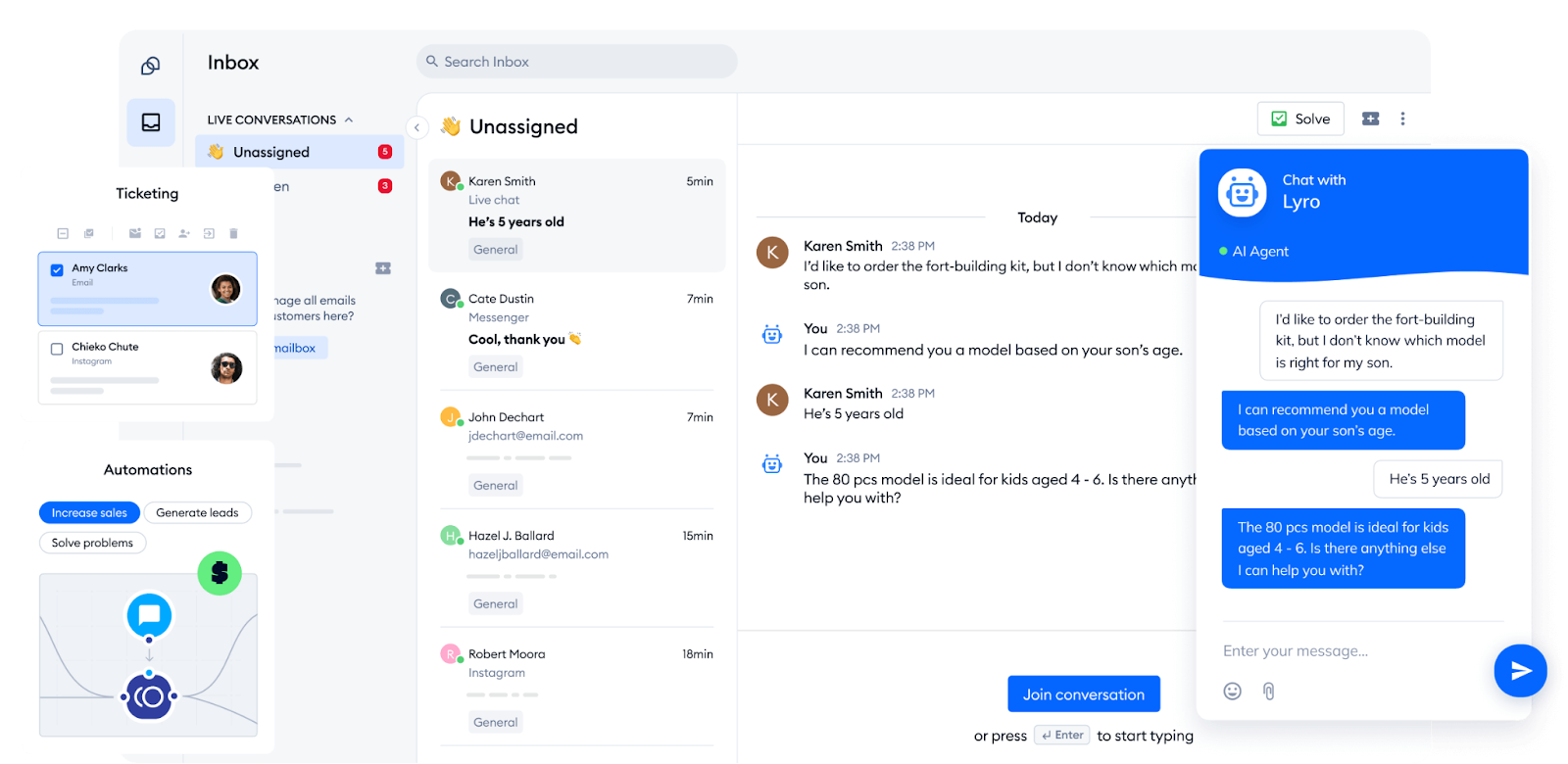
Tidio is ideal for ecommerce brands that want to combine live chat with automation. Its Lyro AI chatbot handles FAQs, routes tickets, and supports multiple languages. The platform also integrates natively with Shopify and WooCommerce, making setup fast and seamless for online stores.
Main features:
- AI agents and chatbots
- Multichannel support
- Help desk workflow automation
- Ticketing management
- Service level agreements (SLAs)
- Tidio canned responses
Pricing:
- 7-day free trial available
- Free version available
- Starter ($24.17/mo)
- Growth (starts at $49.17/mo)
- Plus (starts at $749/mo)
- Premium (starts at $2999/mo)
Stop answering the same questions — let AI do it for you
2. Freshdesk
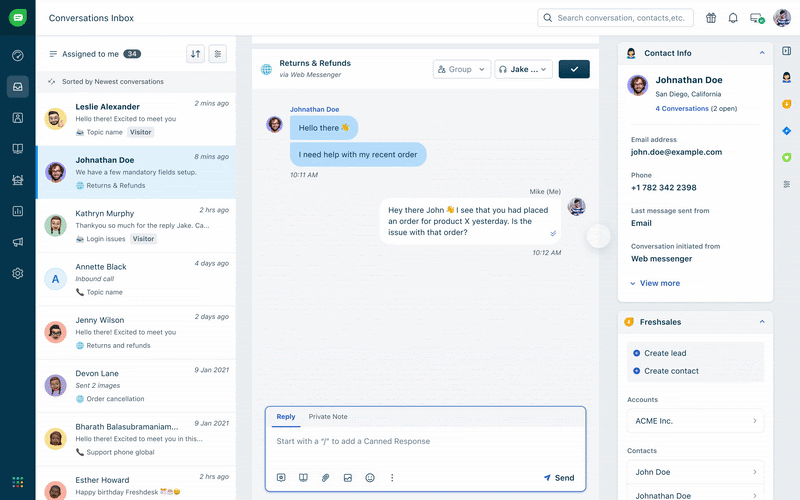
Freshdesk excels at rule-based ticket automation. You can assign tickets by priority, time zone, or issue type. It also offers strong SLA management and canned responses, which make it a good fit for mid-sized teams looking to scale their help desk.
Main features:
- Omnichannel support
- Ticketing system
- Automation & workflow rules
- Knowledge base chatbots
- AI-powered support (Freddy AI)
Pricing:
- Free plan available
- Growth ($15/agent/mo)
- Pro ($49/agent/mo)
- Pro + AI Copilot ($78/agent/mo)
- Enterprise( $79/agent/mo)
Read more: Check out the best Freshdesk alternatives currently available.
3. Intercom
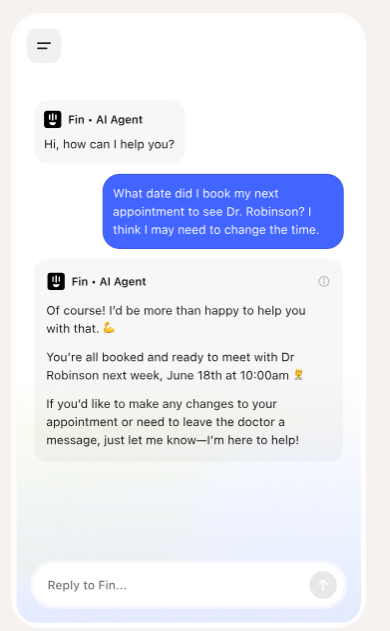
Intercom blends AI automation with human chat experiences. Its bots qualify leads, collect context, and escalate smoothly to live agents. With deep user data integrations, it’s a strong pick for SaaS or product-led companies that need both support and customer engagement.
Main features:
- Business messenger
- Inbox & ticketing
- Custom bots
- Product tours
- Help center
Pricing:
- Essential ($39/seat/mo)
- Advanced ($85/seat/mo)
- Expert ($132/seat/mo)
Read more: Find the best Intercom alternatives for your needs.
4. Zendesk

Zendesk is built for scale. It offers advanced ticket workflows, robust reporting, and AI-powered suggestions for agents. It’s best suited for large or global teams that need flexibility, deep automation, and multi-brand support.
Main features:
- Ticketing system
- Omnichannel support
- Help center & knowledge base
- AI & automation
- Reporting & analytics
Pricing:
- Suite Team ($55/agent/mo)
- Suite Growth ($89/agent/mo)
- Suite Professional ($115/agent/mo)
- Suite Enterprise ($169/agent/mo)
Read more: Discover the best Zendesk alternatives available right now.
5. Gorgias
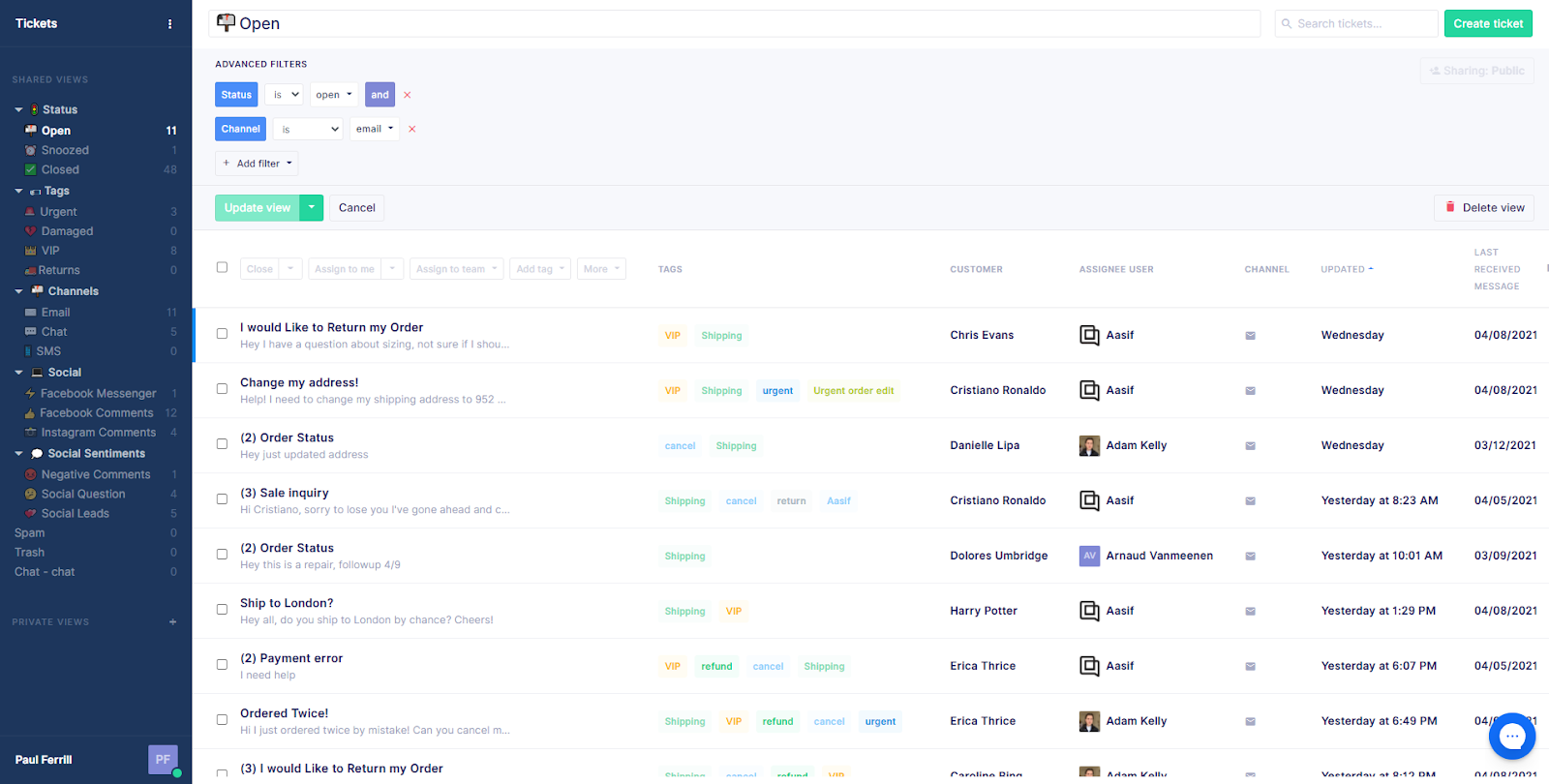
Gorgias is designed specifically for ecommerce. It lets you set up automated replies using customer and order data pulled from platforms like Shopify. Great for handling repetitive questions about shipping, returns, or order status without touching a single ticket.
Main features:
- Omnichannel support
- Automated responses
- Intent and sentiment detection
- Shopify integration
- Macros and rules automation
Pricing:
- Plans start at $10 per month for 10 support tickets.
- A free trial is available.
Automate your customer service wisely, not blindly
Automation should never be about chasing hype or cutting corners. It works best when you have clear goals, reliable processes, and the right human oversight.
Start small. Automate one or two repetitive flows, like ticket routing or order status replies. Track the results, adjust, then scale.
Your team will thank you, and your customers will notice. Finally, your support operation will be ready for the next stage of growth.
Automate your customer support with Tidio
FAQs
Tidio is one of the best options for small businesses thanks to its simple setup, affordable plans, and built-in AI features. It combines live chat, chatbots, and automation tools in one platform, making it easy to manage customer interactions without extra complexity.
For businesses looking for an all-in-one solution, Tidio stands out with its unified inbox, AI chatbot (Lyro), and strong ecommerce integrations. It helps teams respond faster, automate repetitive questions, and keep customer satisfaction high.
Customer service automation uses tools like chatbots, automated workflows, and self-service resources to handle common questions and tasks without constant human involvement. With Tidio, this means faster resolutions, less agent workload, and more time for complex customer needs.
Tidio’s Lyro AI is a top choice for businesses that want AI to handle repetitive queries, guide customers, and support agents in real time. It learns from your knowledge base and provides accurate, on-brand responses instantly.