



Key takeaways
- Customer communication management (CCM) software means two things. Support teams use it for chat, email, and social conversations. Banks and insurers use it for statements, letters, and policy documents.
- Best for online stores and small teams: Tidio. Five channels share one inbox, and Lyro can resolve up to 75% of support requests.
- Best for large, regulated senders: Quadient Inspire. It has the highest G2 rating of the eight, 4.8 from 130 reviews.
- The four enterprise platforms publish no prices. You request a demo and get a quote.
- Two of the four inbox tools have a free plan: Tidio and Help Scout. Freshdesk and Intercom offer a trial only.
Ask three vendors for customer communication management software and you get three different products. One sells a shared inbox for chat and email. Another sells software that builds policy letters and bills for banks. We checked pricing pages, vendor documentation, and G2 ratings for eight tools in October 2026, four of each kind. You get what each does, what it costs where a price is public, and who it suits. Tidio is listed first because the list is ordered for small teams and online stores, and every tool, ours included, gets the same template and its real drawbacks.
What is customer communication management software?
Customer communication management (CCM) software is the software a company uses to create, send, and track its messages to customers. In a support team, that means conversations on chat, email, and social channels in one inbox. In a bank or an insurer, it means outbound statements, letters, and policy documents built from templates and customer data, then delivered by print and digital channels.
The two share a name and little else. Pick the first kind if customers write to you and you answer. Pick the second kind if you send high-volume, regulated documents to them. This list covers both, and says which is which.
The best CCM software at a glance
Our short list: Tidio for online stores and small teams, Intercom for chat-first teams that pay per AI result, and Quadient Inspire for large senders of regulated documents.
| Tool | Kind | Best for | Starting price (paid) | G2 rating |
|---|---|---|---|---|
| Tidio | Inbox | Online stores and small teams | $24.17/mo, billed annually | 4.6 |
| Intercom | Inbox | Chat-first teams, AI paid per result | $29/seat/mo | 4.5 |
| Freshdesk | Inbox | Email-led teams on a low seat price | $19/agent/mo, billed annually | 4.4 |
| Help Scout | Inbox | Email-first small teams | $25/user/mo | 4.4 |
| Quadient Inspire | Documents | Large senders on print and digital | Not published, demo request | 4.8 |
| Smart Communications | Documents | Insurers, banks, and health plans | Not published, demo request | 4.7 |
| OpenText Exstream | Documents | Enterprises with SAP or Salesforce | Not published, demo request | 4.6 |
| Messagepoint | Documents | Regulated banks and health payers | Not published, demo request | 4.1 |
How we chose and tested these tools
We started from the seven tools on the previous version of this list and the tools that rank for the term today. We kept eight that fit one of the two meanings and publish enough to compare. Each tool got the same checks:
- What it manages: conversations in an inbox, or documents built and sent at volume.
- Channels: which channels it covers, from chat and email to print and digital delivery.
- AI: what the AI does, and the unit it is billed in.
- Price: public plans, or a statement that none exist.
- Fit and reviews: who it suits, plus the G2 rating, linked.
We ordered the list by fit for small teams and online stores, not by rating. We did not run the enterprise platforms, which sell only through demos. Their entries come from the vendors’ public pages, and we mark vendor claims as claims. For a wider list of inbox tools, see our guide to the best customer communication tools.
The 8 best customer communication management software in 2026
The first four tools run conversations. The last four build and send documents.
Tidio
Best for: online stores and small teams that run chat, email, and social replies from a single inbox
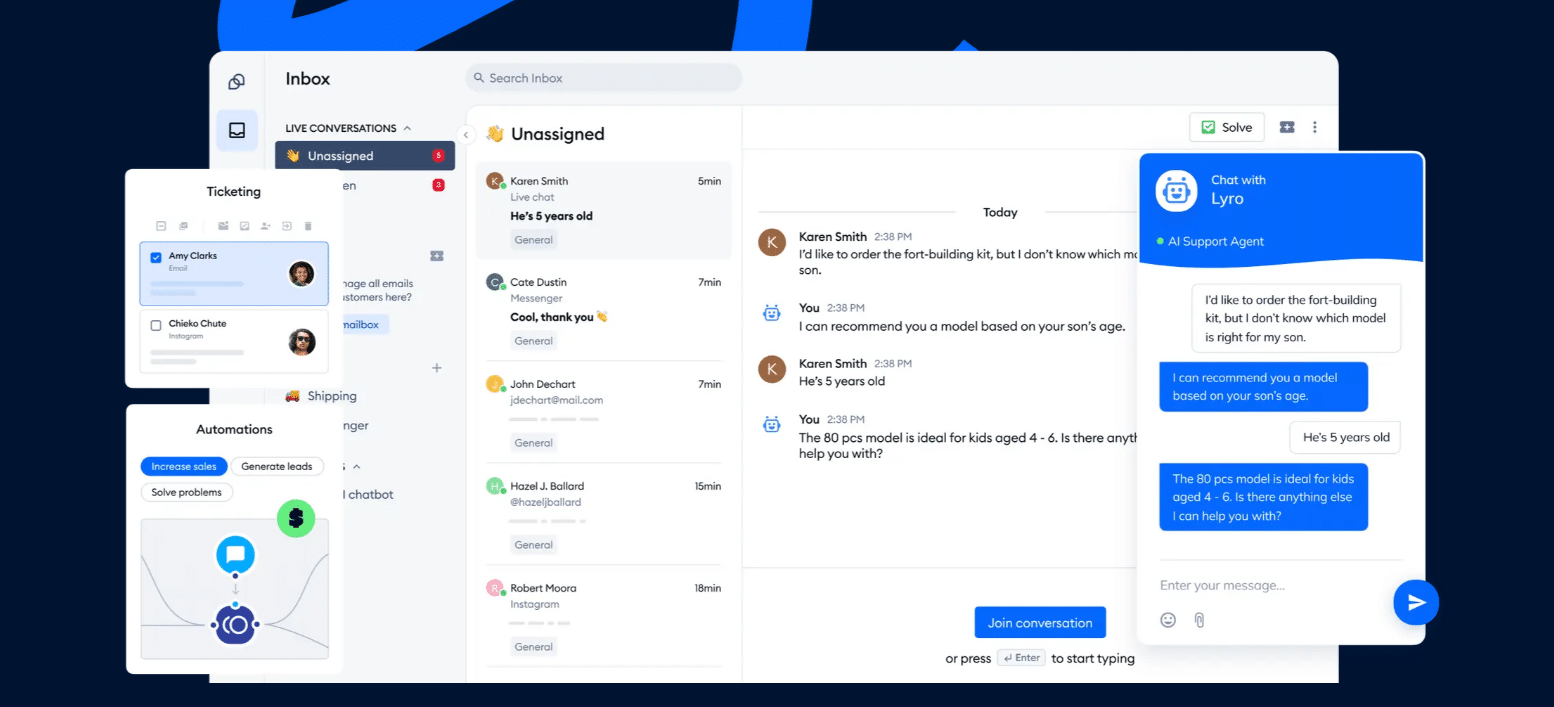
Tidio puts live chat, email, Messenger, Instagram, and WhatsApp in one inbox. A customer’s earlier messages stay in the sidebar, whichever channel they write from. That is the conversation side of CCM.
Lyro takes the repeat questions first. It can resolve up to 75% of support requests, and it hands the rest to a person with the chat attached. Flows add rules for visitors on your site, such as a greeting for new visitors.
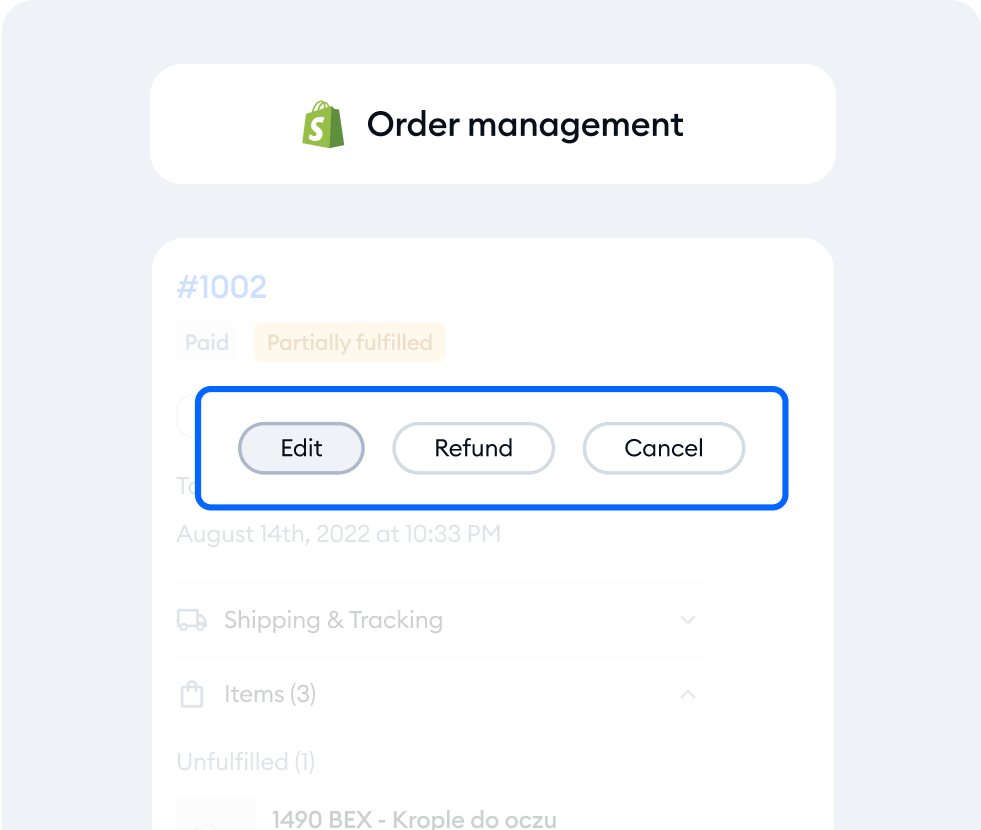
On Shopify, agents see the cart and the order history beside the chat. They can edit, refund, or cancel an order from the inbox.
Tidio fits these teams best:
- Online stores, Shopify first, that want the order inside the conversation.
- Small and mid-size teams that want one inbox and AI without a large support staff.
- Busy inboxes where Lyro clears the repeat questions and people handle the rest.
- Sites with traffic, where a quick chat reply turns more visitors into buyers.
Skip Tidio if you need to produce statements, letters, or print mailings. It is built for conversations, and the last four tools on this list do that job.
Key features:
- Shared inbox: five channels with a customer sidebar.
- Lyro: the AI agent, trained on your help content.
- Macros and tags: saved replies and labels on Growth.
- Cart preview: the customer’s Shopify cart inside the conversation.
Pros
- A free plan covers up to 10 seats and 50 billable conversations a month.
- AI and people share one inbox, so a handoff keeps its history.
- Native Shopify actions on Growth and up.
Cons
- Conversations, Lyro, and Flows each have their own quota and price, so you pay for what you use, but you will want to watch the quotas as volume grows.
- Each account gets 50 Lyro conversations one time, and a paid Lyro plan adds more.
- Self-serve plans include up to 10 seats, and larger teams get a quote from the sales team.
Pricing: the Tidio pricing page lists these plans with annual billing first, and the monthly price in brackets:
- Free: $0 with 50 billable conversations a month.
- Starter: $24.17 a month ($29), 100 conversations.
- Growth: from $49.17 a month ($59), scaling to 2,000 conversations.
- Plus: from $300 a month plus usage. Premium: by quote.
- Lyro: from $32.50 a month ($39) for 50 AI conversations. Flows: from $24.17 a month ($29).
- 7-day free trial, no card.
Rating: G2 4.6/5 (1,962 reviews)
Compare Tidio plans for your team size
Intercom
Best for: chat-first teams that put an AI agent on first replies and pay per result
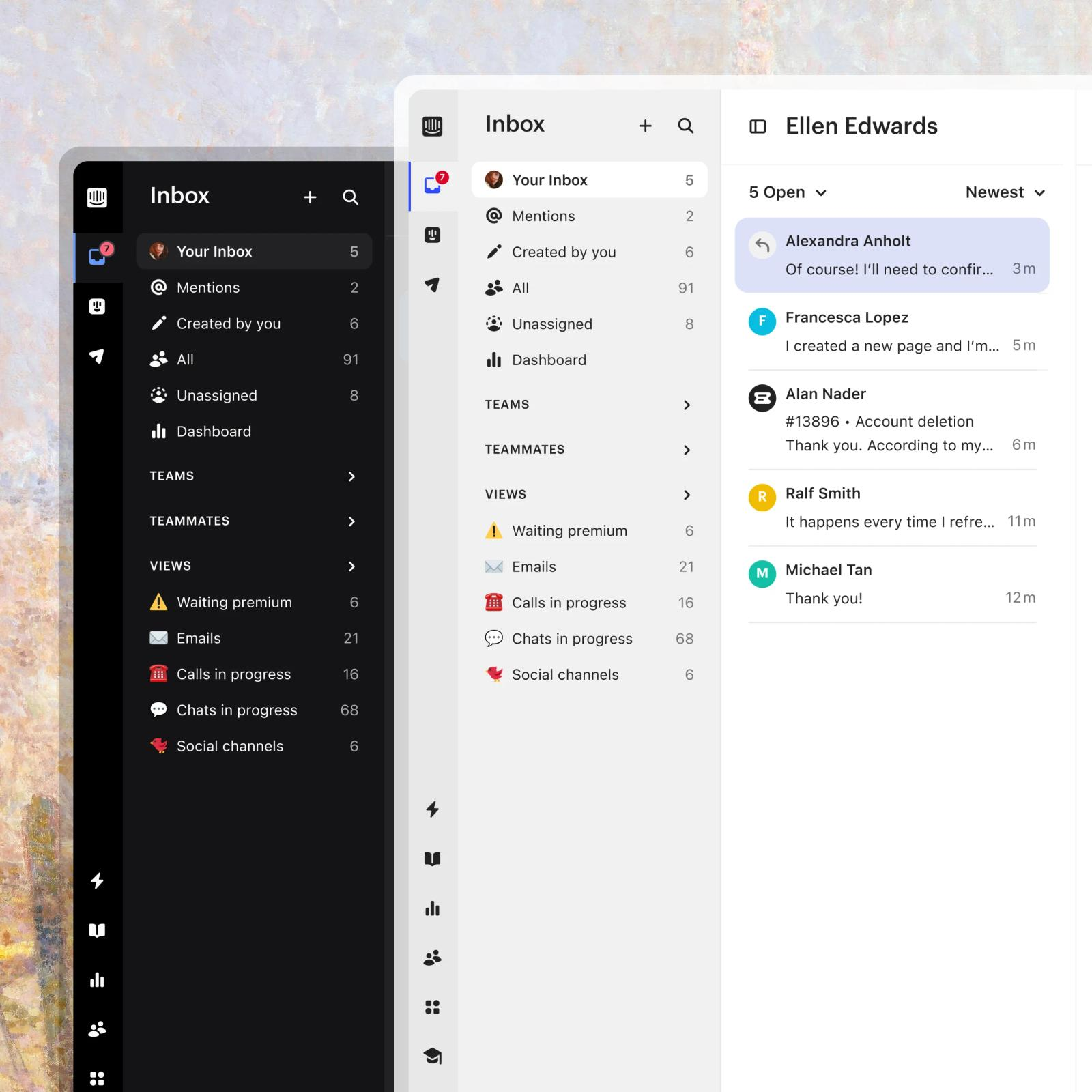
Intercom is built around the messenger. Its AI agent, Fin, answers from your support content and costs $0.99 per outcome on every plan. Fin counts an outcome when the customer confirms the fix, goes quiet after its reply, or when it finishes a workflow. If Fin can’t answer, or the customer asks for a person, nothing is charged.
The bill has two parts, seats and usage. WhatsApp conversations and SMS messages are billed separately from the seat price.
Key features:
- Inbox with views: mentions, teams, and saved views for the queue.
- Fin AI Agent: learns from your support content and hands off with context.
- Copilot: an agent add-on at $29 per agent a month.
Pros
- AI billing follows results, and a handoff to a person is free.
- Fin works on every plan, trial included.
Cons
- The workflow builder and round-robin assignment start on Advanced at $85 a seat, and SLAs on Expert.
- A customer who stops replying after Fin answers also counts as an outcome and is charged.
Pricing: Essential $29, Advanced $85, Expert $132 per seat a month (annual toggle shown); Fin $0.99 per outcome; Copilot $29 per agent a month. No free plan, 14-day trial. Read more: Intercom review.
Rating: G2 4.5/5 (3,921 reviews)
Freshdesk
Best for: email-led support teams that want routing rules on a low per-agent price
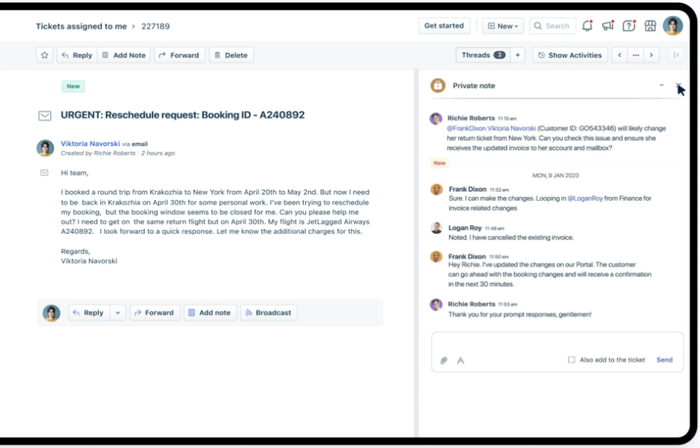
Freshdesk turns email, chat, and social messages into tickets, with automations for follow-ups and escalations. Its AI agent, Freddy, includes the first 500 sessions once per account, and extra packs cost $49 per 100 sessions. A session is one interaction between a customer and the AI agent.
Growth is the cheapest way in, but the useful rules sit higher. Intelligent routing and multiple SLA policies start on Pro, and skill-based routing on Enterprise.
Key features:
- Ticketing: every channel lands as a ticket with an owner.
- Automations: rules for follow-ups and escalations.
- Freddy AI Agent: 500 sessions included on paid plans.
Pros
- The lowest per-agent price of the paid inbox tools here, at $19.
- The AI agent is trialed on every paid plan.
Cons
- Freddy Copilot costs $29 per agent a month and is not offered on Growth.
- Routing and SLA depth is gated to Pro and Enterprise.
Pricing: Growth $19, Pro $55, Enterprise $89 per agent a month, billed annually; AI Agent sessions $49 per 100 after the first 500. No free plan, 14-day trial. Read more: Freshdesk review.
Rating: G2 4.4/5 (3,795 reviews)
Help Scout
Best for: small teams that handle customer email as a shared mailbox
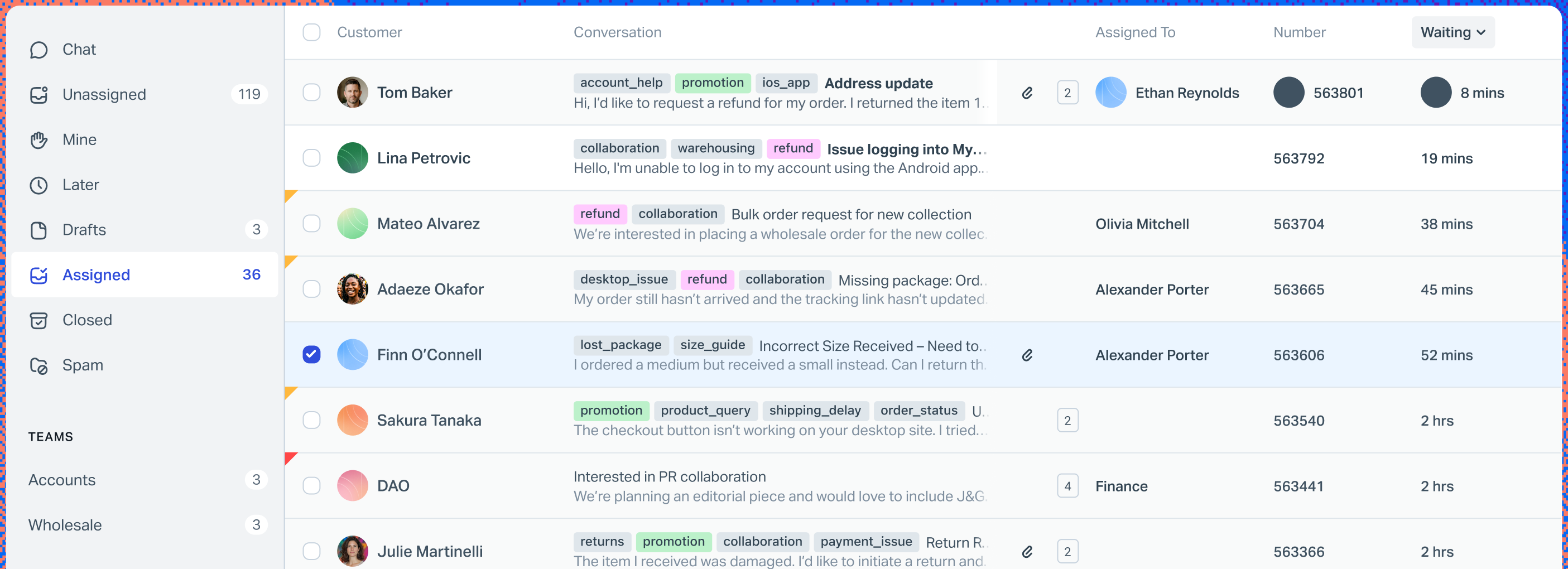
Help Scout keeps the feel of a shared mailbox while adding assignment, workflows, and a docs site. Its AI Answers add-on is billed at $0.75 per resolution. A resolution is a conversation the AI settles without a person, and one conversation is charged once.
The free plan covers five users, one inbox, and one docs site. That is enough for a small team to test the workflow before paying.
Key features:
- Shared inbox: assignment, tags, and notes on every conversation.
- Workflows: 150 basic workflows on Standard, more on Plus and Pro.
- AI Answers: a pay-per-resolution add-on with a monthly cap.
Pros
- Free for five users, with a 15-day trial of paid features.
- A monthly cap on AI Answers keeps the bill predictable.
Cons
- Standard allows one basic SLA policy, and unlimited SLA policies need Pro, which is sold by demo.
- Extra inboxes cost $10 to $12 a month.
Pricing: Standard $25, Plus $45, Pro $75 per user a month (the page does not say which billing basis); AI Answers $0.75 per resolution. Free plan for 5 users. Read more: Help Scout review.
Rating: G2 4.4/5 (431 reviews)
Quadient Inspire
Best for: large senders that need one system for print and digital customer documents
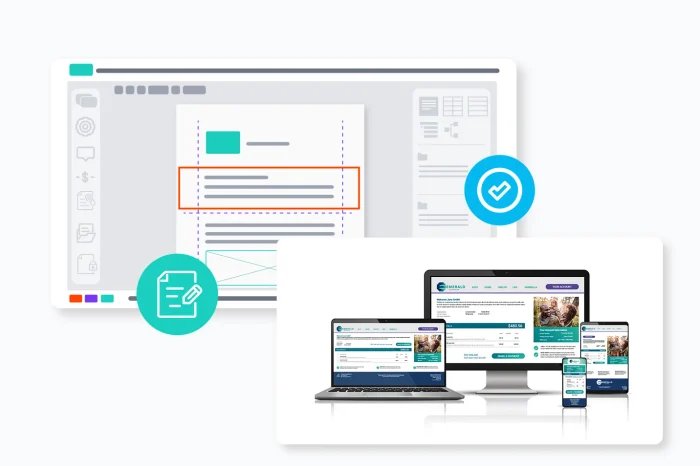
Quadient Inspire creates, personalizes, delivers, and governs customer communications across print and digital channels. The vendor says more than 2,800 organizations use it and ranks it first by market share globally. Treat both as vendor claims, not a measurement we made.
It covers the whole document lifecycle in one system, from journey mapping and template design to data capture, delivery, and archive. The vendor also reports that customers cut template conversion time by up to 90% with its AI, another claim to test in a pilot.
Key features:
- Communication design: templates with brand and governance controls.
- Data capture: secure, dynamic forms.
- Orchestration: connections to the systems that hold customer data.
- AI: drafting, tone checks, and translation into 100+ languages.
Pros
- The highest G2 rating of the eight, 4.8.
- Print and digital delivery, plus archive, in one system.
Cons
- No public price. Buying starts with a demo request.
- Built for high-volume senders, so it is more than a small team needs.
Pricing: not published. The vendor’s public pages offer a demo request and list no price.
Rating: G2 4.8/5 (130 reviews)
Smart Communications
Best for: insurers, banks, and health plans that send regulated customer communications

Smart Communications describes its platform as purpose-built for regulated enterprises. Its solution areas include policyholder communications, member communications, omnichannel orchestration, data collection, and document archiving and retrieval. Its industry pages focus on insurance, financial services, and health plans.
Its own guide quotes Gartner’s definition of CCM: the strategy to improve the creation, delivery, storage, and retrieval of outbound communications. That definition is the document meaning of the term, not the inbox one.
Key features:
- Policyholder and member communications: documents built from templates and data.
- Omnichannel orchestration: one message across several channels.
- Archiving and retrieval: stored copies of what was sent.
Pros
- Industry focus on insurance, financial services, and health plans.
- G2 rating of 4.7.
Cons
- No public price. Buying starts with a demo request.
- Only 15 G2 reviews, so the rating is a thin signal.
Pricing: not published. The vendor’s public pages offer a demo request and list no price.
Rating: G2 4.7/5 (15 reviews)
OpenText Exstream
Best for: enterprises that connect CCM to SAP, Salesforce, Guidewire, or Duck Creek

OpenText says CCM has grown from document generation into part of customer experience management. Its platform creates, manages, and delivers personalized communications across channels, with integrations to SAP, Salesforce, Guidewire, and Duck Creek. It runs on a private cloud or through the AWS, Google Cloud, and Microsoft marketplaces.
The vendor calls itself the most-deployed CCM solution and a leader for eight years in a row. Those are claims from its page, so check the analyst report behind them.
Key features:
- Composition engine: built for fast, high-volume document generation.
- Knowledge-driven GenAI: drafts from approved company content.
- Integrations: SAP, Salesforce, Guidewire, and Duck Creek.
Pros
- Deploys on private cloud or on three public cloud marketplaces.
- Integrations aimed at large insurance and ERP stacks.
Cons
- No public price. Buying starts with a demo request.
- Only 9 G2 reviews, so the 4.6 rating is a thin signal.
Pricing: not published. The vendor’s public pages offer a demo request and list no price.
Rating: G2 4.6/5 (9 reviews)
Messagepoint
Best for: regulated banks and health payers that need AI help managing content at scale
Messagepoint sells AI-powered CCM for omnichannel communications. Its platform composes, produces, delivers, and tracks communications across channels, with add-ons to migrate content and to check quality automatically. Its agentic assistant, Marcie Assist, is described by the vendor as the first agentic AI built for CCM work.
Its industry pages cover financial services, health insurance, government, and service providers.
Key features:
- Content management: one central library reused across channels.
- Production: compose, deliver, and track communications.
- Migrate and Assure add-ons: content migration and quality checks.
Pros
- Add-ons for migration and quality assurance.
- Industry pages for banking, health insurance, and government.
Cons
- No public price. Buying starts with a demo request.
- The lowest G2 rating of the eight, 4.1, from only 4 reviews.
Pricing: not published. The vendor’s public pages offer a demo request and list no price.
Rating: G2 4.1/5 (4 reviews)
How to choose CCM software
Choose in this order: which kind of CCM you need, how the price is built, and what the AI costs. Then pilot the shortlist on your own conversations or your own templates before you sign.
Decide which kind of CCM you need
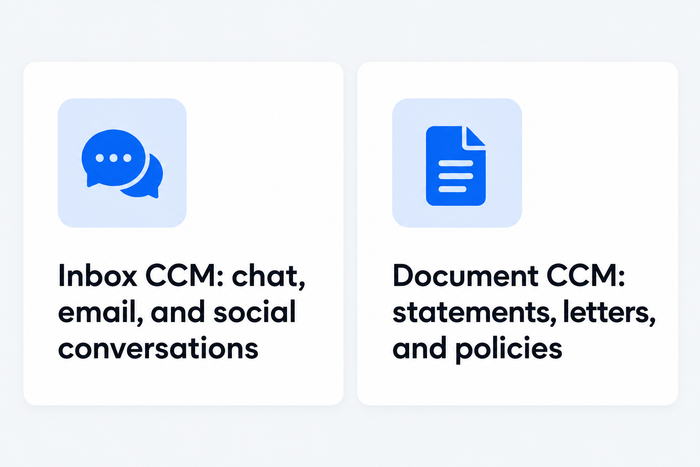
If customers write to you and your team answers, you need an inbox tool: the first four. If you build and send statements, policy letters, or bills to many customers, you need a document platform: the last four. Some companies need both, and they usually buy them separately.
Compare the pricing model
Inbox tools charge per seat, per agent, or per conversation. Tidio charges per billable conversation, so a growing team does not pay more per head. For five agents on the lowest paid plan:
| Tool | Lowest paid plan | Five agents, per month |
|---|---|---|
| Freshdesk | Growth, $19 | $95 |
| Help Scout | Standard, $25 | $125 |
| Intercom | Essential, $29 | $145 |
| Tidio | Starter, $24.17 | $24.17 for 100 billable conversations |
The four document platforms price by quote, so ask for the number of documents, channels, and users in the same quote, in writing.
Check what the AI costs
Intercom charges $0.99 per outcome, Help Scout $0.75 per resolution, and Freshdesk $49 per 100 sessions after 500 free. Each defines a billable event its own way. Intercom, for one, also counts a customer who stops replying after Fin answers. For the document platforms, ask what the AI features add to the quote.
Pilot on real material
Run two weeks of your own conversations through an inbox tool and count what the AI settled without a person. For a document platform, ask the vendor to rebuild one of your real templates, with your data and your approvals, before you sign.
Which CCM software should you pick?
Match the tool to your situation:
- You sell on Shopify: Tidio on Growth with Lyro. Agents see the cart and the order history in the chat and can act on the order. Intercom is the alternative if you prefer to pay per AI outcome.
- You are a small team that lives in email: Help Scout, free for five users, or Freshdesk if you want routing rules as you grow.
- You want AI to answer first and pay per result: Intercom.
- You send regulated statements and letters at volume: Quadient Inspire or Smart Communications, and ask both for a pilot on your templates.
- You run SAP, Salesforce, or Guidewire: OpenText Exstream, because its page names those integrations.
- You want AI to manage a large content library: Messagepoint.
Connect Tidio to your Shopify store
For the strategy behind the tools, read our guide to customer communication and how AI changes customer communication.
Frequently asked questions
It is software that creates, sends, and tracks a company’s messages to customers. Support teams use it for chat, email, and social conversations in one inbox. Banks and insurers use it for statements, letters, and policy documents sent by print and digital channels.
For a small business, an inbox tool fits best. Tidio suits online stores and small teams, and Help Scout suits teams that live in email. Enterprise document platforms such as Quadient Inspire are built for high-volume senders.
Quadient Inspire, Smart Communications, OpenText Exstream, and Messagepoint all target regulated senders. None publishes prices, so you request a demo and a quote. Ask each for a pilot on your own templates.
Inbox tools start at $19 to $29 per seat a month, and Tidio starts at $24.17 a month for 100 billable conversations. AI is usually extra. The four document platforms publish no prices and quote after a demo.
Two inbox tools have a free plan: Tidio, with up to 10 seats and 50 billable conversations a month, and Help Scout, with 5 users and one inbox. The four document platforms have none listed.
A help desk answers incoming customer questions as tickets. Document CCM produces outbound communications, such as bills and letters, from templates and data. The inbox tools above sit in the help desk camp and add conversations on chat and social.
Put Lyro on your repeat questions
