Key takeaways:
- Most Shopify stores need six to ten apps, one per job, added when a real problem shows up.
- Start with Tidio for customer service, Klaviyo or Omnisend for email, Judge.me for reviews, and Smile for loyalty.
- Check Shopify's free apps (Inbox, Messaging, Forms, Flow) before you pay for the same job.
- After installing an app, turn on its app embed in the theme editor, or shoppers won't see it.
The best Shopify apps are the ones that each do one job well and don't fight each other for space on your storefront. You don't need 40 of them, and each one you keep should earn back its monthly fee in sales, saved support hours, or fewer refunds. Most stores run on six to ten: one for customer service, one for email, one for reviews, one for loyalty, and a few for SEO, inventory, and post-purchase.
Install Tidio to answer shoppers and let an AI agent handle order questions, Klaviyo or Omnisend for email and SMS, Judge.me for reviews, and Smile for loyalty. Add the rest when a specific problem shows up: Recharge for subscriptions, Loop for returns, or Prediko once stock planning outgrows a spreadsheet.
Every rating, review count, and price below comes from the app's Shopify App Store listing, read when this guide was last updated. Tidio is first because customer service is the job we know best. It gets the same template and the same honest cons as everyone else.
Best Shopify apps at a glance
"Free plan" means a plan you can stay on, not a trial.
| Job | App | Best for | Free plan | Paid plans from | App Store rating |
|---|---|---|---|---|---|
| Customer service and AI | Tidio | Live chat, AI agent, and help desk in one inbox | Yes | $29/mo | 4.8 (1,356) |
| Email and SMS | Klaviyo | Segmented email flows as you grow | Yes, 250 profiles | $20/mo | 4.7 (3,439) |
| Email and SMS on a budget | Omnisend | Email, SMS, and popups at a lower entry price | Yes, 250 contacts | $16/mo | 4.7 (3,205) |
| Product reviews | Judge.me | Unlimited photo and video reviews | Yes | $15/mo | 5.0 (50,030) |
| Loyalty and rewards | Smile | Points and referral rewards | Yes, 200 orders/mo | $15/mo | 4.9 (4,674) |
| Loyalty, wishlist, and reviews | Growave | Three retention tools in one app | Yes, 200 orders/mo | $15/mo | 4.8 (1,287) |
| Referral program | ReferralCandy | Paying customers to bring friends | No, 7-day trial | $39/mo + fee | 4.9 (1,481) |
| Landing pages | PageFly | Custom product and landing pages | Yes, 1 page | $24/mo | 4.9 (5,925) |
| SEO | Avada SEO | Image compression, meta tags, and structured data | Yes | $34.95/mo | 4.9 (4,695) |
| Inventory planning | Prediko | Demand forecasts and purchase orders | No, 14-day trial | $49/mo | 4.9 (267) |
| WhatsApp marketing | Kanal | Cart recovery and campaigns on WhatsApp | Demo plan | $89/mo | 5.0 (139) |
| Print on demand | Printful | Selling custom products with no stock | Yes | Pay per order | 4.8 (4,025) |
| Subscriptions | Recharge | Subscribe-and-save and recurring orders | No, 60-day trial | $149/mo + fees | 4.8 (3,156) |
| Returns and exchanges | Loop | Exchange-first returns at volume | Yes, 5k+ yearly orders | $340/mo | 4.6 (449) |
Prices are monthly list prices. Prices change often, so confirm each one on the listing before you commit.
Add AI live chat to your Shopify store with Tidio
How we picked these apps
We started from the jobs a growing store has to cover and kept one or two apps per job. An app made the list if it met these conditions:
- It works inside Shopify. It installs from the Shopify App Store and reads your store data, so you don't copy orders or products by hand.
- Merchants rate it well. 4.5 or higher on the App Store, from enough reviews to mean something. The two newest apps on the list have a few hundred; the rest have thousands.
- You can start small. A free plan, a trial, or an entry price a small store can afford, with the pricing unit stated (contacts, orders, or conversations).
- It doesn't duplicate another pick. Where two apps cover the same job, we say which store each one suits.
We also left out apps that are no longer available. Oberlo shut down in June 2022, and Privy's listing no longer shows as available on the App Store. Apps carrying the "Built for Shopify" badge have passed Shopify's review against its performance and design standards; the table notes where an app lacks it.
Which Shopify apps are free and built in?
Before you pay for anything, check what Shopify already gives you. Several of its own apps are free and cover the basics for a new store:
- Shopify Inbox puts a chat on your storefront with an AI agent that answers from your catalog and policies. It's free and rated 4.5 from 5,817 reviews on the Shopify App Store.
- Shopify Messaging (formerly Shopify Email) sends email, SMS, and WhatsApp campaigns from your admin. Your first 10,000 emails each month are free.
- Shopify Forms collects email signups with a popup or inline form.
- Shopify Flow automates back-office tasks, such as tagging high-value customers.
- Search & Discovery controls search results, filters, and product recommendations.
These are a good start for one person running a store. They stop short once you need a shared inbox for a team, AI that takes actions such as checking an order, segmented email flows, a loyalty program, or subscriptions.
Customer service apps
1. Tidio: best for live chat and AI customer service
Tidio puts live chat, an AI agent called Lyro, and a help desk in one inbox, connected to your Shopify orders. It suits stores where the same questions ("Where is my order?", "Do you ship to Canada?") eat hours every week. It's less suited to teams that only need a contact form.
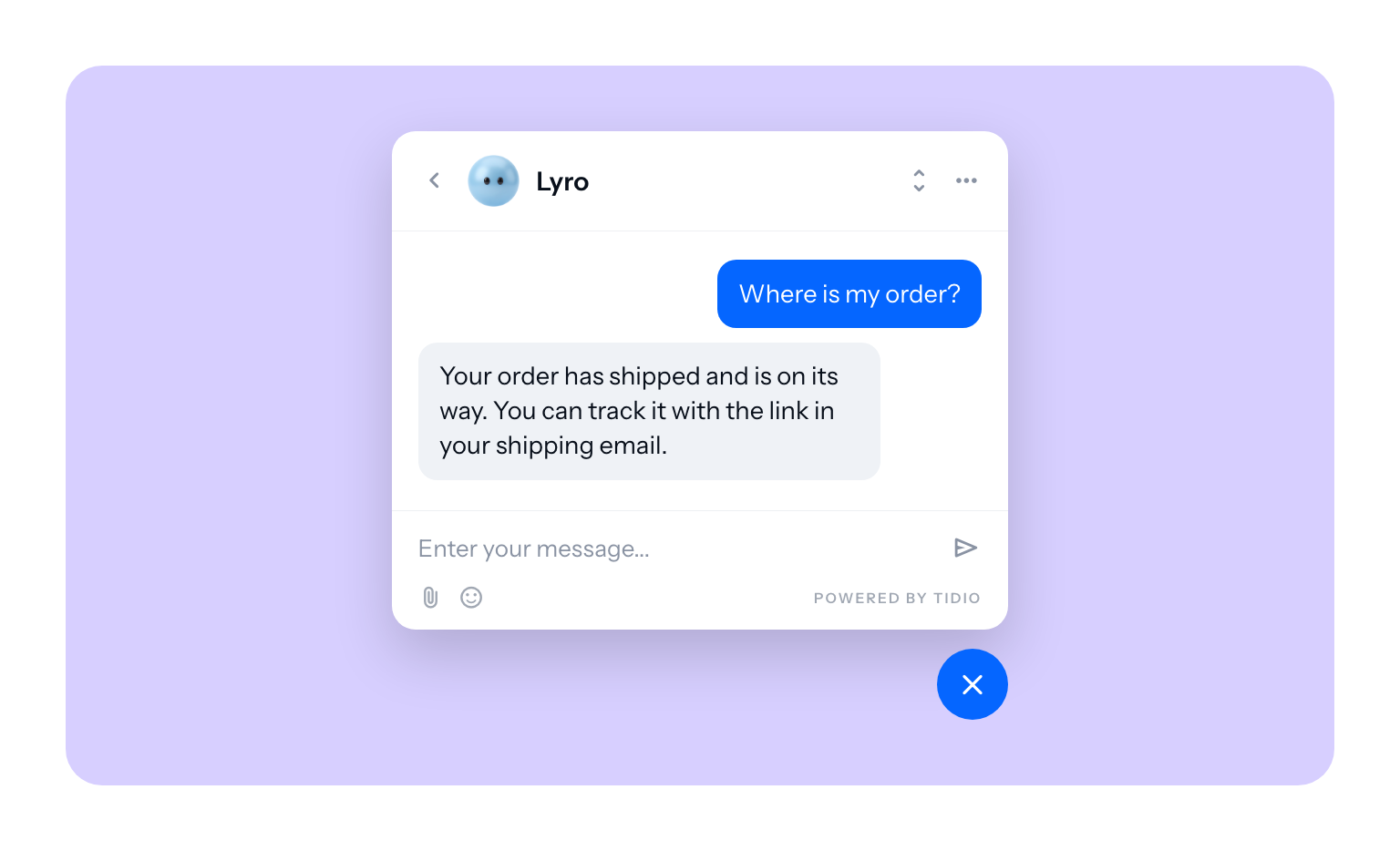
Shopify fit: 4.8 from 1,356 reviews and the Built for Shopify badge on Tidio on the Shopify App Store.
- See each shopper's cart and order history next to the chat.
- Lyro answers from your help pages, can resolve up to 75% of support requests, and hands the rest to a person.
- Lyro can check order status in Shopify and recommend products from your catalog.
- Flows (no-code automations) send cart reminders and discount offers at the right moment.
- Email, Messenger, Instagram, and WhatsApp land in the same inbox as chat.
Pros
- One app replaces separate chat, chatbot, and ticketing tools
- Free plan with 50 conversations a month
Cons
- The With Lyro AI version of a plan costs more than Human only for the same quota, and Flows is a separate add-on
- Self-serve plans go up to 10 seats; bigger teams move to Plus
Pricing:
- Free: 50 human conversations/month, 100 Flows visitors/month + 50 one-time Lyro AI conversations.
- Starter: Human only: from $24/month for 100 conversations. With Lyro AI: from $33/month for 50 conversations shared by AI and your team.
- Growth: from $41/month for 200 human conversations or $63/month for 100 AI + human conversations; scalable to 1,000/month.
- Plus: from $300/month + usage. Premium: custom pricing.
- Optional add-ons: Flows, Inbox AI, Help Center, Voice, and branding removal.
- 7-day free trial: Growth features with Lyro AI and 100 AI + human conversations, no card required; moves to Free unless you choose a paid plan.
Starting prices shown with annual billing.
See Tidio pricing.
For a deeper comparison of chat tools, read our guides to Shopify live chat apps and Shopify chatbots.
Email, SMS, and WhatsApp marketing apps
2. Klaviyo: best for email marketing as you grow
Klaviyo is the email and SMS platform most growing Shopify brands end up on. It's the right pick once you want flows built on purchase behavior, such as a win-back email for customers who bought once and never returned. For a store sending one newsletter a month, it's more tool than you need.
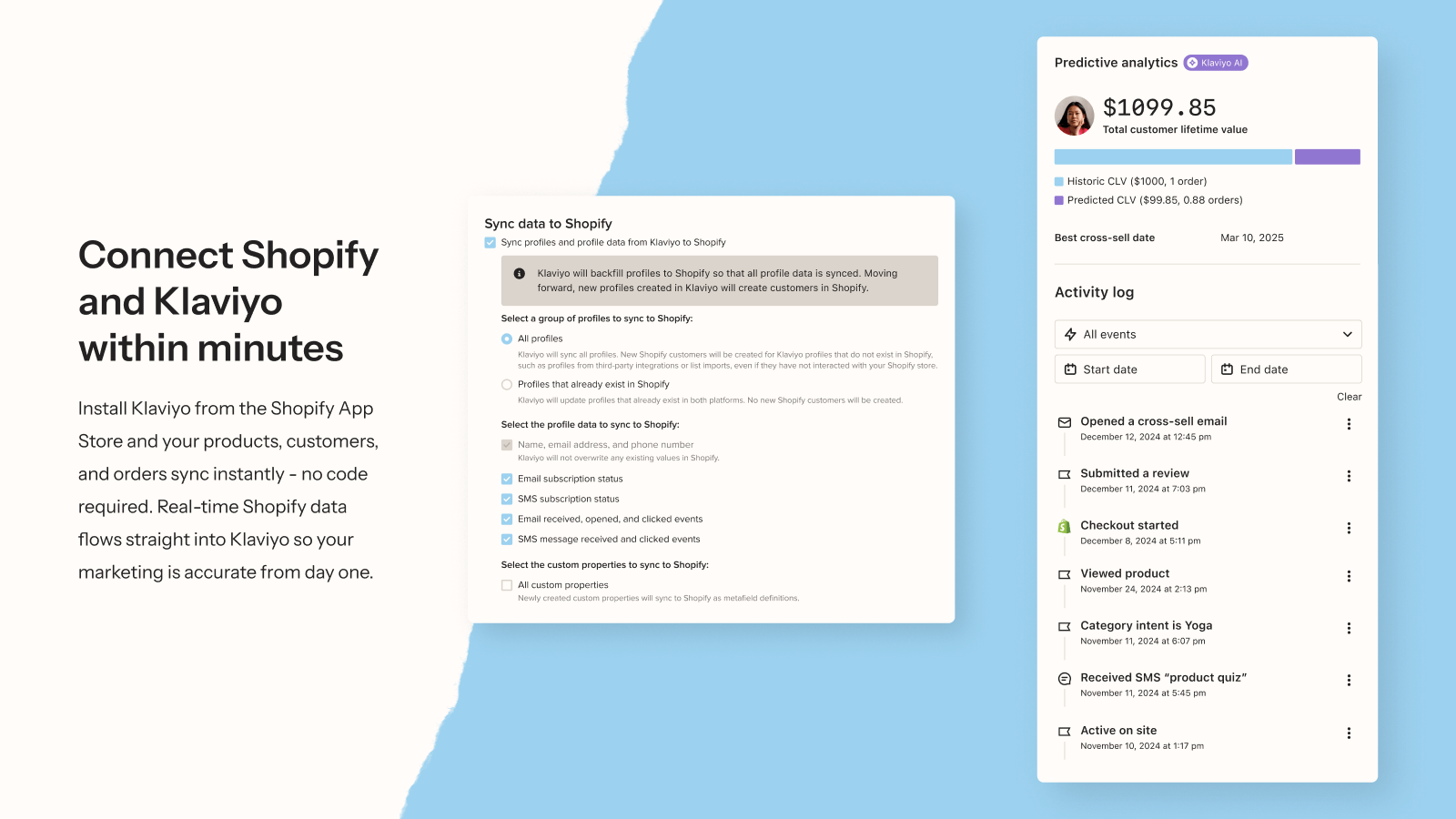
Shopify fit: 4.7 from 3,439 reviews on Klaviyo on the Shopify App Store.
- Free tier runs inside the Shopify admin, with no separate account
- Segments built on what customers bought, browsed, and spent
- AI help for writing campaigns
- Predictive analytics and send-time optimization on paid plans
Pros
- Deep segmentation and reporting
- Email, SMS, and WhatsApp in one platform
Cons
- Cost climbs quickly as your list grows
- Takes time to set up well
Pricing: Free for up to 250 active profiles and 500 emails a month. Email plans start at $20 a month for 251 to 500 contacts; SMS starts at $15 a month. See Klaviyo pricing.
3. Omnisend: best for email and SMS on a budget
Omnisend covers the same ground as Klaviyo with a simpler builder and a lower entry price. It suits small stores that want abandoned cart emails, popups, and some SMS without a steep learning curve.
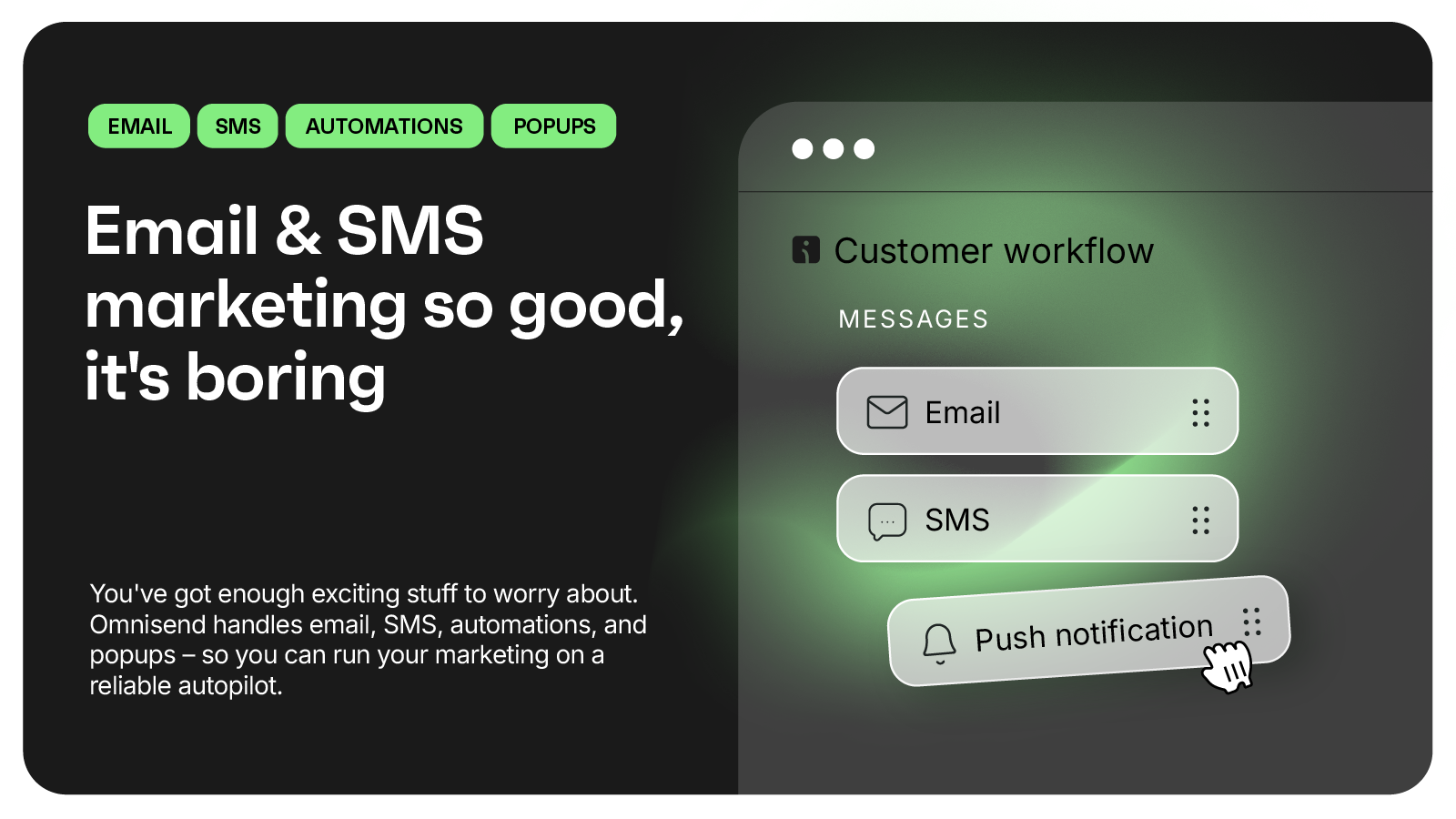
Shopify fit: 4.7 from 3,205 reviews on Omnisend on the Shopify App Store.
- Abandoned cart and welcome emails ready to switch on
- Popups and signup forms included
- 250+ email templates
- SMS added on the Pro plan, priced per message
Pros
- Free plan with 24/7 live support
- Clear pricing for small lists
Cons
- Fewer predictive and reporting features than Klaviyo
- The 6,000-email cap on Standard can pinch during sales
Pricing: Free for 250 contacts and 500 emails a month. Standard starts at $16 a month for 500 contacts; Pro at $59 a month for 2,500 contacts with unlimited emails. See Omnisend.
4. Kanal: best for WhatsApp marketing
Kanal turns WhatsApp into a sales channel for your store. It recovers abandoned carts by WhatsApp message, sends campaigns to Shopify segments, confirms orders, and answers shoppers with an AI agent. It fits stores selling in markets where customers live on WhatsApp more than email.
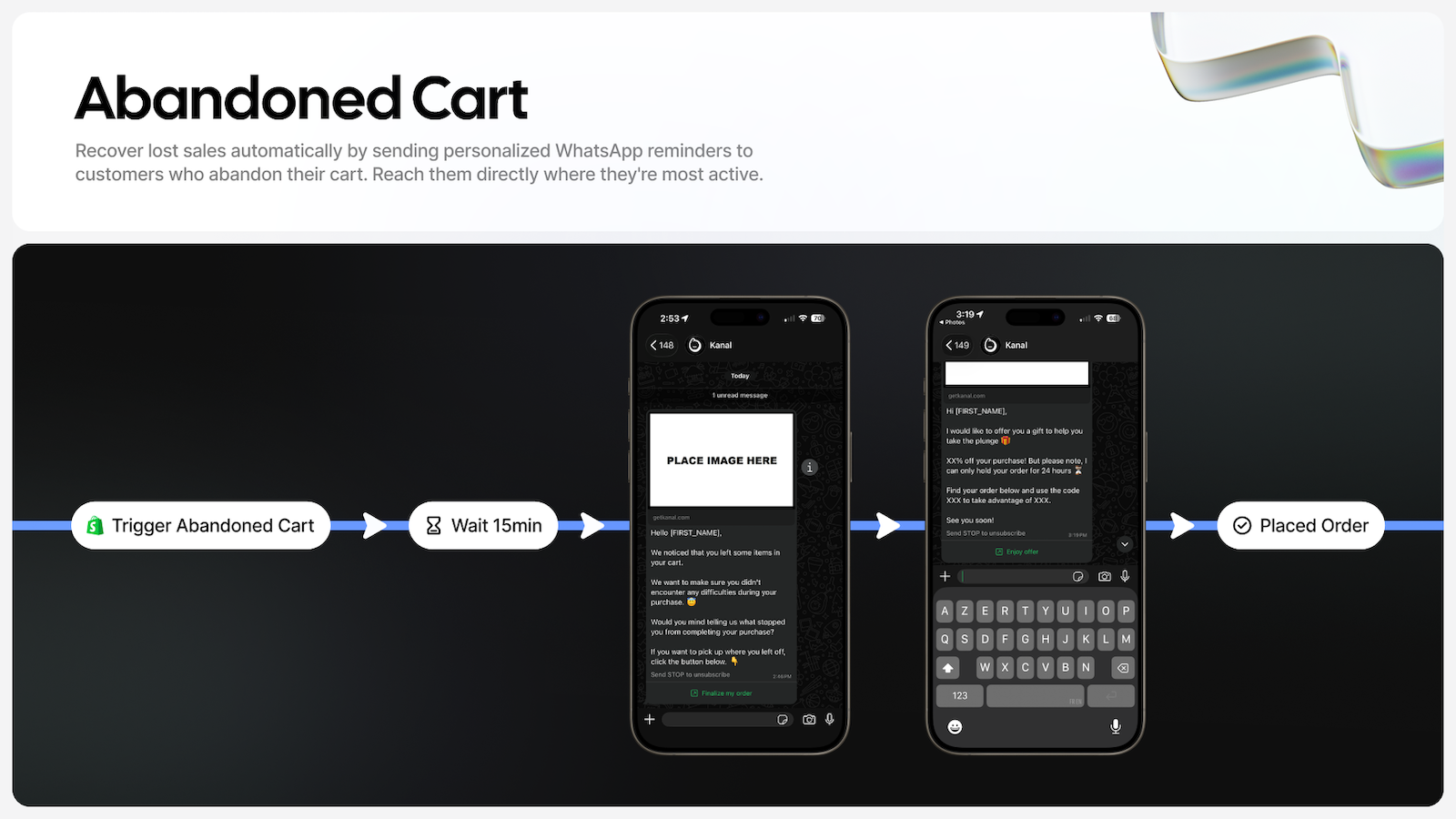
Shopify fit: 5.0 from 139 reviews and the Built for Shopify badge on Kanal on the Shopify App Store.
- WhatsApp abandoned cart recovery
- Campaigns built on Shopify customer segments
- Order confirmations on WhatsApp
- AI agent that sells and answers around the clock (Scale plan)
- Works with Klaviyo and Gorgias
Pros
- Runs on the official WhatsApp Business API, with no developer needed
- Built for Shopify, quick to connect
Cons
- No free plan beyond a demo
- Meta charges per delivered template message on top of the plan
Pricing: Pro costs $89 a month for one user. Scale costs $149 a month and adds unlimited users, SMS and iMessage campaigns, and the AI agent. Meta's message fees depend on the recipient's country.
Reviews, loyalty, and referral apps
5. Judge.me: best for product reviews
Judge.me collects product and store reviews, with photos and videos, and shows them as star ratings on your product pages. It's the pick for almost any store, since the free plan already gives unlimited reviews.
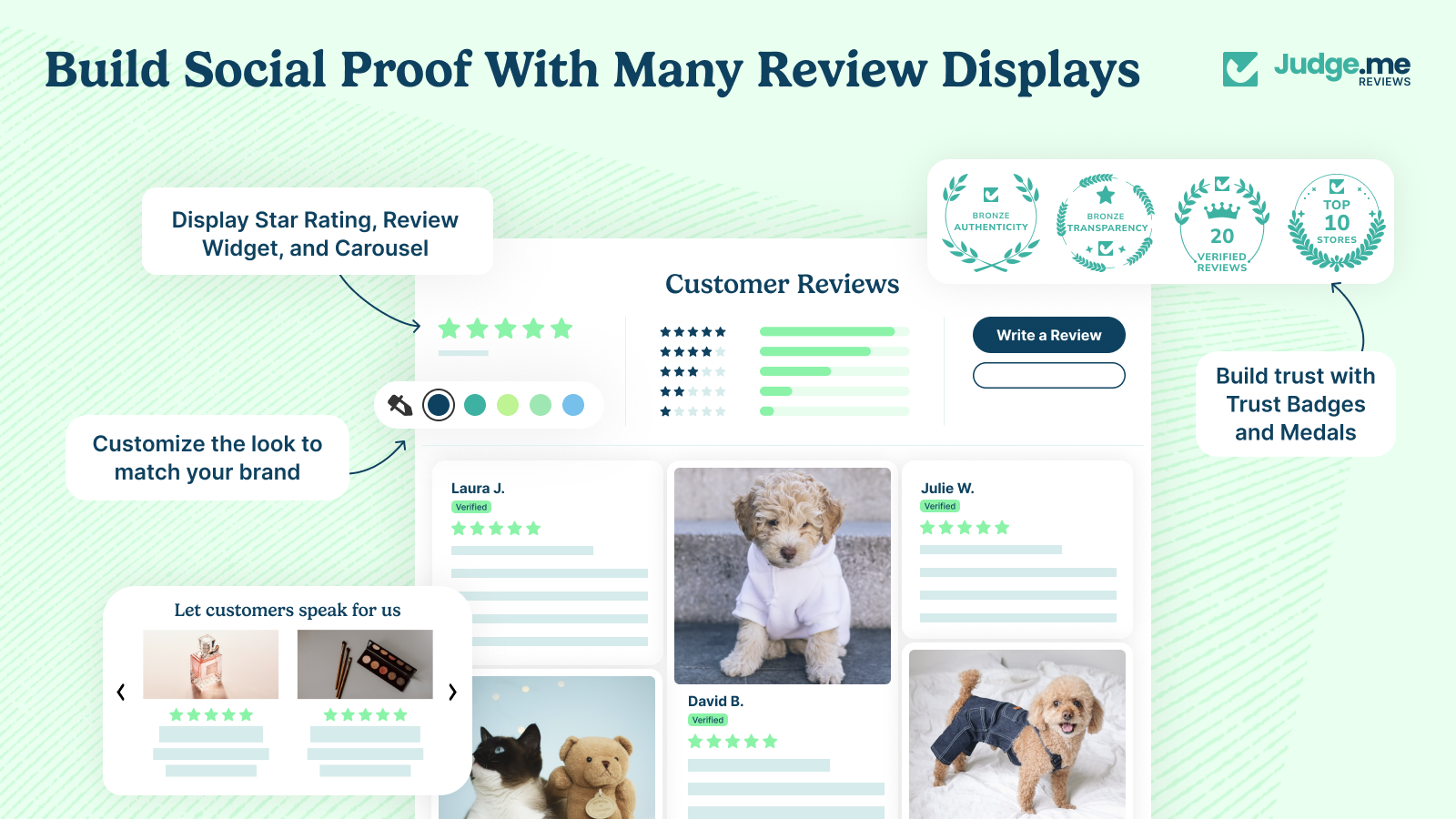
Shopify fit: 5.0 from 50,030 reviews and the Built for Shopify badge on Judge.me on the Shopify App Store.
- Unlimited reviews with photos and videos, free
- Google review sync and rich snippets for star ratings in search
- Trust badges and review carousels
- Imports from AliExpress, Amazon, and Etsy
Pros
- Generous free plan
- One flat price, no matter how many orders you take
Cons
- AI replies, Q&A, and most widget designs need the paid plan
- Widget and email design customization needs the paid plan
Pricing: Free forever plan. Awesome costs $15 a month and adds AI features, 130+ integrations, and more widgets, with a 15-day trial. See Judge.me pricing.
6. Smile: best for points and rewards
Smile runs a points and referral program: customers earn points for orders, signups, and birthdays, then spend them on discounts. It suits stores with repeat buyers, such as beauty, food, and apparel.
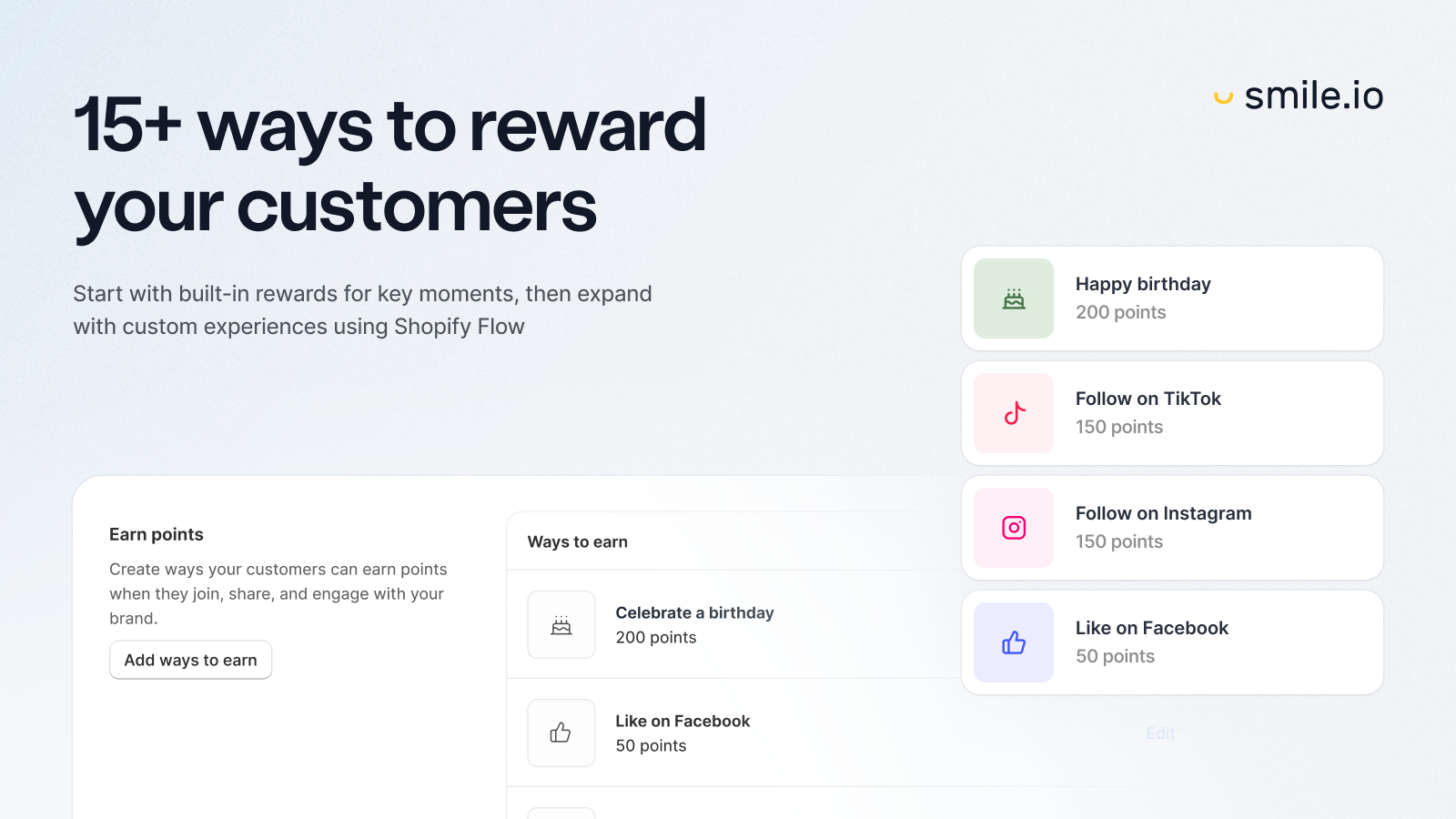
Shopify fit: 4.9 from 4,674 reviews and the Built for Shopify badge on Smile on the Shopify App Store.
- Points, rewards, and referrals
- 15+ ways to earn and redeem
- Works with Shopify POS
- Redeem points at checkout on Shopify Plus (Growth plan)
Pros
- Free plan for stores up to 200 orders a month
- Full branding customization, even on Free
Cons
- VIP tiers only on the $199 Growth plan
- Price steps up with monthly orders
Pricing: Free up to 200 monthly orders. Essential costs $15 a month (500 orders), Standard $79 (1,000 orders), Growth $199 (2,500 orders). 14-day trial on paid plans. See Smile pricing.
7. Growave: best for loyalty, wishlist, and reviews in one app
Growave bundles loyalty points, wishlists, and product reviews in a single app. It fits stores that would rather run one retention tool than three, and don't mind giving up some depth in each.
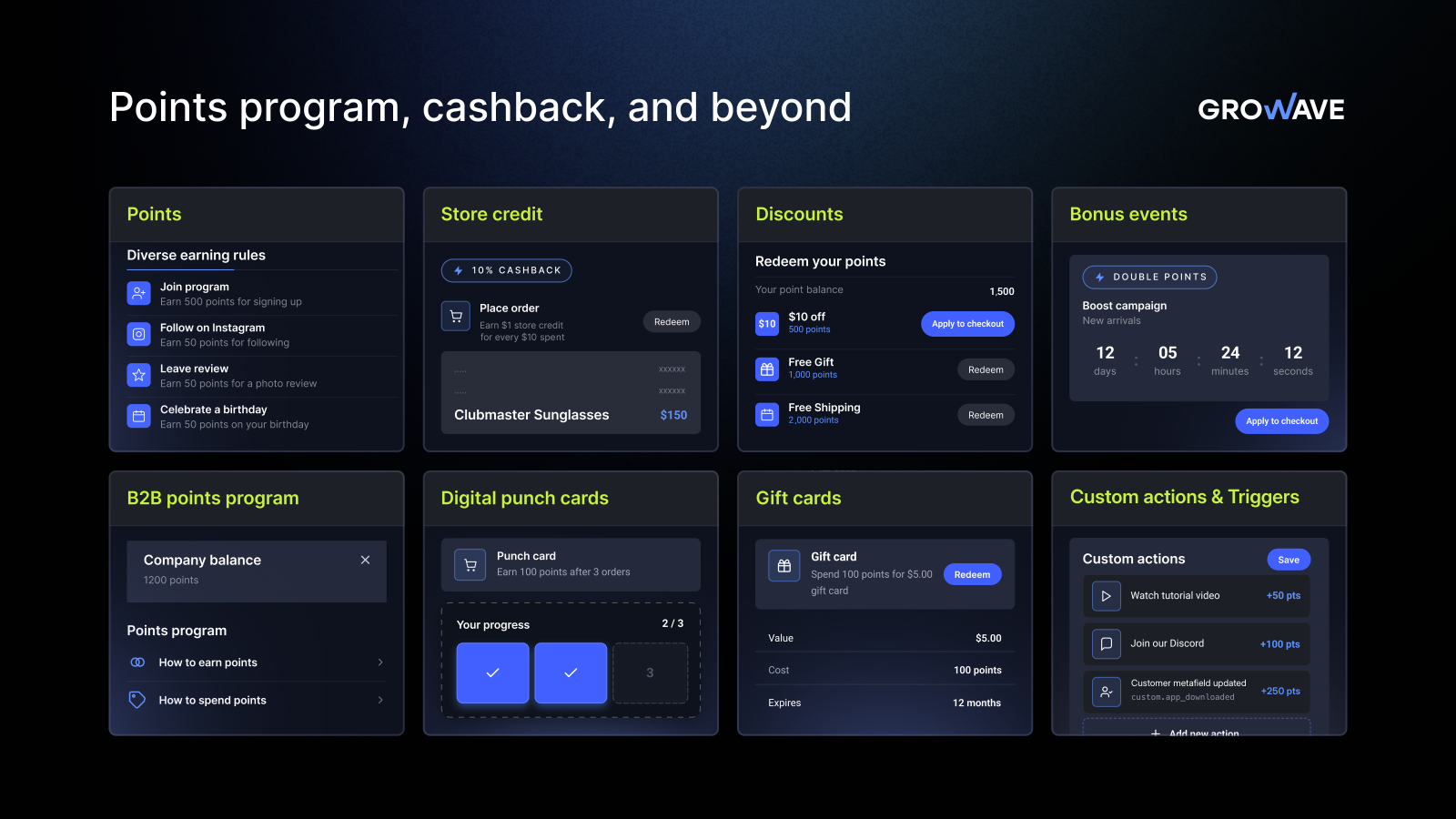
Shopify fit: 4.8 from 1,287 reviews and the Built for Shopify badge on Growave on the Shopify App Store.
- Loyalty points, wishlists, and reviews on the free plan
- Referral program with fraud protection
- Back-in-stock emails and VIP tiers on Growth
- Online and POS loyalty
Pros
- Three apps' worth of features on one bill
- Free plan up to 200 orders a month
Cons
- Jumps from $15 to $199 a month between Entry and Growth
- Fewer review features than a dedicated reviews app
Pricing: Free up to 200 monthly orders. Entry costs $15 a month (500 orders), Growth $199 (1,500 orders), Plus $499 (3,000 orders). See Growave.
8. ReferralCandy: best for referral programs
ReferralCandy does one thing: it rewards customers for sending friends to your store. It suits brands whose buyers already recommend them and who want to turn that into a tracked channel with affiliate and influencer links.
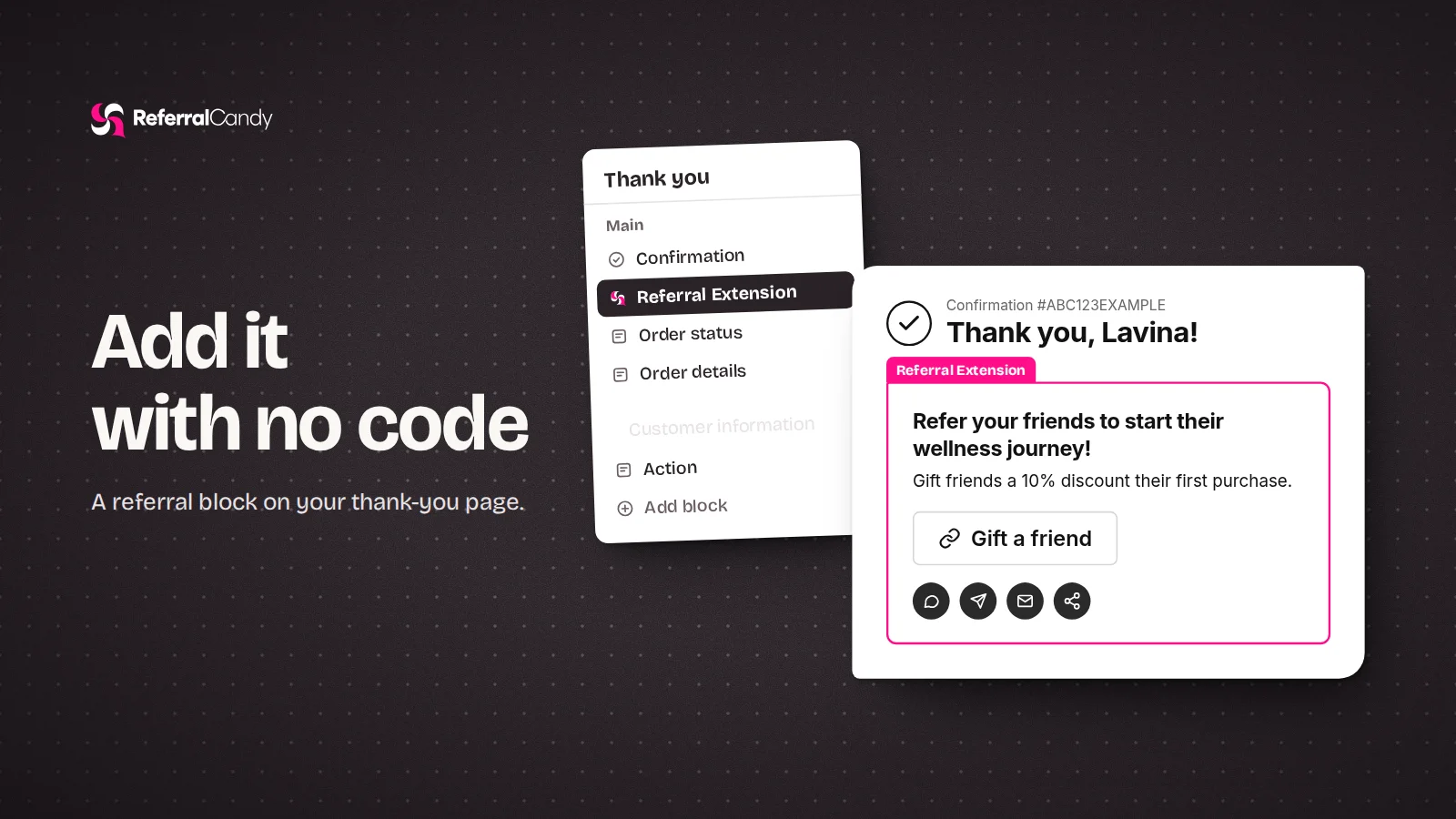
Shopify fit: 4.9 from 1,481 reviews and the Built for Shopify badge on ReferralCandy on the Shopify App Store.
- Referral, affiliate, and influencer programs in one place
- Every feature on every plan
- Automatic reward delivery
- Fraud checks on referrals
Pros
- Focused, easy to run
- Lower success fee as you move up plans
Cons
- No free plan
- A success fee on referral sales, on top of the monthly price
Pricing: Basic costs $39 a month plus a 10.5% fee on referral sales; Grow costs $79 plus 3.5%. 7-day trial. See ReferralCandy pricing.
Store design and SEO apps
9. PageFly: best for landing and product pages
PageFly is a drag-and-drop page builder for Shopify. Use it when your theme's sections can't build the campaign page or product page you need, and you don't want to hire a developer.
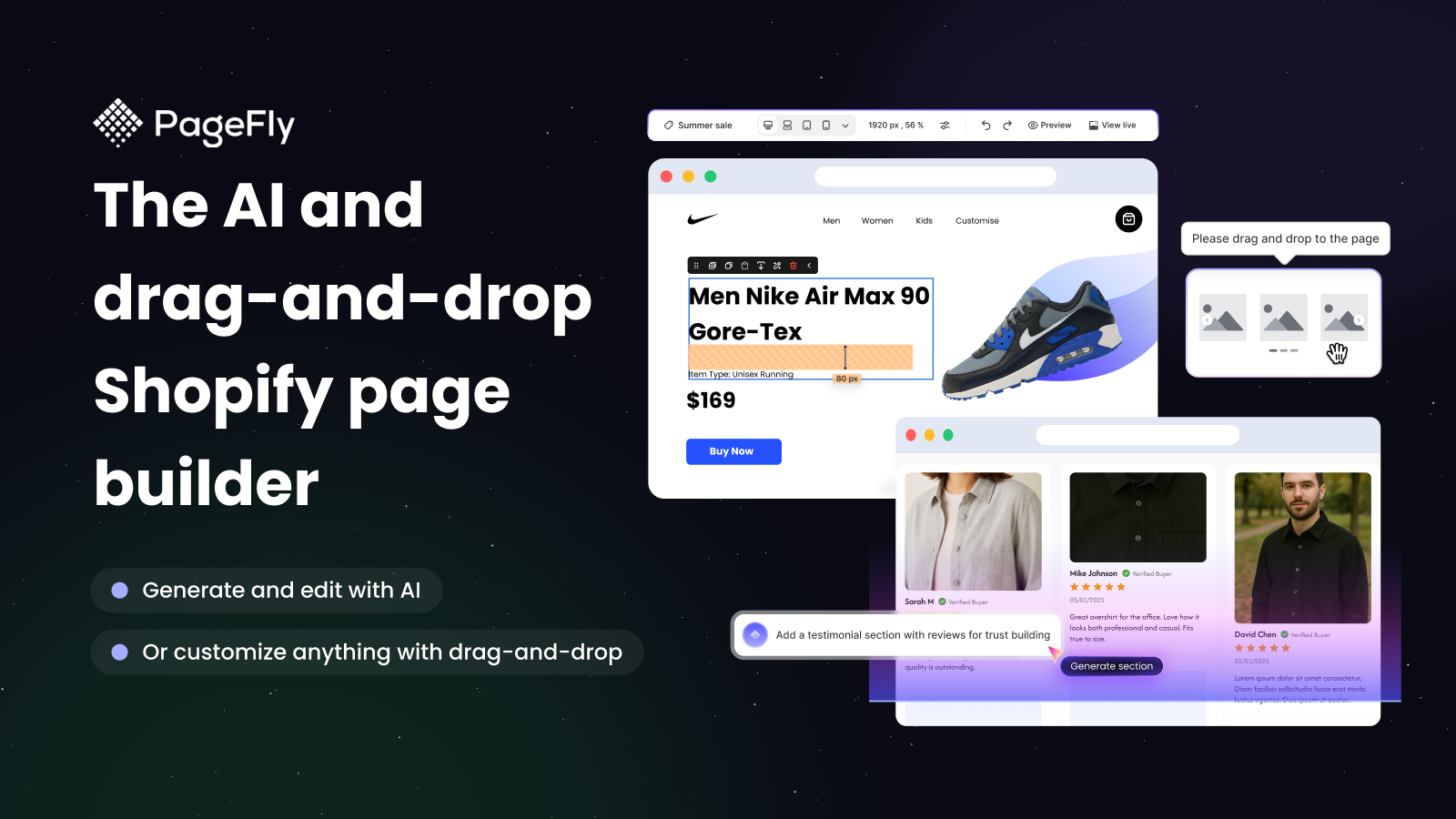
Shopify fit: 4.9 from 5,925 reviews and the Built for Shopify badge on PageFly on the Shopify App Store.
- 320+ page and section templates
- AI page generation
- A/B testing and funnels on Accelerate
- Lazy loading and mobile-responsive layouts
Pros
- Builds pages themes can't
- Free plan to test one page
Cons
- Only one published page on Free
- Heavy pages can slow your store, so test speed after publishing
Pricing: Free for one published page or section. Builder costs $24 a month for five pages; Accelerate $99 a month for unlimited pages and A/B testing.
10. Avada SEO: best for SEO
Avada SEO handles the technical SEO a Shopify store tends to skip: compressed images, alt text, meta tags, structured data, and sitemaps. It suits store owners who want better search visibility without editing theme code.
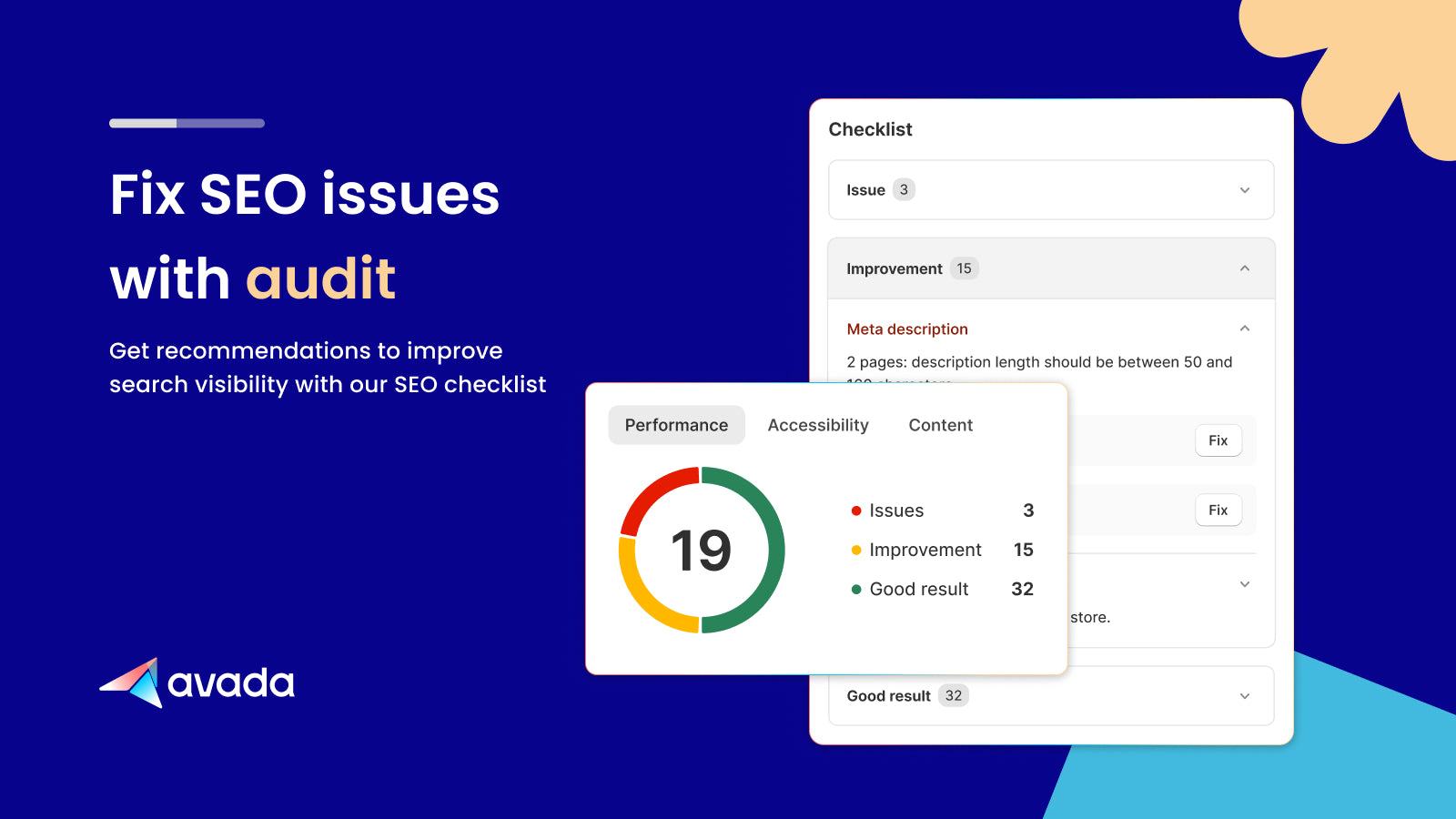
Shopify fit: 4.9 from 4,695 reviews and the Built for Shopify badge on Avada SEO on the Shopify App Store.
- Image compression and alt text optimization
- Meta tags and Google structured data
- On-page audits with AI suggestions
- Broken link manager and XML sitemap (Pro)
Pros
- Useful free plan for small catalogs
- Covers image, meta, and schema work in one place
Cons
- Free plan optimizes 100 images only
- Some speed features overlap with what a good theme already does
Pricing: Free plan with 100 image optimizations and 20 audits. Pro costs $34.95 a month (or $348 a year); Enterprise $99 a month. 7-day trial.
Operations apps: inventory, fulfillment, subscriptions, and returns
11. Prediko: best for inventory planning
Prediko is an AI inventory planning app built for Shopify brands. It forecasts demand from your sales history, seasonality, and lead times, then tells you what to reorder, when, and how much. It suits stores with a growing SKU count that still plan stock in spreadsheets.
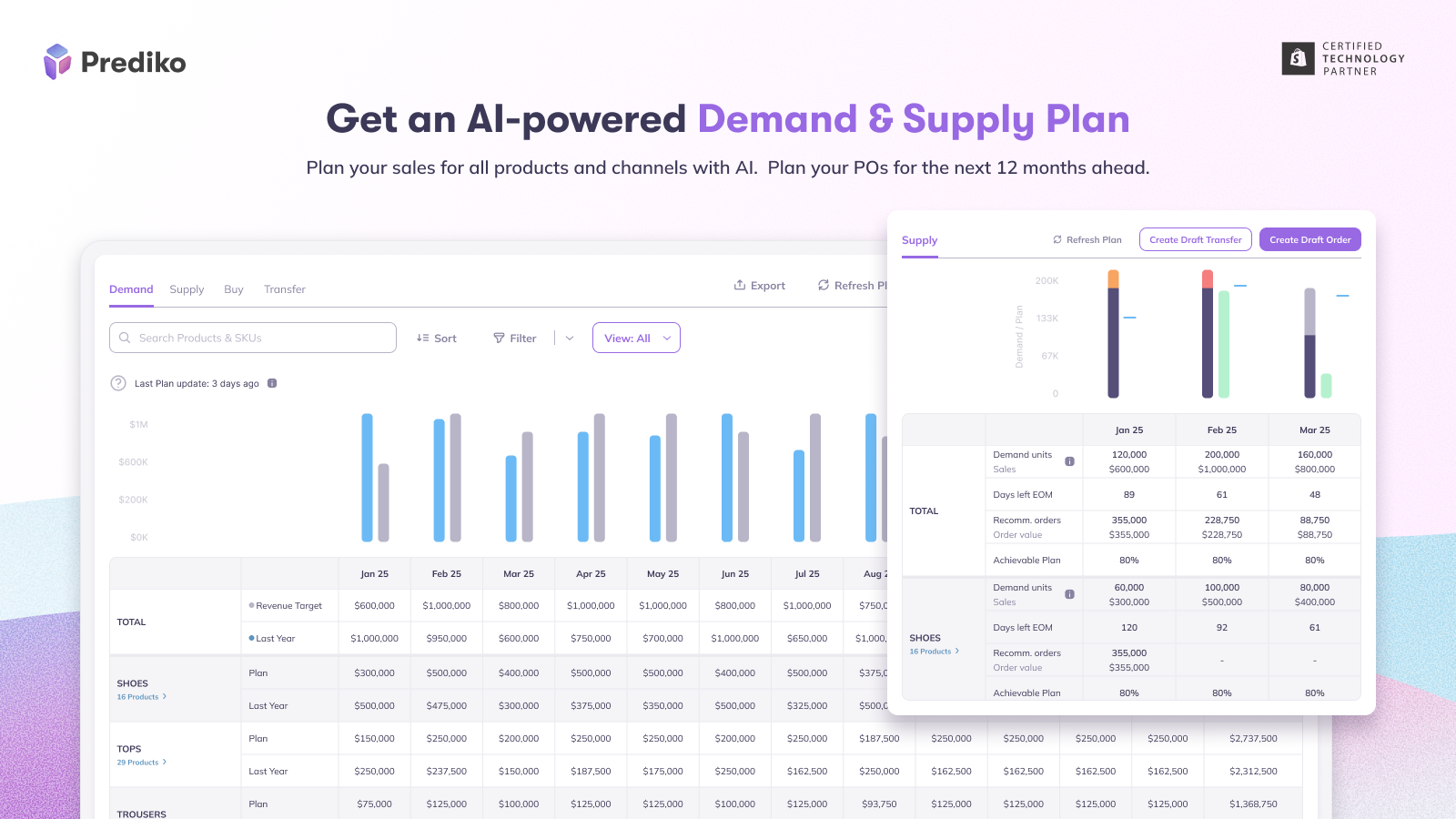
Shopify fit: 4.9 from 267 reviews and the Built for Shopify badge on Prediko on the Shopify App Store.
- AI demand forecasting and supply planner
- Unlimited purchase orders and SKUs
- Multi-location inventory and transfers
- Bundle inventory and stock alerts
Pros
- Replaces manual reorder spreadsheets
- Unlimited users and SKUs on every plan
Cons
- No free plan, only a 14-day trial
- Price rises with your store's revenue
Pricing: Starts at $49 a month for stores under $100k in yearly revenue, then rises by revenue band. 14-day free trial.
12. Printful: best for print on demand
Printful prints and ships custom products (T-shirts, mugs, and posters) only when a customer orders. It suits creators and new stores that want to sell branded products without buying stock.

Shopify fit: 4.8 from 4,025 reviews on Printful on the Shopify App Store.
- 576 customizable products
- Design maker and mockup generator
- Orders sync and ship automatically
- Up to 100 stores on the free plan
Pros
- No upfront inventory cost
- Free to install
Cons
- Per-item costs leave thinner margins than bulk stock
- You don't control shipping speed
Pricing: Free to install; you pay for each item and its shipping when it sells. The Growth plan costs $24.99 a month for product discounts and is free once you pass $12K in yearly sales.
13. Recharge: best for subscriptions
Recharge adds subscribe-and-save, recurring orders, and a customer portal to Shopify. It suits brands that sell consumables (coffee, supplements, or pet food) where repeat orders are the business model.
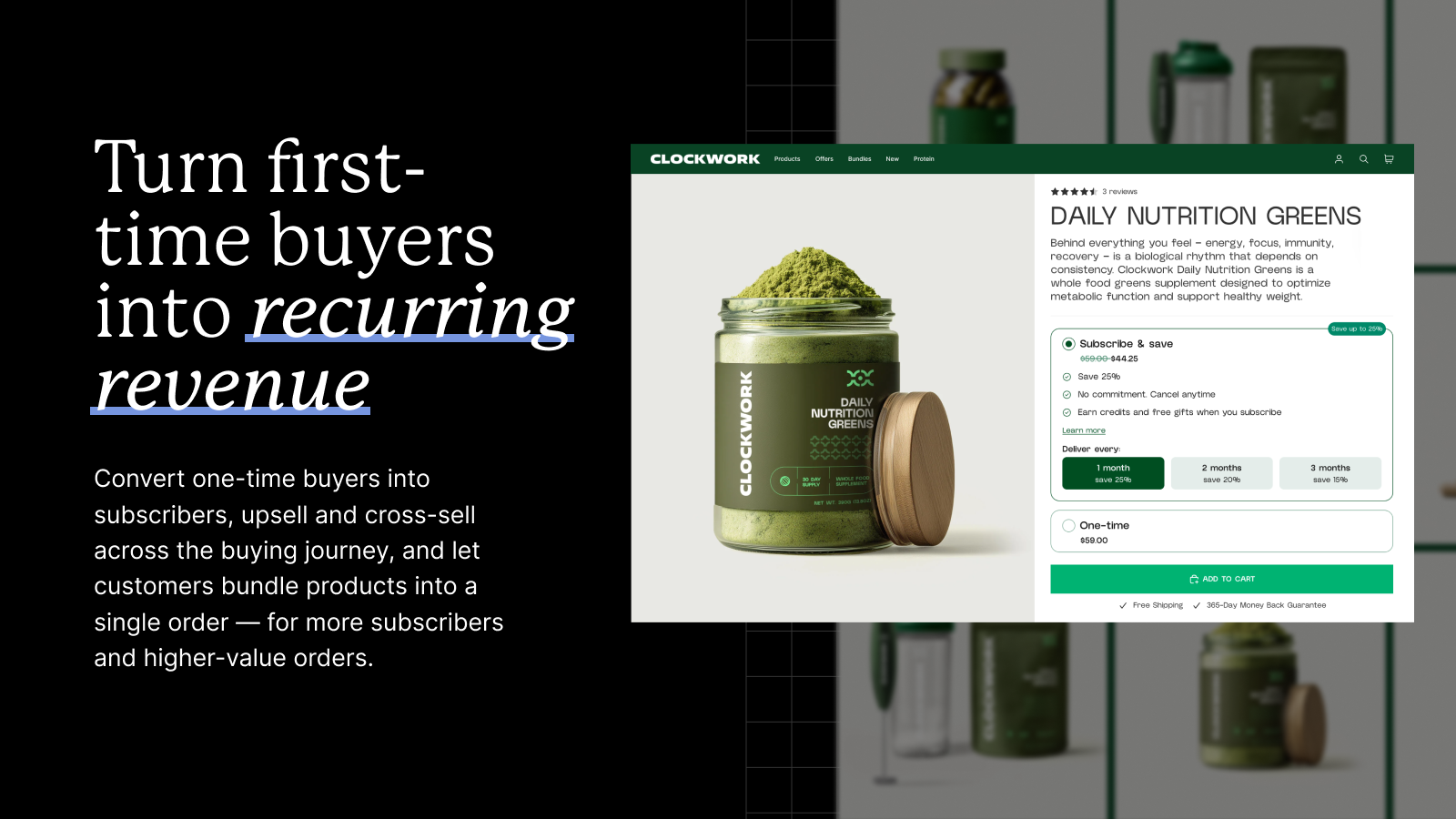
Shopify fit: 4.8 from 3,156 reviews and the Built for Shopify badge on Recharge on the Shopify App Store.
- Subscription widget on product pages
- No-code customer portal for skips and swaps
- Cancellation prevention and failed payment recovery
- Bundles and tiered discounts on Scale
Pros
- The most established subscription app on Shopify
- 60-day free trial
Cons
- High entry price for a small store
- Transaction fees on top of the plan
Pricing: Starter costs $149 a month plus 1.50% + 20¢ per transaction; Scale $499 plus 1.25% + 20¢. See Recharge pricing.
14. Loop: best for returns and exchanges
Loop handles returns with an exchange-first flow: it nudges customers toward a swap or store credit before a refund. It suits apparel and footwear brands with high return rates and enough volume to pay for it.
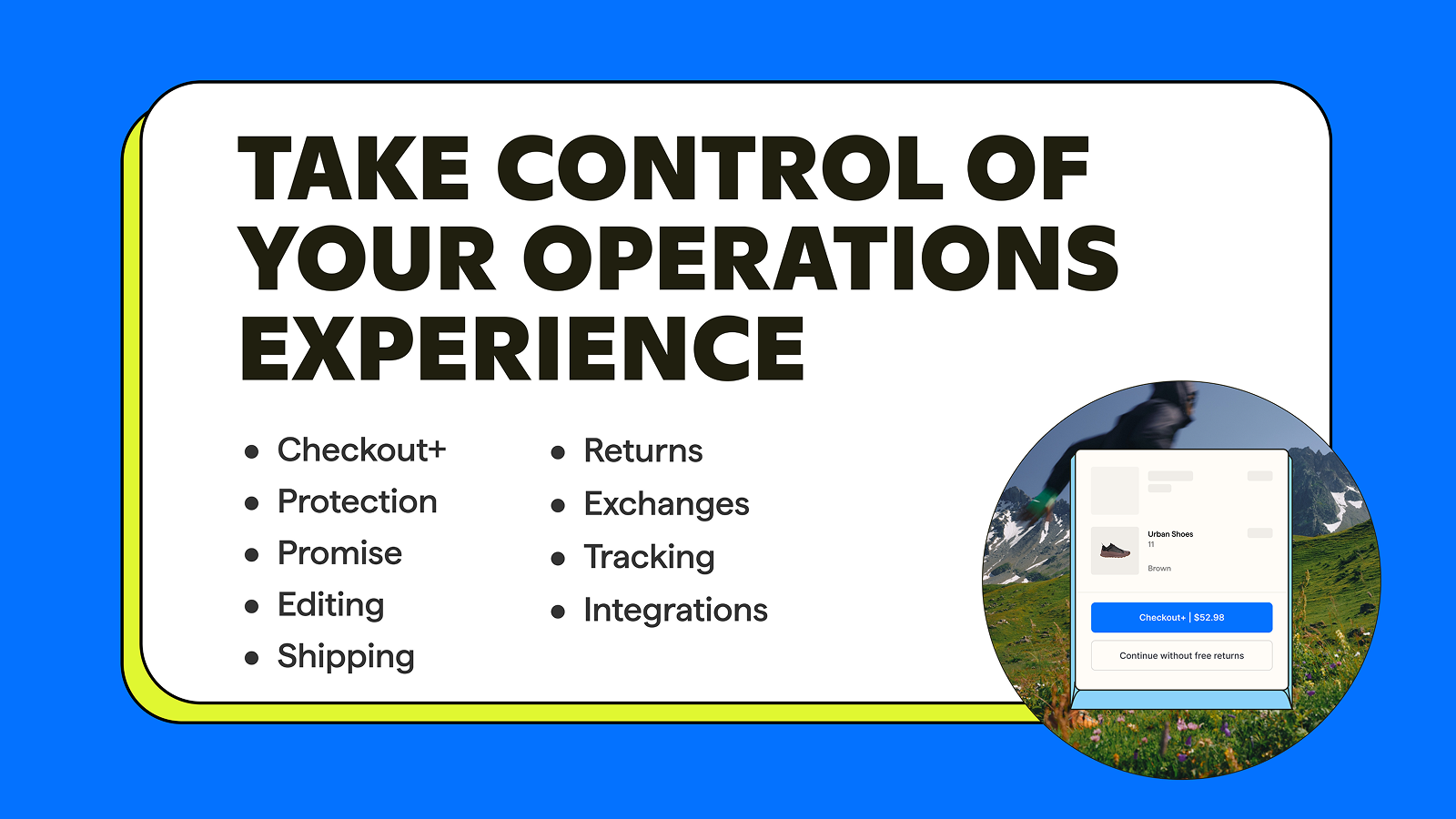
Shopify fit: 4.6 from 449 reviews on Loop on the Shopify App Store.
- Self-service returns portal
- Instant exchanges and bonus credit
- Return labels for the US and Canada
- Fraud prevention
Pros
- Keeps revenue through exchanges
- Free Checkout+ plan for larger stores
Cons
- Expensive for small stores
- Free plan only for brands with 5,000+ yearly orders
Pricing: Checkout+ is free for brands with 5,000+ yearly orders. Returns starts at $340 a month for up to 1,000 returns a month.
Which Shopify apps should you install first?
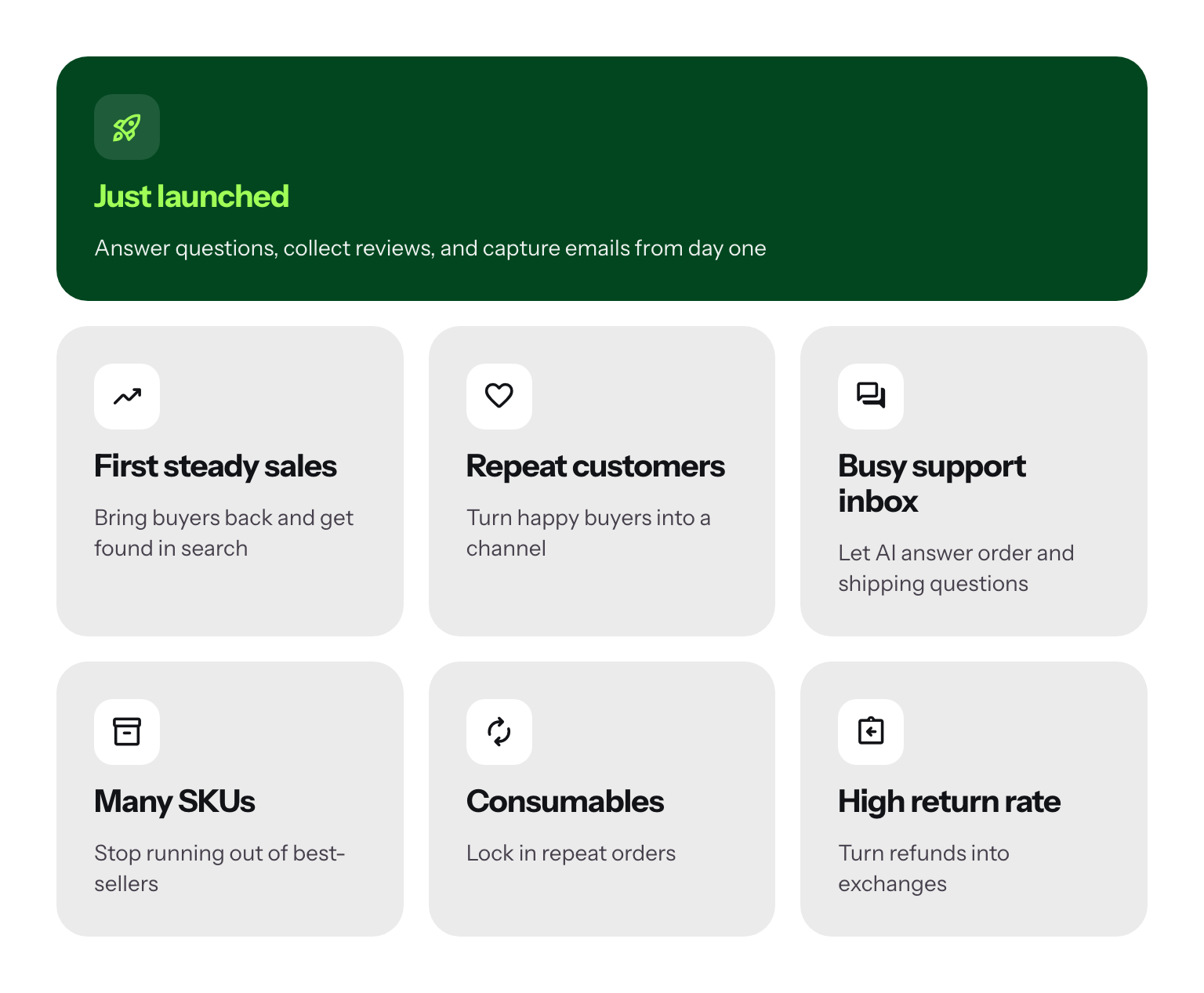
Install by store stage, not by list order. Each extra app adds a bill and a bit of page weight, so add one when a real problem shows up.
| Store stage | Install first | Why |
|---|---|---|
| Just launched | Tidio (free), Judge.me (free), Shopify Messaging or Omnisend (free) | Answer questions, collect reviews, and capture emails from day one |
| First steady sales | Klaviyo or Omnisend paid, Smile, Avada SEO | Bring buyers back and get found in search |
| Repeat customers | Growave or Smile with referrals, ReferralCandy | Turn happy buyers into a channel |
| Busy support inbox | Tidio with Lyro | Let AI answer order and shipping questions |
| Many SKUs | Prediko | Stop running out of best-sellers |
| Consumables | Recharge | Lock in repeat orders |
| High return rate | Loop | Turn refunds into exchanges |
If you want the best Shopify apps to increase sales, start with the three that touch the most shoppers: reviews on product pages, abandoned cart emails, and a chat that answers before people leave. Our guide to Shopify abandoned cart apps goes deeper on the second.
How to install a Shopify app (step by step)
Most apps install in a few minutes. The step people miss is the last one: turning on the app embed in your theme. Here is the process, using Tidio as the example.
Step 1: Find the app
In your Shopify admin, open Apps and search the Shopify App Store, or go to apps.shopify.com directly. Search for Tidio and open the listing.
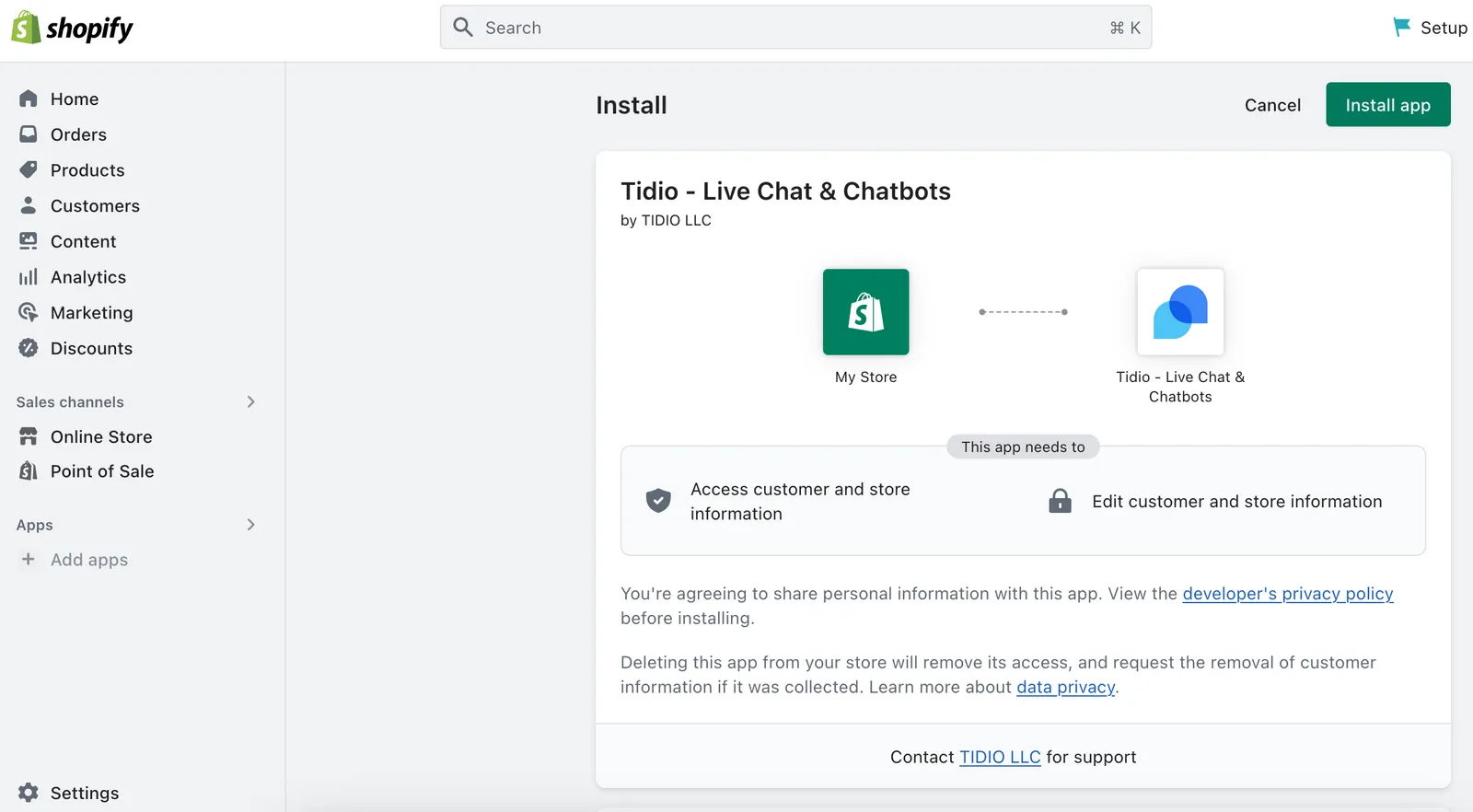
Step 2: Install and approve permissions
Click Install. Shopify shows the data the app can access (orders, products, and customers). Review it and approve. Paid apps then ask you to approve a charge, which appears on your Shopify bill.
Step 3: Set up the app
The app opens its own setup. For Tidio, you create an account or connect an existing one, then pick your chat colors and welcome message.
Step 4: Turn on the app embed
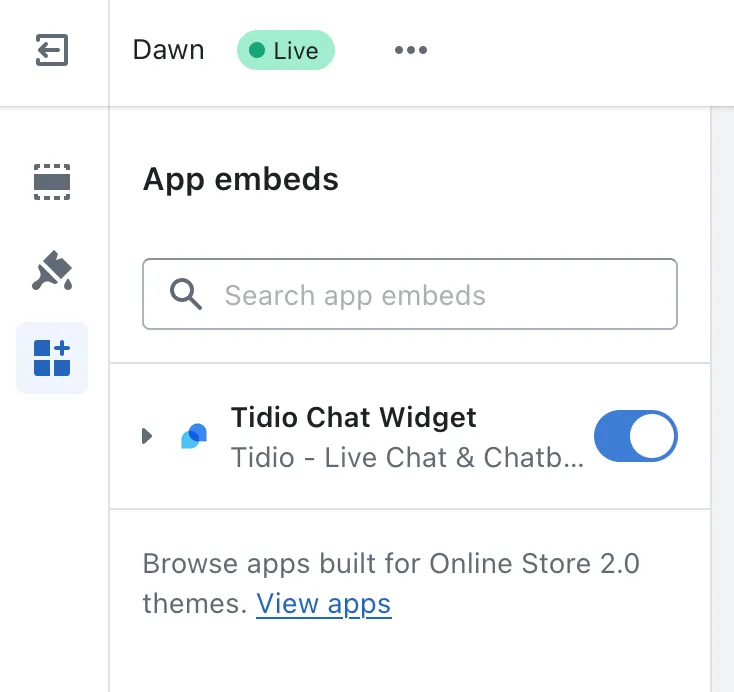
Go to Online Store > Themes, click Customize on your live theme and open App embeds. Switch on the toggle next to Tidio Chat Widget and click Save. Until you do, shoppers can't see the chat.
Step 5: Check it on your store
Open your storefront in a new tab and send a test message. In Tidio, Settings > Live Chat > Installation confirms when the widget is detected.
If you change themes later, turn the app embed on again: Shopify doesn't carry app embeds over to a new theme. The Shopify Help Center guide to app blocks and embeds covers the details, and Tidio's Shopify integration page lists what syncs.
Install Tidio on your Shopify store for free
Will Shopify apps slow down your store?
They can. Every app that adds a widget or script to your storefront adds some weight, and a dozen of them add up. Three habits keep your store fast:
- Prefer Built for Shopify apps. Shopify reviews them for performance, and most load through app embeds and app blocks instead of editing theme code.
- Uninstall what you don't use. Uninstalling an app in Settings > Apps stops its future charges on your Shopify bill; cancel any subscription billed outside Shopify separately. Apps that edited theme code can leave code behind, so check your theme after removing one.
- Test after each install. Run your store through Google PageSpeed Insights before and after, and keep an app only if it earns its load.
Back-office apps such as Prediko or ReferralCandy's dashboard add little or nothing to your storefront. Chat widgets, popups, and review widgets are the ones to watch.
Build your stack one job at a time
The best Shopify app stack is short. Start with the jobs every store has (answering shoppers, collecting reviews, and sending email) and add the rest when a real problem asks for it. For customer service, Tidio gives you live chat, an AI agent, and order data in one place, free to start.
FAQ
Judge.me (unlimited reviews), Tidio (live chat with 50 conversations a month), Omnisend and Klaviyo (email up to 250 contacts), Smile and Growave (loyalty up to 200 orders a month), and Avada SEO all have free plans. Shopify's own Inbox, Forms, Flow, and Search & Discovery are free, and Shopify Messaging includes 10,000 free emails a month.
Most stores do well with six to ten. Cover customer service, email, reviews, and loyalty first, then add apps for SEO, inventory, subscriptions, or returns when you hit that problem. More apps mean more monthly bills and more scripts on your storefront.
Tidio, if you want live chat, an AI agent, and a help desk in one inbox with Shopify order data beside each chat. Shopify Inbox is free and works for one person answering a few chats a day. Compare more options in our e-commerce live chat guide.
Avada SEO is a strong all-round pick: it compresses images, writes alt text, manages meta tags, and adds structured data, with a free plan for small catalogs. Pair it with Judge.me, whose review snippets can show star ratings in Google results.
Recharge is the most established, with a customer portal, cancellation prevention, and bundles. It starts at $149 a month plus transaction fees, so it suits brands where subscriptions are a large share of revenue.
Yes. Plus stores install apps from the same App Store, and some apps add features on Plus, such as redeeming Smile points at checkout. Plus stores also get checkout extensions, which apps like Growave use on their top plans.
Most apps bill through your Shopify invoice after you approve the charge. Some, such as Klaviyo, Omnisend, and Recharge, may bill part of their fees separately. The listing's pricing section says which.
Start answering Shopify shoppers with Tidio for free